TouchBistro

TouchBistro review

iPad-based POS built exclusively for restaurants

TouchBistro costs from $69/mo · 3 plans

By Ciroapp Editorial Team · Updated Sep 17, 2026

Commission may apply at no extra cost

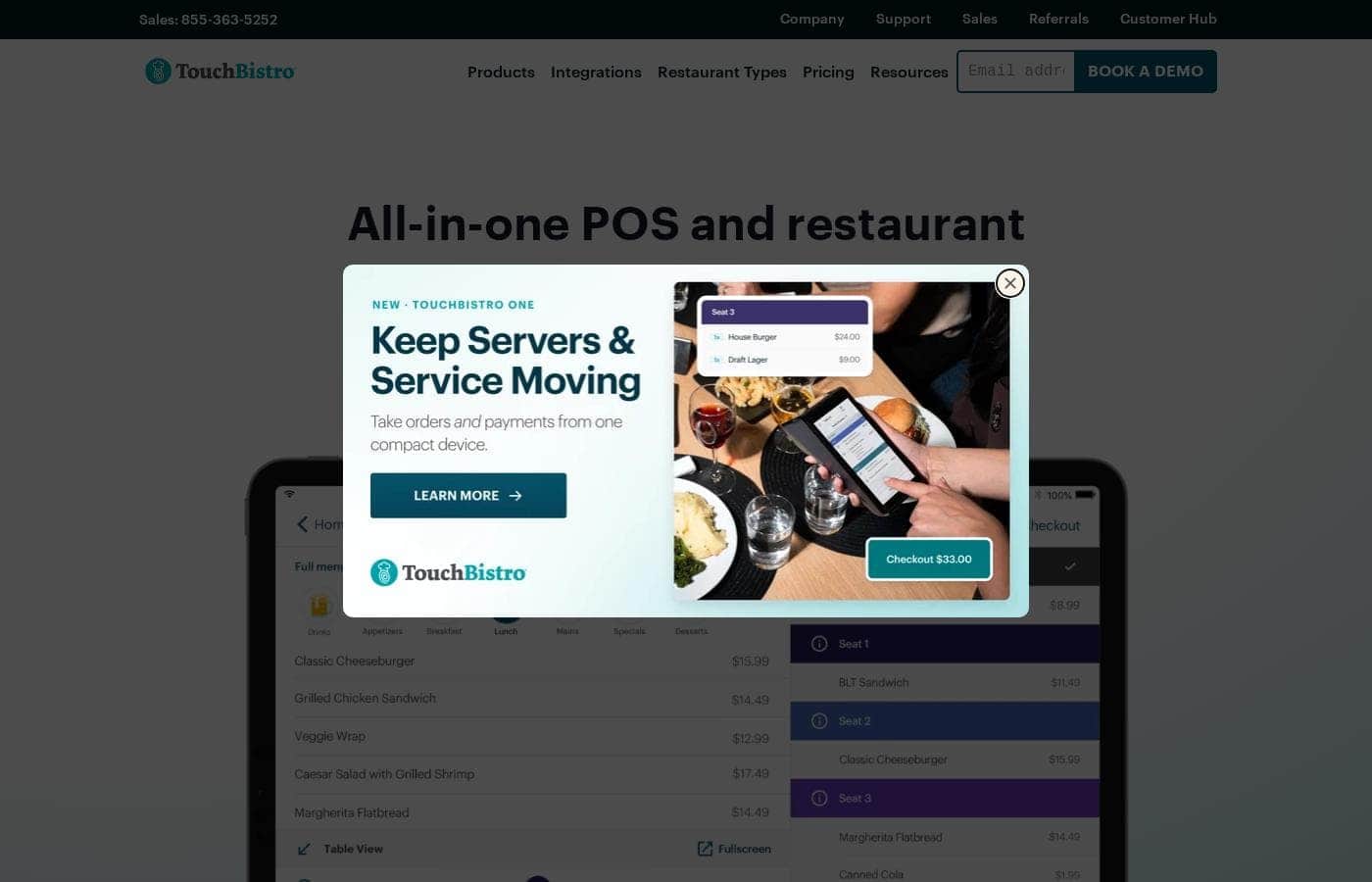
TouchBistro homepage screenshot

At a glance

Quick overview for TouchBistro: rating, pricing summary, key features, and highlights.

Ciroapp score

3.9/ 5

TouchBistro focuses entirely on restaurants, with tableside ordering, offline resilience, 50-plus real-time reports, and the full feature set included at $69/month. The trade-offs are iPad-only hardware, quote-based costs beyond the starting price, and no free trial to test it first. Overall, it's a solid, recommendable pick for foodservice operators who can live with those limits.

Pros

  • Pros:Built exclusively for restaurants, so workflows like tableside ordering, bill splitting, and kitchen communication are designed around foodservice rather than adapted from a generic retail POS
  • Pros:Transparent starting prices — the full POS software suite starts at $69/month with no features gated behind higher tiers, and the Essentials Bundle adds restaurant-grade hardware and integrated payments starting at $119/month
  • Pros:Offline mode keeps devices communicating so staff can keep taking orders and payments even when the internet drops

Cons

  • Cons:The system runs on Apple iPads, so operators committed to Android, Windows, or dedicated POS terminals have no alternative hardware path
  • Cons:Only starting prices are published; hardware, payment processing, and additional fees stack on top, and detailed costs require a quote call, making true monthly spend hard to budget upfront
  • Cons:No free trial or money-back guarantee is advertised, so you can't test the system before committing to a contract
Best for
  • Full-service and fine dining restaurants
  • Quick-service and fast casual spots
  • Bars, clubs, breweries, and wineries
This section is a summary. Detailed sections about features, use cases, pricing, and reviews follow below.

What is TouchBistro?

Running a restaurant means juggling orders, staff, menus, and payments — often across tools that don't talk to each other. TouchBistro puts all of it on one cloud-based platform: tableside ordering, real-time reports, and integrated payments, designed specifically for foodservice.

TouchBistro is an all-in-one point of sale and restaurant management system built exclusively for foodservice. It runs on Apple iPads and covers front of house, back of house, and guest engagement on a single cloud platform. The company says it fits full-service and quick-service restaurants, cafes, bars, breweries, wineries, and multi-location groups.

Software starts at $69 per month, with an Essentials Bundle at $99 that includes hardware and payments.

Should you choose TouchBistro?

Quick buyer guidance before you compare plans or click through.

Choose it if

  • Operators who want POS, payments, labor, inventory, and guest tools on one platform
  • Table-service restaurants that need ordering, upselling, and bill splitting at the table
  • Owners who want real-time cloud reports they can check from anywhere
  • Teams comfortable running their POS on Apple iPads
  • Restaurants that want commission-free online ordering through their own website

Skip it if

  • Independent food trucks, catering companies, and retail businesses — TouchBistro says these aren't a fit
  • Buyers who want full pricing upfront — only starting prices are public, so detailed costs require a quote
  • Locations without a stable internet connection — offline mode covers orders and payments, but reports and some features need connectivity
  • Operators who prefer non-Apple hardware — iPads are the core of the system
  • Businesses that depend on specific third-party tools — confirm your accounting, scheduling, or delivery tools are supported integrations first

Next steps before buying

  1. 1Review the pricing page and compare the $69 software plan against the $99 Essentials Bundle for your setup
  2. 2Check the hardware requirements page to see what you can reuse versus what you'd need to buy
  3. 3Confirm your must-have integrations, such as QuickBooks, DoorDash, or 7shifts, are supported
  4. 4Ask about contract, trial, and refund terms during your quote call, since those details aren't published
  5. 5Book a demo and compare TouchBistro against one or two alternatives before committing

Ease of use

TouchBistro markets itself as fast, reliable, and easy to use, and the iPad foundation suggests a short learning curve for staff. Setup isn't fully self-serve: you start with a quote or demo, and the company's team helps with hardware selection, onsite networking installation, and menu importing. Ongoing help includes a support team, help articles, and a customer hub.

TouchBistro Key Features

✨ Tableside Ordering That Moves With Your Staff

Your servers take orders, upsell add-ons, and split bills right at the table. iPads work as both handheld terminals and countertop stations, so staff spend less time walking back and forth. TouchBistro One goes further: it takes orders, payments, and prints receipts from one compact device.

It's handy during rushes when every second at the table counts.

✨ Real-Time Reports, Wherever You Are

More than 50 cloud-based reports update in real time, so you can check sales without being on-site. Numbers stay current as orders come in, which makes it easier to spot trends and make informed decisions. Just note that reports need an internet connection, though orders and payments keep working offline.

✨ Floor Plans and Menus You Control

Design your floor plan, assign sections to servers, and monitor table status in a few clicks. Menus work the same way: build them once, then update items and prices from wherever you're working. That flexibility matters when you're adjusting for the season or fixing a pricing mistake mid-service.

✨ A Back of House That Runs in Sync

The Kitchen Display System connects front and back of house directly, so orders reach the kitchen fast and accurate. Three more tools handle the back office:

🍽️ Guest Engagement Built In

Online Ordering takes pickup and delivery orders straight through your own website with zero commission fees. Reservations manages online bookings and walk-ins with a digital waitlist, while Loyalty, Gift Cards, and Marketing help drive repeat visits and keep your restaurant top of mind.

Use Cases

🍽️ Tableside service during the dinner rush

Your server greets a four-top, takes the order on an iPad, suggests add-ons, and splits the check three ways without leaving the table. Expected outcome: faster table turns and accurate orders, even when the dining room is packed.

📊 Checking the numbers from anywhere

It's Saturday night and you're off-site. Open 50+ real-time cloud reports to check sales, labor, and menu performance from your phone. > Tip: Reports need internet, so make sure your connection is stable.

⚡ Keeping the quick-service line moving

Your counter gets slammed at lunch. Staff take orders on iPad stations, guests confirm items on the customer-facing display, and payments process without manual entry. Expected outcome: shorter lines and fewer costly mistakes.

🏢 Running several locations as one

You manage multiple venues. Update menus from anywhere, compare reports across locations, and handle labor in one place. > Tip: The Custom Setup bundles front of house, back of house, and guest tools into one quote.

TouchBistro pricing

From$69/mo

  • 3 plans

Prices not verified yet — see the vendor page.

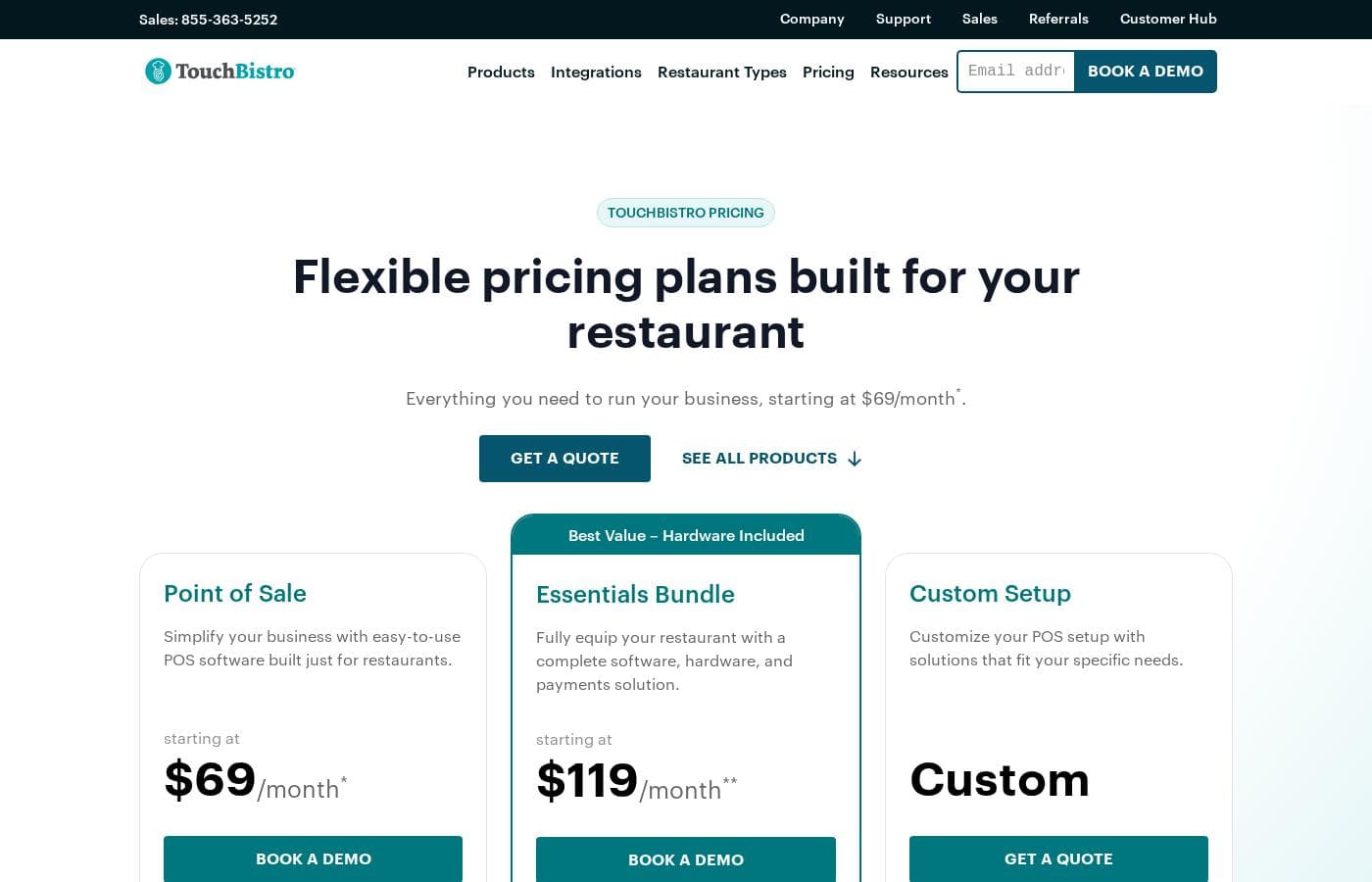
TouchBistro's pricing page

TouchBistro pricing page screenshotView pricing page screenshot
PlanBilled monthlyBilled annuallyIncludes
Point of Sale
$69/mo
—
Hardware required; payment processing and additional fees apply
  • Menu Management
  • Reporting & Analytics
  • Floor Plan & Table Management
  • Staff Management
  • 24/7 support
  • +1
Essentials Bundle
$119/mo
—
Payment processing and additional fees apply
  • Everything in Point of Sale
  • Integrated payments
  • Restaurant-grade hardware
  • 24/7 support
  • Seamless POS integrations
Custom Setup
See vendor page
See vendor page
Quote-based pricing; payment processing and additional fees apply
  • Everything in the Essentials Bundle
  • Additional FOH, BOH, and guest engagement solutions
  • Tailored software, hardware, and payments setup

Pricing types: Monthly subscription

Pricing notes

TouchBistro offers three pricing bundles starting at $69/month for its restaurant POS software. The Essentials Bundle, which adds hardware and integrated payments, starts at $119/month, while Custom Setup pricing is quote-based.

TouchBistro costs between $69 and $119 per month with three plans: Point of Sale at $69/month, Essentials Bundle at $119/month, and Custom Setup at custom quote pricing.

Here's a closer look at what each option includes.

Point of Sale

Price: Starting at $69/month Best For: Restaurants that want the full POS software suite and will handle hardware separately Other Features:

  • Menu Management
  • Reporting & Analytics
  • Floor Plan & Table Management
  • Staff Management
  • 24/7 support and seamless POS integrations

This is the core software plan, and it doesn't hold anything back. Every POS feature, from tableside ordering to real-time reporting, is included at no extra charge. It works well if you already have an iPad or prefer to source your own equipment. Just remember hardware is required, and payment processing and additional fees apply on top of the monthly price.

Essentials Bundle

Price: Starting at $119/month Best For: Restaurants that want a complete, ready-to-run setup Other Features:

  • Everything in Point of Sale
  • Integrated payments
  • Restaurant-grade hardware

TouchBistro positions this as its best-value option because hardware comes included. You won't have to piece together software, terminals, and payments from different vendors. It's a smart fit for new restaurants or anyone replacing an aging setup in one go. Payment processing and additional fees still apply.

Custom Setup

Price: Custom (quote-based) Best For: Restaurants that need more than a standard bundle Other Features:

  • Everything in the Essentials Bundle
  • Additional front of house, back of house, and guest engagement solutions

If you want extras like a Kitchen Display System, Inventory Management, Online Ordering, Loyalty, Reservations, or Marketing, this route rolls them into one tailored quote. It suits larger venues and multi-location operators with more complex needs. 🍽️

TouchBistro doesn't advertise a free plan or trial on its pricing page, but every subscription includes free 24/7 support by phone and email, free software updates, and zero commission fees on online orders. Hardware financing is available for venues with two or more terminals, which helps spread out upfront costs. Because hardware, payment processing, and other fees stack on top of the base price, ask for a full quote to confirm your true monthly cost before you commit.
Cost calculator

Estimate what TouchBistro costs for your team.

Billing
Per month
$69
Per year
$828

Point of Sale states no user limit: shown as one price for the whole account. Check the price for 5 users with the vendor. Estimate based on published list prices, before taxes, add-ons and discounts.

Email me when TouchBistro changes price

One email when we detect a price change on the vendor's pricing page. No newsletter, no deals. Unsubscribe in one click.

User Reviews

No reviews yet.

Write a Review

Write a Review for TouchBistro
0/100 characters
0/2000 characters

Why use TouchBistro?

Most POS systems try to serve every kind of business. TouchBistro only serves restaurants — and that focus shapes how the whole platform works.

  • Built for foodservice, not retail. Every workflow, from tableside ordering to kitchen communication, is designed around restaurant service.
  • One system for the whole operation. POS, payments, labor, inventory, reservations, loyalty, and marketing live on a single platform, so data stays connected.
  • Clear starting prices. Software starts at $69 per month. The Essentials Bundle starts at $99 per month with $0 upfront hardware.
  • Real-time visibility from anywhere. More than 50 cloud-based reports update in real time, so you can check numbers without being on-site.
  • Keeps working when the internet doesn't. If connectivity drops, devices still talk to each other so you can take orders and payments.
  • Help with the switch. The TouchBistro team assists with hardware choices, onsite networking installation, and importing your menu.

TouchBistro alternatives

Other tools in the Restaurant Management category

View all Restaurant Management tools

TouchBistro FAQ

How much does TouchBistro cost?

TouchBistro's cheapest paid plan, Point of Sale, costs $69 per month. Paid plans range from $69 to $119 per month.

Which third-party tools does TouchBistro integrate with?

TouchBistro partners with tools like DoorDash, 7shifts, QuickBooks, Deliverect, Shogo, Davo, Moneris, Chase, and UrbanPiper. Seamless POS integrations come with every plan. Check the integrations page to confirm your must-have apps are supported before you buy.

Does TouchBistro offer a free trial or money-back guarantee?

TouchBistro's site doesn't advertise a free trial or refund program. It publishes starting prices only, and detailed costs come by quote. Ask about contract, trial, and refund terms during your quote call before you commit.

What does switching from my current POS involve?

You start by talking with the team about the right hardware and software setup. Some existing hardware may be reusable. TouchBistro's team then helps with onsite networking installation and imports your menu for you.

Can I keep my current payment processor?

TouchBistro says it's compatible with a wide range of payment processors, whether you want an integrated processor or a standalone system. Their team walks you through the options and helps you pick the right fit.

Ready to try TouchBistro? Check out the official site or pricing.

Are you TouchBistro? Claim this listing · Get the badge