Subly

Subly review

One clear dashboard for every subscription your business pays for.

Subly costs from $3.25/mo · 3 plans · Free plan available · prices checked Oct 13, 2026

By Ciroapp Editorial Team · Updated Sep 16, 2026

Commission may apply at no extra cost

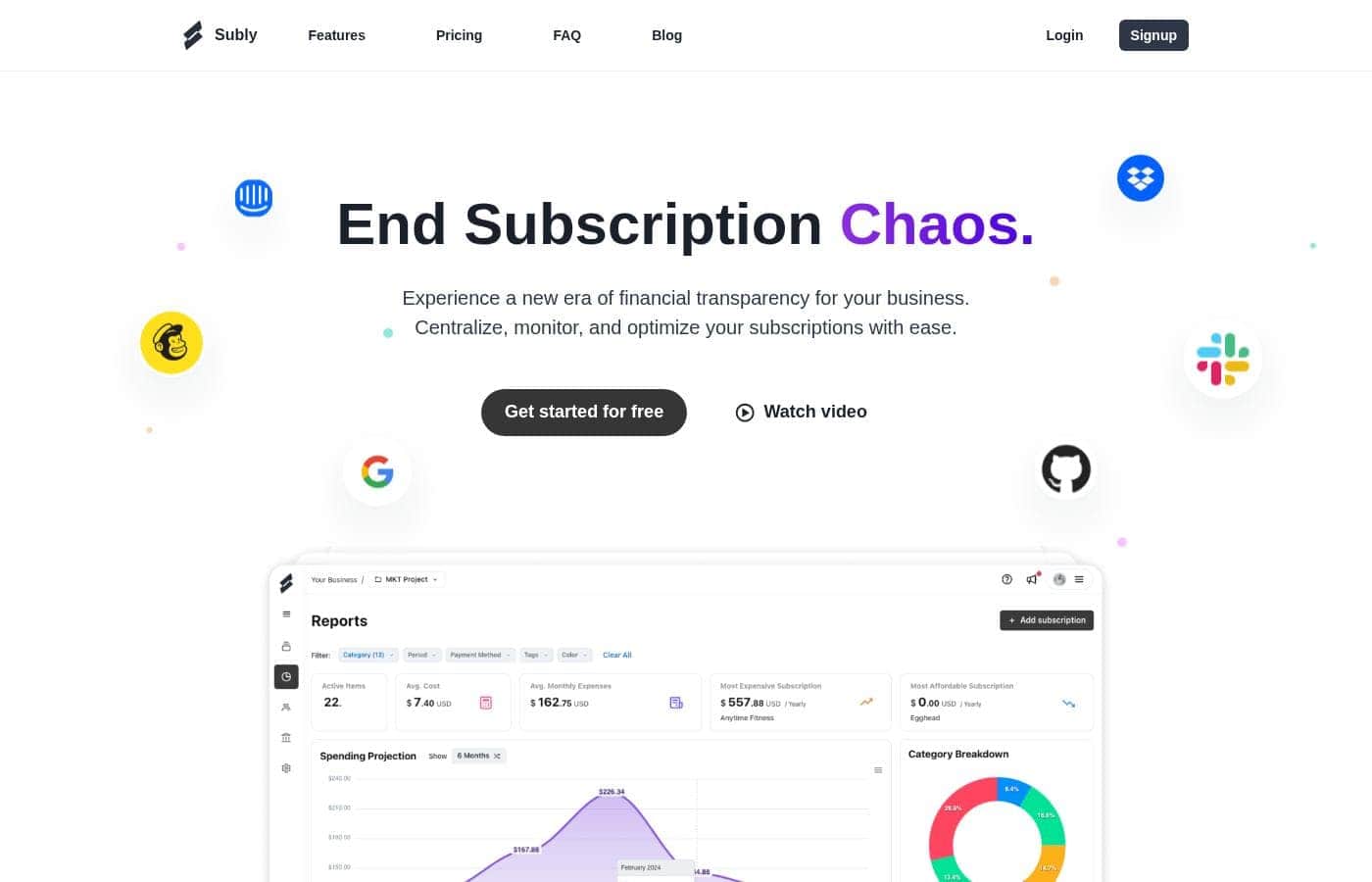
Subly homepage screenshot

At a glance

Quick overview for Subly: rating, pricing summary, key features, and highlights.
Pricing verified Oct 13, 2026

Ciroapp score

3.9/ 5

Subly pulls every business subscription into one dashboard, flags renewals before they hit your card, and converts multi-currency spending into clear reports. The forever-free plan is genuinely usable, but there's no automatic bank syncing, and refund terms aren't published. Overall, it's a solid, low-cost pick for freelancers and small teams willing to maintain entries manually.

Pros

  • Pros:The Free plan is free forever with no credit card required and covers up to 10 subscriptions and 1 team member—no trial countdown to manage
  • Pros:Renewal alerts warn you before a charge hits your card, so you can cancel or keep a subscription on your terms rather than discovering it on a statement
  • Pros:Multi-currency support converts expenses from any currency and displays insights in your preferred one, keeping reports consistent for cross-border tool spending

Cons

  • Cons:Team plans top out at 10 members and 10 GB of storage, so larger organizations have no higher tier to grow into
  • Cons:There's no mention of automatic bank syncing or card detection—expect to add and maintain subscriptions manually
  • Cons:API access is marked 'coming soon' on the Team plan, and integrations only unlock from the Pro plan up, so the Free tier stays fairly standalone
Best for
  • Freelancers and solopreneurs juggling many SaaS tools
  • Small teams and startups tracking shared recurring costs
  • Agencies and SMBs managing project-level spending
This section is a summary. Detailed sections about features, use cases, pricing, and reviews follow below.

What is Subly?

Recurring charges pile up quietly. One forgotten renewal here, an unused tool there, and your budget leaks money every month. Subly puts all your business subscriptions in one dashboard, sends renewal alerts before charges hit, and turns your spending into clear reports you can act on.

Subly is a web-based subscription tracker for businesses. It centralizes every recurring payment—across teams and projects—into one dashboard, so you can see costs at a glance. It handles multiple currencies, converts them into your preferred currency, and flags upcoming renewals.

The site positions it for freelancers, small teams, startups, agencies, and SMBs. You can also track one-time expenses.

Should you choose Subly?

Quick buyer guidance before you compare plans or click through.

Choose it if

  • You want one dashboard for all business subscriptions
  • You need renewal alerts to avoid unexpected charges
  • You spend in several currencies but report in one
  • You want spending reports to guide cost decisions
  • You value data control—export anytime, deleted if you leave

Skip it if

  • Teams needing more than 10 members—current plans top out there
  • Buyers who want monthly billing—the listed Pro and Team prices are yearly
  • Developers needing API access today—it's marked "soon" (webhooks come first)
  • Anyone expecting automatic bank syncing—the site doesn't mention it, so expect manual entry
  • Heavy file uploaders—storage caps range from 500Mb to 10Gb by plan

Next steps before buying

  1. 1Start with the Free plan and add your first 10 subscriptions to judge the fit.
  2. 2Check pricing inside the app—the listed Pro ($39/year) and Team ($120/year) figures are annual rates, and monthly prices weren't shown.
  3. 3Confirm the integrations you rely on (Slack, Google, Dropbox, GitHub, and others shown) are included—integrations begin on the Pro plan.
  4. 4If API access is essential, note it's listed as coming soon; consider webhooks on Pro or wait for the release.
  5. 5Review cancel and data terms before paying—plans can be canceled anytime, and your data is downloadable.

Ease of use

Onboarding looks simple. Signup is free, and you can start on the Free plan with up to 10 subscriptions, then upgrade only if you outgrow it. Customers quoted on the site call the interface user-friendly, with a panoramic view of payments from one dashboard. A chat widget is available on the site for quick questions.

Subly Key Features

✨ See every subscription in one place

Subly pulls all your recurring payments into a single dashboard, across teams and projects. You can zoom out for a broad overview or dive into line-by-line details. It's the fastest way to spot forgotten tools and unused plans that quietly drain your budget.

Use it as your daily hub for everything your business pays for.

🔔 No more unexpected charges

Renewal alerts warn you before a charge hits your card. That gives you time to cancel what you don't need or keep what you do—on your terms, not the vendor's. Customers say it means never missing a bill payment again.

Turn them on and let Subly watch the calendar for you.

🌍 Every currency, one dashboard

Pay for tools in dollars, euros, or anything else—Subly handles the conversions for you. Expenses from any corner of the world get converted and shown in your preferred currency, so reports stay consistent. If your team buys software across borders, this keeps every cost comparable at a glance.

✨ Reports that turn spending into decisions

Detailed reports break down your spending patterns so you can see where money goes. Instead of guessing which tools earn their keep, you get data. That's how customers spot subscriptions they don't need and cut costs with confidence.

Review the numbers, then decide what stays and what goes.

✨ Tools that fit how you work

Subly adapts to your setup, not the other way around. Share spending with your team, set limits with project budgets, and organize entries your way. You can track one-time expenses alongside recurring ones too. Handy extras include:

  • Project budgets to set spending limits
  • Notes, tags, and categories for flexible organizing
  • Integrations with tools like Slack, Dropbox, and GitHub

Use Cases

🧰 Freelancers juggling too many tools

You use a dozen SaaS tools, and renewals sneak up on you. Add each one to Subly, set renewal alerts, and check reports before charges hit. Cancel what you don't need.

👥 Small teams tracking shared costs

Shared subscriptions get messy fast. Put them in one dashboard so everyone sees the same numbers. Discuss spending together and decide faster, with everyone in the loop.

📁 Agencies managing project spending

Client tools add up quickly. Use projects to group subscriptions by client, set budgets, and catch overspending early. Reports show exactly where the money goes.

🌍 Businesses paying in multiple currencies

Your team buys tools in dollars, euros, and more. Subly converts everything and shows insights in your preferred currency, so one report covers it all.

Subly pricing

From$3.25/mo

  • 3 plans
  • Free plan available

Prices checked on Oct 13, 2026 from Subly's pricing page

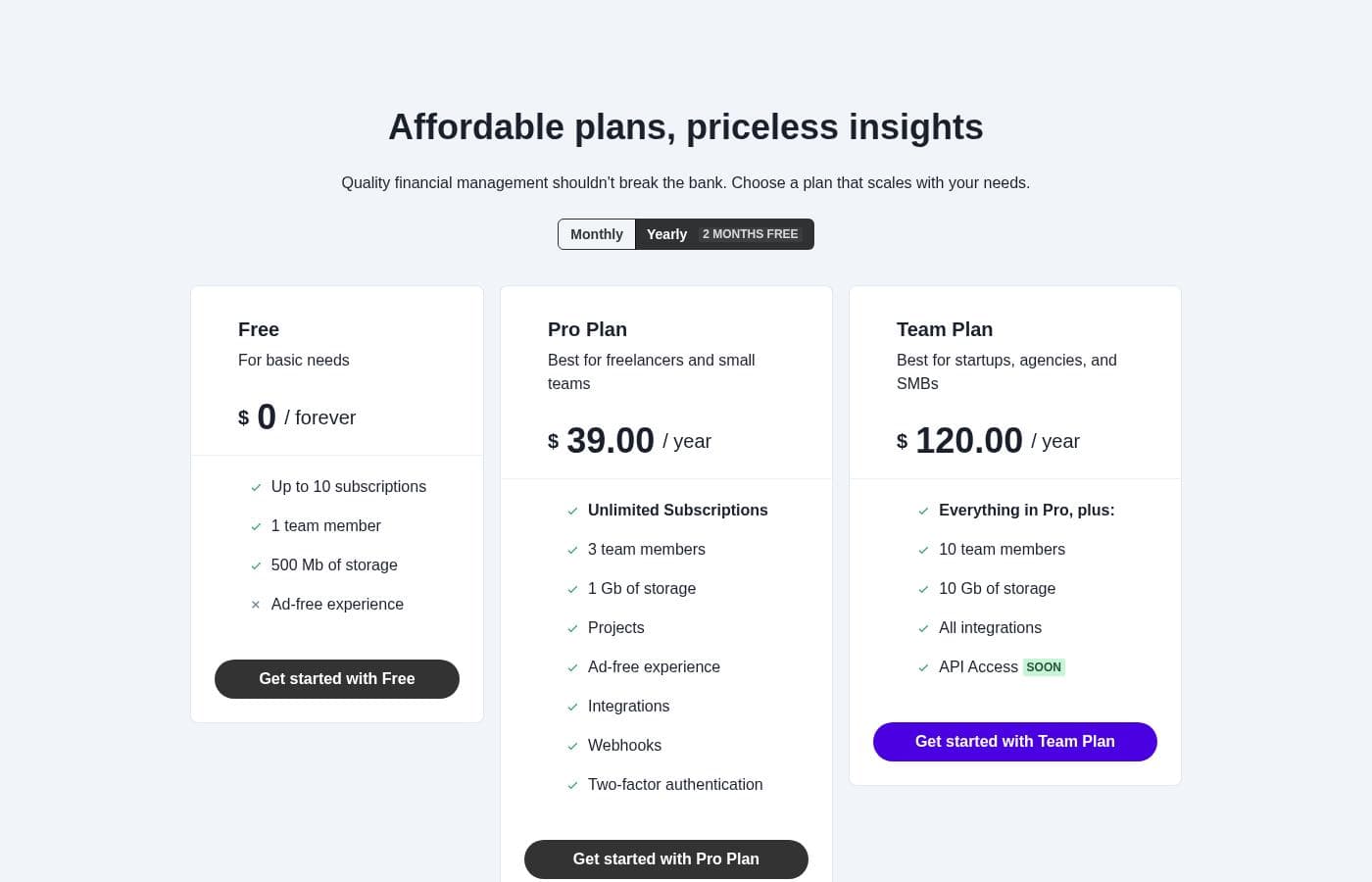
Subly pricing page screenshotView pricing page screenshot
PlanBilled monthlyBilled annuallyIncludes
Free
Free
—
Up to 10 subscriptions, 1 team member, 500 MB of storage
  • Up to 10 subscriptions
  • 1 team member
  • 500 MB of storage
  • Ad-free experience
Pro Plan
—
$3.25/mo
$39 per year
3 team members, 1 GB of storage
  • Unlimited subscriptions
  • 3 team members
  • 1 GB of storage
  • Projects
  • Ad-free experience
  • +3
Team Plan
—
$10/mo
$120 per year
10 team members, 10 GB of storage
  • Everything in Pro
  • 10 team members
  • 10 GB of storage
  • All integrations
  • API access (coming soon)

Price history

Tracking prices since Sep 8, 2026. No price change detected yet.

Pricing types: Free plan, Monthly subscription, Yearly subscription

Pricing notes

Subly offers a free plan plus two paid tiers: Pro at $39/year and Team at $120/year. Paid plans can also be billed monthly, and annual billing includes 2 months free.

Subly costs between $0 and $120 per year with three plans: Free at $0 forever, Pro Plan at $39 per year, and Team Plan at $120 per year.

Here's a closer look at what each tier includes.

Free

Price: $0 / forever Best For: Basic needs Other Features:

  • Up to 10 subscriptions
  • 1 team member
  • 500 MB of storage
  • Ad-free experience

This plan costs nothing and never expires. It fits individuals who track a handful of subscriptions and don't need collaboration tools. Once you hit the 10-subscription cap, that's your cue to upgrade — there's no reason to pay for a higher tier before then.

Pro Plan

Price: $39.00 / year Best For: Freelancers and small teams Other Features:

  • Unlimited subscriptions
  • 3 team members
  • 1 GB of storage
  • Projects, integrations, and webhooks
  • Two-factor authentication

Pro removes the subscription cap entirely, so your list can grow freely. Freelancers and small teams get collaboration features, integrations, and webhooks. Two-factor authentication keeps the account secure, which matters when finances are involved.

Team Plan

Price: $120.00 / year Best For: Startups, agencies, and SMBs Other Features:

  • Everything in Pro
  • 10 team members
  • 10 GB of storage
  • All integrations
  • API access (coming soon)

Growing companies should pick this tier. Ten seats and 10 GB of storage make it easier to manage spending across departments. Just remember that API access is marked as coming soon, so don't choose Team for that feature alone.

Subly has a free plan, so you can use it indefinitely without a trial countdown or card. 🎉 No refund policy is mentioned, but you can change your plan or cancel at any time, and there are no long-term contracts unless you opt for annual billing. Monthly billing is available too, though the monthly dollar amounts for Pro and Team aren't shown on the page — confirm current monthly rates at checkout before committing.
Cost calculator

Estimate what Subly costs for your team.

Billing

Pro Plan allows up to 3 users: pick a larger plan for 5 users.

Estimate based on published list prices, before taxes, add-ons and discounts.

How to pay less for Subly

  • Start on the free plan and upgrade only when you hit its limits.
Visit Subly

Email me when Subly changes price

One email when we detect a price change on the vendor's pricing page. No newsletter, no deals. Unsubscribe in one click.

User Reviews

No reviews yet.

Write a Review

Write a Review for Subly
0/100 characters
0/2000 characters

Why use Subly?

Subscription creep is one of the easiest budget leaks to fix—Subly makes it visible.

  • See everything in one place. Every subscription across your teams and projects lives in a single hub, from broad overview to fine detail.
  • Stop surprise charges. Renewal alerts warn you before a payment hits, so you can cancel or keep it on your terms.
  • Cut costs with confidence. Detailed reports reveal spending patterns, so decisions come from data instead of guesswork.
  • Handle global spending. Subly converts expenses from any currency and shows insights in the one you prefer.
  • Keep your team aligned. Share and discuss spending so decisions happen faster, with everyone in the loop.
  • Start free, scale later. The Free plan costs nothing forever, plans are cancel-anytime, and paid tiers add budgets, integrations, and webhooks.

Subly alternatives

Other tools in the Subscription manager category

View all Subscription manager tools

Subly FAQ

How much does Subly cost?

Subly's cheapest paid plan, Pro Plan, costs $3.25 per month. Paid plans range from $3.25 to $10 per month. Prices checked on Oct 13, 2026 from the vendor's pricing page.

Does Subly have a free plan?

Yes. Subly has a free plan (Free); paid plans start at $3.25 per month.

Has Subly's price changed recently?

No. We have not detected a price change since we started tracking on Sep 8, 2026.

Which tools does Subly integrate with, and when do integrations unlock?

Subly shows integrations with Intercom, Mailchimp, Google, Dropbox, Slack, and GitHub. Integrations start on the Pro plan; Team includes all of them, plus webhooks unlock at Pro. Confirm your must-have tools are covered before upgrading.

How does Subly protect my account and my data?

Your data stays yours: you can download everything anytime, and it's deleted from Subly's servers if you leave. For account security, two-factor authentication is included from the Pro plan up. Review the privacy policy for compliance specifics.

Do I need a credit card to try Subly?

No trial countdown to track here — the Free plan is free forever with no card needed. It covers 10 subscriptions and one team member. Upgrade to Pro or Team only when you outgrow it.

How do I get help if I get stuck?

A chat widget on the site handles quick questions, and a public feedback board lets you request features. There's also a status page for uptime. Test the chat's response time before committing if support matters to you.

Ready to try Subly? Check out the official site or pricing.

Are you Subly? Claim this listing · Get the badge