Square Payments

Square Payments review

One system for taking payments in person, online, and on the go.

By Ciroapp Editorial Team · Updated Sep 16, 2026

Commission may apply at no extra cost

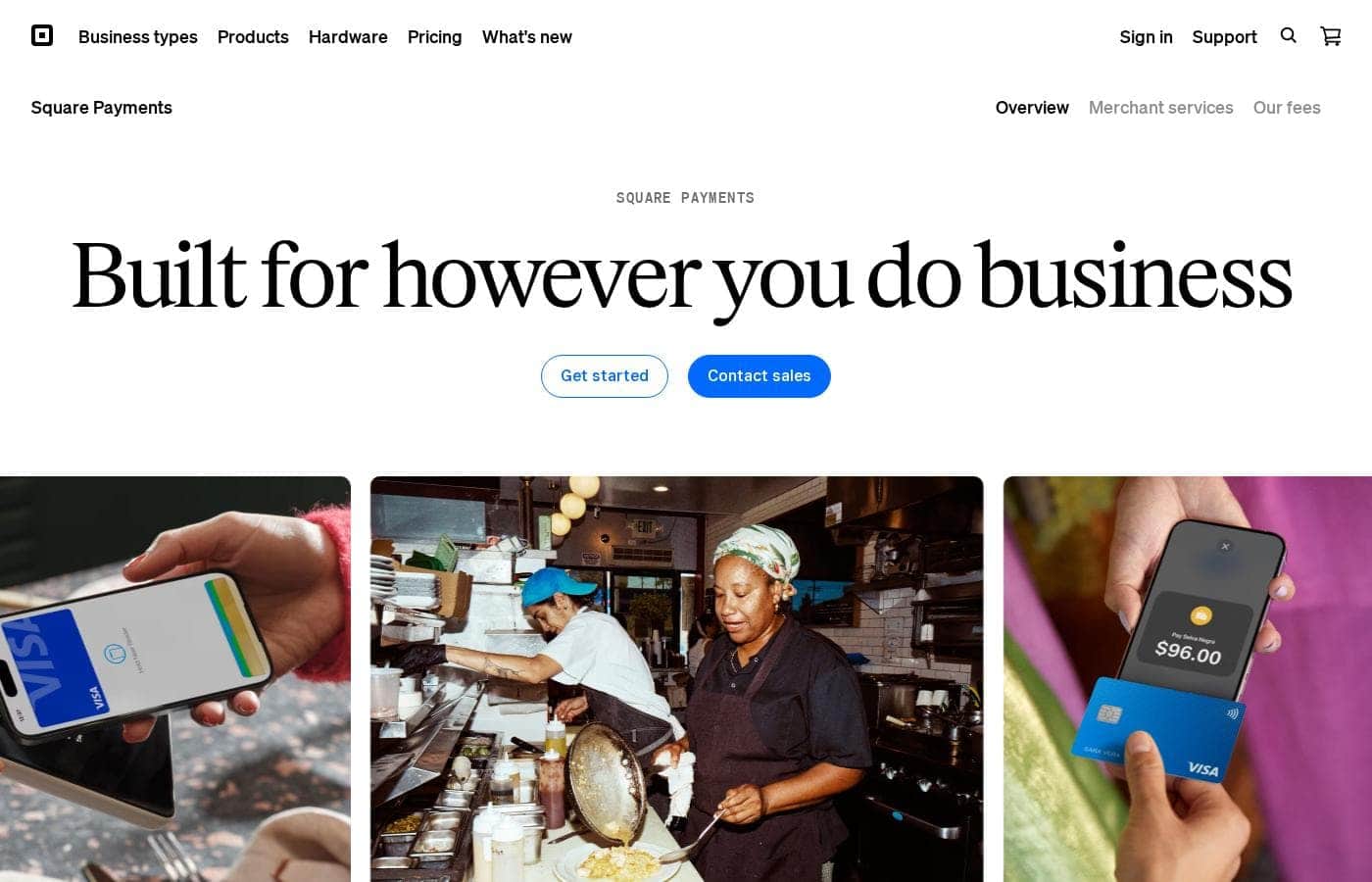
Square Payments homepage screenshot

At a glance

Quick overview for Square Payments: rating, pricing summary, key features, and highlights.
Vendor page checked Oct 13, 2026

Ciroapp score

4.2/ 5

Square wraps in-person card acceptance, Tap to Pay, a free online store, payment links, and developer APIs into one account with a $0 starting plan and usage-based fees. It's a fast way to start selling, though flat-rate fees can add up at volume and hardware costs extra. Overall, it's one of the most practical payment systems for small and growing businesses.

Pros

  • Pros:Free plan with usage-based fees means businesses can adopt Square with no upfront monthly commitment — plans start at $0/month.
  • Pros:Tap to Pay on iPhone or Android turns an existing phone into a contactless terminal, eliminating hardware cost for low-volume or mobile sellers.
  • Pros:One account covers in-person hardware, a free online store, payment links, and APIs, so in-person and online sales consolidate into a single dashboard and payout stream.

Cons

  • Cons:Flat-rate, usage-based processing fees are convenient but usually cost more than interchange-plus pricing for high-volume merchants.
  • Cons:Card readers and terminals are sold separately, so a fully equipped counter requires an upfront equipment purchase.
  • Cons:Like most processors, Square can hold funds or review accounts flagged for unusual activity, which can strain cash flow.
Best for
  • Cafés, food trucks, and small retail shops that want countertop card acceptance and a point-of-sale app from one vendor
  • Mobile service providers — stylists, contractors, tutors — who need to take payment on-site via Tap to Pay or payment links
  • New online sellers who want a free store and hosted checkout without buying a separate e-commerce platform
This section is a summary. Detailed sections about features, use cases, pricing, and reviews follow below.

What is Square Payments?

Square Payments is a payment platform that handles card and digital transactions across physical and online sales channels. Businesses can accept money through countertop hardware, contactless Tap to Pay on a phone, a free online store, payment links, or custom API integrations. Funds route securely from the buyer to the merchant's linked bank account, with everything tracked in a single dashboard.

The service is built to scale from a solo vendor's first sale to multi-location retail operations.

Square Payments is a payment gateway and processing system that moves money from a customer's payment method to a business's bank account. It covers the full acceptance flow: reading cards in person with Square hardware or Tap to Pay on iPhone and Android, taking payments online through a free Square Online store, collecting via payment links, and processing programmatically through APIs. Because one account manages all of these channels, reporting and payouts stay consolidated rather than split across providers.

It is designed for businesses of all sizes and adapts as transaction volume grows.
Should you choose Square Payments?

Quick buyer guidance before you compare plans or click through.

Choose it if

  • Cafés, food trucks, and small retail shops that want countertop card acceptance and a point-of-sale app from one vendor
  • Mobile service providers — stylists, contractors, tutors — who need to take payment on-site via Tap to Pay or payment links
  • New online sellers who want a free store and hosted checkout without buying a separate e-commerce platform
  • Startups and platforms that want to embed payments through APIs instead of negotiating a custom merchant account

Skip it if

  • High-volume merchants whose monthly card fees would be lower under an interchange-plus or negotiated-rate processor
  • Businesses located in countries Square does not currently support
  • Enterprises that need deep payment customization, multi-gateway redundancy, or controls beyond what Square's APIs and subscriptions provide

Next steps before buying

  1. 1Create a free Square account online and complete the identity and business verification steps.
  2. 2Link your bank account so processed funds can be deposited.
  3. 3Choose your acceptance channel: order a card reader or terminal, enable Tap to Pay on your phone, or set up a free online store or payment link.
  4. 4Run a small test transaction to confirm the flow end-to-end, then review the dashboard to see how sales and payouts are reported.
  5. 5If you are a developer, request API credentials and follow Square's documentation to integrate checkout into your own app or site.

Square Payments Key Features

✨ In-Person Card Acceptance

Square offers a range of dedicated hardware — from pocket-sized contactless readers to full countertop registers — that pairs with the Square Point of Sale app on iOS or Android. Merchants can dip chips, take tap payments, and key in cards, with receipts delivered by email or text. The same account records sales whether they happen at a counter, a market stall, or a pop-up.

✨ Tap to Pay on iPhone and Android

Instead of buying a reader, merchants can accept contactless cards and digital wallets directly on a compatible iPhone or Android device. The phone itself becomes the terminal: the customer taps their card or wallet near the device and the payment is processed securely. This suits mobile businesses, delivery scenarios, and anyone testing in-person sales before investing in hardware.

✨ Online Store and Payment Links

Square includes a free online store builder, so sellers can launch e-commerce without a separate website platform. For invoices, social media, or email sales, payment links let a customer pay through a hosted checkout with no code involved. Orders from all online channels feed into the same dashboard as in-person sales.

✨ Developer APIs

Engineering teams can integrate Square's payment processing directly into their own apps, websites, or custom point-of-sale systems through its API suite. That makes it possible to embed checkout and manage transactions programmatically while still relying on Square's settlement and compliance infrastructure.

✨ Unified Money Movement and Reporting

Every transaction, regardless of channel, is tracked in one place, with funds routed to the merchant's linked bank account. Consolidated reporting simplifies bookkeeping, refunds, and dispute handling across in-person and online sales.

Use Cases

💡 Retail Stores, Cafés, and Restaurants

Counter-service businesses can pair Square hardware with the Point of Sale app to take orders, accept cards and wallets, and track daily sales. Because payment records live alongside inventory and receipts, staff can run the entire front counter from a single setup.

💡 Mobile and Service Businesses

Plumbers, stylists, food trucks, market vendors, and tutors can get paid on-site without bulky equipment: send a payment link by text, or let the customer tap a card on the business phone with Tap to Pay. Invoicing and links make it practical to collect payment at the moment of service.

💡 New and Small Online Sellers

A seller starting on Instagram, at craft fairs, or through word of mouth can open a free Square account, set up a free online store or share payment links, and start selling the same day. The usage-based model means costs follow revenue instead of demanding an upfront commitment.

💡 Platforms and Custom Integrations

Developers building marketplaces, booking tools, or custom checkout flows can use Square's APIs to process payments without becoming a registered payment facilitator, leaning on Square's compliance, settlement, and reporting systems.

Square Payments pricing

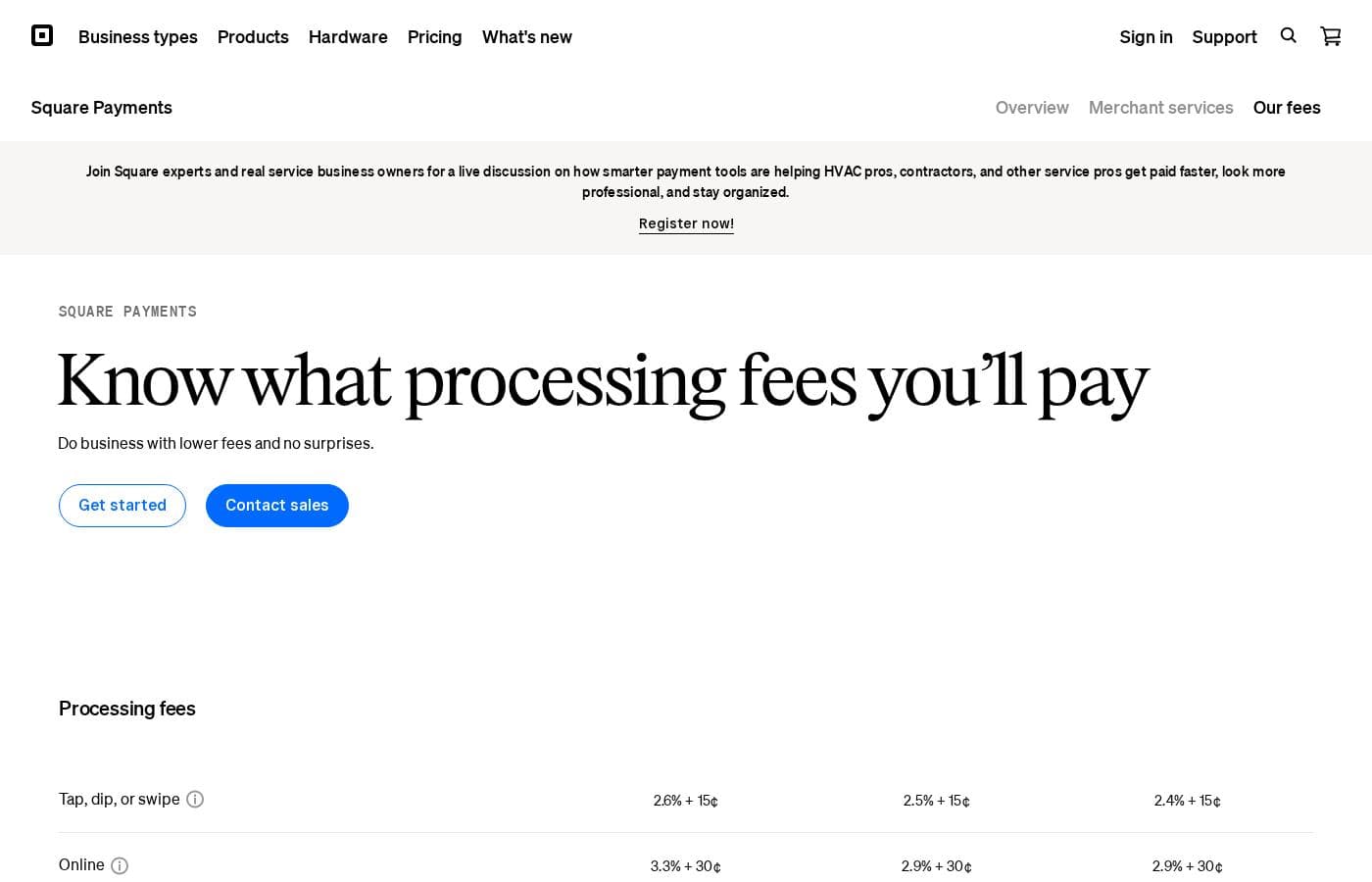
Prices not verified yet — see the vendor page.

Square Payments's pricing page

Square Payments pricing page screenshotView pricing page screenshot

Price history

Tracking prices since Oct 1, 2026. No price change detected yet.

Pricing types: Free plan, Free trial, Monthly subscription, Yearly subscription, Usage-based pricing

Pricing notes

Square Payments pricing: Plans from $0/month Billing options: Free plan, Free trial, Monthly subscription, Yearly subscription, Usage-based pricing

Email me when Square Payments changes price

One email when we detect a price change on the vendor's pricing page. No newsletter, no deals. Unsubscribe in one click.

User Reviews

No reviews yet.

Write a Review

Write a Review for Square Payments
0/100 characters
0/2000 characters

Why use Square Payments?

Many small businesses end up juggling separate providers for in-person card reading, e-commerce checkout, and invoicing, which means scattered fees and reconciliation work. Square consolidates those channels into one system with a free starting plan, so costs track transactions instead of requiring a fixed monthly commitment.

Setup is faster than a traditional merchant account, and the hardware and software are designed to work together out of the box. That combination of a low barrier to entry, channel flexibility, and unified reporting is the core reason merchants choose it.

Square Payments alternatives

Other tools in the Payment Gateway category

View all Payment Gateway tools
Stripe

Stripe

Payment Gateway2.5/5
Skrill

Skrill

Payment Gateway2.5/5
Payoneer

Payoneer

Payment Gateway2.4/5

As a trusted publicly traded global payment and Workforce Management Platform [NASDAQ: PAYO], we help businesses onboard, pay, and manage global teams across 160+ countries, with support to navigate local compliance including EOR (Employer of Record), Contractor pay and Management, and AOR (Agent of Record).

PayPal

PayPal

Payment Gateway2.1/5

Square Payments FAQ

Does Square Payments charge a monthly fee?

Square uses a free-plan model with usage-based processing fees, so plans start at $0/month and you pay per transaction rather than a fixed subscription. Optional paid subscriptions exist for advanced tools, and billing options include monthly, yearly, and usage-based arrangements.

Do I need to buy hardware to accept payments with Square?

Not necessarily. In addition to Square's dedicated readers and terminals, Square supports Tap to Pay on compatible iPhone and Android devices, letting customers tap a contactless card or digital wallet directly on your phone. You can also collect money without any device at all using payment links or a free online store.

How do I receive my money from Square?

Transactions are routed through Square's system to the bank account you link when setting up your account. You can track payouts from the same dashboard that records your transactions, which keeps settlement visible across every sales channel.

Can I use Square Payments outside the United States?

Square operates in a limited set of countries, and available tools differ by region. A business should confirm that Square supports its country and currency on the official site before committing, since unsupported merchants will need an alternative gateway.

Ready to try Square Payments? Check out the official site or pricing.

Are you Square Payments? Claim this listing · Get the badge