Spark Mail

Spark Mail

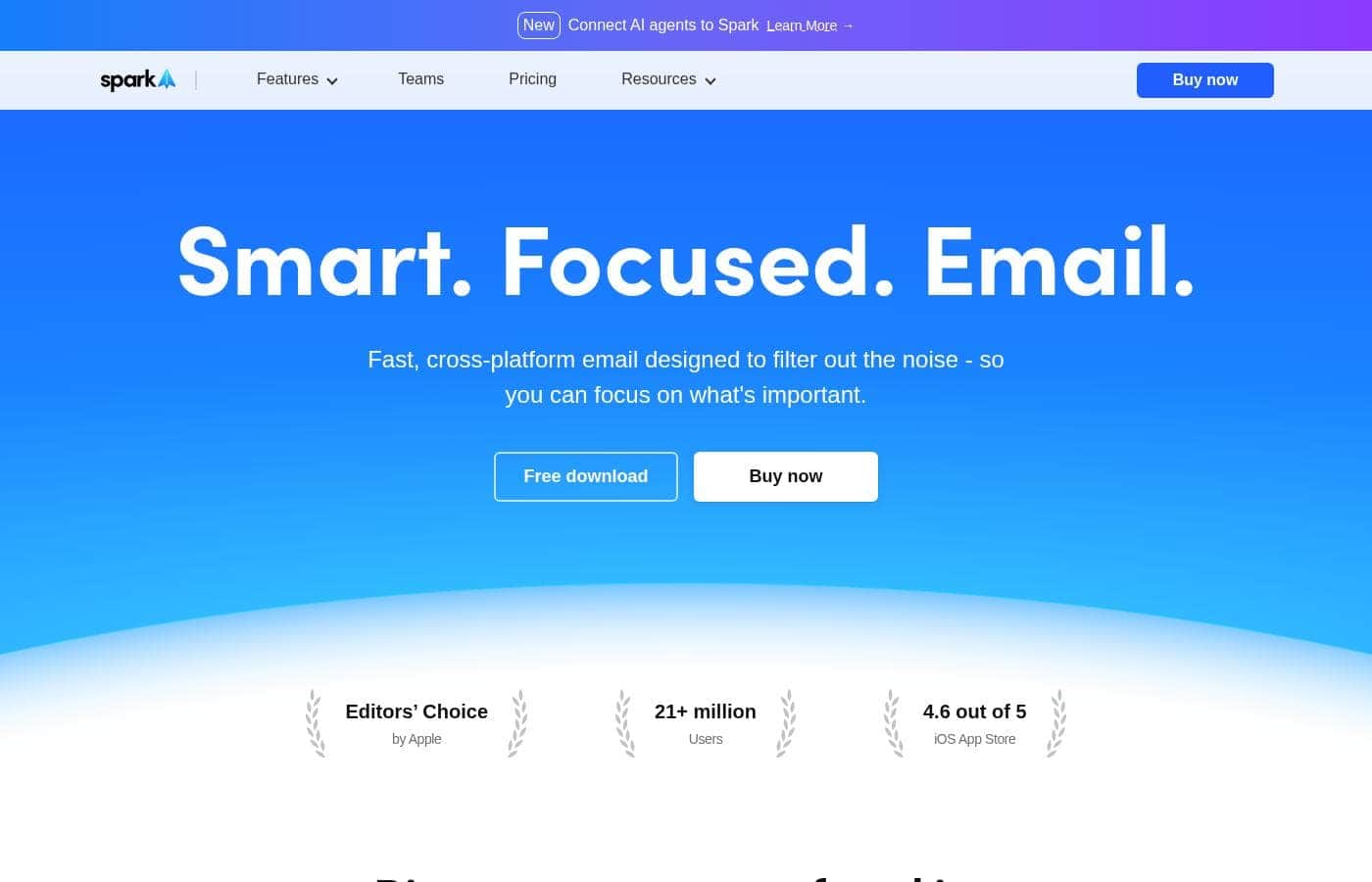
Smart. Focused. Email.

#1 dans Email Client
2 min read · Updated 10/6/2025
Spark Mail homepage screenshot

At a glance

Quick overview for Spark Mail: rating, pricing summary, key features, and highlights.

Ciroapp review

4.1
Excellent Features, Needs Better Support

We found Spark Mail to be a feature-rich, high-performance client that excels at unifying accounts and minimizing distractions using its Smart Inbox technology. The cross-platform syncing is notably reliable across all major devices. Overall, Spark is a powerful productivity tool for organized mail, though we note user reports of frustration regarding unresponsive customer support.

Pros

  • Pro:Unified Inbox and smart filtering tools prioritize important emails.
  • Pro:Fast, effective cross-platform syncing (Windows, Mac, iOS, Android).
  • Pro:Robust free version includes unlimited email account support.
  • Pro:Focus tools like Gatekeeper and sender blocking reduce distractions.

Cons

  • Con:Customer support responsiveness and effectiveness are frequently criticized.
  • Con:Advanced AI features (Compose, Summary) are restricted behind a paywall.
  • Con:Built-in AI is perceived as less advanced than competitors like Grammarly.
  • Con:Some users report reliability issues after major OS updates.
Free trial
Yes — 7 days
Range: $0–$6.99/monthFree plan, Free trial, Monthly subscription, Yearly subscription, Per seat pricing
This section is a summary. Detailed sections about features, use cases, pricing, and reviews follow below.

Spark Mail review, pricing, features, pros & cons

Are you constantly battling inbox overload? Unwanted distractions make diving into deep work nearly impossible.

Spark is designed to filter out the noise and foster better habits. It uses Smart Inbox features and AI assistance to help you work faster and focus on what’s truly important. 💡

What is Spark Mail?

Spark Mail is a fast, cross-platform email client designed to redefine your workflow. It aims to cut out unwanted distractions, helping you nurture focus through tools like the dedicated Home Screen. You can bring all your email accounts—including Google, Outlook, Exchange, and iCloud—into one seamless location.

Spark works across all major devices, including Windows, Mac, Android, and iOS. It’s also built for modern business, offering robust collaboration tools that allow teams to create, delegate, and manage communications directly within the shared environment. ✨

Spark Mail Key Features

💡 Mastering Focus with the Smart Inbox

Spark is specifically designed to help you defeat inbox overload and dive into deep work. It defines a new focused approach that overcomes persistent information noise. The Smart Inbox automatically filters email clutter into specialized areas.

Clutter is kept separate through dedicated Newsletter and Notification inboxes. This precise sorting ensures that less important communications stay out of your primary view. The dedicated Home Screen further nurtures this focus-first environment, ensuring you see only what truly matters first.

✨ Filtering Out Unwanted Distractions

Spark provides powerful controls to help you block out unwanted noise before it reaches your attention. You can use the Gatekeeper function to screen and block emails from unwanted senders immediately. This function promotes a productive and distraction-free experience.

For senders you prefer, you can easily streamline your view using Group by Sender. This bundles conversations from preferred contacts for easier access and management. Additionally, you can auto-archive unwanted communications by using the Mute threads feature when conversations are no longer relevant.

✨ Optimizing Your Workflow and Organization

You can easily optimize your organization and time management using Spark's built-in workflow tools. Highlight critical emails using the Priority and Pin functions so you never miss an essential message. You can also use the Done Marker when a task related to a message is fully complete.

For better time management, you can strategically manage timelines using built-in Reminders. These intuitive functions help refine your daily habits and gain genuine control over your workflow.

✨ Communicating Faster with AI Assistance

New AI-powered features help you craft clear and perfect emails rapidly and efficiently. The AI writing assistant drafts communications quickly, saving you significant time every day. These tools ensure quick, high-quality responses.

You can also gain instant insights from long emails and extensive threads using the Summary feature. Plus, seamless email translation instantly breaks down language barriers, helping keep global conversations flowing without interruption.

✨ Powerful Team Inbox Collaboration

Spark is an excellent tool for businesses that need streamlined communication and shared management. It allows teams to compose, delegate, and manage emails directly from a shared environment. Teams can collaborate in real-time on communications, eliminating wasteful back-and-forth pings.

You can turn email threads into a chat using private comments, where you can even add attachments directly to the discussion. For managing workload, team members can delegate message ownership, track progress, and set deadlines with exceptional ease right within the system.

✨ Unified Accounts and Cross-Platform Access

Spark serves as a new home for all your various email accounts, bringing them into one seamless location. It works across all major devices, including Windows, Mac, Android, and iOS, syncing effortlessly. This ensures your workflow is never interrupted, regardless of the device you are using.

Spark supports all major providers, including IMAP, Google, Outlook, iCloud, Exchange, and Yahoo. By collecting all accounts into a Unified Inbox, you gain powerful functionality and effortless management over your entire email landscape.

✨ Guaranteed Security and Data Privacy

Spark guarantees high standards for your personal security and data privacy. Your information is used exclusively for optimizing the product and improving the user experience. You can trust that your sensitive data is handled responsibly and professionally.

Crucially, your data is never shared with any third parties. All data storage and encryption are secured using robust, reliable Google Cloud services.

Use Cases

🧠 Cutting Out the Distractions for Deep Work

When you need dedicated focus, constant notification pings destroy productivity. Spark automatically sorts away clutter into dedicated Newsletter and Notification inboxes, cleaning up your view instantly. You can apply the Gatekeeper function to screen and block emails from unwanted senders, preventing future distractions entirely.

This approach helps you nurture better habits by keeping only priority messages visible on your Home Screen. It ensures that when you sit down to work, you dive straight into deep, focused tasks, not filtering junk.

🤝 Streamlining Team Communication and Delegation

Managing shared inboxes often leads to confusing internal email chains. Spark lets your team manage emails directly inside the thread using collaboration tools.

You can turn an email thread into a private chat by adding comments. Team members discuss the content or strategy without sending a single external email. You can easily delegate ownership of a thread among colleagues, track progress, and set necessary deadlines for replies.

🗓️ Controlling Your Timeline and Follow-Up

It’s easy for action items to be forgotten once you close an email. Spark provides simple tools to manage your commitments effectively. Use the Done Marker when a task is fully complete, keeping your active view clean.

If you need to revisit messages, use Set Aside to temporarily move them out of sight for later follow-up. Plus, using Reminders ensures you never miss a scheduled task or reply deadline.

⚡ Drafting Perfect Emails Faster Using AI

You often need to send polished communication quickly, but time is short. Spark’s AI writing assistant helps you craft clear, professional emails rapidly. For lengthy threads or complex messages, you can use the AI Summary feature to get instant insights, saving significant reading time.

If you're communicating globally, the seamless email translation ensures you break language barriers instantly, keeping conversations flowing without needing external tools.

📱 Managing All Your Email, Everywhere

If you juggle personal, client, and work accounts, switching between apps is inefficient. Spark lets you bring all your accounts—Gmail, Outlook, iCloud, Exchange—into one seamless, unified location.

Spark syncs automatically across all major devices, including Windows, Mac, iOS, and Android. You benefit from the same high-level organization and focus tools, no matter where you are accessing your mail.

Pricing Overview for Spark Mail

Pricing range
$0–$6.99/month
Pricing types
Free plan, Free trial, Monthly subscription, Yearly subscription, Per seat pricing

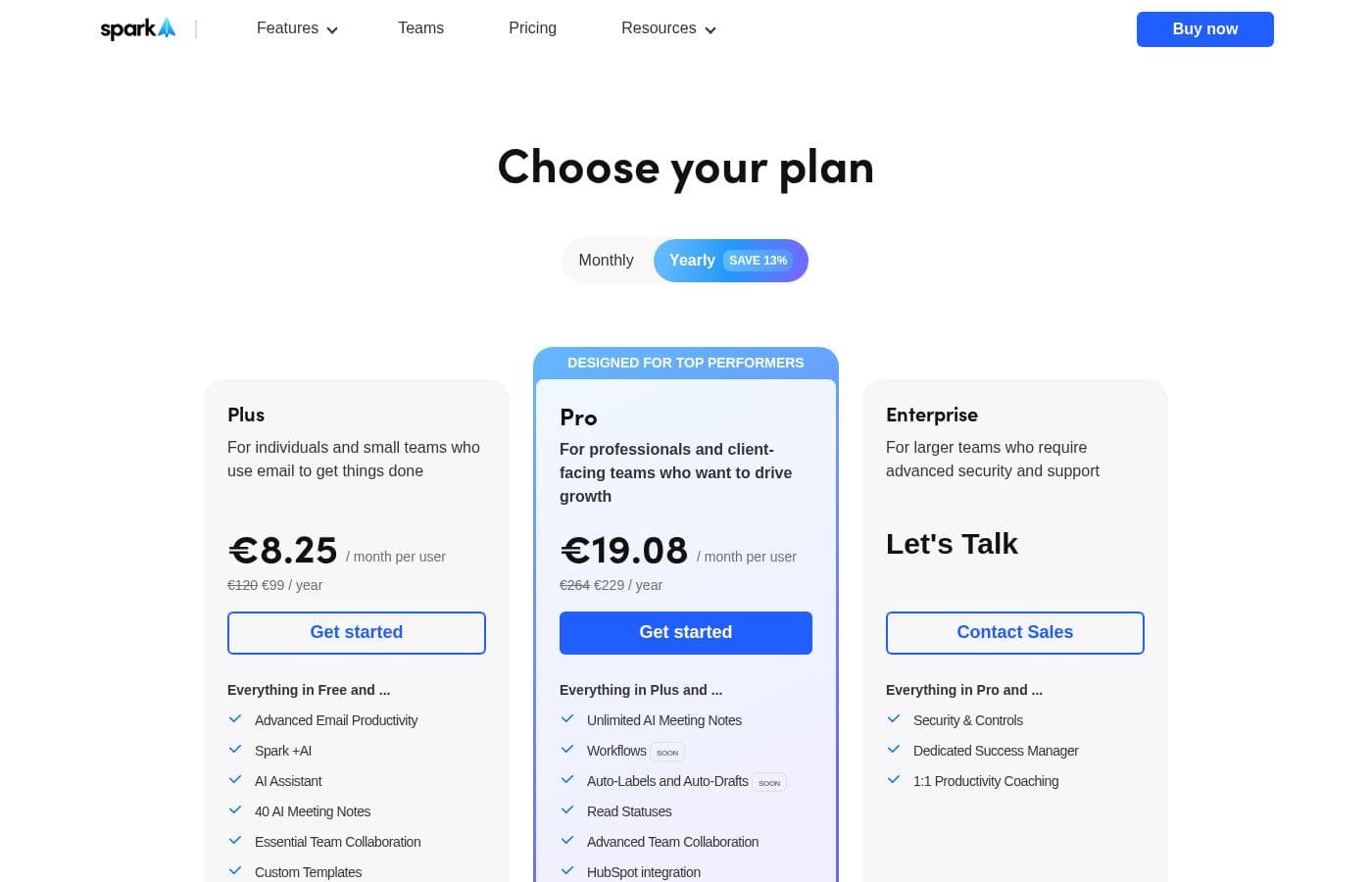
Spark Mail offers a permanent free Basic plan for individuals and small teams, moving to subscription tiers for advanced features. Premium Individual is available for $59.99 annually, and Premium Teams is priced per user starting at $83.88 annually.

Plans & Pricing

Basic

Monthly0
Yearly0
Standard link sharing
  • Unified Inbox and Smart Inbox
  • Smart search and notifications
  • 2 free active collaborators
  • 10 assignments per team
  • 5 GB total storage

Premium Individual

Monthly4.99
Yearly59.99
Includes 5 GB total storage
  • Full Spark +AI access (Compose, Summary, Templates, Translate)
  • Gatekeeper & Block Sender
  • Read Statuses
  • Remove 'Sent with Spark'
  • 7-day free trial

Premium Teams

Monthly6.99
Yearly83.88
Billed per user, VAT not included
  • All Premium Individual features
  • Shared Inboxes (Gmail only)
  • Team administration and roles
  • Unlimited collaborators and templates
  • 10 GB total storage for team members

Spark Mail costs between $0 and $6.99 per user/month annually with 3 plans: Basic at $0/month, Premium Individual at $4.99/month annually ($59.99/year), and Premium Teams at $6.99/user/month annually ($83.88/user/year).

Let's explore what each subscription offers so you can find the perfect fit for your email needs.

Basic

Price: $0 / month billed annually (Free download) Websites Supported: Not explicitly stated Best For: Individual and basic team needs Refund Policy: Not applicable (Free) Other Features:

  • Unified Inbox and Smart Inbox
  • Smart search and notifications
  • 5 GB total storage for the team
  • 2 free active collaborators and 10 assignments per team
  • 5 free +AI Meeting Notes

This plan is ideal if you are looking to manage your personal email or a very small team with core Spark features. It provides powerful organization tools without any monthly commitment.

Premium Individual

Price: $4.99 / month billed annually ($59.99 per year) Websites Supported: Not explicitly stated Best For: Focus on what's important, with tools that reduce distractions and highlight priority email Refund Policy: 7-day free trial Other Features:

  • Full access to Spark +AI (Compose, Summary, Templates, Translate)
  • Gatekeeper and Block Sender tools
  • Read Statuses and advanced link sharing
  • Premium support and priority email features
  • Remove 'Sent with Spark' branding

If you need maximum focus and advanced AI capabilities to quickly manage a high volume of email, the Premium Individual plan is a great choice. The seven-day trial lets you experience these features before subscribing.

Premium Teams

Price: $6.99 per user / month (VAT not included) billed annually ($83.88 per year) Websites Supported: Not explicitly stated Best For: Collaborate as a Team from one inbox, tracking and composing email together in real-time Refund Policy: Not explicitly stated (Contact sales required) Other Features:

  • Everything in Premium Individual, plus team-focused capabilities
  • Shared Inboxes (Gmail only)
  • Team roles, administration, and shared templates
  • 10 GB total storage per team member
  • Unlimited collaborators and assignments

The Premium Teams subscription is built for groups who need to co-manage inboxes and streamline communication. This plan scales with your organization and ensures everyone has the necessary tools for real-time collaboration.

Spark offers essential core features for free, meaning you can download and use the basic elements without charge indefinitely. If you need advanced focus and AI capabilities, the Premium Individual plan includes a highly useful 7-day free trial to test the full set of features before committing to an annual subscription.

User Reviews

Spark Mail receives mixed but generally positive feedback from its small pool of Trustpilot users (3.3/5). Users consistently praise the software’s performance, calling it a “game changer” for productivity and email organization.

The cross-platform synchronization, unified inbox, and effective filtering/sender blocking features—even in the free tier—are frequently highlighted as key strengths. The clean, professional interface and the lack of limitations on the number of accounts are significant value propositions.

✨ However, a major recurring critique centers on customer support. Multiple users expressed frustration, noting that the help provided was “downright useless” or confusing, making simple issue resolution difficult, especially for paid subscribers.

Other isolated concerns include occasional technical conflicts, like Windows updates blocking app access, confusing UI arrangements (like the reply button), and limitations in the built-in AI features compared to external tools like Grammarly or ChatGPT. Pricing is also mentioned, noting that advanced AI capabilities are locked behind the subscription paywall.

Overall, the app is highly valued for its features, but users warn about spotty support quality.

What users say elsewhere

Anastasiia I.
· Trustpilot
5.0 / 5

I use the free version and it works wonderfully. But the help is downright useless having paid on subscription. I had to resolve simple issues myself because support didn't understand the problem or provide solutions, which is infuriating.

David W.
· Trustpilot
5.0 / 5

Spark is a game changer! I feel much more efficient across all my devices and can check and respond to emails quickly and confidently. The interface and shortcut keys help streamline my workflow considerably.

No reviews yet.

Write a Review

Write a Review for Spark Mail
0/100 characters
0/2000 characters

Why use Spark Mail?

If you want true control over your workflow and desire real productivity, Spark offers the specialized tools necessary to master your inbox and regain time.

  • Filter Out the Noise: Spark nurtures focus by automatically sorting clutter into dedicated Newsletter and Notification inboxes. You can use the Gatekeeper function to screen and block unwanted senders before they distract you, promoting a distraction-free experience.
  • Prioritize Immediately: Never miss an important message. Highlight critical emails using the Priority and Pin functions so they are prominently displayed. For easy management, you can opt to Group by Sender, bundling conversations from your most preferred contacts.
  • Improve Organization and Habits: Spark helps you refine your daily habits. Use the Done Marker when a task is complete or Set Aside messages for future follow-up. You can strategically manage timelines using built-in Reminders and the Send Later function.
  • Communicate Faster with AI: New features like the AI-powered writing assistant help you craft clear, perfect emails quickly. Plus, seamless email translation helps you break language barriers instantly, keeping global conversations flowing.
  • Collaborate Effectively: For teams, Spark turns email threads into chat with private comments. Colleagues can manage emails together in real time, delegate ownership, and track progress and deadlines without cumbersome back-and-forth.
  • Guaranteed Security and Privacy: We understand data trust is vital. Spark guarantees that your data is used solely for optimizing the product and is never shared with any third parties. Storage and encryption are securely managed via Google Cloud services. ✅

Ready to transform your workflow with Spark Mail?

Spark Mail Alternatives

Other tools in the Email Client category

Frequently Asked Questions

What types of email accounts work with Spark?

Spark is highly compatible and can consolidate mail from various providers. It works seamlessly with IMAP, iCloud, Exchange, Outlook, YAHOO!, and Google accounts.

How does Spark ensure my data and privacy are protected?

Spark guarantees your data is never shared with any third parties; it is used only to optimize the product experience. All data storage and encryption processes are securely handled through Google Cloud services.

Are the Spark +AI features unlimited, or is there a usage quota?

Premium plans include Spark +AI functionality with a predetermined monthly quota. This limit is designed to cover the usage needs of most users for generating emails and summaries. Spark warns you when you are close to hitting this limit.

What happens if I go over my monthly Spark +AI usage limit?

If your quota is fully depleted, you can wait for the usage to automatically refill the following month. You also have the option to purchase an add-on to immediately recharge your balance.

Does my subscription cover Spark on all my devices?

Yes, buying a Spark Premium subscription unlocks features on every device where you use Spark. This applies regardless of whether you purchased the enrollment on iOS, Windows, Mac, or Android.

What is the storage limit for the free Basic plan versus a paid Teams plan?

The Basic plan offers a combined 5 GB of total storage for the team. The Premium Teams plan provides significantly more space, offering 10 GB of total storage per team member.

How long is the free trial for Spark Premium, and can I extend it?

The free trial for Spark Premium Individual is 7 days long. While it is not extended automatically, you can contact the support team to ask about prolonging the trial period or changing the start date.

Are Shared Inboxes compatible with all email providers?

No, the Shared Inboxes feature is exclusively available in the Premium Teams plan. Importantly, this specific collaboration tool only supports Gmail accounts for shared access.

Do you offer a perpetual license or a one-time purchase option?

Currently, Spark does not offer a one-time purchase option for its software. All advanced tools are accessible through either monthly or discounted annual subscription plans.

What kind of support should I expect as a paying user?

Premium Individual and Premium Teams users receive Premium support. Basic plan users receive Standard support. The site does not explicitly state a specific response time or service level agreement (SLA).

Can I use shared collaboration tools like assignments and shared storage on the free Basic plan?

Yes, Basic users can access limited collaboration features. They receive 5 GB of total storage, 2 free active collaborators, and 10 assignments per team.

If I choose the Premium Teams plan, do I pay per person or per team?

The Premium Teams plan is priced and billed per user. The published annual rate is calculated per user/month, and VAT is not included in that price.

I notice some features are listed only for specific OS. Will features be the same across all platforms soon?

Spark is actively working towards achieving full feature parity across all supported platforms. Because development is ongoing, some functionality may temporarily vary between macOS, Windows, iOS, and Android.

Is there a money-back guarantee if I purchase an annual subscription?

Not explicitly stated on the official site. The Premium Individual subscription offers a seven-day free trial before charging you. For inquiries about Teams refunds, you are instructed to contact sales.”

Ready to try Spark Mail? Check out the official site or pricing.