Repairit

Repairit

AI Data Repair Software to Fix Corrupted Data

#1 dans File Repair
1 min read · Updated 10/3/2025
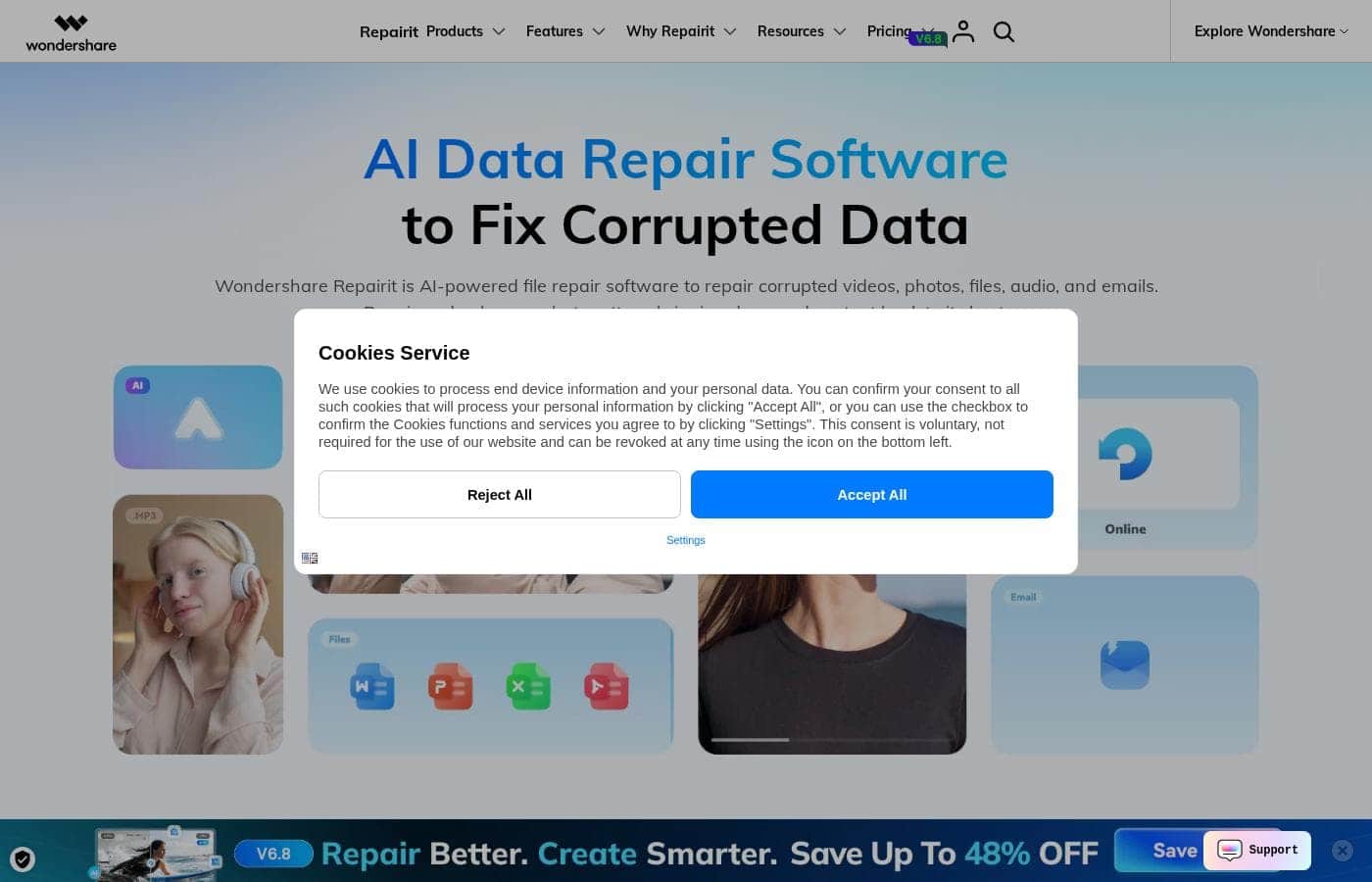
Repairit homepage screenshot

At a glance

Quick overview for Repairit: rating, pricing summary, key features, and highlights.

Ciroapp review

4.7
Essential AI tool for data recovery.

We find Wondershare Repairit to be a robust, AI-driven solution for recovering damaged media and essential professional documents. The advanced repair function consistently delivers exceptional results, even on severely corrupted videos or complex work files where alternatives have failed. Overall, this product provides excellent reliability and crucial peace of mind for users dealing with serious data loss.

Pros

  • Pro:Exceptionally high success rate for severely corrupted files, including multi-layered projects.
  • Pro:The Advanced Repair feature is highly effective where basic repairs fail.
  • Pro:Supports a wide variety of corrupted file types (video, photo, audio, documents, ZIP).
  • Pro:Features a simple, accessible three-step repair process.

Cons

  • Con:Monthly subscription cost is high if the software is only needed for a single, one-time repair.
  • Con:Perpetual license does not include major future software version upgrades.
  • Con:No Capterra reviews were available to provide a broader assessment.
Free trial
Yes
Range: $59.99/month – $119.99 (one-time)Free trial, Monthly subscription, Yearly subscription, One-time payment
This section is a summary. Detailed sections about features, use cases, pricing, and reviews follow below.

Repairit review, pricing, features, pros & cons

It's incredibly frustrating when precious files become corrupted or damaged. Losing essential data due to crashes, bad transfers, or physical damage feels impossible to fix. Wondershare Repairit uses the power of AI to quickly revive your corrupted videos, photos, and documents, bringing back your treasured memories and crucial work.

What is Repairit?

Repairit is your game-changing, AI-driven solution for fixing corrupted data. This powerful software uses artificial intelligence to repair damaged videos, pictures, files, and even audio effortlessly. It is designed for practically everyone—from professionals needing to restore crucial work documents to families who want to colorize and restore old photographs.

Repairit is built to handle corruption that arises from software crashes, power outages, and storage device problems. 💡

Repairit Key Features

✨ AI-Driven Repair for All Your Data

Repairit is your game-changing, AI-driven solution for fixing corrupted data. It uses the power of artificial intelligence to revive essential data quickly and precisely. This powerful software effortlessly repairs damaged videos, pictures, files, and even audio files.

You can trust this tool to restore data reliably, whether it's caused by a bad transfer, a software crash, or problems with physical storage. The system supports over 100 different file formats, giving you comprehensive coverage for nearly all your digital assets, including documents, ZIP files, and Adobe projects.

✨ Seamless Three-Step Repair Process

There is no steep learning curve with Repairit. We've designed the process for quick turnaround, allowing you to fix corrupted files in just three simple steps, regardless of how damaged they are.

Start by adding your broken files using the easy browse option or the helpful drag-and-drop facility. Repairit instantly handles the complex repair process using its proven technology. Finally, you can preview the fixed files and save them to your preferred location.

✨ Next-Level AI Visual Enhancement

Repairit goes beyond simple repair; it brings advanced enhancement to your media. The AI Video Enhancer transforms your footage by using AI-powered upscaling and effective noise reduction. This brings ultimate quality and clarity to videos that might have been damaged or originally low-resolution.

Similarly, the AI Photo Enhancer increases image quality dramatically. This tool sharpens fine details, enhances colors, and minimizes digital noise. The resulting images are outstanding, high-resolution masterpieces.

💡 Specialized Photo Restoration Tools

You can effortlessly restore old pictures and bring treasured memories into the modern era. The Old Photo Restoration feature revives aging photos with stunning quality and detailed improvements.

Instantly colorize faded or black-and-white photos using the AI Photo Colorizer. Advanced AI intelligently applies vibrant, hidden colors to accurately bring history back to life. You can also use the AI Photo Eraser to remove unwanted objects or watermarks, leaving you with flawless images.

✨ Comprehensive Corruption Scenario Coverage

Repairit handles damage originating from a wide variety of circumstances. It fixes files corrupted by device issues, such as hard drive quality problems or insufficient storage space, which can cause system crashes.

The tool addresses damage resulting from software failures, including application crashes or sudden system bugs. This also includes files damaged due to interrupted transfers or abnormal power outages, which often result in incomplete file writing. This total scenario coverage ensures maximum recovery success.

✨ Advanced Repair Modes and Productivity Features

For files that are severely corrupted, the Professional Mode ensures that you have the precision tools needed for restoration. This includes an Advanced Repair option dedicated to highly damaged files.

To boost your work efficiency, Repairit supports batch repair. This valuable feature lets you fix multiple broken videos, images, or documents simultaneously. Plus, the mandatory full preview before saving guarantees that the final output meets your exact standards and requirements.

Use Cases

📄 Restoring Critical Work Documents After a System Crash

When a system bug or application crash occurs, your important work files often become unusable. Office staff must restore documents like damaged PDF, XLSX, or DOCX files quickly. Repairit uses AI to handle this complex file restoration effortlessly.

You simply drag and drop the corrupted file, let the patented technology analyze and fix the damage, and then save the repaired version. Because it supports batch repair, you can recover multiple documents simultaneously. This boosts work efficiency instantly by ensuring crucial information isn't lost just because of a technical glitch.

🎥 Saving Crucial Footage for Photographers and Videographers

Imagine your camera battery died or the transfer failed, leaving you with an unreadable video file. As a professional, losing footage means lost time and money. Repairit can fix corrupted videos from any camera device, including severely damaged files through its Advanced Repair option.

It handles corruption arising from storage device quality issues or physical trauma. You can preview the fixed video before saving the file, ensuring the restoration meets your standards. This process lets you salvage client work and stimulates unlimited creativity previously blocked by technical issues.

📸 Reviving and Enhancing Treasured Family Memories

Repairit helps you bring old family photos back to life, even if they aren't corrupted. You can instantly colorize old black and white photos using the advanced AI Photo Colorizer. The Old Photo Restoration tool then enhances quality and detail.

Tip: Use the AI Photo Eraser before restoration to instantly remove any unwanted objects, watermarks, or strangers from the image, leaving you with a flawless picture.

⚡ Recovering Data Lost Due to Power Outages

A sudden power failure interrupts ongoing file operations and often results in incomplete files, such as corrupted DAT or RSV files. These abnormal power outages are a major cause of data damage. Repairit addresses this critical corruption scenario by reviving data written incorrectly or interrupted during the saving process.

It ensures that the files interrupted mid-transfer or during a sudden crash become accessible again.

⚖️ Restoring Evidential Materials for Legal Experts

Lawyers and legal experts often deal with sensitive evidential documents that cannot be compromised. If files like EML (emails) or PST (Outlook data) become damaged, it compromises a case. Repairit helps restore these specific materials, alongside formats like TIFF.

Approach:

  1. Add the corrupted evidential file (e.g., a PST or EML file).
  2. Utilize the AI to restore the compromised structure.
  3. Save the repaired file to safeguard fairness and justice.

Pricing Overview for Repairit

Pricing range
$59.99/month – $119.99 (one-time)
Pricing types
Free trial, Monthly subscription, Yearly subscription, One-time payment

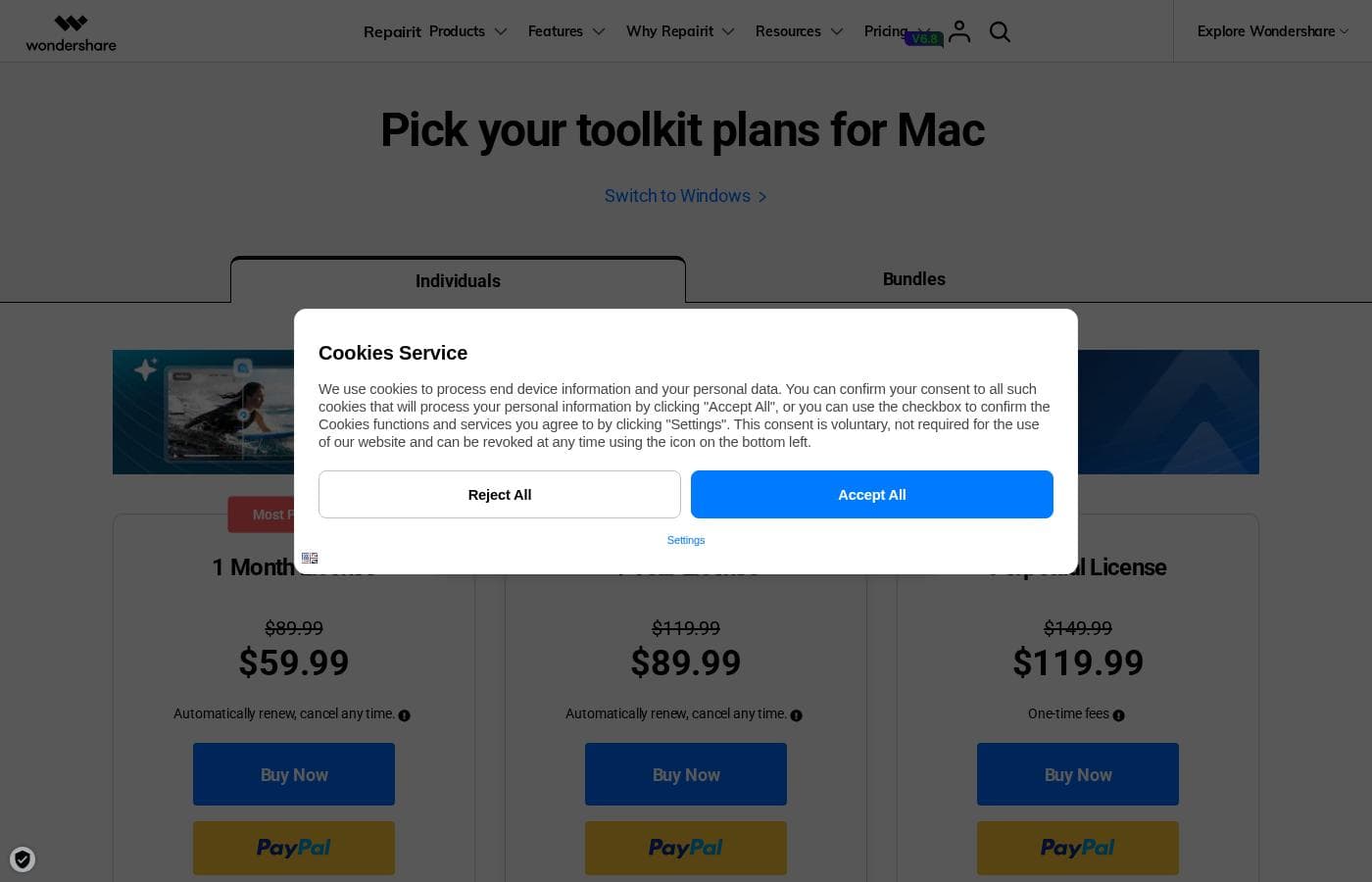
Repairit offers three license options for Mac users: a 1 Month subscription, a 1 Year subscription, and a Perpetual (one-time fee) license. Prices start at $59.99/month, but the annual plan provides significant savings at $89.99/year.

Plans & Pricing

1 Month License

Monthly$59.99
Available for 1-5 PCs/devices.
  • Repair corrupted videos, photos, audio, documents, ZIP, and Adobe files
  • AI photo restoration, colorizer, and enhancer
  • Professional Mode available
  • AI video enhancer and upscale
  • Support 100+ different file formats
  • Batch repair and full preview
  • Advanced repair for videos, photos, audio, and Photoshop project files

1 Year License

Yearly$89.99
Available for 1-5 PCs/devices.
  • Repair corrupted videos, photos, audio, documents, ZIP, and Adobe files
  • AI photo restoration, colorizer, and enhancer
  • Professional Mode available
  • AI video enhancer and upscale
  • Support 100+ different file formats
  • Batch repair and full preview
  • Advanced repair for videos, photos, audio, and Photoshop project files
  • Automatically renews; cancel any time

Perpetual License

Contact for pricing
Available for 1-5 PCs/devices.
  • One-time fees for the specific version purchased
  • Repair corrupted videos, photos, audio, documents, ZIP, and Adobe files
  • AI photo restoration, colorizer, and enhancer
  • Professional Mode available
  • AI video enhancer and upscale
  • Support 100+ different file formats
  • Batch repair and full preview
  • Advanced repair for videos, photos, audio, and Photoshop project files
  • + 1 more features

Repairit costs between $59.99 per month and $119.99 (one-time fee) with 3 plans: 1 Month License at $59.99/month, 1 Year License at $89.99/year, and Perpetual License at $119.99 (one-time).

Let's look closely at the individual Mac licensing options, which offer different durations for continuous access to the AI repair tools.

1 Month License

Price: $59.99/month Websites Supported: Not explicitly stated Best For: Not explicitly stated Refund Policy: Not explicitly stated Other Features:

  • Repair corrupted videos, photos, documents, ZIP, and Adobe files
  • AI photo restoration, colorizer, and enhancer
  • Professional Mode available
  • AI video enhancer and upscale
  • Available for 1-5 PCs
  • Advanced repair for severely corrupted files

This short-term license is ideal if you have a sudden, urgent need to fix files right now but don't anticipate needing the software again soon. You get full power for 30 days, and renewal is automatic, but you're free to cancel any time.

1 Year License (Most Popular)

Price: $89.99/year Websites Supported: Not explicitly stated Best For: Not explicitly stated Refund Policy: Not explicitly stated Other Features:

  • Repair corrupted videos, photos, audio, and documents
  • Supports over 100 different file formats
  • Includes batch repair and full file preview
  • Access to AI photo restoration and video enhancement tools
  • Available for 1-5 PCs

The 1 Year License offers the best ongoing value, effectively making it much cheaper monthly than the 1 Month option. This is the choice for users who frequently handle corrupted files or need continued access to the advanced AI enhancement features throughout the year. 👍

Perpetual License

Price: $119.99 (One-time fee) Websites Supported: Not explicitly stated Best For: Not explicitly stated Refund Policy: Not explicitly stated Other Features:

  • Includes all major repair and AI enhancement features
  • Get lifetime access to the version purchased
  • Covers corrupted videos, photos, audio, documents, and Adobe files
  • Available for 1-5 PCs
  • Access to minor updates

If you prefer owning your software outright, the Perpetual License is perfect. Remember that while you get lifetime access to the current version, you would need a new purchase to access any major future software upgrades (like moving from Repairit 2 to Repairit 3). This is great if you want to avoid subscriptions.

A "Try It Free" option is available to let you test the software before committing to a purchase. All subscription plans (monthly and annual) also offer flexible cancellation, allowing you to stop the automatic renewal at any time if your data repair needs change. You're always in control of your subscription.

User Reviews

Based on 787 Trustpilot reviews, Wondershare Repairit achieves an Excellent 4.7-star rating, reflecting overwhelmingly positive user sentiment. Customers are impressed by its effectiveness, noting the software effortlessly restores critical corrupted files, including high-resolution videos, photos, and crucial work documents, often maintaining original quality.

Many users specifically praise the Advanced Repair function, calling it a “game-changer” for recovering challenging files like 4K Prores videos or complex, multi-layered Photoshop projects that other tools could not fix. People appreciate the simple, 3-step repair process and the intuitive, user-friendly interface.

Quick and helpful customer support also receives positive feedback. While the annual and perpetual licenses provide strong value, a common financial note is that the monthly price can feel expensive for users who only need a single, one-off file recovery.

Overall, the consensus is that Repairit is a highly reliable and powerful recovery solution. 👍

What users say elsewhere

Alex K.
· Trustpilot
5.0 / 5

This software saved my digital life. It's a genuine must-have for any tech toolkit, especially when working with high-resolution cameras where card or battery issues can easily corrupt essential files. Total peace of mind having this available.

Peter S.
· Trustpilot
5.0 / 5

The Advanced Repair feature is truly a game changer. I had completely lost hope of recovering my videos after the regular repair method failed, but this feature effortlessly restored them without any noticeable loss in quality.

No reviews yet.

Write a Review

Write a Review for Repairit
0/100 characters
0/2000 characters

Why use Repairit?

Why choose Repairit when your files are on the line? Recovery attempts can often make things worse. Repairit offers professional, proven technology to confidently handle nearly any data damage scenario. You can trust this tool to restore your important files reliably. ✅

  • Trusted Expertise: Benefit from Repairit's 20 years of data expertise, establishing it as a proven authority in file restoration.
  • AI-Powered Precision: The system uses patented AI technology to ensure top-quality repair, reviving data with unparalleled precision and accurate results.
  • High Success Rate: Join over two million global users who have successfully restored their data, demonstrating a consistently high repair success rate.
  • Total Scenario Coverage: It handles damage from all angles, whether caused by software crashes, abnormal power outages, physical device trauma, or interrupted transfers.
  • Simplicity and Speed: There is no steep learning curve. The intuitive interface means you can repair broken videos, images, or files in just three simple steps, often in batches.

Ready to transform your workflow with Repairit?

Frequently Asked Questions

How many computers can I install Repairit on with a single license?

All available license types, including the 1-Month, 1-Year, and Perpetual options, support installation on 1 to 5 devices. This allows you to use the software across multiple PCs or devices for file repair.

If I choose a subscription plan, how do I cancel the automatic renewal?

Subscriptions automatically renew, but you can cancel this process at any time to prevent the next payment. You will receive an email notification seven days before your renewal date with specific instructions on how to cancel your current plan.

Does the Perpetual License include free access to future major software upgrades?

The Perpetual License gives you lifetime access to the specific software version purchased, including minor updates. However, it does not include major version upgrades, meaning you must purchase a new license for new versions like Repairit 3.

What is the key difference between the standard Quick Repair and the Advanced Repair functions?

You should use Advanced Repair for severely corrupted files, such as complex Adobe projects, videos, or images, when Quick Repair fails. Advanced Repair includes extra processes and offers a much higher chance of success.

When is it necessary to enable the ‘Professional Mode’ for video repair?

Turn on Professional Mode when repairing professional formats like HDR, LOG footage, high-resolution 4K+ videos, or RAW files. This mode preserves the original video quality, encoding, and professional metadata.

What happens if Repairit is unable to fix my corrupted file?

If your file fails to repair, you can turn to the dedicated customer service department for further help. Alternatively, you can escalate the issue by reporting it directly to the Product Manager through the application’s product report window.

Are there specific usage limits or file size quotas within the subscription plans?

The pricing structure is based on duration and device count, not per file or per usage. Specific information regarding file size limits or repair quotas is not explicitly stated on the official site.

What kinds of documents can Repairit fix besides photos and videos?

Repairit is designed to fix various documents used in daily work and study, including PDF, DOCX, XLSX, PPTX, CSV, and TXT files. It can also repair corrupted ZIP archives and specific Adobe project files.

Is there a money-back guarantee if the software does not meet my needs?

A specific money-back guarantee or refund policy is not explicitly stated on the official site's pricing details. You should contact their sales or support team for their current refund terms.

What kinds of users is Repairit intended for?

Repairit serves a wide audience, including professional photographers and videographers, office staff who manage critical documents, and students. Families can also use the AI tools to restore and colorize old photos.

Does the free trial offer full use of the repair tools?

While a 'Try It Free' option is available, the exact time duration or the specific functional limitations of the trial are not explicitly stated. This trial lets you test the software before committing to a purchase.

Are there any external software integrations, such as linking with cloud services?

Information regarding integrations with external applications outside the software is not explicitly stated on the official site. Repairit primarily operates as a standalone desktop utility.

Ready to try Repairit? Check out the official site or pricing.