Powr

Powr review

60+ no-code website apps to grow your site — free to start, managed from one dashboard.

By Ciroapp Editorial Team · Updated Sep 17, 2026

Commission may apply at no extra cost

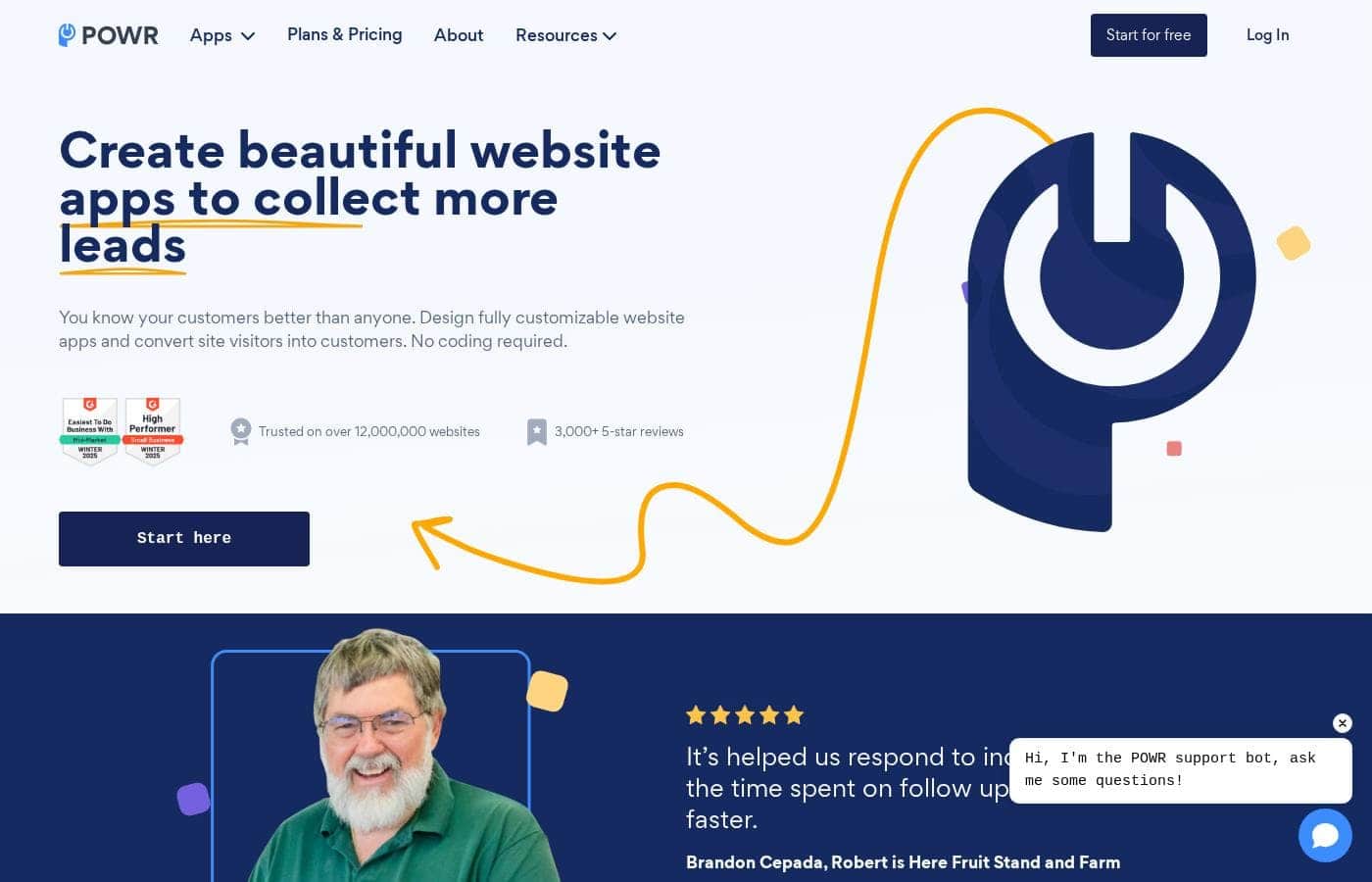
Powr homepage screenshot

At a glance

Quick overview for Powr: rating, pricing summary, key features, and highlights.
Vendor page checked Oct 13, 2026

Ciroapp score

4.0/ 5

POWR packs 60+ no-code apps — forms, popups, payment buttons, and social feeds — behind one dashboard that works with Shopify, Wix, Squarespace, and 70+ platforms. The tradeoffs are real: prices stay hidden until checkout, monthly upgrades aren't refundable, and full access means the Business plan. Overall, it's a solid pick for site owners who want features without hiring a developer.

Pros

  • Pros:60+ no-code apps (forms, popups, galleries, live chat, payment buttons, timers, social feeds) come from a single vendor, so you don't juggle separate widget providers or accounts
  • Pros:The POWR Editor lets you match colors, fonts, layout, button style, and borders so widgets look native to your site instead of bolted on
  • Pros:One dashboard manages every active widget across all your sites, with collected contacts and payments viewable in a single place

Cons

  • Cons:Starter and Pro tiers each upgrade only a single plugin type, so unlocking every app's paid features requires the more expensive Business plan
  • Cons:Monthly upgrades are non-refundable; only annual and biennial purchases can be refunded, and only within 5 days
  • Cons:Usage limits vary by app and plan (e.g., Email Blast caps at 10,000 emails/month) and aren't always easy to confirm upfront
Best for
  • Small online stores on Shopify, Wix, BigCommerce, or Squarespace that need forms, popups, or review widgets
  • Solopreneurs and creators adding professional site features without hiring a developer
  • Marketers collecting leads with signup forms, coupon popups, and email blasts (up to 10,000 emails per month)
Money-back guarantee
Yes — 5 days
This section is a summary. Detailed sections about features, use cases, pricing, and reviews follow below.

What is Powr?

Your website needs forms, popups, and social feeds, but hiring a developer for each one gets expensive fast. POWR gives you 60+ ready-made website apps you can customize without code. You get one dashboard to manage everything, free plans to start, and integrations with Shopify, Wix, WordPress, and 70+ other platforms.

POWR is a library of more than 60 website apps — forms, popups, galleries, live chat, payment buttons, countdown timers, review displays, and social feeds. It's built for small businesses, online stores, and anyone with a live website who wants extra functionality without touching code. Apps work on Shopify, Wix, BigCommerce, Squarespace, Joomla, or a plain HTML site.

POWR says it's trusted on over 12 million websites.

Should you choose Powr?

Quick buyer guidance before you compare plans or click through.

Choose it if

  • You already have a live website and want to add functionality this week, not this quarter
  • You want a real free entry point, with paid tiers only if you outgrow the limits
  • Brand consistency matters — you need widgets that match your fonts and colors
  • You already use Mailchimp, Google Sheets, Stripe, or PayPal and want them connected
  • You value reachable human support — homepage reviews repeatedly cite fast live chat help

Skip it if

  • You don't have a live website yet — POWR apps are add-ons, not a site builder
  • You want every app's upgraded features without juggling tiers — that requires the Business plan
  • You prefer the lowest month-to-month cost — deeper discounts require annual billing

Next steps before buying

  1. 1Confirm POWR supports your platform — it lists 70+ integrations, including Shopify, Wix, BigCommerce, and Squarespace.
  2. 2Browse the plugin library and start with the one app that fixes your biggest gap, like a contact form or exit-intent popup.
  3. 3Open the pricing page and compare Starter vs. Business costs, plus monthly vs. annual billing.
  4. 4Install the free version first and test how it looks and performs on your actual site.
  5. 5Ask live chat or the Help Center about plan limits and upgrade terms before you enter payment details.

Ease of use

The setup story looks simple: pick an app, customize it in the POWR Editor, and add it to your existing site — no coding at any step. A unified dashboard manages apps across multiple sites. Support signals are strong too, with live chat, tutorials, a Help Center, and homepage reviews that repeatedly mention quick, human responses.

Powr Key Features

🧰 60+ Apps for Whatever Your Site Is Missing

Your website needs one more piece, and POWR fills the gap. Pick from over 60 ready-made apps: forms, popups, galleries, live chat, payment buttons, countdown timers, and social feeds. None of them require code.

Start with the app that fixes your biggest problem today, then add more whenever a new need shows up.

✨ Make Every Widget Look Native to Your Brand

The POWR Editor gives you full control over how each app looks. Adjust colors, fonts, layout, size, button style, and borders until the widget blends right in. It's built for site owners, not programmers, so every change happens through simple settings.

Your forms and popups end up looking native to your site, not bolted on.

✨ One Dashboard Runs All Your Sites

Running widgets on several sites gets messy fast. POWR's dashboard keeps it simple. Create new apps, keep track of the active ones across every site you run, and see all collected contacts and payments in one view.

It's one login doing the job of a pile of separate tools.

🎯 Start With Your Goal, Then Pick the App

Whatever you're trying to do, there's an app category for it. Use POWR to:

  • Collect leads with signup forms and coupon popups
  • Build trust by showing ratings, reviews, and testimonials
  • Support customers with live chat, FAQs, and comments

Pick the goal first, then grab the app that matches it.

✨ Plays Nicely With the Tools You Already Use

POWR apps plug into the tools you already rely on. They work with Shopify, Wix, BigCommerce, Squarespace, and 70+ platforms total, or you can embed them on a plain HTML site. Apps also connect with Mailchimp, Google Sheets, Gmail, Stripe, and PayPal, so leads and payments land where you need them.

Use Cases

📝 Collect leads without touching code

You run a small business and need signups, not a developer. Add a contact form or email popup, connect it to Mailchimp or Google Sheets, and track every contact in one dashboard.

🛒 Turn browsers into buyers

Selling on Shopify or BigCommerce? Pair a coupon popup with a sales countdown timer, then take payments through PayPal or Stripe buttons — all styled to match your brand.

⭐ Show social proof that builds trust

Embed your Instagram or Facebook feed, then display product reviews, star ratings, and testimonials. Visitors see real customers, and your site feels current — no coding required.

🎉 Run events, donations, and outreach

Nonprofits and event hosts can build donation, registration, or fundraising forms in minutes. Send email blasts to up to 10,000 contacts a month, all managed from one dashboard.

Powr pricing

  • 3 plans

Prices not verified yet — see the vendor page.

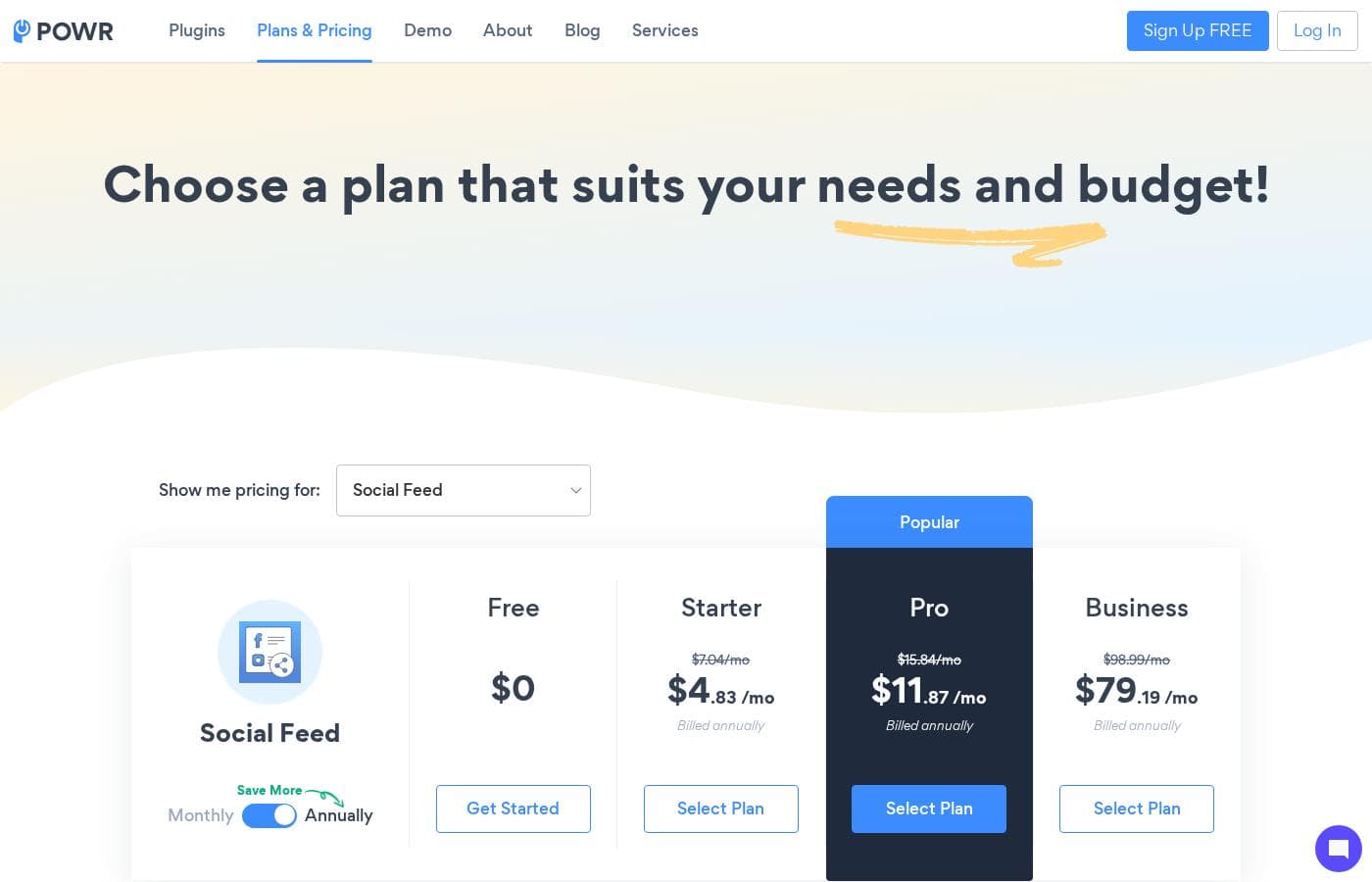
Powr's pricing page

Powr pricing page screenshotView pricing page screenshot
PlanBilled monthlyBilled annuallyIncludes
Starter
See vendor page
See vendor page
Covers a single plugin type only; lower-priced site reportedly 'a few dollars per month'
  • Unlocks Starter features for a single plugin type
  • Create as many versions of that plugin as you need
  • 10% discount on yearly billing; 20% on biennial
Pro
See vendor page
See vendor page
Covers a single plugin type only
  • Unlocks Pro features for a single plugin type
  • Create as many versions of that plugin as you need
  • One upgrade covers all saved versions of that plugin
Business
See vendor page
See vendor page
  • Upgrades your entire POWR account
  • Access to all features for every plugin in the POWR library
  • One purchase covers every app instead of per-plugin upgrades

Price history

Tracking prices since Sep 9, 2026. No price change detected yet.

Pricing range: Free; paid upgrades from a few dollars per month

Pricing types: Free plan, Monthly subscription, Yearly subscription

Pricing notes

Powr is free to start, with paid upgrades in three tiers: Starter, Pro, and Business. Starter and Pro unlock one plugin type each, while Business upgrades your entire account.

Billing is monthly, yearly (10% off), or biennial (20% off), and registered non-profits get 50% off yearly upgrades.

Powr is free to start, with paid upgrades in three tiers — Starter, Pro, and Business — billed monthly, yearly, or every two years.

Here's what each upgrade includes, so you can pick the right fit.

Starter

Other Features:

  • Unlocks Starter features for a single plugin type
  • Create as many versions of that plugin as you need
  • Yearly billing earns a 10% discount; biennial earns 20%

Starter is the easy step up from the free plan. POWR says it costs "only a few dollars per month," so it's gentle on the budget. Pick it if one app — like a form builder — does most of the work on your site.

Pro

Other Features:

  • Unlocks Pro features for a single plugin type
  • Create as many versions of that plugin as you need
  • One upgrade covers every copy of that plugin you've saved

Pro is for when you've outgrown Starter features on a favorite app. You still upgrade per plugin type, but the more advanced toolset is yours. If you run several versions of the same plugin, a single upgrade covers them all.

Business

Other Features:

  • Upgrades your entire POWR account, not just one plugin
  • Full access to every feature for every app in the POWR library
  • One purchase instead of per-plugin upgrades

Business makes sense if you rely on several POWR apps. Rather than upgrading each plugin one by one, one upgrade covers everything. Teams using three or more apps will find this the simplest route.

There's a genuinely free option here: POWR says any of its apps can stay free for life, and you can sign up without paying anything. Just know that monthly upgrades aren't refundable, while annual and biennial plans can be refunded within 5 days of purchase. Registered non-profits get 50% off yearly upgrades, too. One tip before you buy: check the final price for your chosen plugin and billing term at checkout.
How to pay less for Powr

  • 5-day money-back guarantee if it does not fit.
Visit Powr

Email me when Powr changes price

One email when we detect a price change on the vendor's pricing page. No newsletter, no deals. Unsubscribe in one click.

User Reviews

No reviews yet.

Write a Review

Write a Review for Powr
0/100 characters
0/2000 characters

Why use Powr?

You don't need a developer to make your website work harder. POWR puts a whole toolbox of site add-ons behind one account, so you can fix what's missing today and expand later. Here's what stands out:

  • 60+ apps in one place. Forms, popups, galleries, live chat, countdown timers, PayPal and Stripe buttons, and social feeds all come from a single vendor.
  • No code, ever. POWR states that coding isn't required on any of its apps — they're built for site owners, not programmers.
  • Match your brand. The POWR Editor lets you adjust colors, fonts, layout, size, button style, and borders so widgets look native to your site.
  • One dashboard for everything. Create apps, manage active ones across all your sites, and view collected contacts and payments in a single view.
  • Plays well with your stack. Apps connect with Shopify, Mailchimp, Google Sheets, Gmail, Stripe, PayPal, and 70+ platforms total.
  • Free to start, room to grow. Apps can be free for life, the Starter tier costs a few dollars per month, and annual billing unlocks deeper discounts.

Powr alternatives

Other tools in the Website Widgets category

View all Website Widgets tools

Powr FAQ

Is POWR secure for taking payments on my site?

Yes. POWR is officially PCI-compliant, meeting Payment Card Industry security standards. It provides a secure environment for accepting, processing, storing, and transmitting credit card information online.

I'm switching website platforms. Do I need to cancel my subscription?

No. POWR plugins aren't tied to one site, so your subscription travels with you. Just follow the platform tutorials to reinstall your plugin on the new site.

I deleted a plugin from my site. Why am I still being charged?

Removing a plugin doesn't cancel your upgrade. Plugins aren't site-specific, so billing continues. To stop payments, log in, open My Account, click Subscription, and cancel the upgrade there.

Are there usage limits I should know about?

Limits depend on the app and plan. One example: the Email Blast app sends up to 10,000 emails per month. Confirm exact caps for your chosen app with live chat before paying.

Ready to try Powr? Check out the official site or pricing.

Are you Powr? Claim this listing · Get the badge