Porto

Porto review

A multipurpose WordPress theme focused on business websites and online stores. Porto builds its updated shop demos on Elementor Flexbox Container layouts for flexible, responsive design control.

By Ciroapp Editorial Team · Updated Sep 16, 2026

Commission may apply at no extra cost

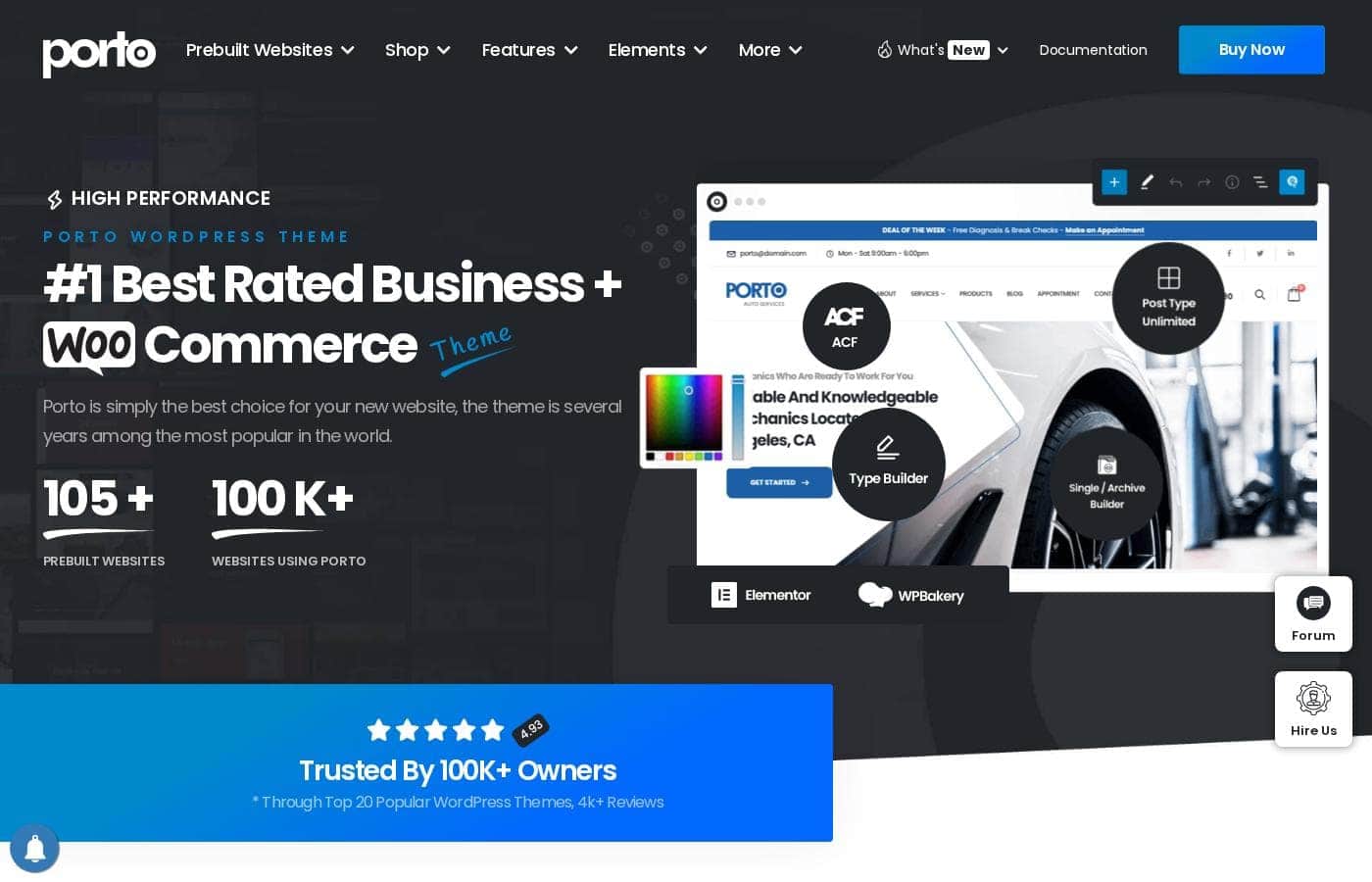
Porto homepage screenshot

At a glance

Quick overview for Porto: rating, pricing summary, key features, and highlights.

Ciroapp score

3.4/ 5

Porto wraps a business-site and WooCommerce theme around Elementor's Flexbox Container system, so layouts are easier to manage and responsive tuning feels less like a fight. The trade-offs are an Elementor learning curve, page-builder overhead, and pricing details that couldn't be verified. Overall, it's a solid pick for WordPress users who want builder-grade layout control in one theme.

Pros

  • Pros:Updated shop demos are built on Elementor Flexbox Containers, giving precise control over spacing and alignment without nested-column clutter.
  • Pros:One theme covers both business websites and online stores, so you maintain a single toolchain instead of separate products.
  • Pros:Responsive design is easier to manage because Flexbox layouts adapt through container settings rather than manual per-device fixes.

Cons

  • Cons:An Elementor-centric workflow carries a learning curve, and a page-builder stack adds overhead that can hurt load times if not optimized with caching.
  • Cons:Older demos may still use the pre-Flexbox structure, so mixing legacy and updated elements can produce inconsistent behavior.
  • Cons:As with most multipurpose themes, leaning heavily on theme-specific widgets and demos can make a future migration to another theme labor-intensive.
Best for
  • Small businesses that want a professional website and an online store on one WordPress installation.
  • WooCommerce store owners who want shop layouts they can restructure visually using Elementor Flexbox controls.
  • Freelancers and agencies delivering multiple client sites who can reuse a demo foundation for speed and consistency.
This section is a summary. Detailed sections about features, use cases, pricing, and reviews follow below.

What is Porto?

Porto is a long-established WordPress theme aimed at two jobs: putting a business website online and running an online store on the same platform. Its recent architectural work centers on Elementor's Flexbox Container layout, which the updated shop demos now use as their structural base. That shift matters in practice: layouts become easier to manage and responsive adjustments stop being a fight with nested columns.

The result behaves more like a builder product than a rigid template.

Porto is a premium multipurpose WordPress theme categorized for Business Website Builders and Online Store Builders. Rather than shipping a single fixed design, it packages demos, templates, and builder-driven controls so pages are assembled visually, primarily with Elementor. The updated shop demos are built on Elementor Flexbox Container layout, giving finer control over spacing, alignment, and stacking than the older section-and-column model.

In short, it is a theme-plus-builder workflow for corporate sites and WordPress ecommerce.
Should you choose Porto?

Quick buyer guidance before you compare plans or click through.

Choose it if

  • Small businesses that want a professional website and an online store on one WordPress installation.
  • WooCommerce store owners who want shop layouts they can restructure visually using Elementor Flexbox controls.
  • Freelancers and agencies delivering multiple client sites who can reuse a demo foundation for speed and consistency.
  • WordPress users replacing an older column-based theme with a modern Flexbox layout system.

Skip it if

  • Buyers who want a fully hosted, zero-maintenance platform like Squarespace, Shopify, or Wix — Porto still requires WordPress hosting, updates, and backups.
  • Projects that need an ultra-lightweight minimal theme where any page-builder overhead is unacceptable.
  • Users unwilling to learn Elementor, since much of Porto's flexibility is locked behind that builder's workflow.
  • Sites that must rely on Porto's older, pre-Flexbox demos and expect them to behave identically to the updated ones.

Next steps before buying

  1. 1Purchase or download Porto from portotheme.com, then install it in WordPress via Appearance → Themes → Add New → Upload Theme and activate it.
  2. 2Install the required and recommended plugins when prompted — Elementor and Porto's companion plugin are the core components.
  3. 3Import a demo from the theme's library; for stores, choose a shop demo explicitly updated to the Flexbox Container layout.
  4. 4Replace the placeholder content with your own pages, branding, and products, then adjust container spacing, alignment, and stacking in Elementor.
  5. 5Test every key page on mobile widths, configure caching for performance, and publish once the responsive behavior checks out.

Porto Key Features

✨ Elementor Flexbox Container Layout

Porto's updated shop demos are rebuilt on Elementor's Flexbox Container system instead of the legacy section-and-column structure. Flexbox gives you direct control over how elements align, wrap, and stack, so rearranging a product grid or header no longer means fighting nested wrappers. Because spacing and alignment live at the container level, keeping layouts consistent across a store is noticeably easier.

✨ Flexible, Responsive Layout Management

The theme's stated goal is easy and flexible layout management, and Flexbox containers are the mechanism: you adjust direction, gaps, and alignment per container rather than per fixed column. Responsive design becomes simpler because breakpoints control how those containers collapse on tablet and mobile. For non-developers, that means fewer custom CSS patches to make a layout behave on small screens.

✨ Business Website Building

Porto is explicitly positioned for business website building, with demos and page structures oriented toward corporate, service, and marketing sites. Pages are assembled visually in Elementor, so a small business can stand up home, about, services, and contact pages without writing code. Once the structure is in place, swapping in your own branding and copy is the bulk of the remaining work.

✨ Online Store Building

The second half of Porto's focus is online stores, and the shop demos reflect it: product and category-facing layouts are among the demos explicitly updated to the Flexbox system. On WordPress this typically pairs with WooCommerce, letting you manage products and orders alongside your content pages. Store owners get store-aware templates rather than bolting ecommerce onto a generic blog theme.

✨ Demo-Driven Starting Points

Rather than a blank canvas, Porto provides importable demos you can edit, with the shop demos recently moved to the Flexbox architecture. Starting from a finished design shortens time to launch because layout, typography, and spacing decisions are already made. The practical caveat is that older demos may still follow the previous structure, so confirm the demo you pick matches the updated system.

Use Cases

💡 Launching a Small Business Website

An owner who needs a credible web presence can import a business-oriented demo, replace the placeholder copy and imagery, and publish. Editing happens in Elementor, so contact forms, service pages, and layout tweaks don't require a developer. Flexbox containers keep the design orderly as pages grow beyond the original demo structure.

💡 Opening or Redesigning an Online Store

A store owner can start from a Flexbox-based shop demo, typically paired with WooCommerce for products and orders. Product and category layouts can then be restructured visually — regrouping elements, changing gaps, and adjusting alignment without rebuilding markup. This is most useful when migrating a shop from an older, column-rigid theme.

💡 Agency and Freelancer Client Work

Teams producing multiple client sites can reuse Porto's demo foundations to keep structure, typography, and spacing consistent while customizing each build. The container-based layout system makes handoffs and revisions more predictable, since layout logic is visible in Elementor rather than buried in shortcodes. That translates into faster delivery across a portfolio of business and store projects.

💡 Modernizing a Legacy WordPress Layout

Sites built on old section-and-column structures are often brittle to edit. Rebuilding key pages with Flexbox Containers gives maintainable,adaptable layouts that respond cleanly across screen sizes. Porto's updated demos serve as working references for how the modern structure should be applied.

Porto pricing

Prices not verified yet — see the vendor page.

Porto's pricing page

Porto pricing page screenshotView pricing page screenshot

Email me when Porto changes price

One email when we detect a price change on the vendor's pricing page. No newsletter, no deals. Unsubscribe in one click.

User Reviews

No reviews yet.

Write a Review

Write a Review for Porto
0/100 characters
0/2000 characters

Why use Porto?

Choosing a multipurpose theme usually means trading flexibility for bloat, and Porto's Flexbox update targets exactly that tension. Because the shop demos use Flexbox Containers, layout management stays easy even when you rearrange sections, and responsive design becomes simpler to tune per breakpoint.

Covering both business sites and online stores in one product also means one license, one set of updates, and one system to learn. If your project spans marketing pages and a store, that consolidation is the core reason to pick it.

Porto alternatives

Other tools in the WordPress themes category

View all WordPress themes tools
Avada

Avada

WordPress themes4.3/5

Avada is the #1 selling WordPress website builder, trusted by professionals, marketers, and beginners alike. It focuses heavily on usability and high performance, making the website creation process easier. You can launch your website quickly using its intuitive live visual builder and drag-and-drop functionality ✅. The platform is entirely developed and maintained in-house, ensuring stability without relying on third-party solutions.

F

Flatsome

WordPress themes4.1/5

Flatsome is a premium multi-purpose WordPress theme developed by UX Themes, aimed primarily at eCommerce sites built on WooCommerce. It ships with its own visual editor, the UX Builder, which lets you compose pages by dragging elements onto a live canvas rather than writing code. The package also includes prebuilt demo layouts, a child theme for safe customization, and translation-ready files (.po) for WPML, so it can serve multilingual stores as well as standard brochure-style sites.

Astra

Astra

WordPress themes4.1/5

Astra is recognized as the world's most popular WordPress theme. It functions as a complete digital toolkit for anyone who builds on WordPress. This includes everything from the core theme and pre-built templates to advanced AI integrations. Astra focuses on delivering exceptional speed and reliability 💡. It’s perfect for solo freelance creators, busy web pros, and growing agencies alike.

Divi

Divi

WordPress themes4.1/5

Divi is the world’s most popular premium WordPress theme and their flagship visual page builder. It is more than just a theme; it’s a robust website building framework. This tool replaces the standard WordPress post editor with a highly advanced visual editor. 💡 Whether you are a seasoned design professional or a complete newcomer, Divi gives you the power to create beautiful designs with surprising ease. Freelancers, agencies, and website owners can all jump right into the visual interface.

The7

The7

WordPress themes4/5

The7 is a highly regarded WordPress theme known for its incredible flexibility and deep capabilities. Developers, design agencies (some owning 75+ licenses), and everyday users turn to it when they need a robust solution without compatibility issues. Users often call it the "Swiss army knife" of themes because you can build almost any site you require. The theme is easy to install, edit, and use, offering a reliable, modular approach for building block by block.

W

Woodmart

WordPress themes4/5

Woodmart is a multipurpose WooCommerce theme for WordPress. It ships with a theme options panel, a library of prebuilt website demos and section templates, and native support for popular page builders. Commerce-focused features such as AJAX product filtering, quick view, off-canvas sidebars, and multiple product page layouts are built into the theme itself rather than requiring separate plugins. Buyers receive it as a standard ThemeForest license that includes six months of item support, extendable for an additional fee at checkout.

Porto FAQ

Does Porto require Elementor?

Porto is built around Elementor for page building, and its updated shop demos specifically use Elementor's Flexbox Container layout. You can run the demos as shipped, but to edit layouts confidently and get the intended flexibility you should expect to learn Elementor basics. The free version of Elementor covers the core builder, with additional functionality typically coming from the plugins bundled alongside the theme.

Is Porto a good choice for an online store?

Yes — online stores are one of Porto's two stated focus areas, and the shop demos were among those updated to the Flexbox Container system. On WordPress, store functionality typically runs on WooCommerce, with Porto supplying the store-facing layouts. If visual restructuring of product and category pages matters to you, verify that the specific shop demo you want is one of the updated Flexbox versions before committing.

How much does Porto cost?

Current plan prices could not be verified for this review, so check the official website (portotheme.com) for up-to-date licensing costs. Premium WordPress themes are generally sold as licenses that include support and updates for a defined period, so confirm what your license covers — especially update duration — before purchasing.

Do I need coding skills to use Porto?

Not for the standard workflow: you import a demo and then edit content, layout, and styling through Elementor and the theme's options. Code only becomes relevant for custom functionality beyond what the theme and its plugins provide, such as bespoke post types or advanced integrations, which a developer would typically handle.

Ready to try Porto? Check out the official site or pricing.

Are you Porto? Claim this listing · Get the badge