Popup Builder

Popup Builder

The ultimate tool for customizable, high-conversion popups.

#3 dans Popup Builder
2 min read · Updated 10/4/2025
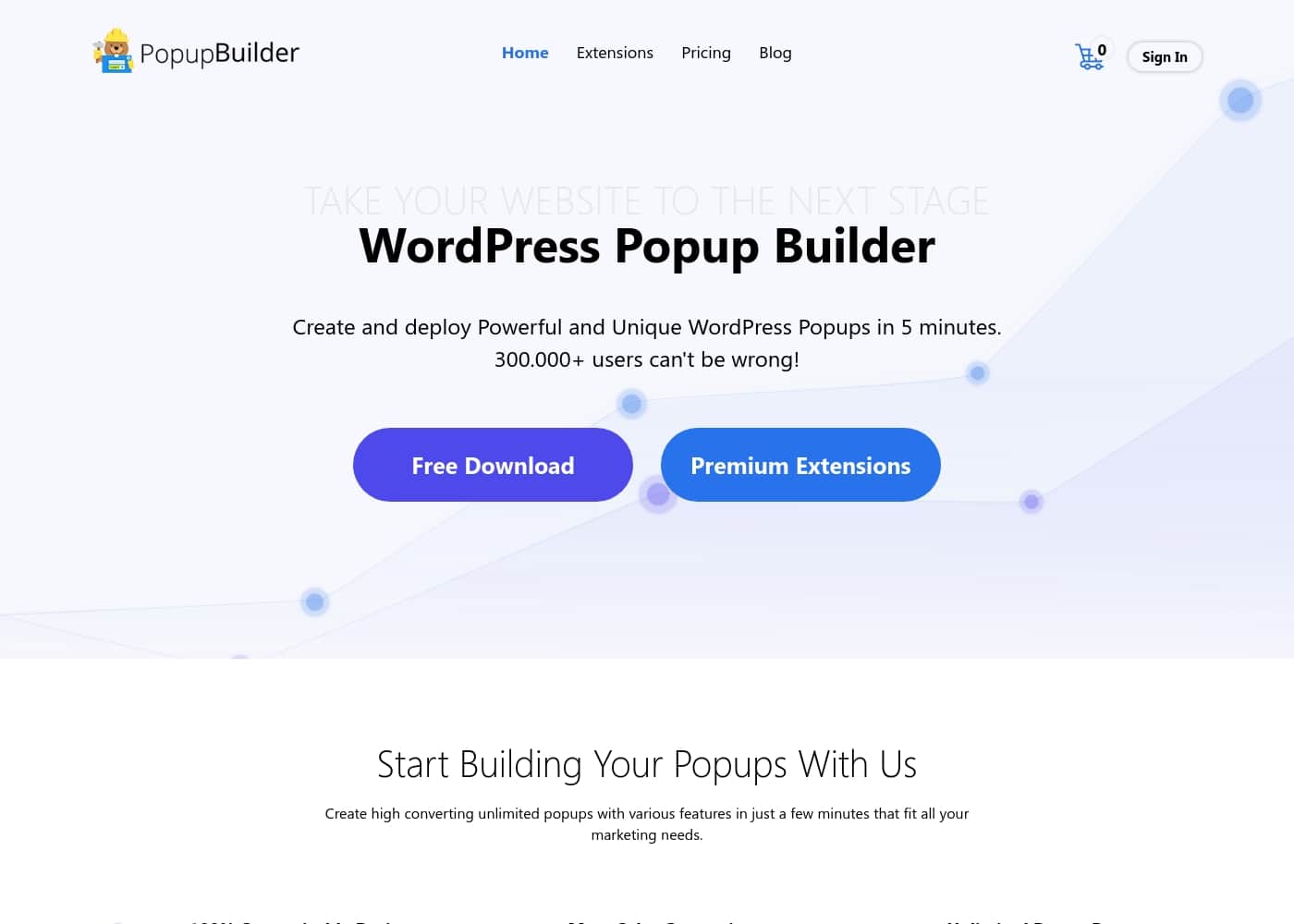
Popup Builder homepage screenshot

At a glance

Quick overview for Popup Builder: rating, pricing summary, key features, and highlights.

Ciroapp review

3.2
Feature-rich popups, but use caution.

We found that Popup Builder offers robust functionality and highly customizable conversion tools, making it a powerful feature set for WordPress users. Overall, though its technical capabilities are strong, we must caution against reported issues regarding account security, refund processing, and slow resolution of critical software bugs.

Pros

  • Pro:Functionality surpasses many competing plugins.
  • Pro:All 28 premium extensions are included across all pricing tiers.
  • Pro:Highly customizable design capabilities for branding.
  • Pro:Advanced targeting features like Exit Intent and GeoTargeting are available.

Cons

  • Con:Serious reports of the company ignoring refund requests.
  • Con:Reported security risk regarding managing payment information (asking for CC details via email).
  • Con:Critical software bugs can remain unresolved for extended periods.
  • Con:GeoTargeting extension had reported accuracy issues (missing specific regions).
Range: $49.95–$145.95/yearYearly subscription
This section is a summary. Detailed sections about features, use cases, pricing, and reviews follow below.

Popup Builder review, pricing, features, pros & cons

Are you letting engaged users leave your site without converting? Dealing with low engagement is frustrating, but it doesn't have to be permanent. Popup Builder helps you solve this common issue by turning passive traffic into active leads.

You can significantly increase your conversion rate and build stronger relationships with highly targeted content. ✨

What is Popup Builder?

Popup Builder is a comprehensive, powerful solution built to transform how you engage with your website traffic. It’s ideal for anyone focused on boosting sales, capturing leads, or enhancing brand awareness. This builder gives you 100% customizable design features.

This means your popups will always match your brand’s look and feel perfectly, maintaining professionalism. Plus, you gain incredible popup power, allowing seamless integration with 3rd party services like Mailchimp and AWeber. 💡

Popup Builder Key Features

✨ Pinpoint Targeting for Maximum Relevance

Stop showing generic messages. Popup Builder gives you sophisticated tools to target the exact right audience at the perfect moment. You can show messages based on location, detecting the user's country or city. This level of precision lets you build stronger relationships with highly personalized content.

Targeting extends to the technical details of the user's session. You can detect whether users arrived from specific referral links or if a particular URL query string exists. Advanced options also include targeting based on the user's device, operating system, or specific user roles configured on your site. This ensures every popup feels tailored, moving you beyond simple audience segmentation.

✨ Convert Leaving Visitors with Exit Intent and Dynamic Triggers

Control when users see your message to maximize its impact on conversion. We offer precise triggering methods based on user behavior. For instance, you can trigger a popup after a selected number of page visits, when a user scrolls to an element, or after adding products to the cart.

The powerful Exit Intent technology is key to conversion recovery, detecting when a website user is about to leave. This allows you to display a final crucial message before they exit, halting lost sales and increasing your conversion rates. Furthermore, the Inactivity Event feature ensures you can quickly re-engage users who have been idle for a specific timeframe by showing them attractive offers.

💡 Seamless Integration and Customizable Design

Achieve perfect brand cohesion using our 100% customizable design features. You have all the tools necessary to tailor the look and feel of your popups so they match your brand perfectly, maintaining a high level of professionalism.

We provide incredible popup power that goes beyond design. You can achieve explosive results by integrating seamlessly with third-party services. This includes dedicated support for platforms like Mailchimp and AWeber, allowing you to create eye-catching popups and start collecting subscribers right away. This instant connection jump-starts your crucial lead nurturing process.

✨ Flexible Display Locations and Scope

Gain total control over where your popups are displayed across your entire site structure. You can choose to apply a popup broadly—to the entire website, archive pages, or search pages—or restrict it to highly specific contexts. This targeted placement reduces visitor fatigue and keeps your messaging relevant.

Flexibility lets you deploy the right popup in specialized areas, ensuring maximum effectiveness. This includes displaying popups specifically on WooCommerce products, individual pages and posts, or targeting collections like categories, tags, and specific post types.

✨ Measure Effectiveness with Built-in Analytics

Understanding the performance of your campaigns is essential to increasing revenue. Popup Builder includes built-in Analytics so you can reliably track your popups’ effectiveness. This allows you to quickly measure performance and understand which triggers deliver the best results.

Beyond tracking performance, you control the user experience around dismissing the popup. Our Advanced Closing feature lets you control closing options in various ways. You can also schedule your popups to run only within a selected timeframe, ensuring your campaigns are always timely and precise.

Use Cases

🛑 Recovering Lost Sales with Exit Intent

Many visitors leave your site just before purchasing. This is frustrating and costs potential revenue. Instead of letting them leave, we deploy powerful Exit Intent technology. This feature senses when a user is about to navigate away from the page.

When that specific user action is detected, a custom popup immediately displays. You can offer a final coupon code, a free shipping incentive, or a resource download. This crucial last-second action helps convert users who were just moments from exiting entirely.

📧 Building Your Email List Faster

Growing your email list is key to converting traffic into sales. Popup Builder allows for maximum lead capture through smart integration.

Here's how you capture subscribers and begin the lead nurturing process:

  1. Use the 100% customizable design tools to create an attractive sign-up box.
  2. Ensure seamless integration with third-party services like Mailchimp or AWeber.
  3. Trigger the popup based on high-intent actions, like viewing several product pages.

Expected outcome: Collect subscribers right from the popup, directly feeding new leads into your campaigns.

📍 Targeting Customers by Location and Device

Generic messages often fail to engage specific audiences effectively. This system lets you pinpoint exactly who should see your message and when. You can run promotions tailored only to specific regions.

Use detailed geolocation detection to display offers only to visitors in a specific city or country. You can also target users based on the device they are using, such as mobile or desktop. This precise targeting minimizes annoyance and maximizes the potential for conversions, ensuring the content is relevant.

☕ Re-Engaging Visitors Who Go Idle

Sometimes users are engaged but step away from their screen or leave the page open. You don't want to lose them because they became inactive.

Configure the Inactivity Event feature to track a user who has been idle for a specific timeframe. Once detected, automatically display an engaging popup.

This simple reminder can draw their attention back to your content or an attractive offer. It’s an excellent way to optimize engagement and prevent valuable sessions from being wasted.

Tip: Use this feature to link to your most popular content or a customer service chat.

📊 Optimizing Performance with Built-in Analytics

To improve conversion rates, you must understand what works and what doesn't. You need to stop showing generic messages that don't drive action. The platform provides built-in Analytics to track your popups’ effectiveness.

You can easily measure overall performance and analyze how different triggers compare. This allows you to quickly optimize your campaigns based on real data. Testing and refining your triggers ensures you achieve the best results possible.

🗓️ Running Exclusive Promotions and Sales

When launching a flash sale or seasonal promotion, control is essential. You need to ensure the popups are active only for the required duration. You can utilize the Scheduling feature to set specific start and end times for any popup.

This ensures your sales messages automatically appear on time and disappear when the offer expires. It provides hassle-free management for running accurate, time-sensitive campaigns without manual intervention.

Pricing Overview for Popup Builder

Pricing range
$49.95–$145.95/year
Pricing types
Yearly subscription

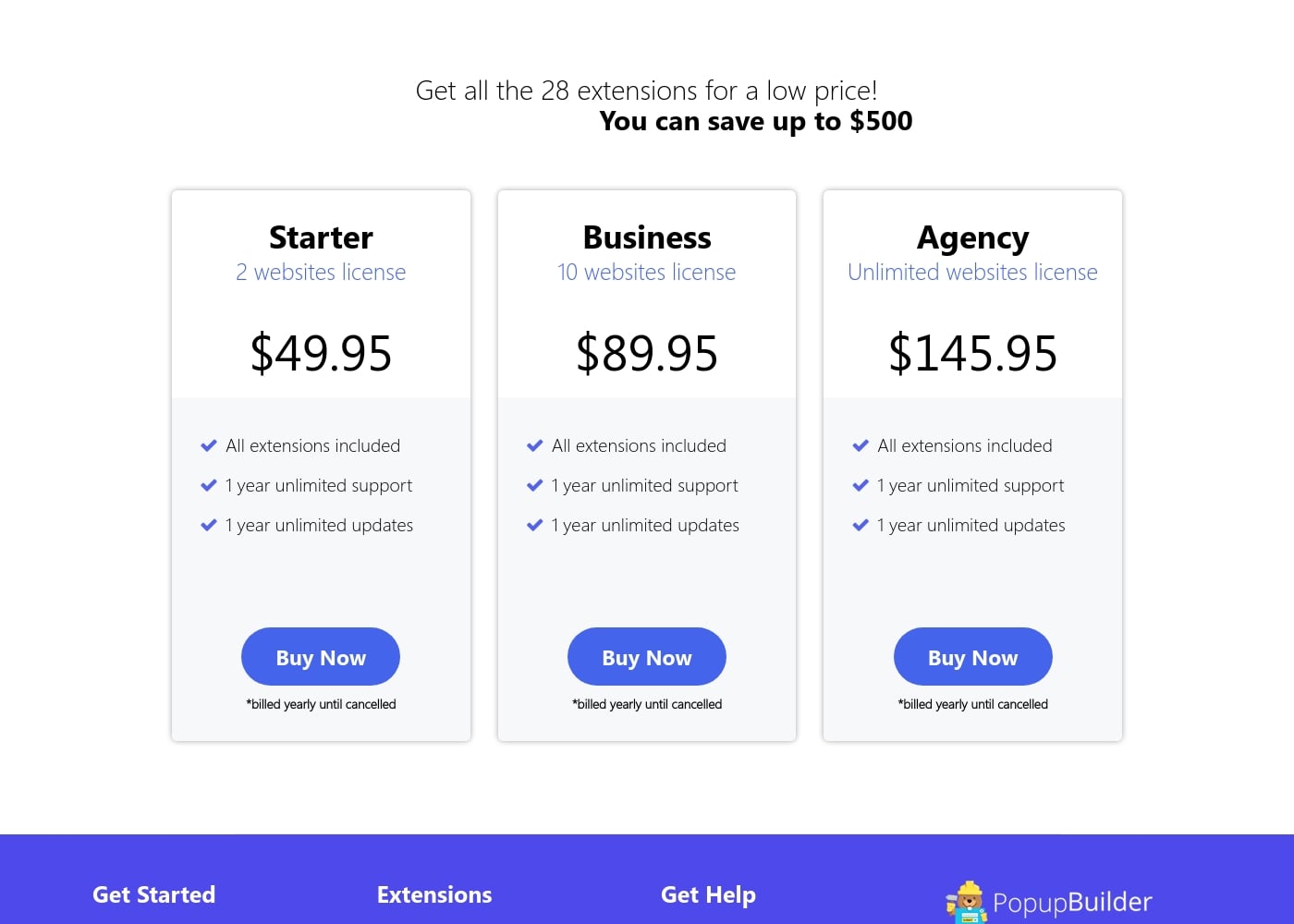
Popup Builder subscriptions start at $49.95 per year for a two-website license. All three annual plans include the full suite of 28 extensions, unlimited support, and updates for the first year.

Plans & Pricing

Starter

Yearly$49.95
2 websites license
  • All 28 extensions included
  • 1 year unlimited support
  • 1 year unlimited updates

Business

Yearly$89.95
10 websites license
  • All 28 extensions included
  • 1 year unlimited support
  • 1 year unlimited updates

Agency

Yearly$145.95
Unlimited websites license
  • All 28 extensions included
  • 1 year unlimited support
  • 1 year unlimited updates

Popup Builder costs between $49.95 and $145.95 per year with 3 plans: Starter at $49.95, Business at $89.95, and Agency at $145.95.

Now you can check the details below to see which package offers the best solution for your business.

Starter

Price: $49.95 per year Websites Supported: 2 websites license Best For: Single users or small sites Refund Policy: Not explicitly stated Other Features: All extensions included, 1 year unlimited support, 1 year unlimited updates

If you manage a couple of websites and want full access to all features, the Starter plan is a great entry point. You get all 28 extensions right away.

Business

Price: $89.95 per year Websites Supported: 10 websites license Best For: Growing ventures or developers managing several client sites Refund Policy: Not explicitly stated Other Features: All extensions included, 1 year unlimited support, 1 year unlimited updates

The Business plan is ideal if you handle multiple projects or run a portfolio of sites. It delivers a solid balance of cost and utility, covering up to ten distinct websites. This lets you scale your conversion efforts effectively. 📈

Agency

Price: $145.95 per year Websites Supported: Unlimited websites license Best For: Agencies, large enterprises, or prolific developers Refund Policy: Not explicitly stated Other Features: All extensions included, 1 year unlimited support, 1 year unlimited updates

For those who need maximum flexibility, the Agency plan is the top choice. You receive an unlimited website license, which is perfect for supporting many clients or domains. Unlock unlimited potential for all your popup campaigns. ✨

The pricing information provided does not explicitly mention a free tier or a trial period. All subscriptions are billed yearly until cancelled and include comprehensive support and product updates for one full year. You can save up to $500 by purchasing one of these bundles.
User Reviews

The Trustpilot page shows a low score (2.3/5) across a small number of reviews, revealing a deeply polarized user experience. On the positive side, many users praise the plugin's functionality, noting that it surpasses similar tools with extensive options for triggers and design customization.

Users confirm it's generally "easy to use" once familiarized and appreciated fast, kind support for initial questions. However, recent feedback flags significant operational and technical concerns.

Issues include extremely poor responsiveness to refund requests and alarming practices regarding payment management, where users were reportedly asked to email credit card information. Furthermore, specific bugs, like non-functional Geo Targeting options (missing regions) or long-standing PDF display issues, have gone unresolved for months, suggesting that while initial support is rapid, bug resolution and technical accuracy can be unreliable.

This inconsistent service severely impacts overall user trust. 🚩

What users say elsewhere

Dmitry R.
· Trustpilot
5.0 / 5

Great support. Works like a charm. I wasn't convinced I could get the popup looking right, but it did beautifully! The assistance is AMAZING.

K. J.
· Trustpilot
1.0 / 5

This company is shady af. They offer NO WAY for customers to manage their payment information. They asked me to provide the new credit card information over email, which is absolutely unacceptable.

No reviews yet.

Write a Review

Write a Review for Popup Builder
0/100 characters
0/2000 characters

Why use Popup Builder?

If you need to move beyond simple popups, this platform gives you incredible control to target the exact right audience at the perfect moment. You can generate more sales by converting website traffic into valuable leads.

This system provides the sophisticated tools needed to start a crucial lead nurturing process and increase your overall revenue. You can stop showing generic messages and start attracting visitors with content tailored exactly to their activity.

Key Conversion Advantages

  • Halt Lost Sales: Utilize powerful Exit Intent technology to convert website exiting users into customers before they leave your page entirely.
  • Pinpoint Targeting: Show popups based on incredibly specific conditions, such as cart requirements, referring link detection, device usage, or even detailed geolocation (country or city).
  • Optimize Engagement: You can schedule popups for selected timeframes or utilize the Inactivity Event feature to attract users who have been idle for too long.
  • Measure Effectiveness: Track your popups’ performance using built-in Analytics. This lets you measure effectiveness and quickly optimize the triggers that drive the best results.
  • Comprehensive Value: Every subscription includes all extensions and comes standard with a full year of unlimited updates and dedicated, unlimited support. ✅

Ready to transform your workflow with Popup Builder?

Popup Builder Alternatives

Other tools in the Popup Builder category

Frequently Asked Questions

Does Popup Builder offer a free trial or a permanently free tier option?

There is no mention of a free trial period or a permanently free plan on the official pricing page. You must purchase one of the yearly subscriptions to start using the service.

Which specific third-party email service providers does this platform integrate with?

The platform is designed to integrate seamlessly with various external services. Explicit examples provided include popular lead capture tools like Mailchimp and AWeber.

How is the pricing structured? Is it based on users or website usage?

Pricing is based solely on the number of websites where the license key is installed. You are not limited by the number of users, popups created, or total impressions delivered.

What is the policy regarding refunds or a money-back guarantee?

A formal money-back guarantee or detailed refund policy is not explicitly stated on the official pricing page. Be aware that user reviews have reported issues with processing refund requests.

How are subscriptions billed, and do they automatically renew?

All subscriptions are structured as yearly payments. They will automatically renew each year at the subscription rate unless you actively choose to cancel the service beforehand.

What are the limitations, if any, on the number of popups or campaigns I can run?

There are no stated quotas or limits on the number of popups or campaigns you can create. Your license only limits the total number of websites you can install the plugin on.

Does the Starter plan exclude any features or extensions compared to the Agency plan?

No, all three subscription tiers—Starter, Business, and Agency—include the full suite of all 28 extensions. The only difference is the allowed number of website licenses.

What happens to my access to support and updates after the initial year ends?

The initial subscription includes one full year of unlimited support and product updates. Renewing your subscription extends access to both support and crucial plugin updates for another year.

What kind of advanced targeting rules are available for displaying popups?

Popup Builder allows advanced targeting based on several conditions. These include Exit Intent, device types, URL Query Strings, and geolocation by country or specific city.

Who is the 'Agency' subscription plan designed for?

The Agency license is the top choice for companies or developers requiring maximum capacity. It is best suited for large enterprises, agencies, or users needing unlimited website licenses.

How does the company handle sensitive customer payment information?

Not explicitly stated on the official site. However, user reviews raise concerns regarding payment management security, specifically referencing reports of being asked to email credit card details.

Is an official Service Level Agreement (SLA) provided for technical support responsiveness?

All plans include unlimited support for one year, but a formal Service Level Agreement (SLA) with guaranteed response times is not explicitly stated in the provided documentation.

Is there a mechanism or tool to help migrate popups from a different service?

Not explicitly stated on the official site. The documentation focuses primarily on the ease of installing and creating new popups directly within the builder interface.

How exactly do I cancel my subscription if I decide to stop renewing?

While the pricing clearly states that billing continues yearly until cancelled, the specific process, dashboard location, or cancellation form needed is not explicitly detailed in the provided information.

Ready to try Popup Builder? Check out the official site or pricing.