PDFelement

PDFelement

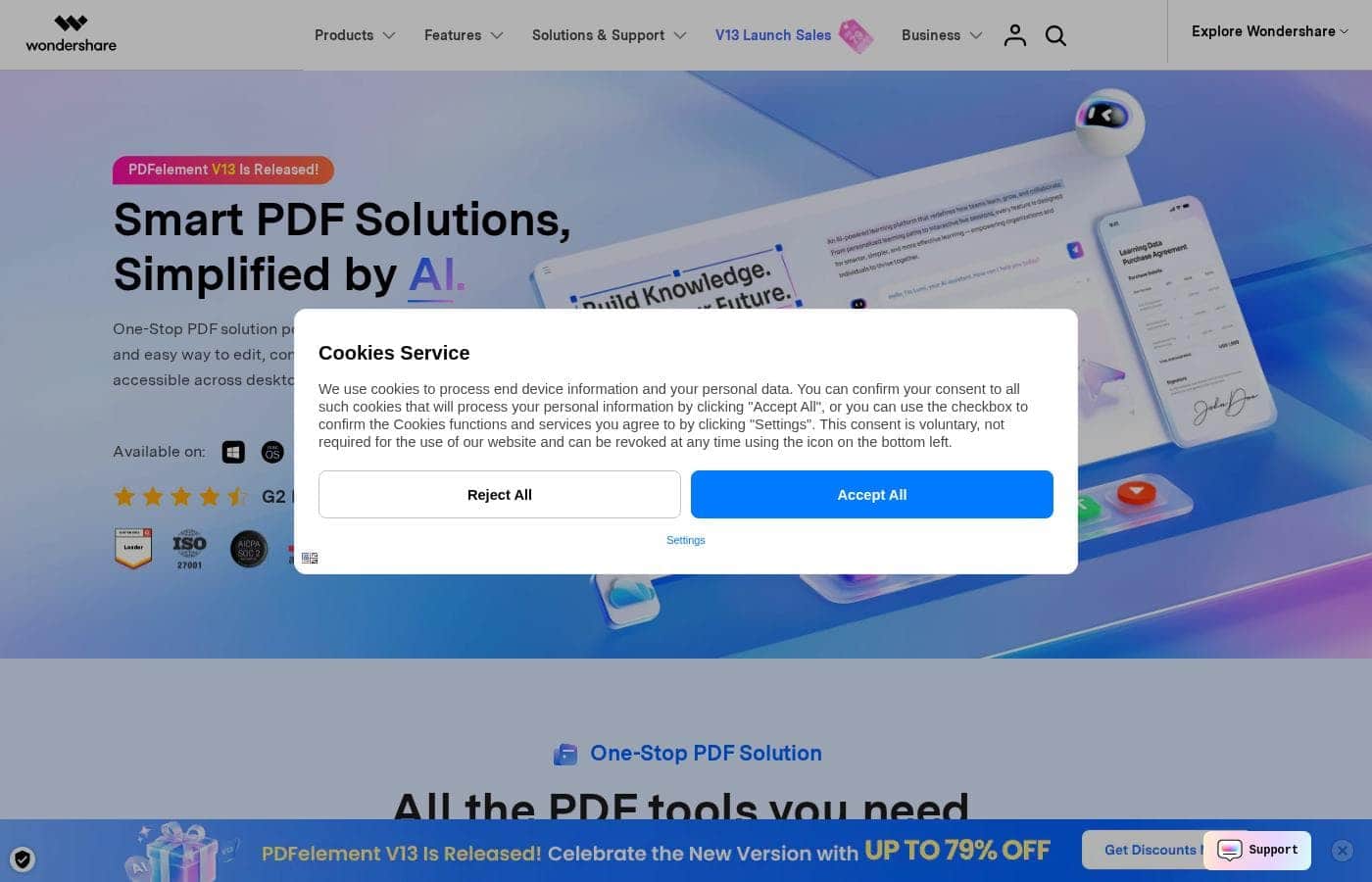
Smart PDF Solutions, Simplified by AI.

#1 dans PDF Editor
2 min read · Updated 10/3/2025
PDFelement homepage screenshot

At a glance

Quick overview for PDFelement: rating, pricing summary, key features, and highlights.

Ciroapp review

4.6
Excellent value for professional features.

We determined that PDFelement provides robust, professional PDF functionality comparable to high-end rivals but at a significantly lower cost. While we noted recurring user complaints about digital signature complexity and aggressive license upgrade pushes, the software's performance remains fast and highly user-friendly. Overall, PDFelement is a leading choice for users prioritizing excellent value and core editing features.

Pros

  • Pro:Offers great functionality at a significant cost reduction versus competitors.
  • Pro:Perpetual license option is available for long-term software ownership.
  • Pro:The interface is consistently described as highly user-friendly and easy to navigate.
  • Pro:Features fast, reliable performance across all major desktop and mobile platforms.

Cons

  • Con:Customers report difficulty authorizing certified digital signatures.
  • Con:Perpetual license holders face pressure or confusion regarding major version upgrades.
  • Con:Recent software updates have introduced frustrating changes to menu navigation and font size.
Free trial
Yes — 7 days
Money-back guarantee
Yes — 30 days
Range: $89.99/year – $139.99 (One-time)Free trial, Monthly subscription, Yearly subscription, One-time payment
This section is a summary. Detailed sections about features, use cases, pricing, and reviews follow below.

PDFelement review, pricing, features, pros & cons

Navigating PDF documents can be difficult and slow. You might struggle to edit text, convert files, or quickly summarize key information. Wondershare PDFelement solves this by offering an AI-powered, comprehensive solution that makes complex document work easy.

It's a fast, affordable way to edit, convert, and secure your files. Get ready to boost your workflow. ✨

What is PDFelement?

PDFelement is a comprehensive PDF management platform. It offers a fast, affordable, and easy way to handle document solutions across various platforms. You can access powerful tools on your desktop (Windows and Mac), mobile devices (iOS and Android), and the web.

This tool is built for anyone needing smarter PDF handling, including professionals, students, and freelancers. It provides a full set of capabilities, ensuring you have one integrated PDF experience everywhere you work. This cross-platform approach keeps you connected and in sync using PDFelement Cloud.

💡

PDFelement Key Features

🧠 AI-Powered Document Intelligence 🧠

Handle documents smarter using PDFelement’s advanced AI capabilities. These tools help you quickly grasp complex information and streamline reading and analysis.

You can chat directly with your document using flexible AI models like GPT-4o, GPT-4o mini, Gemini 1.5 Pro, and DeepSeek. This allows you to ask questions, request clarifications, or summarize specific sections instantly.

Use the AI to translate sections instantly, choosing between Fast Translation for speed or Professional translation for maximum accuracy. These smart tools also let you summarize multiple documents into concise notes, check grammar, rewrite text, and even detect AI-generated content.

✨ Seamless Editing and Customization

Edit PDF files as easily as you work in a rich text editor like Word. PDFelement gives you seamless control over text and graphics without affecting the document layout.

Easily add or modify existing text, adjusting the font size, color, or style instantly. You can also leverage one-click AI tools to add, replace, or adjust images instantly within your documents.

Customize your files further by inserting links, watermarks, shapes, audio, and videos. You can also add Bates numbers to formal documents for easy organization and tracking.

✨ High-Quality Conversion and Output

Convert files quickly to and from PDF while maintaining flawless quality and layout. This feature speeds up document exchange and ensures professional results.

You can convert PDFs into versatile formats including Word, Excel, PNG, and JPG, or convert these files back into secure PDFs. The Flawless Results guarantee ensures that the original formatting and layouts remain intact every time you convert.

Use the powerful Batch Conversion feature to process multiple files simultaneously. This speeds up your workflow significantly, especially when handling large volumes of documents for sharing or archiving.

✨ Reading, Annotation, and Accessibility

Enjoy an immersive reading experience bolstered by smart tools designed for easy comprehension and multitasking. PDFelement helps you read fast and grasp information well.

AI Reading Tools provide instant explanations, summaries, and translations while you read. These tools also automatically create bookmarks to help you navigate long documents quickly without manual input.

If you need to multitask, the Read Aloud function lets you listen to your PDF content with customizable settings. You can mark up documents by highlighting, underlining, or adding text comments and notes without interrupting your reading flow.

✨ E-Signing and Security Protection

Protect sensitive information and finalize contracts quickly using certificate-based e-signatures and robust security features. Your file security is a priority.

Secure documents with passwords to prevent unauthorized viewing, printing, or editing within the PDF. You can also add custom watermarks easily for authenticity and branding.

The Smart PDF Redaction tool lets you permanently remove sensitive content. You can auto-detect and redact data instantly, or manually select areas and bulk-search text to ensure information is permanently censored. Track the status of every signed document instantly from any device using the Real-Time Tracking feature.

✨ OCR and Document Creation

Unlock trapped text in scanned documents and swiftly generate professional PDFs from virtually any source file. This allows you to work with non-digital materials seamlessly.

The Optical Character Recognition (OCR) feature detects text from scanned PDFs or images with precision, converting them into editable or searchable formats. This Multi-Language OCR supports 26 languages, including right-to-left scripts.

Create new high-quality PDFs instantly from Word files, images, or even webpages. For paper documents, you can use the Scan to PDF feature to deskew the image and produce a clear PDF instantly. Use Batch PDF Creation to generate multiple PDFs from different source file types in one efficient step.

📝 Comprehensive Form Management and Organization

Manage complex PDF forms efficiently and organize large documents effortlessly using built-in organizational tools. Simplify data entry and collection with automation. 📝

Use Smart Form Recognition to detect blank fields automatically, allowing for faster entry. You can fill forms rapidly by importing data. If you need to create forms, easily add text boxes, checkboxes, dropdowns, and signature fields. Data extraction allows you to recognize and extract information from multiple forms at once.

When organizing documents, you can split, rotate, reorder, and crop pages easily. For bulk file management, Smart Compression reduces the file size significantly. This tool supports bulk processing and lets you adjust advanced DPI and element settings for optimal control.

Use Cases

✨ Boosting Efficiency with AI Summarization

A student needs to quickly grasp complex material across several large articles before a test. Reading hundreds of pages is impractical. Instead, they use the AI Summary tool to instantly turn documents into concise notes and mind maps.

They can listen to these generated notes using the Read Aloud function while commuting or multitasking. This process maximizes study time. It ensures they absorb the key information efficiently, making the preparation for exams smarter and faster.

Expected outcome: Comprehend complex material in a fraction of the time.

🔒 Securing Legal and Financial Contracts

Problem: A legal professional must secure a client's financial contract containing sensitive identity numbers before finalizing the deal. Unauthorized viewing or editing must be prevented.

Approach: They use Smart PDF Redaction to auto-detect and permanently remove all private data. Next, they add a password to encrypt the document and prevent unauthorized printing. They use certificate-based E-Signing to authenticate the final document quickly and reliably.

Outcome: The contract is securely protected, legally compliant, and ready for immediate sending and tracking.

📄 Handling Batches of Scanned Paperwork

A small business owner receives several scanned client agreements and needs editable text and clean files for digital storage. This process previously took hours of manual retyping.

  1. Use Batch OCR to recognize text in all scanned images simultaneously. This tool supports 26 languages, including right-to-left scripts.
  2. Process the files using Batch Conversion, turning them instantly into editable Word or searchable PDF formats.
  3. Apply Smart Compression to reduce the final file size without losing document quality.
  4. Store the newly organized files in PDFelement Cloud, ready for cross-device access.

Tip: Use the bulk processing options to handle conversion, creation, and compression across multiple documents instantly.

🏗️ Real-Time Collaboration on the Job Site

A construction foreman is on the job site reviewing blueprints, needing immediate input and a signature from an offsite engineer. He uses the PDFelement app on his mobile device (iOS or Android).

He uses the robust reading and markup tools to efficiently annotate areas requiring attention. The document, synced via PDFelement Cloud, is always the most current version. He then utilizes the Bulk Sending tool to quickly dispatch the document for the engineer’s e-signature from the site. This seamless cross-platform workflow streamlines collaboration and helps avoid project delays.

🖋️ Editing and Updating Existing PDFs

Problem: A marketing team needs to update the product images and change the warranty text in a client-facing PDF brochure. They lack the original design file, making traditional updates impossible.

Approach: They open the PDF in PDFelement and edit the text as easily as they would in Microsoft Word, adjusting size, color, and font. They use the one-click AI tools to add or replace the product images and ensure the layout remains intact.

Outcome: The brochure is updated quickly and professionally. They keep the flawless, original formatting while saving the time an external designer would require.

Pricing Overview for PDFelement

Pricing range
$89.99/year – $139.99 (One-time)
Pricing types
Free trial, Monthly subscription, Yearly subscription, One-time payment
Money-back guarantee
Yes — 30 days

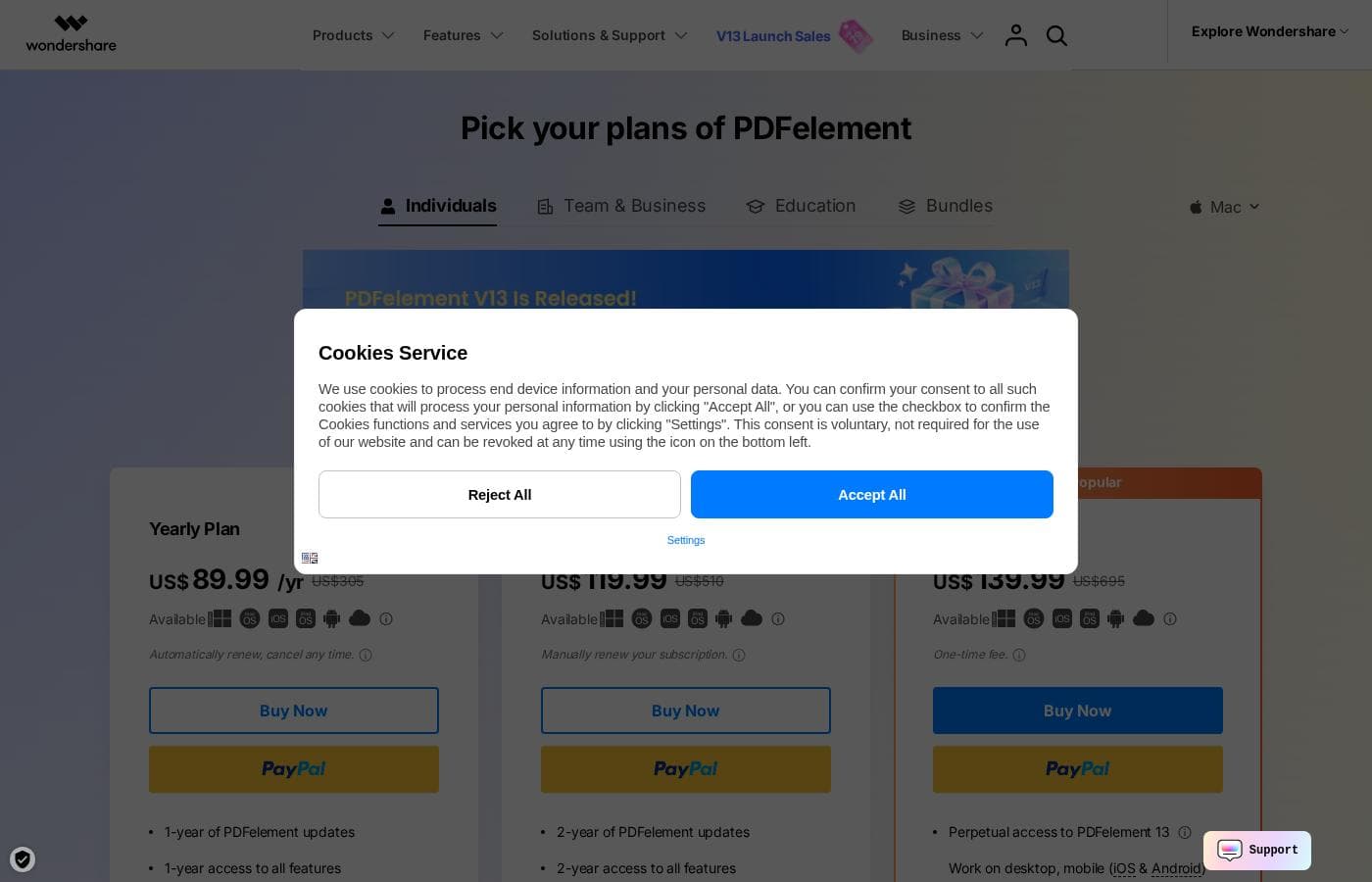
PDFelement offers flexible pricing for individual users with options for yearly subscriptions starting at $89.99, or a one-time perpetual license for $139.99. All paid plans include cross-platform access, full features, and 100GB of cloud storage.

Plans & Pricing

Yearly Plan

Monthly7.50
Yearly89.99
Automatically renews yearly.
  • 1-year of PDFelement updates
  • 1-year access to all features
  • Work on desktop, mobile (iOS & Android), web
  • Free 100GB PDFelement Cloud storage
  • No watermark
  • Free tech support

2-Year Plan

Monthly5.00
Yearly119.99
Billed as US$119.99 total every two years. Requires manual renewal.
  • 2-year of PDFelement updates
  • 2-year access to all features
  • Work on desktop, mobile (iOS & Android), web
  • Free 100GB PDFelement Cloud storage
  • No watermark
  • Free tech support

Perpetual Plan

Contact for pricing
One-time fee. Mobile and web access is for a limited time.
  • Forever to use PDFelement (current version)
  • Get access to all features
  • Free 100GB PDFelement Cloud storage
  • No watermark
  • Free tech support

PDFelement's AI Plan (Add-on)

Monthly3.99
Yearly39.99
Auto-renews monthly (1,000 uses/month) or annually (12,000 uses/year) after initial free trial usage is exhausted.
  • AI Chat, Summarize, Rewrite, Explain, Proofread PDFs

PDFelement costs between $89.99 and $139.99 with three main plans for individuals: the Yearly Plan at $89.99/yr, the 2-Year Plan at $119.99 total, and the Perpetual Plan at $139.99 (one-time fee).

These plans are tailored for individual use and provide cross-platform access. Here’s a closer look at what each plan includes.

Yearly Plan

Price: US$89.99 /yr Websites Supported: Not explicitly stated Best For: Individuals needing continuous annual access Refund Policy: 30-day money-back guarantee Other Features:

  • 1-year software updates and feature access
  • Works on desktop, mobile (iOS & Android), and web
  • Free 100GB PDFelement Cloud storage
  • No watermark and free tech support

This plan is highly convenient if you prefer predictable annual billing that automatically handles renewal. You get a full year of updates and feature access across all your devices, plus generous cloud storage for your documents.

2-Year Plan

Price: US$119.99 (Total for 2 years) Websites Supported: Not explicitly stated Best For: Individuals seeking a multi-year commitment discount Refund Policy: 30-day money-back guarantee Other Features:

  • 2-year software updates and feature access
  • Works on desktop, mobile (iOS & Android), and web
  • Free 100GB PDFelement Cloud storage
  • No watermark and free tech support

If you know you'll use PDFelement consistently over a longer timeframe, choosing the 2-Year Plan saves you money over two years. You'll enjoy access to all features for the full term. Just remember that this subscription requires manual renewal at the end of the 24 months.

Perpetual Plan

Price: US$139.99 (One-time fee) Websites Supported: Not explicitly stated Best For: Longevity and long-term ownership of the current version Refund Policy: 30-day money-back guarantee Other Features:

  • Forever access to use the PDFelement software
  • Access to all features
  • Free 100GB PDFelement Cloud storage
  • Mobile and web access limited to a certain time

The Perpetual Plan is the most popular choice because it lets you pay once for permanent access to the software. You avoid recurring fees entirely! This is ideal for those who prefer software ownership, although ongoing updates and limited-time mobile/web access should be considered.

You can try PDFelement using the 7-day free trial on the registered version, which gives you access to nearly all main features. Wondershare wants you to be satisfied, which is why all purchases come with a full 30-day money-back guarantee if your request meets the policy guidelines.

User Reviews

PDFelement receives overwhelmingly positive feedback, maintaining a high 4.7-star rating. Users consistently praise its exceptional value, often noting it costs significantly less than Adobe Acrobat while delivering comparable functionality.

The availability of a perpetual, one-time license is a major draw for customers tired of subscription models. Users highlight the software's ease of use and user-friendly interface, making complex tasks like editing, converting, merging, and signing documents smooth and hassle-free.

The Optical Character Recognition (OCR) feature is frequently commended for its high accuracy, greatly simplifying the extraction of text from scanned files. Legal and professional users appreciate features like automated contract change highlighting and bulk keyword searching.

However, sentiment is not uniformly positive. Users who bought perpetual licenses express frustration regarding aggressive upgrade pushes, feeling pressured to buy new major versions shortly after purchase.

Specific technical challenges also arise, particularly difficulty implementing certified digital signatures and authorizing them manually, which some found to be a letdown. While the software is reliable and fast, recent UI changes have also confused some long-time customers.

Overall, PDFelement excels as a powerful, affordable PDF solution. 🏆

What users say elsewhere

George M.
· Trustpilot
5.0 / 5

I love the one-time payment structure, unlike the stupid subscription plans many other editors use. This program works just as well as Adobe Acrobat Professional, but it's much cheaper to buy a permanent license. That pricing model is definitely why I stay.

Sarah T.
· Trustpilot
5.0 / 5

PDFelement has been a game changer for my work. It’s fast, reliable, and packed with features. Editing, converting, merging, and signing documents are all smooth and hassle-free, and the OCR capability works flawlessly.

No reviews yet.

Write a Review

Write a Review for PDFelement
0/100 characters
0/2000 characters

Why use PDFelement?

PDFelement is designed to make you sharper, smarter, faster, and smoother in your document work. It delivers professional features at a reported fraction of the price of competitors. Why settle for less when you can access tailored, powerful tools across every device? This software comes to the rescue like a breath of fresh air. ✅

  • Harness Smart AI Power: Handle PDFs smarter using advanced AI tools. You can quickly summarize multiple documents into concise notes or use the AI to translate and explain complex sections instantly. Chat with your PDFs using flexible AI models like GPT-4o.
  • Affordability without Compromise: Users note that PDFelement often costs half the price compared to Adobe Acrobat. You get all the superb features and functions of high-end editors, running smoother and costing significantly less money.
  • Flawless Editing and Conversion: Edit your PDFs as easily as you edit a Word document. You can add or modify text, adjust colors, and even edit PDF images using one-click AI tools. Batch conversion ensures you process multiple files quickly while keeping original layouts intact.
  • True Accessibility and Sync: Enjoy a unified PDF experience across Windows, Mac, iOS, Android, and the Web. The integrated PDFelement Cloud allows you to store, share, and access your files from anywhere, ensuring you stay connected and in sync on the go.
  • Professional Security & Compliance: Protect sensitive information efficiently. Use Smart PDF Redaction to permanently remove content, or encrypt PDFs with passwords to prevent unauthorized viewing or printing. It also supports secure, certificate-based electronic signing.

Ready to transform your workflow with PDFelement?

Frequently Asked Questions

How do the individual subscription plans handle renewal and cancellation?

The Yearly Plan automatically renews every year, and you can cancel it at any time. The 2-Year Plan requires a manual renewal at the end of the two-year term, meaning it won't automatically charge you again.

What happens after I use up the initial free quota of AI features?

Once your initial free AI uses are spent, you must purchase an AI add-on subscription to continue. This AI plan costs $3.99 monthly for 1,000 uses or $39.99 annually for 12,000 uses.

What security or compliance standards does PDFelement meet?

PDFelement holds the ISO 27001 Information Security Management certification. It is also a member of the PDF Association, demonstrating adherence to industry standards.

What is the key difference between an Individual and a Team license?

An Individual license is meant for use by only one person. The Team license is designed for multiple users, allowing administrators to manage and track access for different users in a business setting.

Are there any usage limits on the one-time Perpetual Plan?

The Perpetual Plan grants permanent desktop access to that specific software version. However, mobile and web access are provided for a limited time, though the exact duration is not specified.

What are the specific technical limitations of the 7-day registered free trial?

The trial adds a watermark to saved files and limits certain batch functions. When using the Combine PDF or Batch Process features, you can only process up to three files with a maximum size of 20MB.

How fast is customer support if I run into a technical issue?

PDFelement provides access to knowledgeable representatives via instant live chat. You can expect a response to any email inquiries within 24 hours.

Does PDFelement integrate with external cloud services like Dropbox or Google Drive?

Not explicitly stated on the official site. PDFelement does provide its own seamless platform, the PDFelement Cloud, for syncing and accessing files across your devices.

What cloud storage capacity is included with the paid plans?

All paid individual plans, including the Yearly, 2-Year, and Perpetual options, come with 100GB of free PDFelement Cloud storage.

Which types of professionals is PDFelement best suited for?

The platform offers specialized features for various professional fields. These identified niches include Education, IT, Legal, Healthcare, Financial services, and Government organizations.

How broad is the language support for the OCR feature?

The Optical Character Recognition (OCR) feature is very robust. It is capable of converting text from scanned PDFs and images in 26 different languages.

Can I get a refund if I am not satisfied with the software?

Yes, PDFelement offers a 30-day money-back guarantee on all software purchases. Your request must meet their official policy guidelines to be approved.

Ready to try PDFelement? Check out the official site or pricing.