Pabbly Subscriptions

Pabbly Subscriptions review

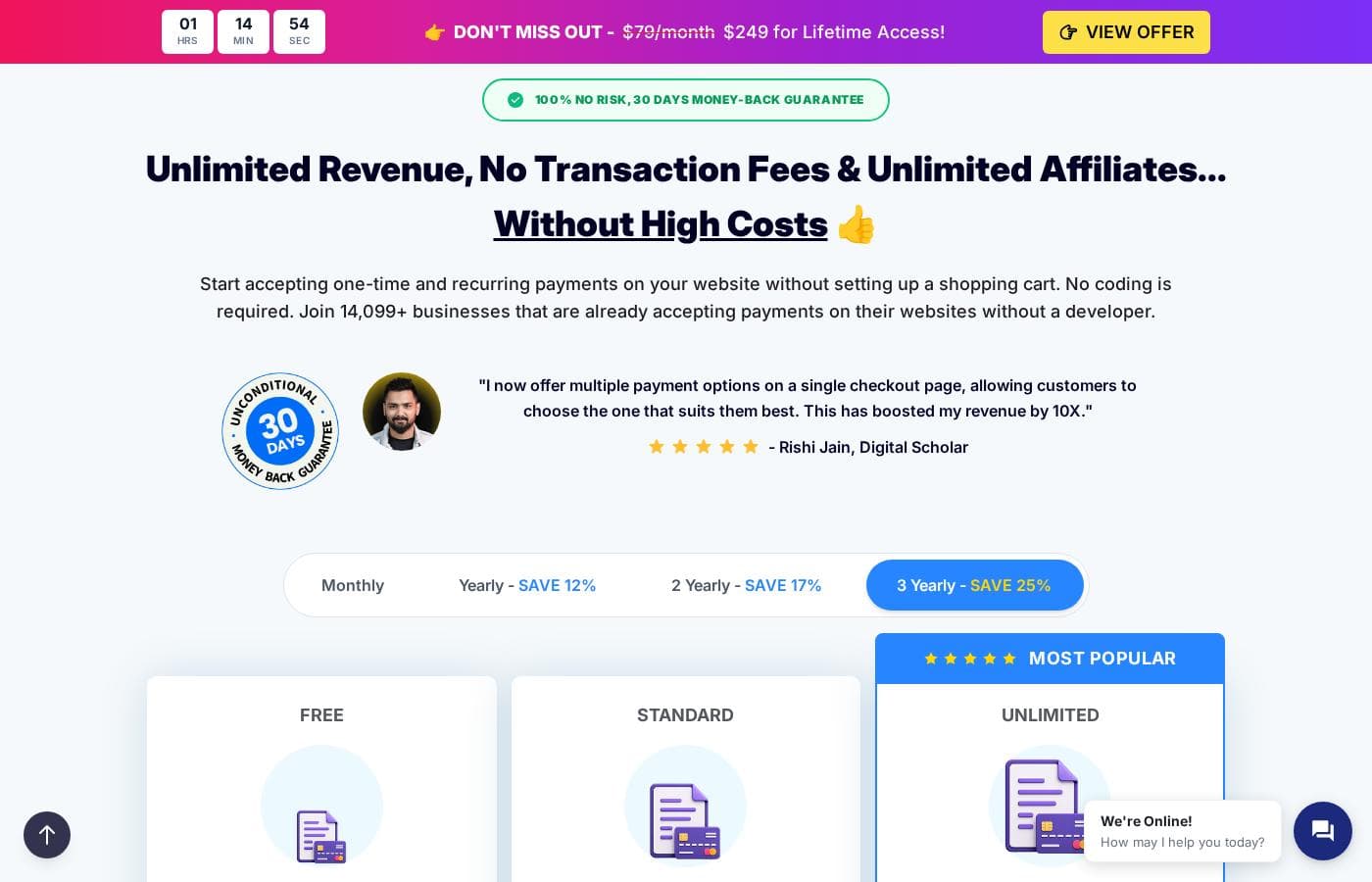
Subscription billing with 0% platform transaction fees and a built-in affiliate system.

Pabbly Subscriptions costs from $19/mo Β· 3 plans Β· prices checked Oct 12, 2026

By Ciroapp Editorial Team Β· Updated Sep 17, 2026

Commission may apply at no extra cost

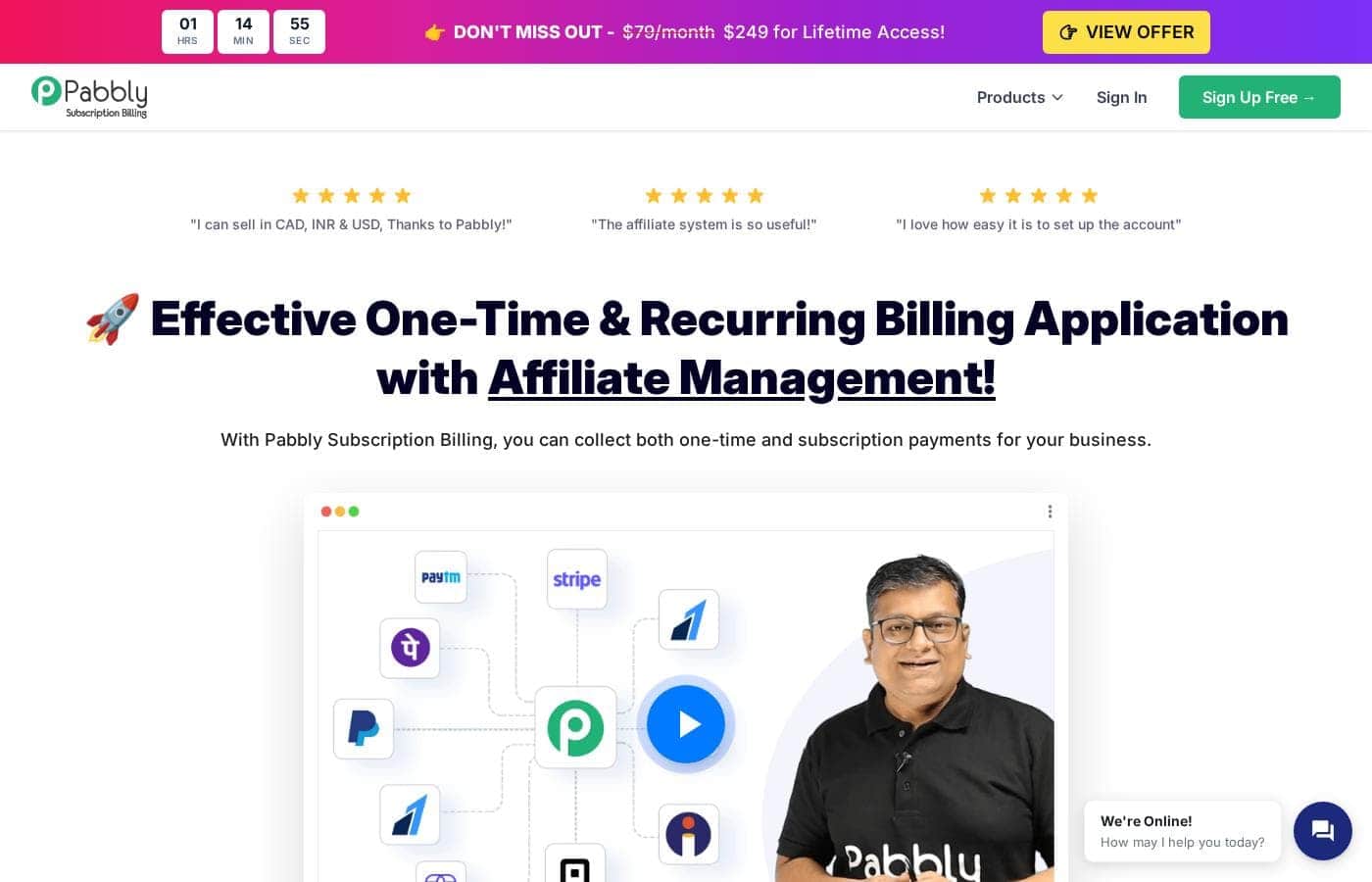
Pabbly Subscriptions homepage screenshot

At a glance

Quick overview for Pabbly Subscriptions: rating, pricing summary, key features, and highlights.
Pricing verified Oct 12, 2026

Ciroapp score

4.0/ 5

Pabbly Subscriptions charges 0% platform transaction fees on every plan, recovers failed payments automatically, and supports 35+ gateways in roughly 55 currencies, starting free. Overall, it's a solid, low-risk choice for small recurring-revenue sellers, though the affiliate module sits behind the top tier, lower plans cap customers, and independent user reviews are scarce.

Pros

  • Pros:0% platform transaction fees on every plan, including Free β€” the billing software itself never takes a cut of your sales (gateway processing fees still apply)
  • Pros:Automated failed-payment recovery with smart retries, a configurable dunning email schedule, and automatic gateway failover during checkout if one payment route fails
  • Pros:Supports 35+ payment gateways and roughly 55 currencies, including Indian options like Razorpay, Instamojo, and Cashfree, with multiple gateway options shown on a single checkout page

Cons

  • Cons:The affiliate module is locked to the Unlimited plan, so Free and Standard users must upgrade to run affiliate programs
  • Cons:Customer caps limit growth on lower tiers β€” the Free plan tops out at 50 customers and Standard at 1,000
  • Cons:Each account supports only one custom domain, which complicates running multiple brands from a single account
Best for
  • Coaches and consultants who bill clients on a schedule
  • Small SaaS teams that need trials, upgrades, and self-serve plan changes
  • Sellers targeting global buyers with multi-currency checkout
This section is a summary. Detailed sections about features, use cases, pricing, and reviews follow below.

What is Pabbly Subscriptions?

Recurring billing gets messy fast. Failed payments, manual invoices, and platform fees quietly eat your revenue. Pabbly Subscription Billing tackles this with 0% transaction fees, automated retries for failed charges, and a built-in multi-tier affiliate system.

You collect one-time and subscription payments on any website without coding or hiring a developer.

Pabbly Subscription Billing is a web-based platform for collecting one-time and recurring payments. It handles checkout pages, subscriptions, invoices, taxes, and an affiliate program from one dashboard. Its parent company, Magnet Brains, reports 17+ years in business and 14,099+ businesses using the tool.

It fits small businesses, coaches, consultants, and SaaS sellers who want to accept payments without a developer.

Should you choose Pabbly Subscriptions?

Quick buyer guidance before you compare plans or click through.

Choose it if

  • You collect one-time and recurring payments on your own website
  • You want the billing platform to take 0% of your sales
  • You sell internationally and need multi-currency checkout with EU VAT and GST handling
  • Failed payments hurt, and you want automated retries plus reminder emails
  • You need API, webhooks, or 800+ integrations through Pabbly Connect

Skip it if

  • The affiliate module only ships with the Unlimited plan, so Free and Standard users must upgrade to run affiliate programs
  • The free plan caps at 50 customers and Standard stops at 1,000, so fast-growing businesses will need higher tiers
  • You must connect your own payment gateway before you can collect any payments
  • Each account supports only one custom domain, which complicates multi-brand setups
  • Promotional pricing like the $249 lifetime deal can change, so verify current terms before buying

Next steps before buying

  1. 1Compare current plan pricing and customer limits on the site, since promos like the lifetime deal may be temporary
  2. 2Confirm your payment gateway is among the 35+ supported options and handles your target currencies
  3. 3Check that the plan you want includes the affiliate module if affiliate growth is part of your plan
  4. 4Review the API docs at apidocs.pabbly.com to confirm your platform integrates via links, embeds, or webhooks
  5. 5Start with the free plan, or rely on the 30-day money-back guarantee while you test your setup

Ease of use

Pabbly keeps onboarding simple: create a product, connect a payment gateway, and share your checkout page. No coding is required. The company publishes 12,274+ video tutorials covering setup tasks like plans and the client portal, and customer reviews on its site repeatedly mention easy setup and responsive support.

Pabbly Subscriptions Key Features

✨ Keep 100% of Every Sale

Pabbly charges 0% platform transaction fees on all plans. Your payment gateway's fees still apply, but the billing software itself never takes a cut. That means one-time payments and monthly subscriptions reach you intact.

If recurring revenue is your lifeblood, this alone can add up fast.

✨ Recover Failed Payments Automatically

Failed charges don't have to mean lost customers. Pabbly retries failed payments automatically and runs a built-in dunning system that sends multiple email reminders on a schedule you set. It even helps customers resolve gateway errors and can switch to a different payment gateway during checkout if one fails.

Less churn, fewer awkward collection emails.

✨ Sell Anywhere With 35+ Gateways and 55 Currencies

You're not locked into one payment provider. Pabbly supports 35+ gateways and roughly 55 currencies, so customers can pay the way that suits them β€” and you can show several options on one checkout page. Indian gateways like Razorpay, Instamojo, and Cashfree are included.

Taxes are handled too, with EU VAT rules, GST-compliant invoices, and country- and state-level tax settings.

✨ Grow With a Built-in Affiliate Module

Run a full affiliate program from the same dashboard (included on the Unlimited plan). Add partners, track their sales, and pay commissions across any gateway β€” tracking uses cookies, so it works no matter how customers pay. The system supports multi-tier structures where affiliates earn from sub-affiliates they recruit.

It even attributes sales from custom landing pages built on WordPress, SaaS platforms, or anything else.

πŸ‘ Launch Fast, Customize Everything

Setup takes three steps: create a product, connect a gateway, and build a plan. No coding needed. From there you can shape the experience to match your brand:

Use Cases

πŸ’‘ Billing Coaching and Consulting Clients on a Schedule

Coaches and consultants who invoice clients weekly, monthly, or per session can create recurring plans in Pabbly without a developer. Setup is three steps β€” create a product, connect a payment gateway, and build a plan β€” and clients get a self-service portal to manage their own subscriptions. Automated retries and dunning emails chase missed payments, so you're not manually emailing clients when a card fails.

πŸ’‘ Running a SaaS or Membership Business With Self-Serve Plan Changes

Small SaaS teams can offer free trials, upgrades, downgrades, pauses, and resumes through the customer portal, plus usage-based, volume, per-unit, and donation pricing models. Checkout pages can be hosted, popup, or embedded in WordPress or any custom site, and bump offers with upsell/downsell funnels help raise average revenue per customer. The developer API and webhooks connect billing events to your own application logic.

πŸ’‘ Selling Internationally With Multi-Currency Checkout and Tax Compliance

If you sell to buyers in multiple countries, Pabbly supports roughly 55 currencies and 35+ payment gateways, and you can display several payment options on one checkout page. EU VAT rules, GST-compliant invoices, and country- and state-level tax settings handle the compliance side. Indian gateways like Razorpay, Instamojo, and Cashfree are supported, which matters for businesses billing in India.

πŸ’‘ Growing Revenue Through an Affiliate Program

On the Unlimited plan, you can run a multi-tier affiliate program from the same dashboard. Partners are added manually, sales are tracked with cookies across any gateway (so attribution works regardless of how the customer pays), and affiliates can earn from sub-affiliates they recruit. Sales from custom landing pages built on WordPress or SaaS platforms can be attributed too.

Pabbly Subscriptions pricing

From$19/mo

  • From the vendor's pricing page, checked Oct 12, 2026
  • 3 plans

Prices checked on Oct 12, 2026 from Pabbly Subscriptions's pricing page

Pabbly Subscriptions pricing page screenshotView pricing page screenshot
PlanBilled monthlyBilled annuallyIncludes
STANDARD
$19/mo
β€”
UNLIMITED
$79/mo
β€”
Black Friday
β€”
$66.58/mo
$799 per year

Price history

Tracking prices since Oct 1, 2026. No price change detected yet.

Pricing types: Free plan, Monthly subscription, One-time payment, Usage-based pricing

Pricing notes

Pabbly Subscriptions offers a Free plan, a Standard plan at $14/month (normally $19), and an Unlimited plan at $59/month (normally $79). All plans charge 0% transaction fees, and there's also a $249 lifetime access offer. Every paid purchase is covered by a 30-day money-back guarantee. πŸš€ (1 emoji total in this section β€” we kept it light!)

Free

Price: $0

Standard

Price: $14/month (normally $19/month)

Unlimited

Price: $59/month (normally $79/month)

Lifetime Access

Price: $249 one-time

The plans share a common feature set β€” checkout pages, multi-currency payments, tax management, API access, and unlimited team members β€” with customer limits and the affiliate module being the main differences between tiers. The 30-day money-back guarantee applies, so you can try any paid plan with little risk. ⏱️ (second and final emoji) β€” that guarantee is the clearest way to test the product risk-free.

Full Pricing Breakdown

Here's how the tiers actually differ. The Free plan supports up to 50 customers, has limited revenue, and excludes team members and the affiliate module. The Standard plan raises that to 1,000 customers with unlimited revenue and unlimited team members, but no affiliate module. The Unlimited plan removes the customer cap and adds the multi-tier affiliate module, making it the choice for businesses running affiliate programs. The Lifetime deal at $249 (shown as a limited-time offer, normally $79/month) is worth considering only if you're confident you'll use the tool long-term β€” confirm the license limits on the checkout page before buying, since lifetime offers sometimes carry different terms than standard plans.

What's Included Across All Plans

Every tier, including Free, includes: unlimited checkout pages, multi-currency support, one-time and recurring payments, payment analytics, a customer portal, upsell/downsell funnels, API and webhooks, VAT/GST tax management, and custom branding. There are no transaction fees on any plan β€” you keep 100% of your revenue. Pabbly supports 35+ payment gateways and roughly 55 currencies.

Things to Watch

  • The affiliate module is only on the Unlimited plan (and presumably the lifetime offer) β€” Standard users miss out on this.
  • Revenue is limited on the Free plan, so it's best for testing or very small operations.
  • Annual billing options aren't broken out on the page; the listed prices appear to be monthly rates.

Who Each Tier Fits

  • Free: solo sellers or anyone validating an idea with a small customer base.
  • Standard: growing businesses under 1,000 customers that don't need affiliate management.
  • Unlimited: businesses with large customer bases or anyone who wants to run a multi-tier affiliate program.
  • Lifetime: long-term users who want to lock in a single payment and avoid monthly billing.

The 30-day money-back guarantee means you can test the paid tiers risk-free, and the free plan lets you explore the platform without any payment at all.

Pabbly Subscriptions pricing: Pabbly Subscriptions offers a Free plan, a Standard plan at $14/month (normally $19), and an Unlimited plan at $59/month (normally $79). All plans charge 0% transaction fees, and there's also a $249 lifetime access offer. Every paid purchase is covered by a 30-day money-back guarantee. πŸš€ (1 emoji total in this section β€” we kept it light!)

Free

Price: $0

Standard

Price: $14/month (normally $19/month)

Unlimited

Price: $59/month (normally $79/month)

Lifetime Access

Price: $249 one-time

The 30-day money-back guarantee applies, so you can try any paid plan with little risk.

Full Pricing Breakdown

Here's how the tiers actually differ.

What's Included Across All Plans

T
Cost calculator

Estimate what Pabbly Subscriptions costs for your team.

Billing
Per month
$19
Per year
$228

STANDARD states no user limit: shown as one price for the whole account. Check the price for 5 users with the vendor. Estimate based on published list prices, before taxes, add-ons and discounts.

Email me when Pabbly Subscriptions changes price

One email when we detect a price change on the vendor's pricing page. No newsletter, no deals. Unsubscribe in one click.

User Reviews

No reviews yet.

Write a Review

Write a Review for Pabbly Subscriptions
0/100 characters
0/2000 characters

Why use Pabbly Subscriptions?

Here's the pitch in one line: Pabbly charges 0% transaction fees, so your billing software stops taking a cut of your sales. Based on what the company publishes, that's just the starting point.

  • You keep more of every sale. The platform itself charges no transaction fees, whether you bill once or every month.
  • Failed payments get chased for you. Smart retries and dunning emails work to recover failed charges, protecting your recurring revenue.
  • You can sell almost anywhere. Support for 35+ payment gateways and around 55 currencies covers global buyers, including Indian options like Razorpay, Instamojo, and Cashfree.
  • Affiliate growth is built in. Add partners, track commissions across gateways, and run multi-tier programs on the Unlimited plan.
  • Launch without a developer. Hosted, popup, or embedded checkout pages work with WordPress, custom code, or any CMS.
  • You can start free. A free plan for up to 50 customers and a 30-day money-back guarantee lower the risk of trying it.

Pabbly Subscriptions alternatives

Other tools in the Subscription Billing category

View all Subscription Billing tools
VEA

VEA

CRM4/5

VEA is an AI powered business management platform for solopreneurs and small teams. One dashboard for customers, invoicing, work orders, scheduling, tasks, and AI analytics. $24.95/user/month. No contracts. Earn up to 30% recurring commission for 12 months per referral.

Nickel

Nickel

Accounts Receivable Automation3.9/5

Nickel is the easiest way for US businesses to pay and get paid β€” built for America's core industries: construction, wholesale, manufacturing, logistics, and more. Nickel Core is completely free, with unlimited ACH transfers, bill pay, and competitive card rates. Paid plans unlock advanced workflows. Trusted by 20,000+ businesses, it's a genuinely easy recommendation for any business audience. No hidden fees, no gotchas β€” just a product your audience will thank you for.

Pabbly Subscriptions FAQ

How much does Pabbly Subscriptions cost?

Pabbly Subscriptions's cheapest paid plan, STANDARD, costs $19 per month. Paid plans range from $19 to $79 per month. Prices checked on Oct 12, 2026 from the vendor's pricing page.

Has Pabbly Subscriptions's price changed recently?

No. We have not detected a price change since we started tracking on Oct 1, 2026.

Is my customers' payment data safe with Pabbly?

Pabbly is SOC2 Type 2 and ISO 27001:2022 certified. Credit card details aren't stored on Pabbly's servers β€” they stay with your payment gateway. That covers the key security concern for businesses handling customer money.

Can I connect Pabbly to my website and other tools?

Yes. You can add hosted, popup, or embedded checkout to any CMS or custom site, or use the developer API and webhooks. Pabbly Connect also links your billing to 800+ external platforms.

How do I migrate from another billing tool like Stripe?

You can import customers and subscriptions from Stripe directly or through a CSV file. Step-by-step videos for both methods are on Pabbly's YouTube channel, so most migrations don't need a developer.

Does Pabbly charge per seat or based on usage?

Neither. Every plan is a flat monthly rate with unlimited team members and 0% transaction fees. Usage-based pricing refers to what you can charge your own customers, not what Pabbly charges you.

Ready to try Pabbly Subscriptions? Check out the official site or pricing.

Are you Pabbly Subscriptions? Claim this listing Β· Get the badge