OptimizePress

OptimizePress review

Build landing pages, funnels, and checkouts without leaving WordPress. OptimizePress bundles the core sales tools course creators and digital product sellers need into one plugin suite.

By Ciroapp Editorial Team · Updated Sep 16, 2026

Commission may apply at no extra cost

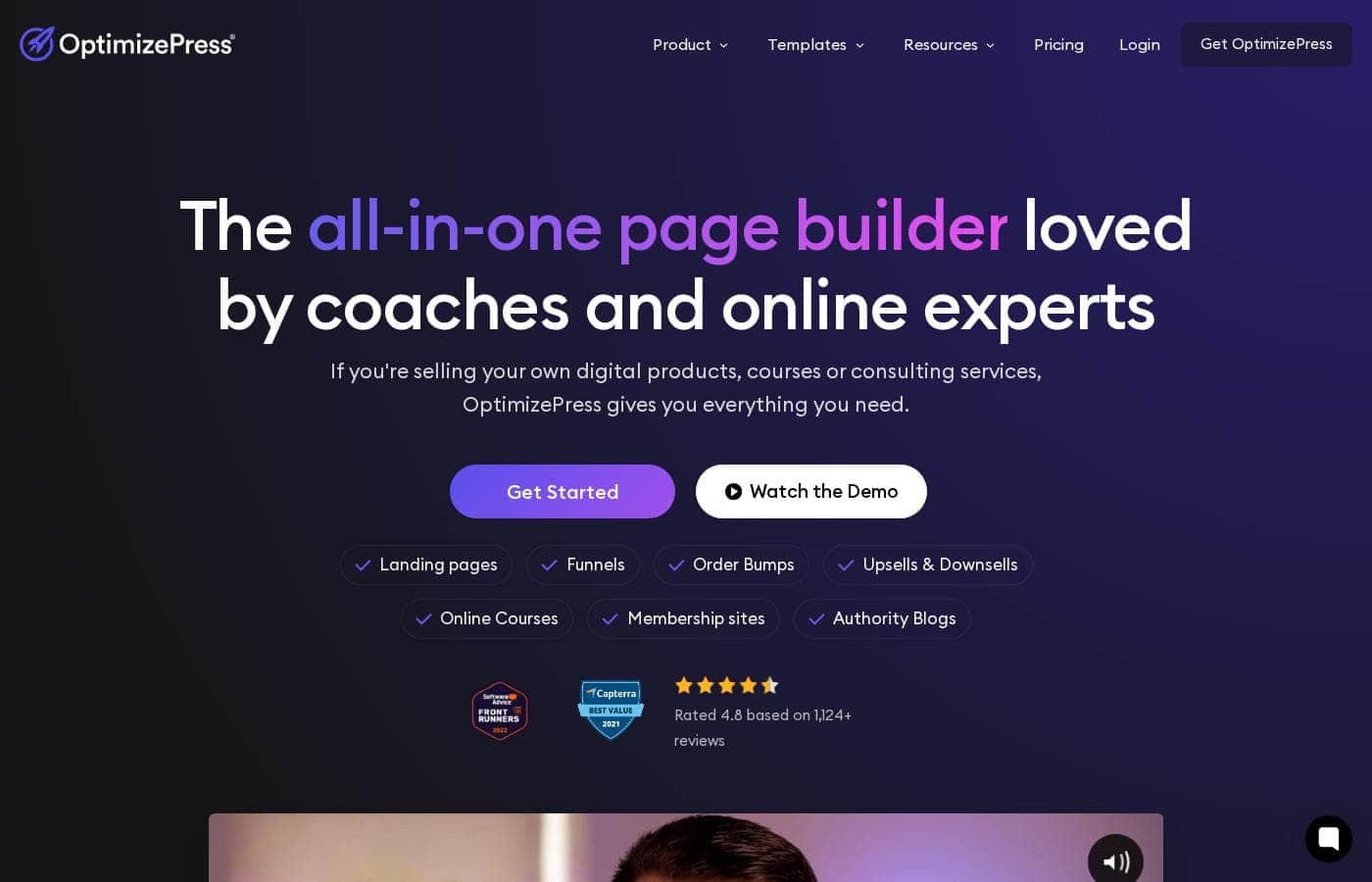
OptimizePress homepage screenshot

At a glance

Quick overview for OptimizePress: rating, pricing summary, key features, and highlights.
Vendor page checked Oct 13, 2026

Ciroapp score

3.9/ 5

OptimizePress bundles a page builder, funnels, checkout, and lead capture into one WordPress plugin suite, so you avoid stacking separate subscriptions. It only works on self-hosted WordPress, email automation needs a third-party tool, and billing is mainly annual. Overall, it's a solid pick for course sellers and marketers already committed to WordPress.

Pros

  • Pros:All-in-one coverage — pages, funnels, checkouts, and lead capture come from one plugin suite instead of several separate subscriptions.
  • Pros:Runs on your own WordPress hosting, so your content and data stay under your control and you avoid per-funnel SaaS fees.
  • Pros:Template library is oriented to real sales scenarios—sales pages, webinar registration, launch sequences—rather than generic brochure layouts.

Cons

  • Cons:Works only on self-hosted WordPress—there is no version for Shopify, Wix, Squarespace, or other hosted website builders.
  • Cons:Email marketing and automation are handled through third-party integrations rather than built in, adding tool management overhead.
  • Cons:Performance depends on your own hosting; complex funnels with multiple scripts can load slowly on budget shared hosting.
Best for
  • Coaches and consultants selling courses, ebooks, or coaching packages online
  • Existing WordPress site owners who want funnels and checkouts without adding another monthly SaaS subscription
  • Digital marketers running structured product launch campaigns
This section is a summary. Detailed sections about features, use cases, pricing, and reviews follow below.

What is OptimizePress?

OptimizePress has built its reputation as a WordPress-native alternative to standalone funnel platforms. Instead of paying for a separate hosted page builder, you install a plugin suite directly on your own WordPress site and get pages, funnels, checkout, and lead capture in one place. It is widely used by coaches, course creators, and digital marketers who sell information products.

This review covers what the suite actually does, where it excels, and who should look elsewhere.

OptimizePress is a collection of WordPress plugins that together cover the main components of an online sales system: a drag-and-drop page builder, funnel creation, checkout and payment processing, and lead generation tools such as opt-in forms and pop-ups. Because everything runs inside WordPress, your content, pages, and customer data stay on infrastructure you control. The suite ships with a library of templates aimed at sales pages, webinar registrations, product launches, and course delivery.
Should you choose OptimizePress?

Quick buyer guidance before you compare plans or click through.

Choose it if

  • Coaches and consultants selling courses, ebooks, or coaching packages online
  • Existing WordPress site owners who want funnels and checkouts without adding another monthly SaaS subscription
  • Digital marketers running structured product launch campaigns
  • Small teams that want landing pages, payments, and lead capture managed from one WordPress dashboard

Skip it if

  • Businesses on non-WordPress platforms such as Shopify, Wix, or Squarespace
  • Teams that need built-in email automation and advanced CRM features out of the box
  • Sellers with complex physical-product catalogs who need full inventory and shipping management
  • Users on very low-end shared hosting who need maximum page speed

Next steps before buying

  1. 1Set up a self-hosted WordPress site with reliable hosting if you do not already have one.
  2. 2Install the OptimizePress plugin, activate your license, and complete the setup wizard.
  3. 3Pick a template matched to your goal—sales page, webinar registration, or launch funnel—and customize it in the drag-and-drop editor.
  4. 4Connect your email marketing service and payment processor, then publish and test the full funnel end to end before driving traffic to it.

OptimizePress Key Features

✨ Drag-and-Drop Page Builder

The OptimizeBuilder editor lets you assemble landing and sales pages from blocks and elements with a live preview. Templates are organized by goal—sales pages, webinar registrations, launch pages, thank-you pages—so you start from a proven layout rather than a blank canvas. Pages can work alongside your WordPress theme or be built as standalone designs.

✨ Sales Funnel Creation

Beyond single pages, OptimizePress lets you link pages into multi-step funnels covering opt-in, sales, checkout, upsell, and thank-you sequences. Funnels are managed visually, so you can see the entire customer journey and adjust steps without manually rebuilding links. This makes it practical to run structured campaigns rather than isolated one-off pages.

✨ Checkout and Payments

The suite includes checkout functionality that connects to standard payment processors such as Stripe and PayPal, supporting both one-time purchases and recurring subscriptions for digital products. Upsell steps can be added to a funnel to raise average order value. This removes the need for a separate cart tool in most digital product scenarios.

✨ Lead Generation and Opt-ins

Built-in lead capture tools cover inline opt-in forms, pop-ups, and banner-style alerts that connect to major email marketing services. Submissions can be routed to platforms like Mailchimp, ActiveCampaign, ConvertKit, and AWeber without custom code, so your list building and your pages stay in sync.

✨ Integrations and Compatibility

The suite is designed to coexist with common WordPress plugins and connects to email, webinar, and membership platforms. That means you can keep your existing mailing list provider or course-delivery setup and use OptimizePress as the front-end sales layer rather than migrating your whole stack.

Use Cases

💡 Selling Online Courses and Ebooks

Course and ebook sellers can build a complete purchase path—sales page, checkout, and delivery page—inside one WordPress install. Support for recurring payments suits membership-style course access, while one-time payments fit downloadable products.

💡 Product Launch Campaigns

Marketers running launch sequences can chain pre-launch content pages, sales pages, and cart-close pages together and publish them on schedule. Dedicated launch funnel templates cut down setup time and keep the messaging flow consistent across steps.

💡 Lead Generation for Coaches and Consultants

Coaches can publish opt-in pages offering lead magnets, capture emails directly into their CRM or email platform, and route new subscribers into nurture sequences—all without paying for a separate landing page subscription.

💡 Webinar Registration Funnels

Registration pages, confirmation pages, and replay pages can be built and connected as a single flow, with integrations available for popular webinar platforms. This makes recurring webinar promotions faster to stand up each cycle.

💡 Membership and Gated Content

By pairing checkouts with membership integrations or WordPress membership plugins, sellers can gate course content behind a payment and manage access from the same dashboard where the sales pages live.

OptimizePress pricing

Prices not verified yet — see the vendor page.

OptimizePress's pricing page

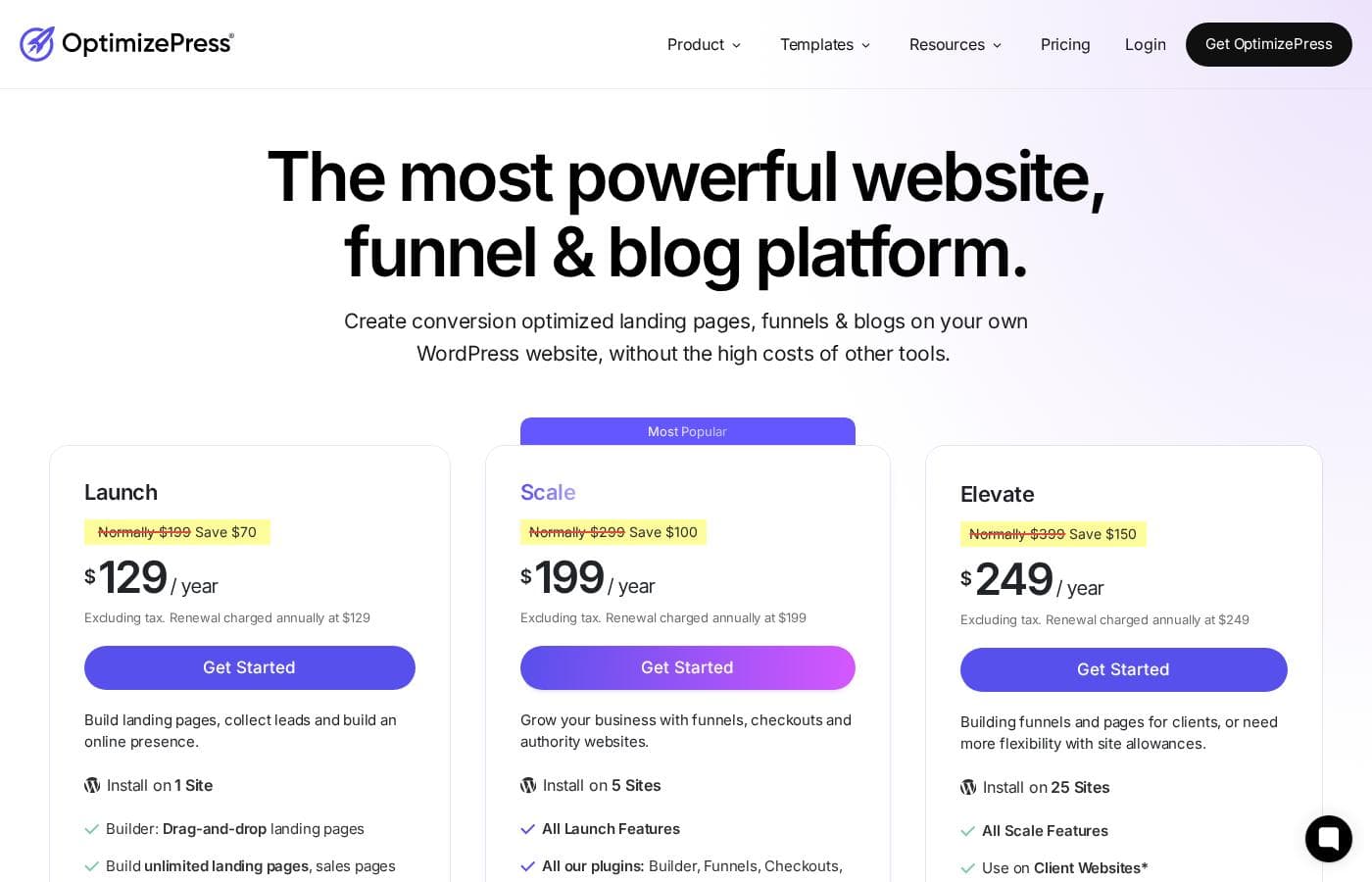
OptimizePress pricing page screenshotView pricing page screenshot

Price history

Tracking prices since Oct 1, 2026. No price change detected yet.

Pricing types: Free plan, Yearly subscription, Usage-based pricing

Pricing notes

OptimizePress pricing: Plans from $0 Billing options: Free plan, Yearly subscription, Usage-based pricing

Email me when OptimizePress changes price

One email when we detect a price change on the vendor's pricing page. No newsletter, no deals. Unsubscribe in one click.

User Reviews

No reviews yet.

Write a Review

Write a Review for OptimizePress
0/100 characters
0/2000 characters

Why use OptimizePress?

The main reason to choose OptimizePress is consolidation on your own site. Rather than stitching together a page builder, a checkout tool, and a form plugin from different vendors, you manage one plugin suite with one license.

For WordPress site owners, that also means avoiding the per-funnel monthly fees typical of hosted funnel platforms, with published pricing spanning a free entry point up to roughly $2,026 per year depending on tier. It also integrates with the major email marketing and CRM platforms, so it can slot into an existing stack rather than replace it.

OptimizePress alternatives

Other tools in the Funnel for WordPress category

View all Funnel for WordPress tools
Cartflows

Cartflows

Funnel for WordPress4/5

CartFlows is the market-leading, user-friendly WordPress sales funnel builder plugin. It helps you generate quality leads and quickly convert visitors into loyal customers. This platform has seen explosive growth since launching in 2018. Over 223,242 people now use CartFlows to maximize their store profits. It is a complete, all-in-one builder designed to work seamlessly with WordPress and WooCommerce 💡. If increasing revenue is your main priority, CartFlows is essential for your online store.

OptimizePress FAQ

Does OptimizePress require WordPress?

Yes. OptimizePress is a plugin suite that installs on a self-hosted WordPress site, so you need your own hosting and domain. It cannot run on Shopify, Wix, Squarespace, or fully hosted website builders.

How much does OptimizePress cost?

Published pricing includes a free entry plan and paid yearly subscriptions, with plan prices ranging up to roughly $2,026 per year depending on tier. Billing is primarily annual, so most users should budget for the yearly cost of the tier that matches their site count and feature needs.

Can OptimizePress handle payments and checkouts?

Yes. The suite includes checkout functionality that supports one-time purchases and recurring subscriptions for digital products, connecting to standard payment processors. Sellers who need highly advanced cart features can still pair it with a dedicated checkout tool.

Do I need a separate email marketing tool with OptimizePress?

OptimizePress captures leads through opt-in forms and pop-ups but does not include a full autoresponder. You connect it to an email service such as Mailchimp, ActiveCampaign, ConvertKit, or AWeber to send follow-up sequences.

Is OptimizePress good for selling online courses?

Yes—course sales are one of its core use cases. Course sellers can build sales pages, accept one-time or recurring payments, and gate lessons behind a membership setup, all from the same WordPress install.

Ready to try OptimizePress? Check out the official site or pricing.

Are you OptimizePress? Claim this listing · Get the badge