MonsterInsights

MonsterInsights review

Google Analytics for WordPress, without the complexity

MonsterInsights costs from $16.58/mo Β· 4 plans

By Ciroapp Editorial Team Β· Updated Sep 17, 2026

Commission may apply at no extra cost

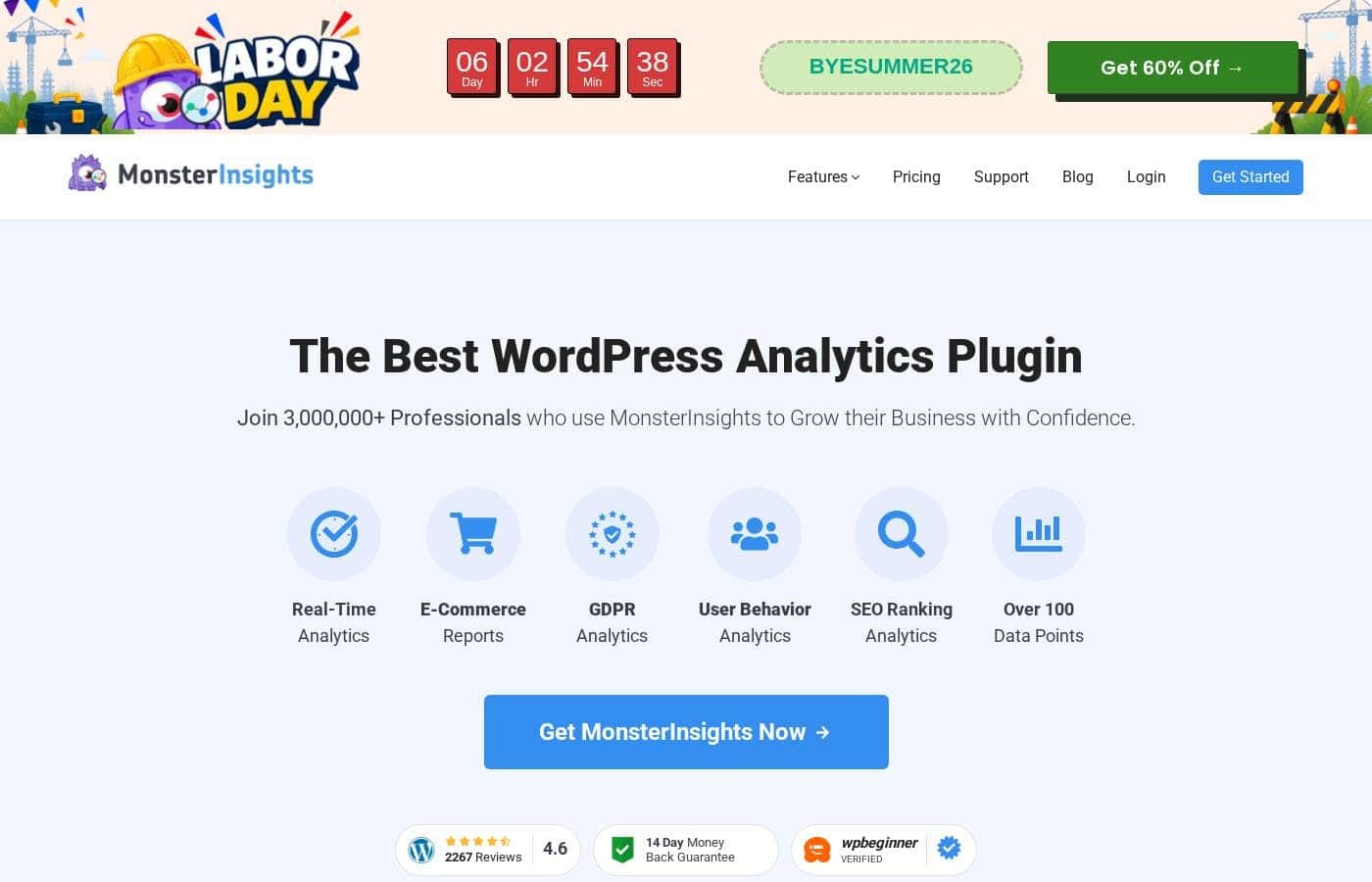
MonsterInsights homepage screenshot

At a glance

Quick overview for MonsterInsights: rating, pricing summary, key features, and highlights.
Vendor page checked Oct 13, 2026

Ciroapp score

4.1/ 5

MonsterInsights pulls Google Analytics reports right into your WordPress dashboard, and setup takes no code. It's a practical time-saver for non-technical teams, though the most useful features sit behind paid plans and deep analysis still means opening Google Analytics itself. Overall, it's a proven, low-hassle way to make analytics usable for everyday WordPress decisions.

Pros

  • Pros:Reports appear directly inside the WordPress dashboard, so non-technical users can review traffic and performance without learning the Google Analytics interface
  • Pros:Guided, no-code setup configures Google Analytics tracking correctly, reducing the risk of broken or missing tracking tags
  • Pros:Automatic event tracking for downloads, outbound links, and affiliate clicks delivers engagement data that would otherwise require manual event configuration

Cons

  • Cons:Reporting depth is limited compared to working directly in Google Analytics, so advanced custom analysis still requires leaving the WordPress dashboard
  • Cons:The most useful capabilities, such as e-commerce tracking and enhanced reporting, sit behind paid tiers β€” the $0 tier covers only basic functionality
  • Cons:Because the plugin sits between your site and Google Analytics, plugin updates and configuration errors can affect tracking until resolved
Best for
  • WordPress business owners who want traffic and conversion insights without learning the Google Analytics interface
  • Content marketers and bloggers deciding what to publish based on which posts and sources actually perform
  • WooCommerce store owners who want to see revenue, transactions, and top products alongside their site management tools
This section is a summary. Detailed sections about features, use cases, pricing, and reviews follow below.

What is MonsterInsights?

MonsterInsights is a Google Analytics plugin for WordPress that connects your site to Google Analytics and surfaces the data inside your own dashboard. Instead of logging into a separate analytics platform and navigating unfamiliar reports, site owners see traffic, referrals, and conversion information where they already manage their content. More than 3 million professionals use it, and it requires no code to set up or operate.

MonsterInsights is a WordPress plugin that integrates Google Analytics with your website. It handles the tracking setup β€” including the GA connection and event tracking β€” and then translates the resulting data into readable reports shown directly in the WordPress admin area. The plugin covers core metrics like visitor counts, traffic sources, top pages, and referral sites, and it can extend tracking to areas such as e-commerce, forms, and outbound link clicks.

The goal is to make analytics accessible to business owners and marketers who do not want to work directly in the Google Analytics interface or write custom tracking code.
Should you choose MonsterInsights?

Quick buyer guidance before you compare plans or click through.

Choose it if

  • WordPress business owners who want traffic and conversion insights without learning the Google Analytics interface
  • Content marketers and bloggers deciding what to publish based on which posts and sources actually perform
  • WooCommerce store owners who want to see revenue, transactions, and top products alongside their site management tools
  • Agencies managing multiple WordPress client sites who need consistent, easy-to-explain reporting

Skip it if

  • Teams that need deep custom analysis, advanced segmentation, or raw data exploration β€” the native Google Analytics interface will serve them better
  • Sites not built on WordPress, since the plugin's core value of dashboard integration does not apply
  • Users who need only basic tracking and are comfortable managing Google Analytics tags themselves β€” the free tier may be sufficient, but paid features would go unused

Next steps before buying

  1. 1Install the MonsterInsights plugin from the WordPress plugin directory or upload it from your dashboard, then activate it
  2. 2Connect your Google Analytics account through the guided setup flow so tracking is configured without code
  3. 3Review the dashboard reports to confirm data is flowing, then decide whether the free tier meets your needs or an upgrade for features like WooCommerce e-commerce tracking is warranted

MonsterInsights Key Features

✨ WordPress Dashboard Reports

MonsterInsights displays analytics reports directly inside the WordPress admin, so you can review traffic, pageviews, visitor locations, referral sources, and popular content without leaving your site. This makes it practical for editors and business owners who manage content daily but rarely open Google Analytics itself.

✨ No-Code Google Analytics Setup

Connecting your site to Google Analytics is done through a guided setup flow rather than manual script insertion. The plugin handles the tracking configuration, which reduces the risk of broken or duplicate tracking tags and means developers are not required to get accurate data flowing.

✨ Enhanced Event and Link Tracking

Beyond standard pageviews, the plugin can track events such as file downloads, outbound link clicks, and affiliate link clicks automatically. This gives you a clearer picture of how visitors interact with your content and monetization links without configuring events by hand.

✨ E-commerce Tracking for WooCommerce

For stores running WooCommerce, MonsterInsights offers e-commerce reporting that covers transactions, revenue, top products, and conversion behavior. Store owners can see which products and sources drive sales from within WordPress instead of building custom reports in Google Analytics.

Use Cases

πŸ’‘ Understanding Which Content Performs Best

Bloggers and content marketers can use the dashboard reports to see which posts attract the most traffic and where visitors come from. That makes it easier to decide what topics to publish next and which older posts deserve updates or internal links.

πŸ’‘ Running a WooCommerce Store

Store owners can track transactions, revenue, and best-selling products through the e-commerce reporting. Seeing which traffic sources produce sales β€” not just visits β€” helps prioritize marketing channels that actually convert.

πŸ’‘ Client Reporting for Agencies

Agencies managing client WordPress sites can review performance in the same environment they use for maintenance and content work. Dashboard-level reporting makes it easier to walk clients through results without exporting data or teaching them the Google Analytics interface.

πŸ’‘ Monitoring Marketing Campaigns

Marketers can watch referral sources and traffic trends from the WordPress dashboard to judge whether campaigns, guest posts, or social pushes are sending meaningful traffic. Automatic link click tracking adds visibility into how visitors engage with outbound and affiliate links.

MonsterInsights pricing

From$16.58/mo

  • From the vendor's pricing page, checked Oct 13, 2026
  • 4 plans

Vendor page checked on Oct 13, 2026; confirm current prices on MonsterInsights's pricing page

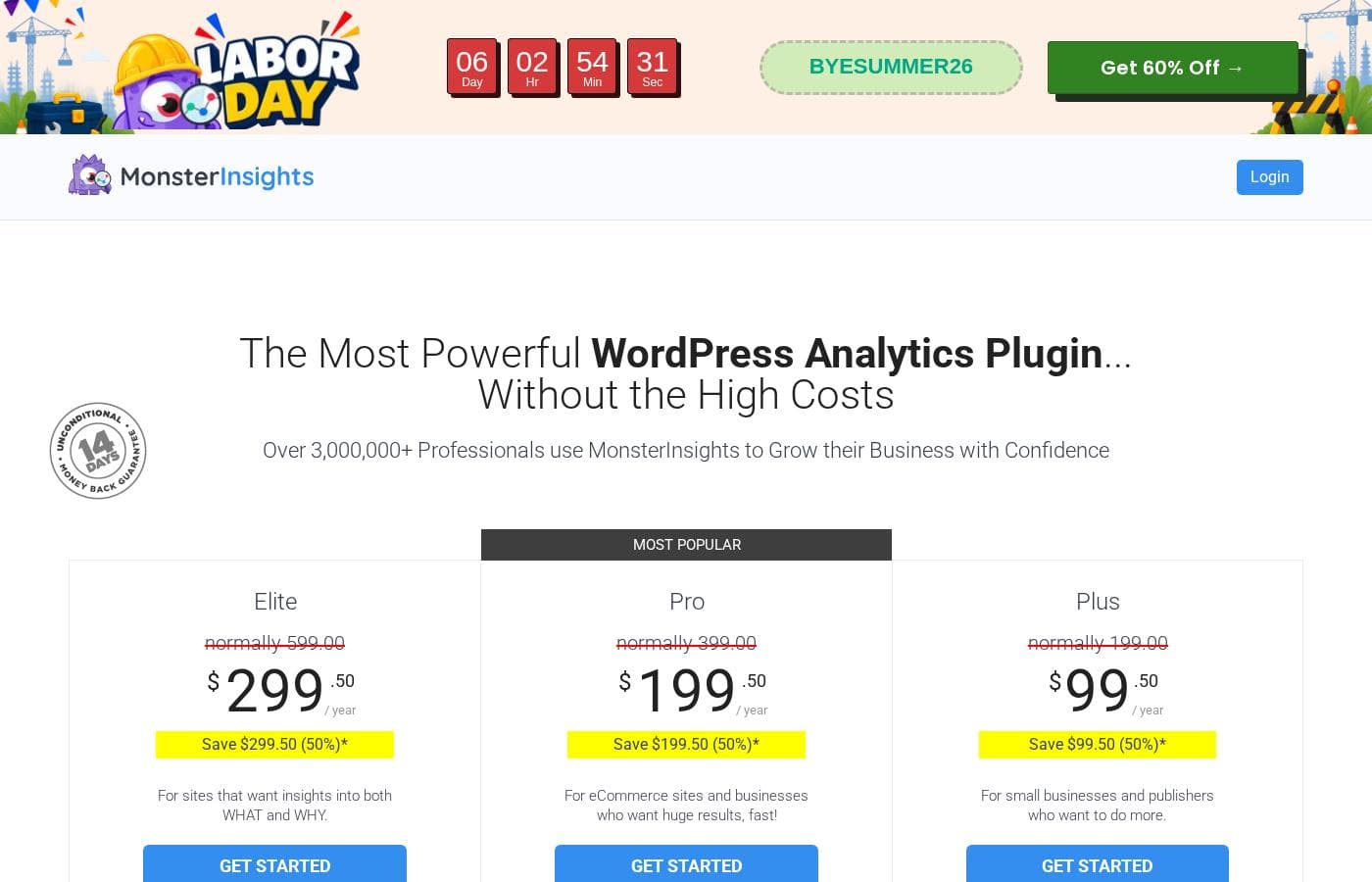
MonsterInsights pricing page screenshotView pricing page screenshot
PlanBilled monthlyBilled annuallyIncludes
Plus
Intro offer $99.50/yr; list price shown
β€”
$16.58/mo
$199 per year
save $99.50 (50%) intro pricing; labeled 'Growing Business'; 1 site, unlimited pageviews, unlimited users, 5,000 AI credits
Pro
Intro offer $199.50/yr; list price shown
β€”
$33.25/mo
$399 per year
save $199.50 (50%) intro pricing; labeled 'Most Popular' / 'Best Deal'; 5 sites, unlimited pageviews, unlimited users, 10,000 AI credits
Elite
Intro offer $299.50/yr; list price shown
β€”
$49.92/mo
$599 per year
save $299.50 (50%) intro pricing; 5 sites, unlimited pageviews, unlimited users, 15,000 AI credits; includes UserFeedback Elite
Agency
Intro offer $399.50/yr; list price shown
β€”
$66.58/mo
$799 per year
save $399.50 (50%) intro pricing; listed as 'Companies and Agencies'; 25 supported sites; 20,000 AI credits

Price history

Tracking prices since Oct 9, 2026. No price change detected yet.

Pricing types: Monthly subscription, Yearly subscription, Usage-based pricing

Pricing notes

MonsterInsights pricing: Billing options: Monthly subscription, Yearly subscription, Usage-based pricing

Cost calculator

Estimate what MonsterInsights costs for your team.

Billing

Plus has no published price for this billing cycle.

Plus has a flat price: the number of seats does not change the total. Estimate based on published list prices, before taxes, add-ons and discounts.

Email me when MonsterInsights changes price

One email when we detect a price change on the vendor's pricing page. No newsletter, no deals. Unsubscribe in one click.

User Reviews

No reviews yet.

Write a Review

Write a Review for MonsterInsights
0/100 characters
0/2000 characters

Why use MonsterInsights?

Raw Google Analytics is powerful but often overwhelming, and installing tracking correctly on WordPress can involve editing theme files or managing scripts manually. MonsterInsights removes both obstacles: setup is guided, tracking is configured through the plugin, and reports are presented in plain language inside WordPress.

This means decisions about content, marketing spend, and site improvements can be made faster and by team members who never touch the analytics backend. For agencies and site owners managing multiple WordPress properties, having consistent, dashboard-level reporting also reduces the training needed to get staff or clients looking at data at all.

MonsterInsights alternatives

Other tools in the WordPress Analytics Plugin category

View all WordPress Analytics Plugin tools
AnalyticsWP

AnalyticsWP

WordPress Analytics Plugin4.1/5

AnalyticsWP is a specialized WordPress plugin designed to offer simple, fast, and highly accurate website statistics. It's built only for WordPress, ensuring smooth, native integration. You get instantaneous insights with virtually zero required setup steps beyond uploading the plugin. The focus here is strictly on efficiency, guaranteeing your site speed is never compromised.

MonsterInsights FAQ

How much does MonsterInsights cost?

MonsterInsights's cheapest paid plan, Plus, costs $16.58 per month. Paid plans range from $16.58 to $66.58 per month.

Does MonsterInsights have a free plan?

No. MonsterInsights lists no free plan; the cheapest paid plan starts at $16.58 per month.

Has MonsterInsights's price changed recently?

No. We have not detected a price change since we started tracking on Oct 9, 2026.

Do I need to know how to code to use MonsterInsights?

No. MonsterInsights is built specifically so that tracking setup requires no code. You connect your Google Analytics account through a guided setup flow, and the plugin handles the tracking configuration. Reports then appear inside your WordPress dashboard, so day-to-day use also involves no technical work.

Does MonsterInsights work with WooCommerce?

Yes. On the appropriate plan, MonsterInsights provides e-commerce tracking for WooCommerce stores, showing transactions, revenue, and top-selling products. This lets store owners see which traffic sources and products drive sales without building custom reports in Google Analytics.

Why use MonsterInsights instead of just using Google Analytics directly?

Google Analytics is powerful but has a steep learning curve, and installing tracking on WordPress manually can be error-prone. MonsterInsights simplifies both sides: setup is guided and no-code, and the reports most site owners actually need β€” traffic, top pages, referrals, conversions β€” are presented in plain language inside the WordPress dashboard. You still benefit from Google Analytics underneath, but without needing to navigate its interface for everyday decisions.

Ready to try MonsterInsights? Check out the official site or pricing.

Are you MonsterInsights? Claim this listing Β· Get the badge