MoniVisor

MoniVisor

Real-time computer monitoring for safety and accountability on Windows and macOS.

#2 dans Employee monitoring
2 min read · Updated 11/21/2025
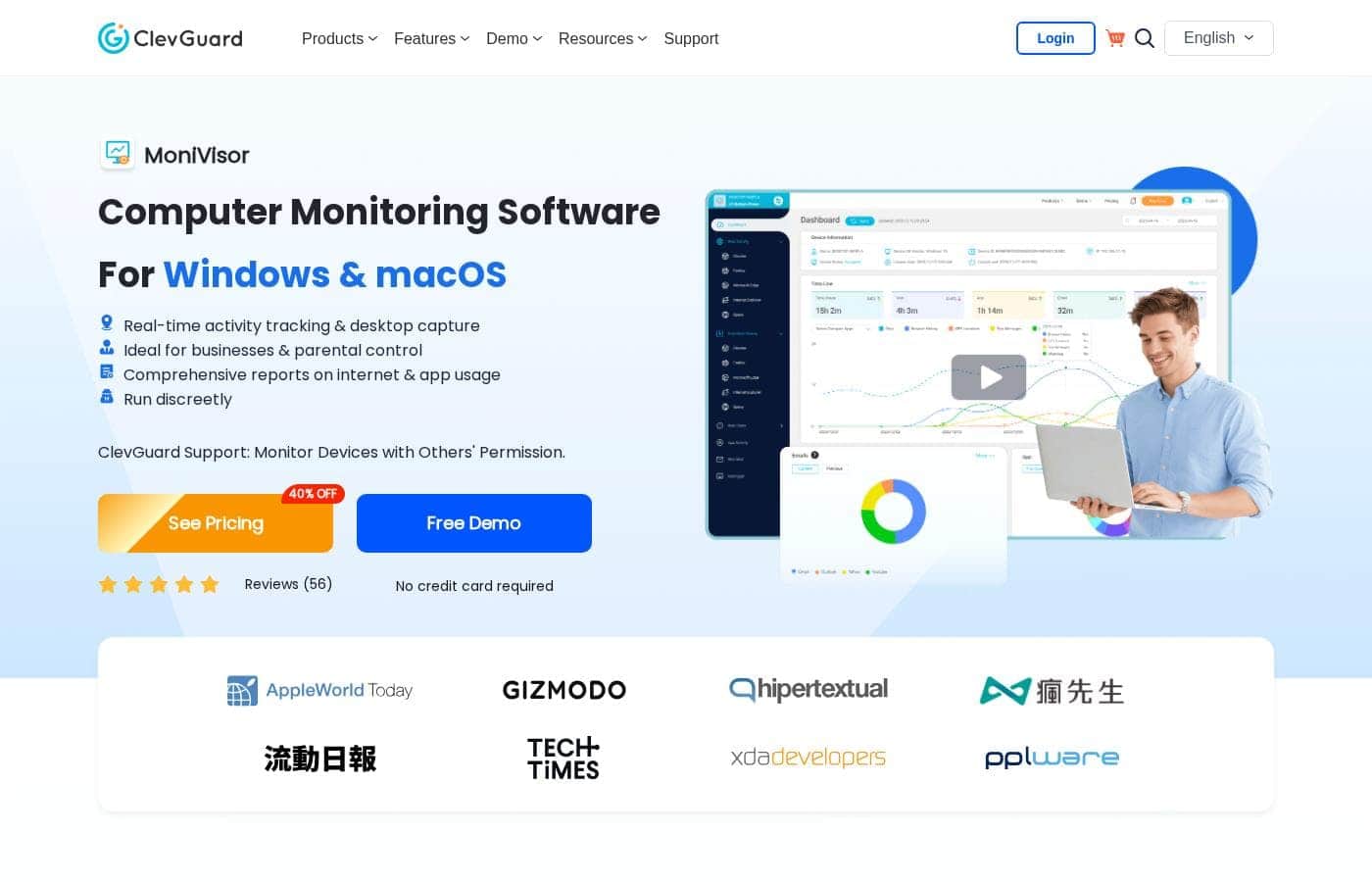
MoniVisor homepage screenshot

At a glance

Quick overview for MoniVisor: rating, pricing summary, key features, and highlights.
Free trial
Yes
Money-back guarantee
Yes — 30 days
Range: $10.83–$49.99/monthFree trial, Monthly subscription, Yearly subscription, Per seat pricing
This section is a summary. Detailed sections about features, use cases, pricing, and reviews follow below.

MoniVisor review, pricing, features, pros & cons

Do you worry about productivity or online safety when you aren't actively watching? Uncertainty about device usage and file handling can be frustrating. MoniVisor addresses this by providing real-time insights into computer activity.

You gain full control ✨ over ongoing activities, helping to ensure accountability and optimal performance across all your monitored environments.

What is MoniVisor?

MoniVisor is a comprehensive computer monitoring solution for both Windows and macOS devices. It's designed to help businesses and parents maintain visibility and control over how devices are used. Whether you manage a remote team or need to protect kids online, MoniVisor delivers detailed usage reports and live tracking.

This powerful tool operates discreetly in the background. It gives you a clear view of online interactions, communications, and how files are handled. MoniVisor aims to streamline management workflows and enhance digital security effectively. 💡

MoniVisor Key Features

✨ Real-Time Live Activity and Screen View

Gain full control over active device use with immediate, real-time insights. You can stay ahead of potential issues by viewing exactly what is happening on the screen right now. Live screen monitoring helps you check current activities instantly and ensures strong focus and easy identification of problems.

Use keystroke logging to capture every detailed user input. This powerful capability tracks everything typed, helping you detect any unauthorized actions quickly. MoniVisor keeps you informed about current activities to ensure accountability and optimal performance.

✨ Full Visibility into Online Communication

Stay fully informed about every digital interaction taking place on the monitored device. This helps you protect users and guide proper online behavior effectively. MoniVisor monitors all online communications across various popular messaging platforms, providing comprehensive logs of those conversations.

It also provides thorough email tracking functionality. Emails sent and received through common services like Gmail, Outlook, and Yahoo are all monitored. Staying on top of important communications or potential security risks becomes very simple.

✨ Tracking Internet History and Application Use

Protect against unsafe or unproductive web usage with detailed activity logs. MoniVisor lets you understand how users spend their time online and which applications they prefer. It captures browser sessions completely, ensuring no detail is missed.

  • Internet history monitoring keeps a close eye on all browsing sessions.
  • It also tracks download history data and prevents unsafe web usage.
  • Software usage monitoring keeps detailed track of all applications used and overall screen time statistics.

🔐 Secure File Activity and Data Transfer Monitoring 🔐

Ensure that all sensitive file activities and device usage remain securely under your control. MoniVisor provides great visibility into how data is handled on the target computer. This is crucial for preventing data loss and detecting unwanted changes.

File activity tracking monitors key actions like copying, creation, modification, and deletion. By logging these activities, you can prevent data loss and detect unauthorized changes instantly. Keep your files secured easily.

✨ Monitoring Physical Device Connections and Logins

Maintain system integrity by tracking physical device use and access attempts. You’ll know exactly who logs in and what external hardware connects to the computer easily. This helps you safeguard your system against unauthorized activity.

USB port monitoring logs all device connections, preventing unauthorized data transfers via external drives. It also records login history, tracking every successful log-in attempt and log-out. Authentication records ensure that only authorized users are accessing your system.

✨ Tracking Printing and Copied Content

Gain full transparency over all shared and printed information. This capability helps you prevent unauthorized document handling and maintains strict confidentiality. Printing activity monitoring tracks every document sent to the printer.

Additionally, clipboard history tracking keeps a centralized record of all copied content. This log captures shared information, giving you a full view of sensitive data movement on the computer.

✨ Streamlined Team Management Dashboard

Managing remote teams and multiple users is made simple and effective with MoniVisor. We’ve developed dedicated tools that help you maintain productivity and keep everyone focused on required tasks. The team dashboard gives you a comprehensive view of team activities.

You can easily monitor and manage workflows efficiently from one place. Desktop time tracking monitors time spent actively on the computer. This ensures efficient use of work hours and reliably boosts overall team productivity.

Use Cases

🛠️ Boosting Remote Team Productivity

Managing a remote workforce requires clear visibility to ensure accountability. Employers use the dedicated Team Dashboard to get a comprehensive overview of staff activities. Desktop time tracking ensures work hours are used efficiently for assigned tasks.

This oversight helps streamline workflows and guarantees that everyone remains productive. You can generate detailed data exports for necessary analysis and easy record-keeping.

🔒 Protecting Against Unauthorized Data Loss

Businesses are highly concerned about sensitive data leaving company devices or being misused. MoniVisor tracks all changes to files, including creation, modification, and deletion activity, helping you prevent data loss.

The system logs all content copied via clipboard history, providing transparency over shared information. By monitoring USB port connections, you can quickly detect and safeguard the system from unauthorized data transfers.

✨ Real-Time Intervention for Online Safety

When you are worried about unsafe or inappropriate online activity, immediate insight is necessary. You gain real-time access to live screen monitoring for any device you oversee. This lets you view activities currently happening to ensure safety and focus instantly.

If you see concerning interactions or unwanted behavior, you can take action right at the critical moment. This feature guarantees full control and optimal performance across all your monitored environments.

💬 Oversight of User Communications

Parents and managers need to stay informed about digital interactions occurring on monitored devices. MoniVisor keeps updated records of communication across popular platforms. This includes detailed email tracking for services like Gmail, Outlook, and Yahoo.

Additionally, the tracker logs instant messaging conversations. This crucial data capture helps detect any inappropriate or potentially suspicious behavior early on.

📝 Validating System Access and Accountability

You need to confirm that only authorized users are accessing devices and that they are doing so responsibly.

🖨️ Monitoring Confidential Document Handling

Unauthorized document printing can compromise confidentiality and waste resources. Users leverage printing activity monitoring to maintain control over physical copies of sensitive data. This helps prevent unauthorized document handling.

Furthermore, all user inputs are captured using keystroke logging. This record ensures detailed user input is always tracked, helping detect if unauthorized actions are being performed.

Pricing Overview for MoniVisor

Pricing range
$10.83–$49.99/month
Pricing types
Free trial, Monthly subscription, Yearly subscription, Per seat pricing
Money-back guarantee
Yes — 30 days

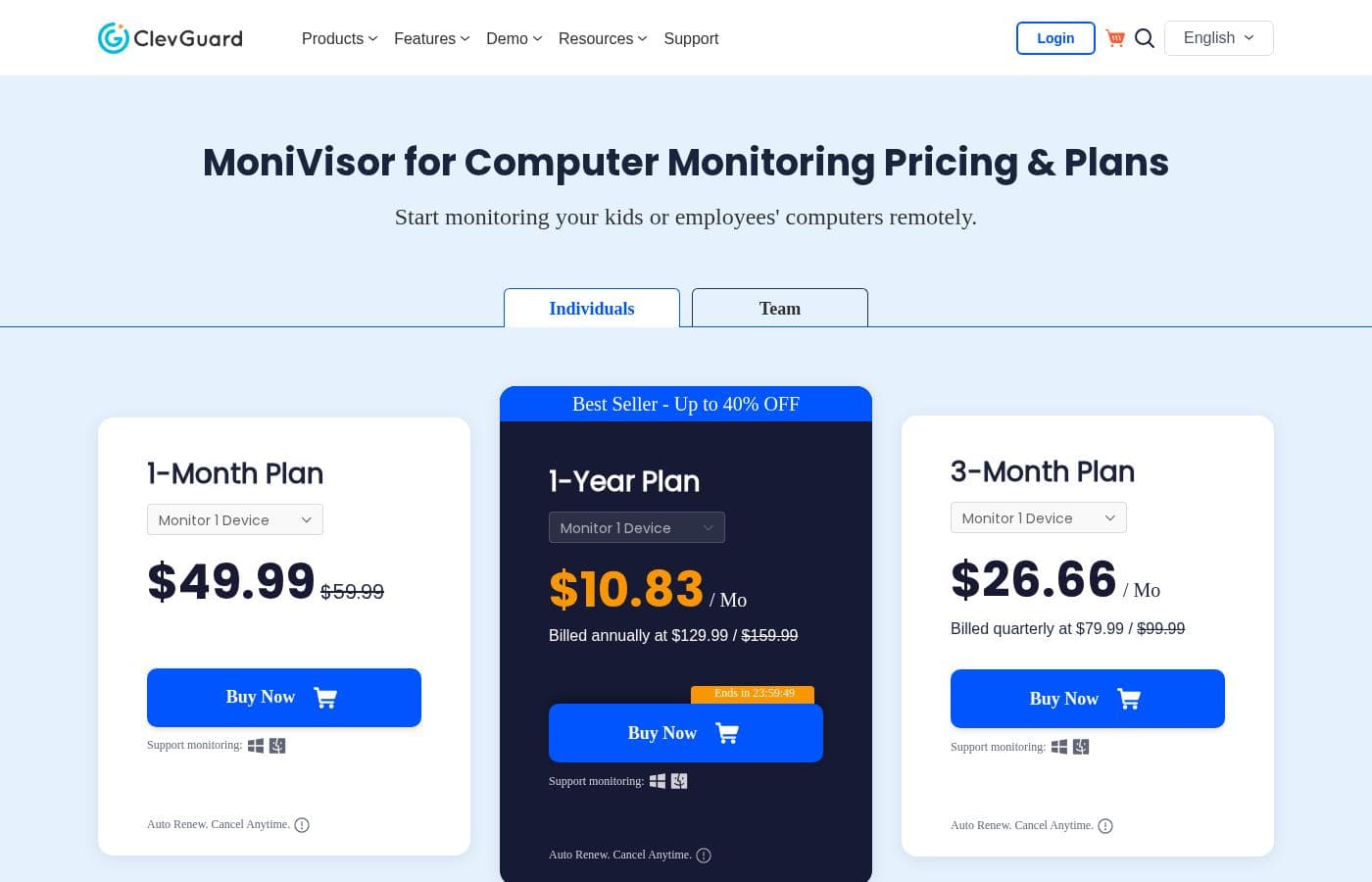
MoniVisor offers flexible subscription options for monitoring individual devices, ranging from month-to-month commitments to significant savings with an annual plan. Pricing starts as low as $10.83 per month when billed yearly.

Plans & Pricing

1-Month Plan (Individual)

Monthly$49.99
Billed monthly.
  • Monitors 1 Device
  • Windows & macOS Support
  • Auto Renew. Cancel Anytime.

3-Month Plan (Individual)

Monthly$26.66
Billed quarterly at $79.99.
  • Monitors 1 Device
  • Windows & macOS Support
  • Auto Renew. Cancel Anytime.

1-Year Plan (Individual - Best Seller)

Monthly$10.83
Yearly$129.99
Billed annually at $129.99. Up to 40% OFF promotion.
  • Monitors 1 Device
  • Windows & macOS Support
  • Auto Renew. Cancel Anytime.

Team Plan (Up to 20 Devices)

MonthlyNot explicitly stated
YearlyNot explicitly stated
Contact sales for monitoring more than 20 devices.
  • All features included
  • Free Updates
  • Free Tech Support
  • 1-1 Sales Consultant
  • Monitor up to 20 devices

MoniVisor costs between $10.83 and $49.99 per month for individual use, offering three commitment options: 1-Year Plan at $129.99 annually, 3-Month Plan at $79.99 quarterly, and 1-Month Plan at $49.99 monthly.

These plans are designed for monitoring a single device and provide discounts depending on your chosen subscription length.

1-Year Plan

Price: $10.83 per month (Billed annually at $129.99) Websites Supported: Monitor 1 Device Best For: Not explicitly stated Refund Policy: 30-day money-back guarantee Other Features:

  • Best Seller promotion (Up to 40% OFF)
  • Windows and macOS monitoring support
  • Auto Renew feature
  • Cancel Anytime policy

If you need long-term monitoring and want the best value, choose the 1-Year Plan. This popular option reduces your average monthly cost significantly compared to short-term plans. It's great for parents or individuals requiring continuous, budget-friendly oversight of a single computer.

3-Month Plan

Price: $26.66 per month (Billed quarterly at $79.99) Websites Supported: Monitor 1 Device Best For: Not explicitly stated Refund Policy: 30-day money-back guarantee Other Features:

  • Windows and macOS monitoring support
  • Auto Renew feature
  • Cancel Anytime policy

The 3-Month Plan, billed quarterly, strikes a balance between commitment and savings. You pay $79.99 every three months, receiving a solid discount compared to the monthly option. This might suit users who are conducting monitoring for a specific, extended project or assessment period.

1-Month Plan

Price: $49.99 per month (Billed monthly) Websites Supported: Monitor 1 Device Best For: Not explicitly stated Refund Policy: 30-day money-back guarantee Other Features:

  • Windows and macOS monitoring support
  • Auto Renew feature
  • Cancel Anytime policy

If you prefer maximum flexibility, the 1-Month Plan is perfect. While it has the highest monthly cost, you are only committed for 30 days at a time. This plan is ideal for short trials or users who only need monitoring temporarily before deciding on a longer subscription.

Team/Business Plans

Price: Not explicitly stated (Requires sales contact for custom numbers) Websites Supported: Monitor up to 20 devices (Contact sales for 20+) Best For: Businesses handling remote teams or employee monitoring Refund Policy: 30-day money-back guarantee Other Features:

  • All Features included
  • Free Updates
  • Free Tech Support
  • 1-1 Sales Consultant

MoniVisor also provides tailored Team plans for businesses managing up to 20 devices. While specific monthly pricing for the multi-device plan is not universally displayed, these subscriptions include specialized support and all monitoring features. If your organization needs oversight for more than 20 computers, you should contact the sales team directly for specialized pricing and consultation.

MoniVisor offers a free demo, so you can test the software features without any commitment. Critically, all purchases are backed by a 30-day money-back guarantee if you are not completely satisfied with the product. All subscriptions feature automatic renewal, but you can easily cancel your plan at any time through your product settings.

User Reviews

No reviews yet.

Write a Review

Write a Review for MoniVisor
0/100 characters
0/2000 characters

Why use MoniVisor?

Choosing the right monitoring tool is crucial for managing safety and efficient device usage. MoniVisor simplifies device oversight with an intuitive online dashboard and strong competitive functionality. Its wide range of monitoring features makes it a reliable choice for tracking user activity.

Here’s why users trust MoniVisor for their tracking needs:

  • Maintain Full Visibility: Instantly check live screen views to ensure safety and identify specific focus areas in real-time. You can take action at the right moment.
  • Discreet and Stealthy: The program operates in the background without noticeable indicators or notifications. It disappears from the desktop and Task Manager right after installation.
  • Comprehensive Data Capture: MoniVisor records every keystroke and monitors sensitive data. This includes keeping a centralized record of all copied content via clipboard history, and tracking changes to files (creation, modification, deletion).
  • Simplified Team Oversight: Utilize the dedicated team dashboard and desktop time tracking features to guarantee efficient use of work hours. You can also generate detailed data exports for analysis and record-keeping.
  • Quality and Trust: MoniVisor is recognized as a virus-free and safe program. It prioritizes user privacy and provides free ongoing software updates with new improvements.

MoniVisor is an ideal solution if you manage an SME, run remote teams, or are a caring parent focused on online safety. It makes managing multiple users straightforward. Try the free demo now to see how seamless and effective real-time monitoring can be. ✅

Ready to transform your workflow with MoniVisor?

MoniVisor Alternatives

Other tools in the Employee monitoring category

Frequently Asked Questions

How does MoniVisor’s pricing work for monitoring multiple devices?

Individual plans cover only one device, regardless of the subscription length. If you need to monitor more computers, MoniVisor offers specialized Team plans. These plans allow you to monitor up to 20 devices.

What if my business needs to monitor more than 20 devices?

If your organization requires monitoring for over 20 devices, you should contact the MoniVisor sales team directly. You'll need to fill out a contact form to get a customized plan and sales consultation.

Can I easily stop the automatic renewal of my plan?

Yes, all subscriptions include an auto-renewal feature for continuous service. However, you can manage this easily by canceling the renewal at any time through your product settings page in the User Center.

How does the 30-day money-back guarantee apply to my purchase?

MoniVisor offers a 30-day money-back guarantee for all purchases. If you are not completely satisfied with the product within those 30 days, you are eligible for a full refund.

What is included with the free demo offer?

MoniVisor offers a free demo so you can test the software features before making a purchase. The available context does not state the exact duration or feature limitations of this demo.

Is physical access to the target computer required for installation?

Yes, you must first access the target device to install the client end program. After successful installation, all tracking and data review happen remotely from your online dashboard.

Which specific communication and browsing services does MoniVisor track?

MoniVisor tracks a wide range of popular services. This includes emails on Gmail, Outlook, and Yahoo, as well as conversations on WhatsApp, Telegram, Instagram, Facebook, and Skype. It also monitors browsing history across Google Chrome, Firefox, Edge, and Opera.

What type of customer support is available for users?

MoniVisor provides fast support and 24/5 Customer Service. This team helps registered users handle various inquiries and technical problems related to the software.

Can I upgrade or downgrade my subscription plan later?

Yes, you have the flexibility to adjust your plan based on your needs. You can upgrade to a longer subscription term or downgrade to a shorter one as necessary.

Where is the collected monitoring data stored, and are there any usage limits?

The context highlights that user privacy is prioritized and data security measures are rigorous. However, specific details about server location, data retention periods, or bandwidth limits are not explicitly stated on the official site.

What payment methods are available when purchasing a plan?

MoniVisor accepts several major payment options for secure online purchases. These methods include PayPal, Visa, MasterCard, American Express, and Discover.

Who benefits the most from using MoniVisor?

MoniVisor is specifically marketed toward three main user groups: parents concerned with online safety, managers overseeing remote teams, and owners of SMEs needing help streamlining workflow and tracking employee activity.

What are my options if I want to monitor for only a short time?

If you need maximum flexibility without a long commitment, the 1-Month Plan is the best choice. It has the highest monthly cost but only renews every 30 days.

What devices must the monitoring software support?

MoniVisor is designed exclusively for monitoring desktop and laptop computers. It supports both Windows operating systems and macOS devices.

Ready to try MoniVisor? Check out the official site or pricing.