IDrive

IDrive review

One cloud backup account for your computers, phones, and servers.

IDrive costs from $1.67/mo · 7 plans · prices checked Oct 25, 2026

By Ciroapp Editorial Team · Updated Sep 17, 2026

Commission may apply at no extra cost

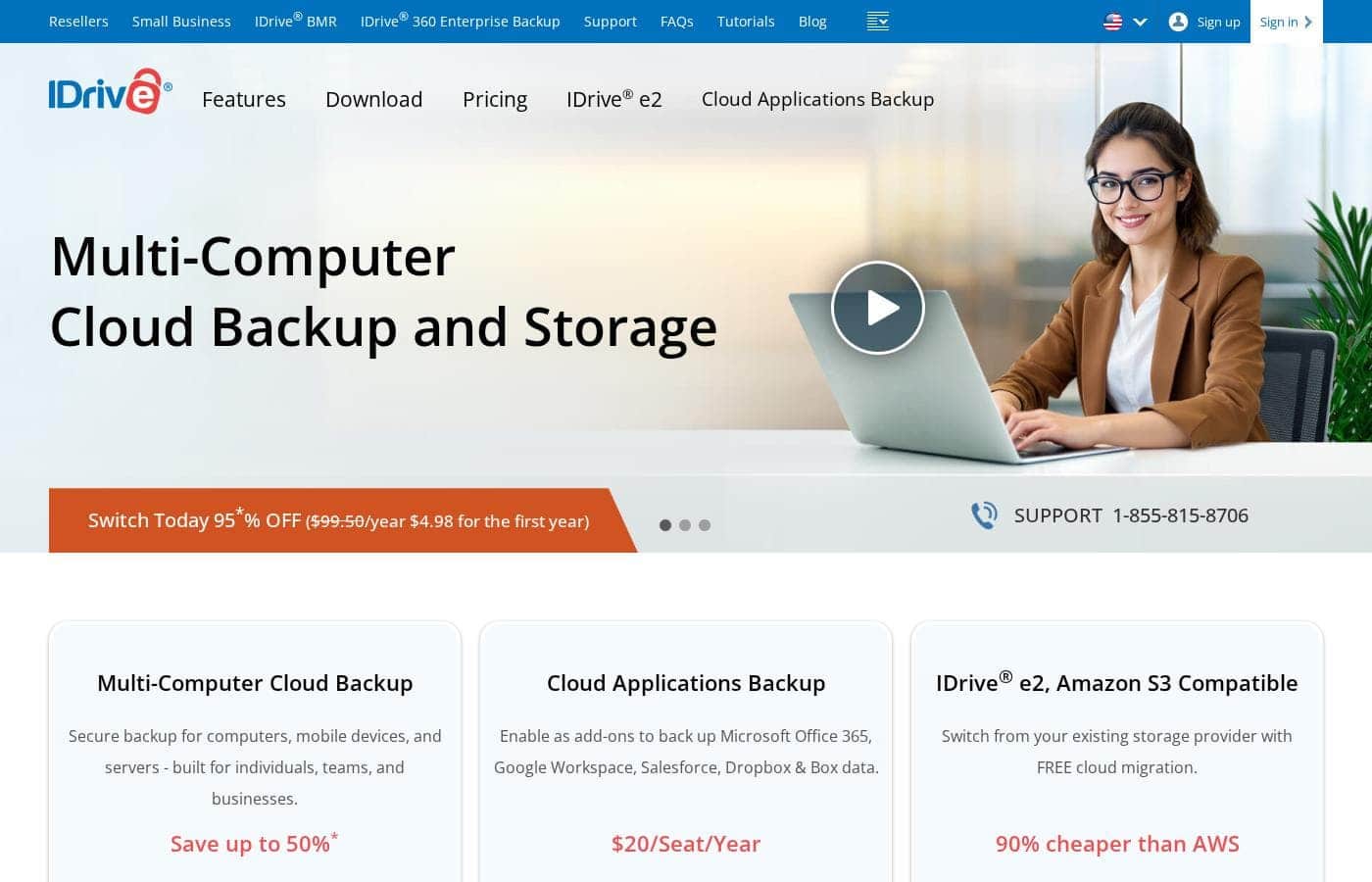
IDrive homepage screenshot

At a glance

Quick overview for IDrive: rating, pricing summary, key features, and highlights.
Pricing verified Oct 25, 2026

Ciroapp score

4.1/ 5

IDrive packs backup for computers, phones, servers, NAS units, and cloud apps into one account, with promotional rates from $2.50/month billed annually and 12 PCMag Editors' Choice awards to its name. Renewal pricing, storage caps, and per-tier costs stay hidden until checkout, and overage fees apply. Overall, it's a strong value pick if you confirm the fine print first.

Pros

  • Backs up unlimited PCs, Macs, Linux machines, iPhones, iPads, and Android devices into a single account, avoiding per-device pricing
  • Covers infrastructure most competitors skip at this price — SQL Server, Exchange, SharePoint, Oracle, Hyper-V, and VMware via a $5/month-per-server add-on, plus direct backup for Synology and QNAP NAS units
  • Includes IDrive Express physical drive shipping — free once a year on Personal plans and three times a year on Team/Business — for fast initial uploads or large restores without waiting days on bandwidth

Cons

  • Exceeding your storage limit triggers per-GB overage fees — $0.25/GB/month on Personal and $0.50/GB/month on Team and Business plans — rather than hard caps or throttling
  • Headline rates like $2.50/month are first-term promotional pricing billed annually; standard rates return from the second year, and the pricing page reviewed doesn't display per-tier prices or storage caps upfront
  • SaaS backup for Microsoft 365, Google Workspace, and Salesforce costs extra at $20/seat/year rather than being included, and only the cloud application add-on offers a visible 7-day trial — not the core backup service
Best for
  • Households with several computers and phones to protect on one plan
  • Small businesses backing up workstations and servers together
  • IT teams and MSPs managing many endpoints through IDrive 360
Free trial
Yes — 7 days
This section is a summary. Detailed sections about features, use cases, pricing, and reviews follow below.

What is IDrive?

A crashed drive or ransomware attack can erase years of files in seconds. IDrive aims to stop that with one account that backs up your computers, phones, and servers, plan tiers for homes through enterprises, and pricing that reviewers keep ranking as top value per terabyte.

IDrive is a cloud backup and storage service for individuals, teams, and businesses. One account protects computers, mobile devices, servers, and NAS units like Synology and QNAP. You can also back up cloud apps such as Microsoft 365, Google Workspace, and Salesforce, or use IDrive e2, an S3-compatible object storage service aimed at developers and IT teams.

Should you choose IDrive?

Quick buyer guidance before you compare plans or click through.

Choose it if

  • People who want one account for many devices instead of per-device pricing
  • Budget-conscious buyers — advertised plans start at $2.50/month billed annually
  • Businesses running SQL Server, Exchange, SharePoint, Oracle, Hyper-V, or VMware
  • Teams adding SaaS backup at a flat $20/seat/year with unlimited storage
  • Buyers who weigh third-party recognition, like 12 PCMag Editors' Choice awards

Skip it if

  • Month-to-month shoppers — headline rates like $4.98 are first-year deals billed annually, so check renewal pricing
  • Anyone expecting a general free trial — only the cloud application backup add-on shows a visible 7-day trial
  • Users who assumed SaaS backup is included — Microsoft 365, Google Workspace, and Salesforce coverage are paid add-ons

Next steps before buying

  1. 1Open the pricing page and compare Personal, Team, and Business tiers against your storage and device needs
  2. 2Confirm your platforms are covered — desktops, mobile, NAS, or the specific servers you run
  3. 3Try the 7-day free trial of the Microsoft 365 or Google Workspace add-on if SaaS backup matters to you
  4. 4Check whether the advertised rate is first-year only and what standard renewal costs before checkout
  5. 5Skim the FAQs and video tutorials so you know the setup steps before you commit

Ease of use

The site positions IDrive as simple: install the app, manage computers from a web dashboard, and get help through tutorials, FAQs, and a phone line. Reviewers quoted on the site repeatedly describe it as fast, easy to set up, and simple to use. That's encouraging for non-technical buyers, though it's reviewer commentary, not hands-on testing.

IDrive Key Features

🖥️ One account for every device

You shouldn't need one account per device. IDrive backs up Windows PCs, Macs, Linux machines, iPhones, iPads, Android devices, and even Synology or QNAP NAS units into a single account. Install the app on each device, then manage everything from a web dashboard.

It's a good fit for households and teams juggling several machines.

✨ Backups that keep pace as you work

A crash right before a deadline shouldn't cost you the day's work. IDrive runs continuous, near real-time backup, so file changes are captured as they happen rather than waiting for a manual run. Cloud Drive adds sync, so you can open your files from the web or the iOS and Android apps wherever you are.

✨ Server and full-machine coverage

Businesses need more than laptop backup. Add-on server coverage handles SQL Server, on-premise Exchange and SharePoint, Oracle, System State, Hyper-V, and VMware. You can also back up an entire machine as a disk image and use IDrive BMR for bare-metal recovery.

That means one vendor can cover endpoints and the servers behind them.

✨ Backups for your cloud apps

Cloud apps need their own backups — a deleted file in Microsoft 365 won't reappear on its own. Add-ons copy SaaS data into your account, and there's a 7-day free trial:

  • Productivity: Microsoft 365, Microsoft Entra ID, and Google Workspace
  • CRM and files: Salesforce, plus Dropbox or Box data
  • Everything lands in one IDrive account.

🗄️ IDrive e2: S3-compatible object storage

Developers and IT teams get IDrive e2, an S3-compatible object storage service. It offers immutable storage to guard against ransomware, no fees for egress or API calls, and locations worldwide. Compliance badges include SOC 2, GDPR, and HIPAA, it's Veeam-ready, and IDrive provides free migration from your current provider.

Use Cases

💻 Protect every device at home

You've got a laptop, a phone or two, and a tablet. IDrive's Personal plan backs them all into one account. You also get Cloud Drive sync and one free IDrive Express™ drive shipment a year.

Expected outcome: one safe copy of everything, ready if a drive crashes.

🏢 Cover workstations and servers together

Running a small business? The Team plan adds user management and priority support. The Server Backup add-on covers SQL Server, Exchange, SharePoint, Oracle, Hyper-V, and VMware at $5 per server monthly.

Tip: check renewal pricing, since first-year discounts don't last.

☁️ Back up your cloud apps

Microsoft 365, Google Workspace, Entra ID, and Salesforce data live in the cloud, but it can still be lost. Add SaaS backup at $20 per seat per year with unlimited storage, and try it free for 7 days.

🗄️ Store data on IDrive e2

Developers and IT teams get S3-compatible object storage with no egress or API fees. e2 offers immutable storage for ransomware protection, plus free migration if you're switching providers. It's advertised as 90% cheaper than AWS.

IDrive pricing

From$1.67/mo

  • From the vendor's pricing page, checked Oct 25, 2026
  • 7 plans

Prices checked on Oct 25, 2026 from IDrive's pricing page

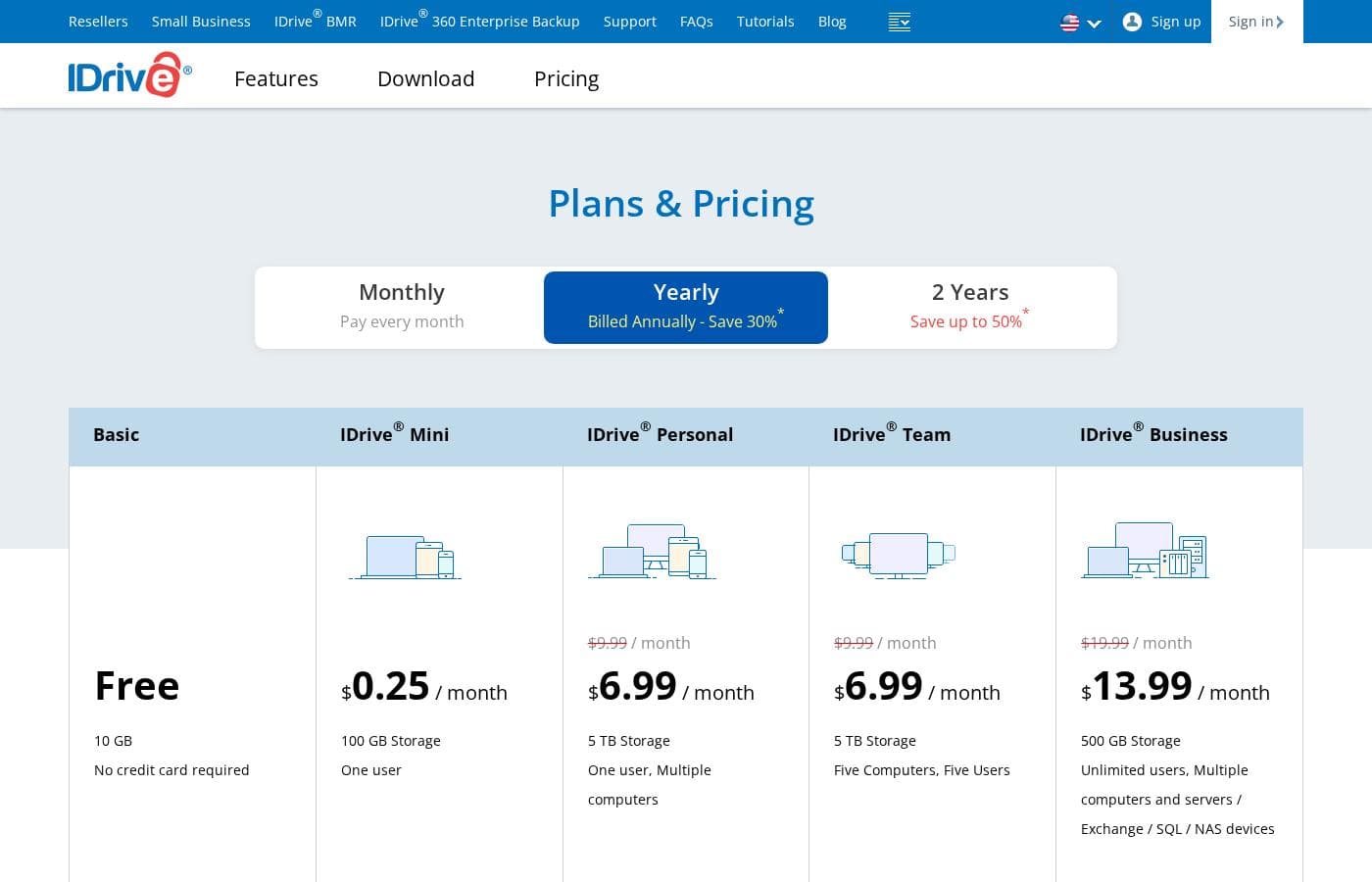
IDrive pricing page screenshotView pricing page screenshot
PlanBilled monthlyBilled annuallyIncludes
IDrive ® Personal
$11.99/mo
—
IDrive ® Team
$11.99/mo
—
IDrive ® Business
$59.99/mo
—
IDrive ® Mini
$0.25 month
—
Server Backup
$5/mo
—
Microsoft Office 365 Backup
per user
—
$1.67/mo
$20 per year
per user
Google Workspace Backup
per user
—
$1.67/mo
$20 per year
per user

Price history

Tracking prices since Oct 1, 2026. No price change detected yet.

Pricing types: Free plan, Free trial, Monthly subscription, Yearly subscription, Per seat pricing

Pricing notes

IDrive offers four cloud backup plans — Mini, Personal, Team, and Business — with promotional pricing starting at $2.50/month billed annually. Optional add-ons include Server Backup at $5/month per server and Cloud Applications Backup at $20/seat/year, and a free 10 GB Basic plan is also available.

IDrive's cloud backup starts at $2.50 per month (billed annually) with four plans — Mini, Personal, Team, and Business — plus add-ons like Server Backup at $5 per month per server and Cloud Applications Backup at $20 per seat per year.

Here's a closer look at what each tier covers.

IDrive Mini

Other Features:

  • Entry point for IDrive's backup service, with limits based on the plan you pick
  • Backs up PCs, Macs, Linux machines, iPhones, iPads, and Android devices into one account
  • Server Backup add-on available at $5/month per server
  • 24/7 support via live chat, email, and phone

Mini fits light personal use or anyone who wants to try IDrive before committing to more storage. Since it supports the add-ons too, you can add server coverage later if your needs grow.

IDrive Personal

Best For: individuals and home users with backup and sync needs Other Features:

  • IDrive Express™ free physical backup once a year (later requests cost $59.95)
  • Cloud Drive file sync, plus access via web, iOS, and Android
  • Continuous, near real-time backup of file changes
  • Overuse charge of $0.25/GB/month beyond your storage limit

Personal is the natural pick for home offices and everyday device backup. It covers your computers, phones, and tablets under one plan. Just watch your storage total, because going over it triggers a per-GB fee.

IDrive Team

Best For: small teams Other Features:

  • Choose a plan based on the number of computers and amount of data
  • Add and manage users from a central Dashboard
  • Priority support alongside 24/7 live chat, email, and phone
  • IDrive Express™ free backup three times a year

Team works well when a few colleagues need coverage and simple admin tools. You get the same backup engine as Personal, with user management layered on top. Note that storage overages cost more here, at $0.50 per GB per month.

IDrive Business

Best For: medium to large businesses Other Features:

  • No restrictions on the number of computers backed up to one account
  • Multiple users managed under a single administrative account
  • Compliance support for HIPAA, SOX, GLBA, and SEC/FINRA, including a signed BAA
  • Priority support and IDrive Express™ free backup three times a year

Business suits companies with many machines and stricter rules to follow. If departments or auditors are in the picture, this tier removes the per-account computer cap. Smaller teams without those demands can usually stay on Team.

Billing runs monthly, yearly, or every two years, and new signups get 30% off the first year or 50% off with a 2-year plan. The discount covers the first term only — standard pricing applies from the second year onward. There's also a free 10 GB IDrive Basic account, which doubles as the base for add-on services like IDrive Mirror and Cloud Applications Backup, and the Microsoft 365 and Google Workspace add-ons come with a 7-day free trial. Exact per-tier prices aren't shown in this view, so confirm the current rate and storage cap at checkout before you buy.

Cost calculator

Estimate what IDrive costs for your team.

Billing
Per month
$11.99
Per year
$143.88

IDrive ® Personal states no user limit: shown as one price for the whole account. Check the price for 5 users with the vendor. Estimate based on published list prices, before taxes, add-ons and discounts.

How to pay less for IDrive

  • Use the 7-day free trial before you pay.
  • Some plans are priced per user: only pay for seats people actually use.
Start free trial

Email me when IDrive changes price

One email when we detect a price change on the vendor's pricing page. No newsletter, no deals. Unsubscribe in one click.

User Reviews

No reviews yet.

Write a Review

Write a Review for IDrive
0/100 characters
0/2000 characters

Why use IDrive?

Most backup services ask you to compromise. IDrive doesn't. It combines multi-device backup, server coverage, and cloud storage in plans that keep winning on price — including a 12th PCMag Editors' Choice award.

  • One service for nearly everything. Back up computers, mobile devices, servers, and NAS units like Synology and QNAP, plus cloud apps such as Microsoft 365 and Google Workspace.
  • Pricing built for value. Plans are advertised from $2.50/month billed annually, and a current switch offer drops the first year to $4.98.
  • Recognized by reviewers. PCMag calls it fast, easy to set up, and hard to beat on price per terabyte for PCs and mobile devices.
  • Server-ready for business. Cover SQL Server, Exchange, SharePoint, Oracle, Hyper-V, and VMware, with an enterprise tier built for MSPs and IT teams.
  • Transparent cloud storage. IDrive e2 charges no egress or API fees, offers immutable storage, and is advertised as 90% cheaper than AWS.
  • Low-risk entry points. The cloud application backup add-on includes a 7-day free trial, and phone support is listed right on the site.

IDrive alternatives

Other tools in the Backup category

View all Backup tools
AOMEI

AOMEI

Backup4/5

The AOMEI software platform provides a comprehensive suite of secure data utility tools. It focuses on several key areas, including system backup, partition management, and data cloning. AOMEI serves a massive global audience, supporting over 186 million users across 180 countries. Their tools protect numerous operating systems, including Windows PCs, servers, Mac systems, and the data stored on iPhones. The core goal is to provide accessible, easy-to-use software for anyone needing reliable data protection. They have spent more than 16 years building expertise and trust in this vital technological field.

N2WS

N2WS

Backup4/5

N2WS is an agentless backup and disaster recovery solution designed specifically for Amazon Web Services. It uses native AWS snapshots for resources such as EC2 instances, EBS volumes, RDS databases, DynamoDB tables, and Redshift, then layers policy-based scheduling, retention, cross-region and cross-account copying, and one-click recovery on top. Because it works at the AWS API level, there is no software to install inside your instances and no impact on application performance.

Genie9

Genie9

Backup3.7/5

Genie9 offers a powerful platform designed for handling your digital needs, whether they are personal or professional. It provides several specialized products focusing on secure data management and intelligent customer service. ✅ Solutions range from the groundbreaking Nygma zero-knowledge cloud storage for ultimate privacy to BigMind Cloud for enterprise requirements. They also offer Genie AI, an advanced AI-powered customer support system. It's a comprehensive suite built on reliability and military-grade security.

IDrive FAQ

How much does IDrive cost?

IDrive's cheapest paid plan, Microsoft Office 365 Backup, costs $1.67 per month. Paid plans range from $1.67 to $59.99 per month. Prices checked on Oct 25, 2026 from the vendor's pricing page.

Does IDrive offer a free trial or a money-back guarantee?

IDrive offers a 7-day free trial.

Has IDrive's price changed recently?

No. We have not detected a price change since we started tracking on Oct 1, 2026.

What happens if I go over my storage limit?

IDrive charges overage fees. Personal plans cost $0.25 per GB per month over your limit, while Team and Business plans charge $0.50. You can upgrade to a higher storage plan to avoid them.

How do I back up a lot of data for the first time?

Use IDrive Express. It ships you a temporary storage device for bulk backup or restore, within about a week. Personal plans include one free shipment yearly; Team and Business get three. Extra requests cost $59.95.

Can IDrive help with compliance rules like HIPAA?

Yes. IDrive helps organizations meet HIPAA, SOX, GLBA, and SEC/FINRA requirements, and it signs a Business Associate Agreement for HIPAA. Its e2 object storage also lists SOC 2 and GDPR compliance plus ransomware protection.

What support options does IDrive provide?

You can reach support 24/7 via live chat, email, and phone. Team and Business plans add priority support. The site also runs in Spanish, French, and German, with dedicated pages for Canada and the UK.

Ready to try IDrive? Check out the official site or pricing.

Are you IDrive? Claim this listing · Get the badge