Housecall Pro

Housecall Pro review

Streamline and scale your home service business with an all-in-one, AI-powered platform.

Housecall Pro costs from $79/mo · 3 plans

By Ciroapp Editorial Team · Updated May 15, 2026

Commission may apply at no extra cost

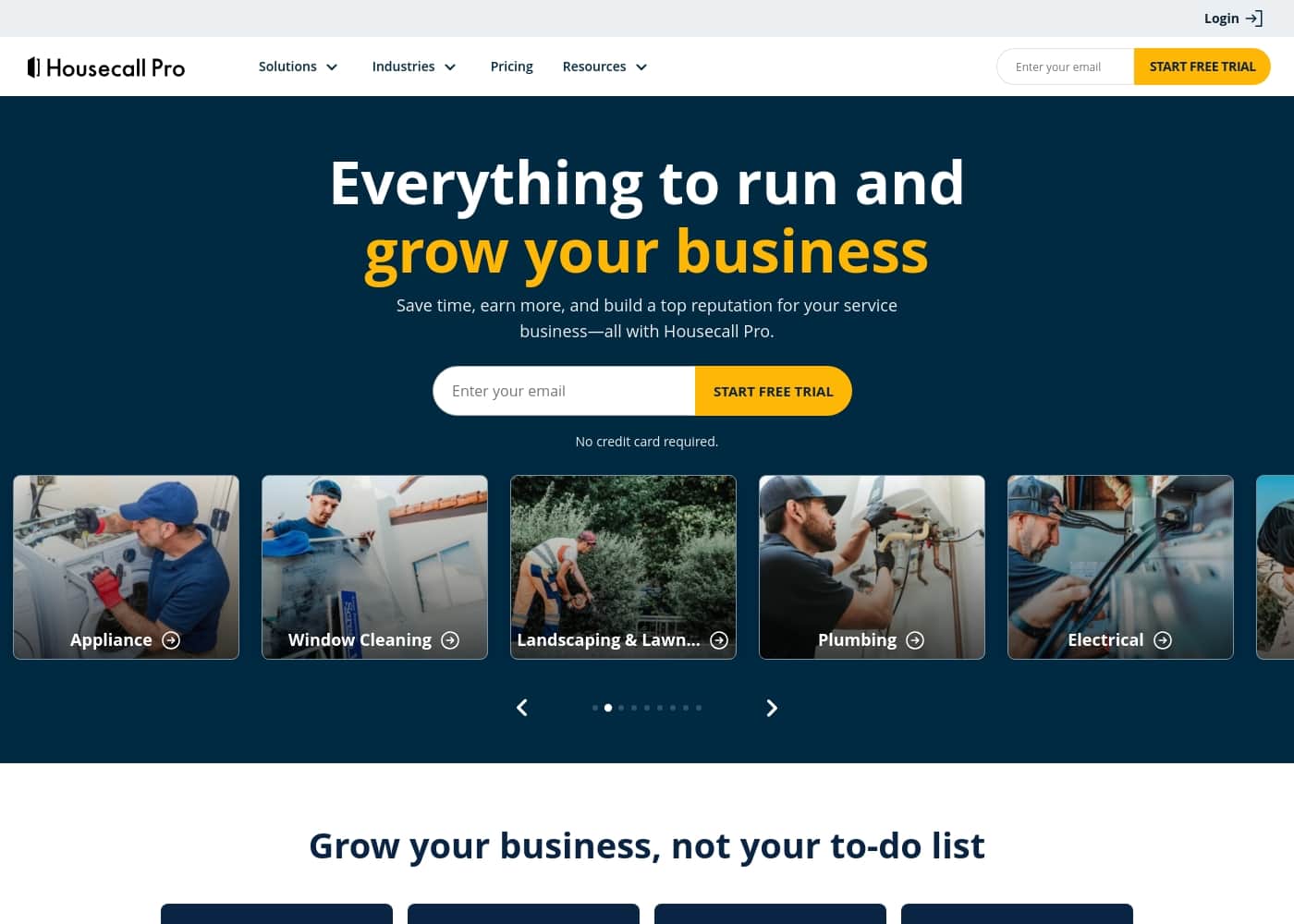
Housecall Pro homepage screenshot

At a glance

Quick overview for Housecall Pro: rating, pricing summary, key features, and highlights.
Vendor page checked Nov 27, 2026

Ciroapp score

4.1/ 5

Powerful for growing home service businesses.

We find Housecall Pro to be a comprehensive platform that effectively centralizes operations for home service pros. It delivers strong core features like scheduling, invoicing, and customer communication, though the learning curve and support experience can vary. Overall, it's a solid investment for teams ready to scale and professionalize their workflow.

Pros

  • Saves significant time on admin, with users reporting 8+ hours per week.
  • All-in-one platform covers scheduling, dispatching, payments, and marketing.
  • Modern customer experience with 24/7 online booking and automated communications.

Cons

  • Customer support responsiveness is a common complaint in reviews.
  • Pricing can be high, especially for small businesses or solo operators.
  • The platform can have technical glitches or bugs that disrupt workflow.
Best for
  • Home service contractors seeking an all-in-one business management solution.
  • Growing trades businesses (1-100+ employees) needing scalable software.
  • Pros wanting to automate scheduling, dispatching, and customer communication.
Free trial
Yes — 14 days
This section is a summary. Detailed sections about features, use cases, pricing, and reviews follow below.

What is Housecall Pro?

Running a home service business often means drowning in administrative tasks instead of focusing on the work that pays. 🏠 Housecall Pro aims to solve this by handling the busywork. It's designed to save you time, help you earn more, and build a strong reputation, all from one place.

The platform handles everything from scheduling and invoicing to customer communication. This lets you manage jobs efficiently, get paid faster, and keep your calendar full. It’s built to grow with you, whether you’re a solo operator or a large team.

✨ Housecall Pro is an all-in-one business management software built specifically for home service professionals. Think plumbers, electricians, HVAC techs, cleaners, and contractors. It's not a generic project tool; it's crafted for the unique workflows of the trades.

The platform centralizes your daily operations. You can manage scheduling, dispatching, payments, and customer communication. It also includes AI features trained on millions of service jobs to automate routine tasks. It’s for any pro looking to run their business more efficiently and impress their customers.
Should you choose Housecall Pro?

Quick buyer guidance before you compare plans or click through.

Choose it if

  • Businesses ready to centralize operations and reduce administrative manual work.
  • Teams in HVAC, plumbing, electrical, cleaning, or general contracting.
  • Pros who want to leverage AI to handle routine tasks like call management and booking.
  • Companies focused on improving customer experience and building a strong reputation.
  • Owners looking for a platform that provides performance tracking and growth insights.

Skip it if

  • Businesses unwilling to commit to a subscription-based software model (annual pricing may apply).
  • Solo operators with very simple, occasional invoicing needs who prefer a free or minimal tool.
  • Pros who require deep, niche-specific integrations not listed in the public directory.
  • Teams needing complete, transparent pricing details upfront without contacting sales.
  • Businesses looking for a project management tool for non-service, product-based work.

Next steps before buying

  1. 1Visit the Housecall Pro website and start the **free trial** (no credit card required) to explore the interface.
  2. 2Use the **'See how it works'** guided tour to understand core workflows before signing up.
  3. 3Carefully review the current **pricing page** to understand plans, especially any annual billing options.
  4. 4Check the list of **50+ industries** to confirm your specific trade is well-supported.
  5. 5Compare key features like scheduling, online booking, and payment options against your current process or alternatives.

Ease of use

The platform emphasizes ease with features like a **5-minute guided tour**, online booking to reduce phone calls, and AI that handles admin. However, migrating your full operation to any new system requires setup time. The availability of 'Pro Resources' and a community of 30K+ pros suggests good support for onboarding.

Housecall Pro Key Features

🤖 Your AI-Powered Administrative Assistant

Housecall Pro uses an AI trained on millions of home service jobs. This AI handles the routine work that eats up your day. It can answer calls, book appointments, and manage your schedule.

This frees you up to focus on the jobs that actually pay. Think of it as a team member that works nights and weekends. You stay in control while the busywork runs itself.

📅 Smart Scheduling & Dispatching

Keep your calendar full and organized with Housecall Pro's scheduling tools. You can drag-and-drop appointments and assign jobs to your team in seconds. The system helps you schedule efficiently and manage your entire crew from one view.

No more double-bookings or messy paper calendars. Your team knows exactly where to be and when. This keeps your operations running smoothly every day.

💳 Get Paid Faster, Your Way

You can accept any payment, right on the job site. Take cards with a mobile reader or send digital invoices that customers can pay instantly online. This puts you in control of your cash flow.

Getting paid is simple and immediate. You don't have to chase down checks. The platform handles the money side so you can handle the work.

🌐 24/7 Online Booking

Let customers book jobs directly from your website or Google search, any time of day or night. This feature works around the clock to fill your schedule. It provides a modern, convenient experience that impresses customers.

You capture more leads without picking up the phone. Automated confirmations and reminders keep everything on track. It's a simple way to grow your business while you sleep.

📈 Grow Revenue with Automated Marketing

The platform includes tools to help you win more jobs from your existing customers. You can send targeted postcards and emails automatically. This helps you build repeat business and referrals.

The software also helps you price jobs right and create professional proposals. This combination of marketing and sales tools is designed to grow your revenue. Pros see an average growth of 35% in their first year.

📊 A Dashboard for Everything

Manage your entire business from a single, central dashboard. You can see scheduling, job details, payments, and performance insights all in one place. This includes useful integrations like QuickBooks.

It’s designed for businesses of all sizes, from solo pros to large teams. The system grows with you, adding features like employee GPS tracking as you need them. You stay on top of everyday admin without the chaos.

Use Cases

🔧 The Solo Operator Goes Digital

Meet Alex, a solo plumber drowning in sticky notes and missed calls. His day starts with checking voicemails and manually booking jobs. He often forgets to send invoices until days after a job, slowing down his cash flow.

By switching to Housecall Pro's Basic plan, Alex centralizes everything. Customers now book online 24/7, filling his calendar automatically. He sends professional invoices on-site with a card reader, getting paid instantly. The AI handles after-hours calls, so he never misses a potential job while on a roof.

Expected outcome: Alex saves over 8 hours a week on admin and sees a steady increase in booked jobs.

🛠️ From Chaos to Coordinated Team Dispatch

Problem: A growing HVAC company with five techs struggles with daily dispatching. The office manager spends hours each morning assigning jobs via phone and whiteboard, leading to confusion and drive-time inefficiencies.

Approach: They adopt Housecall Pro's Essentials plan. Jobs are scheduled on a shared calendar with map-based dispatching. The manager assigns jobs from the dashboard, and techs see their full day on their phones, including customer details and equipment history.

Outcome: Drive time is optimized, communication errors drop, and the manager reclaims her morning. The team completes more jobs per day with less friction.

✨ Scaling a Cleaning Business with Automated Marketing

Mario runs a residential cleaning service and wants repeat business but lacks a system. He uses Housecall Pro's Essentials plan to send postcards and emails automatically after each job. The platform tracks customer equipment and service history, enabling targeted offers.

When a customer's furnace filter is due for a change, the system prompts a personalized email. This automated touchpoint keeps Mario top-of-mind without manual effort.

Tip: Use customer equipment tracking to create timely, relevant marketing that feels personal, not spammy. This turns one-time clients into regulars.

👍 Impressing Customers with a Modern Experience

A local handyman wants to stand out from competitors still using paper invoices and phone tags. He implements Housecall Pro to offer a seamless client journey.

Customers discover him online, check his reviews, and book an appointment instantly via a 24/7 online portal. They receive automated text confirmations and reminders. After the job, they pay via a secure link and get a digital receipt. The entire process feels professional and easy.

Expected outcome: Higher customer satisfaction leads to more 5-star reviews and word-of-mouth referrals, strengthening the business's local reputation.

💰 Gaining Financial Control and Faster Payments

For a mid-sized electrical contractor, cash flow is unpredictable. Invoices go out late, and payments take weeks to process. The owner feels stressed about overhead costs.

Using Housecall Pro, the team sends invoices and takes payments on the spot with a card reader. For remote jobs, they send a payment link via text or email. The QuickBooks integration keeps accounting synced automatically.

Key benefit: They get paid faster and have real-time visibility into cash flow, making it easier to manage payroll and purchase materials.

📈 Managing a Large, Multi-Team Operation

A large plumbing and HVAC company with over 50 employees needs robust oversight. They use the Max plan for advanced custom reporting and dedicated onboarding.

The owner uses the dashboard to monitor team performance, job profitability, and revenue growth. Custom reports help identify which services are most profitable. With escalated support and a dedicated specialist, they onboard new hires smoothly and scale operations confidently.

Tip: The Sales Proposal Tool is crucial for large jobs, helping teams present professional, detailed estimates that win bigger contracts.

Housecall Pro pricing

From$79/mo

  • 3 plans
  • Save up to 25% with annual billing

Vendor page checked on Nov 27, 2026; confirm current prices on Housecall Pro's pricing page

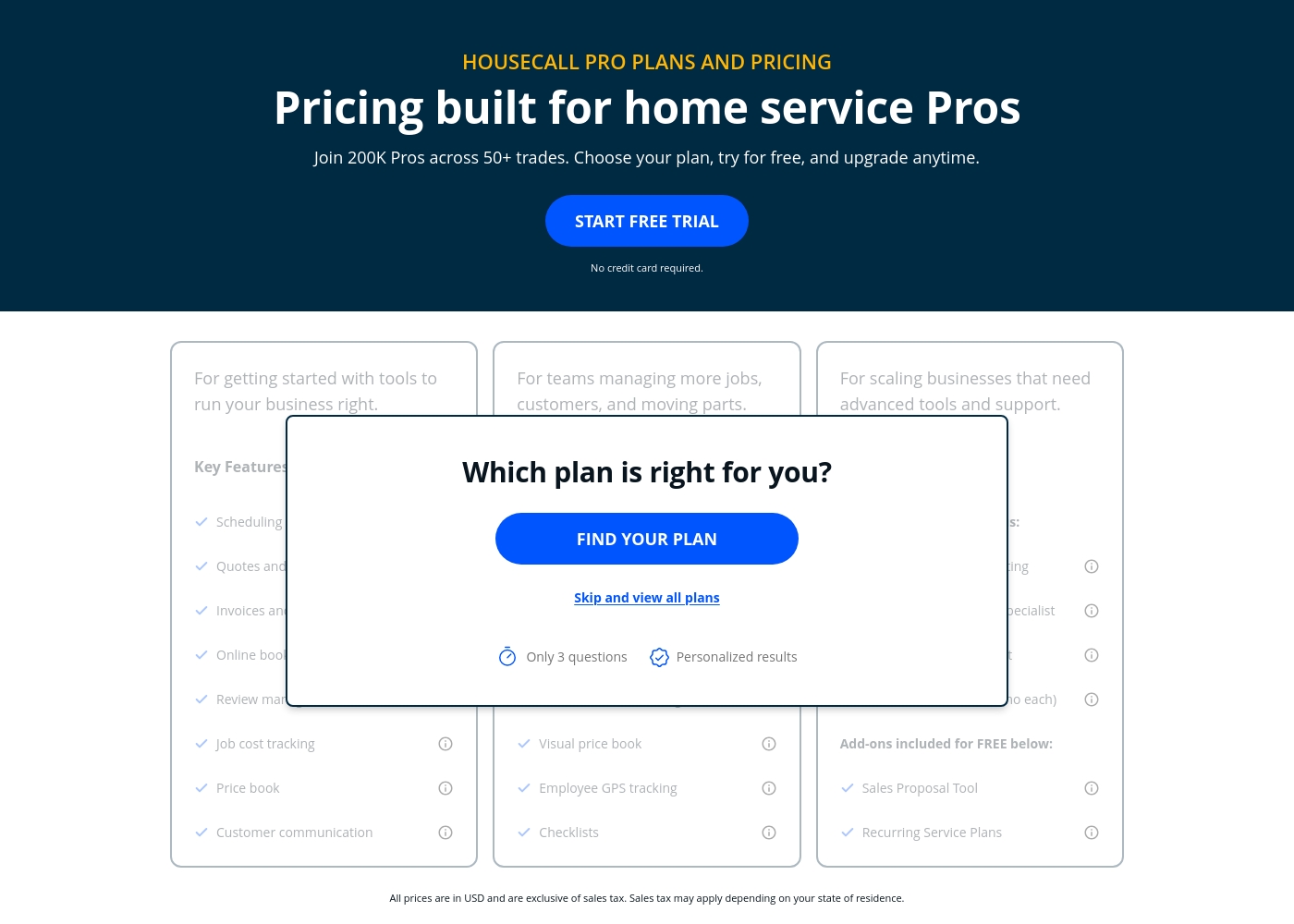
Housecall Pro pricing page screenshotView pricing page screenshot
PlanBilled monthlyBilled annuallyIncludes
Basic
$79/mo
$59/mo
$708 per year
Save up to 25% with annual billing
For solo operators
  • Online booking
  • Invoices and payments
  • Scheduling and dispatching
  • Quotes and proposals
  • Review management
  • +2
Essentials
$189/mo
$149/mo
$1,788 per year
Save up to 21% with annual billing
For teams with more jobs
  • All Basic features
  • QuickBooks online and desktop
  • Postcards and email marketing
  • Customer equipment tracking
  • Employee GPS tracking
  • +1
Max
$329/mo
$299/mo
$3,588 per year
Save up to 9% with annual billing
Additional users $35/mo each
  • All Essentials features
  • Advanced custom reporting
  • Dedicated onboarding specialist
  • Escalated phone support
  • Sales Proposal Tool
  • +1

Price history

Tracking prices since Oct 1, 2026. No price change detected yet.

Pricing types: Free trial, Monthly subscription, Yearly subscription, Usage-based pricing

Pricing notes

Housecall Pro offers flexible subscription plans starting at $59/month when billed annually. Pricing scales based on features and team size, with three core tiers designed for solo owners up to large scaling businesses.

Housecall Pro costs between $59 and $299 per month with 3 plans: Basic at $59, Essentials at $149, and Max at $299. Annual billing saves you up to $40 per month depending on your chosen tier.

You can explore the features of each level below to find the best fit for your crew.

Basic

Price: $59 per month (billed annually)

Best For: Solo operators getting started with digital tools

Other Features: Online booking, invoices and payments, scheduling and dispatching, quotes and proposals, and review management.

This plan is perfect if you're a one-person shop looking to professionalize your workflow. It handles the core essentials like getting paid 24/7 and keeping your calendar organized without extra complexity. ✅

Essentials

Price: $149 per month (billed annually)

Best For: Growing teams managing more jobs and customers

Other Features: QuickBooks integration, postcards and email marketing, customer equipment tracking, premium review management, and employee GPS tracking.

Choose this tier if you've hired your first few employees and need to track their location in the field. The marketing tools will help you secure repeat business from your existing customer base.

Max

Price: $299 per month (billed annually)

Best For: Scaling businesses needing advanced reporting and support

Other Features: Advanced custom reporting, dedicated onboarding specialist, escalated phone support, Sales Proposal Tool, and Recurring Service Plans.

This is the right choice for high-volume shops that require deep insights into business performance. You'll get hands-on help migrating your data and can scale up with additional users for $35 each per month. 📈

Housecall Pro offers a 14-day free trial on the MAX plan with no credit card required. You can upgrade or downgrade your plan at any time, and cancellations take effect at the end of your current billing period.

Cost calculator

Estimate what Housecall Pro costs for your team.

Billing
Per month
$79
Per year
$948

Basic has a flat price: the number of seats does not change the total. Estimate based on published list prices, before taxes, add-ons and discounts.

How to pay less for Housecall Pro

  • Pay annually: saves up to 25% compared with monthly billing.
  • Use the 14-day free trial before you pay.
  • Cheaper tools in this category start at $29/mo.
Start free trial

Email me when Housecall Pro changes price

One email when we detect a price change on the vendor's pricing page. No newsletter, no deals. Unsubscribe in one click.

User Reviews

We've analyzed external feedback from Trustpilot and Capterra. Users frequently praise Housecall Pro for its ease of use and the significant time it saves on administrative tasks like scheduling and invoicing.

💼 The software's all-in-one nature is a major plus for many. However, recurring themes include frustrations with customer support responsiveness and occasional technical glitches or bugs.

Several reviews mention that the pricing can feel high, especially for smaller businesses, and the onboarding process can be complex. Despite these concerns, the consensus is that it's a powerful tool for those who invest the time to learn it.

Summarized from public reviews on Trustpilot, Capterra

No reviews yet.

Write a Review

Write a Review for Housecall Pro
0/100 characters
0/2000 characters

Why use Housecall Pro?

💡 If your business is growing but your processes are still manual and chaotic, you're leaving money and time on the table. Housecall Pro provides a system to professionalize your operations and scale effectively.

  • Save Real Time Every Week: Users report saving an average of 8+ hours per week on admin. That’s time you can spend on more jobs or with your family.
  • Grow Your Revenue: The platform includes automated marketing to help you win more jobs. On average, pros see a 35% revenue growth after their first year using it.
  • Get Paid Faster & Control Cash Flow: You can take any payment, anywhere. From in-person card readers to online invoices, getting paid is simple and immediate.
  • Run a Tight Ship: Manage your entire business from one dashboard. This includes scheduling, job management, accounting links, and performance insights.
  • Impress Your Customers: Offer a modern experience with 24/7 online booking, automated communications, and a professional presence. Happy customers lead to repeat business and referrals.
  • Built for Your Entire Team: It’s designed for businesses of all sizes, from a solo pro to teams of 100+. As you grow, the platform grows with you.

Housecall Pro alternatives

Other tools in the Home Service Management Platform category

View all Home Service Management Platform tools
Tradify

Tradify

Home Service Management Platform4.1/5From $47/mo

Tradify is an all-in-one job management app for trade businesses. It covers the full job lifecycle — inquiries, quoting, scheduling, job tracking, invoicing, and payments — in one place. It's aimed at electricians, plumbers, gas engineers, HVAC techs, and property maintenance services, from sole operators to larger teams. A 14-day free trial is available, and no credit card is required to start.

ServiceM8

ServiceM8

Home Service Management Platform4/5From $29/mo

The app for trade contractors & home services, with everything in one place — job cards, scheduling, time tracking, CRM, job history, invoicing & payments. ServiceM8 helps small businesses cut paperwork, get jobs done & provide amazing customer service.

Housecall Pro FAQ

How much does Housecall Pro cost?

Housecall Pro's cheapest paid plan, Basic, costs $79 per month. Paid plans range from $79 to $329 per month.

Does Housecall Pro have a free plan?

No. Housecall Pro lists no free plan; the cheapest paid plan starts at $79 per month.

Does Housecall Pro offer a free trial or a money-back guarantee?

Housecall Pro offers a 14-day free trial.

How much do you save with annual billing on Housecall Pro?

Paying annually saves up to 25% compared with monthly billing, based on Housecall Pro's list prices.

Has Housecall Pro's price changed recently?

No. We have not detected a price change since we started tracking on Oct 1, 2026.

What integrations does Housecall Pro offer?

Housecall Pro integrates with popular tools like QuickBooks, Google, and Thumbtack. The Max plan also includes Zapier and an open API for custom integrations.

How is my data secured?

Review their security policies or contact support for details on data protection.

Are there any limits on jobs or invoices?

The official site does not specify limits on jobs or invoices. You can confirm any usage quotas in the terms before purchase.

Can I switch plans after signing up?

Yes, you can upgrade instantly or downgrade anytime. Changes take effect at the end of your current billing period.

What kind of onboarding support is included?

The Max plan includes a dedicated onboarding specialist for personalized setup and data migration. Other plans offer standard support and resources.

How responsive is customer support?

Support includes live phone and chat. The Max plan gets escalated phone support. External reviews note mixed experiences with responsiveness.

In which languages and regions is it available?

The mobile app is available in English and Spanish. Pricing is in USD, and sales tax may vary by state. Specific regional availability isn't detailed.

How do I cancel my subscription?

There are no long-term contracts. You can cancel anytime, and it will take effect at the end of your billing period.

Who is Housecall Pro best for?

It's ideal for home service businesses like HVAC, plumbing, electrical, and cleaning. It suits solo operators up to large teams focused on scaling.

Ready to try Housecall Pro? Check out the official site or pricing.

Are you Housecall Pro? Claim this listing · Get the badge