Groundhogg

Groundhogg

The CRM for WordPress users that Doesn't Suck

software.categoryRank
1 min read · Updated 2/24/2026
Groundhogg homepage screenshot

At a glance

Quick overview for Groundhogg: rating, pricing summary, key features, and highlights.

Ciroapp review

3.6
Solid WordPress CRM with caveats

Groundhogg is a self-hosted WordPress CRM with flat-rate pricing and deep WordPress integration. We value control, data locality, and a broad feature set, but external feedback points to inconsistent service delivery and onboarding gaps. Overall, it’s a solid foundation for WordPress users, balanced by reliability concerns.

Pros

  • Pros:Flat-rate pricing
  • Pros:Self-hosted data on your own servers
  • Pros:Open-source with developer tools
  • Pros:Deep WordPress integration

Cons

  • Cons:External reviews mention inconsistent service delivery and misalignment with expectations
  • Cons:Onboarding clarity and scope alignment can be challenging
  • Cons:Reliability concerns raised by external reviews
  • Cons:Self-hosted setup may require more technical effort
Money-back guarantee
Yes — 14 days
Range: $20–$100/monthMonthly subscription
This section is a summary. Detailed sections about features, use cases, pricing, and reviews follow below.
Disclosure: This page may contain affiliate links for Groundhogg. If you click these links and make a purchase, Ciroapp may earn a commission at no additional cost to you.

Groundhogg review, pricing, features, pros & cons

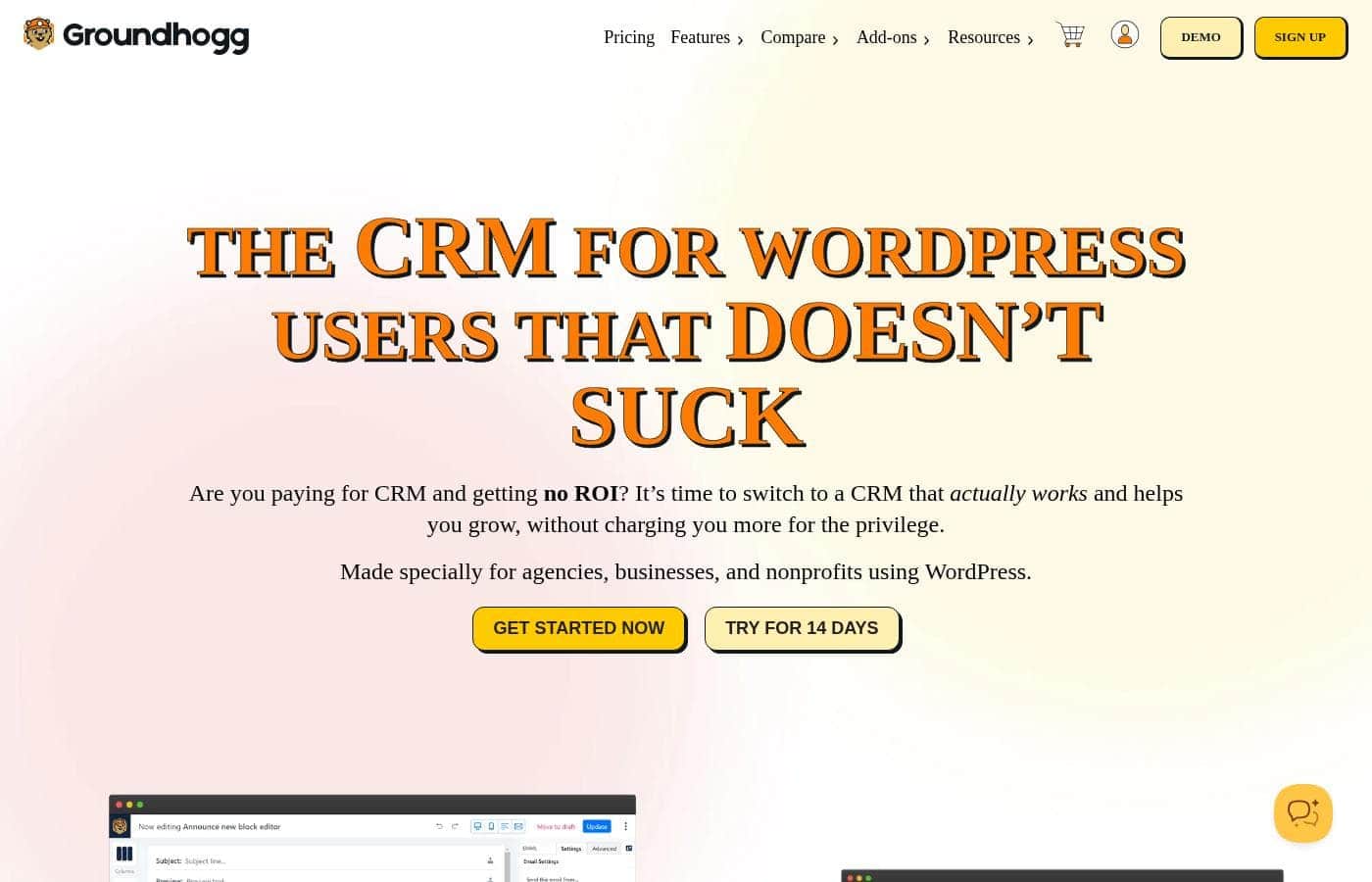
Are you paying for a CRM and getting no ROI? 💡 It’s time to switch to Groundhogg, the CRM for WordPress users that actually works and helps you grow. It’s designed for agencies, businesses, and nonprofits using WordPress.

Groundhogg is 100% self-hosted, so your data stays on your servers and isn’t accessed by others. It offers flat-rate pricing, no matter how big your list, so you won’t get hit with surprise fees. ✨

What is Groundhogg?

Groundhogg is a self-hosted WordPress plugin that serves as a CRM and marketing automation tool for WordPress users, including agencies, businesses, and nonprofits. It keeps your data on your own servers and is open-source, allowing for customization. You can connect with your SMTP service to manage email deliverability, and Groundhogg integrates within the WordPress ecosystem to support your marketing efforts from inside your site.

Groundhogg Key Features

🚀 Own your data and stay self-hosted

Groundhogg is 100% self-hosted. Data lives on your servers, and Groundhogg never has access to your customers' information.

It's a WordPress plugin that serves as a CRM and marketing automation tool. You can bring your own SMTP service to manage email deliverability, and Groundhogg is open-source, with hundreds of hooks and filters, REST API, webhooks, and low-code funnel steps.

Pricing is flat-rate and independent of list size, and onboarding calls are available; installations on one site are often offered for free.

✨ Native WordPress integration and ecosystem inside your site

Groundhogg sits inside WordPress, keeping CRM and email marketing inside your WordPress environment.

It brings native integrations with other WordPress plugins, reducing the need for external SaaS and extra connectors. In the flow editor, you’ll see key integrations like WooCommerce and LearnDash presented as built-in options.

Because you access data from your existing plugins, you can view and segment contacts using a wide range of criteria right from the contact record.

✨ Visual automation that works: Flow editor

Groundhogg’s flow editor follows a do-this, until-that approach, letting you create workflows that actually work with less effort.

You simply drag steps in the order you want them to happen, and core integrations appear in the editor for quick linkage.

Choose from more than a dozen pre-built flow templates with pre-written emails to get started, then tailor them to your needs.

✨ Email marketing made easy

Groundhogg provides fast, targeted email creation with a drag-and-drop editor or a traditional HTML editor.

Schedule broadcasts to segments and see results in real time, then create timed sequences to hit the right moment. Personalization is supported with replacement codes to tailor messages to each contact.

✨ Analytics and reporting to drive growth

Groundhogg includes a comprehensive CRM and marketing analytics suite.

See opens, clicks, unsubscribes, and bounces at a glance for both flows and broadcasts. Monthly and weekly summaries land in your inbox, and you can build custom reports to track the metrics that matter for your growth.

✨ Integrations and open source: customize what you need

Groundhogg has native integrations with popular WordPress plugins and services, reducing reliance on third-party connectors.

As a self-hosted, open-source solution, you can customize with hundreds of hooks and filters, REST API, webhooks, and low-code funnel steps. Integrations can add steps to the funnel builder, info cards, and extra activity to a contact record, plus search filters to create more segments.

Use Cases

🚀 Agency-scale campaigns from a single WordPress dashboard

WordPress agencies manage many client sites. Groundhogg keeps CRM inside WordPress, not in a separate tool. It’s 100% self-hosted, so your data stays on your servers and you control access. The Agency plan supports up to 25 sites with full features, integrations, and white-label branding.

You can drag-and-drop funnels, connect with WooCommerce or LearnDash, and tailor emails to the right people. With native WordPress integration, you manage CRM and email inside your site, not in a separate SaaS tool. You can customize with hundreds of hooks, REST API, webhooks, and low-code funnel steps.

Expected outcome: streamlined client campaigns and predictable costs.

🎯 Quick-start flow: launch a welcome funnel in 4 steps

  1. Install Groundhogg on WordPress and connect your SMTP service. 2) Create a contact list and a welcome email. 3) Drag a 3-email welcome funnel from templates.

  2. Publish the workflow and review real-time results in analytics.

💡 Problem → Approach → Outcome: centralize data and reduce tool clutter

Problem: Your tools live in separate SaaS services, making workflows slow and data hard to pull together.

Approach: Put Groundhogg inside WordPress. Use native integrations and the drag-and-drop editor to connect email, leads, and site activity.

Outcome: Data stays on your servers; you manage processes in one place; fewer vendors to track.

🧩 Developer-friendly: customize and extend Groundhogg

Groundhogg is open-source and built for developers. It offers hundreds of hooks and filters, a REST API, webhooks, and low-code funnel steps.

You can tailor behavior or build new integrations without waiting for a vendor. All inside your WordPress environment.

Native WordPress integrations keep CRM and marketing inside the site you control.

🤝 Nonprofit and membership sites: nurture donors and members

Use Groundhogg to manage donors, members, and event signups from within WordPress.

View contact history, manage custom fields, tasks, notes, and files. Use advanced search to segment audiences, then send targeted emails.

Pre-built templates help you start quickly, and all data remains self-hosted.

🔄 Migrate from SaaS to Groundhogg

If you’re paying for a cloud CRM, Groundhogg offers a cost-effective, self-hosted alternative.

Your data stays on your servers, and you’re in control of deliverability with your own SMTP. There’s a 14-day money-back guarantee to try it risk-free. You can scale from Basic up to Agency as your needs grow.

Pricing Overview for Groundhogg

Pricing range
$20–$100/month
Pricing types
Monthly subscription
Money-back guarantee
Yes — 14 days

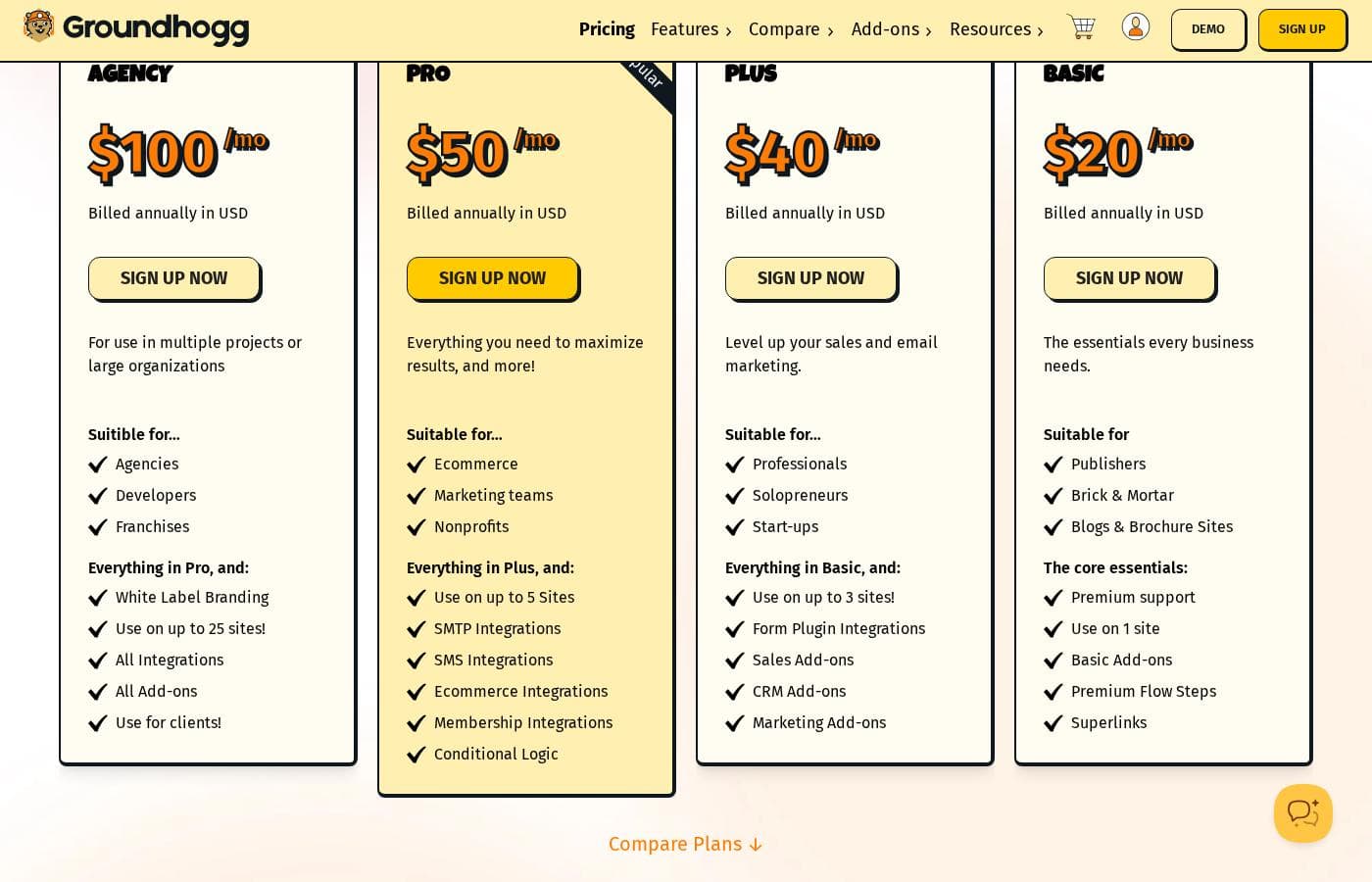
Groundhogg offers four flat-rate monthly plans ranging from $20 to $100 per month. Pricing is feature-based, with no usage-based charges.

Plans & Pricing

Agency

Monthly$100 /mo
Up to 25 sites
  • White Label Branding
  • Use on up to 25 sites
  • All Integrations
  • All Add-ons
  • Use for clients

Pro

Monthly$50 /mo
Up to 5 Sites
  • Use on up to 5 Sites
  • SMTP Integrations
  • SMS Integrations
  • Ecommerce Integrations
  • Membership Integrations

Plus

Monthly$40 /mo
Up to 3 Sites
  • Use on up to 3 Sites
  • Form Plugin Integrations
  • Sales Add-ons
  • CRM Add-ons
  • Marketing Add-ons

Basic

Monthly$20 /mo
Up to 1 site
  • Premium support
  • Use on 1 site
  • Basic Add-ons
  • Premium Flow Steps
  • Superlinks

Groundhogg costs between $20 and $100 per month with 4 plans: Basic at $20/mo, Plus at $40/mo, Pro at $50/mo, Agency at $100/mo. Here's a quick look at the plans.

Agency

Price: $100 /mo Websites Supported: 25 Best For: Not explicitly stated Refund Policy: 14-day money-back Other Features: White Label Branding, Use on up to 25 sites, All Integrations, All Add-ons, Use for clients If you run multiple WordPress sites or manage client work, Agency is the top tier. It offers broad site capacity and full feature access to support large-scale campaigns.

Pro

Price: $50 /mo Websites Supported: 5 Best For: Not explicitly stated Refund Policy: 14-day money-back Other Features: Use on up to 5 Sites, SMTP Integrations, SMS Integrations, Ecommerce Integrations, Membership Integrations For teams that need more connectivity and sites than Plus but not the full agency scale, Pro balances capacity with a strong featureset.

Plus

Price: $40 /mo Websites Supported: 3 Best For: Not explicitly stated Refund Policy: 14-day money-back Other Features: Use on up to 3 Sites, Form Plugin Integrations, Sales Add-ons, CRM Add-ons, Marketing Add-ons Plus fits growing teams that want solid integrations and a broad toolset across a few sites without reaching Agency levels.

Basic

Price: $20 /mo Websites Supported: 1 Best For: Not explicitly stated Refund Policy: 14-day money-back Other Features: Premium support, Use on 1 site, Basic Add-ons, Premium Flow Steps, Superlinks Starting small? Basic covers essential Groundhogg features on a single site with dependable support and core add-ons.

Who should pick each plan? Agency is best for agencies or large client projects needing many sites and full feature access. Pro serves mid-sized teams needing multiple integrations and more sites. Plus is a balanced option for growing teams with a strong feature set on a few sites. Basic is ideal for single-site use or trying Groundhogg with essential tools. You can upgrade between plans on a pro-rated basis, making it easy to scale up as your needs grow. There’s no free plan listed, but the 14-day money-back guarantee offers a risk-free way to evaluate.

User Reviews

Trustpilot's page for Groundhoggrade shows a 3.2 average from a single review, highlighting unsatisfactory service and a mismatch between promises and outcomes. The reviewer notes polished initial communication but says the actual results didn’t align with what was discussed, and stresses the need to document all details in writing before proceeding.

While this is just one data point, it underscores concerns about consistency, clear scope, and reliability. No additional Capterra reviews are included in the provided sources to balance the view, so potential buyers should weigh a single low-visibility score against Groundhogg’s stated advantages like flat-rate pricing, self-hosted data, and strong WordPress integration.

In short, there’s potential for value for WordPress users, but the external sentiment on service delivery warrants due diligence, especially around onboarding and confirmable expectations. 🙂

What users say elsewhere

Alex D.
· Trustpilot · 2025-12-13
1.0 / 5

Initial communication was polished, but the service fell short of expectations.

Jamie P.
· Trustpilot · 2025-10-19
2.0 / 5

The experience shows the need for clear written specs before work begins.

No reviews yet.

Write a Review

Write a Review for Groundhogg
0/100 characters
0/2000 characters

Why use Groundhogg?

Groundhogg helps you take control of your marketing within WordPress. Here’s why it’s worth considering:

  • Flat-rate pricing that doesn’t depend on list size, so costs stay predictable.
  • 100% self-hosted data stay on your servers, with you in control.
  • Open-source with developer tools, including hundreds of hooks and filters, REST API, webhooks, and low-code funnel steps.
  • Deep WordPress integration, keeping CRM and email marketing inside your WordPress environment.
  • Native integrations with other WordPress plugins reduce reliance on third-party SaaS and extra connectors.
  • Strong support and onboarding—there are onboarding calls, and installations on one site are often offered for free.

Groundhogg is positioned as a capable, cost-effective alternative to cloud-based CRMs, with a focus on giving WordPress users flexibility and control. 🚀

Ready to transform your workflow with Groundhogg?

Groundhogg Alternatives

Other tools in the Marketing Automation for Wordpress category

Frequently Asked Questions

What are Groundhogg's pricing plans and how many sites do they cover?

Groundhogg offers four flat-rate monthly plans: Basic (1 site), Plus (up to 3 sites), Pro (up to 5 sites), and Agency (up to 25 sites). Upgrades between plans are pro-rated.

Is there a free plan or free trial for Groundhogg?

Not explicitly stated on the official site. Tip: The pricing page shows no free plan or trial, but there is a 14-day money-back guarantee.

What is Groundhogg's refund policy?

All plans include a 14-day money-back guarantee.

Are charges based on usage or list size?

Pricing is flat-rate and feature-based, not based on usage; contacts are effectively unlimited.

Is Groundhogg self-hosted, and where is my data stored?

Yes. Groundhogg is 100% self-hosted; data lives on your servers and stays there.

How is data privacy handled and who can access it?

You own your data; Groundhogg and other services do not access your customers' information.

What onboarding or migration help is available when starting with Groundhogg?

There are onboarding calls, and a white-glove installation can migrate contacts, install plugins, and connect integrations; one-site installation is often offered for free.

What integrations exist, and how do they differ by plan?

Agency includes all integrations and add-ons; Pro adds SMTP, SMS, Ecommerce, and Membership integrations; Plus adds Form Plugin Integrations; Basic includes premium support and core features.

What payment methods are accepted?

Major credit cards (via Stripe), Visa debit, and PayPal are accepted.

Can I upgrade plans, and is the upgrade pro-rated?

Yes. Upgrades between plans are available on a pro-rated basis.

Who is Groundhogg best suited for?

Groundhogg targets WordPress users, including agencies, businesses, and nonprofits; Agency fits large client projects, Pro for mid-sized teams, Plus for growing teams, and Basic for single-site use.

Are there compliance features for CAN-SPAM, CASL, and GDPR?

Yes. There are specialized settings to stay compliant with CAN-SPAM, CASL, and GDPR, which can be enabled or disabled.

Is there multilingual or regional support information?

Not explicitly stated on the official site. Tip: Look for localization or regional availability details in the docs.

Is data portability or export addressed?

Not explicitly stated on the official site. Tip: Review the REST API and open-source tools for portability options.

What does the onboarding/migration process look like?

Groundhogg offers white-glove migration of contacts and setup, including migrating contacts and connecting integrations; free installation on one site is often offered.

What are the advantages of Groundhogg's self-hosted approach?

Data stays on your servers, you own it, and Groundhogg is open-source with deep WordPress integration.

Ready to try Groundhogg? Check out the official site or pricing.