Greenshift

Greenshift review

Full site page building inside native Gutenberg: 50+ blocks, style presets, and ready-made templates for WordPress.

By Ciroapp Editorial Team Β· Updated Sep 16, 2026

Commission may apply at no extra cost

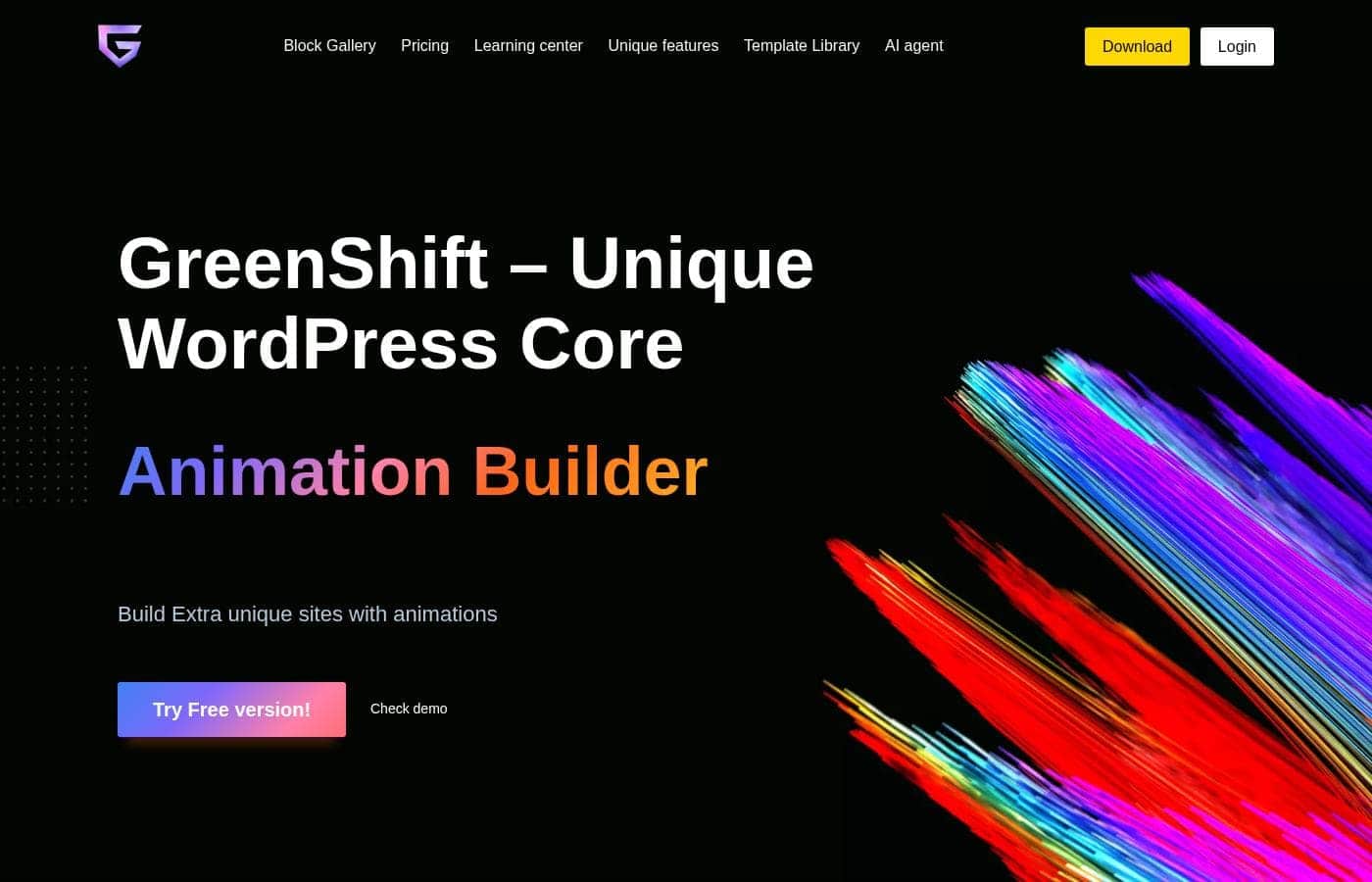
Greenshift homepage screenshot

At a glance

Quick overview for Greenshift: rating, pricing summary, key features, and highlights.
Vendor page checked Oct 12, 2026

Ciroapp score

4.0/ 5

Greenshift extends WordPress's native block editor with 50+ blocks, full site editing, style presets, and ready-made templates. A free plan and one-time payment option make it easy to try, but top tiers run to $2,300 per month and independent reviews are scarce. Overall, it's a solid pick for builders who live in Gutenberg.

Pros

  • Pros:Runs inside the native Gutenberg editor, so there is no separate builder interface to learn or keep updated
  • Pros:Includes 50+ complete blocks, which can replace a stack of single-purpose block plugins
  • Pros:Full Site Editing support extends coverage to template-level parts of a site, not just individual pages

Cons

  • Cons:The listed pricing ceiling is high β€” current plans run up to $2,300/month β€” so top tiers demand a serious budget
  • Cons:Capabilities are tied to the WordPress/Gutenberg block ecosystem; teams using competing builders face a workflow migration
  • Cons:Independent review coverage (G2, Capterra, Trustpilot) is currently unavailable, making long-term user sentiment hard to verify before buying
Best for
  • WordPress users who want advanced page building without leaving the native Gutenberg editor
  • Freelancers and agencies delivering full WordPress sites that need template-level control via Full Site Editing
  • Site owners consolidating several single-purpose block plugins into one comprehensive library
This section is a summary. Detailed sections about features, use cases, pricing, and reviews follow below.

What is Greenshift?

Greenshift takes an unusual approach among WordPress page builders: instead of replacing the block editor, it extends it. The plugin adds more than 50 complete blocks, style presets, and design controls directly into Gutenberg, and it supports Full Site Editing so you can shape entire templates rather than isolated pages. With ready-made website templates and a free starting plan, it aims to cover the whole build process β€” from blank canvas to finished site β€” inside the editor WordPress already ships with.

Greenshift is a full site page builder for WordPress that lives inside the native Gutenberg editor. It bundles a library of 50+ blocks with per-block design options, reusable style presets, and complete website templates you can use as starting points. Because it supports Full Site Editing, its scope covers the whole site experience rather than single pages, and it is widely described as the most complete builder in the Gutenberg ecosystem.
Should you choose Greenshift?

Quick buyer guidance before you compare plans or click through.

Choose it if

  • WordPress users who want advanced page building without leaving the native Gutenberg editor
  • Freelancers and agencies delivering full WordPress sites that need template-level control via Full Site Editing
  • Site owners consolidating several single-purpose block plugins into one comprehensive library
  • Budget-conscious builders who want to validate a tool on a free plan or prefer one-time payment licensing

Skip it if

  • Teams standardized on builders like Elementor or Beaver Builder whose saved layouts and workflows would not carry over
  • Non-WordPress projects, since Greenshift only functions inside the WordPress/Gutenberg environment
  • Buyers who require substantial third-party review data and case studies before adoption, as independent coverage is currently thin

Next steps before buying

  1. 1Install the Greenshift plugin on your WordPress site from greenshiftwp.com and activate it
  2. 2Start on the free plan and experiment with the 50+ blocks on a draft page to learn the design options
  3. 3Import the ready-made website template closest to your target design, then tune it with style presets
  4. 4Upgrade to a paid plan β€” monthly, yearly, or one-time β€” once you outgrow what the free tier covers

Greenshift Key Features

✨ 50+ Complete Blocks

Greenshift ships a library of more than 50 blocks that go beyond WordPress defaults, covering layout structures, content elements, and advanced design patterns. Having the full set from one plugin reduces the pile-up of single-purpose block plugins that complicate a WordPress install. Blocks are editable in place, so you work with real content in the native editor rather than placeholders in a separate interface.

✨ Full Site Editing Support

The builder is built for Full Site Editing, meaning you can customize template-level parts of a WordPress site β€” not just individual pages β€” from within Gutenberg. This matters for anyone building complete sites, since headers, footers, and archive layouts can be handled in the same tool as page content. It effectively turns the native editor into a full site builder.

✨ Design Options and Style Presets

Each block carries a set of design options for adjusting layout and styling without leaving the editor. Greenshift adds style presets on top, so a look you configure once can be reused across blocks and pages for visual consistency. This combination targets users who want fine-grained control but would rather not hand-code styles.

✨ Ready-Made Website Templates

Beyond individual blocks, Greenshift includes complete website templates that serve as finished starting points for a project. Importing a template and swapping in your own content can cut hours off the early stages of a build, particularly for common site types. Combined with the block library, templates give you both top-down and bottom-up ways to assemble a site.

✨ Native Gutenberg Integration

Greenshift works inside the editor WordPress ships with, so there is no separate page-builder interface to learn or maintain. Content created with it remains standard WordPress block content, which keeps the editing experience consistent for every user on the site. For teams already standardized on Gutenberg, this is the path of least disruption.

Use Cases

πŸ’‘ Building Complete WordPress Sites

Because Greenshift covers Full Site Editing, it suits projects where the deliverable is an entire site β€” home page, inner pages, headers, footers, and templates β€” rather than a single landing page. A freelancer can handle the whole build in one tool without combining a page builder with separate template plugins.

πŸ’‘ Launching Sites Faster from Templates

Teams that repeatedly build similar sites can start from Greenshift's ready-made website templates and adjust from there. Style presets keep typography and color consistent as content changes, so the customizing phase goes faster and stays coherent.

πŸ’‘ Reducing Plugin Sprawl

Sites that have accumulated a stack of block plugins for sections, buttons, and design tweaks can consolidate onto one 50+ block library. Fewer plugins means fewer update and compatibility concerns to track, and a single vendor responsible for how the blocks behave.

πŸ’‘ Client Handoffs on Native Gutenberg

Agencies whose clients already know the WordPress block editor can extend it with Greenshift instead of training them on a foreign builder interface. Clients keep editing in the environment they recognize, while the agency retains the advanced blocks and design presets for structural work.

Greenshift pricing

Prices not verified yet β€” see the vendor page.

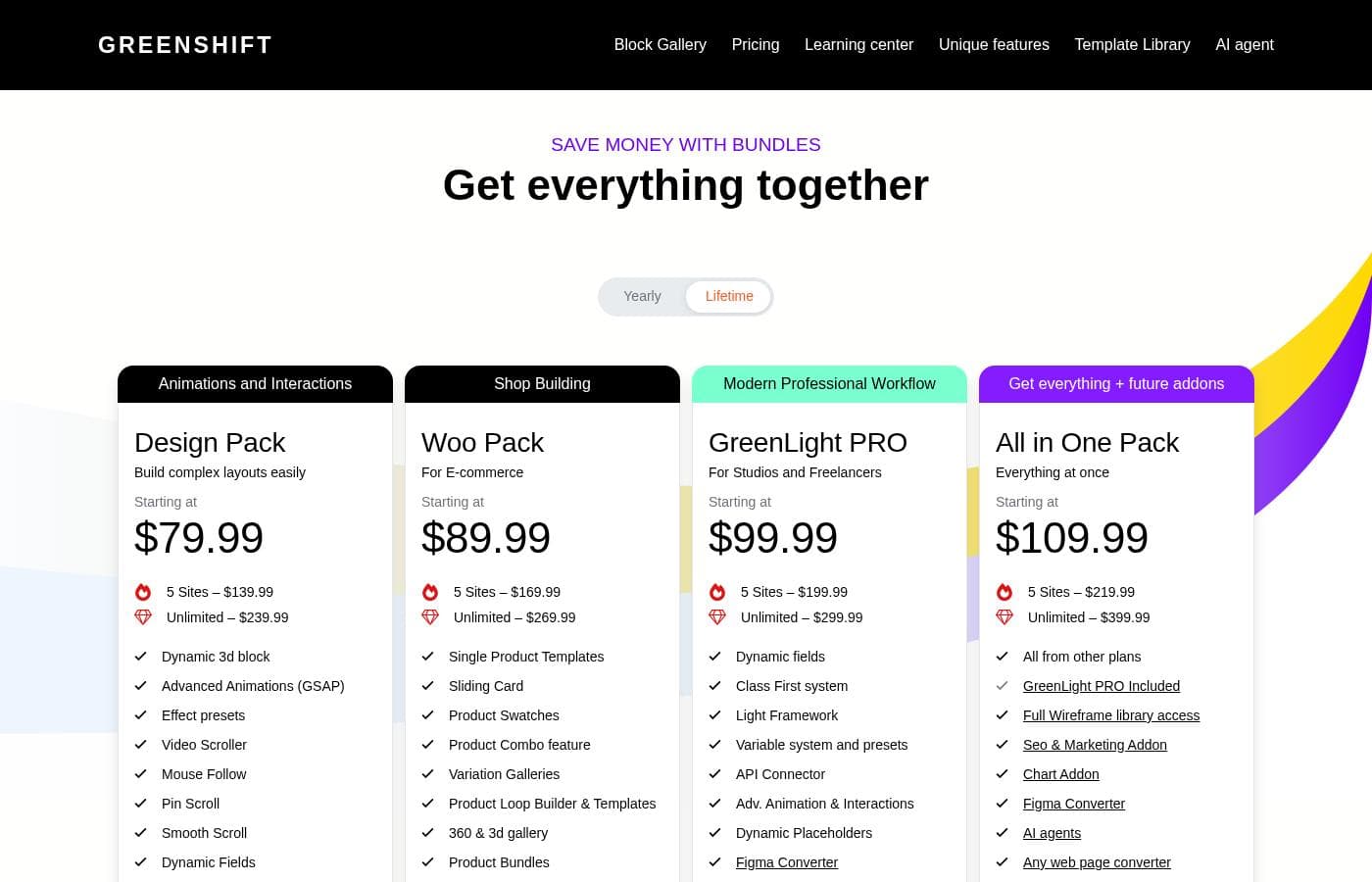
Greenshift's pricing page

Greenshift pricing page screenshotView pricing page screenshot

Price history

Tracking prices since Sep 30, 2026. No price change detected yet.

Pricing types: Free plan, Monthly subscription, Yearly subscription, One-time payment

Email me when Greenshift changes price

One email when we detect a price change on the vendor's pricing page. No newsletter, no deals. Unsubscribe in one click.

User Reviews

No reviews yet.

Write a Review

Write a Review for Greenshift
0/100 characters
0/2000 characters

Why use Greenshift?

The main argument for Greenshift is consolidation: blocks, design controls, presets, and templates come from one tool that operates where you already edit content, so you are not toggling between a standalone builder and the WordPress admin. Full Site Editing support means template-level layouts are in scope too, which many block plugins leave out.

A free plan lowers the barrier to testing, and billing flexibility β€” monthly, yearly, or one-time payment β€” lets you match the license to how long you actually need it.

Greenshift alternatives

Other tools in the Page builder for WordPress category

View all Page builder for WordPress tools
Elementor

Elementor

Page builder for WordPress4.3/5
Bricks

Bricks

Page builder for WordPress4.2/5

Bricks is an innovative, community-driven, visual site builder theme specifically for your self-hosted WordPress website. It provides unparalleled customization, flexibility, and maintainability. You can craft your website from header to footer, leveraging powerful features like CSS grid and flexbox layouts. This platform is designed to help you create truly unique web design experiences.

Otter Blocks

Otter Blocks

Page builder for WordPress4.1/5

Otter Blocks is an effective collection of advanced, dynamic page building blocks designed specifically for the WordPress block editor, Gutenberg. It acts like a powerful upgrade, making the native editor much more flexible and capable. This collection is ideal for anyone looking to achieve impressive layouts quickly and professionally. It is built to be lightweight and simple, ensuring your site remains fast while you gain advanced customization options.

SeedProd

SeedProd

Page builder for WordPress4.1/5

SeedProd is a powerful, yet easy-to-use, drag and drop page builder for WordPress. It’s built for anyone who wants to create beautiful themes, pages, and layouts rapidly. You don't need to be a designer, thanks to the professionally designed pre-built themes. πŸ’‘ The builder helps you get your site up and running in minutes.

Breakdance

Breakdance

Page builder for WordPress4.1/5

Breakdance is a WordPress visual website builder designed for WooCommerce stores. It offers AI-assisted content, an Advanced Form Builder, and a Built-In Popup Creator, plus Dynamic Data support for anything in the WordPress database. It also includes Element Studio, the world's first built-in element development IDE for WordPress, making it easy to craft custom builder elements. For users coming from Elementor, Breakdance provides a smooth upgrade path and a modern editing experience.

Spectra Pro

Spectra Pro

Page builder for WordPress4.1/5

Spectra Pro is a powerful web design toolkit built specifically for the native WordPress editor. It offers a new, advanced way to build websites that are both stunning and super fast. It focuses heavily on performance, boasting zero bloat and security through clean code written to the latest standards. βœ… Because it works directly inside the familiar WordPress editor, it is instantly easy to learn and use. It’s perfect for creators who want professional results without the complexity of heavy external dependencies or frustrating code.

Cheapest Page builder for WordPress software for 1 to 25 users

Greenshift FAQ

Does Greenshift replace the WordPress editor?

No. Greenshift works inside the native Gutenberg block editor, adding its blocks, design options, and style presets to the interface WordPress already uses. Because it also supports Full Site Editing, its reach extends to template-level parts of a site, but the editing experience itself stays native.

Is there a free version of Greenshift?

Yes. Plans start at $0 per month, and current billing options include a free plan alongside monthly subscriptions, yearly subscriptions, and one-time payments. That makes it possible to test the block library and templates on a real site before committing to a paid tier.

How expensive are the paid plans?

Current pricing listings show plans ranging from $0 up to $2,300 per month, so the spread between entry and top tiers is wide. Start on the free plan and move to a paid tier only once you hit a limit you actually need to remove.

Can Greenshift build an entire website, not just single pages?

Yes. Greenshift is built as a full site page builder with Full Site Editing support, so headers, footers, and template-level layouts fall within its scope, and ready-made website templates provide complete starting points rather than lone page designs.

Ready to try Greenshift? Check out the official site or pricing.

Are you Greenshift? Claim this listing Β· Get the badge