Google Calendar

Google Calendar review

One shared calendar for work, life, and everything in between. Google Calendar keeps your schedule synced across devices, shareable with the people who need it, and just a click away from Gmail and Meet.

By Ciroapp Editorial Team · Updated Sep 16, 2026

Commission may apply at no extra cost

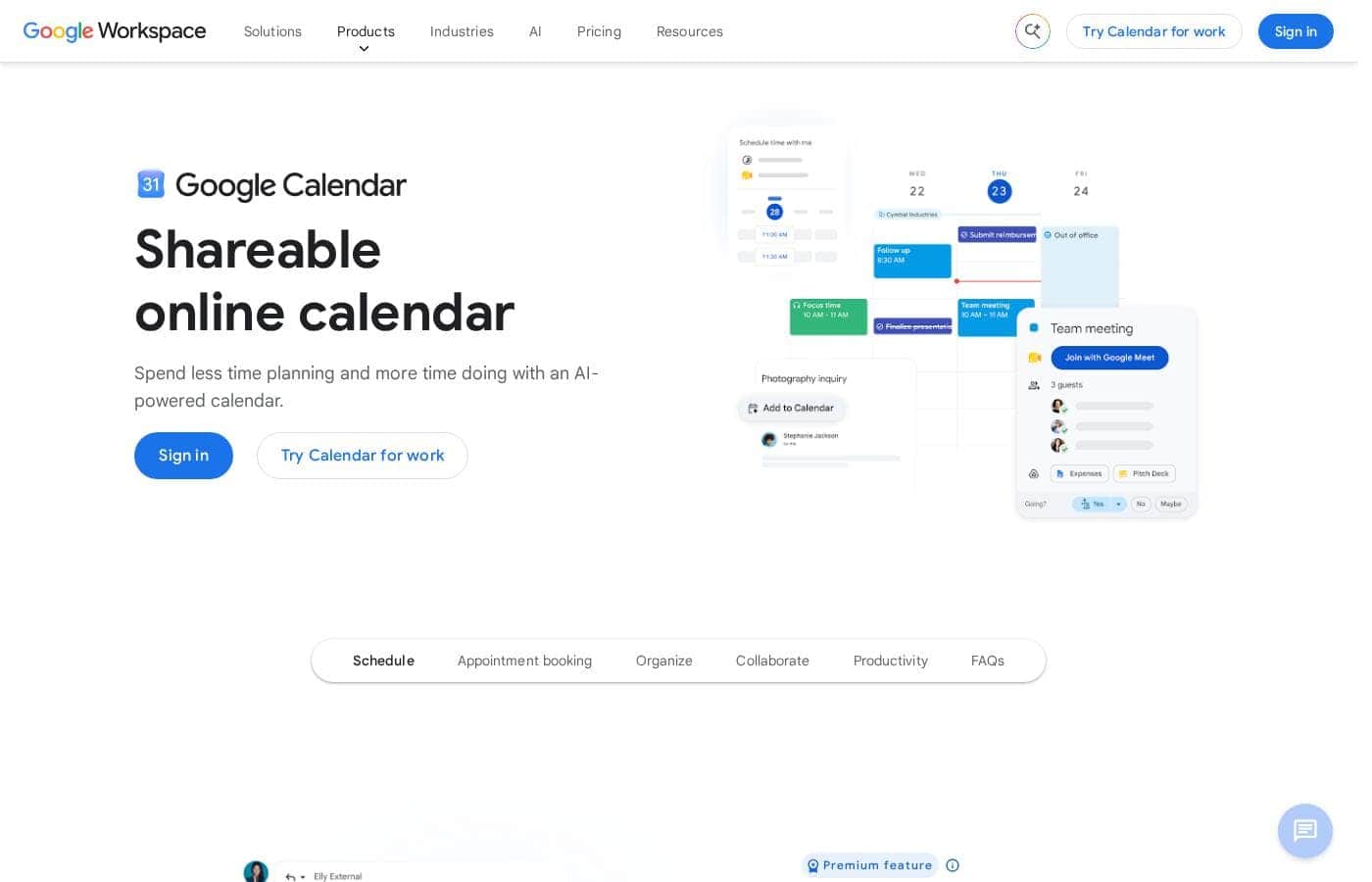
Google Calendar homepage screenshot

At a glance

Quick overview for Google Calendar: rating, pricing summary, key features, and highlights.

Ciroapp score

4.4/ 5

Google Calendar is free, dependable, and woven into Gmail and Meet, with smart sharing controls and real-time sync across web, Android, and iOS. Task tools stay basic, there's no native desktop app, and some scheduling features sit behind paid Workspace plans. Overall, it's the obvious default for anyone already living in Google's ecosystem.

Pros

  • Pros:Completely free for personal use, with no paywall on core scheduling features like sharing, reminders, and recurring events
  • Pros:Automatic event creation from Gmail confirmations—flights, hotels, and reservations arrive as ready-made calendar entries
  • Pros:One-click Google Meet links turn any event into a video meeting without third-party conferencing software

Cons

  • Cons:No native Windows or macOS desktop app—desktop users are limited to the browser or third-party clients
  • Cons:Task and reminder features are basic compared with dedicated to-do or project management tools
  • Cons:Advanced options like appointment schedules and time insights require a paid Google Workspace plan
Best for
  • Professionals and students who already live in Gmail and want scheduling integrated with their inbox
  • Teams on Google Workspace that need shared calendars, free/busy lookup, and meeting room booking
  • Families coordinating school events, appointments, and trips on one shared calendar
This section is a summary. Detailed sections about features, use cases, pricing, and reviews follow below.

What is Google Calendar?

Google Calendar is Google's online scheduling service, and after more than a decade of refinement it remains the default calendar for much of the world. It consolidates personal, work, and shared calendars into a single view, syncs everywhere, and plugs directly into Gmail and Google Meet. This review covers where it genuinely excels, where it falls short, and who should pick it over alternatives like Outlook Calendar or Apple Calendar.

Google Calendar is a web-based calendar application that lets you create events, set reminders, share schedules, and book appointments from any device. Each calendar you create—personal, work, family, or team—can have its own color, notification rules, and sharing permissions, and they all overlay into one unified view. It ships free with every personal Google account and is included in Google Workspace business plans, where it adds organization-level features like meeting room booking and appointment schedules.
Should you choose Google Calendar?

Quick buyer guidance before you compare plans or click through.

Choose it if

  • Professionals and students who already live in Gmail and want scheduling integrated with their inbox
  • Teams on Google Workspace that need shared calendars, free/busy lookup, and meeting room booking
  • Families coordinating school events, appointments, and trips on one shared calendar
  • Freelancers and consultants who want free client-facing appointment slots without extra scheduling software
  • Anyone who needs a dependable free calendar that syncs across Android, iOS, and the web

Skip it if

  • Teams standardized on Microsoft 365, where Outlook Calendar is the native option and syncs more cleanly
  • Users who need robust task or project management—the built-in Tasks and reminders are intentionally minimal
  • Windows desktop users who want a dedicated native app instead of a browser tab
  • Organizations with strict data-residency or privacy requirements that rule out the Google ecosystem

Next steps before buying

  1. 1Sign in at calendar.google.com with your Google account—the calendar is ready to use immediately, with no setup required
  2. 2Create separate calendars for work, personal, and family, and assign each a distinct color for quick scanning
  3. 3Set default notifications and working hours under Settings so reminders match your routine
  4. 4Share your family or team calendar—or just your free/busy availability—with the people who need it
  5. 5Install the mobile app for Android or iOS and enable offline access in the browser for coverage without a connection

Google Calendar Key Features

✨ Unified multi-calendar view

Google Calendar lets you layer unlimited calendars—personal, work, family, sports schedules—into one interface, each with its own color and notification settings. You can toggle any calendar's visibility instantly, drag events between them, and search across all of them at once, which makes juggling separate parts of your life far simpler than keeping separate calendar apps.

✨ Gmail and Google Meet integration

Because Calendar lives alongside Gmail, it recognizes flight confirmations, hotel reservations, and bookings in your inbox and offers to add them as events with the details prefilled. Every event you create includes an option to add Google Meet video conferencing, so remote meetings get a working link without a separate scheduling tool.

✨ Granular sharing and permissions

You can share any calendar with specific people and choose exactly what they see: only free/busy blocks, full event details, or the ability to add and edit events. Public calendars can be published as links others subscribe to, and you can subscribe to third-party calendars for holidays, sports teams, and other external schedules.

✨ Smart scheduling and availability tools

The Find a time tab shows guests' availability side by side so you can pick a slot that works for everyone, and suggested times highlight common openings automatically. Working hours, a world clock, and optional time insights help you protect focus time and coordinate across time zones.

✨ Cross-platform access with offline support

Native apps for Android and iOS plus full-featured web access keep events in real-time sync, and changes appear on every device within seconds. A browser offline mode caches your recent calendar so you can view and edit your schedule without a connection, with changes queued until you reconnect.

Use Cases

💡 Team and meeting coordination

Teams use shared calendars to track meetings, deadlines, out-of-office time, and shared resources like conference rooms. Free/busy visibility lets colleagues find workable meeting times without exposing private event details, and room and equipment booking happens directly inside the event invitation on Workspace plans.

💡 Family and household scheduling

A shared family calendar keeps school events, appointments, and trips visible to everyone with edit access, while each parent keeps a private work calendar layered on top. Recurring birthdays and anniversaries with year-ahead reminders mean important dates are never forgotten.

💡 Client and appointment booking

Freelancers and service providers can publish bookable appointment slots, letting clients claim open times without back-and-forth emails. On paid Google Workspace plans, appointment schedules add customizable booking pages, buffer times, and availability checks across multiple calendars.

💡 Personal productivity and reminders

Individuals use recurring events, all-day reminders, and color coding to build routines—gym sessions, bill due dates, medication schedules. Tasks and reminder entries keep small to-dos anchored to specific times without needing a separate task app.

Google Calendar pricing

Prices not verified yet — see the vendor page.

Google Calendar's pricing page

Google Calendar pricing page screenshotView pricing page screenshot

Email me when Google Calendar changes price

One email when we detect a price change on the vendor's pricing page. No newsletter, no deals. Unsubscribe in one click.

User Reviews

No reviews yet.

Write a Review

Write a Review for Google Calendar
0/100 characters
0/2000 characters

Why use Google Calendar?

The main reason to choose Google Calendar is ecosystem leverage: if you use Gmail, it detects flights, hotel bookings, and reservations in your inbox and offers to add them as events automatically, and every event can carry a one-click Google Meet link. Cross-platform reliability is another differentiator—events sync in real time between the web app and the Android and iOS apps, and an offline mode keeps your schedule readable without a connection.

Granular sharing controls also make it easy to give a partner full edit access to a family calendar while showing coworkers only your free and busy time.

Google Calendar alternatives

Other tools in the Calendar category

View all Calendar tools
Cozi

Cozi

Calendar3.9/5

Cozi is designed specifically as a trusted digital tool for busy families. It solves the headache of coordinating multiple schedules and maintaining household organization. Shared households and parents use it to centralize calendars, appointments, and general logistics. The app pulls together everything you manage—from school events to dentist visits—into a single hub. ✅ You can access your unified family plan conveniently on any mobile device or computer. It has even been named a must-have app by the TODAY show.

Proton Calendar

Proton Calendar

Calendar3.8/5

Proton Calendar is designed to keep your personal scheduling private and secure. It offers the full functionality you expect from a modern digital calendar combined with robust protections. Proton is incorporated and based in Switzerland. This means strict Swiss privacy laws protect all user data, backed by Swiss neutrality. 💡 Proton offers an easy-to-use alternative to Big Tech services, ensuring your data is protected, not exploited.

Google Calendar FAQ

Is Google Calendar free to use?

Yes. A full-featured Google Calendar is free with any personal Google account, including shared calendars, reminders, and appointment slots. Organizations get additional capabilities—such as appointment schedules, time insights, and meeting room booking—through paid Google Workspace subscriptions.

Can I use Google Calendar alongside Outlook or Apple Calendar?

Yes. Google Calendar can subscribe to external iCal/ICS feeds, and its calendars can be added to Outlook and Apple Calendar via shared links so events stay visible across platforms. Two-way sync with Outlook works through Google Workspace Sync or compatible third-party clients, though the experience is smoothest when everyone uses Google accounts.

Can other people see my private events when I share my calendar?

Only if you allow it. Sharing permissions are set per calendar and per person: you can grant someone full event details, edit rights, or simply show when you are busy without revealing event names or times.

Does Google Calendar work without an internet connection?

Yes. Enabling offline mode in the web app caches your recent schedule so you can view and edit events while disconnected, and the mobile apps also keep your calendar accessible; changes sync automatically once you reconnect.

Ready to try Google Calendar? Check out the official site or pricing.

Are you Google Calendar? Claim this listing · Get the badge