Glances

Glances

Unify your apps with a simplified customer view.

#1 dans Workflow Management
1 min read ¡ Updated 10/4/2025
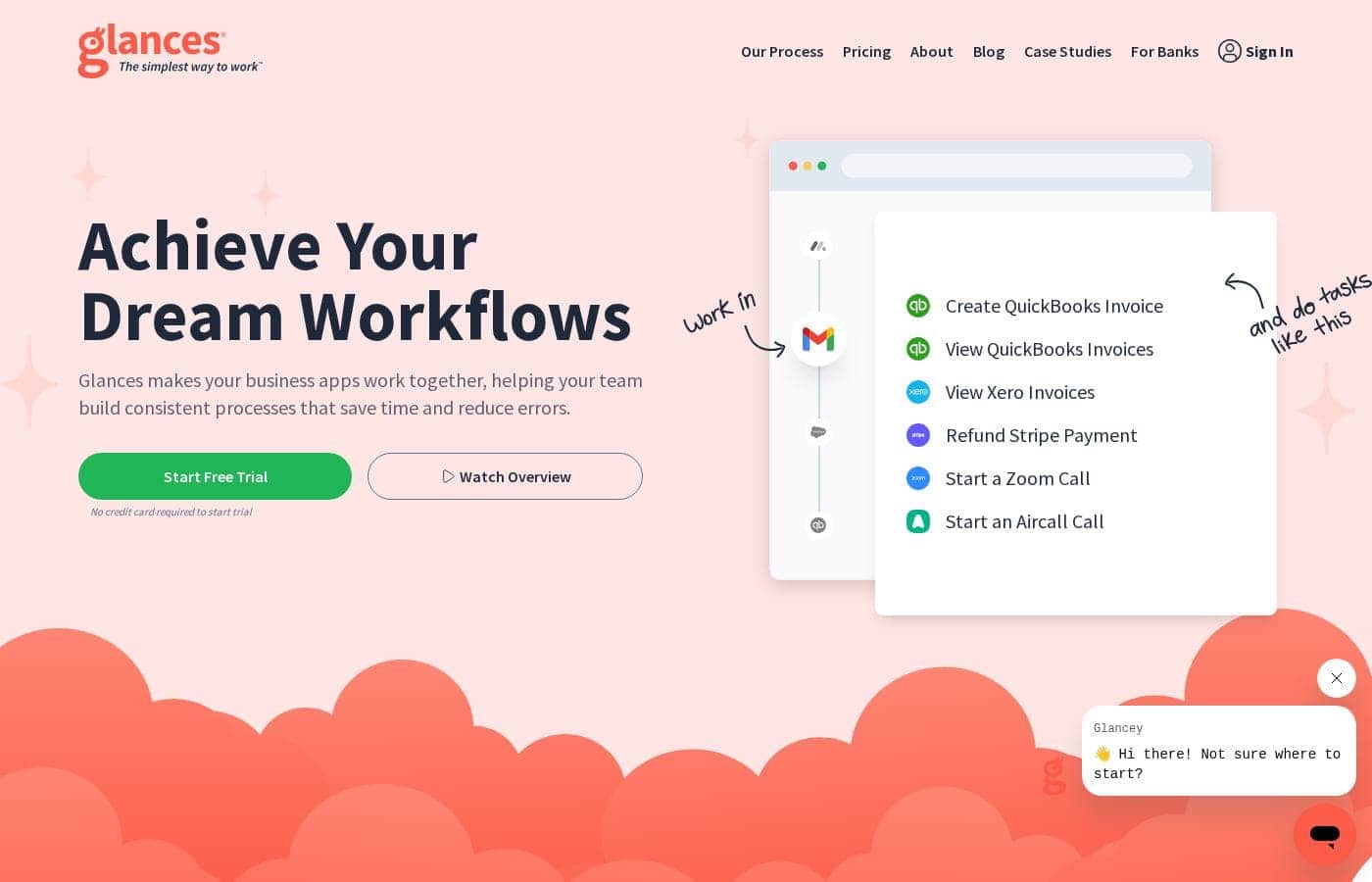
Glances homepage screenshot

At a glance

Quick overview for Glances: rating, pricing summary, key features, and highlights.

Ciroapp review

4.2
Strong no-code integration

We view Glances as a no‑code integration that unifies apps into a live, single view. We value its guided setup, real‑time data across tools, and secure access for teammates. Overall, we find it a solid choice for teams needing governance and cross‑tool workflows, though some details like yearly pricing aren’t shown.

Pros

  • Pro:No-code setup with guided Connect options
  • Pro:Unified, live view across apps
  • Pro:Real-time data sync across major apps (Monday.com & QuickBooks)
  • Pro:Secure data access without sharing credentials

Cons

  • Con:Yearly pricing not displayed in the current view
  • Con:Some product details (e.g., websites supported) not explicitly stated
  • Con:Refund policy not clearly stated
  • Con:Per-user pricing can add up for larger teams
Free trial
Yes
Range: $29–$99/monthFree trial, Monthly subscription, Per seat pricing
This section is a summary. Detailed sections about features, use cases, pricing, and reviews follow below.

Glances review, pricing, features, pros & cons

Facing a cluttered suite of apps and scattered data? Glances helps you bring everything into one view, reducing errors and saving time. ✨

Get a 360‑degree view of your work without endless tab switching, plus safe access for teammates—without exposing accounts. It’s a no-code solution that makes daily work simpler.

What is Glances?

Glances is a no-code integration that unifies your business apps into a single, live view. It helps teams stay in one place, see data from multiple apps in real time, and take actions without leaving their current workflow. From Asana to Zendesk, Glances connects a diverse stack of business apps.

💡

Glances Key Features

🌐 Unified, real-time view across your apps

Glances gives you a 360-degree view of work across your apps. See data from multiple tools in real time and stay aligned without endless tab switching.

It's a no-code integration that unifies your business apps into a single live view. You can work in your current app while Glances brings in the data you need.

Use it when you want fast context, fewer mistakes, and a smoother workflow. The result is a clearer picture of customers and tasks that helps you act quickly.

✨ No-code setup with Guided Connect

Getting started is quick. Glances is a no-code integration that unifies your business apps into a single, live view.

Guided Connect options tailor your workflow without writing code.

If you’re unsure where to start, you can sign up for a trial to see the impact quickly.

✨ Secure access and data governance

Glances lets teammates access insights and actions without handing out direct accounts. It keeps data protected as you work across apps.

We follow high standards in data protection and only need the minimally-required information to connect your apps.

Glances does not store data from your apps; it pulls data in real time when a Glance is displayed.

✨ Take powerful actions across apps

Take actions across your connected apps without leaving your current workflow. Glances supports a range of tasks to save time and keep you in motion.

Examples include creating invoices, starting web calls or meetings, and updating data across apps.

🗂️ Personal workspace and daily context

See your personal items with the My Daily Glances tab—your calendars, upcoming invoices, and project to-dos.

You can highlight data, search across apps, and take quick actions from the Glances widget. This helps you stay focused and aligned with your priorities.

Use Cases

🌐 Unified view across all your apps

Glances unifies your business apps into a single, live view. Teams see data from Asana, Zendesk, QuickBooks, and more without constant tab changes. This clarity helps you stay aligned and move work forward.

Set up takes minutes with no code. Guided Connect options tailor your workflow to your needs. You can grant safe access to teammates without sharing accounts, keeping data secure and controls tight.

With a 360-degree view, you act faster. You see what’s happening across systems in real time, then take action without jumping between apps. It’s a simple, practical way to reduce errors, save time, and keep everyone on the same page.

➡️ No-leave workflow: cross-app actions in 4 steps

Glances lets you perform routine tasks across apps without leaving your current task. Use these four simple steps to act across your stack:

  • Connect the apps you use
  • Choose an action (for example, create an invoice or start a call)
  • Complete the task in the target app
  • See the result in your Glances view

This flow helps you stay focused, reduces switching, and keeps data in the apps where it belongs.

🔒 Security and safe access for teammates

Give teammates the insights and actions they need without giving them direct access to company accounts.

Glances keeps data protected by transmitting only what’s needed and by restricting who can see what. You can view data from private or in-house apps alongside modern tools, helping teams stay aligned without moving data around.

🧭 No-code setup and guided onboarding

Set up is quick and code-free. Glances uses Guided Connect to tailor your workflow and connect the apps you rely on.

Expected outcome: a smoother, faster workflow with fewer manual steps and less data mess.

Tip: Start with Guided Connect for a guided, starter-friendly setup.

🗂️ View data from private apps alongside modern tools

You can view data from private or in-house apps alongside your modern tools, keeping the full picture in one place.

Glances pulls live data from your apps rather than moving it around. It doesn’t store your data; only the minimal connection information is encrypted and kept secure.

This approach helps you act on insights in one place and reduces the time spent chasing information.

Pricing Overview for Glances

Pricing range
$29–$99/month
Pricing types
Free trial, Monthly subscription, Per seat pricing

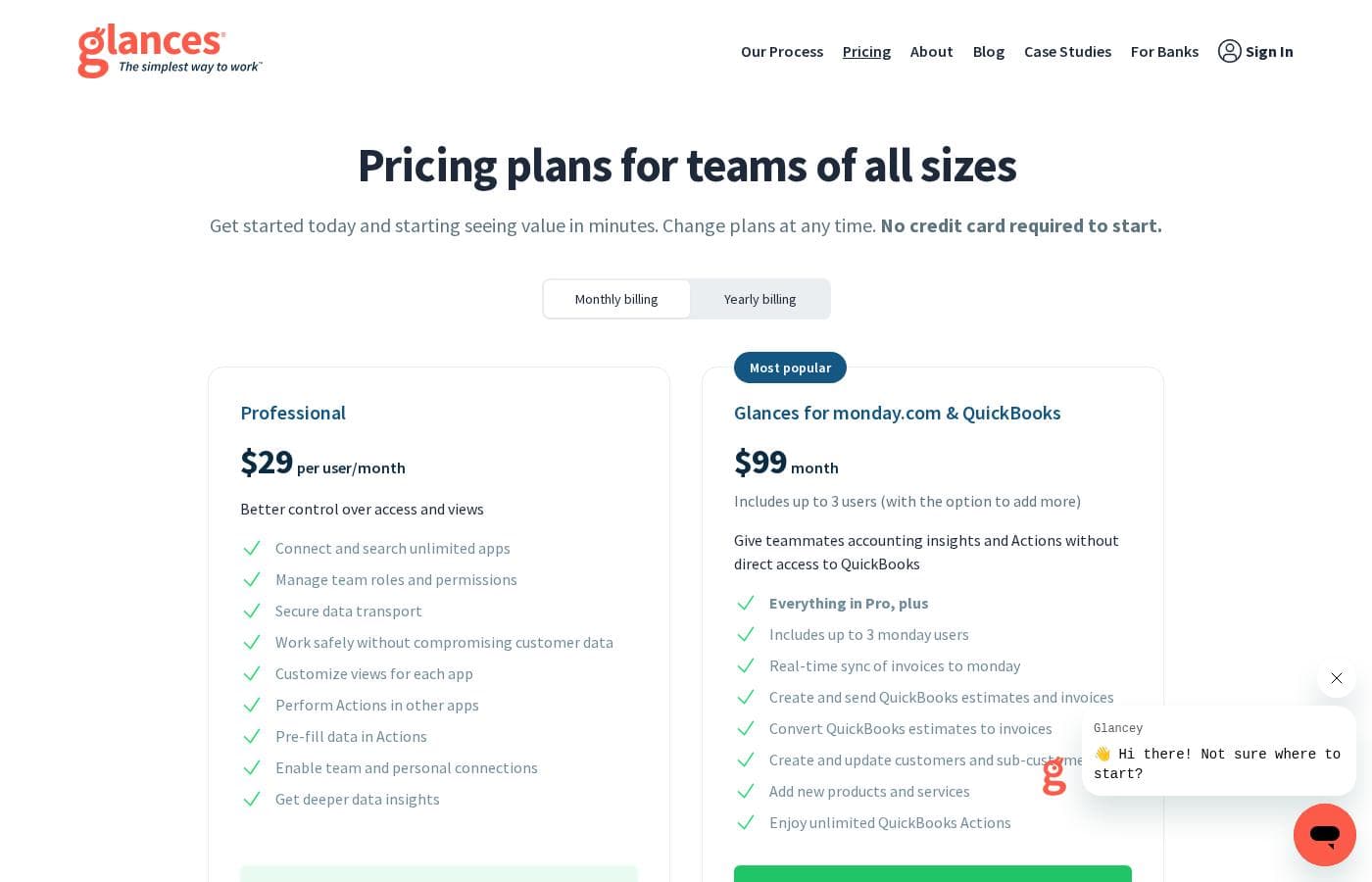
Glances offers two monthly plans: Professional at $29 per user/month and Glances for monday.com & QuickBooks at $99/month.

Plans & Pricing

Professional

Monthly$29 per user/month
Not explicitly stated
  • Connect and search unlimited apps
  • Manage team roles and permissions
  • Secure data transport
  • Customize views for each app
  • Perform Actions in other apps

Glances for monday.com & QuickBooks

Monthly$99 month
Includes up to 3 users (with the option to add more)
  • Everything in Pro, plus up to 3 users
  • Real-time sync of invoices to Monday
  • Create and send QuickBooks estimates and invoices
  • Convert QuickBooks estimates to invoices
  • Create and update customers and sub-customers
  • Add new products and services
  • Enjoy unlimited QuickBooks Actions

Glances costs $29–$99 per month with 2 plans: Professional at $29 per user/month, Glances for monday.com & QuickBooks at $99 month. The pricing shown reflects monthly billing; yearly pricing isn’t displayed here. A free trial is available for both plans, and you won’t be asked for a credit card to start.

The pricing details below break down what you get with each plan.

Professional

Price: $29 per user/month Websites Supported: Not explicitly stated Best For: teams needing strong control over access and app-wide visibility Refund Policy: Not explicitly stated Other Features:

  • Connect and search unlimited apps
  • Manage team roles and permissions
  • Secure data transport
  • Customize views for each app
  • Perform Actions in other apps

If you’re building a small to mid-sized team that wants solid governance and broad app connectivity, Professional is a solid fit. It keeps things simple while enabling cross-tool workflows. Start Your Trial 🎯

Glances for monday.com & QuickBooks

Price: $99 month Websites Supported: Not explicitly stated Best For: teams integrating with monday.com and QuickBooks Refund Policy: Not explicitly stated Other Features:

  • Everything in Pro, plus up to 3 users
  • Real-time sync of invoices to Monday
  • Create and send QuickBooks estimates and invoices
  • Convert QuickBooks estimates to invoices
  • Create and update customers and sub-customers
  • Add new products and services
  • Enjoy unlimited QuickBooks Actions

If your work revolves around monday.com and QuickBooks, this plan bundles the core Glances actions with native support for those apps and up to three users to start. It’s a good step up for teams needing tighter integration across these platforms. Start Your Trial 💼

User Reviews

Capterra listings suggest Glances is valued for its no‑code approach, broad integrations, and a clear path to a unified, live data view. Trustpilot data isn’t provided in our inputs, but Capterra mentions that users appreciate running routine tasks across apps without leaving their current workflow, which helps reduce errors and save time.

The product emphasizes a 360‑degree view, real‑time data, and secure access for teammates, plus a straightforward free trial. Pricing shows two plans—Professional at $29 per user/month and a $99/month bundle for monday.com & QuickBooks—with a no‑card required trial.

Onboarding benefits include guided Connect options to tailor workflows, and the no‑code setup lowers the barrier to start. It’s not a heavy config tool; it aims for governance and broad app connectivity with reliable data living where it should.

Overall, Glances offers solid value for mid‑sized teams seeking coherence across tools while keeping setup lean and transparent. 👍

What users say elsewhere

Alex D.
¡ Capterra
5.0 / 5

Glances unifies our apps without the mess. The no-code setup saved us hours, and the live view keeps our team aligned across systems.

Priya S.
¡ Capterra
4.5 / 5

The real-time data across Asana, Monday, and QuickBooks is a game changer. It’s intuitive, and the free trial helped us test it quickly.

No reviews yet.

Write a Review

Write a Review for Glances
0/100 characters
0/2000 characters

Why use Glances?

Why settle for tangled apps when you can get a clear, actionable picture of work? Here are reasons to choose Glances:

  • Save time and reduce mistakes by running routine tasks across apps without leaving your current work. ✅
  • See a 360‑degree view of data across apps in real time, so you stay aligned. 🌐
  • Secure data access for teammates without sharing direct account access. 🔐
  • No‑code setup with guided Connect options to tailor your workflow. ✨
  • Patented technology that avoids messy two‑way syncing, letting data live where it should. 🧠
  • View data from private or in‑house apps alongside your modern tools. 🗂️
  • Start a free trial with no credit card required and see the impact quickly. 💳

Ready to transform your workflow with Glances?

Glances Alternatives

Other tools in the Workflow Management category

Frequently Asked Questions

What are Glances' pricing plans and how do they differ?

Glances has two monthly plans: Professional at $29 per user/month and Glances for monday.com & QuickBooks at $99/month. The latter includes up to 3 users by default and adds native integrations with Monday and QuickBooks.

Is there a free trial and do I need a credit card to start?

Yes. Both plans include a free trial, and you won’t be asked for a credit card to start.

Is yearly pricing available?

Not displayed in the current view; yearly pricing isn’t shown here.

How does Glances handle data and security?

Glances does not store data from your apps; it pulls data in real time and displays it. Minimal connection data is encrypted and stored, and data transport is secure.

Can I view data from private or in-house apps?

Yes. Glances can show data from private apps alongside your other tools.

Which apps does Glances support and how can I add more?

Glances connects apps from Asana to Zendesk. If you want a new app added, use the Help button to request it.

How does onboarding work, and is Guided Connect available?

Guided Connect is available for setup with a quick call to discuss needs, and most setup is no-code. There’s typically no extra cost beyond the onboarding arrangement.

Is there a refunds policy or a deposit?

There’s a No-Risk Refundable Deposit that’s applied to your Glances subscription as part of onboarding.

Who should consider the Professional plan?

Best for teams needing strong governance and broad app connectivity, with roles, permissions, and cross‑tool actions.

Who should consider the Glances for monday.com & QuickBooks plan?

Best for teams that work with monday.com and QuickBooks, includes up to 3 users and real-time sync for those apps.

How many users are included and can I add more?

Professional is priced per user. The Glances for monday.com & QuickBooks plan includes up to 3 users by default and can be expanded.

What support options or service levels are stated?

Not explicitly stated on the official site.

Ready to try Glances? Check out the official site or pricing.