GetTerms

GetTerms review

Website policies and cookie consent, handled from one dashboard

GetTerms costs from $9/mo · 3 plans · prices checked Oct 13, 2026

By Ciroapp Editorial Team · Updated Sep 16, 2026

Commission may apply at no extra cost

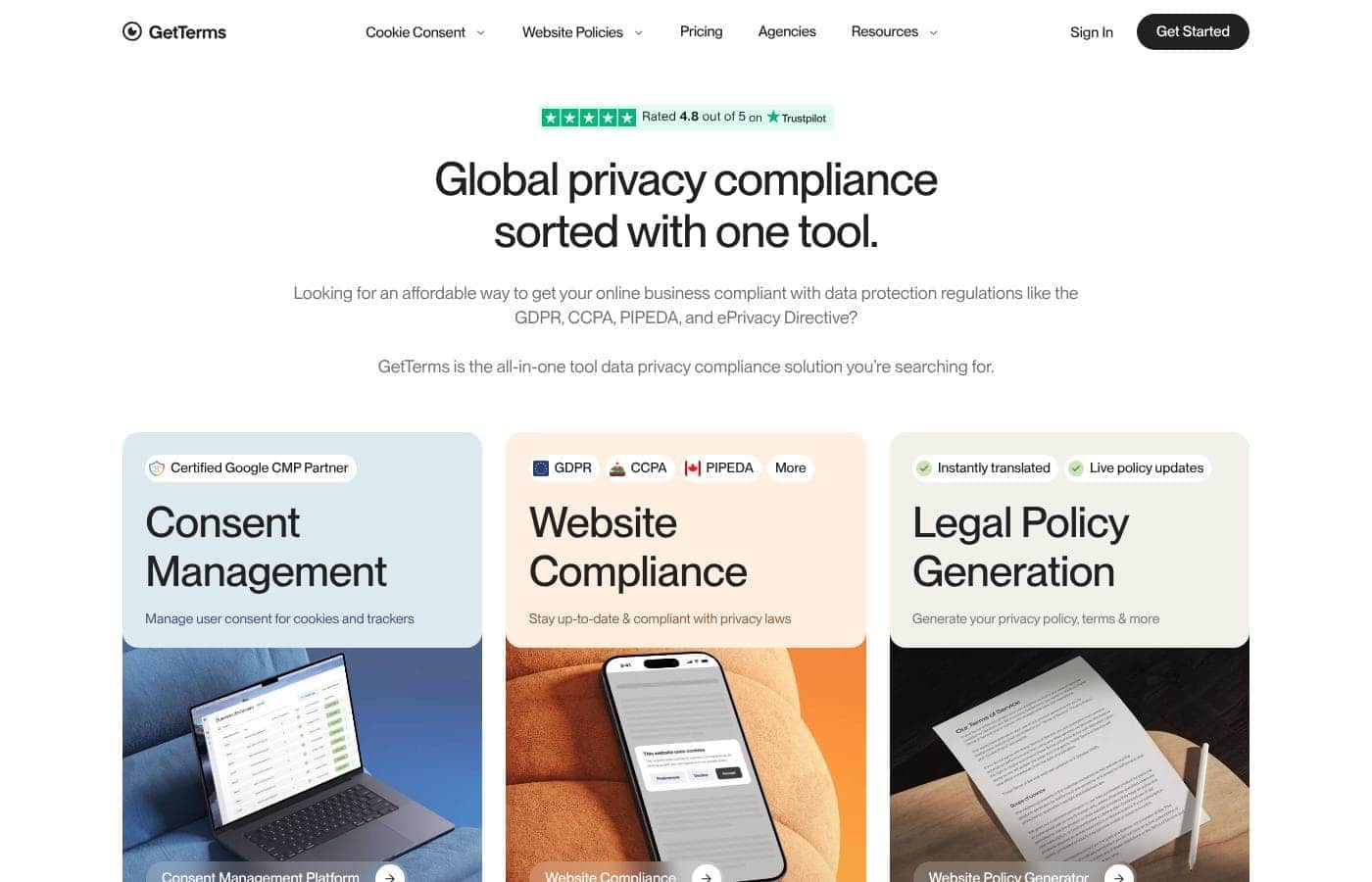
GetTerms homepage screenshot

At a glance

Quick overview for GetTerms: rating, pricing summary, key features, and highlights.
Pricing verified Oct 13, 2026

Ciroapp score

4.1/ 5

GetTerms bundles policy generation and cookie consent into one affordable dashboard, with certified Google Consent Mode support, regulation monitoring across 150+ countries, and no-code setup in about five minutes. It won't replace a lawyer, there's no free trial, and the Starter plan's caps push busier sites up a tier. Overall, it's a solid, budget-friendly pick for small sites and stores that want GDPR and CCPA basics handled.

Pros

  • Pros:Certified Google CMP partner with Google Consent Mode integration, so consent signals flow correctly into Google Ads and Analytics out of the box
  • Pros:Consolidates four document types (privacy policy, cookie policy, terms and conditions, return policy) plus cookie consent management into a single dashboard, eliminating the need to juggle separate legal-template and CMP tools
  • Pros:Regulation monitoring runs around the clock across 150+ countries (GDPR, CCPA, PIPEDA, ePrivacy Directive) with instant notifications and automatic policy updates when rules change

Cons

  • Cons:GetTerms is explicitly not a law firm — it provides no legal advice or representation, and documents are self-generated from the information you enter rather than reviewed against your specific situation
  • Cons:The Starter plan caps cookie banner views at 50,000/month and omits terms, acceptable use, and return policies, forcing higher-traffic or e-commerce sites onto the Business tier
  • Cons:No free trial is advertised — the only way to evaluate risk-free is the money back guarantee, whose refund window isn't specified on the site
Best for
  • Small business owners who need website policies without legal fees
  • E-commerce stores that need terms, return policies, and cookie consent together
  • Bloggers and site owners on WordPress, Wix, Squarespace, or Webflow
Money-back guarantee
Yes
This section is a summary. Detailed sections about features, use cases, pricing, and reviews follow below.

What is GetTerms?

Privacy laws like the GDPR and CCPA apply to almost any website, but hiring a lawyer is expensive and DIY templates go stale. GetTerms combines policy generation with cookie consent management, so you cover both in one tool. Setup takes minutes, no coding is required, and a 100% money back guarantee lowers the risk.

GetTerms is an all-in-one privacy compliance tool for online businesses. It generates privacy policies, cookie policies, terms and conditions, and return policies. It also includes a consent management platform with a cookie banner, automatic script blocking, and Google Consent Mode support.

The site claims coverage for laws in over 150 countries, including GDPR, CCPA, PIPEDA, and the ePrivacy Directive. It targets website owners, e-commerce stores, SaaS apps, and mobile app developers.

Should you choose GetTerms?

Quick buyer guidance before you compare plans or click through.

Choose it if

  • Your site or app collects personal data and must meet GDPR, CCPA, or PIPEDA rules
  • You use Google Ads or Analytics and want a certified CMP with Consent Mode integration
  • You want policies that update automatically as privacy laws change
  • You're non-technical and prefer a plugin or copy-paste embed over custom code
  • You serve international visitors and need multi-language policy support

Skip it if

  • You need actual legal advice — GetTerms states it is not a law firm and provides no legal representation
  • You're an enterprise with complex, custom compliance needs — public details about advanced customization are thin
  • You want a lawyer to review your specific situation — documents are self-generated from the information you provide

Next steps before buying

  1. 1List your platforms (WordPress, Shopify, Wix, and so on) and confirm the integration or embed method fits your setup
  2. 2Decide which documents you actually need — privacy policy, terms, cookie policy, return policy — and whether you also need the consent manager
  3. 3Compare against alternatives like Termly, iubenda, CookieYes, or Cookiebot using GetTerms' own comparison pages
  4. 4Review the 100% money back guarantee terms before buying, and skim the free templates to gauge document quality first

Ease of use

The site emphasizes speed and simplicity: setup in about five minutes, no coding skills required, and a WordPress plugin for easy installs. Testimonials published on the page repeatedly praise ease of use and responsive support, and video tutorials plus documentation are available. This assessment is based on the vendor's site and reviews, not hands-on testing.

GetTerms Key Features

📄 Every policy you need, from one dashboard

GetTerms generates your privacy policy, cookie policy, terms and conditions, and return policy in one place. Documents are drafted by lawyers, written for humans, so they're easy to read. Use it when your site collects personal data and you need clear, compliant paperwork — without the legal bills.

✨ Cookie consent, handled end to end

The consent manager runs the whole process. A customizable banner blocks tracking scripts until visitors say yes, then records each choice in your consent logs. An automatic scanner finds and categorizes non-essential cookies that need consent under the GDPR and CCPA.

Running Google Ads or Analytics? It connects with Google Consent Mode.

🌍 Laws change. Your compliance keeps up.

GetTerms monitors global data protection regulations around the clock. When rules change, it notifies you instantly and, where possible, updates your policies and consent systems for you. Coverage spans more than 150 countries, including the GDPR, CCPA, PIPEDA, and the ePrivacy Directive.

Set things up once, then let it keep watch.

✨ Live in five minutes, on any platform

No coding needed. Fill in some basic information about your site and you're done in about five minutes. Policies come instantly translated, and geotargeting with language detection tailors the banner to each visitor. Connect everything your way:

  • Install the WordPress plugin
  • Embed with an HTML snippet
  • Use hosted policy pages

Video tutorials and docs are there if you get stuck.

Use Cases

🛒 Launching an online store

You're opening a Shopify store and need policies fast. Generate your privacy policy, terms, and return policy in minutes, then add a cookie banner that blocks scripts until shoppers agree.

Expected outcome: A store that's ready to trade with GDPR and CCPA coverage in place.

✍️ Running a WordPress blog

You write posts, not code. Install the WordPress plugin, answer a few questions, and your privacy policy and cookie banner go live in about five minutes.

Tip: Check the cookie scanner afterward to catch any tracking scripts you've missed.

📱 Shipping a SaaS or mobile app

Your app collects user data and runs Google Analytics. Use the certified CMP with Google Consent Mode, add a EULA and App Store disclosures, and keep consent logs as proof.

🏢 Managing client sites at an agency

You handle a dozen client websites across Wix, Squarespace, and Webflow. The Partner plan gives you client management tools, 10 user seats, and volume discounts, all from one dashboard.

Expected outcome: Every client site covered without juggling separate tools.

GetTerms pricing

From$9/mo

  • 3 plans
  • Save up to 44% with annual billing

Prices checked on Oct 13, 2026 from GetTerms's pricing page

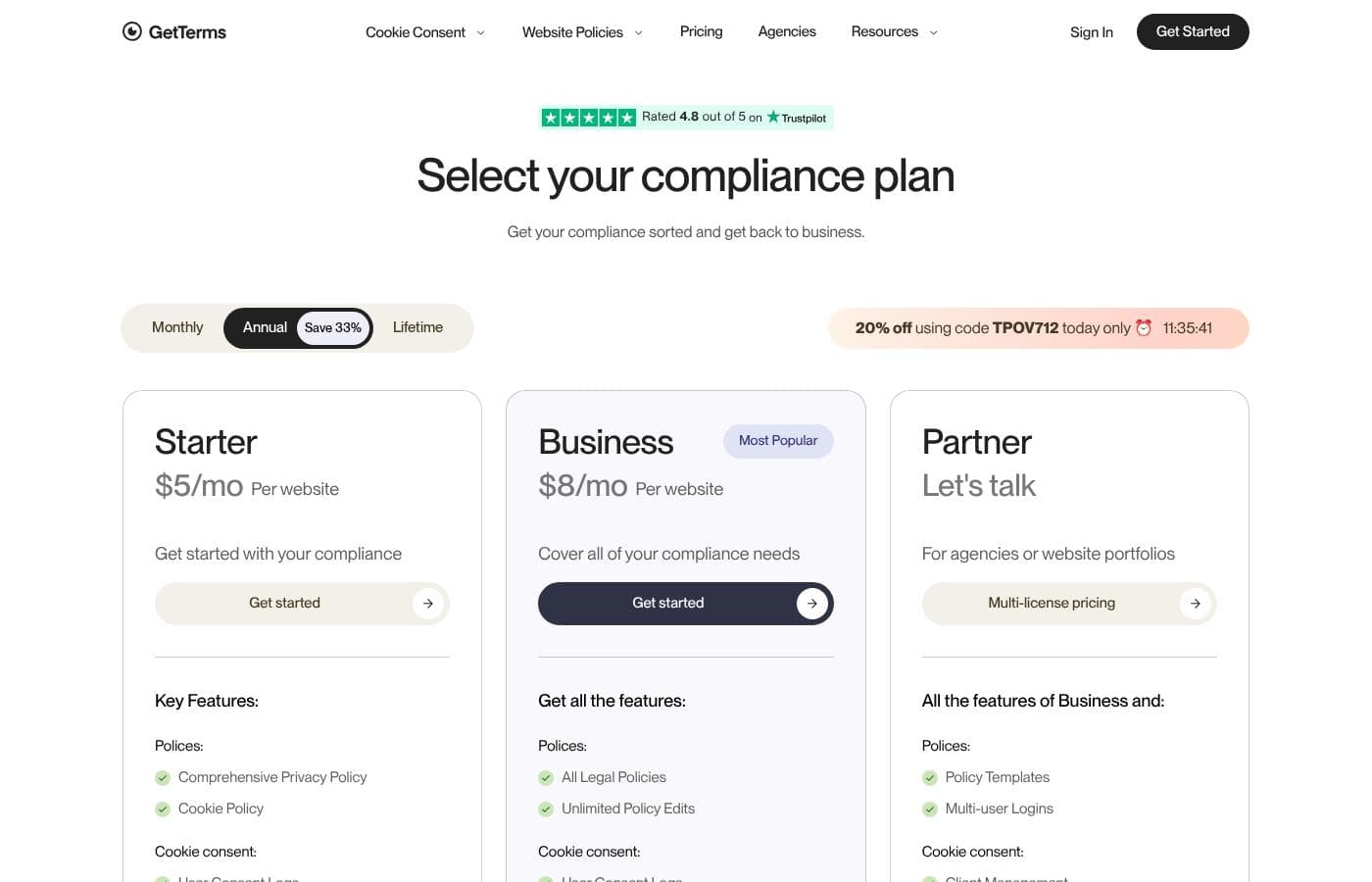
GetTerms pricing page screenshotView pricing page screenshot
PlanBilled monthlyBilled annuallyIncludes
Starter
$9/mo
$5/mo
$60 per year
Save up to 44% with annual billing
1 website, 1 user, 50,000 banner views/month
  • Comprehensive Privacy Policy
  • Cookie Policy
  • User consent logs
  • 50,000 banner views per month
  • HTML policy embeds, WordPress plugin, and geotargeting
  • +1
Business
$12/mo
$8/mo
$96 per year
Save up to 33% with annual billing
1 website, 1 user, unlimited banner views
  • All legal policies (privacy, cookies, terms, acceptable use, returns)
  • Unlimited policy edits
  • Unlimited banner views
  • Customizable cookie banner
  • Regulation monitoring, multi-language support, auto-language detection
  • +1
Partner
See vendor page
See vendor page
5+ websites, 10 users, custom quote-based pricing
  • Everything in Business, plus policy templates
  • Multi-user logins (10 included)
  • Client management tools
  • Unlimited banner views
  • Generous volume discounts and priority support

Price history

Tracking prices since Oct 1, 2026. No price change detected yet.

Pricing types: Monthly subscription, Yearly subscription, Lifetime deal

Pricing notes

GetTerms offers three plans: Starter at $5/month and Business at $8/month per website on annual billing, with custom Partner pricing for agencies. You can also pay monthly ($9–$12) or buy one-time lifetime licenses for $199–$249, and annual billing saves 33%.

GetTerms costs between $5 and $12 per month per website with 3 plans: Starter at $5/month, Business at $8/month, and Partner at custom pricing (annual billing shown; all prices are per website).

Prefer to pay as you go? Monthly billing runs $9 for Starter and $12 for Business, or you can buy a lifetime license outright — $199 for Starter and $249 for Business.

Starter

Price: $5/month per website billed annually, $9/month billed monthly, or $199 as a one-time lifetime license Websites Supported: 1 Best For: Single sites that need core policies and simple cookie consent Refund Policy: 100% money back guarantee Other Features:

  • Comprehensive Privacy Policy and Cookie Policy
  • 50,000 banner views per month
  • User consent logs, HTML policy embeds, WordPress plugin, and geotargeting

Starter is the pick if you run one site and want the essentials handled well. You get the two key policies, a compliant banner, and consent logs as proof of compliance. The 50,000 monthly banner views cover most small and mid-sized sites. If your traffic is heavy, check your expected views before buying — Business removes that cap entirely.

Business

Price: $8/month per website billed annually, $12/month billed monthly, or $249 as a one-time lifetime license Websites Supported: 1 Best For: Businesses that want every legal policy plus unlimited banner views Refund Policy: 100% money back guarantee Other Features:

  • All legal policies: privacy, cookies, terms of service, acceptable use, and returns
  • Unlimited banner views and unlimited policy edits
  • Regulation monitoring, multi-language support, and auto-language detection
  • Customizable cookie banner

Business is the most popular plan, and it's easy to see why. It covers every policy GetTerms generates, so you're prepared for GDPR, CCPA, PIPEDA, and more. Unlimited banner views mean traffic spikes never become a problem. Choose this tier if you run an e-commerce store or need return and refund policies, which Starter doesn't include.

Partner

Price: Custom "Let's talk" pricing through the multi-license program Websites Supported: 5+ Best For: Agencies and teams managing large client portfolios Refund Policy: 100% money back guarantee Other Features:

  • Everything in Business, plus policy templates and multi-user logins (10 included)
  • Client management tools and unlimited banner views
  • Generous volume discounts and priority support

Partner is built for agencies juggling many websites at once. You get every Business feature, then add client management, shared logins for up to 10 users, and priority support. Volume discounts help the numbers work as your portfolio grows. If you only manage one or two sites, Business is the simpler choice.

There's no free trial advertised, but a 100% money back guarantee backs every plan. Annual billing cuts your cost by 33%, and the lifetime licenses let you pay once and skip renewals altogether.
Cost calculator

Estimate what GetTerms costs for your team.

Billing

Starter allows up to 1 users: pick a larger plan for 5 users.

Estimate based on published list prices, before taxes, add-ons and discounts.

How to pay less for GetTerms

  • Pay annually: saves up to 44% compared with monthly billing.
Visit GetTerms

Email me when GetTerms changes price

One email when we detect a price change on the vendor's pricing page. No newsletter, no deals. Unsubscribe in one click.

User Reviews

No reviews yet.

Write a Review

Write a Review for GetTerms
0/100 characters
0/2000 characters

Why use GetTerms?

Legal paperwork shouldn't eat your budget or your week. GetTerms puts your policies and cookie consent in one place, so you can sort compliance once and get back to work.

  • Everything in one account: Generate privacy policies, terms, cookie policies, and return policies, then manage cookie consent from the same dashboard.
  • Certified Google CMP partner: The consent manager supports Google Consent Mode, which matters if you run Google Ads or Analytics.
  • Stays current for you: The company says it monitors global privacy regulations around the clock and updates your policies when rules change.
  • Built for non-developers: Setup takes about five minutes. WordPress users get a plugin; other platforms use HTML embeds or hosted pages.
  • No usage ceilings: The site advertises unlimited consent logs and no limits on page views or sessions for the cookie banner.
  • Low-risk to try: A 100% money back guarantee and a 4.8 out of 5 Trustpilot rating back the vendor's claims.

GetTerms alternatives

Other tools in the Data Privacy Compliance category

View all Data Privacy Compliance tools
Termly

Termly

Data Privacy Compliance4.1/5

Termly is designed as a complete compliance solution for websites, apps, and businesses of all sizes. It helps manage the steep requirements imposed by wide-ranging data privacy laws. You can use the compliance suite as a full solution or deploy individual components as needed. Termly ensures you meet global standards like PIPEDA, alongside specific frameworks such as US state regulations (VCDPA, CCPA) and EU laws (GDPR). They even store European user data securely in the EU/EEA, demonstrating a commitment to data protection.

Vanta

Vanta

Data Privacy Compliance4/5

Based on Vanta's public positioning, it's a compliance automation platform, often called trust management software. It's aimed at startups and mid-sized companies that need certifications like SOC 2 or ISO 27001 to win business but lack a dedicated compliance team. The platform connects to your cloud tools, monitors security controls, collects audit evidence, and organizes policies. Typical buyers are founders, CTOs, and security or IT leads who own the audit process.

GetTerms FAQ

How much does GetTerms cost?

GetTerms's cheapest paid plan, Starter, costs $9 per month. Paid plans range from $9 to $12 per month. Prices checked on Oct 13, 2026 from the vendor's pricing page.

How much do you save with annual billing on GetTerms?

Paying annually saves up to 44% compared with monthly billing, based on GetTerms's list prices.

Has GetTerms's price changed recently?

No. We have not detected a price change since we started tracking on Oct 1, 2026.

Which website platforms does GetTerms work with?

It works with any CMS, including WordPress, Wix, Squarespace, Webflow, Shopify, Framer, and Google. WordPress users get a plugin; everyone else can use HTML embeds or hosted policy pages. No coding needed.

How many languages can GetTerms generate policies and banners in?

Policies and banners can be generated in seven languages: US English, UK English, Spanish, French, Italian, German, and Hindi. Multi-language support and auto-language detection are Business plan features.

How does the money back guarantee work?

Every plan includes a 100% money back guarantee. The site doesn't specify a refund window, so check the guarantee terms before you buy.

Ready to try GetTerms? Check out the official site or pricing.

Are you GetTerms? Claim this listing · Get the badge