GEOfinder

GEOfinder review

Locate a mobile phone using only its number — no app installs, no carrier restrictions. GEOfinder reduces phone tracking to a browser-based lookup that works across major device brands and networks worldwide.

By Ciroapp Editorial Team · Updated Sep 16, 2026

Commission may apply at no extra cost

GEOfinder homepage screenshot

At a glance

Quick overview for GEOfinder: rating, pricing summary, key features, and highlights.

Ciroapp score

3.5/ 5

GEOfinder boils phone tracking down to a browser lookup by number, with no installs on either side and no carrier limits. The trade-offs are real: results are approximate and depend on the target responding, there's no call or message monitoring, and pricing details are thin. Overall, it's a fair pick for occasional, low-effort location checks rather than precision tracking.

Pros

  • Locates a phone from its number alone, so you don't need physical access to the target device
  • No app installation on either side — nothing to configure, root, or jailbreak
  • Compatible with all major phone brands, models, and mobile networks worldwide, avoiding per-platform compatibility screening

Cons

  • Provides an approximate location derived from network data rather than a precise, real-time GPS pin
  • A successful lookup generally depends on the target device responding to the location request, so results aren't guaranteed
  • Location-only functionality — there is no call, message, or app activity monitoring as full tracking suites offer
Best for
  • Parents who want to confirm a child's location after school or on outings without installing monitoring software on the child's phone
  • People who have lost a handset without find-my-device tools configured and need a carrier-independent fallback
  • Users making occasional one-off location checks who don't want a recurring multi-device monitoring suite
This section is a summary. Detailed sections about features, use cases, pricing, and reviews follow below.

What is GEOfinder?

Tracking down a phone usually means installing monitoring software on the target device, which requires access, time, and the right operating system. GEOfinder takes a different approach: it locates a mobile phone using nothing but its associated number, with no downloads on either side. This review covers what the service actually does, where it fits best, and the trade-offs to weigh before paying.

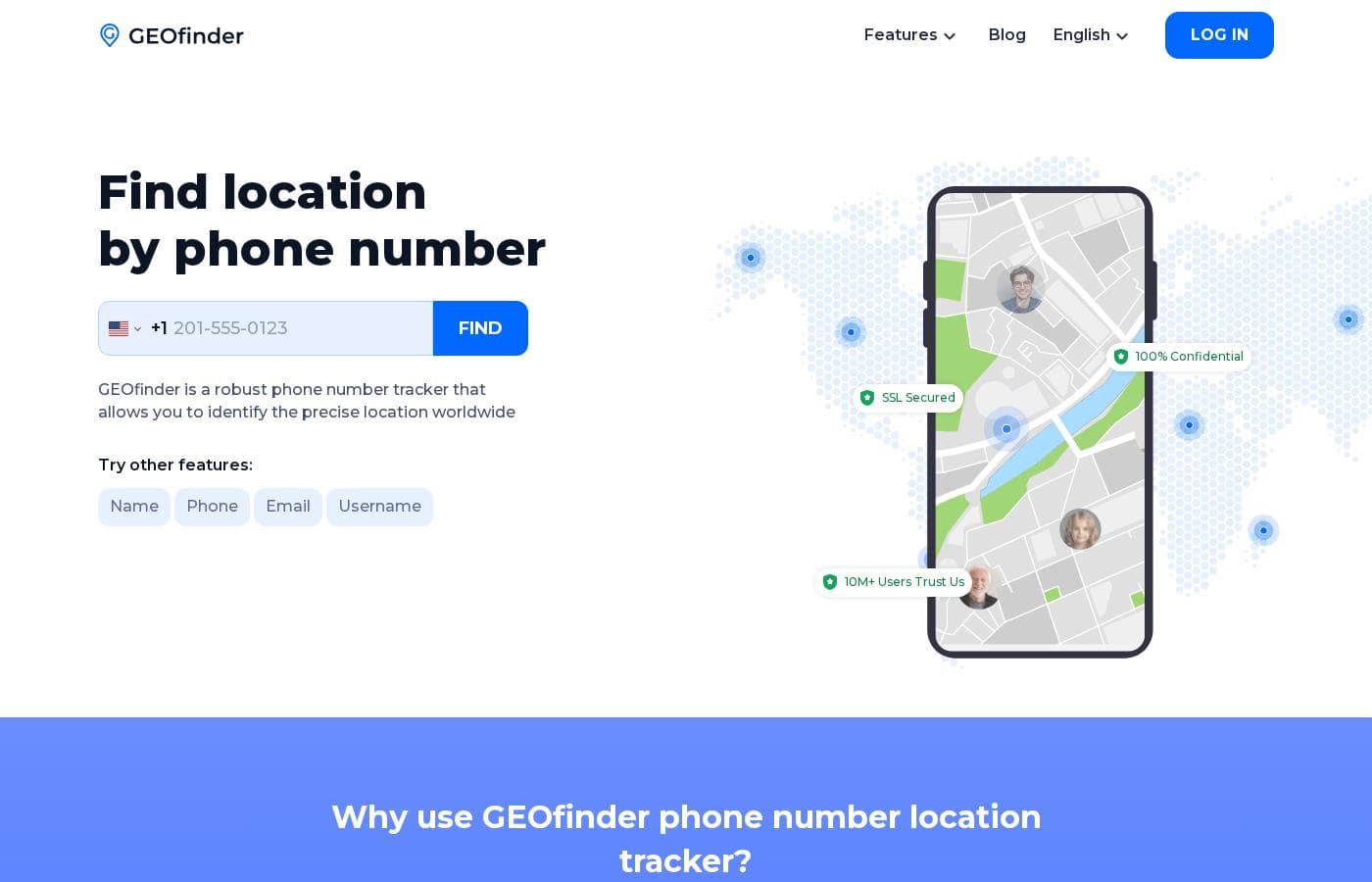
GEOfinder is a web-based phone location lookup service. You enter a phone number, and the service works to resolve the device's current position and display it on a map. Because everything runs in the browser, there is no software to install on your own device or on the phone being located, and the service advertises compatibility with all major phone brands, models, and mobile networks worldwide.
Should you choose GEOfinder?

Quick buyer guidance before you compare plans or click through.

Choose it if

  • Parents who want to confirm a child's location after school or on outings without installing monitoring software on the child's phone
  • People who have lost a handset without find-my-device tools configured and need a carrier-independent fallback
  • Users making occasional one-off location checks who don't want a recurring multi-device monitoring suite

Skip it if

  • Businesses needing continuous, high-precision fleet or asset tracking with real-time GPS and route history
  • Users who want full device monitoring — calls, texts, and app activity — rather than location alone
  • Anyone intending to covertly track another adult without consent, which carries significant legal risk

Next steps before buying

  1. 1Visit geofinder.mobi and create an account, choosing a plan that matches how many lookups you expect to need
  2. 2Enter the target phone number, including its country code, in the lookup field
  3. 3Follow the guided steps as GEOfinder initiates the location request and wait for the target device's response
  4. 4Review the located position on the map and repeat the process for additional numbers as your plan allows

GEOfinder Key Features

✨ Number-Based Location Lookup

The core feature is locating a mobile device from its phone number alone. You submit the number through the web interface, and GEOfinder works in the background to resolve the device's position, presenting the result on a map. No access to the handset itself is required at any point in the process.

✨ No-Installation, Browser-Based Workflow

Neither the requester nor the person being located needs to install an app. Everything happens through the browser, which means nothing to configure on Android or iOS, no rooting or jailbreaking, and no monitoring software left on the target handset.

✨ Universal Device and Carrier Coverage

GEOfinder advertises support for all major cell phone brands and models and for mobile networks globally. The lookup isn't tied to a specific carrier, operating system, or device generation, which removes the compatibility screening that most tracking tools require.

✨ Quick, Guided Lookup Flow

The process is designed to be fast: enter the number, follow the guided steps, and view the located position once the request completes. This makes the service practical for one-off checks rather than long-term monitoring setups.

Use Cases

💡 Checking on Family Members' Safety

Parents and relatives can use GEOfinder to confirm a loved one's whereabouts — for example, verifying that a teenager arrived at school or that an elderly parent is near home — without installing anything on their phone.

💡 Locating a Lost or Misplaced Phone

If a handset goes missing and Find My iPhone or Find My Device was never set up, GEOfinder offers a fallback that works from the phone number alone and is not dependent on a particular carrier.

💡 Verifying a Contact's Stated Location

Before an in-person exchange with an online buyer or seller, a number-based lookup can serve as a sanity check that the person is roughly where they claim to be. Users should confirm that any such check is lawful and, where possible, transparent to the other party.

💡 Cross-Carrier and International Checks

Because the lookup works independently of the target's network, GEOfinder remains usable when someone is roaming abroad or on a carrier you can't access directly through built-in device tools.

GEOfinder pricing

Prices not verified yet — see the vendor page.

GEOfinder's pricing page

GEOfinder pricing page screenshotView pricing page screenshot

Pricing types: Free plan, Free trial

Email me when GEOfinder changes price

One email when we detect a price change on the vendor's pricing page. No newsletter, no deals. Unsubscribe in one click.

User Reviews

No reviews yet.

Write a Review

Write a Review for GEOfinder
0/100 characters
0/2000 characters

Why use GEOfinder?

The main reason to pick GEOfinder over device-based trackers is convenience: you don't need physical access to the target phone, you don't need to know whether it runs Android or iOS, and there's nothing to configure. That makes it practical for quick, occasional checks — confirming a family member arrived safely or narrowing down where a misplaced phone might be.

It also sidesteps the per-platform compatibility headaches that come with traditional tracking apps.

GEOfinder alternatives

Other tools in the Phone tracking category

View all Phone tracking tools
Localize

Localize

Phone tracking1.5/5

GEOfinder FAQ

Do I need to install anything to use GEOfinder?

No. GEOfinder runs entirely in your web browser, and no software needs to be installed on the target phone either. You enter the phone number through the website and follow the lookup process from your account, which keeps both devices free of monitoring software.

Which phones and carriers does GEOfinder work with?

The service is designed to work with all major cell phone brands and models and to operate across mobile networks globally. It is not tied to a specific carrier, operating system version, or device generation, so an iPhone on one network and an Android on another are handled through the same process.

Is it legal to track a phone's location with GEOfinder?

It depends on your jurisdiction and your purpose. Locating your own device, a minor child, or someone who has consented is generally acceptable, but covertly tracking another adult without consent can violate privacy and anti-stalking laws. Verify the rules that apply where you and the person being located reside before using the service.

How accurate are GEOfinder's location results?

Results are typically approximate rather than a precise GPS reading, and accuracy depends on factors such as the target device's network connection and its response to the location request. Treat the output as an area-level indication rather than an exact pin.

Ready to try GEOfinder? Check out the official site or pricing.

Are you GEOfinder? Claim this listing · Get the badge