FluentBooking

FluentBooking

FluentBooking: A WordPress scheduling plugin that simplifies bookings with real-time availability, reminders, and CRM integrations.

software.categoryRank
1 min read · Updated 2/24/2026
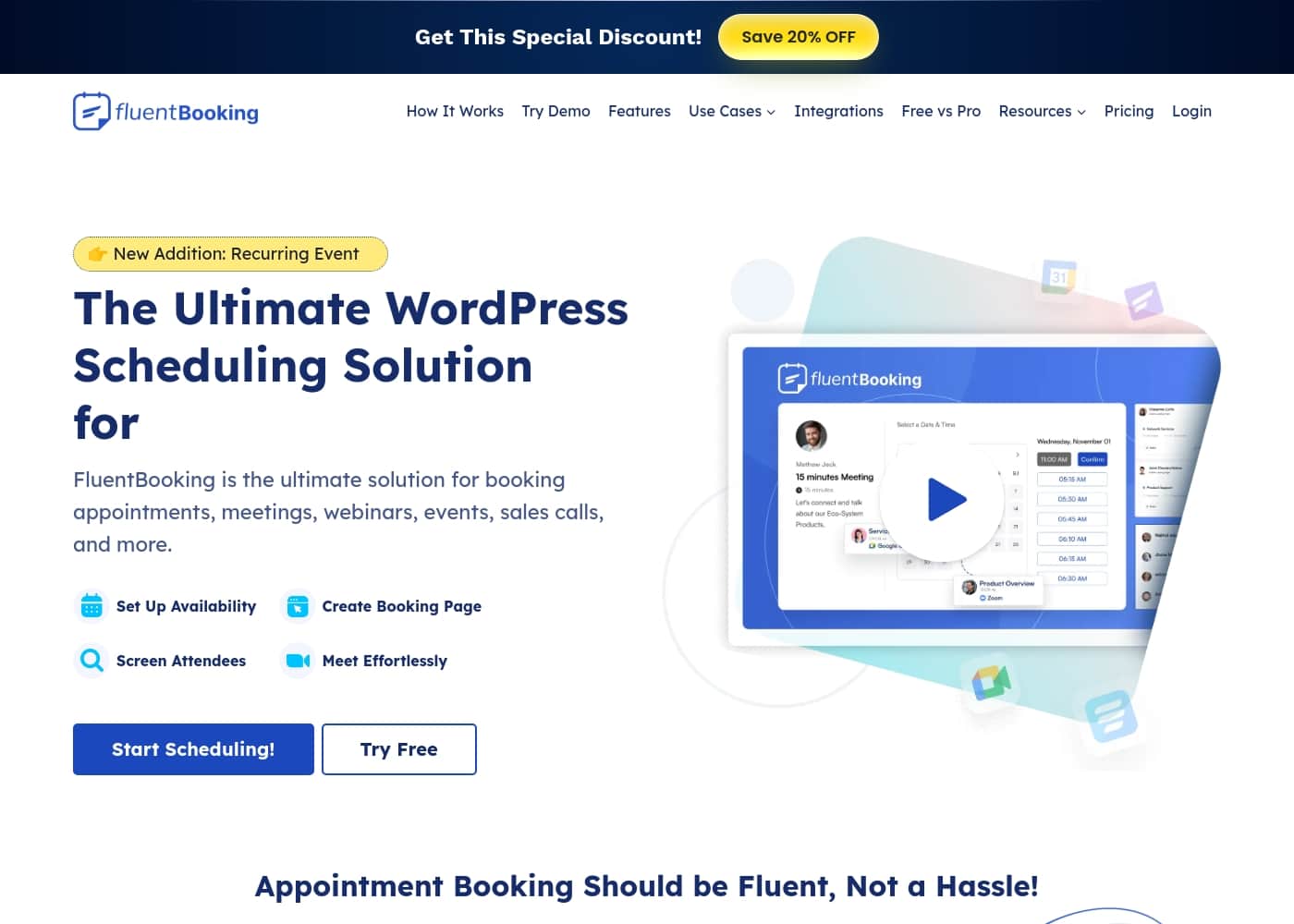
FluentBooking homepage screenshot

At a glance

Quick overview for FluentBooking: rating, pricing summary, key features, and highlights.
Money-back guarantee
Yes — 14 days
Range: $55–$279/yrYearly subscription, Lifetime deal
This section is a summary. Detailed sections about features, use cases, pricing, and reviews follow below.
Disclosure: This page may contain affiliate links for FluentBooking. If you click these links and make a purchase, Ciroapp may earn a commission at no additional cost to you.

FluentBooking review, pricing, features, pros & cons

Busy professionals waste hours chasing meeting times through back-and-forth emails and scattered calendars. FluentBooking fixes this with real-time availability, calendar syncing, and automated reminders that cut no-shows. It's built for people with ZERO web development skills.

What is FluentBooking?

FluentBooking is a WordPress scheduling plugin that helps you book appointments, meetings, webinars, events, and more from your site. It’s ideal for anyone who arranges meetings often and wants a simple, no-code way to manage availability, collect attendee information, and stay in sync with calendars and tools you already use. 📆

FluentBooking Key Features

📆 Real-time Availability & Calendar Sync

FluentBooking shows your availability in real time. Set up your slots and display them instantly to clients. This helps you avoid back-to-back reschedules and double bookings.

Connect FluentBooking to your calendar to keep your schedule up to date. It supports two-way calendar integration so changes on one side reflect on the other.

When to use: solo practitioners or teams juggling multiple calendars. Outcomes include smoother scheduling, fewer conflicts, and less admin work.

  • Real-time updates
  • Double-booking prevention
  • Cross-calendar syncing

✨ Automations for Reminders & Attendee Data

Automated confirmations, reminders, and cancellations cut no-shows and keep everyone aligned. You’ll send messages at key moments without manual effort.

FluentBooking makes it easy to collect attendee information with booking questions and then sync that data with your CRM tools. This helps you follow up efficiently and keep records complete.

When to use: you want reliable communications and organized attendee data that you can act on later.

✨ Team & Scheduling Flexibility

Unlimited hosts and meetings let your whole team share calendars without clashes. It’s easy to coordinate across multiple people and sites.

Meet your clients on their terms—online or offline, one-on-one or in groups. FluentBooking accommodates various meeting styles so you can tailor each booking.

Use this to scale your scheduling as teams grow, while keeping control over availability and flow.

✨ Payments & Monetization

Connect FluentBooking with Stripe or PayPal to get paid for your time. You can monetize personal services or consultations directly from your bookings.

Partial payments help prevent fraudulent or low-commitment bookings, giving you more security and revenue clarity.

Use this when you want a simple path from scheduling to taking payment, all inside your WordPress site.

🔗 Integrations, CRM & Analytics

FluentBooking fits into your existing tools with strong integrations. It works with Fluent Forms and FluentCRM, plus video tools like Google Meet and Zoom, and more are coming.

Calendar integrations cover Google Calendar, Apple Calendar, Outlook Calendar, and Nextcloud, with two-way syncing to keep everything aligned.

Gain visibility with detailed reports and analytics, showing totals, completions, and cancellations in one place. Time-zone aware scheduling helps you stay accurate across locations.

Use Cases

✨ Story: Solo Practitioner Streamlines Client Scheduling

A solo consultant wastes hours emailing clients to pin down times. FluentBooking shows real-time availability on your WordPress site, so clients pick a slot that actually exists. It keeps calendars in sync to avoid double bookings.

After a client books, automated confirmations and reminders go out. That reduces admin work and chasing people. You also collect attendee details and sync them with your CRM, so follow-ups stay organized.

Best of all, you can embed a booking page with zero coding and manage multiple calendars for different services. It works with tools you already use, including Fluent Forms and FluentCRM.

🗓️ Team Scheduling Across Calendars (4 Steps)

Steps: 1) Set availability for each team member and let FluentBooking display real-time slots. 2) Create a shared booking page so clients book from a single place. 3) Collect attendee information with booking questions and sync with your CRM.

  1. When bookings happen, calendars update and reminders are sent automatically.

💡 Problem → Approach → Outcome: Reducing Scheduling Frictions

Problem: A growing service team struggles with double-bookings and missed follow-ups.

Approach: They enabled real-time availability, calendar syncing, and automated reminders. They also used CRM integration to keep data up-to-date.

Outcome: Scheduling became smoother and coordination improved.

👥 Recruitment Interviews in One Place

A recruiting team uses FluentBooking to coordinate interviews with candidates and multiple interviewers.

They set up availability, create a booking page, and collect candidate details. The system handles reminders and calendar updates, so everyone stays in sync.

They can host group or one-on-one interviews and track progress through CRM integrations.

🎓 Education and Tutoring Scheduling (4 Steps)

Steps: 1) Set office hours or tutoring slots and share availability with students. 2) Create a booking page for students to sign up. 3) Collect student info and sync with your CRM.

  1. After booking, reminders are sent and your calendar stays updated.

🎟️ Event and Webinar Bookings with Payments

Problem: An event organizer needs a simple way to handle recurring webinars and paid spots.

Approach: They use real-time availability, a booking page, and payment options with Stripe or PayPal. Reminders and CRM syncing help manage attendees.

Outcome: Attendees book on the site and organizers get paid while staying organized.

Pricing Overview for FluentBooking

Pricing range
$55–$279/yr
Pricing types
Yearly subscription, Lifetime deal
Money-back guarantee
Yes — 14 days

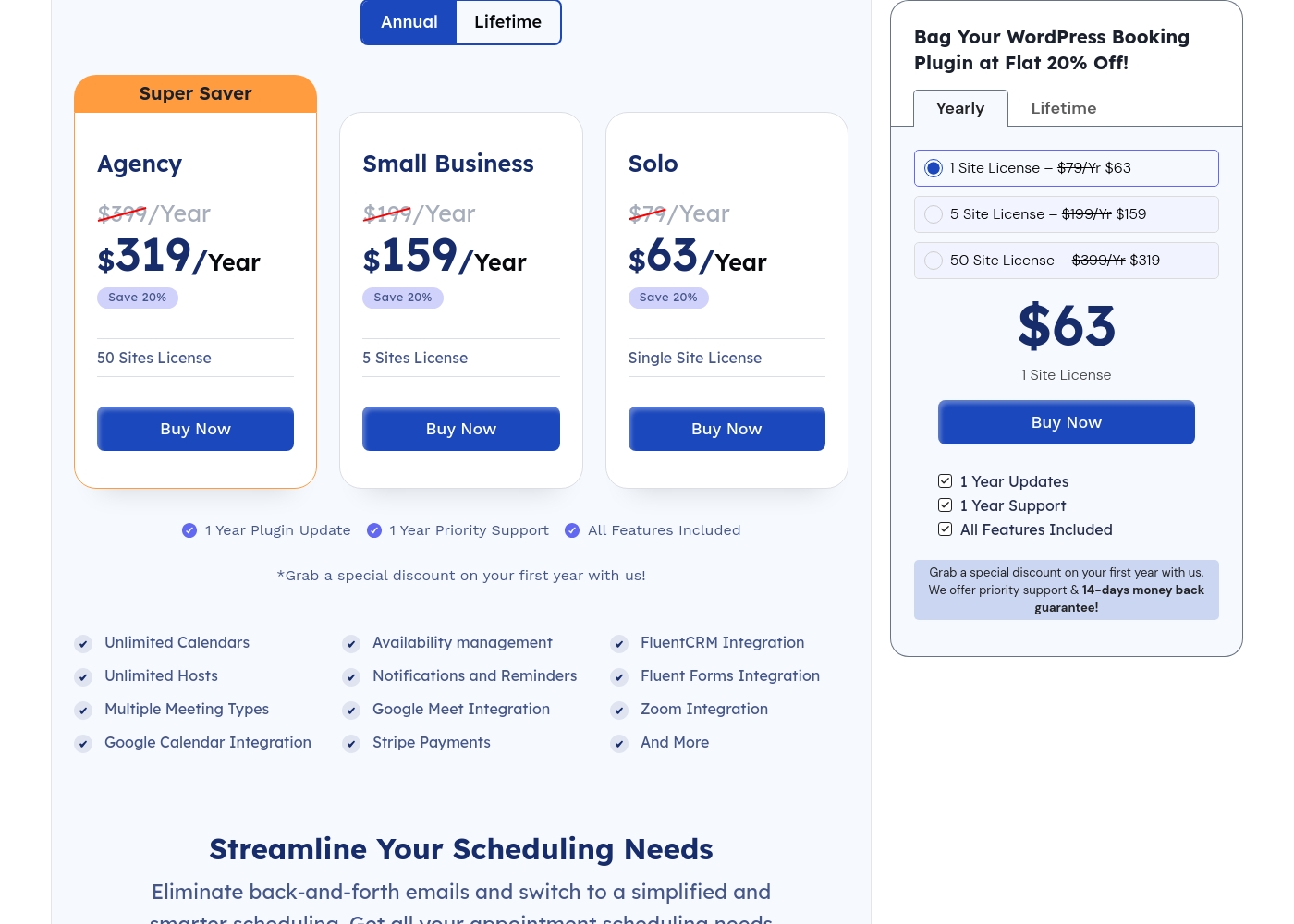
FluentBooking costs between $55/yr and $279/yr with annual plans: 1 Site License at $55/yr, 5 Site License at $139/yr, 50 Site License at $279/yr; Lifetime licenses start at $199 for 1 Site, $349 for 5 Sites, and $599 for 50 Sites.

Plans & Pricing

1 Site License (Annual)

Yearly$55/Yr
Websites Supported: 1
  • One-Year Plugin Update
  • One-Year Priority Support
  • All Features Included
  • Unlimited Calendars
  • Google Meet Integration

5 Site License (Annual)

Yearly$139/Yr
Websites Supported: 5
  • One-Year Plugin Update
  • One-Year Priority Support
  • All Features Included
  • Unlimited Calendars
  • Google Calendar Integration

50 Site License (Annual)

Yearly$279/Yr
Websites Supported: 50
  • One-Year Plugin Update
  • One-Year Priority Support
  • All Features Included
  • Unlimited Calendars
  • Google Calendar Integration

1 Site License (Lifetime)

MonthlyLifetime $199
YearlyLifetime $199
Websites Supported: 1
  • Lifetime Plugin Update
  • Lifetime Priority Support
  • All Features Included
  • Unlimited Calendars
  • Google Meet Integration

5 Site License (Lifetime)

MonthlyLifetime $349
YearlyLifetime $349
Websites Supported: 5
  • Lifetime Plugin Update
  • Lifetime Priority Support
  • All Features Included
  • Google Calendar Integration
  • Stripe Payments

50 Site License (Lifetime)

MonthlyLifetime $599
YearlyLifetime $599
Websites Supported: 50
  • Lifetime Plugin Update
  • Lifetime Priority Support
  • All Features Included
  • Google Calendar Integration
  • Stripe Payments

FluentBooking costs between $55/yr and $279/yr with annual plans: 1 Site License at $55/yr, 5 Site License at $139/yr, 50 Site License at $279/yr; Lifetime licenses start at $199 for 1 Site, $349 for 5 Sites, and $599 for 50 Sites. The following sections outline each plan.

1 Site License (Annual)

Price: $55/Yr Websites Supported: 1 Best For: Not explicitly stated Refund Policy: 14-day money-back Other Features:

  • One-Year Plugin Update
  • One-Year Priority Support
  • All Features Included
  • Unlimited Calendars
  • Google Meet Integration

This plan is well suited for solo practitioners who want a straightforward scheduling plugin on a single site.

5 Site License (Annual)

Price: $139/Yr Websites Supported: 5 Best For: Not explicitly stated Refund Policy: 14-day money-back Other Features:

  • One-Year Plugin Update
  • One-Year Priority Support
  • All Features Included
  • Unlimited Calendars
  • Google Calendar Integration

This plan fits small teams or freelancers needing calendars across up to five sites.

50 Site License (Annual)

Price: $279/Yr Websites Supported: 50 Best For: Not explicitly stated Refund Policy: 14-day money-back Other Features:

  • One-Year Plugin Update
  • One-Year Priority Support
  • All Features Included
  • Unlimited Calendars
  • Google Calendar Integration

Great for agencies or medium-sized businesses with multiple sites and calendars.

1 Site License (Lifetime)

Price: Lifetime $199 Websites Supported: 1 Best For: Not explicitly stated Refund Policy: 14-day money-back Other Features:

  • Lifetime Plugin Update
  • Lifetime Priority Support
  • All Features Included
  • Unlimited Calendars
  • Google Meet Integration

Best for one-site owners who want perpetual access and ongoing updates.

5 Site License (Lifetime)

Price: Lifetime $349 Websites Supported: 5 Best For: Not explicitly stated Refund Policy: 14-day money-back Other Features:

  • Lifetime Plugin Update
  • Lifetime Priority Support
  • All Features Included
  • Google Calendar Integration
  • Stripe Payments

A good option for small teams needing lasting licenses across up to five sites.

50 Site License (Lifetime)

Price: Lifetime $599 Websites Supported: 50 Best For: Not explicitly stated Refund Policy: 14-day money-back Other Features:

  • Lifetime Plugin Update
  • Lifetime Priority Support
  • All Features Included
  • Google Calendar Integration
  • Stripe Payments

Ideal for large deployments across many sites with lifetime access.

Closing note: There is no free plan or free trial stated in the pricing; however, a 14-day money-back guarantee is offered across these plans. If you’re evaluating FluentBooking, the money-back window can help you test the fit without long-term commitment. 🧭

User Reviews

No reviews yet.

Write a Review

Write a Review for FluentBooking
0/100 characters
0/2000 characters

Why use FluentBooking?

Why FluentBooking? It helps you run your bookings smoothly and scale with your team. Here are the key ways it can transform your workflow:

  • 🔄 Real-time availability and calendar syncing prevent double bookings.
  • 📬 Automated confirmations and reminders cut no-show rates.
  • 🗂️ Effortless attendee data collection and CRM sync streamline follow-ups.
  • 💳 Pay-for-time capabilities through Stripe and PayPal help monetize your bookings.
  • 👥 Unlimited hosts and calendars let teams collaborate without clashes.
  • 🔗 Seamless integrations with Fluent Forms, FluentCRM, Google Meet, Zoom, and more fit your existing workflow.

Ready to transform your workflow with FluentBooking?

FluentBooking Alternatives

Other tools in the Booking plugin for WordPress category

Frequently Asked Questions

What pricing options does FluentBooking offer, and what do they include?

FluentBooking offers annual and lifetime licenses for 1, 5, or 50 sites. Annual plans are billed per year ($55, $139, $279); lifetime licenses are one-time payments ($199, $349, $599) and include updates and priority support; a 14-day money-back guarantee applies. Free trials are not listed.

Is there a free trial, or is it pay-only?

Free trials aren’t listed on the official pricing. The site offers a 14-day money-back guarantee.

How many sites can each license cover?

Licenses come in 1-site, 5-site, or 50-site options for both annual and lifetime plans.

What’s included with the 1-site annual plan?

It includes One-Year Plugin Update, One-Year Priority Support, All Features Included, Unlimited Calendars, and Google Meet Integration.

How do updates and support differ between annual and lifetime plans?

Annual plans include one-year plugin updates and one-year priority support; lifetime plans include lifetime updates and lifetime priority support.

What payment methods are supported?

FluentBooking supports Stripe and PayPal for payments; Stripe can also work with G-Pay or Apple Pay if connected to Stripe.

Which calendar integrations are available, and are they two-way?

Integrations include Google Calendar, Apple Calendar, Outlook, and Nextcloud, with two-way support where available.

What other integrations does FluentBooking offer besides calendars?

It supports Fluent Forms, FluentCRM, Elementor, WP Fusion, Zapier, Pabbly, Make, and Webhooks; more integrations are planned.

Who is FluentBooking best suited for?

It's geared toward professionals who arrange many meetings and want a no-code scheduling tool; the 50-site license suits agencies, while smaller licenses fit individuals or small teams.

What is FluentBooking’s refund policy?

All plans include a 14-day money-back guarantee.

Are there per-seat or per-usage pricing options?

Pricing is per-site license (1, 5, or 50 sites); there’s no per-seat or usage-based pricing listed.

Is onboarding or migration support mentioned?

Not explicitly stated on the official site.

Does FluentBooking offer a public roadmap or feature requests?

Yes, there is a public roadmap where you can view upcoming features and suggest new ones.

Are there region or language limitations noted?

Not explicitly stated on the official site.

Ready to try FluentBooking? Check out the official site or pricing.