Duplicator Pro

Duplicator Pro

The essential tool for WordPress backup, migration, and recovery.

#1 dans WordPress Migration Plugin
1 min read · Updated 10/3/2025
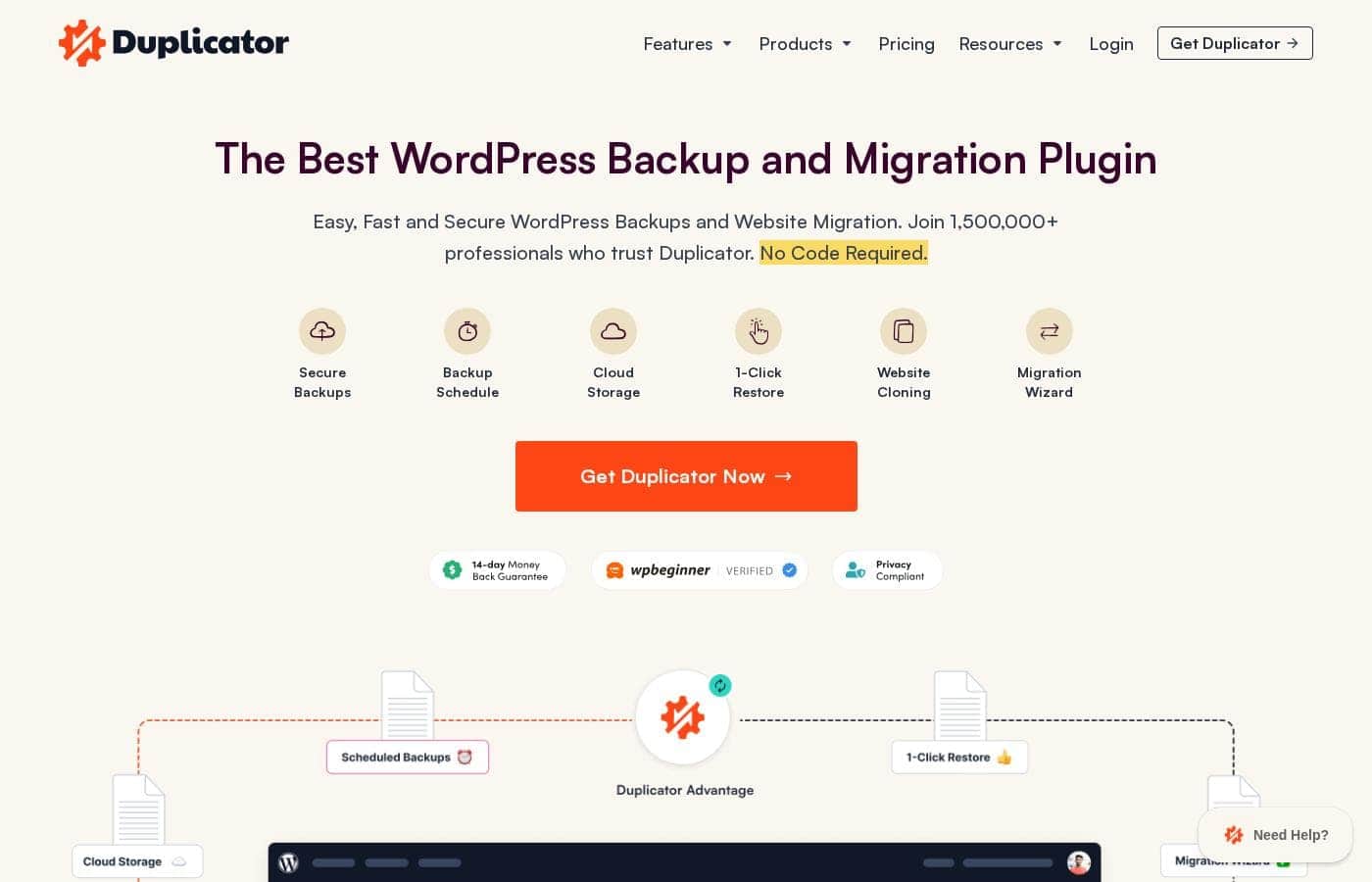
Duplicator Pro homepage screenshot

At a glance

Quick overview for Duplicator Pro: rating, pricing summary, key features, and highlights.

Ciroapp review

4.2
Reliable Migration, World-Class Support.

We found Duplicator Pro excels at managing highly effective WordPress migrations and complex data restoration tasks. The technical support team is genuinely responsive and consistently fixes intricate problems quickly, providing essential operational peace of mind. Overall, this is a top-tier functional tool, but we strongly advise users to monitor their automatic subscription renewals carefully due to reported price transparency issues.

Pros

  • Pro:Exceptional and highly responsive customer support is consistently reported.
  • Pro:Simplifies complex site migration and backup processes significantly.
  • Pro:Reliable for moving large or difficult site installs.
  • Pro:Offers rapid Recovery Points and 1-Click Restore features.

Cons

  • Con:Users report instances of major price increases upon renewal without clear prior notice.
  • Con:Concerns about billing transparency and unexpected automatic subscription charges.
  • Con:No free trial is currently offered before purchasing a plan.
Money-back guarantee
Yes — 14 days
Range: $49.50–$299.50/yearYearly subscription
This section is a summary. Detailed sections about features, use cases, pricing, and reviews follow below.

Duplicator Pro review, pricing, features, pros & cons

Starting a new WordPress site or moving an old one can be tricky. Bad updates or manual migrations often lead to wasted hours and huge frustration. ✨ Duplicator helps fix these core problems.

It offers fast recovery, easy transfers, and simple setup tools.

What is Duplicator Pro?

Duplicator is a powerful plugin designed for WordPress users. It handles complete WordPress backups and migration tasks efficiently. This tool saves you massive amounts of time by offering robust system protection.

You get all the essential features needed in a modern backup and migration solution. ✅

Duplicator Pro Key Features

🛡️ Rapid System Recovery with 1-Click Rollback

Bad updates or unexpected errors happen eventually to every website owner. Duplicator Pro helps you prepare for those moments instantly with robust Recovery Points. This crucial feature captures your website's known, good state. If something goes wrong during maintenance or an update, you are immediately protected.

You can quickly roll back your entire system using the easy 1-Click Restore function. This takes the stress out of installing new themes or plugins. If a sudden change breaks your site, simply revert the system in an instant using the recovery point. This capability provides swift recovery and minimizes costly downtime.

✨ Quick Website Transfer and Migration

Moving a WordPress website often sounds complicated and tedious. Manual migration methods can take many hours and cause unnecessary frustration. Duplicator Pro dramatically speeds up this entire process. You can move your complete website in just minutes, making migration simpler than ever before.

The plugin handles all complex WordPress migration tasks efficiently. You get the peace of mind of having Unlimited Migrations included with every plan. For complex hosting setups, the tool supports Server to Server Import. This dedicated capability streamlines transfers between difficult or specialized hosting environments.

✨ Custom Site Setup Eliminates Rework

Stop wasting precious time setting up the same basic tools every time you start a new project. You can eliminate rework using our smart custom install features. Duplicator Pro lets you create custom, pre-configured WordPress installs easily.

These installs are populated with all your favorite themes, plugins, and content right from the start. This means you save significant time when starting new client sites or internal projects. This feature streamlines the initial setup process, allowing you to focus on development work immediately.

🔒 Comprehensive Backup Management and Security

Reliable backups are the essential foundation of any secure website management strategy. Duplicator Pro performs complete WordPress backups robustly and efficiently. You never have to worry about catastrophic data loss when your system is properly protected.

For optimal protection, you'll want to automate the backup process. You can easily set up Scheduled Backups to run automatically at optimal times. All plans offer the capacity for Unlimited Backups, ensuring you can protect every iteration of your site. Data security is paramount, which is why all core tools include Secure File Encryption to protect your sensitive backup files during transfer and storage.

✨ Seamless Site Updates with Search & Replace

Maintaining and updating sites requires powerful administrative tools to handle tedious tasks quickly. Changing domain names or switching hosting often means updating hundreds of links. The Custom Search & Replace tool simplifies complex site updates effortlessly.

This feature allows you to quickly find old URLs across your entire site and replace them efficiently with new links. This ensures seamless updates after any major website transfer or hosting change. You can handle site changes easily without relying on slow, manual database edits.

Use Cases

🛡️ Crisis Control with 1-Click Restore

Imagine you updated a theme or plugin, and suddenly your live website crashes or performs poorly. You quickly realize the update was incompatible or faulty. Instead of spending hours trying to manually debug the issue, you access your secure Recovery Points.

Duplicator allows you to instantly roll back your system to the exact state it was in before the bad update occurred. This immediate recovery capability protects you from unexpected errors and minimizes downtime for your visitors. It’s the fastest way to get back to a known, good state.

🌎 Seamless Environment Transfers

The Challenge: Moving a completed development site from your local server to the client’s final hosting environment traditionally involves slow FTP uploads and complicated manual database edits. This process often leads to missed files or configuration errors.

The Approach: You package the entire WordPress installation—database, plugins, assets, and theme—into a single Duplicator file. You then use the Quick Website Transfer feature to deploy this complete package instantly on the new host.

Expected outcome: The site moves from staging to live in mere minutes. This simple transfer process eliminates the massive time drain caused by older, manual migration methods.

🏗️ Building a Custom WordPress Template

If you frequently start new WordPress projects, doing the same basic setup repeatedly is wasted time. You install the same security plugins, select your standard theme, and configure basic settings nearly every time. Duplicator helps you eliminate this common rework.

You can define a custom, pre-configured WordPress install exactly how you like it. This custom installation package automatically includes your favorite plugins, themes, and even starter content. Now, every new project starts fully equipped and ready to build, saving you significant setup time.

🔗 Correcting URLs Post-Migration

When you move a website from an old domain (like staging.com) to a new live domain (like clientdomain.com), countless internal database links, images, and embedded file paths might still point to the old local address. Fixing these hundreds of entries manually takes forever. Duplicator solves this with precise tools.

  1. Complete the Quick Website Transfer to the new hosting environment.
  2. Access the Custom Search & Replace tools within Duplicator.
  3. Define the old URL and the new URL.
  4. Run the tool to quickly find and update all the old URLs across your entire site automatically.

🚀 Simplifying Agency Maintenance and Scaling

As an agency or professional developer managing multiple client sites, tracking individual backup statuses and manually running maintenance is inefficient. You need centralized, systemized protection for many projects. If you subscribe to a Pro or Elite plan, you cover up to 20 or 100 sites.

By leveraging the full features, you can ensure unlimited backups and scheduled backups are handled automatically across your entire client portfolio. This robust system protection ensures you maintain confidence when running their sites and spend less time on tedious maintenance tasks.

Pricing Overview for Duplicator Pro

Pricing range
$49.50–$299.50/year
Pricing types
Yearly subscription
Money-back guarantee
Yes — 14 days

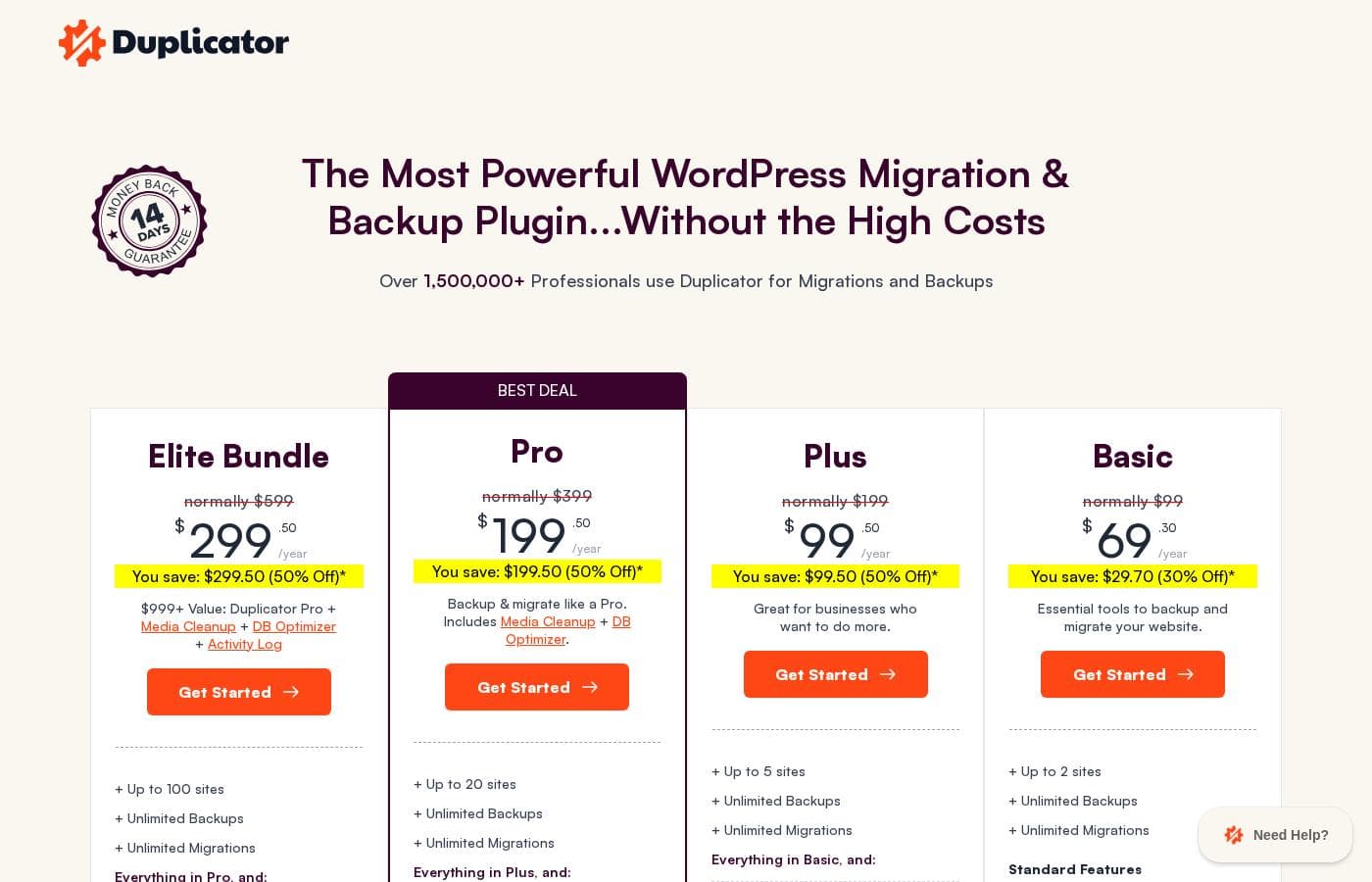
Duplicator Pro offers four annual subscription tiers, currently starting at $49.50 per year for the Basic plan, reflecting a significant 50% discount. Pricing scales based purely on the number of WordPress websites you need to manage, ranging up to 100 sites for the Elite tier.

Plans & Pricing

Basic

Yearly$49.50
Up to 2 sites
  • Up to 2 sites
  • Unlimited Backups
  • Unlimited Migrations
  • Scheduled Backups
  • Recovery Points
  • Secure File Encryption
  • Server to Server Import

Plus

Yearly$99.50
Up to 5 sites
  • Up to 5 sites
  • Unlimited Backups
  • Unlimited Migrations
  • Scheduled Backups
  • Recovery Points
  • Secure File Encryption
  • Server to Server Import

Pro

Yearly$199.50
Up to 20 sites
  • Up to 20 sites
  • Unlimited Backups
  • Unlimited Migrations
  • Scheduled Backups
  • Recovery Points
  • Secure File Encryption
  • Server to Server Import

Elite

Yearly$299.50
Up to 100 sites
  • Up to 100 sites
  • Unlimited Backups
  • Unlimited Migrations
  • Scheduled Backups
  • Recovery Points
  • Secure File Encryption
  • Server to Server Import

Duplicator Pro costs between $49.50 and $299.50 per year with four plans: Basic at $49.50, Plus at $99.50, Pro at $199.50, and Elite at $299.50.

Let's look closely at what each subscription level offers and which one fits your needs best.

Basic

Price: $49.50 / year Websites Supported: Up to 2 sites Best For: Essential tools to backup and migrate your website Refund Policy: 14-day money-back guarantee Other Features:

  • Unlimited Backups
  • Unlimited Migrations
  • Scheduled Backups
  • Recovery Points
  • Secure File Encryption

This is a perfect starting point for individuals or small projects. If you only manage a couple of WordPress sites, this plan provides all the essential features you need for reliable backups and migrations without costing a lot.

Plus

Price: $99.50 / year Websites Supported: Up to 5 sites Best For: Great for businesses who want to do more Refund Policy: 14-day money-back guarantee Other Features:

  • Scheduled Backups
  • Unlimited Migrations and Backups
  • Recovery Points and Server to Server Import
  • Secure File Encryption

If your growing business requires support for a few more sites, the Plus plan gives you capacity for up to five domains. It's a great option if you need robust migration and backup functionality for multiple client or internal projects.

Pro

Price: $199.50 / year (Best Deal) Websites Supported: Up to 20 sites Best For: Everything you need to do backups & migrations like a Pro Refund Policy: 14-day money-back guarantee Other Features:

  • Unlimited site migrations and backups
  • Scheduled Backups
  • Recovery Points
  • Server to Server Import

The Pro plan is labeled the "Best Deal" and offers significant scaling for agencies or serious developers. With support for up to 20 websites, this tier provides everything necessary to manage backups and migrations efficiently, just like a professional agency.

Elite

Price: $299.50 / year Websites Supported: Up to 100 sites Best For: Premier solution for smart business owners & agencies Refund Policy: 14-day money-back guarantee Other Features:

  • Unlimited Backups and Migrations
  • Support for 100 websites
  • Recovery Points
  • Secure File Encryption

This top-tier plan is designed for large agencies and prominent site portfolio managers who need maximum capacity. Managing up to 100 client sites is simple with the Elite plan, giving you the premier tools for all your large-scale migration and backup tasks.

While there is no stated free plan or free trial available, every single plan is backed by a 14-day money-back guarantee. This means you can try Duplicator Pro risk-free and cancel within two weeks if it isn't the right fit for your needs. 👍

User Reviews

Users widely praise Duplicator Pro, primarily focusing on its efficiency in handling backups and migrations. Many reviewers noted that the plugin makes these processes smooth and reliable, greatly minimizing intervention and saving significant work hours.

The support team earns consistent, high praise for being 'super responsive' and 'exceptional,' often resolving complex issues within hours. This world-class support is a huge strength.

However, a major recurring concern involves pricing and subscription transparency. Several users reported instances of unannounced, "massive price hikes" upon renewal, sometimes doubling the previous cost.

Consumers felt these were deceptive practices due to inadequate or nonexistent prior notification about the price change. While the product is functional and offers excellent technical help, potential users should be cautious regarding automatic renewals and potential cost increases 💔.

Overall, the plugin itself performs extremely well.

What users say elsewhere

J. Peterson
· Trustpilot
5.0 / 5

Duplicator is a great tool for site backup and migration. Everything happens easily in the background, minimizing the intervention we need. We use this plugin across several websites now and rely on its reliability.

S. Kim
· Trustpilot
5.0 / 5

I had a tricky issue, and Faysal Alom provided amazing, professional, and patient support until it was solved. I got a clear explanation for every solution. Amazing technical assistance there.

No reviews yet.

Write a Review

Write a Review for Duplicator Pro
0/100 characters
0/2000 characters

Why use Duplicator Pro?

If you manage multiple WordPress sites or simply hate manual maintenance, Duplicator offers massive value. It drastically speeds up common, tedious processes and protects your hard work. You'll spend less time on rework and regain confidence when running your sites. Here's why many users rely on this powerful tool:

  • 💡 Swift Recovery: Use Recovery Points and 1-Click Restore to quickly roll back your system. This immediately protects you from bad updates or unexpected errors.
  • 🏗️ Eliminate Rework: Save time when starting new projects. You can create custom, pre-configured WordPress installs populated with your favorite plugins, themes, and content.
  • Quick Transfers: Move your entire website in just minutes. This is much faster and simpler than using slow, manual migration methods.
  • 🔗 Seamless Updates: Easily handle site changes with the custom Search & Replace tools. Find and update old URLs across your whole site quickly.

Whether you need rapid recovery or efficient site creation, this tool provides the solutions. Take the next step toward smarter WordPress management today! 🚀

Ready to transform your workflow with Duplicator Pro?

Frequently Asked Questions

Since there’s no free plan, can I try Duplicator Pro before I commit to purchasing?

A dedicated free trial is not offered before purchase. However, every plan includes a 14-day money-back guarantee. This policy allows you to fully test the features, and if you are not satisfied, you can request a full refund within two weeks.

How are licenses priced? Is it based on the number of sites or the number of team members?

Licensing is strictly based on the number of WordPress websites you use the plugin on. Plans scale from two sites (Basic) up to 100 sites (Elite). The number of staff members accessing the accounts does not affect the cost.

What kind of cloud storage integrations does Duplicator Pro support?

All Pro plans include 'Cloud Storage Integrations' as a premium feature for syncing backups. The specific list of supported providers, such as Google Drive or Dropbox, is not detailed in the available official site content.

How does Duplicator Pro ensure my backed-up website data is safe?

The plugin helps protect your sensitive files and recovery packages through 'Secure File Encryption.' This feature is included across all four annual subscription plans to prevent unauthorized access to your backups.

Are there limits on the size or frequency of backups I can perform?

No. All plans explicitly guarantee both 'Unlimited Backups' and 'Unlimited Migrations.' The official documentation does not state any restrictions on the maximum file size or database capacity for packages.

What tools are included to simplify site migration and onboarding?

The plugin offers 'Quick Website Transfer' tools and 'Server to Server Import' functionality. You can also create custom, pre-configured WordPress installs populated with your favorite plugins and themes to eliminate setup rework.

Can I back up only specific parts of my website, like excluding the media library storage?

Yes, all premium plans include 'File & Database Table Filters.' You can use these filters to choose which specific files or database tables should be included or excluded from your scheduled backup packages.

What is the official policy regarding automatic renewals and subscription price changes?

Not explicitly stated on the official site. However, multiple customer reviews warn about potential issues with automatic renewals. Users have reported receiving significant, unannounced price increases when their subscription renews.

Is there a formal Service Level Agreement (SLA) for technical support response times?

A defined written SLA is not explicitly mentioned on the pricing pages. Customer feedback, however, consistently describes the support team as highly responsive and capable, often resolving technical issues quickly.

Who benefits the most from the highest-tier package, the Elite plan?

The Elite plan is designed for large organizations. It supports up to 100 sites and is marketed as the 'Premier solution for smart business owners & agencies' managing extensive client portfolios.

Are recovery points the same as a complete backup?

No. Recovery Points allow you to quickly roll back your system to a known good state, offering fast protection against bad updates. This is designed for rapid restoration, complementing the full, scheduled backups provided by the plugin.

Are annual subscriptions currently discounted?

Yes, the prices shown reflect a substantial promotional offer. All listed prices are currently 50% off the usual annual rate for each tier.

Ready to try Duplicator Pro? Check out the official site or pricing.