Doodly

Doodly

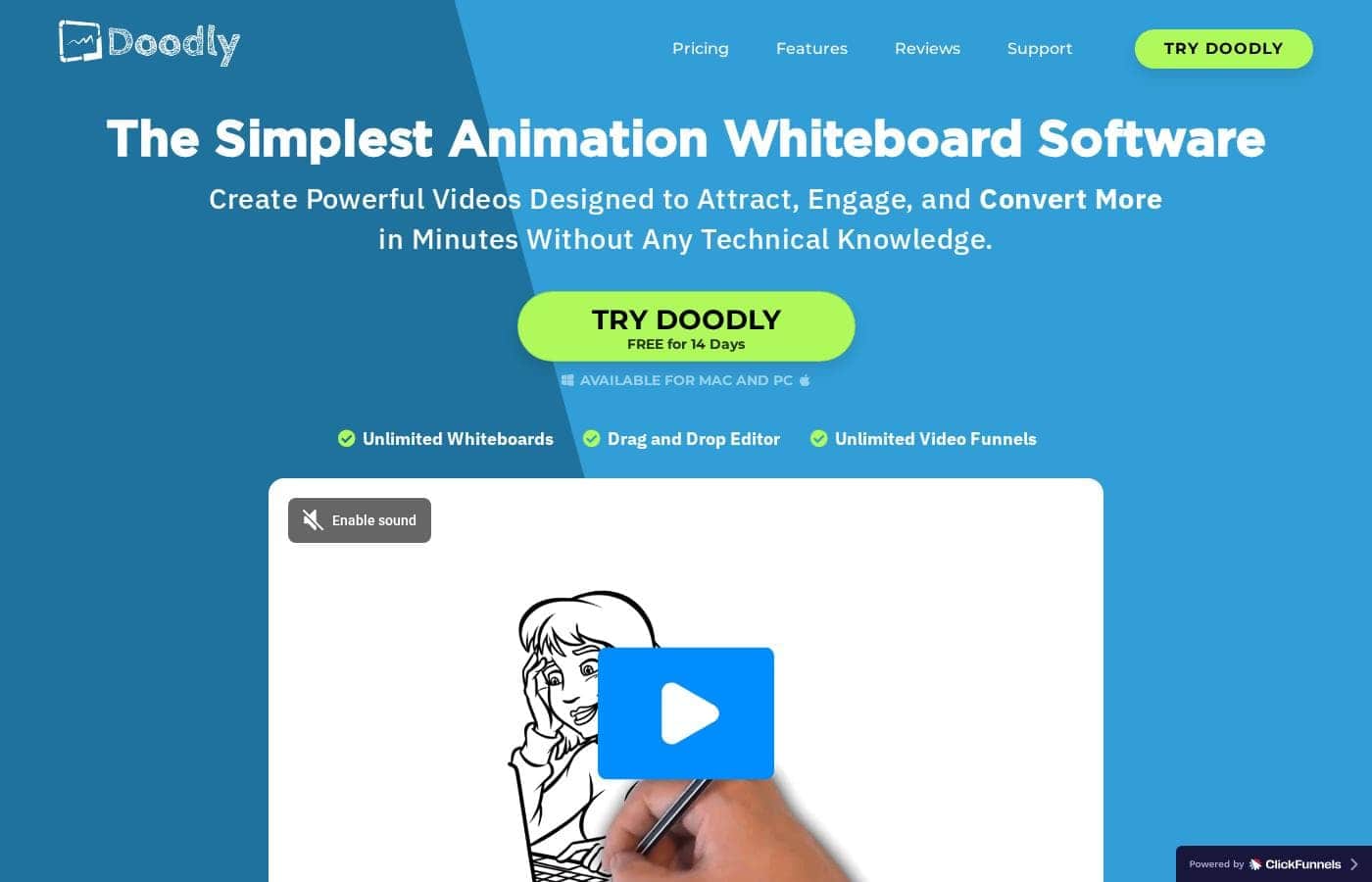
The Simplest Animation Whiteboard Software

#1 dans Whiteboard animation
2 min read · Updated 10/6/2025
Doodly homepage screenshot

At a glance

Quick overview for Doodly: rating, pricing summary, key features, and highlights.

Ciroapp review

4.1
Intuitive Whiteboard Animation, High Value

We found Doodly delivers on its promise to offer the simplest way to create high-quality, professional whiteboard animations using a drag-and-drop interface and vast asset library. While the community enjoys the speed and output quality, we note concerns about recurring log-in requirements and perceived heavy upselling. Overall, Doodly is a powerful tool offering excellent results and significant value thanks to its inclusion in the Voomly Cloud suite.

Pros

  • Pro:Exceptional ease of use with an intuitive drag-and-drop system.
  • Pro:Creates realistic, professional whiteboard animations quickly.
  • Pro:Simple integration and syncing of customized voiceover audio.
  • Pro:Access to a comprehensive asset library (characters, props, music).

Cons

  • Con:Users report frequent, mandatory log-ins required for desktop use.
  • Con:Subscription model includes constant push for costly add-ons and templates.
Money-back guarantee
Yes — 30 days
Range: $49–$79/monthMonthly subscription
This section is a summary. Detailed sections about features, use cases, pricing, and reviews follow below.

Doodly review, pricing, features, pros & cons

Creating truly engaging video content without strong technical skills can be frustrating. Doodly is different; it's the simplest doodle video creation software available! Now, anyone can create realistic whiteboard animations instantly and affect their viewers in a positive way.

You can even generate content far better than professionals charging thousands. ✨

What is Doodly?

Doodly is the Simplest Animation Whiteboard Software designed for speed and ease of use. It is truly the first doodle video creation tool that allows anyone, regardless of their technical or design skills, to succeed. We fine-tuned Doodly over two years to be incredibly intuitive.

In fact, many users report it is so easy that even a 7-year-old can reliably create whiteboard videos quickly! This powerful tool allows you to point and click to draw all kinds of REALLY cool things. 💡

Doodly Key Features

✨ Instant, Intuitive Creation

You don't need strong technical or design skills to create engaging videos right away. Doodly is recognized as the simplest animation whiteboard software available today. We fine-tuned this tool over two years to be incredibly intuitive and easy to use.

In fact, many users report that a 7-year-old can reliably make videos quickly just by pointing and clicking.

✨ Achieve Professional Results

Don’t let the simplicity of the interface fool you; Doodly is super powerful. The videos you create deliver professional results that look better than those produced by services charging thousands of dollars. You are able to achieve realistic whiteboard animations in just minutes.

This ensures your final content engages viewers for maximum reach.

✨ Optimizing Custom Audio

Perfect the atmosphere and pacing of your video with integrated audio controls. You can record your own custom voiceover audio directly inside the Doodly interface. Afterwards, easily synchronize the audio precisely to your doodle sketch with just a simple click of a button.

Doodly also provides a complete selection of royalty-free audio music tracks that are curated for any video genre.

✨ Realistic Hand Customization

Your videos will achieve a highly realistic artistic effect, making the content feel authentic. Doodly lets you customize the appearance of the drawing process itself. Choose from a large selection of male and female hand types to suit your video's style.

These drawing hands are available in various ethnicities, ensuring high realism every time.

✨ Smart Draw for Imported Images

Customize your videos far beyond the built-in asset library when you want unique visuals. Use the powerful new Doodly Smart Draw technology™ to incorporate your own unique visual assets easily. This feature allows you to use your own imported images directly within your whiteboard animations.

Doodly manages the drawing process for your custom pictures, making your content truly unique.

✨ Maximum Flexibility and Export

Use Doodly wherever you work and share your finished products easily in high quality formats. You can install Doodly on as many computers as you need without purchasing additional licenses. When your video is finished, you can export the final doodle sketch in various MP4 file sizes.

You can choose from standard web-ready quality all the way up to full 1080p HD resolution.

✨ Voomly Cloud Integration and Value

Doodly provides massive extra value because access to Voomly Cloud is included with your purchase. This integration provides crucial infrastructure for easily publishing and deploying your videos online. You benefit from unlimited bandwidth and a large 7TB of cloud storage space to handle all your content needs.

Use Cases

📈 Creating Fast, Professional Marketing Videos

Your marketing team needs engaging video quickly without hiring expensive animated services. You find that outsourcing a single video costs thousands of dollars. Instead, you use Doodly's simple interface to build the content yourself. You quickly record a custom voiceover and sync it immediately to the sketch.

You use the Smart Draw technology to include specific branded images directly into the animation. The final video looks polished and engaging. This professional output helps maximize your message reach without damaging your budget.

💡 Producing Quick Tutorials and Training

Need to share a fast tutorial or explain a new internal process? You do not need design or technical skills to start recording. Doodly allows you to create whiteboard animations in mere minutes, simplifying knowledge transfer.

Here’s how easy it is to begin:

  1. Select your preferred male or female hand type and ethnicity.
  2. Point and click to bring your story to life by drawing cool things.
  3. Export the finished doodle video in web-ready or full 1080p HD size. Expected outcome: A realistic whiteboard animation created almost instantly.

☁️ Leveraging Robust Hosting and Delivery

You rely on robust hosting for your videos to reach a wide online audience. Doodly includes immediate access to Voomly Cloud services as part of your membership. This powerful ecosystem provides unlimited video players and unlimited bandwidth for streaming.

Plus, you receive seven terabytes of cloud storage for all your content. This ensures safe storage and a strong, reliable delivery system for every video you create. You can also easily install the core Doodly software on all your computers without additional fees.

✏️ Encouraging Simple Creativity for All Ages

You want to share a fun idea or teach a simple concept, or perhaps you're encouraging a child's creativity. Doodly was designed to be incredibly intuitive, ensuring ease of use for everyone. They say it’s so easy a 7-year-old can reliably create a working whiteboard video after only 30 seconds of training.

This simple approach encourages quick entry into video creation for beginners. Simply point and click to draw all kinds of neat illustrations. You can then share your fun, creative projects within the larger Doodly community.

Tip: Use the various included male and female hand types to ensure your sketches look highly realistic.

🖼️ Maximizing Asset Libraries for Agencies

If you are creating content professionally or running an agency, you need extensive assets to offer variety. The Enterprise plan of Doodly unlocks substantial libraries. This plan gives you access to thousands of character images, prop images, and music tracks.

This volume ensures you always have the right elements for any client project. By using the extensive assets, you maintain variety and professionalism across all your animated outputs.

Pricing Overview for Doodly

Pricing range
$49–$79/month
Pricing types
Monthly subscription
Money-back guarantee
Yes — 30 days

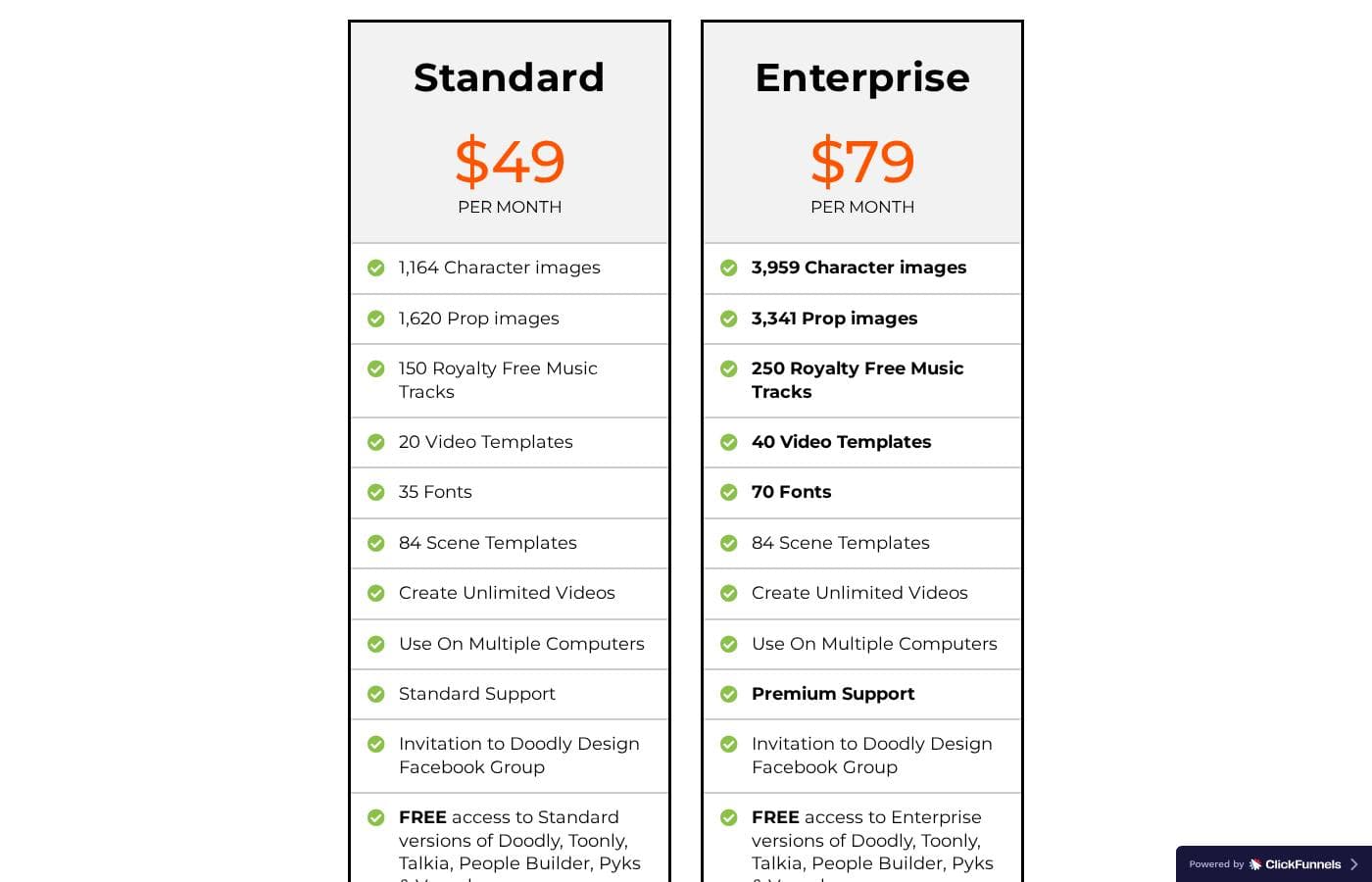
Doodly offers two straightforward monthly subscription plans: Standard and Enterprise. Prices range from $49 to $79 per month, scaling up based on the resources and asset library size you require for your whiteboard videos.

Plans & Pricing

Standard

Monthly$49
YearlyNot explicitly stated
  • 1,164 Character images
  • 1,620 Prop images
  • 150 Royalty Free Music Tracks
  • 20 Video Templates
  • 35 Fonts
  • 84 Scene Templates
  • Create Unlimited Videos
  • Use On Multiple Computers
  • + 4 more features

Enterprise

Monthly$79
YearlyNot explicitly stated
  • 3,959 Character images
  • 3,341 Prop images
  • 250 Royalty Free Music Tracks
  • 40 Video Templates
  • 70 Fonts
  • 84 Scene Templates
  • Create Unlimited Videos
  • Use On Multiple Computers
  • + 4 more features

Doodly costs between $49 and $79 per month with two main plans: Standard at $49/month and Enterprise at $79/month.

Now that you know the price range, let's break down exactly what you get when you sign up for these options.

Standard

Price: $49 per month Websites Supported: Not explicitly stated Best For: DIY creators and small businesses needing a robust core feature set. Refund Policy: 30-day money-back guarantee Other Features:

  • 1,164 Character images and 1,620 Prop images
  • 150 Royalty Free Music Tracks and 35 Fonts
  • Standard Support
  • FREE access to Standard versions of Doodly, Toonly, Talkia, People Builder, Pyks & Voomly
  • UNLIMITED border skins & players skins

This plan is an excellent starting point if you're producing videos regularly. You'll get access to a substantial asset library and the ability to install the software on multiple computers. It's perfect for marketers or small teams beginning their whiteboard animation journey without needing the maximum available assets.

Enterprise

Price: $79 per month Websites Supported: Not explicitly stated Best For: Agencies, power users, or large content creators who require the most extensive asset library. Refund Policy: 30-day money-back guarantee Other Features:

  • 3,959 Character images and 3,341 Prop images
  • 250 Royalty Free Music Tracks and 70 Fonts
  • Premium Support
  • FREE access to Enterprise versions of Doodly, Toonly, Talkia, People Builder, Pyks & Voomly
  • UNLIMITED border skins & players skins

If you're creating content professionally and need the highest capacity, Enterprise is the right fit. This tier includes significantly more assets, like four times the available character images compared to the Standard plan. You also benefit from Premium Support, ensuring fast assistance when you need it most while enjoying access to the premium versions of the entire Voomly suite.

Doodly currently does not offer a free version or free trial for these subscription plans. However, your purchase is backed by a generous 30-day money-back guarantee. This makes it easy to try out the software risk-free for a full month and ensure it meets your video creation needs.

User Reviews

Doodly generally earns high marks from users, leading to an overall ‘Great’ Trustpilot rating. The most consistent praise centers on its exceptional ease of use.

Users frequently describe it as "super awesome software" with a simple drag-and-drop interface that makes creating professional doodle videos quick, even for beginners. Many experienced creators confirm that Doodly outperforms competitors they’ve tried, noting the high quality of the voiceover tracks and the versatile catalog of character and prop assets.

Customer support also receives excellent reviews for being highly responsive and helpful. However, users cite friction points.

A recurring complaint concerns the user experience regarding frequent required login prompts following desktop installation. Furthermore, some users feel limited by what they perceive as a constant upselling model for additional templates and platforms, suggesting the core subscription, while initially affordable, can accrue excessive add-on costs.

Nevertheless, for rapidly producing engaging whiteboard animations, Doodly delivers strong user value. ✨

What users say elsewhere

B. Marley
· Trustpilot
4.0 / 5

I'm using Doodly to create content for YouTube, and it's fantastic. I tried competitors, but Doodly is the best. It’s simple, easy to use, and affordable, even on a simple laptop without lag.

J. D.
· Trustpilot
5.0 / 5

This is awesome software that is very easy to use due to its drag-and-drop system. The tutorials are great, and I created my first video rapidly. It generates truly professional results.

No reviews yet.

Write a Review

Write a Review for Doodly
0/100 characters
0/2000 characters

Why use Doodly?

Don’t let the simplicity fool you; Doodly is SUPER powerful and delivers professional results. The videos you create will look even better than those produced by services charging thousands of dollars! Doodly helps you maximize your reach and engagement with powerful yet simple features built into the workflow. ✅

  • Use the new Doodly Smart Draw technology™ to easily incorporate your own imported images directly into your whiteboard animations.
  • Recording and syncing your customized voiceover audio is simple and can be done right inside Doodly with just a click.
  • Choose from a wide variety of male and female hand types in various ethnicities to ensure your sketches look highly realistic.
  • Gain substantial value because Doodly is included with Voomly Cloud, providing unlimited video players, unlimited bandwidth, and 7TB of cloud storage.
  • Enjoy complete flexibility: Install Doodly on as many computers as you need and benefit from continuous, free software updates to maintain the best functionality.
  • You become part of a larger community of creative, like-minded people who are actively making the world a better, happier place through engaging video.

Ready to transform your workflow with Doodly?

Frequently Asked Questions

Is there a free trial to test out the software first?

Doodly does not currently offer a free subscription plan or a free trial period. However, every purchase is secured by a generous 30-day money-back guarantee. You can try the full software risk-free for a month to ensure it fits your needs.

How long do I have to request a refund if Doodly isn't right for me?

Your purchase is protected by a 30-day money-back guarantee. This full refund policy allows you to evaluate the software risk-free for a complete month after buying it.

Is Doodly a per-seat license, or can a team use it?

Doodly allows installation and use on multiple computers, which is helpful if you work across several devices. Both the Standard and Enterprise plans include the ability to create unlimited videos.

What is the difference between Standard Support and Premium Support?

The Standard plan includes Standard Support for its users. Enterprise subscribers benefit from Premium Support, which often facilitates faster assistance when you need help.

How does Doodly integrate with video hosting or other platforms?

Doodly is included with the Voomly Cloud suite. This integration provides unlimited video players, unlimited bandwidth, and cloud features like video funnels.

Are there quotas on video creation or upload capacity?

You can create unlimited videos with either the Standard or Enterprise subscription. Through Voomly Cloud, you also receive 7TB of cloud storage and unlimited bandwidth.

Can I use my own images or custom assets in my doodle videos?

Yes, Doodly lets you import custom images using its Smart Draw technology™. This feature allows you to incorporate external images directly into your whiteboard animations.

Do I have to purchase an annual plan, or is monthly billing available?

Doodly offers simple monthly subscription options for both their Standard ($49/month) and Enterprise ($79/month) plans. While special deals may appear, the standard pricing is billed monthly.

What are the export options for my finished videos?

You can export your completed doodle sketch videos in various MP4 file sizes. This includes web-ready versions up to full 1080p HD quality.

How do the Standard and Enterprise plans differ in terms of assets?

The Enterprise plan unlocks significantly more assets for power users. It provides nearly four times the character images, more prop images, more video templates, and 100 more royalty-free music tracks than the Standard plan.

Do I need to pay for software updates?

No, all ongoing free software updates are included with your subscription. The company continuously updates Doodly with new features and improved functionality.

Can Doodly be used by people outside the United States?

Doodly is available online, but specific information regarding regional pricing differences or language localizations is not explicitly stated on the official site.

Can I use Doodly on both Mac and PC computers?

Whether the software supports both PC and Mac operating systems is not explicitly stated within the published pricing or feature lists.

Who is the Enterprise plan best suited for?

The Enterprise tier is the right choice for agencies, power users, or large content creators. It guarantees the highest capacity asset library and includes access to the enhanced versions of the entire Voomly suite.

Ready to try Doodly? Check out the official site or pricing.