Dokan

Dokan review

Turn your WooCommerce store into a multi-vendor marketplace

By Ciroapp Editorial Team · Updated Sep 16, 2026

Commission may apply at no extra cost

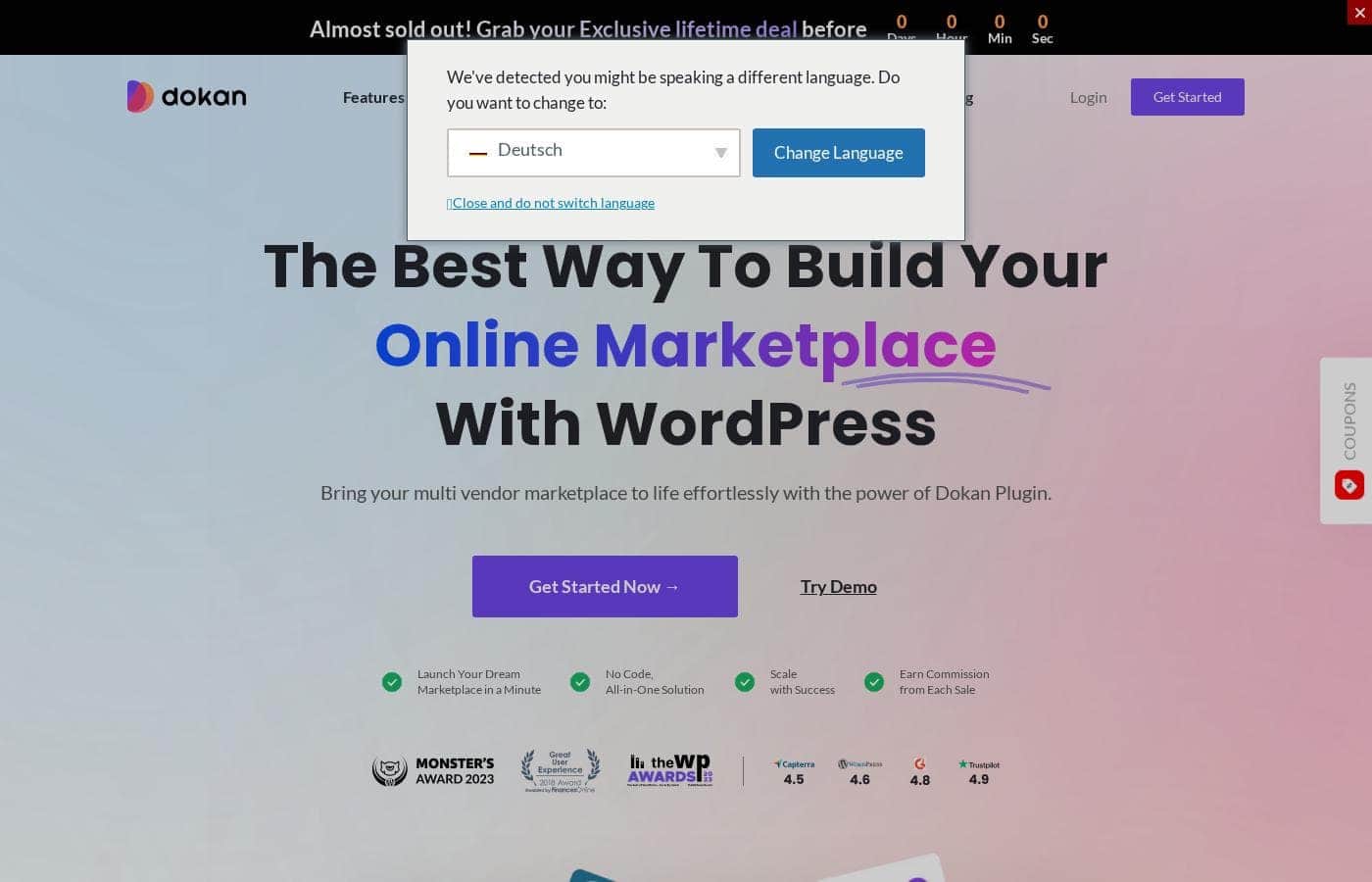
Dokan homepage screenshot

At a glance

Quick overview for Dokan: rating, pricing summary, key features, and highlights.
Vendor page checked Oct 13, 2026

Ciroapp score

4.0/ 5

Dokan turns a WooCommerce store into a multi-vendor marketplace with frontend seller dashboards, automated commissions, and support for physical, digital, and service products. The free core keeps entry costs at zero, but advanced features sit behind plans reaching $14,101, and operating the marketplace stays your job. Overall, it's a solid, low-cost way to test a marketplace idea on WordPress.

Pros

  • Pros:Built directly on WooCommerce, so it reuses your existing checkout, payment gateways, and order management instead of replacing them
  • Pros:Vendors get frontend dashboards where they add products, process orders, and track earnings without ever touching wp-admin
  • Pros:Automated commission system lets the store owner earn from every sale, with support for physical goods, digital products, and services

Cons

  • Cons:The free version covers only marketplace basics; meaningful advanced capabilities sit behind premium plans that scale up to $14,101
  • Cons:Running a multi-vendor marketplace means you handle vendor vetting, dispute resolution, and withdrawal policies yourself, and WordPress plugin conflicts and update management remain your responsibility
  • Cons:Operational complexity jumps well beyond a normal WooCommerce store — more settings, more moving parts, and higher administrative load as your vendor count grows
Best for
  • Entrepreneurs who want to launch a niche multi-vendor marketplace without budgeting for custom development
  • Existing WooCommerce store owners who want to open their catalog to third-party sellers and earn a commission on every sale
  • WordPress agencies and freelancers building marketplace projects for clients on a stack the client can maintain
This section is a summary. Detailed sections about features, use cases, pricing, and reviews follow below.

What is Dokan?

Dokan is a WordPress plugin that converts a WooCommerce store into a multi-vendor marketplace. Vendors register, manage their own products from a frontend dashboard, and track their earnings, while the store owner collects a commission on every sale. Because it is built directly on WooCommerce, anyone who has run a WordPress shop before will find the setup familiar.

It supports physical goods, digital products, and services, and can be started for free.

Dokan is a multi-vendor marketplace plugin for WordPress, built on top of WooCommerce. It adds seller registration, per-vendor product management through frontend dashboards, commission splitting, and withdrawal handling to a standard WooCommerce installation. The store owner controls marketplace-wide settings and earns from every transaction, while vendors run their own storefronts without needing admin access.

It is distributed as a free core plugin with paid premium plans.
Should you choose Dokan?

Quick buyer guidance before you compare plans or click through.

Choose it if

  • Entrepreneurs who want to launch a niche multi-vendor marketplace without budgeting for custom development
  • Existing WooCommerce store owners who want to open their catalog to third-party sellers and earn a commission on every sale
  • WordPress agencies and freelancers building marketplace projects for clients on a stack the client can maintain

Skip it if

  • Solo sellers who only need a single-vendor shop — plain WooCommerce is simpler and avoids marketplace overhead entirely
  • Buyers who want a fully hosted, hands-off marketplace service — Dokan runs on your own WordPress install, so hosting, updates, and vendor administration are your responsibility
  • Teams that need advanced premium features from day one on a tight budget, given top-tier plans reach $14,101

Next steps before buying

  1. 1Set up a WordPress site with WooCommerce installed and configured, including payment gateways and your basic shipping or tax settings
  2. 2Install the free Dokan plugin on your WordPress site and work through its initial configuration
  3. 3Set your marketplace rules in the Dokan settings — commission rates, vendor registration options, and withdrawal methods
  4. 4Open vendor registration, invite your first sellers, and upgrade to a premium plan once you need advanced marketplace features

Dokan Key Features

✨ Frontend Vendor Dashboards

Each seller gets a dedicated frontend dashboard to create and manage product listings, process their orders, view sales activity, and request earnings withdrawals. Vendors never need access to the WordPress admin area, which keeps your back end secure and cuts down the day-to-day support you provide to sellers.

✨ Commission and Earnings Engine

The store owner defines commission rules and automatically earns a share of every sale on the marketplace. Dokan tracks each vendor's earnings separately and handles the split between admin and seller — this is the core mechanism that turns an ordinary shop into a revenue-sharing marketplace.

✨ Native WooCommerce Integration

Dokan is built directly on WooCommerce rather than replacing it. Your existing checkout, payment gateways, order flow, and product types keep working, and WooCommerce-compatible themes and extensions remain usable. This is a major advantage if you already operate a store and want to expand rather than migrate.

✨ Flexible Marketplace Types

The plugin supports physical goods, digital products, and services, so the same core system can power anything from a traditional goods marketplace to a digital-asset store or a services platform. You are not locked into one business model when your marketplace concept evolves.

✨ Modular Free Core with Premium Add-ons

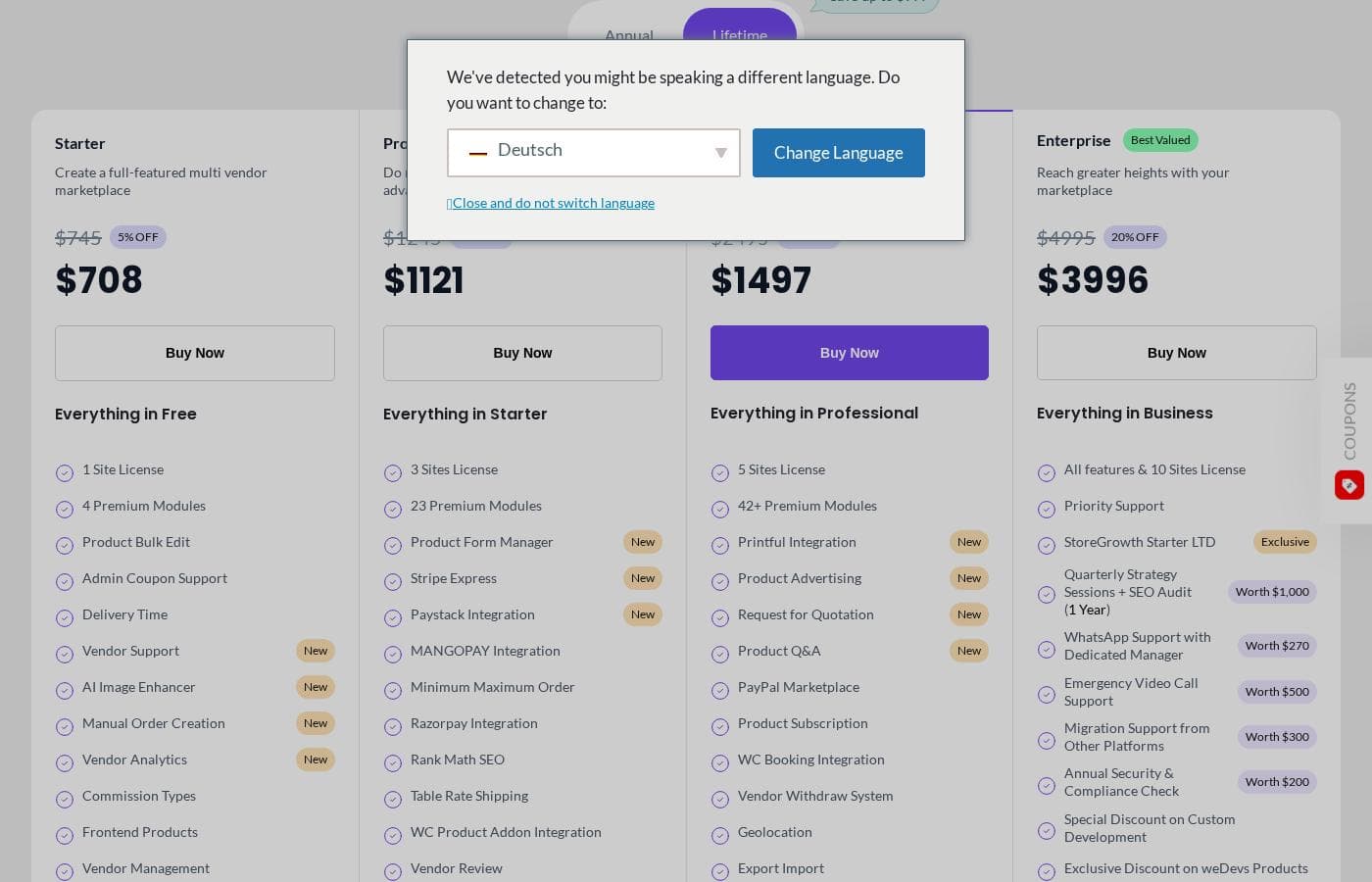
You can start with the free core plugin and add premium modules as the marketplace grows. Pricing spans a free plan through plans costing up to $14,101, with yearly subscription, one-time payment, and lifetime deal billing options — letting you match spending to actual traction instead of committing upfront.

Use Cases

💡 Launching a Niche Multi-Vendor Marketplace

For founders testing a marketplace idea in a specific vertical — handmade goods, local products, specialized equipment — Dokan provides vendor onboarding, independent product management, and commission handling out of the box. You can validate demand with the free core before investing in premium tiers.

💡 Opening an Existing WooCommerce Store to Third-Party Sellers

Store owners who already sell on WooCommerce can shift to a marketplace model, letting other vendors list products while the owner collects a commission on every transaction. The existing catalog, checkout, and customer base stay intact, since Dokan builds on the same WooCommerce foundation.

💡 Digital Product and Services Marketplaces

Because Dokan handles digital products and services alongside physical goods, it fits marketplaces for downloadable assets, templates, courses, or bookable services — with each vendor managing their own listings through the frontend dashboard while you earn commission per sale.

💡 Agency and Client Marketplace Builds

Developers and agencies can deliver marketplace functionality on a stack clients already understand — WordPress and WooCommerce. That reduces client training time and makes long-term maintenance straightforward compared with a custom-built platform.

Dokan pricing

Prices not verified yet — see the vendor page.

Dokan's pricing page

Dokan pricing page screenshotView pricing page screenshot

Price history

Tracking prices since Oct 1, 2026. No price change detected yet.

Pricing types: Free plan, Yearly subscription, One-time payment, Lifetime deal

Pricing notes

Dokan pricing: Plans from $0 Billing options: Free plan, Yearly subscription, One-time payment, Lifetime deal

Email me when Dokan changes price

One email when we detect a price change on the vendor's pricing page. No newsletter, no deals. Unsubscribe in one click.

User Reviews

No reviews yet.

Write a Review

Write a Review for Dokan
0/100 characters
0/2000 characters

Why use Dokan?

Building a marketplace from scratch normally requires custom development, months of work, and a dedicated platform. Dokan packages the essential marketplace mechanics — vendor onboarding, independent seller listings, automatic commissions, and payout tracking — into a plugin that runs on infrastructure you may already have.

That makes it one of the fastest and cheapest ways to validate a marketplace idea, with the option to buy premium features only once the marketplace starts earning.

Dokan alternatives

Other tools in the Marketplace WordPress category

View all Marketplace WordPress tools

Dokan FAQ

Does Dokan require WooCommerce to work?

Yes. Dokan is built directly on top of WooCommerce and uses its product, cart, checkout, and order system. You need a WordPress site with WooCommerce installed, and Dokan layers the multi-vendor functionality — vendor registration, frontend dashboards, and commission tracking — on top of that foundation.

Is there a free version of Dokan?

Yes. Dokan starts at $0 with a free core plugin that covers essential marketplace functionality.

Can vendors manage their own products without admin access?

Yes. Each vendor gets a frontend dashboard where they can create and edit product listings, process their orders, view their sales activity, and request withdrawals — all without access to the WordPress admin area. This keeps your back end secure and reduces the support burden on the store owner.

What kinds of products can I sell on a Dokan marketplace?

Dokan supports physical goods, digital products, and services. That means the same plugin can power a wide range of marketplace concepts — from handmade goods and electronics to downloadable assets and bookable services — with the store owner earning commission on every sale type.

Ready to try Dokan? Check out the official site or pricing.

Are you Dokan? Claim this listing · Get the badge