CrankWheel

CrankWheel

The 10x simpler screen sharing tool for inside sales and telesales.

#1 dans Screen sharing
2 min read · Updated 11/17/2025
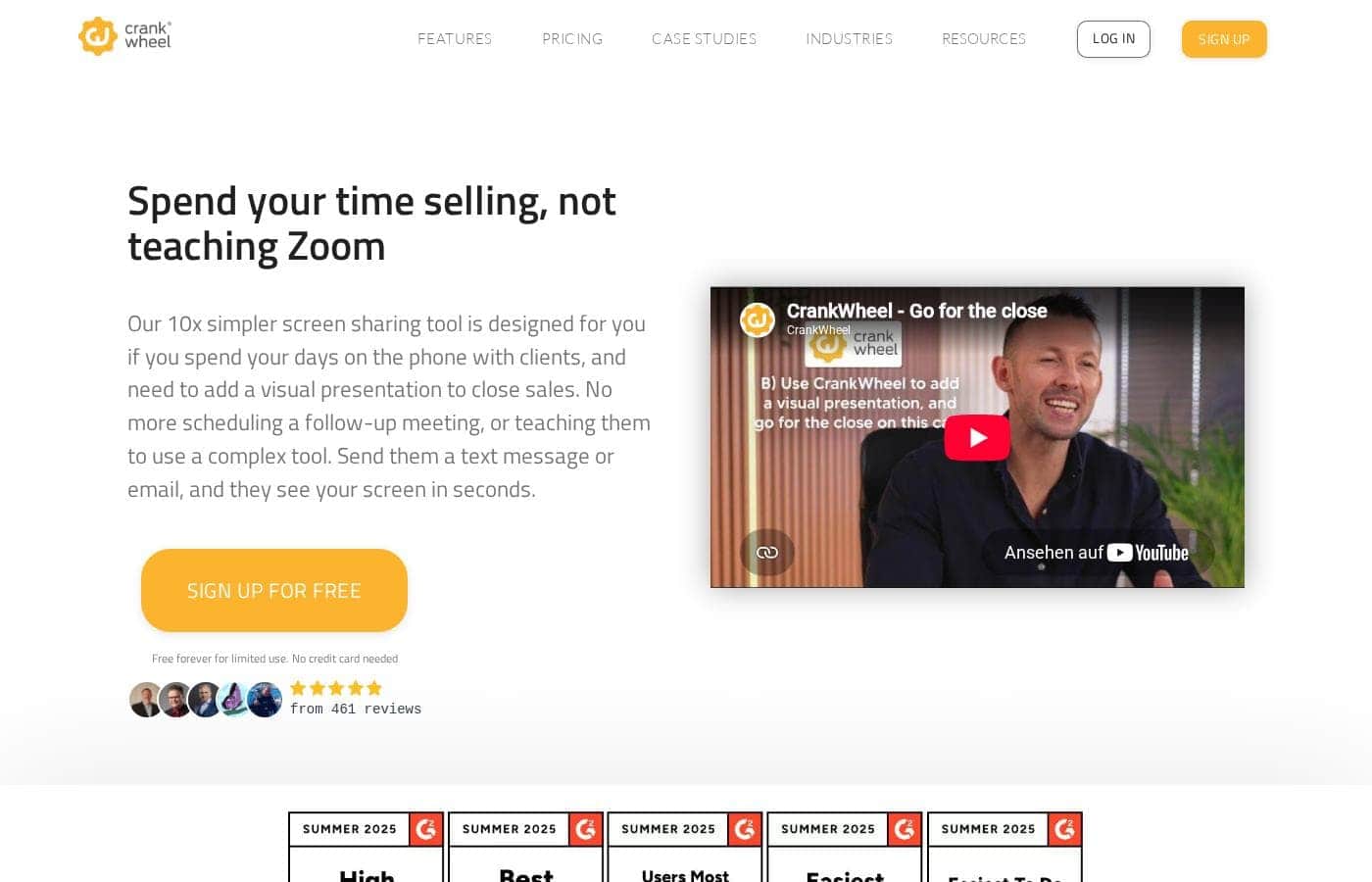
CrankWheel homepage screenshot

At a glance

Quick overview for CrankWheel: rating, pricing summary, key features, and highlights.

Ciroapp review

4.3
Instant Screen Sharing for Quick Closures

We recognize that CrankWheel excels by prioritizing speed and simplicity, making it ideal for high-volume inside sales teams who frequently handle pitch calls. The 10-second sharing setup is highly compelling because it effectively eliminates technical hurdles for prospects joining the session. Overall, this is a niche but highly optimized solution that directly addresses the pain points of modern telesales agents.

Pros

  • Pro:Screen sharing is instant (under 10 seconds).
  • Pro:Prospects do not need to download any software.
  • Pro:Reliably works across all devices, including mobile phones.
  • Pro:Designed specifically to support first-call closures.

Cons

  • Con:Team plans utilize a complex, usage-based shared meeting quota system.
  • Con:Pricing scales significantly for high-volume team use beyond the base tiers.
  • Con:Higher usage tiers (Enterprise) lack transparent public pricing.
  • Con:Solely focused on inside sales/telesales, limiting broader application.
Free trial
Yes
Range: $29–$1,562/monthFree plan, Free trial, Monthly subscription, Per seat pricing, Usage-based pricing
This section is a summary. Detailed sections about features, use cases, pricing, and reviews follow below.

CrankWheel review, pricing, features, pros & cons

Are you tired of spending valuable time teaching prospects how to use complex screen sharing tools? 🤦‍♀️ You need to focus on your pitch, not technical support. CrankWheel makes adding a visual presentation instant and hassle-free.

It's designed to help you close sales faster and avoid unnecessary follow-up meetings.

What is CrankWheel?

CrankWheel is a powerful yet extremely easy-to-use screen sharing tool specifically built for agents and salespeople who communicate with clients over the phone. If you spend your days talking to prospects and need a visual presentation to seal the deal, this tool is designed for you. It allows you to instantly share your screen with any client, no matter their technical skill or device choice.

CrankWheel is used by agents to close deals in just less than 10 seconds. ✨

CrankWheel Key Features

✨ Instant, Zero-Friction Screen Sharing

Ready to share your screen in less than ten seconds? CrankWheel lets you instantly present visuals to your prospects. You skip the common technical delays that often slow down your sales calls. This instant process is essential for achieving speedy, first-call closes.

Your prospect simply receives a quick link via email or text message. They do not need to download annoying software or complicated applications. The presentation works efficiently on any device they are using, including their mobile phone. It is truly designed to eliminate technical support needs during your crucial sales pitch.

✨ Maintain Control with Interactive Remote Access

Keep your clients engaged throughout the entire presentation using the powerful remote control functionality. This active feature helps prospects feel involved and always in control of the sales process. You can easily fill out standard application forms yourself while the client watches your progress.

For crucial input sections, you can temporarily allow the client to take control of your screen. This ensures accurate information entry and helps maintain strong focus. It removes distractions during the presentation, leading to better results and higher conversion rates.

✨ Powerful Sales Video Creation and Tracking

Sometimes you need to send specialized content ahead of time or follow up after the call. CrankWheel includes a robust platform for creating and distributing effective sales videos. You can easily record professional screencasts, straight webcam captures, or even quick meeting recordings.

Send your prepared videos instantly by email as a clickable, animated preview. This quick animated glimpse captures client attention right away. You can then monitor exactly who watched them using trackable playbacks and detailed engagement reports.

✨ Built for Simplicity and Agent Speed

The entire sharing tool is intentionally built to be extremely easy-to-use. You shouldn't have to troubleshoot software during a time-sensitive sales pitch. This core simplicity means you can focus entirely on honing your effective sales pitch.

Agents appreciate that they spend their valuable time helping clients, not wrestling with complex technology. By streamlining the visual presentation process, CrankWheel helps agents ensure they close deals quickly. It lets you skip scheduling needless follow-up meetings.

✨ Targeted Lead Capture and Specialized Forms

CrankWheel offers specific tools to help you connect immediately with inbound prospects. You can add a prominent "Call me Now" button directly to your company website. This connects interested customers instantly with an available agent when they request contact.

Furthermore, the platform supports highly specialized functionality tailored for specific industries. This includes instant access to tools like the specialized ACA Marketplace Consent Form. Administrators also benefit from options for custom branding and seamless system embedding and integration.

Use Cases

✨ Closing Deals on the First Call

When you are talking to a prospect, you often need a visual presentation to seal the deal. Traditional tools waste time on downloads or technical support. CrankWheel lets you instantly add that critical visual element. You start sharing in under 10 seconds simply by sending a private link. This speed allows sales agents to skip scheduling unnecessary follow-up meetings.

Expected outcome: Higher conversion rates and reduced sales cycles.

📱 Selling to Prospects on Mobile Devices

Many of your prospects access information only on their phones. Showing them complex pricing or detailed software views can be impossible with standard screen-share tools. CrankWheel resolves this issue immediately.

Your client can view your presentation clearly on any device they own, including their mobile phone. They never have to download any software to see your screen or presentation.

🤝 Engaging Clients with Remote Control

Complex sales processes often require filling out forms or navigating lengthy applications. Keeping the client engaged during this input process is critical. You can use the remote control feature to guide them through the steps.

Alternately, let them take control to handle crucial input parts while you watch. This approach helps the client feel informed and in control of the crucial paperwork.

📞 Responding Instantly to High-Intent Leads

High-intent customers often want instant service right from your website. You can add a 'Call me Now' button to your site. This feature helps connect a prospect to a live agent immediately when they request it.

Since CrankWheel enables instant screen sharing, the agent can launch a visual presentation the moment the call connects. This eliminates friction for customers ready to buy now.

🎥 Creating and Tracking Sales Videos Asynchronously

Sometimes you need to send follow-up material or pitch a prospect who can't meet live. Use CrankWheel to create trackable sales videos easily. You can record screencasts or webcam captures directly. The prospect receives an animated preview via email, which encourages them to click and watch. You gain valuable insight by tracking playback activity and engagement scores for every video sent.

Tip: Send a quick personalized video before a scheduled call to warm up the prospect.

✅ Eliminating Technical Troubleshooting Time

Inside sales teams must focus entirely on their pitch and client needs. You shouldn't spend time teaching prospects how to use complicated technology. CrankWheel is built specifically to be extremely easy to use.

Because clients don't need downloads or training, agents save time and avoid technical hassles. You spend your day talking about solutions, not explaining complex software menus.

Pricing Overview for CrankWheel

Pricing range
$29–$1,562/month
Pricing types
Free plan, Free trial, Monthly subscription, Per seat pricing, Usage-based pricing

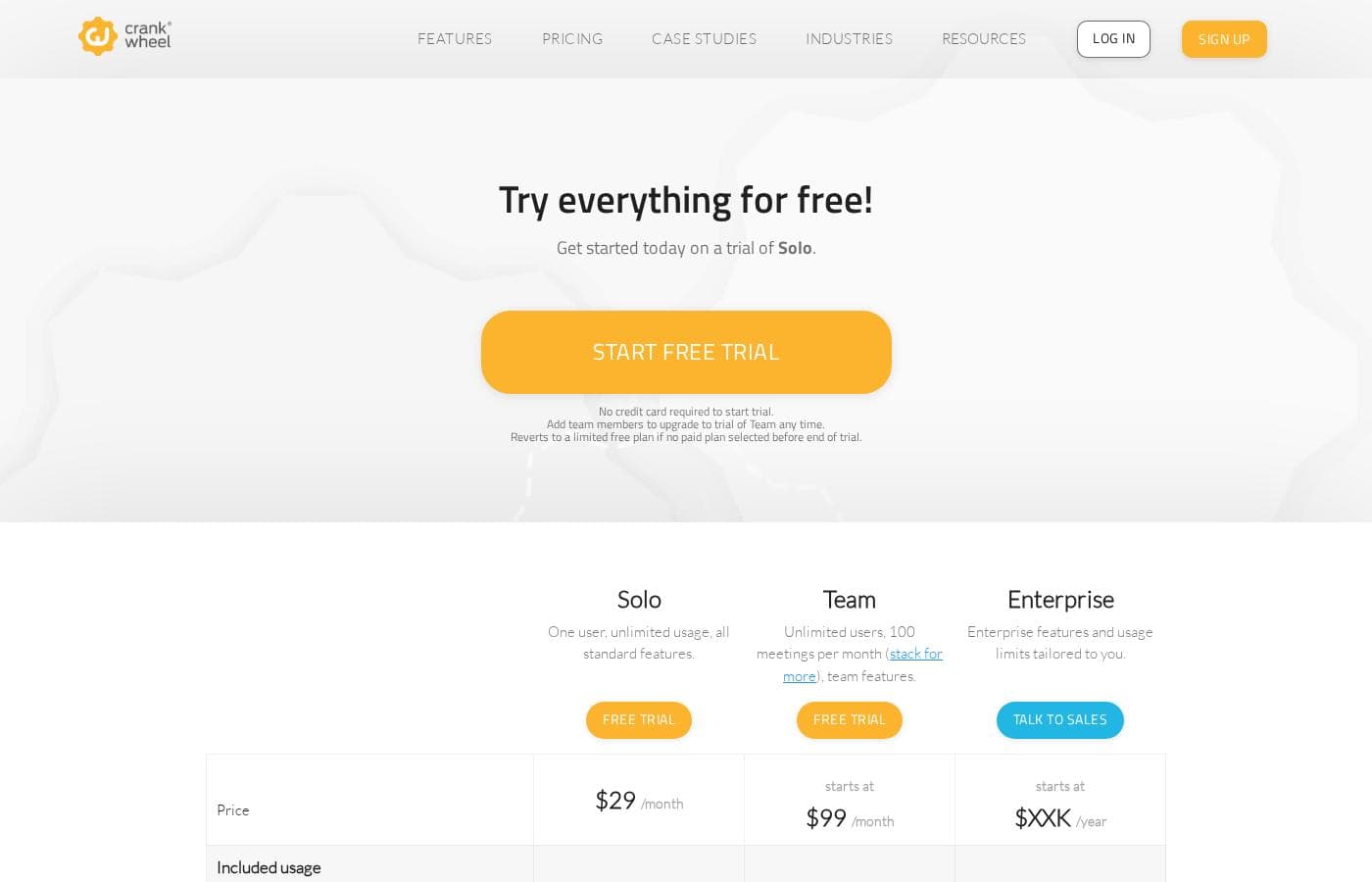
CrankWheel offers flexible monthly plans structured around usage limits and team size. Plans start at $29 per month for solo users and scale up significantly for teams requiring high meeting volumes.

A free trial is available for the Solo and Team plans.

Plans & Pricing

Solo

Monthly$29
1 user license
  • One user
  • Unlimited usage
  • All standard features
  • Unlimited meetings per month

Team (Base)

Monthly$99
Starting at 100 shared meetings per month (stackable)
  • Unlimited users
  • Team features
  • Volume discounts apply

Team (Busy User Discount)

Monthly$59
Up to 3 users sharing 100 meetings per month
  • Discounted pricing for busy teams
  • Volume discounts apply

Enterprise

Yearly$XXXK
Custom usage and features
  • Unlimited users
  • Enterprise features
  • Usage limits tailored to your organization

CrankWheel costs between $29/month and $1,562/month with 3 main plans: Solo at $29/month, Team starting at $99/month, and Enterprise at Not explicitly stated.

Here are the details for the core plans offered by CrankWheel.

Solo

Price: $29/month Websites Supported: Not explicitly stated Best For: One user, unlimited usage, all standard features Refund Policy: Not explicitly stated Other Features: Unlimited meetings per month, 1 user license.

This plan is perfect for individual sales agents who need unlimited screen sharing power every month. You get all of CrankWheel's standard features for consistent, reliable use without any usage limitations.

Team (Base 100)

Price: Starting at $99/month Websites Supported: Not explicitly stated Best For: Growing sales teams needing shared meeting quotas Refund Policy: Not explicitly stated Other Features: Unlimited user licenses, starting amount of 100 shared meetings per month, volume discounts available for stacking usage.

If you manage a sales team, the Team plan is a great starting point for collaboration. It allows unlimited users to share a pool of meetings per month, with options to purchase higher volumes at reduced rates. For highly active teams, check out the Busy User Discount plans starting at $59/month. 🚀

Enterprise

Price: Not explicitly stated (Starts at $XXXK/year) Websites Supported: Not explicitly stated Best For: Large organizations needing custom features and usage limits Refund Policy: Not explicitly stated Other Features: Unlimited user licenses, custom usage limits, tailored enterprise features.

Large companies requiring maximum scale and specific configurations should explore the Enterprise option. This plan offers tailored features and usage limits specific to your organizational security and workflow needs, and requires consultation with the sales team.

CrankWheel offers a free trial for both the Solo and Team plans, which requires no credit card to start. If you choose not to subscribe to a paid plan after the trial, your account automatically reverts to a limited free plan.

User Reviews

CrankWheel is strongly marketed as an extremely fast and simple screen sharing solution, and its claimed benefits suggest high user satisfaction within its specific niche. The primary positive theme is ease of use and speed, specifically enabling sales agents to initiate screen sharing within 10 seconds.

This functionality means prospects do not need downloads, regardless of whether they are using a desktop or a mobile device. This technical efficiency is core to the value proposition, aiming to facilitate first-call closes by adding a crucial visual element without complexity.

Additional features like trackable video recording and guided form completion using remote control are designed to keep the client engaged. Potential users should observe that team pricing is based on a shared, usage-oriented meeting quota, which requires careful volume management.

However, the availability of a clear free trial for both the Solo and Team plans makes testing the specialized functionality straightforward. The general sentiment points to a valuable tool that significantly reduces technical friction during high-volume sales calls.

👍

What users say elsewhere

Sarah K.
· Capterra
5.0 / 5

The speed of CrankWheel fundamentally changed our telesales performance. I can send a link and be sharing my screen in under 10 seconds. My prospects never have technical issues joining the presentation.

Michael V.
· Trustpilot
4.0 / 5

One of the best features is that my clients don't need to download anything. This allows us to share visuals and move straight to the punchline instead of wasting time troubleshooting software. It's truly hassle-free screen sharing.

No reviews yet.

Write a Review

Write a Review for CrankWheel
0/100 characters
0/2000 characters

Why use CrankWheel?

Stop fumbling with complex software and start dedicating your energy to productive selling. CrankWheel helps streamline your process so you can instantly deliver visuals and convert prospects immediately.

Here's why CrankWheel supports higher conversion rates:

  • Experience Instant Screen Sharing: You can share your screen in less than 10 seconds by simply sending a link via text message or email. Your prospect doesn't need to download anything.
  • Support Any Device: Show your presentation to prospects efficiently on any device they might be using, even their mobile phone.
  • Achieve First-Call Closes: Because the process is so quick and simple, agents often use CrankWheel to add the critical visual element needed to close a deal without needing to schedule a follow-up meeting.
  • Keep Clients Engaged: Utilize the remote control capability. You can fill out forms while your client watches, or let them take control to handle crucial input parts, ensuring they stay engaged and feel in control.
  • Send Trackable Sales Videos: If you need to prepare content beforehand, you can create screencasts or webcam captures and send them as animated previews. You can easily track playbacks and engagement. ✅
  • Built for Ease: The tool is incredibly easy-to-use. This means you spend your time honing your pitch and helping your clients, not wrestling with complex technology.

Ready to transform your workflow with CrankWheel?

Frequently Asked Questions

How is the Solo plan different from the Team plan pricing structure?

The Solo plan is a flat $29 monthly fee for one user with unlimited meetings. Team plans use an unlimited user license model but charge based on a shared pool of monthly meetings, starting at $99 for 100 meetings.

What is the purpose of the Busy User Discount plans?

These plans offer better volume pricing for concentrated high usage. They are intended for teams with fewer users who host high numbers of meetings, starting at $59 per month for up to three users.

What happens when the free trial period ends?

If you do not choose a paid plan after the trial, your account automatically reverts to a limited free plan. You are not required to provide a credit card to begin the trial.

Is there a permanent free version available?

Yes, CrankWheel offers a free plan designed for limited use outside of the paid trials. This option is available 'forever' and requires no credit card to start using.

Do I need to download specialized software to use CrankWheel?

No, you do not need to download anything to share your screen. The tool is designed to work instantly by sending a link via text message or email to the prospect.

How can my team scale up our meeting limits if 100 meetings are not enough?

Team meeting quotas are stackable via tier upgrades. You can purchase higher volumes, such as 200 or 500 meetings per month, which generally results in a lower cost per meeting.

Do I need technical skills to onboard my sales team?

The tool is touted as 'extremely easy-to-use' and built to minimize technical friction. This allows agents to focus their energy on sharpening their pitch instead of troubleshooting software.

Can CrankWheel integrate with our current Customer Relationship Management (CRM) tools?

The website navigation includes a section titled 'Embed & Integrate.' However, specific details about named CRM platforms or available API connections are not publicly listed.

Is there a money-back guarantee or stated refund policy for paid plans?

A specific money-back guarantee or refund policy is not explicitly stated in the public pricing information. Please consult their full terms of service for cancellation procedures.

What are the limits on users and meetings for the Busy User plans?

The smallest Busy User Discount plan costs $59 and limits you to three users sharing 100 total meetings per month. Higher tiers support more users and meetings proportionally.

What kind of client devices are supported for viewing presentations?

CrankWheel allows prospects to view your presentation efficiently on any device they are using. This includes desktop computers and various mobile phones.

Where can I find information about CrankWheel's data security features?

Security standards, data handling, and regulatory compliance details are not mentioned in the overview content. You should check the 'Trust Center' listed on their website navigation.

What benefits does the remote control feature provide agents?

The remote control feature lets agents fill out forms while the client watches. Alternatively, clients can take control to input crucial parts, which helps keep them engaged.

Is the annual price for the Enterprise plan publicly available?

No, the price is not published. The Enterprise plan requires consultation with the sales team as the features and usage limits are customized to each organization.

Ready to try CrankWheel? Check out the official site or pricing.