CastMagic

CastMagic review

One recording in, a week of content out.

CastMagic costs from $19.92/mo · 4 plans · prices checked Oct 13, 2026

By Ciroapp Editorial Team · Updated Sep 16, 2026

Commission may apply at no extra cost

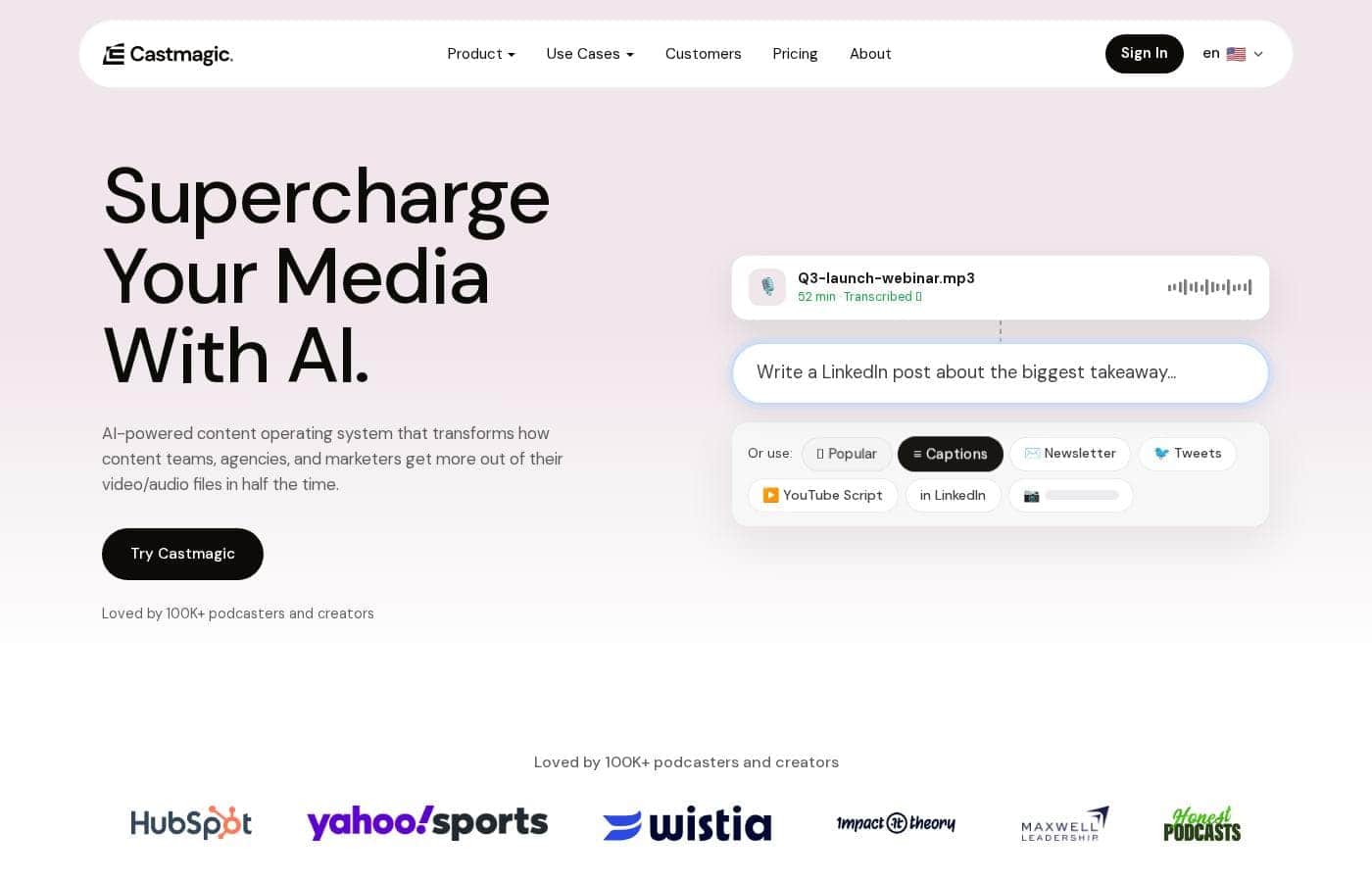
CastMagic homepage screenshot

At a glance

Quick overview for CastMagic: rating, pricing summary, key features, and highlights.
Pricing verified Oct 13, 2026

Ciroapp score

3.9/ 5

CastMagic turns one recording into show notes, clips, newsletters, and social posts in your brand voice, backed by solid team workflow tools. The catch is annual-only billing and unpublished trial or refund terms. Overall, it's a solid pick for weekly podcasters and agencies that repurpose content constantly.

Pros

  • Pros:Generates 100+ asset types from a single recording — show notes, blog drafts, newsletters, captioned vertical clips, and carousels — so one episode can feed a full week of publishing
  • Pros:Transcripts arrive in minutes with speaker labels and timestamps across 60+ languages, and every downstream asset draws from that source transcript
  • Pros:Brand voice controls (tone dials plus vocabulary rules) and reusable templates keep AI drafts on-style rather than generic

Cons

  • Cons:Self-serve plans are billed annually only ($239–$1,669/yr upfront) with no monthly option shown, so trying it properly requires a full-year commitment
  • Cons:The pricing page doesn't state free-trial or refund terms, so you need to verify those on the terms page before paying
  • Cons:File upload caps (10GB on plan pages, with some site copy citing 1GB) can constrain very long video recordings
Best for
  • Podcasters who need transcripts, show notes, and clips from every episode
  • Marketing agencies managing content for multiple clients at once
  • In-house content teams repurposing webinars and interviews
This section is a summary. Detailed sections about features, use cases, pricing, and reviews follow below.

What is CastMagic?

You record a great episode or webinar. Then the real work starts: show notes, clips, posts, and newsletters. Castmagic aims to fix that.

It transcribes your audio in minutes and drafts dozens of content assets from one recording, so your team ships more without working weekends.

Castmagic is an AI-powered content platform for teams that work with audio and video. Upload a file or paste a link from YouTube, Spotify, Zoom, and over a thousand other sources. The tool transcribes recordings with speaker labels, then drafts show notes, blogs, clips, carousels, and newsletters in your brand voice.

It's built for podcasters, marketers, agencies, and media teams that repurpose long-form content every week.

Should you choose CastMagic?

Quick buyer guidance before you compare plans or click through.

Choose it if

  • You publish audio or video weekly and need written assets fast
  • You manage several brands or clients and want separate workspaces
  • You want drafts matched to your brand voice, not generic AI text
  • Your team needs comments, tasks, and approval steps before publishing
  • You import from many platforms and want autopilot for new episodes

Skip it if

  • Trial and refund terms aren't visible in the main site content, so verify them before committing
  • File uploads are capped at 1GB, which may matter for long video recordings
  • Solo creators who rarely record may not use enough of the platform to justify the cost
  • Some reach features depend on integrations like Zapier or the Claude MCP connector

Next steps before buying

  1. 1Check the pricing page for current plans, billing terms, and any annual discounts
  2. 2Confirm your sources are supported — the site lists 1,800+ platforms plus direct file uploads
  3. 3List the assets you need most (show notes, clips, newsletters) and see if the 130+ tools cover them
  4. 4Compare Castmagic with alternative transcription and repurposing tools before you commit

Ease of use

Onboarding looks simple. You paste a link or drag in a file, and importing starts before you finish signing up. Transcripts arrive in minutes. The dashboard covers pipelines, studios, and workspaces, so teams may need some setup time to organize brands, folders, and permissions. A guided demo is available if you'd rather have a walkthrough.

CastMagic Key Features

🎙️ Bring in any recording

Start with what you already have. Paste a link from YouTube, Spotify, Zoom, and 1,800+ other platforms, or drag in an audio or video file. Importing begins before you've even finished signing up.

Use it for weekly shows, webinars, or one-off interviews — anything you've recorded.

✨ Transcripts you can trust

Transcripts arrive in minutes, with speaker labels and timestamps in 60+ languages. You can see who said what, and when. That transcript is the foundation for everything else — summaries, show notes, quotes, and clips all draw from it.

Reach for it whenever you need accurate source material.

⚡ One recording, a full content set

One recording becomes a full content set. Castmagic drafts from every file, ready to edit and publish.

  • Show notes, blog articles, and newsletters
  • Captioned vertical clips and swipeable carousels, cut in Studio
  • Social posts, quote cards, and meeting recaps

Turn on autopilot, and every new episode from your feed gets drafted automatically.

✨ Drafts that sound like you

Drafts should sound like you, not a robot. Set tone dials from casual to formal and playful to serious, then add vocabulary rules to steer word choice. Editable templates save your structure for show notes, newsletters, and hooks.

Use them to keep every brand and client on style.

✨ Built for team workflows

Teams get real workflow tools here. Run separate workspaces per client, organize recordings into folders, and control access with user permissions. Comment on drafts, assign tasks, and move work through approval steps before anything publishes.

Semantic search then finds any quote or story across your library by meaning, not just keywords.

Use Cases

🎙️ Podcasters: ship a full episode kit

Drop in your episode — link or file. Castmagic transcribes it with speaker labels, then drafts show notes, clips, and social posts. Turn on podcast autopilot and new episodes from your feed import and draft themselves.

Expected outcome: publish-ready assets for every episode, no weekend editing marathons.

📣 Marketers: one webinar, one whole campaign

Your webinar just ended. Paste the recording, and the campaign builder turns it into a blog post, email sequence, clips, quote cards, and a newsletter — all drafted in your brand voice.

Tip: Start with the assets you publish most, then edit from there.

🗂️ Agencies: keep every client in its lane

Each client gets its own workspace with folders, brand voices, and permissions. Your team comments, assigns tasks, and approves drafts in one place — so nothing ships before review.

Expected outcome: cleaner handoffs and fewer mix-ups across accounts.

🤝 Sales and meetings: notes that do the follow-up

Record Zoom or Google Meet calls, then turn them into recaps, action items, pitches, and follow-up emails in minutes. Coaches can share session takeaways the same way.

Tip: Paste the meeting link — no download step needed.

CastMagic pricing

From$19.92/mo

  • 4 plans

Prices checked on Oct 13, 2026 from CastMagic's pricing page

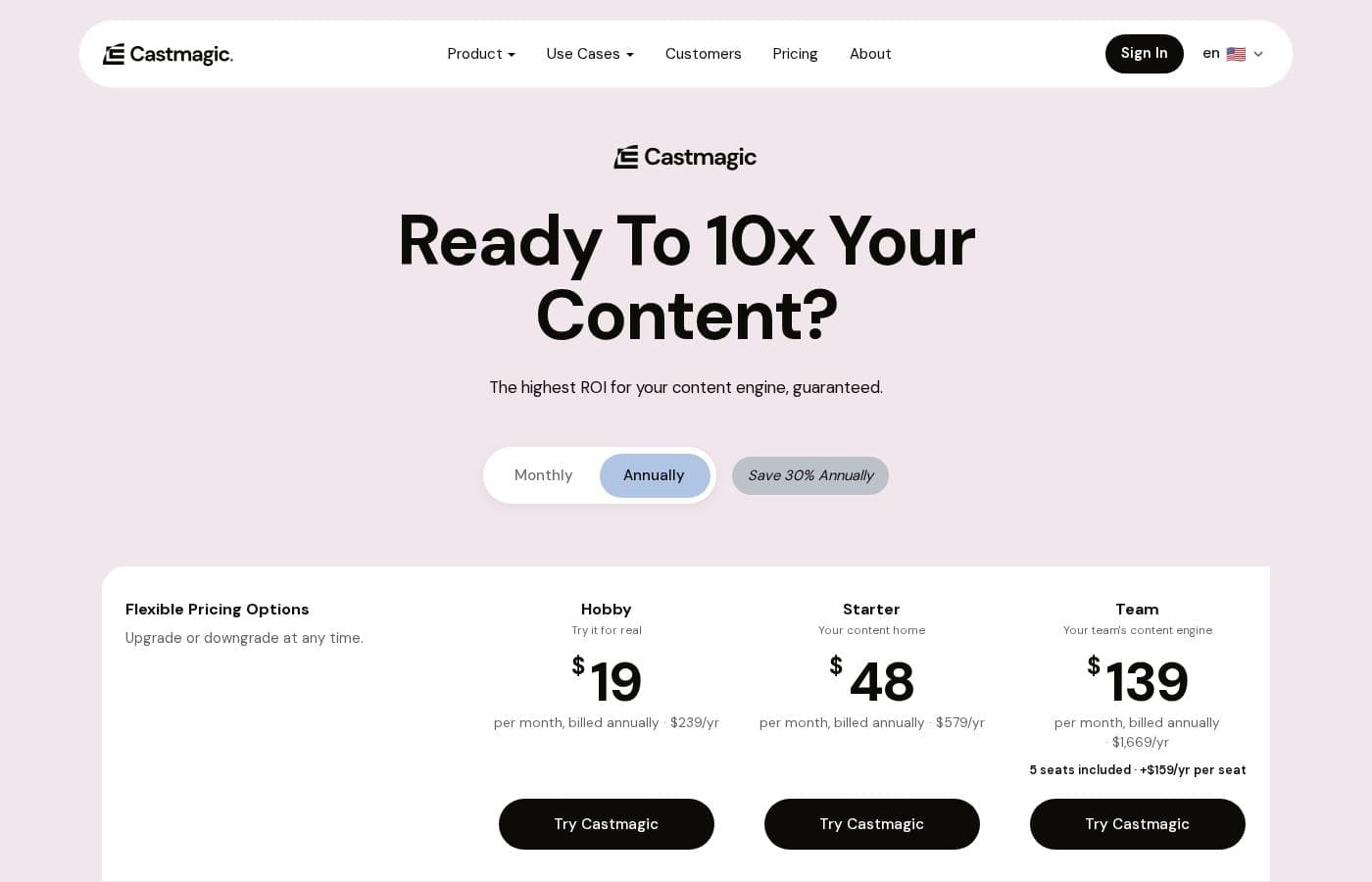
CastMagic pricing page screenshotView pricing page screenshot
PlanBilled monthlyBilled annuallyIncludes
Hobby
$19/month, billed annually
$19.92/mo
$239 per year
No API access, no onboarding call, 3-seat maximum, 10GB max file size
  • 30 transcribed hours (growing library)
  • 60+ languages with timestamps
  • Unlimited AI outputs and re-generations
  • Unlimited media clipping and audiograms
  • Up to 3 spaces, 50GB storage, 3 seats max
  • +1
Starter
$48/month, billed annually
$48.25/mo
$579 per year
5-seat maximum, standard support, 10GB max file size
  • 100 transcribed hours (growing library)
  • Up to 10 spaces, 250GB storage
  • 5 seats max
  • API access
  • Onboarding call included
  • +1
Team
$139/month, billed annually
$139.08/mo
$1,669 per year
Extra seats cost $159/yr or $19/month each; 10GB max file size
  • 400 transcribed hours (growing library)
  • Up to 25 spaces, 1TB storage
  • 5 seats included; extra seats $159/yr or $19/month each
  • Unlimited seats
  • Priority support and onboarding call
  • +1
Business & Scale
$699/mo
—
Custom pricing based on volume; aimed at studios, platforms, and publishing houses
  • Everything in Team
  • Enterprise-level transcription, seats, and storage
  • Custom implementations and use cases
  • Volume discounts, SLA, and dedicated support

Price history

Tracking prices since Oct 1, 2026. No price change detected yet.

Pricing types: Yearly subscription, Per seat pricing

Pricing notes

CastMagic offers four plans: Hobby at $19/month, Starter at $48/month, and Team at $139/month, all billed annually, plus Business & Scale from $699/month. Annual billing saves you 30%, and every plan includes a growing library of transcribed hours plus unlimited AI content.

CastMagic costs between $19 and $699 per month with four plans: Hobby at $19/month, Starter at $48/month, Team at $139/month, and Business & Scale from $699/month.

The three self-serve plans are billed annually — that's how you save 30% — and you can upgrade or downgrade at any time. Here's what each one includes.

Hobby

Price: $19 per month, billed annually ($239/yr) Best For: Solo creators who want to try the real thing Other Features:

  • 30 transcribed hours in a library that grows over time
  • 60+ languages, timestamps, and unlimited AI re-generations
  • Up to 3 spaces with 50GB storage
  • 3 seats max, standard support, and no API access

Hobby is the entry point, but it's not a stripped-down demo. You still get unlimited AI content, clips, and audiograms, so it works well as a genuine test on your own recordings. If you publish occasionally and work solo, start here.

Starter

Price: $48 per month, billed annually ($579/yr) Best For: A growing creator who needs a content home Other Features:

  • 100 transcribed hours
  • Up to 10 spaces with 250GB storage
  • 5 seats max
  • API access and an onboarding call

Starter steps things up nicely. The bigger library suits creators publishing every week, and the extra storage handles more uploads without stress. API access is the real differentiator if you want to connect Castmagic to your own tools.

Team

Price: $139 per month, billed annually ($1,669/yr) Best For: Teams that need more seats, spaces, and support Other Features:

  • 400 transcribed hours
  • Up to 25 spaces with 1TB storage
  • 5 seats included; add more at $159/yr or $19/month per seat
  • Priority support and an onboarding call

Team is built for collaboration. Unlimited seats make it the right fit for agencies and content teams, and priority support keeps projects moving. If you work alone, skip this tier — Hobby or Starter will save you money.

Business & Scale

Price: From $699 per month (currently reduced from $999/month) Best For: Studios, platforms, and publishing houses Other Features:

  • Everything in Team
  • Enterprise-level transcription, seats, and storage
  • Custom implementations and volume discounts
  • SLA and dedicated support

Business & Scale exists for serious volume. You get custom implementations for your workflow, plus dedicated support backed by an SLA. Reach out to Castmagic for a quote if your operation processes content at scale.

A few billing notes worth knowing. Every plan includes a growing library of transcribed hours — 30, 100, or 400 depending on tier — and you can buy more hours anytime. You can also upgrade or downgrade whenever you like, so you're never locked into the wrong size. The pricing page doesn't mention a free trial or refund policy, so it's worth confirming those terms before you commit.
Cost calculator

Estimate what CastMagic costs for your team.

Billing

Hobby has no published price for this billing cycle.

Hobby has a flat price: the number of seats does not change the total. Estimate based on published list prices, before taxes, add-ons and discounts.

Email me when CastMagic changes price

One email when we detect a price change on the vendor's pricing page. No newsletter, no deals. Unsubscribe in one click.

User Reviews

No reviews yet.

Write a Review

Write a Review for CastMagic
0/100 characters
0/2000 characters

Why use CastMagic?

Most teams don't struggle to record. They struggle to reuse what they recorded. Castmagic is built to close that gap, turning the media you already have into a steady stream of publish-ready drafts.

  • One recording, many assets — the platform advertises 100+ asset types per recording, from transcripts and show notes to clips, carousels, and full newsletters.
  • Fast, structured transcription — speaker-labelled, timestamped transcripts in 60+ languages, delivered minutes after upload.
  • Drafts that sound like you — brand voice training and editable templates keep output on-brand, with vocabulary controls to steer word choice.
  • Team-ready by design — multi-brand workspaces, user permissions, folders, commenting, and approval flows support agency and in-house workflows.
  • Find any moment later — semantic search surfaces quotes and stories across your whole library, matching meaning rather than keywords.
  • Automation built in — podcast autopilot drafts every new episode from your feed, and an audience chatbot can answer listener questions on your own site.

The vendor reports teams see 3x content output and save 16+ hours per client on average. Those are the company's own numbers, so treat them as a starting point — but the workflow behind them is described in detail on the site.

CastMagic alternatives

Other tools in the Transcription category

View all Transcription tools
Fireflies.ai

Fireflies.ai

Transcription4/5

The #1 AI Teammate for Meetings. Record, transcribe, summarize, take notes, and complete actions during meetings.

Otter.ai

Otter.ai

Transcription3.9/5

Otter.ai is the leading AI Meeting Agent designed to listen and capture crucial conversational details. It's built for individuals, small teams, and large enterprises looking to maximize efficiency. It operates like a tireless executive assistant, tracking necessary takeaways and handling follow-ups automatically. This system provides insights you can use immediately, pulling out important information so you don't have to sift through full transcripts. You can even activate the voice-prompted AI Chat—just say, "Hey Otter" to get answers about past conversations.

CastMagic FAQ

How much does CastMagic cost?

CastMagic's cheapest paid plan, Hobby, costs $19.92 per month. Paid plans range from $19.92 to $699 per month. Prices checked on Oct 13, 2026 from the vendor's pricing page.

Does CastMagic have a free plan?

No. CastMagic lists no free plan; the cheapest paid plan starts at $19.92 per month.

Has CastMagic's price changed recently?

No. We have not detected a price change since we started tracking on Oct 1, 2026.

Which apps and platforms does CastMagic integrate with?

Every plan includes Zoom, Google Drive, Zapier, RSS, and imports from YouTube, TikTok, and Instagram. You can also paste links from 1,800+ platforms. API access starts on Starter, plus a Claude MCP connector for your library.

Is there a free trial or money-back guarantee?

The pricing page doesn't spell out trial or refund terms, so review the terms page before you buy. What's clear: annual billing saves 30%, and you can upgrade or downgrade anytime.

How do seats and transcribed hours work as my needs grow?

Team includes 5 seats; extras cost $159/year or $19/month each. Hours work like a growing library — 30, 100, or 400 hours depending on plan — and you can buy more anytime. Storage ranges from 50GB to 1TB.

What kind of support and onboarding can I expect?

All plans include live chat and a Slack community with 1,700+ members. Hobby gets standard support; Team adds priority support. Starter and above include an onboarding call. Business & Scale plans come with an SLA and dedicated support.

Ready to try CastMagic? Check out the official site or pricing.

Are you CastMagic? Claim this listing · Get the badge