BugHerd

BugHerd

Getting client feedback on websites – made ridiculously easy

#1 dans Bug Tracking
2 min read Β· Updated 11/17/2025
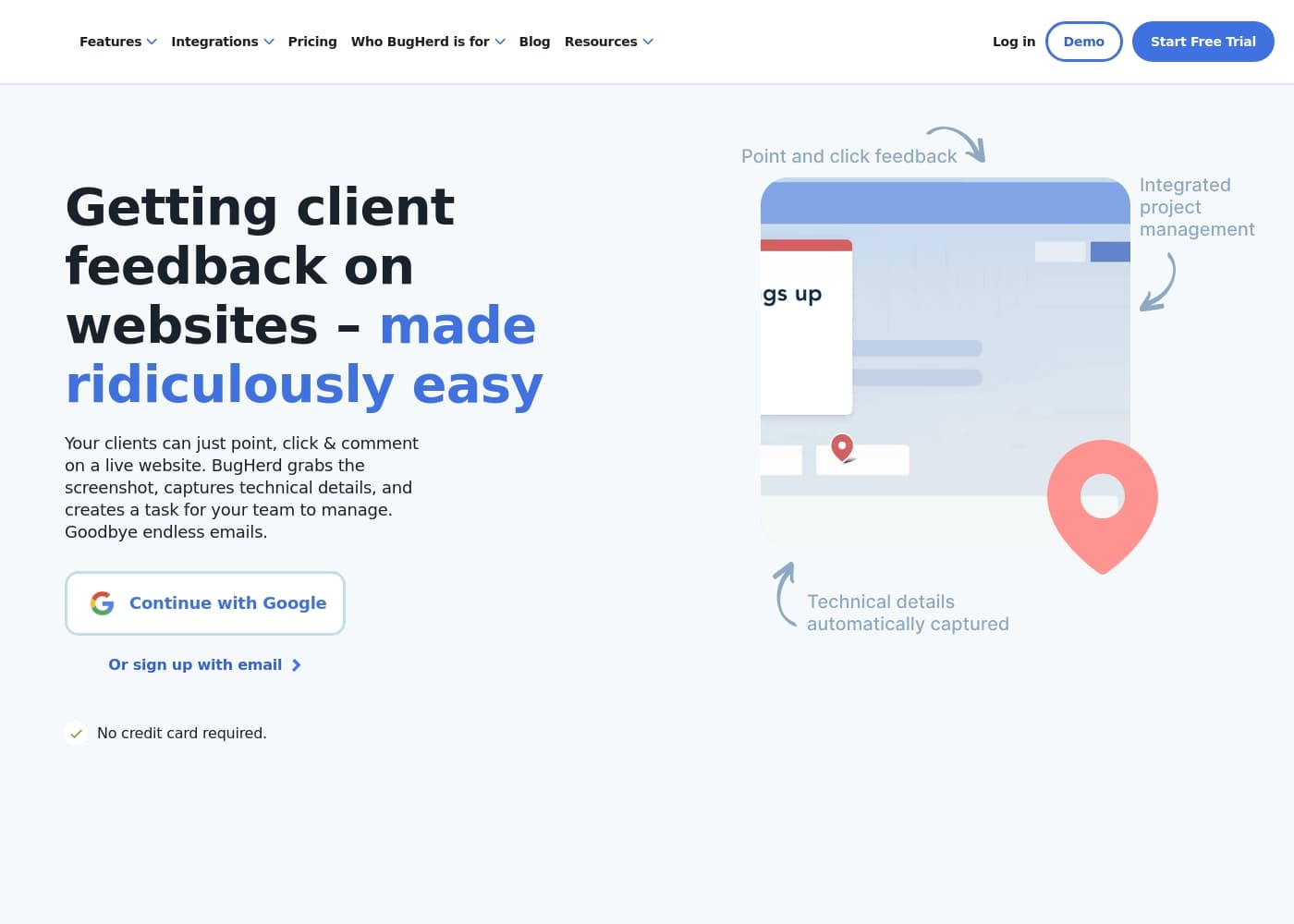
BugHerd homepage screenshot

At a glance

Quick overview for BugHerd: rating, pricing summary, key features, and highlights.

Ciroapp review

4.6
Streamlined visual feedback for web agencies.

We recognize BugHerd as a highly efficient tool that solves the chronic issue of inaccurate client feedback. Its ability to capture technical specs automatically and integrate comments into a Kanban board drastically streamlines the development workflow. Overall, BugHerd provides outstanding functional value for teams routinely managing client communication.

Pros

  • Pro:Clients provide feedback without needing an account or login.
  • Pro:Automatic capture of screenshots, technical specs, and device details.
  • Pro:Clear, scalable pricing structure with unlimited guest/client users on all plans.
  • Pro:Every client comment immediately becomes a trackable task on a Kanban board.

Cons

  • Con:Member count limits define pricing tiers; additional members cost extra.
  • Con:Custom branding (White Labelling) is reserved for the higher-tier Premium plan.
  • Con:Advanced enterprise features like SSO are limited to the Custom pricing tier.
Free trial
Yes β€” 7 days
Money-back guarantee
Yes β€” 60 days
Range: $42–$150/monthFree trial, Monthly subscription, Yearly subscription, Per seat pricing
This section is a summary. Detailed sections about features, use cases, pricing, and reviews follow below.

BugHerd review, pricing, features, pros & cons

Are you tired of endless emails and impossible-to-decipher screenshots? Managing client feedback often takes more effort than the actual website build. BugHerd fixes this frustration instantly.

Clients simply point, click, and comment right on the live site. BugHerd handles the rest, turning suggestions into clear, actionable tasks. ✨

What is BugHerd?

BugHerd is a vital tool that makes collecting website feedback ridiculously easy. It functions as both a visual feedback system and powerful bug tracking software. It’s designed specifically for web development teams and their clients, including Project Managers, Developers, and Designers.

Feedback stays visually pinned to the exact element on the page, eliminating confusion. Clients don’t even need an account or log-in to share their comments. Simply send them a link and they can start right away.

πŸ’‘

BugHerd Key Features

πŸ“ Pinpoint Visual Feedback In-Context

Tired of deciphering impossible screenshots? BugHerd solves communication confusion instantly. Clients simply point, click, and leave a comment right on the live website. They drop a pin directly onto the page element that needs attention.

This ensures your development team knows precisely what needs changing without any guesswork. The feedback stays visually pinned to the exact spot on the page. You get immediate, accurate context for every single suggestion.

πŸ’» Automatic Technical Data Capture

Say goodbye to chasing down browser versions and confusing device details. BugHerd automatically captures essential technical specifications with every single comment. This comprehensive capture eliminates the need for detailed follow-up questions and frustrating client calls.

When a client drops a pin, BugHerd captures a screenshot, screen resolution, operating system, and the full device details. Developers immediately acquire all the metadata required to recreate and fix the reported issue quickly. This automatic data capture saves web development teams hours every week.

✨ Effortless Client Access and Collaboration

Client collaboration should be easy for everyone involved in the project. Clients don't need any special accounts or tricky new log-ins to share their valuable comments. You simply send them a link, and they can start right away, leaving feedback instantly.

This process ensures you receive more comprehensive feedback sooner. You also maintain control over the system. Your team can set specific feedback deadlines or manage client permissions within the project if needed. Premium users also unlock options like custom branding and private team commenting.

✨ Integrated Task Management and Prioritization

Every piece of client feedback instantly converts into a clear, trackable task for your team. All your tasks are neatly organized on a visual Kanban board, acting as a dynamic to-do list for your entire workflow.

You can manage, prioritize, and monitor the progress of bug fixes and requested changes effortlessly. Your team can easily prioritize the workflow or send the task directly to external tools, ensuring the project moves smoothly toward delivery.

✨ Seamless Integration with Existing Tools

BugHerd fits right into your existing development environment seamlessly. It integrates with popular web apps for project management, customer support, and CRM functions. Feedback collected automatically syncs to your preferred platform, maintaining a smooth workflow and enhancing efficiency.

Integration tools include widely used applications such as:

Use Cases

πŸ”„ Streamlining Client Review Cycles for PMs and Agencies

Your agency often deals with clients confused by technical jargon. They send scattered emails and blurry screenshots, making implementation slow. BugHerd fixes this by linking all feedback directly to the element on the website.

This process ensures clarity for everyone involved from the start. Clients just point and click, then the system turns their suggestion into a clear, actionable task immediately. This focus helps eliminate guesswork, leading to a reported 93% reduction in delivery time for some teams.

πŸ’» Automated Technical Bug Reporting

Developers typically waste hours trying to replicate bugs because clients forget to include critical details like browser version or screen size. This detective work seriously slows down the development cycle.

When a client drops a pin on a bug, BugHerd instantly captures a screenshot, screen resolution, operating system, and all necessary technical specs. This crucial metadata capture happens automatically without the client needing to do anything. Web developers receive clear, accurate tasks, letting them focus on fixing issues rather than chasing details.

πŸ”— Seamless Feedback Integration with Existing Tools

Your development team relies heavily on tools like Jira, Trello, or Slack for daily task management. You need a feedback system that fits seamlessly into existing infrastructure without forcing a platform change.

BugHerd integrates effortlessly with popular project management, customer support, and CRM platforms. This means every piece of client feedback gathered automatically syncs to your preferred workflow. You can manage, assign, and track these items and keep the entire team efficient.

πŸ’‘ The Simple Client Onboarding Experience

Clients often resist using complex bug tracking platforms or setting up new accounts just to leave a comment. BugHerd makes client collaboration effortless and simple.

Clients don't need a log-in, profile, or account. Just send them a unique link and they can start commenting immediately. This simplicity leads to higher engagement and reportedly improves client satisfaction by 94%.

πŸ’‘ Implementing Continuous Website Improvement

Problem: Collecting timely feedback from general website visitors after the site goes live is often difficult, leaving bugs unseen.

Approach: Implement BugHerd’s Public Feedback Widget on the active site. This allows end-users and general visitors to submit bug reports and feedback instantly.

Expected Outcome: You continually receive high-quality, in-context reports directly to your task board. This allows your team to triage and maintain high website quality proactively.

πŸ“‹ Managing Tasks and Priorities on the Fly

Every piece of client feedback instantly turns into a trackable task card on a visual Kanban board. Project Managers gain full control over the workflow and task prioritization.

Use the task board to assign tasks to designers or developers, track status, and manage client permissions easily. You can even set critical feedback deadlines for clients, keeping projects on schedule and budgets controlled.

Pricing Overview for BugHerd

Pricing range
$42–$150/month
Pricing types
Free trial, Monthly subscription, Yearly subscription, Per seat pricing
Money-back guarantee
Yes β€” 60 days

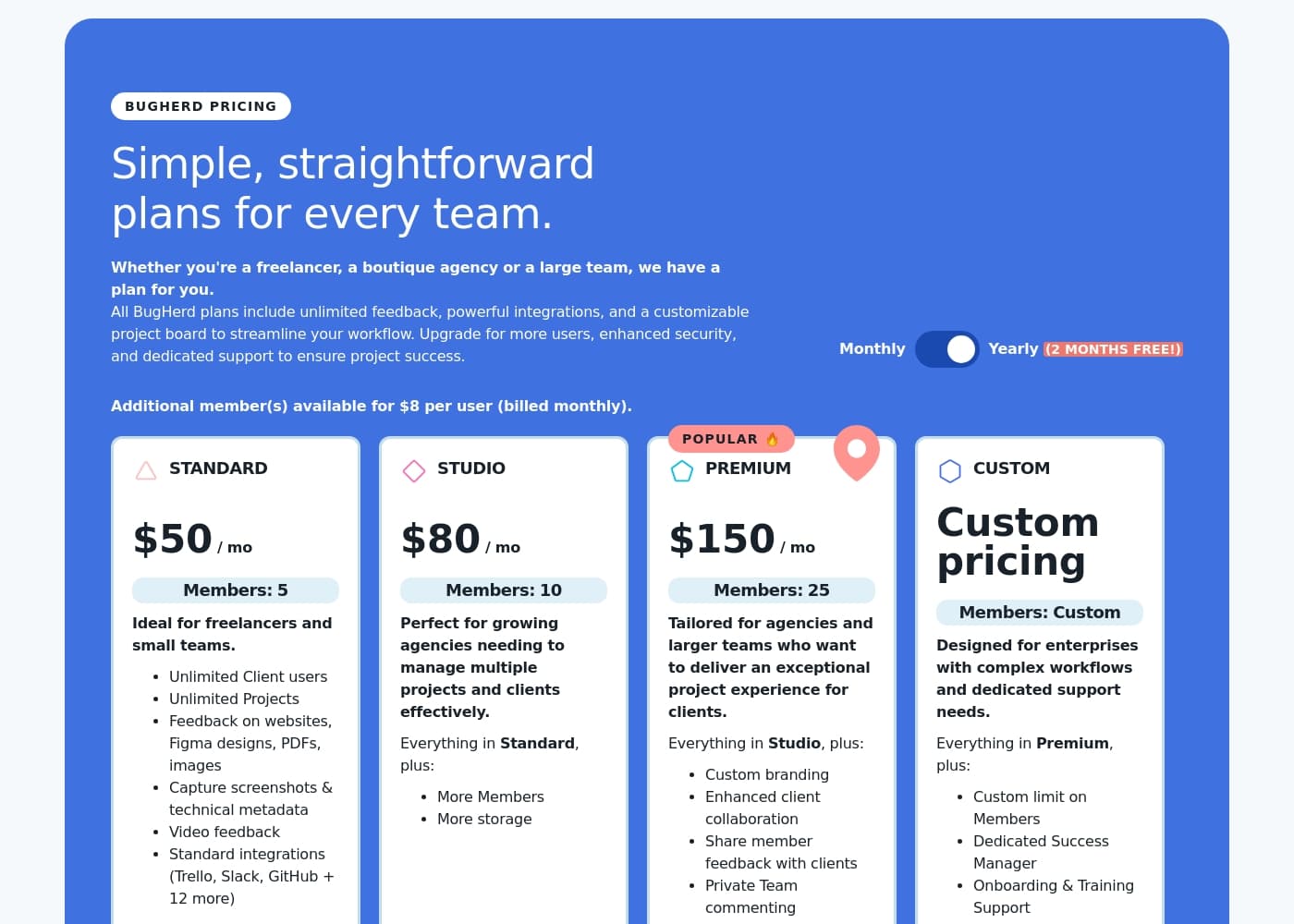
BugHerd offers four straightforward subscription levels: Standard, Studio, Premium, and Custom. Standard plans start at $42 per month when billed annually, and pricing scales up with members and storage capacity.

Plans & Pricing

Standard

Monthly$50
Yearly$42
5 members, 10 GB storage
  • 5 members
  • Unlimited client users
  • Unlimited projects
  • 10 GB storage
  • Video feedback
  • Standard integrations (Trello, Slack, GitHub + 12 more)

Studio

Monthly$80
Yearly$67
10 members, 25 GB storage
  • 10 members
  • Unlimited client users
  • Unlimited projects
  • 25 GB storage
  • Everything in Standard

Premium

Monthly$150
Yearly$125
25 members, 50 GB storage
  • 25 members
  • Unlimited client users
  • Unlimited projects
  • 50 GB storage
  • Custom branding/logo
  • Enhanced client collaboration
  • Private Team commenting

Custom

MonthlyCustom pricing
YearlyCustom pricing
Custom members, Unlimited storage
  • Custom limit on members
  • Unlimited storage
  • Dedicated Success Manager
  • Onboarding & Training Support
  • Single Sign-On (SSO)
  • 99.9% uptime SLA

BugHerd costs between $42 and custom pricing per month (when billed annually) with four plans: Standard at $42, Studio at $67, Premium at $125, and Custom at custom pricing.

These plans are designed to fit the needs of all teams, whether you're a freelancer or a large enterprise. Let's look closely at what features each option offers.

Standard

Price: $42 / month (billed annually) or $50 / month (billed monthly) Websites Supported: Unlimited Projects Best For: Freelancers and small teams Refund Policy: 60-day money-back guarantee Other Features:

  • Includes 5 members and unlimited guest/client users.
  • Get 10 GB of storage space.
  • Capture screenshots, technical metadata, and video feedback.
  • Standard integrations (e.g., Trello, Slack, GitHub + 12 more).

The Standard plan is perfect for individuals or small groups beginning their journey with visual feedback tools. You get all the essential features, plus ample capacity for ongoing projects and collaboration with unlimited clients.

Studio

Price: $67 / month (billed annually) or $80 / month (billed monthly) Websites Supported: Unlimited Projects Best For: Growing agencies needing to manage multiple projects and clients effectively Refund Policy: 60-day money-back guarantee Other Features:

  • Supports 10 members.
  • Increased storage capacity to 25 GB.
  • Everything from the Standard plan is included, plus better capacity for a larger team.

If your agency is expanding or handling a higher volume of client work, Studio is a smooth step up. It doubles your team size limit and gives you more room for storing feedback and technical data.

Premium

Price: $125 / month (billed annually) or $150 / month (billed monthly) Websites Supported: Unlimited Projects Best For: Agencies and larger teams who want to deliver an exceptional project experience Refund Policy: 60-day money-back guarantee Other Features:

  • Includes 25 members and 50 GB of storage.
  • Unlocks custom branding/logo (White Labelling).
  • Features enhanced client collaboration and private team commenting.
  • Allows sharing member feedback with clients.

The Premium plan is the most popular choice, built for scaling agencies focused on delivering a great client experience. You benefit from significantly more members, dedicated storage, and advanced features like custom branding.

Custom

Price: Custom pricing / month Websites Supported: Unlimited Projects Best For: Enterprises with complex workflows and dedicated support needs Refund Policy: 60-day money-back guarantee Other Features:

  • Custom member limit and unlimited storage.
  • Dedicated Success Manager and specialized Onboarding/Training support.
  • High-level security features like Single Sign-On (SSO) and a 99.9% uptime SLA.

The Custom plan is tailored for larger organizations needing specialized solutions and workflow integration. This tier unlocks the highest levels of support and essential enterprise security measures, ensuring seamless operational efficiency at scale.

Before committing to a paid plan, remember that BugHerd offers a free 7-day trial so you can test all features. You can also feel confident knowing that BugHerd features a strong 60-day money-back guarantee if you are not satisfied with your purchase.
User Reviews

Verification from direct user testimonials is currently unavailable 🧐. BugHerd’s strong value proposition tackles messy email threads by focusing on in-context visual accuracy.

The software claims feedback is ridiculously easy; clients point and click right on the live site element. Technical data, like browser specs and resolution, is captured automatically.

This streamlined process aims for a 93% reduction in delivery time. Pricing plans are clear and scalable.

They support freelancers up to large enterprises, starting at $42 monthly (Standard). All tiers emphasize effortless client collaboration by offering unlimited guests.

Standard integrations (Trello, Slack, GitHub) ensure seamless workflow management. The Premium plan offers custom branding for agencies focused on delivering an exceptional project experience.

This feature set positions BugHerd well for better bug tracking and stronger client relationships.

No reviews yet.

Write a Review

Write a Review for BugHerd
0/100 characters
0/2000 characters

Why use BugHerd?

Why waste time chasing details when you could be building? BugHerd streamlines what used to be the most painful part of your project workflow. It is the clear winner for agencies that need seamless client collaboration.

Here’s how BugHerd transforms your process:

  • In-Context Accuracy: Clients drop a pin directly on the page element to show feedback clearly. Your team knows precisely what needs changing without guesswork.
  • Automatic Data Capture: Say goodbye to chasing browser specs. BugHerd automatically captures a screenshot, screen resolution, device details, and full technical specifications with every comment.
  • Integrated Task Management: Every client comment instantly becomes a trackable task on a Kanban board. You can easily prioritize the workflow or send the task directly to tools like Trello, Jira, or Slack.
  • Effortless Client Collaboration: Clients can review and comment without creating an account. You get more control over client permissions and can even set feedback deadlines.
  • Proven Results: Users report a 94% improvement in client satisfaction and a 93% reduction in time to delivery. This system saves web development teams hours every week. βœ…

BugHerd is a no-brainer purchase for any agency or development team working closely with clients. Its value shines by cutting down implementation time tenfold. If you need effortless feedback, happier clients, and better websites, start your free trial today. πŸš€

Ready to transform your workflow with BugHerd?

Frequently Asked Questions

Is BugHerd priced per user or based on total usage volume?

Pricing uses a tiered system based on the number of core members (developers, designers) you need for your team. Every plan includes a fixed number of seats, but crucially, all plans include unlimited projects and unlimited guest/client users.

What happens if my team needs more members than my current plan allows?

If your team grows, you can easily add extra members to any plan on a per-seat basis. These additional seats cost $8 per user monthly, or $6.60 per user if you pay for the annual subscription.

Is there a limit on the total storage for feedback and data?

Storage capacity is capped depending on your tier. Standard provides 10 GB, Studio offers 25 GB, and Premium includes 50 GB. The Custom plan is the only option that grants unlimited storage.

What is the policy if I purchase a subscription and decide it’s not right for me?

BugHerd offers a strong, risk-free guarantee. If you are not satisfied with the product, you are eligible for a full refund within 60 days of your purchase.

What features are included in the free 7-day trial, and do I need a credit card to access it?

The free trial gives you full access to all features to test the tool completely. You do not need to provide any credit card details to start or use the 7-day trial.

Which specific design, project management, and chat tools integrate with BugHerd?

BugHerd integrates with 17 or more popular tools to streamline your workflow. These include key PM tools like Trello, Jira, Asana, and ClickUp, as well as collaboration tools like Slack and MS Teams.

Is white labeling or custom branding offered for agencies working with clients?

Yes, custom branding and the ability to replace the BugHerd logo are available. This feature intended for agencies is only offered when you subscribe to the Premium or Custom plan tiers.

How quickly can I set up BugHerd on a new website?

Setup is quick and can be done in minutes. You can either install a browser extension for live sites or simply add a JavaScript snippet to the code for staging, internal, or complex sites.

What level of security features does BugHerd provide standard features like Single Sign-On (SSO)?

Advanced enterprise security features like Single Sign-On (SSO) are not included in the standard plans. SSO is reserved exclusively for customers on the Custom pricing tier.

Does BugHerd offer a Service Level Agreement (SLA) for uptime assurance?

A 99.9% uptime Service Level Agreement (SLA) is only provided as part of the Custom plan. General support responsiveness for Standard, Studio, and Premium tiers is not explicitly documented.

Can BugHerd capture feedback on non-live content, such as image files or PDFs?

Yes, BugHerd is versatile for design review. All plans permit clients to submit feedback on websites, Figma designs, PDFs, and general images.

How do I cancel my subscription if I choose monthly billing?

Not explicitly stated on the official site. You should review the specific terms of service or contact BugHerd support for the proper cancellation procedure.

Is there dedicated onboarding or training support available?

Dedicated Success Management, Onboarding, and specialized Training support are only provided to organizations that subscribe to the high-level Custom plan.

Can I receive feedback from general website visitors after launch?

Yes, BugHerd includes a Public Feedback Widget. This allows you to continue gathering user feedback and bug reports from general website visitors even after your site is live.

Ready to try BugHerd? Check out the official site or pricing.