Boast

Boast review

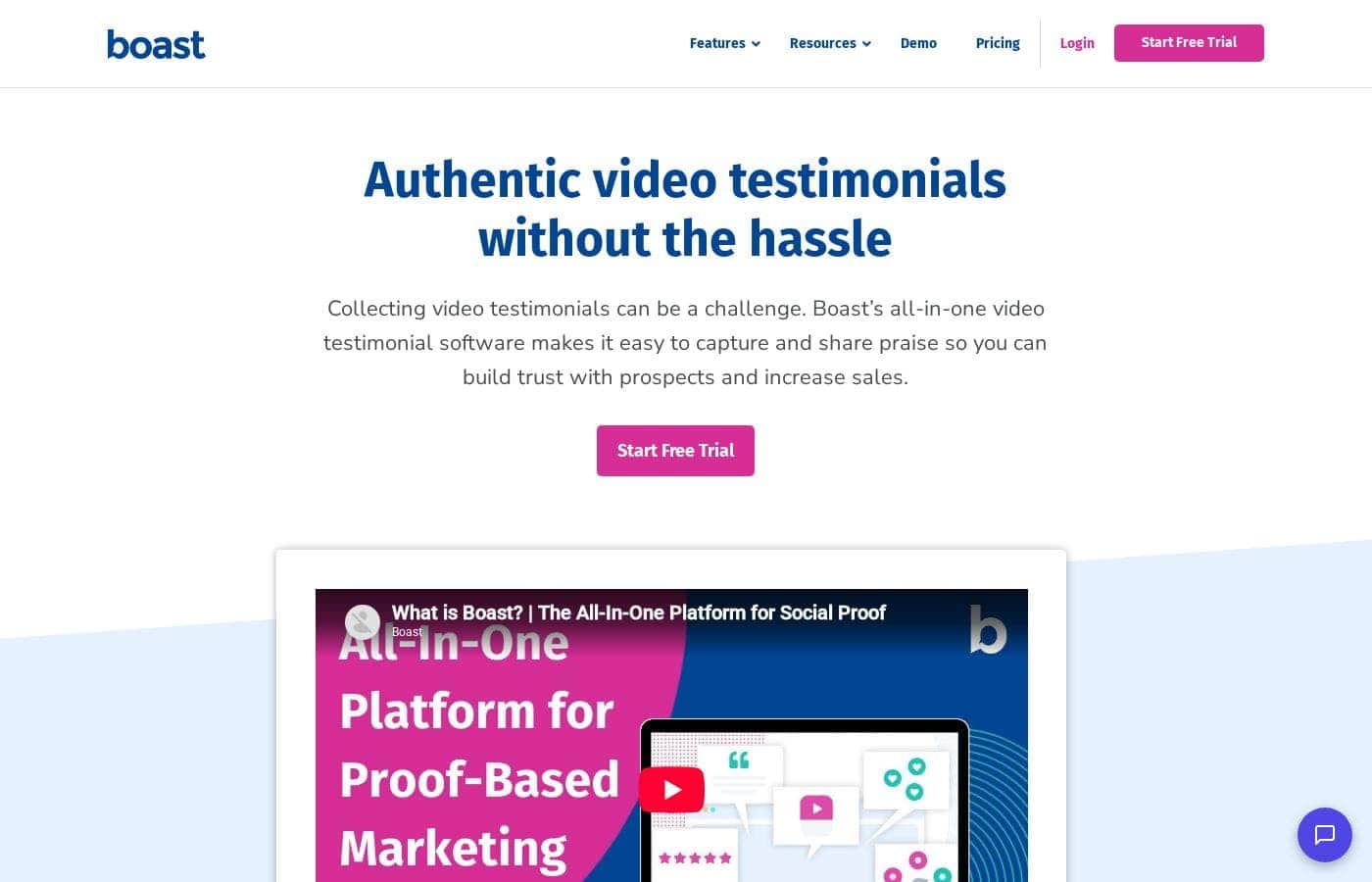
Collect real customer video testimonials without chasing anyone down.

Boast costs from $59/mo · 3 plans · prices checked Oct 13, 2026

By Ciroapp Editorial Team · Updated Sep 17, 2026

Commission may apply at no extra cost

Boast homepage screenshot

At a glance

Quick overview for Boast: rating, pricing summary, key features, and highlights.
Pricing verified Oct 13, 2026

Ciroapp score

4.0/ 5

Boast makes collecting video testimonials painless with automated email and text reminders, mobile-friendly forms, and one-click publishing. It also gathers Google and Facebook reviews, NPS and CSAT surveys, and user-generated videos, though integrations beyond Zapier are unproven and refund terms aren't published. Overall, it's a solid pick for teams that want authentic customer proof without manual chasing.

Pros

  • Pros:Automated email and SMS reminder sequences handle the follow-up for you, so you never have to manually chase customers for a testimonial
  • Pros:Mobile-friendly, responsive forms let customers record video testimonials from any camera-enabled device, with one customer reporting it takes about 30 seconds
  • Pros:One-click approval and embed widgets let you publish approved testimonials to your website or landing pages almost immediately

Cons

  • Cons:Zapier is the only named integration, so teams needing deep native connections to specific CRMs or marketing tools should verify support before committing
  • Cons:Lower-tier plans cap video length (5 minutes on Basic) and responses (50 per month on Basic), which can constrain teams with higher volume or longer stories
  • Cons:The raw, unscripted customer-recorded format won't suit brands that want polished, professionally edited testimonials
Best for
  • Course creators and coaches collecting student success stories
  • Small businesses and agencies that need social proof for landing pages
  • Service businesses with sensitive topics, like health and wellness, where customers need an easy, private way to share
Free trial
Yes — 14 days
This section is a summary. Detailed sections about features, use cases, pricing, and reviews follow below.

What is Boast?

Asking customers for video testimonials is awkward, and chasing them eats up your week. Boast simplifies it with shareable forms, automated email and text reminders, and one-click publishing. Per its site, over 10,000 organizations already use it to gather authentic customer praise.

Boast is an all-in-one platform for collecting video testimonials, online reviews, customer surveys, and user-generated videos. You send customers a link or embed a form; they record a video from any camera-enabled device. It's built for marketers, agencies, and small teams in fields like real estate, health and wellness, software, and financial services who want proof that builds trust.

Should you choose Boast?

Quick buyer guidance before you compare plans or click through.

Choose it if

  • You want video testimonials without manually emailing reminders, since automated sequences are built in
  • Your customers use a mix of phones, tablets, and computers; forms are responsive and mobile-friendly
  • You want approved praise published to your site quickly with embed widgets
  • You'd like Google and Facebook reviews collected automatically alongside videos
  • You want surveys like NPS and CSAT, or custom surveys, in the same tool

Skip it if

  • Pricing isn't visible on the page reviewed, so you'll need to check the pricing page before budgeting; there's no cost transparency here
  • Trial length and refund terms aren't stated on this page, so confirm them before you commit
  • If you need deep native integrations beyond Zapier, verify support first, since that's the only integration named
  • Teams wanting polished, professionally edited testimonials may find the raw, unscripted customer-recorded format isn't the right fit

Next steps before buying

  1. 1Watch the demo video to see the collection and publishing flow before signing up
  2. 2Start the free trial and note the trial length plus any refund terms, which aren't listed on this page
  3. 3Confirm the integrations you rely on, especially Zapier, actually fit your workflow
  4. 4Compare form quality and reminder behavior against one or two alternatives before you decide

Ease of use

Setup signals point to speed. You pick a form template, use sequence templates to automate requests and reminders, and approve new praise with one click. The site says you can be running in minutes, and a support team is available for questions. Customer quotes on the page repeatedly describe it as simple and easy.

Boast Key Features

🎥 Video testimonials your customers will actually record

Asking for video praise is awkward, so Boast makes it painless. You share a link to a Boast-hosted form or embed one right on your site. Customers hit record from any camera-enabled device — phone, tablet, or laptop.

The responsive, mobile-friendly forms mean nobody struggles to submit.

✨ Automated reminders do the chasing for you

Nobody likes nudging clients by hand. Sequence templates automatically send emails and text messages reminding customers to submit their praise. You set things up once, and the follow-ups go out on their own.

It's a fit when you're collecting from lots of clients and don't want reminders eating your week.

✨ Publish approved praise in one click

New praise lands in your queue, and you approve it with a single click to publish it on your website or social channels. Create embed widgets to showcase videos on your site and landing pages. Ad-free hosting keeps visitors focused on your customers, not competing ads.

✨ Put your proof to work everywhere

Testimonials shouldn't sit in a folder. Once they're approved, Boast gives you a few ways to spread them:

📣 More feedback than just video

Video is only the start. Boast also collects online reviews automatically on key sites like Google and Facebook. You can run industry-standard surveys such as NPS and CSAT, or build custom ones.

And the UGC platform lets you request, collect, organize, and share user-generated videos for ads and social channels.

Use Cases

🎓 Collect student success stories

You run online courses and want proof they work. Embed a Boast form on a testimonial page, then email the link after graduation. Students record a quick video from any device, and reminders go out automatically.

Expected outcome: A steady stream of student videos for your course pages.

Tip: Send the request right after the final survey, while wins are fresh.

💬 Get testimonials for sensitive topics

Health and wellness customers often stay quiet, so proof is hard to earn. A private, mobile-friendly form lets them record at home, in their own words. One hair loss brand on Boast's site calls these videos "golden."

Expected outcome: Honest customer stories you'd struggle to get any other way.

🚀 Keep your site full of fresh social proof

Approve new praise with one click and publish it through embed widgets on your website or landing pages. Ad-free hosting keeps visitors focused on your customers, not competing ads.

Expected outcome: A site that always shows current, approved customer praise.

🎬 Turn customer videos into campaign content

Ads and social posts need authentic material. Request user-generated videos, download your favorites, and drop them into campaigns. Zapier can also push new praise to other tools your team uses.

Tip: Tie requests to a giveaway — one Boast customer runs their video campaign alongside a holiday T-shirt raffle.

Boast pricing

From$59/mo

  • 3 plans
  • Save up to 16% with annual billing

Prices checked on Oct 13, 2026 from Boast's pricing page

Boast pricing page screenshotView pricing page screenshot
PlanBilled monthlyBilled annuallyIncludes
Basic
$59/mo
$50/mo
$600 per year
Save up to 15% with annual billing
600 responses per year (50 per month); 5-minute max video length; 1 location; email-only sequences
  • 720p HD video
  • 5 forms
  • 5 sequences
  • 5 staff seats
  • Video editing and automations
  • +3
Team
$119/mo
$100/mo
$1,200 per year
Save up to 16% with annual billing
1,800 responses per year (150 per month); 10-minute max video length; 5 locations; 18,000 sequence enrollments per year
  • 1080p HD video
  • 20 forms
  • 20 sequences
  • 20 staff seats
  • Email & SMS sequences
  • +3
Premium
$249/mo
$208/mo
$2,496 per year
Save up to 16% with annual billing
6,000 responses per year (500 per month); 15-minute max video length; 20 locations; 60,000 sequence enrollments per year
  • 4K video
  • 50 forms
  • 50 sequences
  • 100 staff seats
  • Email & SMS sequences
  • +3

Price history

Tracking prices since Oct 1, 2026. No price change detected yet.

Pricing types: Free trial, Monthly subscription, Yearly subscription

Pricing notes

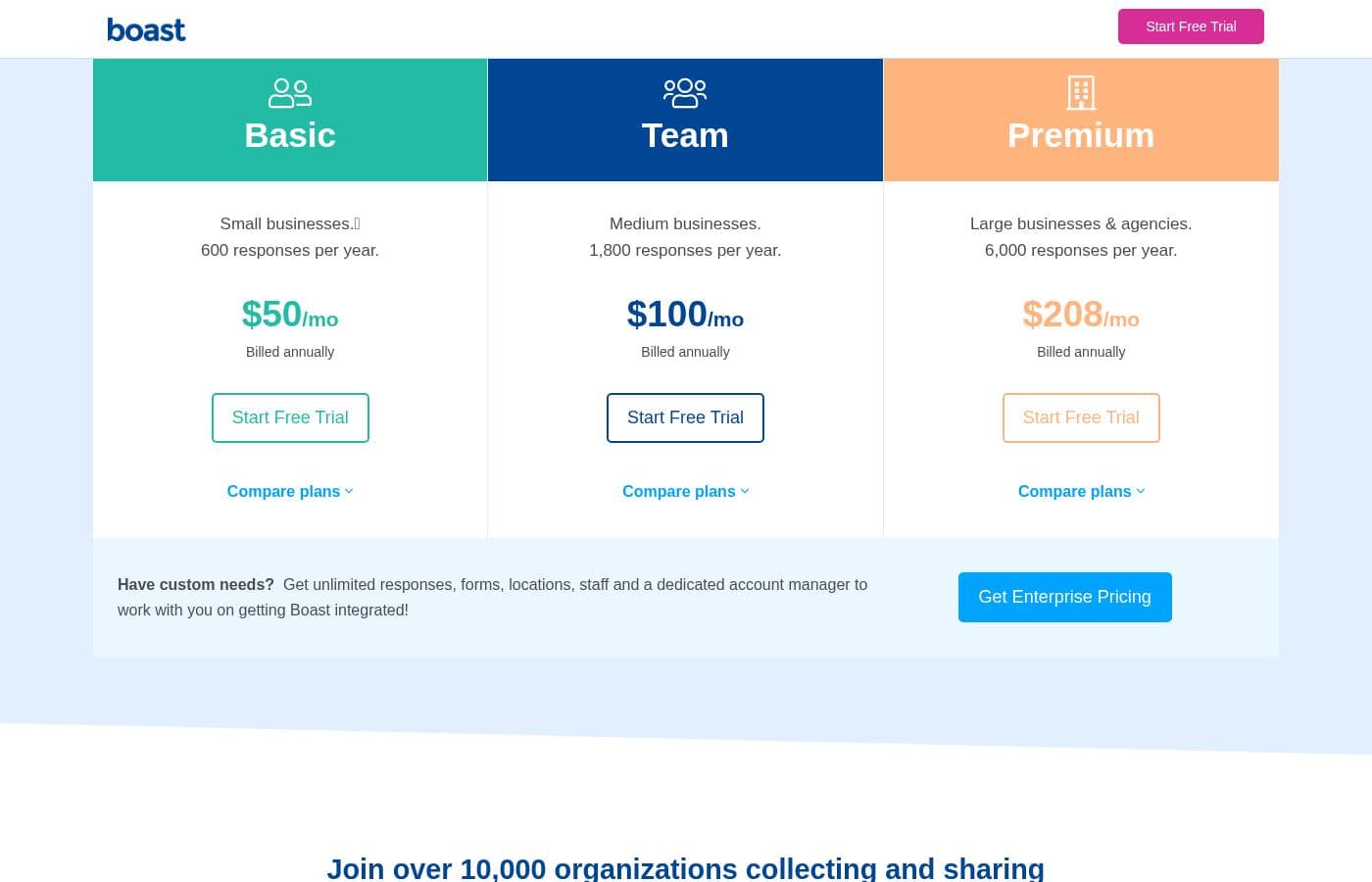
Boast offers three plans starting at $50/month (billed annually) for Basic, with Team at $100/month and Premium at $208/month. Monthly billing runs $59–$249/month, and every plan starts with a 14-day free trial.

Boast costs between $50 and $249 per month with three plans: Basic at $50/month, Team at $100/month, and Premium at $208/month when billed annually.

Every plan includes a 14-day free trial, and no credit card is required to start. You can pay monthly or annually, and annual billing keeps costs down.

Basic

Price: $50/mo billed annually ($59/mo billed monthly) Best For: Small businesses Other Features:

  • 600 responses per year (50 per month)
  • 720p HD video, up to 5 minutes per clip
  • 5 forms, 5 sequences, and 5 staff seats
  • Video editing, widgets, and Zapier integration

Basic is the entry point. It's built for small teams collecting feedback at a modest volume. If you mainly need video testimonials and a handful of forms, this plan covers the essentials without extra cost.

Team

Price: $100/mo billed annually ($119/mo billed monthly) Best For: Medium businesses Other Features:

  • 1,800 responses per year (150 per month)
  • 1080p HD video, up to 10 minutes per clip
  • 20 forms, 20 sequences, and 20 staff seats
  • Email & SMS sequence delivery across 5 locations

Team steps things up for growing companies. You get sharper video, longer clips, and SMS on top of email for automated requests. It's a solid fit when one location or a few staff seats no longer covers you.

Premium

Price: $208/mo billed annually ($249/mo billed monthly) Best For: Large businesses & agencies Other Features:

  • 6,000 responses per year (500 per month)
  • 4K video, up to 15 minutes per clip
  • 50 forms, 50 sequences, and 100 staff seats
  • 20 locations with custom consent and automation tools

Premium handles serious volume. Agencies and large businesses managing many locations will put those staff seats and higher caps to work. If you collect fewer than 500 responses a month, you're likely paying for headroom you won't use.

Every plan ships with the same core toolkit: forms, landing pages, a custom form builder, widgets, contacts, CSV export, social sharing, and review collection for Google and Facebook. Support includes a knowledge base plus chat and email.

Have custom needs? Boast also offers an enterprise option with unlimited responses, forms, locations, and staff, plus a dedicated account manager to help with integration. You'll need to contact them for a quote.

You can try any plan free for 14 days with no credit card required. Boast lets you upgrade, downgrade, or cancel at any time, so there's no long-term lock-in. Just confirm the response limits match your yearly volume before you pick a tier.
Cost calculator

Estimate what Boast costs for your team.

Billing
Per month
$59
Per year
$708

Basic states no user limit: shown as one price for the whole account. Check the price for 5 users with the vendor. Estimate based on published list prices, before taxes, add-ons and discounts.

How to pay less for Boast

  • Pay annually: saves up to 16% compared with monthly billing.
  • Use the 14-day free trial before you pay.
Start free trial

Email me when Boast changes price

One email when we detect a price change on the vendor's pricing page. No newsletter, no deals. Unsubscribe in one click.

User Reviews

No reviews yet.

Write a Review

Write a Review for Boast
0/100 characters
0/2000 characters

Why use Boast?

Most customers are happy to praise you. They just won't jump through hoops to do it. Boast removes the friction so feedback actually shows up, then helps you put it to work. Based on what the site discloses, here's where it stands out:

  • Low effort for customers. Mobile-friendly forms let people record from any camera-enabled device. One customer quoted on the site says it takes about 30 seconds.
  • No manual chasing. Sequence templates automatically send email and text reminders, so you're not nudging anyone by hand.
  • Fast publishing. Approve new praise with a single click and display it on your website or landing pages through embed widgets.
  • A clean viewing experience. Ad-free video hosting keeps the focus on your customers, not competing ads.
  • Flexible distribution. Download videos for ads and marketing, or use the Zapier integration to push praise to other channels.
  • Proven adoption. The company reports more than 10,000 organizations have collected testimonials with it.

Boast alternatives

Other tools in the Video testimonial category

View all Video testimonial tools

Boast FAQ

How much does Boast cost?

Boast's cheapest paid plan, Basic, costs $59 per month. Paid plans range from $59 to $249 per month. Prices checked on Oct 13, 2026 from the vendor's pricing page.

Does Boast have a free plan?

No. Boast lists no free plan; the cheapest paid plan starts at $59 per month.

Does Boast offer a free trial or a money-back guarantee?

Boast offers a 14-day free trial.

How much do you save with annual billing on Boast?

Paying annually saves up to 16% compared with monthly billing, based on Boast's list prices.

Has Boast's price changed recently?

No. We have not detected a price change since we started tracking on Oct 1, 2026.

How can I get help from Boast?

Every plan includes a knowledge base plus chat and email support. Phone support is included too, with the team available via phone, email, and chat from 9am to 5pm EST.

How does Boast handle data security and consent?

Boast publishes a Data Processing Agreement, Privacy Policy, and California Privacy Addendum. Forms include submitter consent, and Premium adds custom consent terms. Review the DPA before purchase if compliance matters.

Ready to try Boast? Check out the official site or pricing.

Are you Boast? Claim this listing · Get the badge