Bitskout

Bitskout

Hire A.I. for your back office to automate data extraction.

#1 dans Data extraction
2 min read · Updated 10/3/2025
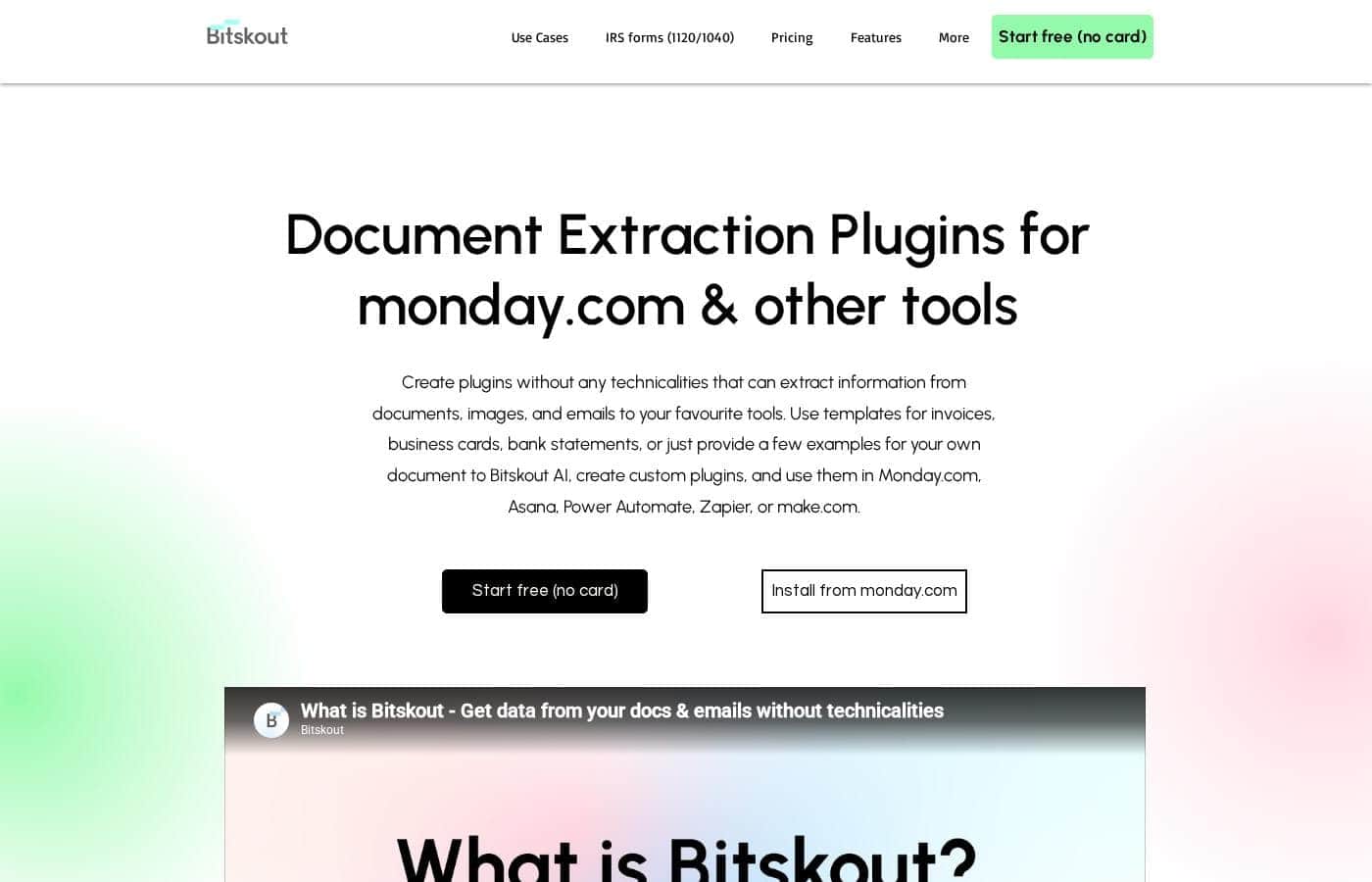
Bitskout homepage screenshot

At a glance

Quick overview for Bitskout: rating, pricing summary, key features, and highlights.

Ciroapp review

4.3
Flexible AI automation for data extraction.

We find Bitskout offers a focused, no-code solution for extracting back-office data, promising quick automation setup using specialized AI plugins. Overall, its usage-based pricing model provides scalability, making it easy to test its value during the initial free trial period.

Pros

  • Pro:No coding skills are required to set up AI automation plugins.
  • Pro:Integrates widely with popular workflow tools like Zapier and Asana.
  • Pro:Users get unlimited users, integrations, and plugins on all paid tiers.
  • Pro:Provides 40+ ready-made templates for fast implementation.

Cons

  • Con:Pricing is strictly usage-based, which applies overage fees quickly.
  • Con:The lower-tier monthly run quotas (200 for Solo) may limit heavy use.
  • Con:Dedicated chat support is only included starting with the $199 Team plan.
  • Con:An explicit money-back guarantee or refund policy is not stated.
Free trial
Yes
Range: $59–$199/monthFree trial, Monthly subscription, Yearly subscription, Usage-based pricing
This section is a summary. Detailed sections about features, use cases, pricing, and reviews follow below.

Bitskout review, pricing, features, pros & cons

Are you wasting talent on repetitive, manual data entry tasks?

Bitskout lets you hire A.I. for your back office. You can quickly create plugins that read documents and emails. This powerful automation is easy to use and helps you save valuable time. ✨

What is Bitskout?

Bitskout helps teams eliminate tedious back-office tasks. It allows you to build simple A.I. plugins that extract data from documents like Invoices, CVs, Bills of Lading, and Purchase Orders.

The best part is that you do not need any coding or technical skills to get started. You can integrate these specialized plugins directly into your important workflows using tools you already know. Use recipes in monday.com or add Bitskout Rules in Asana. Via Zapier and Power Automate, the plugins also work seamlessly with almost any process you currently leverage. đź’ˇ

Bitskout Key Features

✨ Build A.I. Plugins Without Coding

Bitskout allows you to hire A.I. for your back office without needing technical skills. You can quickly create specialized plugins that read data from documents and emails. This powerful automation is easy to set up and requires zero coding knowledge upon deployment.

This simple process lets you immediately integrate sophisticated A.I. into core business workflows. Your team can stop wasting valuable talent and time on tedious, repetitive, manual data entry tasks. You are now just minutes away from shifting these responsibilities to reliable automation.

✨ Seamless Integration with Workflow Tools

Bitskout plugins are designed to power up the tools you are already using today. You can integrate these specialized A.I. helpers directly into your most important processes. For teams leveraging specific platforms, you can add Bitskout Rules in Asana or implement Bitskout recipes in monday.com.

Via Zapier and Power Automate, the plugins also work seamlessly with almost any process you currently leverage. This allows for instant data extraction to flow automatically where it needs to go next.

✨ Instant Start with a Template Library

Starting fast is easy using the extensive library of ready-made solutions. Bitskout provides over 40 templates for the most common business documents.

This resource lets you find pre-built solutions quickly by searching or selecting your team area. Achieve instant data extraction and reliable results by leveraging these proven templates right away. You can quickly extract essential metrics from documents like:

✨ Intelligent Agents for Processed Insights

Bitskout features A.I. Agents that can give you immediate, specific answers about operations. These agents derive intelligence from all the information your plugins have already processed. You simply need to set the appropriate data permissions within your plugins for the agents to access the details smoothly.

This capability lets you ask complex questions about your processed data, such as querying what account was used to pay for a Purchase Order. By processing information accurately, the Agents provide crucial operational insights in a few clicks.

✨ Offload Repetitive Work 24/7

Manual data entry tasks consume significant internal resources, but Bitskout offers a solution. You can offload demanding repetitive work to the specialized A.I. plugins. These plugins work continuously, operating 24 hours a day, seven days a week.

The A.I. performs reliably and consistently, ensuring data is always processed immediately. These automated systems never complain and never get tired. By shifting these tasks, teams could be just ten minutes away from getting an extra day per week back.

Use Cases

đź’° Automating Accounts Payable and Invoice Entry

Accounting departments waste valuable time on manual data entry from invoices. Bitskout lets you hire A.I. for this back-office task.

You simply use a ready-made template, like the one for Invoices or Purchase Orders. The plugin instantly achieves automated data extraction from these documents. This frees your team from tedious work, giving them more time for critical tasks.

đź“„ Streamlining Hiring Document Review in HR

Problem: Your team dedicates too much effort to reading and summarizing incoming CVs. Approach: Build a customized A.I. plugin specializing in resume extraction.

Integrate this plugin into your existing workflow using tools like Zapier or Power Automate. Outcome: The plugin runs 24/7, pulling key candidate details automatically. Your recruiters stop wasting talent on meaningless tasks and focus on interviewing.

🛠️ Integrating Data Directly into Workflow Tools

Many teams use specific systems to manage projects and logistics. Bitskout allows you to power up these current tools immediately. You can integrate plugins using simple rules and recipes, achieving seamless automation.

Here's how it works with common platforms:

  • Add Bitskout Rules in Asana for document processing.
  • Use Bitskout Recipes in monday.com to sync extracted data.
  • Connect via Zapier to incorporate plugins into almost any existing process.

đź§  Gaining Instant Operational Answers with A.I. Agents

Sometimes you need immediate access to historical operational details. Bitskout A.I. Agents help you skip the manual search through processed documents. You can instantly query all the information the system has cataloged. By setting appropriate permissions, you receive immediate answers about your operations.

Expected outcome: Get answers to complex questions like, "How much did we pay for Amazon in December?" or "What account was used for PO 1514134?" quickly.

🚀 Quick Setup for Specialized Document Types

You might need to extract data from a document unique to your industry, like a specific Bill of Lading format. You don't need any coding or technical skills to start the automation. You can create specialized plugins easily and fast.

Bitskout offers over 40 ready-made templates to start quickly, or you can build your own specialized A.I. tool in minutes. You're just ten minutes away from getting an extra day per week back for your team.

Pricing Overview for Bitskout

Pricing range
$59–$199/month
Pricing types
Free trial, Monthly subscription, Yearly subscription, Usage-based pricing

Bitskout offers flexible, usage-based subscription plans starting at $59 per month, or $600 when billed annually. Pricing is determined by the number of monthly 'plugin runs' your team requires.

You can begin automating tasks immediately with a free trial of 50 plugin runs, which requires no credit card.

Plans & Pricing

Solo Plan

Monthly$59
Yearly$600
200 plugin runs/month included; $0.29/plugin run over the limit
  • Unlimited users
  • Unlimited integrations
  • Unlimited number of plugins

Team Plan

Monthly$199
Yearly$2028
1000 plugin runs/month included; $0.19/plugin run over the limit
  • Unlimited users
  • Unlimited integrations
  • Unlimited number of plugins
  • Chat support

Enterprise Plan

MonthlyContact Us
YearlyContact Us
>10 000 plugin runs
  • 3rd party models
  • Datalake integration
  • Auto-feedback loop
  • Exclusive templates

Bitskout costs between $600 and $2,028 per year with 3 plans: Solo at $600, Team at $2,028, and Enterprise (Contact Us).

Below you can review the specific details, features, and suggested audiences for each subscription plan.

Solo Plan

Price: $59 per month or $600 billed yearly Websites Supported: Not explicitly stated Best For: Not explicitly stated Refund Policy: Not explicitly stated Other Features:

  • 200 plugin runs included per month
  • Overage charge of $0.29 per plugin run
  • Unlimited users, integrations, and plugins

The Solo plan is perfect if you are just beginning to automate back-office tasks or have smaller, manageable workloads. This tier gives you full flexibility with unlimited usage for users, integrations, and plugins. It only limits your usage based on the 200 included monthly runs. Choosing the yearly billing option saves you $108 compared to paying month-to-month.

Team Plan

Price: $199 per month or $2,028 billed yearly Websites Supported: Not explicitly stated Best For: Not explicitly stated Refund Policy: Not explicitly stated Other Features:

  • 1,000 plugin runs included per month
  • Overage charge of $0.19 per plugin run
  • Unlimited users, integrations, and plugins
  • Chat support

This package works best for growing teams that need significant document processing power. It provides five times the monthly plugin runs of the Solo plan, ensuring smoother automation performance. This plan is labeled as the Most Popular choice, and it includes dedicated chat support and reduced overage fees.

Enterprise Plan

Price: Contact Us Websites Supported: Not explicitly stated Best For: Not explicitly stated Refund Policy: Not explicitly stated Other Features:

  • More than 10,000 plugin runs
  • 3rd party models
  • Datalake integration
  • Auto-feedback loop
  • Exclusive templates

The Enterprise Plan is designed for large organizations that need massive processing scale and highly customized platform capabilities. If your operational volume requires more than 10,000 runs every month, you should reach out to the sales team directly. You gain access to exclusive features like specialized templates and Datalake integration for superior system performance. 🚀

We want to make sure you get the best start before you commit to a plan. Bitskout offers a complimentary trial where you can try the system free for your first 50 plugin runs. Because no credit card is required to access the initial free runs—and since a refund policy is not explicitly stated—we strongly suggest you use the trial period to ensure the platform meets your needs.

User Reviews

We found the direct external customer testimonials needed for a comprehensive review were unavailable in the provided snippets. While links to Capterra exist, we haven't seen specific user feedback on recurring themes like accuracy, platform reliability, or customer support responsiveness.

When evaluating specialized AI tools like Bitskout, customers often report on the success rate of data extraction—especially for complex documents like Bills of Lading or Invoices mentioned on their site. Reviewers typically focus on the ease of integration with platforms such as Asana and Zapier, verifying if the no-code setup is truly seamless for non-technical users.

Pricing is structured clearly, based on usage ('plugin runs'), so it will be important for future reviews to confirm the value proposition for the $59 Solo plan versus the heavier-duty Team plan. Future feedback should help determine if the initial 50-run free trial is sufficient for proper evaluation.

We look forward to seeing user confirmation regarding the claimed time-savings and simplicity of creating custom AI agents. ⏳

No reviews yet.

Write a Review

Write a Review for Bitskout
0/100 characters
0/2000 characters

Why use Bitskout?

We know your team has better things to do than endless data entry. Bitskout offers a significant way to offload these responsibilities. You could be just ten minutes away from getting an extra day per week back for your team by shifting these tasks to A.I.

Here’s why teams rely on Bitskout:

  • âś… Start fast using 40+ ready-made templates for common business documents.
  • âś… Achieve instant data extraction from documents and emails automatically.
  • âś… Power up your current tools by integrating plugins into Asana, Zapier, and other workflow platforms.
  • âś… Use A.I. Agents to get immediate answers about all the information you have processed.
  • âś… Offload repetitive work to plugins that run 24/7, never complain, and never get tired.
  • âś… Try Bitskout right now: your first 50 plugin runs are fully on us! 🎉

Ready to transform your workflow with Bitskout?

Frequently Asked Questions

Is Bitskout priced per user seat or based on usage?

Pricing depends entirely on usage, which Bitskout tracks using 'plugin runs.' All paid plans include unlimited users, unlimited integrations, and an unlimited number of plugins.

How many plugin runs do the main plans include monthly?

The Solo Plan includes 200 plugin runs monthly for $59. The Most Popular Team Plan significantly boosts this allowance to 1,000 runs per month for $199.

What happens if I exceed my monthly quota of plugin runs?

If you go over your fixed quota, an overage fee is charged per extra plugin run. Overage fees are $0.29 per run on the Solo plan and a reduced $0.19 per run on the Team plan.

What does the free trial include, and do I need a credit card to start?

The complimentary trial gives you your first 50 plugin runs free of charge. No credit card is required to sign up or begin using the initial free runs.

Is there a money-back guarantee or refund policy for paid subscriptions?

A formal money-back guarantee or detailed refund policy is not explicitly stated on the official site. Utilize the free trial period to confirm if the platform meets your needs.

Which third-party workflow tools can Bitskout integrate with?

Bitskout integrates with major industry tools, allowing you to use plugins via Asana Rules, monday.com recipes, Zapier, and Power Automate. This allows seamless placement into almost any current workflow.

Who is the ideal customer for the entry-level Solo Plan?

The Solo Plan, with 200 monthly runs, is ideal for individuals or small operations that are just beginning to automate back-office tasks or have smaller, easily manageable workloads.

What specific customer support is included with the different plans?

Dedicated Chat support is available if you subscribe to the $199 per month Team Plan. Specific support availability details are not listed for the Solo Plan.

How quickly can my team start automating tasks like data extraction?

You can start very quickly using the 40+ ready-made templates provided for common business documents. The platform is designed for rapid, no-code setup.

Can I use external or 3rd party AI models with Bitskout?

Access to 3rd party models is an exclusive feature. This capability is only available starting with the enterprise-level plan, which requires you to contact the sales team.

If I pay annually, how much money do I save on my subscription?

Paying annually saves you money compared to monthly billing. The Solo Plan saves you $108 annually, while the Team Plan saves you $168 annually.

Are there any limits on the number of documents I can process daily?

Your usage is solely limited by the number of Plugin Runs included monthly (200 or 1,000). There are no stated daily processing limits.

How do I cancel my subscription if I decide to stop using Bitskout?

Specific instructions for managing subscription cancellations are not explicitly stated on the official site. You should check your account dashboard or contact customer support for assistance.

Does Bitskout offer multilingual support or have geographical restrictions?

Details regarding supported languages or specific regional restrictions are not explicitly stated on the official site. We advise testing various documents during the free trial.

Ready to try Bitskout? Check out the official site or pricing.