Automatic.css

Automatic.css review

A WordPress CSS framework for faster, consistent, fully responsive builds.

Automatic.css costs from $6.58/mo · 3 plans · prices checked Oct 12, 2026

By Ciroapp Editorial Team · Updated Sep 16, 2026

Commission may apply at no extra cost

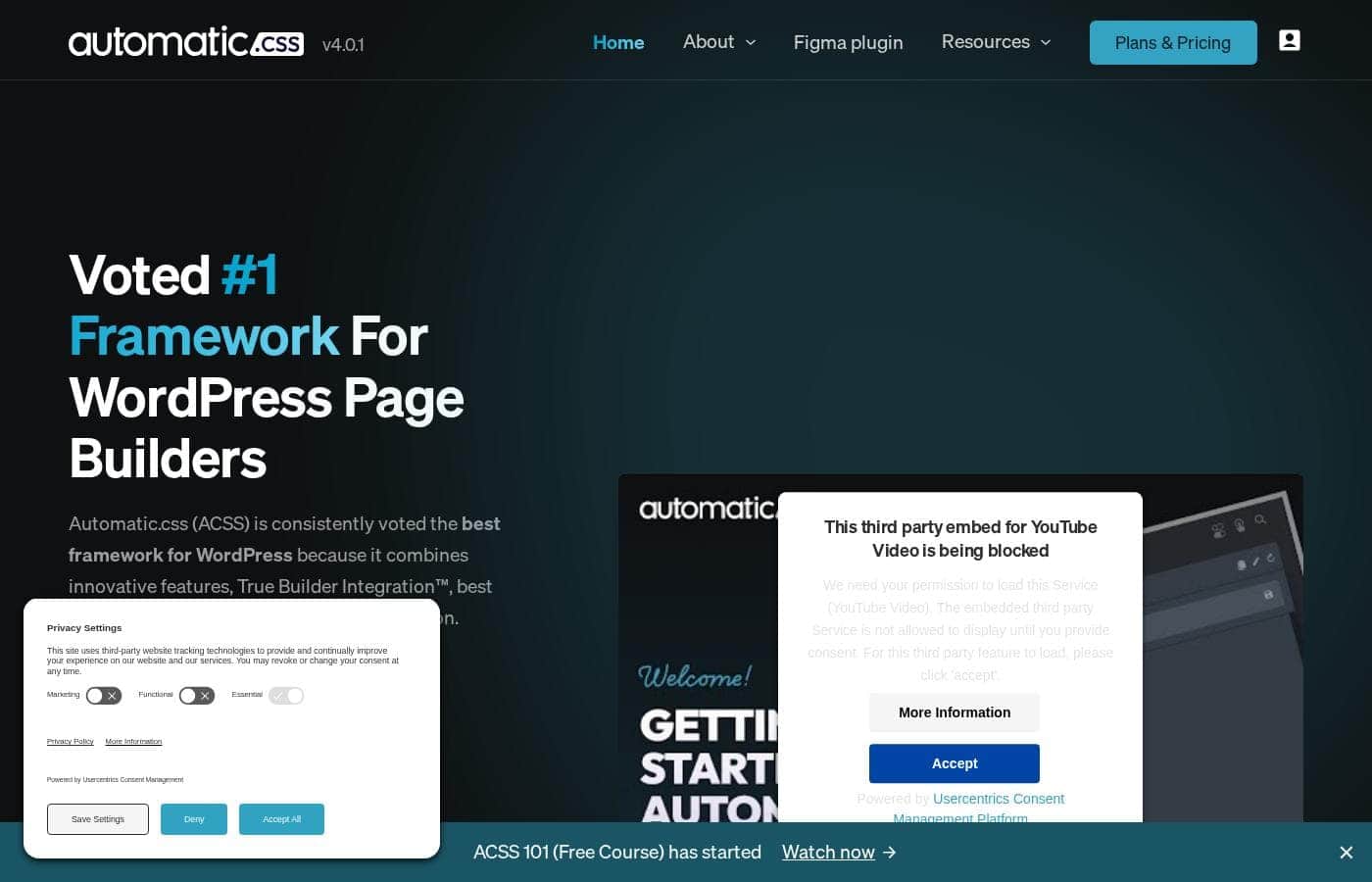
Automatic.css homepage screenshot

At a glance

Quick overview for Automatic.css: rating, pricing summary, key features, and highlights.
Pricing verified Oct 12, 2026

Ciroapp score

3.8/ 5

Automatic.css aims to save WordPress page builder users real time with automatic responsiveness, fluid typography, and cheat panels that show classes with live previews. It's limited to WordPress workflows, and the pricing page hides actual tier costs. Overall, it's a solid, well-documented pick for regular WordPress builders who check compatibility and pricing first.

Pros

  • Pros:Removes 60–90% of the manual work needed to make sites look great on mobile, since responsiveness is handled automatically instead of per breakpoint.
  • Pros:Re-theming is nearly instant — styles flow through variables, so swapping brand colors or type scales updates an entire site in seconds — even after it's live.
  • Pros:Right-click cheat panels surface every available class and variable with live previews directly inside your page builder, so you never have to memorize the framework.

Cons

  • Cons:Pricing isn't listed transparently — the pricing content explains how licensing works rather than showing actual tier prices, so you have to confirm current costs at checkout.
  • Cons:There's still a learning curve — cheat panels reduce friction, but the class-and-variable system takes adjustment before you build fluently.
  • Cons:It only fits WordPress page-builder workflows, so it's not useful for static sites, plain CSS projects, or non-WordPress stacks.
Best for
  • Freelance WordPress designers building client sites on tight timelines
  • Agencies that need consistent, maintainable sites across many projects
  • Page builder users who want responsive styling handled for them
Money-back guarantee
Yes
This section is a summary. Detailed sections about features, use cases, pricing, and reviews follow below.

What is Automatic.css?

Making every page responsive and consistent eats hours you'd rather spend designing. Automatic.css tackles that head-on with automatic mobile optimization, fluid typography, and math-based spacing. Setup takes minutes, and your WordPress builds stay consistent without constant manual fixes.

Automatic.css (ACSS) is a CSS framework built for WordPress page builders. You set your styles in a simple dashboard, then build pages using ready-made classes and variables. The framework handles responsiveness, color shades, typography scaling, and spacing for you.

It's aimed at freelance designers, agencies, and developers who build WordPress sites regularly and want consistency without repetitive work.

Should you choose Automatic.css?

Quick buyer guidance before you compare plans or click through.

Choose it if

  • You build WordPress sites regularly and want consistent colors, spacing, and type
  • You want mobile responsiveness handled automatically instead of per-breakpoint
  • You prefer working with classes and variables that play well with methods like BEM
  • You like learning in context with live previews and right-click reference menus
  • You value education — free tutorials and community support come with the framework

Skip it if

  • You don't build with WordPress or a page builder — ACSS is designed around that workflow
  • You expect zero learning curve — even with cheat panels, the class system takes some adjustment
  • You assume the Frames design kit is bundled — it's promoted through a separate site, so confirm what's included

Next steps before buying

  1. 1Confirm ACSS works with your specific page builder before purchasing
  2. 2Skim the free tutorials to see whether the workflow matches how you build
  3. 3Review any trial or refund terms available on the site
  4. 4Compare it with other WordPress CSS frameworks to make sure the feature set fits your needs

Ease of use

The site stresses minimal setup: you can start building in minutes and adjust styles through a simple dashboard. Cheat panels and live previews mean you don't need to memorize classes before using them. Still, any framework has a learning curve, so expect a short adjustment period.

Automatic.css Key Features

✨ Set your styles once, then just build

Start with a simple dashboard. Pick your base settings, and Automatic.css handles responsiveness for you. From there, you build pages with ready-made classes and variables right inside your page builder.

The result is a site that's automatically responsive, scalable, and maintainable — with setup that takes minutes.

🎨 Colors that manage themselves

Define your brand colors and Automatic.css generates every shade and transparency for you. Reference them through friendly utility classes and simple variables. Need to fine-tune one shade?

You can do that too. And since everything flows through variables, you can swap an entire site's palette in seconds — even after launch.

✨ Typography that scales itself

Set a base text size and choose a scale value. That's it — headings and body text scale fluidly across every device, so there's no managing sizes per breakpoint. If one heading needs different sizing, just override it with your own min and max values in seconds.

🧱 Layouts without breakpoint headaches

ACSS includes utility classes and variables for both flexbox and grid, covering everything from basic to advanced layouts. Three things make this easier:

  • Automatic grids cut down breakpoint problems
  • The Flex-Grid feature smooths out uneven grid children
  • Spacing follows mathematical scales, so every layout keeps its rhythm Together, that means you can build any layout in seconds.

✨ Build without memorizing anything

You don't need to learn the whole framework before starting. Right-click cheat panels show every class and variable available for the style you're working on. Preview what each one does live, then add it in a single click — all without leaving your page builder.

Use Cases

⚡ Freelancers racing client deadlines

You're building a WordPress site for a client on a tight timeline. Set your styles in the dashboard, apply ACSS classes, and skip most manual mobile work.

Expected outcome: A responsive, consistent site ready for review in far less time.

🎨 Agencies keeping every site consistent

Your team juggles lots of WordPress projects. ACSS gives everyone the same variables for colors, spacing, and type, so sites stay consistent and easy to maintain.

Tip: Pair ACSS variables with BEM-style class naming for clean, organized builds.

🔄 Re-theming a site after launch

A client rebrands once the site is live. Because styles flow through variables, you swap brand colors and scale values in the dashboard and the whole site updates in seconds.

Expected outcome: A fresh look without rebuilding pages.

🧭 Learning the framework as you build

New to frameworks? Right-click cheat panels show which classes and variables fit any style, with live previews before you commit. Free tutorials and an active community help you learn as you go.

Automatic.css pricing

From$6.58/mo

  • From the vendor's pricing page, checked Oct 12, 2026
  • 3 plans

Prices checked on Oct 12, 2026 from Automatic.css's pricing page

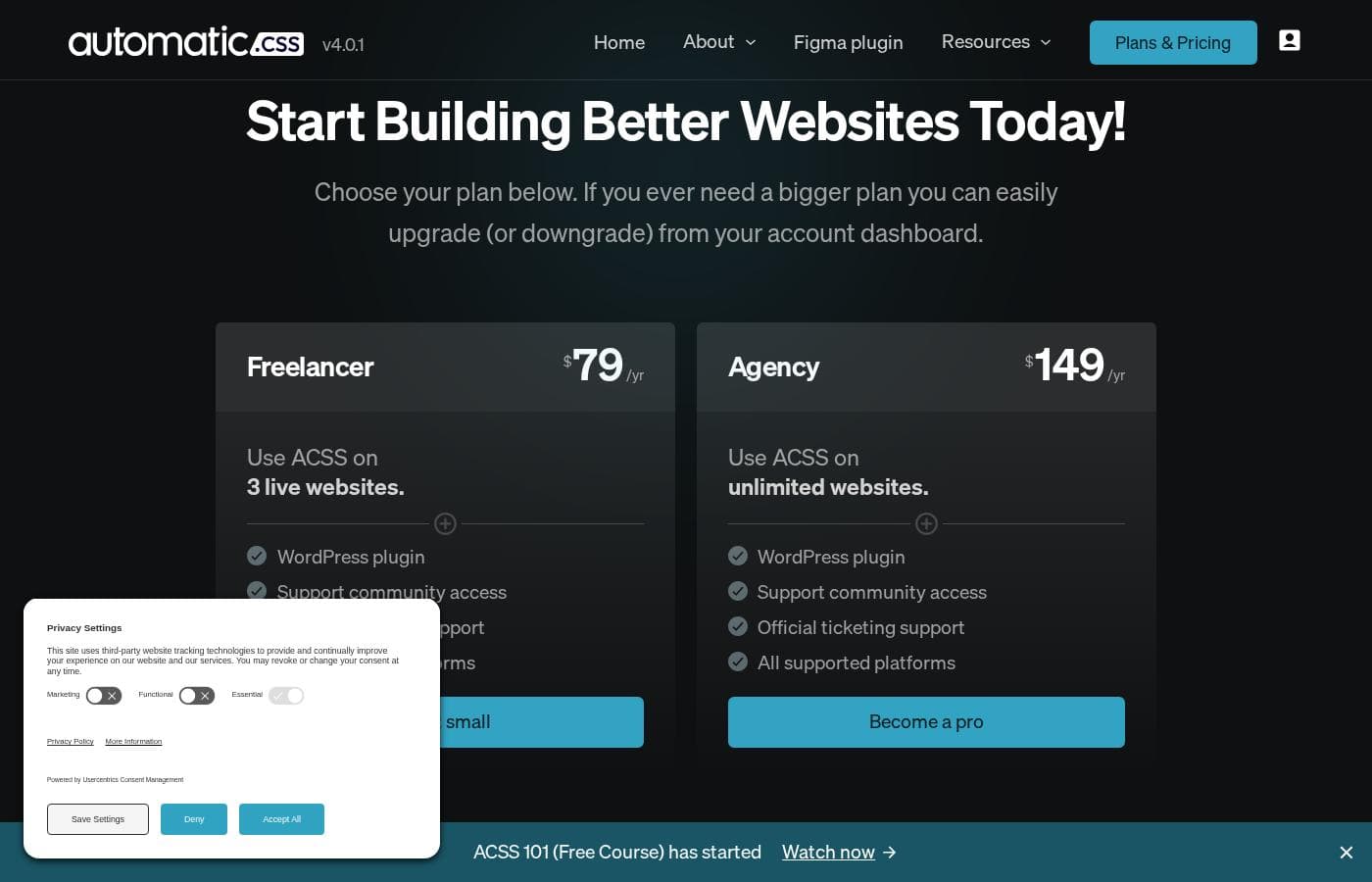
Automatic.css pricing page screenshotView pricing page screenshot
PlanBilled monthlyBilled annuallyIncludes
Freelancer
—
$6.58/mo
$79 per year
Agency Lite
—
$8.25/mo
$99 per year
Agency
—
$12.42/mo
$149 per year

Price history

Tracking prices since Oct 1, 2026. No price change detected yet.

Pricing types: Monthly subscription, Yearly subscription

Pricing notes

Automatic.css offers tiered subscription licenses that scale with your website activations. Higher tiers unlock more sites, and you can buy additional licenses once you're on the top plan.

Canceling stops support and updates but doesn't disable the framework on your existing sites.

Automatic.css sells subscription licenses across multiple tiers, and you can stack extra licenses to cover more websites as you grow.

The pricing page focuses on how licensing works rather than listing every number, so here's the full picture before you buy.

License Plans

Best For: Freelancers and agencies building WordPress sites Refund Policy: Available — ACSS publishes a refund policy on its website Other Features:

  • Licenses are tiered by website activations
  • Upgrade to the plan above to unlock more sites
  • Stack extra licenses on any plan once you reach the top tier
  • Canceling ends support and updates, but your sites keep running

Here's the key thing to know: your license doesn't switch anything off. The plugin and framework keep working on every activated site, even if you cancel. What ends is your access to support and updates, and both come back if you renew later. That makes ACSS a low-risk bet for the sites you've already launched.

Need more room? You have two paths. On a lower tier? Upgrade one plan to unlock more activations. Already on the top plan? Buy another license on any tier and stack the extra sites. There's no hard ceiling on how far you can scale.

Who's it for? ACSS is built for freelance designers and agencies, and beginners benefit too. The framework provides guardrails, best practices, and a workflow that speeds up learning. Just don't expect magic — you'll still want time to learn the basics and practice.

Each license also unlocks the full framework: utility classes, fluid typography, automatic color shades, and responsive grids that cut mobile work by 60–90%. Setup takes under five minutes thanks to sensible defaults, and you can adjust most settings even after a project ships. 🚀

A refund policy is published on the Automatic.css site, though no free trial is mentioned on this page. Before you buy, confirm current prices and license limits directly at checkout so you know exactly what each tier includes.
Cost calculator

Estimate what Automatic.css costs for your team.

Billing

Freelancer has no published price for this billing cycle.

Freelancer has a flat price: the number of seats does not change the total. Estimate based on published list prices, before taxes, add-ons and discounts.

Email me when Automatic.css changes price

One email when we detect a price change on the vendor's pricing page. No newsletter, no deals. Unsubscribe in one click.

User Reviews

No reviews yet.

Write a Review

Write a Review for Automatic.css
0/100 characters
0/2000 characters

Why use Automatic.css?

Most CSS frameworks make you trade speed for flexibility. Automatic.css argues you can have both — and the specifics on its site show how that plays out in real daily work.

  • Cut mobile work dramatically: ACSS removes 60-90% of the effort needed to make sites look great on mobile, so responsive design stops being a chore.
  • Re-theme in seconds: Styles flow through variables, so you can re-skin an entire site fast — even after it's live.
  • Build without memorizing: Right-click cheat panels show the classes and variables available for any style, with live previews before you add them.
  • Set typography once: Pick a base size and a scale value, and text scales fluidly across devices. Override individual sizes in seconds when needed.
  • Layouts minus the headaches: Automatic grids plus a "Flex-Grid" feature smooth out uneven grid children and cut breakpoint problems.
  • Grow your skills for free: The site highlights hundreds of hours of tutorials from the founder, plus an active community and support team.

Automatic.css alternatives

Other tools in the CSS framework for Wordpress category

View all CSS framework for Wordpress tools

Automatic.css FAQ

How much does Automatic.css cost?

Automatic.css's cheapest paid plan, Freelancer, costs $6.58 per month. Paid plans range from $6.58 to $12.42 per month. Prices checked on Oct 12, 2026 from the vendor's pricing page.

Does Automatic.css have a free plan?

No. Automatic.css lists no free plan; the cheapest paid plan starts at $6.58 per month.

Has Automatic.css's price changed recently?

No. We have not detected a price change since we started tracking on Oct 1, 2026.

Which page builders does Automatic.css work with?

ACSS is built specifically for WordPress page builders and highlights True Builder Integration™, meaning its classes and variables appear directly inside your builder's UI with live previews. The site doesn't publish a full compatibility list, so confirm your specific builder is supported before you buy.

What happens to my sites if I cancel my subscription?

Nothing breaks. Your license controls support and updates, not the plugin itself. Your sites keep working after cancellation — updates and support just stop until you renew.

Is there a free trial or money-back guarantee?

The pricing page doesn't mention a free trial. ACSS does publish a refund policy, though, so read its terms before checkout to see exactly what's covered.

What if I need more website activations than my plan allows?

Upgrade one tier up to unlock more sites. Already on the top plan? Buy another license on any tier and stack the extra activations — there's no hard ceiling.

Ready to try Automatic.css? Check out the official site or pricing.

Are you Automatic.css? Claim this listing · Get the badge