ATLAS.ti

ATLAS.ti review

One subscription, every platform: ATLAS.ti runs on Windows, Mac, and the Web with fully compatible project files. Around-the-clock live support (24/5) from qualitative data specialists keeps your analysis moving.

By Ciroapp Editorial Team · Updated Sep 16, 2026

Commission may apply at no extra cost

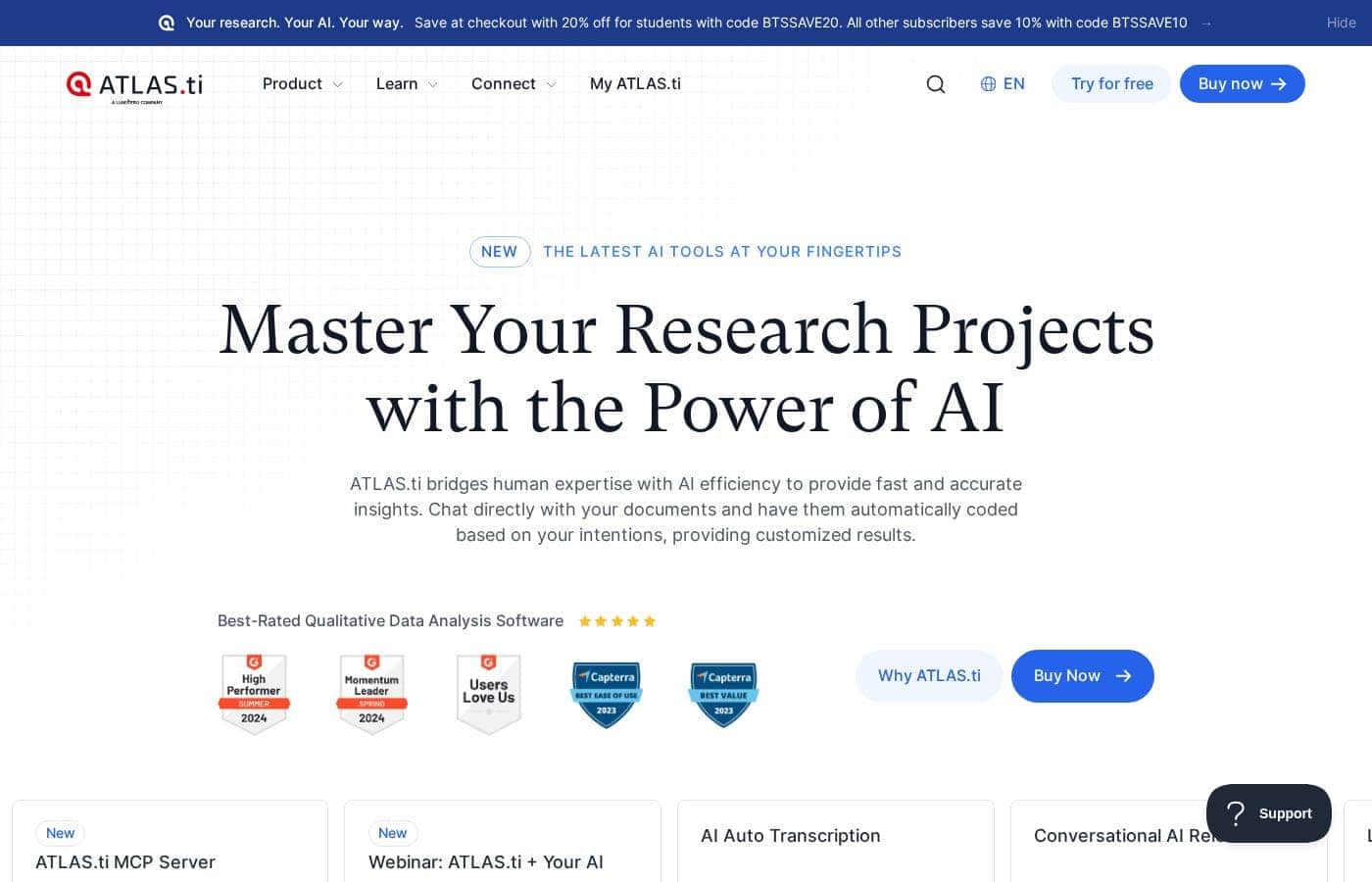
ATLAS.ti homepage screenshot

At a glance

Quick overview for ATLAS.ti: rating, pricing summary, key features, and highlights.
Vendor page checked Oct 9, 2026

Ciroapp score

3.9/ 5

ATLAS.ti bundles Windows, Mac, and Web apps with fully compatible projects, 24/5 support from qualitative specialists, and rich coding for text, images, audio, and video. The flip side is a real learning curve, and pricing spans several billing models without a clear headline cost. Overall, it's a strong pick for serious, auditable qualitative research.

Pros

  • Pros:One subscription covers Windows, Mac, and Web versions with fully compatible projects, eliminating per-platform licensing decisions
  • Pros:Free live support runs 24/5 and is staffed by qualitative data specialists rather than generic technical agents
  • Pros:Images, audio, and video can be coded directly alongside text, keeping mixed evidence in a single project

Cons

  • Cons:The depth of a full QDA suite carries a real learning curve; expect onboarding time even with specialist support available
  • Cons:Very large media-heavy projects still favor the installed desktop apps, so the Web version works best as a companion rather than a full replacement
  • Cons:Bundling every platform means paying for coverage you may not need if you only ever analyze on one machine
Best for
  • Graduate students and academics who need rigorous, auditable coding of interviews, focus groups, and documents for theses or publications
  • Distributed research teams whose members work across Windows and Mac machines and need one project format that travels between them
  • Mixed-methods researchers combining transcripts, images, audio, and video in a single analysis
This section is a summary. Detailed sections about features, use cases, pricing, and reviews follow below.

What is ATLAS.ti?

ATLAS.ti is a qualitative data analysis (QDA) platform built for researchers who work with text, images, audio, video, and mixed evidence. Its defining trait is the all-in-one packaging: a single package includes the desktop applications for Windows and macOS plus a browser-based Web version, and projects remain fully compatible as you move between them. That is backed by free live support, available 24 hours a day and five days a week, staffed by qualitative data specialists rather than generic agents.

This review examines what the platform actually delivers, where it excels, and which researchers should look elsewhere.

ATLAS.ti is desktop and web software for qualitative and mixed-methods analysis. Researchers import documents and media into a project, then code segments of the data, write analytical memos, and visualize relationships between codes using network views. The same project works in the Windows app, the Mac app, or the Web version, so no operating system locks you into a single environment.

Because the vendor bundles all platforms into one package, there is no separate SKU to purchase for web access or a second OS.
Should you choose ATLAS.ti?

Quick buyer guidance before you compare plans or click through.

Choose it if

  • Graduate students and academics who need rigorous, auditable coding of interviews, focus groups, and documents for theses or publications
  • Distributed research teams whose members work across Windows and Mac machines and need one project format that travels between them
  • Mixed-methods researchers combining transcripts, images, audio, and video in a single analysis
  • First-time QDA users who value live access to qualitative specialists while learning the workflow

Skip it if

  • Researchers who only need to tag a handful of short documents, where a spreadsheet or lightweight tool would be faster than a full QDA suite
  • Teams expecting automated dashboards and statistics with minimal interpretive work — ATLAS.ti assumes the analyst does hands-on coding
  • Buyers who will only ever use a single platform and would rather not fund bundled Windows, Mac, and Web coverage they will not use

Next steps before buying

  1. 1Start the free trial at atlasti.com and install the desktop app for your operating system, or open the Web version if you want to test without installing anything
  2. 2Import a small sample of your real data — two or three transcripts or one short recording — and practice creating codes, memos, and a network view
  3. 3Use the 24/5 live support during setup to ask a workflow or methodology question and learn how the specialists can unblock you later
  4. 4Before the trial ends, compare the yearly subscription, one-time license, and usage-based billing options against your expected project length

ATLAS.ti Key Features

✨ One Package, Three Platforms

A single ATLAS.ti package includes the desktop applications for Windows and macOS as well as the Web version, and project files are fully compatible across all three. You can code on a desktop machine at your desk, then open the same project in a browser on another computer without exporting, converting, or re-syncing. For mixed-platform teams, this removes one of the most common sources of friction in collaborative qualitative research.

✨ Coding and Memoing Workflow

The core of ATLAS.ti is a structured coding environment: you mark segments of text, images, audio, or video, assign codes, and refine them into groups as your interpretation develops. Quotations, code definitions, and analytical memos stay linked to the underlying data, so every claim in a final report can be traced back to an original source segment. That audit trail is what separates serious QDA software from simple highlight-and-tag tools.

✨ Network Views and Visual Sense-Making

Beyond lists of codes, ATLAS.ti lets you build network views that map relationships between codes, quotations, and documents on a canvas. These visualizations are editable analytical objects rather than static charts — you can drag concepts together, test emerging hypotheses about how themes relate, and export the resulting models for presentations or publications. Many researchers find this the fastest route from raw coding to a coherent conceptual framework.

✨ Support from Qualitative Specialists

Free live support is available 24 hours a day, five days a week, and is staffed by people who work with qualitative data professionally. Questions can cover technical issues, such as importing a file or handling a project, as well as methodological questions about structuring a coding scheme. For researchers on deadline — especially first-time analysts — this access materially shortens the learning curve.

✨ Multimedia and Mixed Data Handling

ATLAS.ti treats images, audio, and video as first-class data sources alongside text, so recorded interviews, fieldwork photographs, and transcripts live in the same project. Coding applies to segments of media just as it does to passages of text, keeping analysis of mixed evidence unified instead of split across separate tools. That consolidation matters when findings must cite exact moments in a recording or regions of an image.

Use Cases

💡 Academic Theses and Dissertations

Graduate students analyzing dozens of interviews or a large document corpus can use ATLAS.ti to build a transparent, defensible coding process. Code groups, memos, and quotation-level citations support the methodology chapters examiners expect, and network views help condense hundreds of codes into the handful of themes a thesis needs. Cross-platform compatibility is practical for students who split time between a university Windows lab and a personal Mac.

💡 Health and Social Science Field Studies

Teams working with focus groups, patient interviews, and photographic or video documentation can keep all evidence types in one project. Coding media directly — marking exactly which part of a recording a note refers to — supports inter-coder discussions and audits. The Web version helps fieldworkers review and code from any machine with a browser, without installing software.

💡 Collaborative and Distributed Research Teams

Because projects stay compatible across Windows, Mac, and Web, a team spread across institutions or operating systems can contribute to a single analysis instead of maintaining parallel versions. Codes and memos from different analysts come together in the shared project, and live support is reachable across time zones on a 24/5 schedule. This suits multi-site evaluations and long-running studies.

💡 Market and User Research

Analysts studying customer interviews, usability sessions, and open-ended survey feedback can code recordings and transcripts side by side, then use networks and code groups to report themes. Citing the exact quotation or media moment behind a finding makes results easier to defend with stakeholders than summary-only deliverables.

ATLAS.ti pricing

Prices not verified yet — see the vendor page.

ATLAS.ti's pricing page

ATLAS.ti pricing page screenshotView pricing page screenshot

Price history

Tracking prices since Oct 9, 2026. No price change detected yet.

Pricing types: Free plan, Free trial, Yearly subscription, One-time payment, Usage-based pricing

Pricing notes

ATLAS.ti pricing: Billing options: Free plan, Free trial, Yearly subscription, One-time payment, Usage-based pricing

Email me when ATLAS.ti changes price

One email when we detect a price change on the vendor's pricing page. No newsletter, no deals. Unsubscribe in one click.

User Reviews

No reviews yet.

Write a Review

Write a Review for ATLAS.ti
0/100 characters
0/2000 characters

Why use ATLAS.ti?

The strongest argument for ATLAS.ti is continuity: your license, your project files, and your support channel behave the same way whether you analyze on Windows, macOS, or in a browser. That matters in real research settings, where a desktop machine suits heavy coding sessions but a browser is more practical for review on the go or for collaborators on other systems.

The 24/5 live support line is a second reason — help comes from people who understand qualitative methodology, not just software menus, which shortens the learning curve for first-time QDA users. For teams, cross-platform compatibility also removes the file-format and version conflicts that plague tools split across separate Mac and Windows editions.

ATLAS.ti alternatives

Other tools in the Qualitative Data Analysis category

View all Qualitative Data Analysis tools
NVivo

NVivo

Qualitative Data Analysis4/5

NVivo is recognized as the leading and most cited qualitative data analysis software in research publications. For over 30 years, researchers have trusted it to handle complex textual and audiovisual data. We make it simple to import, organize, and explore data from many sources, including surveys, social media, and transcripts. Whether you are a student, an individual researcher, or a large organization, there is an NVivo option tailored to your needs. It provides a secure, user-friendly interface that integrates smoothly into your entire research workflow.

ATLAS.ti FAQ

Does one ATLAS.ti license include both the desktop apps and the Web version?

Yes. The package grants full access to the desktop applications for Windows and Mac plus the Web version, and projects are fully compatible across all three. You do not buy a separate product or add-on to work in the browser.

Can I move a project between a Windows machine and a Mac?

Yes. ATLAS.ti projects remain fully compatible regardless of the platform you use, so work started on Windows can be continued on macOS or in the Web version without conversion or re-importing your data.

What kind of help is available if I get stuck during analysis?

Free live support is available 24 hours a day, five days a week, and is staffed by qualitative data specialists. That means you can get guidance on both technical tasks, such as importing files, and methodological questions, such as how to structure a coding scheme.

What data types can ATLAS.ti handle?

Alongside text documents, ATLAS.ti supports coding of images, audio, and video, so transcripts, photographs, and recordings can live in the same project and each finding can cite the exact segment behind it.

Is there a way to try ATLAS.ti before committing?

Yes, the vendor offers a free trial, and current billing options include yearly subscriptions, one-time licenses, and usage-based pricing. Testing the workflow on your own data before choosing a payment model is the recommended path.

Ready to try ATLAS.ti? Check out the official site or pricing.

Are you ATLAS.ti? Claim this listing · Get the badge