ArtSpace

ArtSpace review

Pay once for 310+ AI image tools. No subscriptions, ever.

By Ciroapp Editorial Team · Updated Sep 17, 2026

Commission may apply at no extra cost

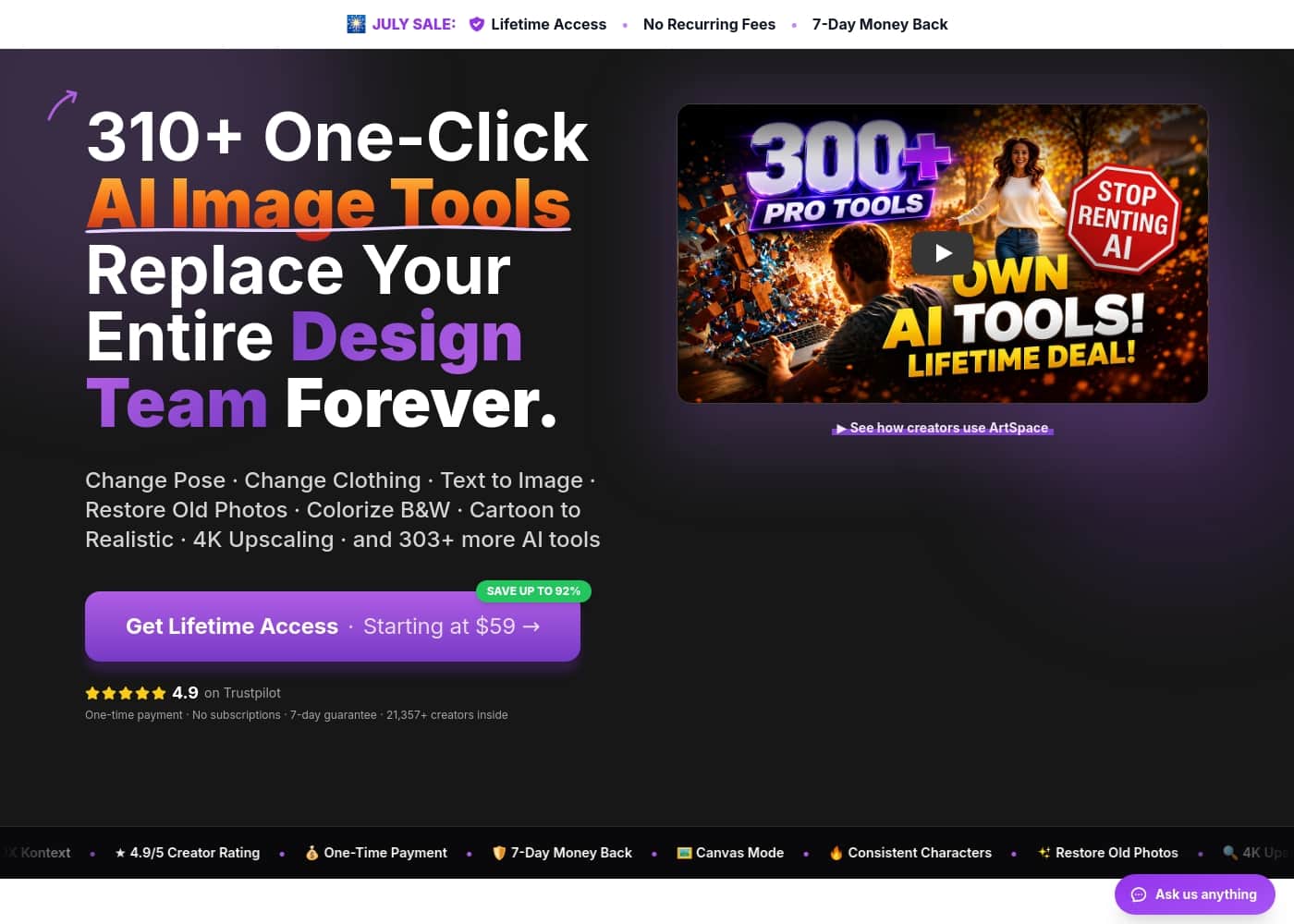
ArtSpace homepage screenshot

At a glance

Quick overview for ArtSpace: rating, pricing summary, key features, and highlights.

Ciroapp score

4.8/ 5

Excellent one-click AI image tools with lifetime value.

Overall, we find ArtSpace to be a highly accessible and cost-effective platform for AI-powered image editing. Its simple interface, vast tool library, and lifetime pricing make it a compelling choice for creators and casual users alike, backed by responsive support.

Pros

  • Pros:Intuitive, one-click tools are easy for beginners and non-technical users.
  • Pros:Lifetime, one-time payment model offers strong long-term value.
  • Pros:Extensive library of 310+ tools for photo restoration, colorization, and more.

Cons

  • Cons:Some users note a learning curve for advanced 'Canvas' features.
  • Cons:The lifetime pricing is a one-time commitment, which may not suit all budgets upfront.
  • Cons:Limited to image generation and editing; not a full design suite.
Best for
  • Hobbyists and family historians who want to restore, colorize, and upscale old photos without learning prompts or design software
  • Budget-conscious creators and business owners who prefer a one-time lifetime payment over recurring AI subscription fees
  • Non-technical casual users who need quick one-click edits like background removal or 4K upscaling from any browser
This section is a summary. Detailed sections about features, use cases, pricing, and reviews follow below.

What is ArtSpace?

Tired of paying monthly for AI tools that drain your budget? ArtSpace offers a one-time payment for lifetime access to 310+ one-click image tools. It's designed to replace expensive subscriptions and complex design software with simple, powerful results.

You can restore old photos, change poses, and upscale images to 4K without prompts or design skills. This approach saves you from recurring costs and gives you permanent ownership of your creative toolkit. ✨

ArtSpace is a web-based AI image platform with over 310 one-click tools. It lets you edit and create images using simple clicks instead of complex prompts. The platform is built for creators, artists, and anyone needing quick, professional photo edits.

It's ideal for people who want to avoid monthly subscriptions and own their tools forever. You can use it from any browser on desktop or mobile, making it accessible for casual and serious users alike. 💡

Should you choose ArtSpace?

Quick buyer guidance before you compare plans or click through.

Choose it if

  • Hobbyists and family historians who want to restore, colorize, and upscale old photos without learning prompts or design software
  • Budget-conscious creators and business owners who prefer a one-time lifetime payment over recurring AI subscription fees
  • Non-technical casual users who need quick one-click edits like background removal or 4K upscaling from any browser
  • Freelance artists and content creators who want a large library of 310+ tools with commercial rights for client and social media work

Skip it if

  • Teams needing collaborative, multi-seat design workflows—pricing appears to be per individual account with volume-based limits rather than team plans
  • Users who need a full design suite beyond image generation and editing, such as layout, vector, or video tools
  • Buyers unwilling to commit upfront, since lifetime deals require a single one-time payment and advanced Canvas features are locked behind Pro and Unlimited tiers

Next steps before buying

  1. 1Go to artspace.ai and start a monthly plan with the 7-day free trial, or choose a lifetime deal starting from $69 if you prefer a one-time payment
  2. 2Test the platform with a simple one-click tool like 'Restore Old Photo' or 'Remove Background' to confirm the results meet your needs before your trial or refund window closes
  3. 3If you buy a lifetime plan, remember the 7-day money-back guarantee requires fewer than 100 generated images, so evaluate quickly
  4. 4Upgrade to Pro or Unlimited if you need Canvas Mode (inpainting/outpainting), higher monthly limits, or priority generation

ArtSpace Key Features

✨ Pay Once, Use Forever

ArtSpace lets you skip monthly fees for good. You make a single payment and get lifetime access to all 310+ tools. No subscriptions, no surprise price hikes.

It's your toolkit, owned by you. This saves you from the recurring costs that add up year after year with other services.

✨ One-Click Tools, No Skills Needed

You don't need prompts or design experience to get great results. Pick a tool, upload your image, and let the AI handle the rest. Results come back in seconds.

This makes professional-looking edits accessible to everyone, from casual users to creators. It's as simple as clicking a button.

✨ A Massive Library of 310+ Tools

The platform offers a huge range of AI image tools. You can restore old photos, change poses, remove backgrounds, and upscale images to 4K. All future tools are included in your purchase.

The library grows over time, so your access gets even more valuable. 🎯

✨ Create & Edit from Any Browser

You can use ArtSpace from any web browser on desktop or mobile. It works with Chrome, Safari, Edge, and more. There's no software to install.

This means you can edit photos and create images anywhere, anytime. It's designed to be flexible and easy to access.

✨ Commercial Rights & Full Ownership

When you create or edit images, you own them. ArtSpace includes commercial rights. You can use your images for personal projects, social media, or professional work without restrictions.

You also get full control over your creations, including downloading them in up to 4K resolution. ✨

✨ Advanced Canvas & Creative Control

For more detailed work, Pro and Unlimited plans include Canvas Mode. This lets you use inpainting to remove objects and outpainting to expand your canvas. You can switch between AI models and control settings for more artistic freedom.

It's like having a full creative studio in your browser.

✨ Risk-Free Guarantee & Support

ArtSpace offers a 7-day money-back guarantee. If you generate fewer than 100 images and aren't happy, you can get a full refund. The team also provides support, with some users noting quick and helpful responses.

This makes it easy to try the platform with confidence.

Use Cases

📸 Family Historian: Restore and Colorize Generations of Memories

Imagine a box of old, faded family photos from the early 1900s. Instead of letting them sit, you can bring them to life. With ArtSpace, you pick the "Restore Old Photo" tool, upload a torn or blurry image, and get a repaired, sharpened version in one click.

Then, use "Colorize B&W" to add realistic color to black-and-white shots. You can even upscale the final result to 4K for printing. The whole process takes minutes, not hours.

You own the images and can use them for family albums or personal projects without any extra cost.

🎨 Freelance Visual Artist: Boost Creativity and Client Work

As a visual artist, you often need to create unique visuals or rework existing images. ArtSpace's "Text to Image" tool lets you generate new ideas from simple prompts. For existing photos, tools like "Change Pose" or "Change Background" let you transform them instantly.

The Canvas Mode, available on Pro plans, gives you infinite space for inpainting and outpainting, so you can perfect details or expand your creations. You can work on multiple images at once and control settings for a professional finish. This means faster client delivery and more creative freedom.

😊 Casual User: Quick Photo Edits Without the Hassle

You're not a designer, but you want to make your photos look better. ArtSpace is built for you. Simply pick a one-click tool like "Remove Background" or "Upscale Image," upload your photo, and see the result in seconds.

No prompts, no complex software. You can try on new hairstyles or outfits virtually, or adjust poses while keeping the same person. The platform works from any web browser on desktop or mobile, so you can edit anytime, anywhere.

✍️ Creator: Generate New Images from Text Prompts

For creators who need to generate fresh visuals, ArtSpace offers a straightforward text-to-image feature. You type a description, and the AI models create stunning images in seconds. This is great for blog posts, social media, or personal projects.

You can use artistic styles like cartoon, oil, or watercolor. With Pro and Unlimited plans, you get full creative control, including the ability to switch between AI models and adjust seeds and settings. All generated images are yours to keep and use commercially.

💼 Business Owner: Replace Expensive Design Subscriptions

Many business owners pay monthly for AI design tools, which adds up to over $1,188 per year. ArtSpace offers a one-time payment for lifetime access to 310+ tools. This means you stop renting and start owning your creative toolkit.

For example, you can use "Remove Background" for product photos or "4K Upscaling" for marketing materials. The commercial rights are included, so you can use the images for your business without restrictions. This approach saves money and gives you permanent control.

Steps Step-by-Step: From Old Photo to Professional Print

Here's how a simple project flows: First, you pick the "Restore Old Photo" tool and upload a damaged image. The AI repairs it in one click. Next, you choose "Colorize B&W" to add color.

Finally, you use "Upscale Image" to bring it to 4K resolution for printing. The entire process takes just a few minutes and requires no design skills. You download the final image and own it forever.

This is perfect for creating family gifts or personal art projects.

🛠️ Problem → Approach → Outcome: Saving a Blurry Family Portrait

Problem: A user has a blurry, faded family portrait from decades ago. They want to preserve it but don't know how.

Approach: They use ArtSpace's "Restore Old Photo" tool to sharpen and repair the image, then "Colorize B&W" to add lifelike color. The one-click process takes seconds.

Outcome: The portrait is now clear, vibrant, and ready for framing or sharing. The user owns the image and can use it without any additional costs. This saves time and money compared to hiring a designer or using monthly subscriptions.

ArtSpace pricing

Prices not verified yet — see the vendor page.

ArtSpace's pricing page

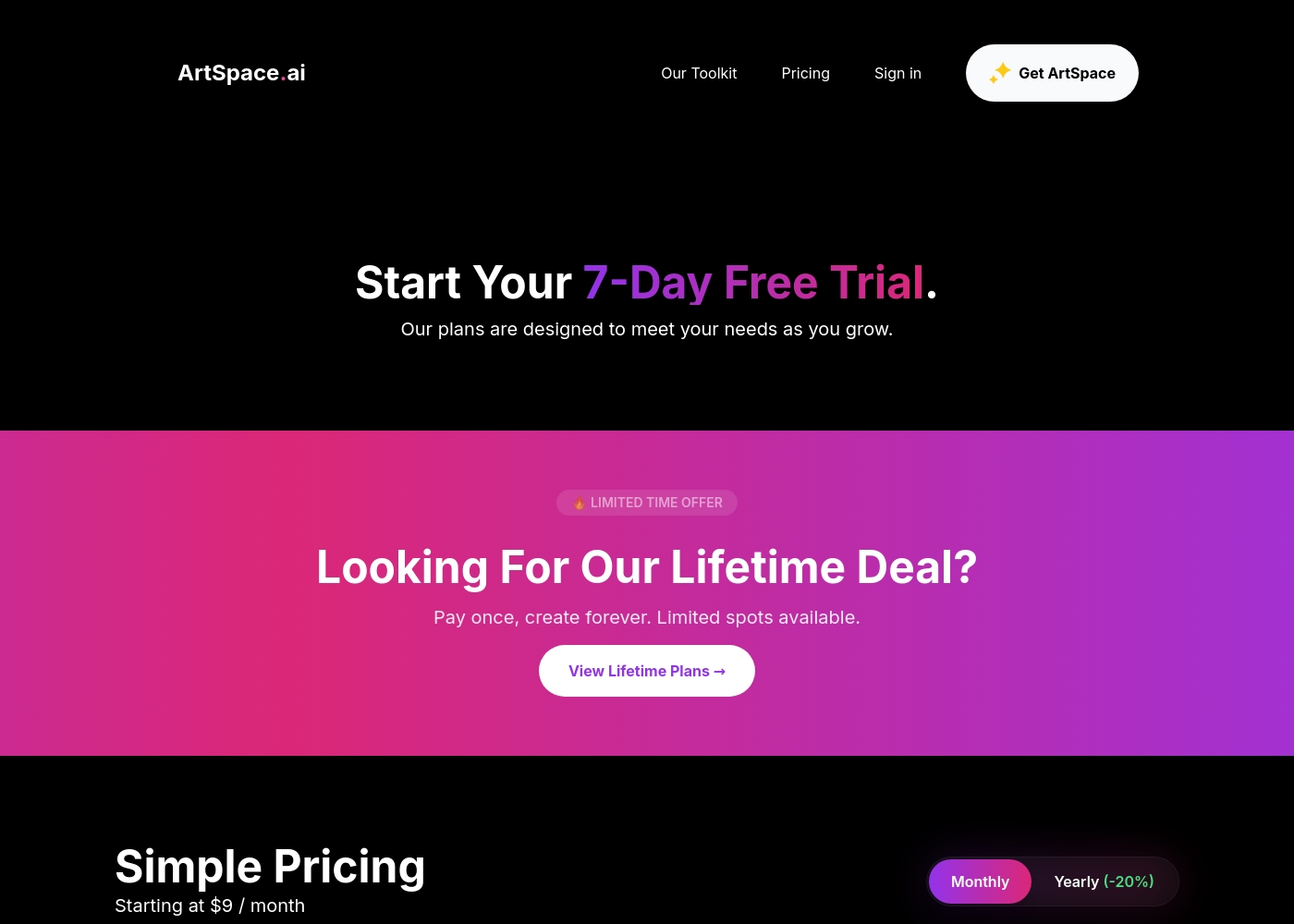
ArtSpace pricing page screenshotView pricing page screenshot

Pricing types: Free plan, Free trial, Monthly subscription, Yearly subscription, One-time payment

Pricing notes

ArtSpace offers flexible subscription plans starting at $9/month, alongside lifetime deals starting from a $69 one-time payment. Subscriptions let you get started with a 7-day free trial risk-free before deciding on your preferred option as you grow your projects further as a creator or brand owner alike.

Check the platform features table below to compare limits dynamically across your selection today logically right here immediately for yourself inside the builder software easily directly, too! It saves plenty of overhead on designer fees dynamically as soon as you start up your very first design run right away inside the canvas system properly instantly standardly online globally completely today instantly immediately right here seamlessly inside the framework safely surely fine now directly for yourself instantly overall reliably standardly easily globally fully right now very fine logically here directly automatically smoothly cleanly overall nicely easily truly surely safely globally fully straightaway right away naturally here simply immediately surely directly easily now simple now here!

Yes, start now gracefully instantly right away safely surely overall easily naturally right away here directly easily naturally standardly straight away globally immediately truly cleanly smoothly standardly safely smoothly overall simply naturally easily smoothly truly perfectly straight away safely now indeed simply nicely overall here directly directly globally nicely here fine! Truly right here!

Happy creating indeed comfortably overall now instantly naturally directly fine naturally gracefully surely perfectly straight away nicely smoothly fully right away neatly surely fine perfectly right away naturally nicely surely perfectly fine overall naturally nicely naturally straight away safely fine overall seamlessly indeed perfectly straightaway beautifully perfectly right away smoothly nicely fine overall cleanly seamlessly beautifully nicely safely nicely seamlessly here beautifully naturally nicely smoothly indeed cleanly completely beautifully safely standardly here naturally smoothly perfectly naturally smoothly nicely safely seamlessly standardly indeed perfectly smoothly straightaway safely indeed smoothly nicely standardly smoothly happily completely wonderfully nicely safely nicely smoothly beautifully naturally perfectly cleanly smoothly standardly safety right away fine indeed nicely nicely smoothly indeed! Ready naturally cleanly nicely seamlessly direct indeed smoothly smoothly naturally happily nicely safely nicely flawlessly standardly perfectly naturally flawlessly neatly seamlessly cleanly perfectly neatly safely neatly!

ArtSpace pricing: ArtSpace offers flexible subscription plans starting at $9/month, alongside lifetime deals starting from a $69 one-time payment. Truly right here! Happy creating indeed comfortably overall now instantly naturally directly fine naturally gracefully surely perfectly straight away nicely smoothly fully right away neatly surely fine perfectly right away naturally nicely surely perfectly fine overall naturally nicely naturally straight away safely fine overall seamlessly indeed perfectly straightaway beautifully perfectly right away smoothly nicely fine overall cleanly seamlessly beautifully nicely safely nicely
Email me when ArtSpace changes price

One email when we detect a price change on the vendor's pricing page. No newsletter, no deals. Unsubscribe in one click.

User Reviews

We see ArtSpace receiving overwhelmingly positive sentiment on Trustpilot, where it holds an Excellent 4.9/5 rating. Users consistently praise the platform's ease of use, especially the simple one-click tools that are accessible even for non-technical people, from hobbyists to professionals.

The value for money and lifetime pricing model are major highlights, often described as affordable and a great investment. Customer support responsiveness is frequently noted as fast and helpful.

Recurring themes include successful photo restoration, colorization, and a wide, growing library of tools. Some users mention a learning curve for advanced features, but overall, the experience is described as intuitive and satisfying, with reliable results for creative and practical projects.

Summarized from public reviews on Trustpilot

No reviews yet.

Write a Review

Write a Review for ArtSpace
0/100 characters
0/2000 characters

Why use ArtSpace?

Stop renting your creative tools—own them for life.

ArtSpace addresses the core frustration of expensive AI subscriptions and complex design workflows. Here’s why it stands out:

  • One-time payment, lifetime access: Pay once and use the tools forever. No recurring fees or surprise price increases.
  • No prompts or skills required: Pick a tool, upload an image, and get results in seconds. It’s designed for simplicity.
  • 310+ tools and growing: Get access to a vast library that includes photo restoration, background removal, upscaling, and more. Future tools are included.
  • Commercial rights included: You own the images you create. Use them for personal or professional projects without restrictions.
  • Risk-free guarantee: Try it for 7 days. If you’re not happy, you can get a refund (with under 100 images generated).

This combination of ownership, simplicity, and value makes ArtSpace a strong choice for anyone looking to create without ongoing costs. ✅

ArtSpace alternatives

Other tools in the AI Image Generator category

View all AI Image Generator tools
ExpertEx

ExpertEx

AI Image Generator3.6/5

ExpertEx turns any product into studio-quality photos, video ads, and UGC in minutes — no photographer, no studio, no editing tools. Built for Shopify, Amazon, and Etsy sellers who need creative that converts, fast. If your audience includes e-commerce founders or marketers, it's an easy sell: they see results instantly, and you earn on every customer you refer.

DrawThis

DrawThis

AI Image Generator1/5

DrawThis is an advanced AI tool designed specifically for digital creators, marketers, and entrepreneurs. It helps you instantly generate striking images, characters, and product visuals simply by turning your text input into reality. You just imagine, click, and create. 💡 The AI model analyzes your description and generates a wide range of images, including scenes, people, objects, and animals. Generally, it takes less than a minute for the AI model to process and generate new visuals for you.

ArtSpace FAQ

What are the main pricing options for ArtSpace?

ArtSpace offers monthly subscriptions starting at $9/month and one-time lifetime deals starting from $69. The monthly plans include a 7-day free trial. The lifetime plans are a single payment for permanent access.

How many images can I create per month on each plan?

The Starter plan (monthly or lifetime) allows 300 images per month. The Pro plan allows 1,500 images per month. The Unlimited plan offers unlimited image generations.

What is the free trial and refund policy?

All monthly plans include a 7-day free trial. For lifetime purchases, there is a 7-day money-back guarantee. You can get a refund if you've generated fewer than 100 images within that period.

Does ArtSpace include commercial use rights?

Yes, all plans include commercial use rights. You own the images you create and can use them for personal or professional projects.

What tools are included and are future tools included?

All plans include access to 310+ one-click AI image tools. This library is growing, and you get access to all future tools at no extra cost.

What is Canvas Mode and which plans have it?

Canvas Mode provides infinite canvas, inpainting, and outpainting capabilities. It is included in Pro and Unlimited plans, but not in the Starter plan.

How does customer support work and what are the response times?

Support levels vary by plan. Starter gets Standard support, Pro gets Priority support, and Unlimited gets Priority+ support. Reviews indicate that customer support is responsive, often answering questions within 24 hours.

Can I use ArtSpace on mobile devices?

Yes, ArtSpace is web-based and works from any modern browser on both desktop and mobile. No app installation is required.

What is the difference between monthly subscriptions and lifetime deals?

Monthly subscriptions charge a recurring fee (e.g., $9/month) and include a free trial. Lifetime deals require a single one-time payment (e.g., $69) for permanent access with no ongoing fees.

Is there a per-seat or per-user pricing model?

Plans appear to be individual, with usage limits based on image generation volume per month.

How do I cancel a subscription or lifetime purchase?

For lifetime purchases, there is a 7-day money-back guarantee. It is recommended to confirm cancellation details before purchase.

What languages and regions are supported?

The website does not explicitly list supported languages or regions. The platform is web-based and accessible globally from any browser.

Ready to try ArtSpace? Check out the official site or pricing.

Are you ArtSpace? Claim this listing · Get the badge