完全な翻訳は近日公開 — 製品詳細は英語、ナビゲーションは日本語で表示しています。
Zoho Books

Zoho Books レビュー

Full-featured cloud accounting that scales from your first invoice to inventory-driven operations.

著者 Ciroapp Editorial Team · 更新日 2026年9月16日

追加費用なしでコミッションが発生する場合があります

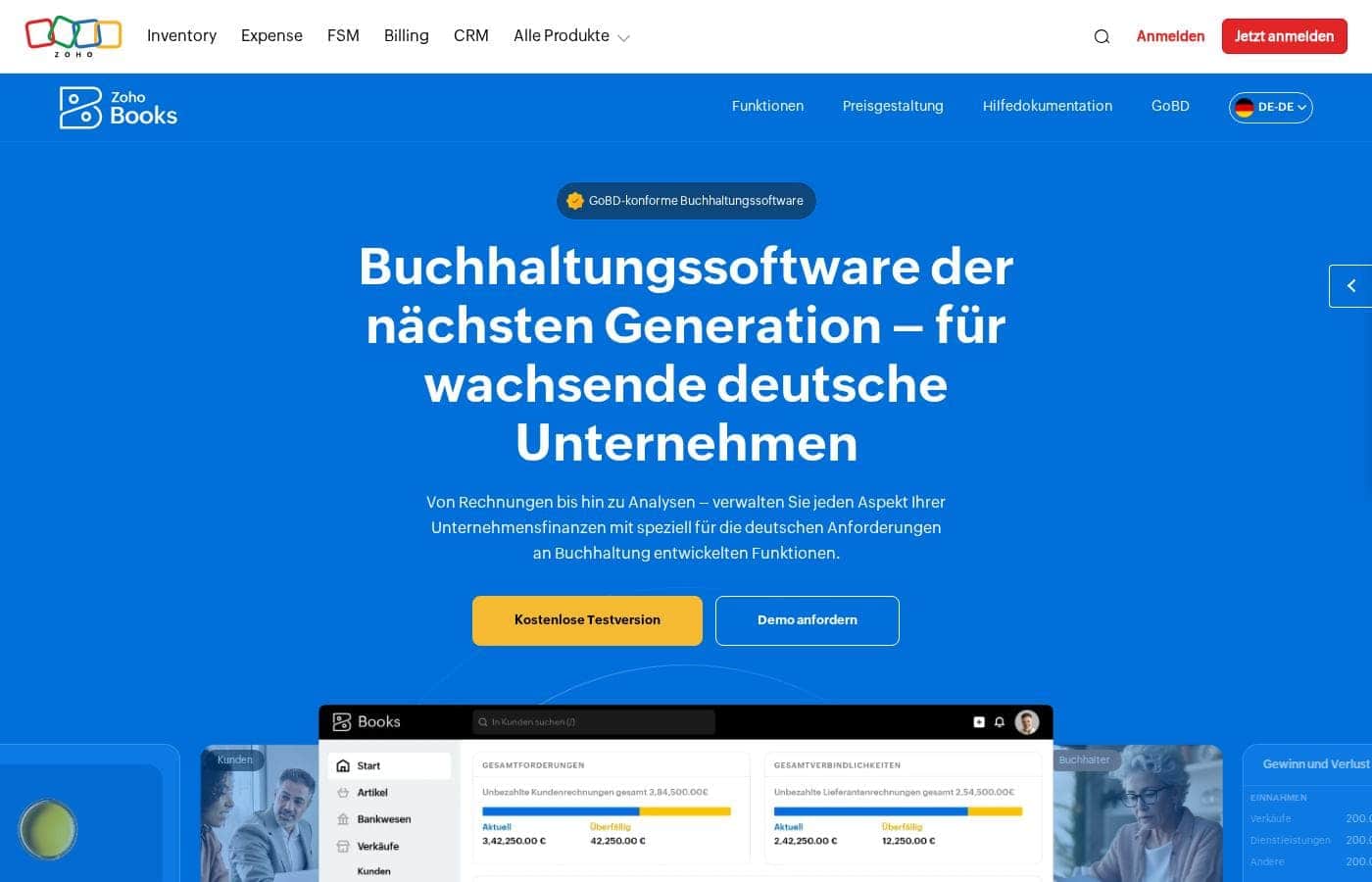
Zoho Booksのホームページスクリーンショット

概要

Zoho Booksの評価、価格概要、主な機能、注目ポイントをすばやく確認できます。
ベンダーページ確認日 2026年11月27日

Ciroappスコア

4.0/ 5

Zoho Books packs invoicing, expenses, inventory, and bank feeds into one cloud system, with a functional free plan and handy Zoho integrations. Lower tiers gate users and automation, and payroll needs a separate subscription. Overall, it's a solid, affordable pick for small businesses that want accounting and inventory in one place.

長所

  • A genuinely functional free plan lets very small businesses run core accounting before committing to a paid tier
  • End-to-end workflow in one system — an invoice updates receivables, inventory levels, and financial reports automatically
  • Automation tools like recurring invoices, payment reminders, and bank feed categorization rules materially cut routine bookkeeping time

短所

  • Useful capacity is gated by tier — lower plans restrict users and features, and the automation and advanced reporting you eventually want push you toward higher-priced plans
  • Payroll is not built into the accounting product itself, so running payroll requires a separate Zoho Payroll subscription or a third-party integration
  • The breadth of modules (inventory, projects, workflows) creates a learning curve that can feel heavy for a solo user who only needs basic invoicing
最適
  • Solopreneurs and freelancers who want professional invoicing, payment collection, and expense tracking without upfront cost
  • Small product or retail businesses that need stock levels tied directly to invoices and purchase orders
  • Companies already using Zoho CRM or other Zoho apps that want accounting data connected natively
このセクションは概要です。機能、ユースケース、価格、レビューの詳細は下に続きます。

Zoho Booksとは?

Zoho Books is a cloud-based accounting platform aimed at growing businesses and solopreneurs who need more than a simple invoicing tool. It combines core bookkeeping with invoicing, expense tracking, and inventory management in a single system accessible from web and mobile apps. A free plan makes it possible to start without an upfront commitment, while paid tiers add users, automation, and more advanced capabilities.

Zoho Books is a double-entry accounting application covering the full transaction lifecycle: estimates and invoices, customer payments, bills and expenses, bank and credit card feeds, item and stock records, and standard financial reports such as profit and loss, balance sheet, and cash flow. Because it runs in the browser with companion iOS and Android apps, the books stay current from any location. It also connects to the wider Zoho ecosystem, so accounting data can link to CRM, inventory, and payroll tools from the same vendor.
Zoho Booksを選ぶべきですか?

プラン比較や公式サイトへ進む前に確認したい購入判断のポイントです。

選ぶべき人

  • Solopreneurs and freelancers who want professional invoicing, payment collection, and expense tracking without upfront cost
  • Small product or retail businesses that need stock levels tied directly to invoices and purchase orders
  • Companies already using Zoho CRM or other Zoho apps that want accounting data connected natively
  • Service businesses with international clients that need multi-currency invoicing and online payments

避けるべき人

  • Businesses that want payroll inside their accounting app and would prefer not to pay for a separate Zoho Payroll subscription
  • Large enterprises needing complex multi-entity consolidation or deep customization beyond small-business accounting
  • Solo users who only send occasional invoices and would be overwhelmed by a full double-entry accounting system with many modules

購入前の次のステップ

  1. 1Create an account at zoho.com/books, starting with the free plan or a free trial of a paid tier to evaluate the features you need
  2. 2Set up your organization profile: business details, base currency, fiscal year start, and applicable tax rates
  3. 3Connect your bank and credit card accounts for automatic transaction feeds, and import or build your chart of accounts, customers, and vendors
  4. 4Customize your invoice template, enable a payment gateway so clients can pay online, and invite your accountant as a collaborator

Zoho Books 主な機能

✨ Invoicing and Payments

Create branded estimates and invoices, schedule recurring invoices, and set automatic payment reminders for overdue accounts. Customers can pay through integrated online payment gateways or via the client portal, and invoices convert from estimates without retyping line items.

✨ Expenses and Bank Feeds

Record bills and expenses with receipt attachments, then import bank and credit card transactions automatically. Matching and categorization rules speed up reconciliation, so the ledger reflects actual cash position with less manual entry.

✨ Inventory and Orders

Track items, pricing, and stock levels that update as you invoice customers or record purchases. Sales orders and purchase orders are built in, and businesses with more complex fulfillment can extend this with Zoho Inventory.

✨ Accounting and Reporting

The double-entry ledger, chart of accounts, and journal entries support proper bookkeeping, while dashboards cover profit and loss, balance sheet, cash flow, receivables, and tax summaries. Accountants can be invited to collaborate directly, which simplifies year-end handoff.

✨ Automation and Integrations

Workflow rules, approval flows, and recurring transactions cut repetitive admin work. Native connections to Zoho CRM, Zoho Inventory, and Zoho Payroll keep data consistent across the suite, and mobile apps let you send invoices and approve expenses on the go.

使用例

💡 Freelancers and Consultants

Solopreneurs can move a client from estimate to paid invoice in one place, automate monthly retainer billing, and track expenses against projects. Billable hours logged on projects can flow into invoices, keeping time-based billing accurate.

💡 Small Product and Retail Businesses

Shops that hold stock benefit from item records that update automatically as sales and purchases are recorded, along with sales and purchase orders for managing order flow. Financial reports then show margin and inventory value without a separate spreadsheet system.

💡 Businesses with International Clients

Multi-currency invoicing lets you bill overseas customers in their currency while the books stay in your base currency, with exchange rates handled by the system. Online payment gateways make it easier for those clients to settle invoices.

💡 Teams Standardizing on Zoho

Companies already running Zoho CRM or Zoho Inventory can connect sales and fulfillment data directly to the ledger, avoiding duplicate entry. Adding Zoho Payroll later keeps staff costs and accounting under one login.

Zoho Booksの料金

価格は未確認です — 公式サイトをご確認ください。

Zoho Booksの料金ページ

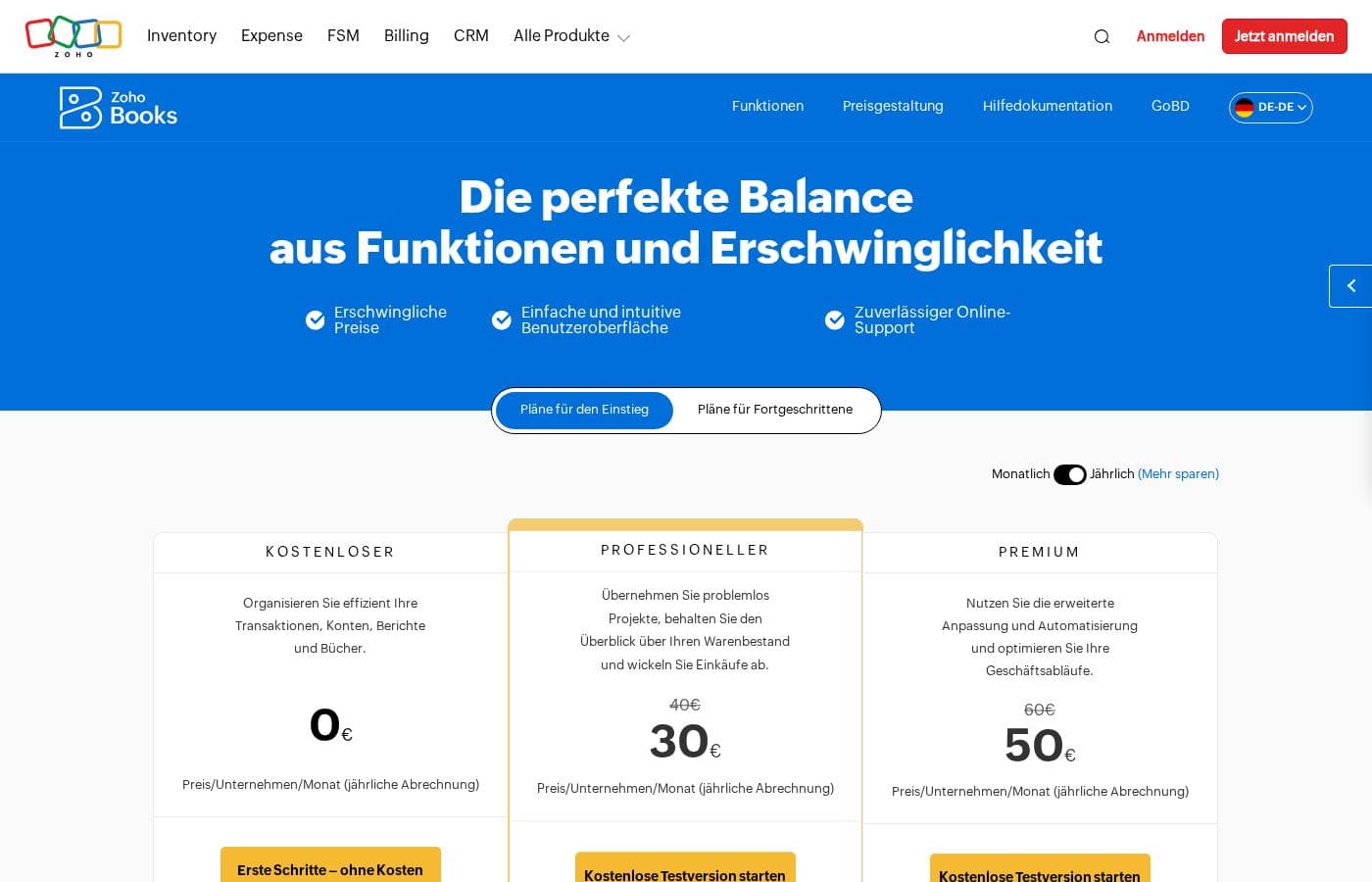
Zoho Booksの料金ページのスクリーンショット料金ページのスクリーンショットを見る

価格の推移

2026年10月1日から価格を追跡中。まだ価格変更はありません。

価格タイプ: Free plan, Free trial, Monthly subscription, Yearly subscription, Per seat pricing, Usage-based pricing

料金に関する補足

Zoho Books pricing: Plans from $0/month Billing options: Free plan, Free trial, Monthly subscription, Yearly subscription, Per seat pricing, Usage-based pricing

Zoho Booksの価格が変わったらメールで通知

ベンダーの料金ページで価格の変更を検出したときに1通のメールを送ります。ニュースレターやセール情報はありません。ワンクリックで解除できます。

ユーザーレビュー

まだレビューがありません。

レビューを書く

Zoho Booksのレビューを書く
0/100文字
0/2000文字

Zoho Booksを使う理由は?

Most small businesses end up stitching together separate tools for quotes, invoicing, receipts, and stock, which creates reconciliation work and errors. Zoho Books consolidates those workflows so an invoice automatically updates receivables, inventory levels, and reports.

Automation such as recurring invoices, payment reminders, and bank feed rules reduces routine data entry, while a client portal and online payment options shorten the time it takes to get paid.

Zoho Books の代替ツール

経理・会計カテゴリの他のツール

経理・会計の全ツールを見る
Datarails

Datarails

Accounting4.1/5

ExcelネイティブのFP&AとガバナンスされたAIで、現代のファイナンスチームを支援

Wave

Wave

Accounting4.1/5

会計の学位を必要としない、小規模ビジネス向け会計ソフト。

QuickBooks

QuickBooks

Accounting4/5

きれいな帳簿と迅速な入金を望む中小企業のためのクラウド会計。

Quicken

Quicken

Accounting3.8/5

ファイナンスと生活必需品を管理するための集中ハブです。

Qoyod

Qoyod

Accounting3.7/5

サウジアラビア企業向けに作られた、ZATCA対応のクラウド会計プラットフォーム。

Aplos

Aplos

Accounting3.5/5

非営利団体と教会のために作られた、ファンド会計とドナー対応のレポート。

1〜25ユーザー向けの最安経理・会計ソフトウェア

Zoho Books よくある質問

Does Zoho Books have a free plan, and what are the payment options?

Yes. Zoho Books offers a free plan suitable for very small operations, plus a free trial of paid tiers. Paid plans are available as monthly or yearly subscriptions with per-seat and usage-based elements, so costs scale with the number of users and features you enable. Starting on the free plan and upgrading when you hit limits is a common path.

Can Zoho Books manage inventory as well as accounting?

Yes. Zoho Books includes item records with stock levels that update automatically as you invoice customers or record purchases, and it supports sales and purchase orders. Businesses with more demanding fulfillment needs, such as multi-warehouse shipping, can extend this by integrating Zoho Inventory, which shares data with Zoho Books.

Can I invoice clients in other currencies?

Yes. Zoho Books supports multi-currency invoicing, so you can bill international customers in their local currency while your books remain in your base currency. Exchange rates are applied within the system, which keeps receivables and reports accurate without manual conversion.

Zoho Booksを試してみる準備はできましたか?公式サイトまたは価格をご覧ください。

Zoho Booksの担当者ですか? この掲載を申請する · バッジを入手