Qustodio

Qustodio

保護者による管理とデジタルウェルビーイング。何百万人もの信頼を得ています。

#13 dans Parental Control
1 分読了 · 更新日 10/6/2025
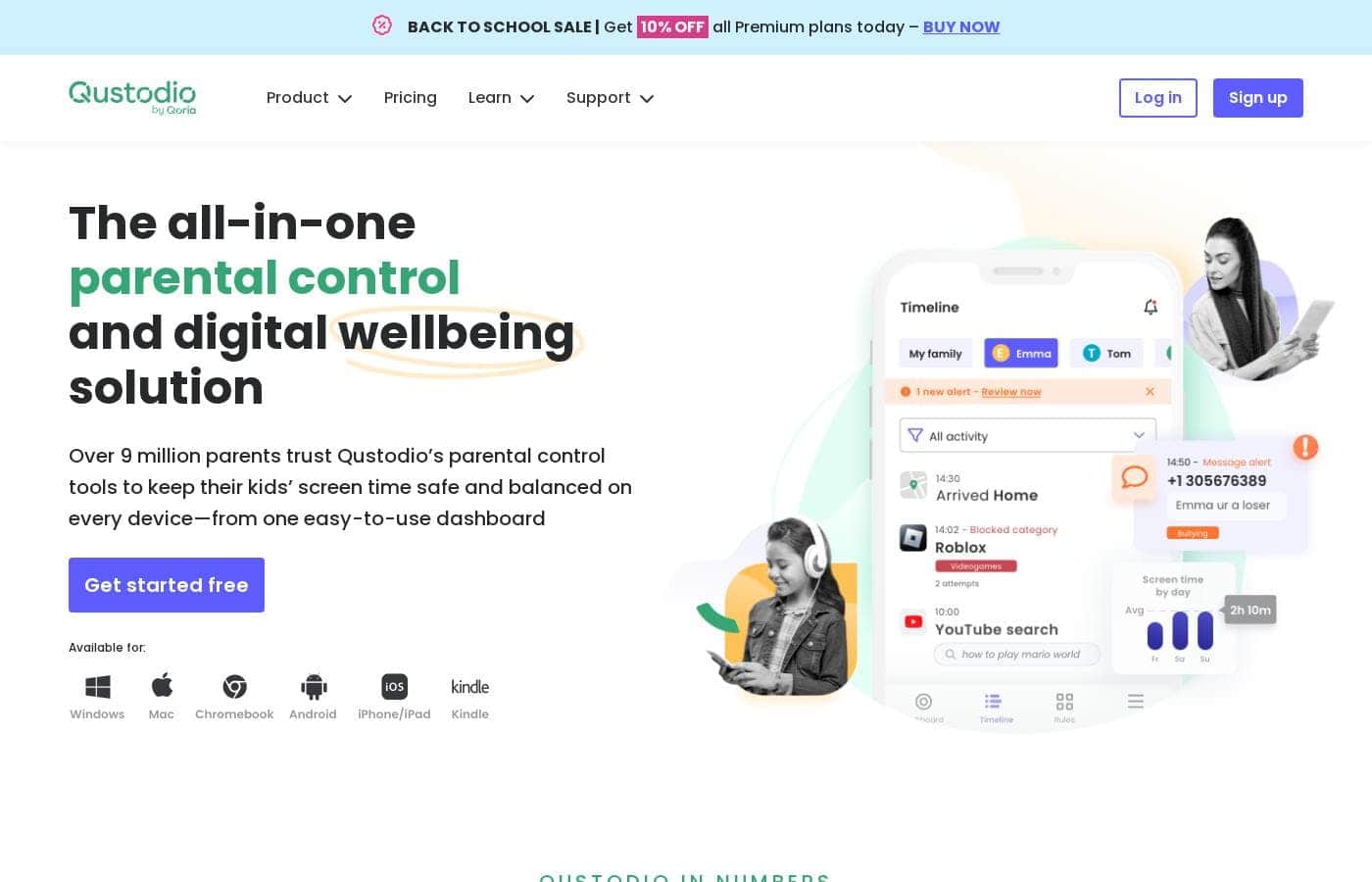
Qustodioのホームページスクリーンショット

At a glance

Quick overview for Qustodio: rating, pricing summary, key features, and highlights.

Ciroappレビュー

3.0
堅牢な機能、信頼性の低いパフォーマンス、貧弱なサポート。

Qustodioの機能セットは、コンプリートプランで無制限のデバイスにわたるデジタルウェルビーイングのためのパーソナライズされた制御を提供し、印象的です。しかし、外部のフィードバックは、その包括的なアプローチを損なう多数の報告されたパフォーマンスの欠陥に関して、コアな信頼性とカスタマーサポートの対応速度について深刻な懸念を示唆しています。全体として、大幅に報告されているパフォーマンスの欠陥があるため、注意深く進むことをお勧めします。

長所

  • Pro:包括的なデジタルウェルビーイングツールと詳細なアクティビティレポート。
  • Pro:コンプリートプランでは無制限のデバイス保護を提供します。
  • Pro:懸念されるオンラインアクティビティに対するAIを活用したリアルタイムアラートを提供します。
  • Pro:中央の使いやすいダッシュボードから一元化された監視を提供します。

短所

  • Con:子供やティーンエイジャーによってソフトウェアが簡単に回避、アンインストール、または無効化されてしまう。
  • Con:時間制限などのコア機能が、機能しなかったり、使用状況のレポートが不正確だったりすることが多い。
  • Con:有料ユーザーに対するカスタマーサポートは、遅い、存在しない、または役に立たないという報告が広まっている。
  • Con:VPNアーキテクチャのために、モバイルデータに干渉し接続が失われることがある。
無料トライアル
Yes
返金保証
Yes — 30 日間
範囲: $54.95–$99.95/yearFree plan, Free trial, Yearly subscription
This section is a summary. Detailed sections about features, use cases, pricing, and reviews follow below.

Qustodioのレビュー、価格、機能、メリット・デメリット

お子様がオンラインで何を見ているのか常に心配するのにうんざりしていませんか?デジタルでの安全性と健康的なスクリーンタイムの使用のバランスを取ることは、不可能に思えるかもしれません。Qustodioはオールインワンのソリューションを提供します。すべてのデバイスで子供たちを安全に保ち、デジタルウェルビーイングを達成するのに役立ちます。✅

Qustodioとは?

Qustodioは、現代の家族向けに特別に設計された包括的なペアレンタルコントロールツールです。世界中の800万人以上の保護者に信頼されている、使いやすいソリューションです。目標は、お子様のポジティブなデジタル習慣を育みながら、保護者に安心感を提供することです。すべてを1つのシンプルなダッシュボードから管理でき、ご希望の方法で監視が可能です。デジタルウェルビーイングに重点を置いているため、お子様が成長するにつれてリスクのない環境を作れるようサポートします。✨

Qustodio 主な機能

✨ Control Your Kids' Digital Environment

You get powerful tools to manage exactly what your child can see and access online. Qustodio filters websites and blocks inappropriate apps and games instantly. This allows your kids to explore the digital world safely, focusing only on child-friendly websites.

We also give you important insights regarding the apps your children use. This helps you quickly identify any potential risks. You can get suggestions for alternative apps that are better suited for their age, ensuring a balanced and protected online experience. You can even block entire games if needed to ensure better focus.

✨ Flexible Screen Time Protection

It's easy to build positive digital habits and prevent screen addiction with scheduled limits. You can set consistent daily time limits and create custom routines for specific moments like study time or bedtime. This consistency encourages healthier sleep patterns and preserves important family time.

If you need an immediate digital break, you can pause public internet access for your child at the touch of a single button. Use these tools to help your child maintain a healthy balance between being online and enjoying real-life activities.

✨ Real-Time Monitoring and Reporting

Stay fully informed with an easy, real-time view of your child's online activity. You can check their browsing history, track their use of social media, and monitor their YouTube viewing habits from one simple dashboard. Qustodio makes tracking their digital footprint straightforward.

For ongoing awareness, detailed activity reports are sent straight to your email. You receive these comprehensive updates daily or weekly, ensuring you always know where your children spend their time online. This visibility makes supervision simple and manageable.

💬 Communication Safety and Cyberbullying Prevention

Qustodio allows you to closely supervise your child's communication to protect them from online risks. You can track calls and SMS messages on both Android and compatible iOS devices. This means you can see who they are communicating with and read the content of their messages.

This monitoring feature is essential for identifying potential cyberbullying or online predators immediately. For added peace of mind, you can also completely bar calls or messages to and from specific contacts. Note: To track calls and messages on iOS, you will need a Windows or Mac computer setup.

✨ Family Locator and Emergency Alerts

Ensure your family's safety whether they are home or on the go using location tools. The Locate Family feature allows you to check your children's real-time locations on a map and see where they have traveled. You receive immediate alerts upon arrival or departure from saved locations, such as school or a friend's house.

For instant help, Qustodio includes a feature allowing kids to send an SOS signal if they feel unsafe. This instantly notifies you that they need assistance. This important Panic Button functionality is available for Android users.

使用例

🛌 Establishing Healthy Bedtime Routines

Excessive screen time before bed can severely disrupt healthy sleep. You can use Qustodio’s scheduling tools to create automatic screen-free moments easily. This helps your child avoid the sleep-disrupting blue light that keeps them awake and promotes better rest.

You can pick from suggested screen-free times or create custom rules specifically for weeknights and weekends. These consistent digital routines help build positive habits, ensuring your kids get the rest they need to thrive, both online and off.

🛑 Quickly Intervening in Cyberbullying Concerns

Worrying about what your child experiences on social media is tough. Qustodio helps by monitoring messages and social media posts for risky communication. The system uses AI-powered tools to identify and alert you to any concerning searches or activities in real time.

This immediate warning allows you to intervene quickly and address the issue directly. By using these controls, you can help catch and block bullies, protecting your children from mental health risks like depression or low self-esteem linked to online harassment.

📚 Reducing Distractions During Study Time

It’s hard for children to focus when games and social media apps are easily available on their devices. Qustodio enables you to manage this challenge by establishing study routines. You can set up custom rules that block distracting apps and games during specific hours.

This ensures your child has access only to sites, apps, and videos necessary for their schoolwork. By reducing these digital distractions, you help them concentrate better. This approach promotes better educational outcomes and ensures online and offline life stays balanced.

⏸️ Instant Screen Time Control

Sometimes, you need an immediate digital break, such as at dinner time or when a family discussion starts. Instead of wrestling the device away, you can pause the internet instantly with Qustodio at the touch of a button.

This powerful feature enforces screen-free time right away, preserving important family moments. Once the dinner or activity is done, simply resume access, making parental control seamless and efficient.

📍 Monitoring Location and Providing Emergency Support

When your children are away from home, you want assurance they are safe. Qustodio allows you to check your family members' current locations easily on a map. For added peace of mind, you can save common destinations like school or a music lesson.

By saving these locations, you receive text alerts when your child arrives at or leaves those points. Additionally, in an emergency, your kids can use the SOS signal feature (available on supported devices) to instantly notify you if they urgently need help.

🛡️ Filtering Content for Younger Kids

You don’t want little ones stumbling across adult or upsetting content while learning how to browse. Qustodio protects them by filtering websites and blocking access to inappropriate content, apps, and games. You tailor the experience so they can only visit child-friendly websites safely.

You also get insights into the app usage and any potential risks. Qustodio even suggests age-appropriate alternatives for apps your kids might be using. This creates a risk-free environment where kids can explore the digital world safely as they grow.

Qustodioの価格概要

価格帯
$54.95–$99.95/year
価格タイプ
Free plan, Free trial, Yearly subscription
返金保証
はい — 30 日間

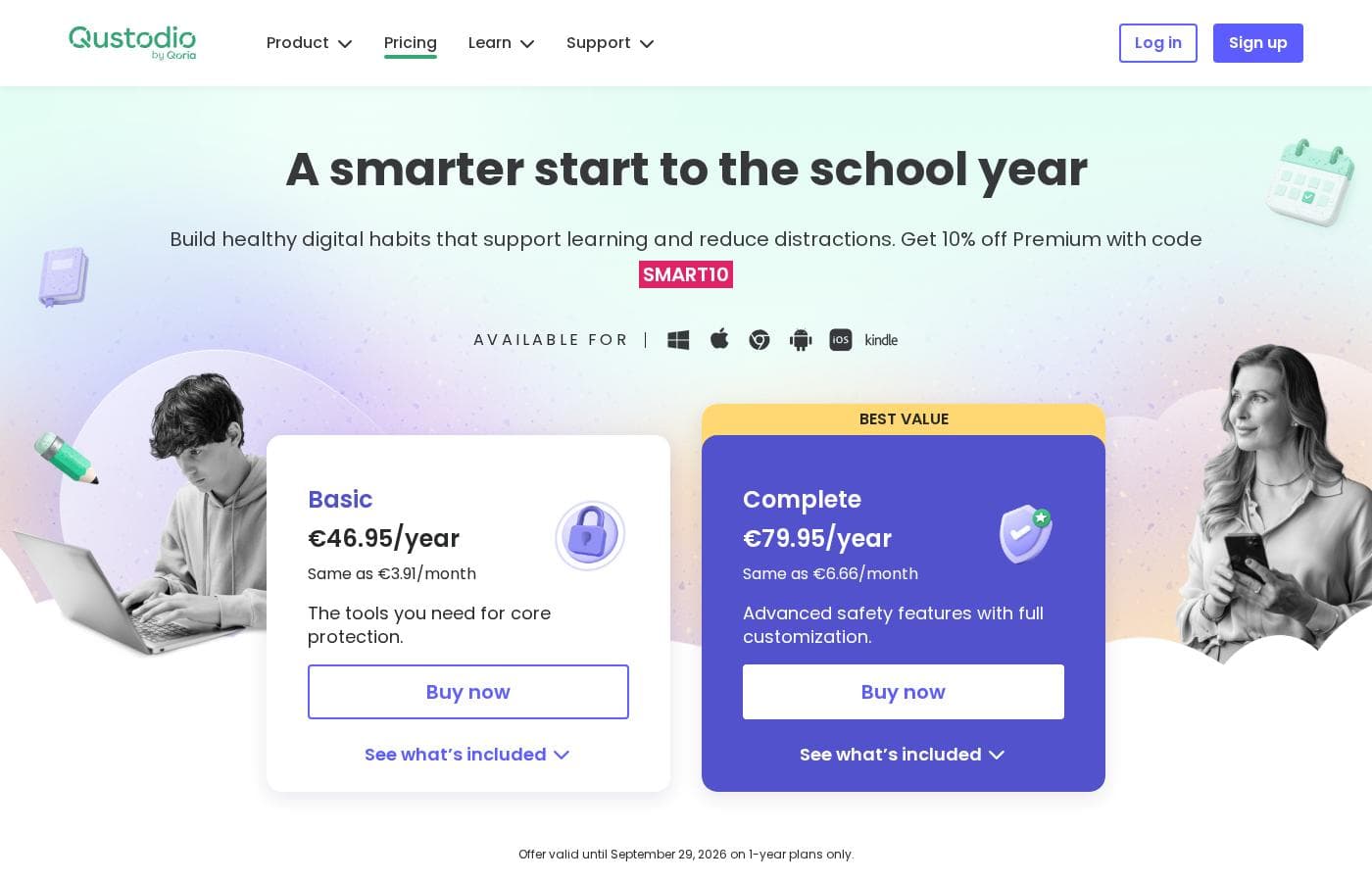
Qustodioは、ベーシックとコンプリートの2つの年額プレミアムプランを提供しています。価格は最大5台のデバイスの基本的な保護に対して年間$54.95から始まります。上位のコンプリートプランは、無制限のデバイス保護とプレミアムサポートを含む高度な機能を提供します。

プランと料金

Basic

月間$4.58
年間$54.95
最大5台のデバイスを保護。Care Plusは$12.99で別途販売。
  • ゲームとアプリのブロック
  • 毎日の時間制限
  • ウェブフィルタリング
  • 位置情報モニタリング
  • インターネットアクセスの一時停止
  • AIを活用したアラート
  • ソーシャルモニタリング
  • カスタムルーティン
  • + 1 追加機能

Complete

月間$8.33
年間$99.95
無制限のデバイスを保護。
  • すべてのベーシック機能を含む
  • 無制限のデバイス保護
  • 通話とメッセージのモニタリング*
  • Care Plusが無料で含まれる(優先サポート、チェックイン、パーソナライズされたヘルプ)
  • ウェブ、アプリ、ゲームのカスタムルール
  • YouTubeモニタリング

Free

料金についてお問い合わせください
単一のデバイスのみを保護。
  • 基本的な保護機能

Qustodioの価格は年間$54.95から$99.95の範囲で、ベーシックプラン(年間$54.95)とコンプリートプラン(年間$99.95)の2つのプレミアムプランがあります。

各プレミアムプランがご家族に提供する内容を詳しく見てみましょう。

Basic

価格: 年間$54.95(一部のセクションでは年間$67.94と表示) サポートされるウェブサイト: 明確に記載されていません 最適: コアな保護または小規模な家族 返金ポリシー: 30日間の返金 その他の機能:

  • ゲームとアプリのブロック
  • 毎日の時間制限
  • ウェブフィルタリングと位置情報モニタリング
  • インターネットアクセスの一時停止
  • AIを活用したアラートとソーシャルモニタリング

このプランは、数台のデバイスで基本的な安全機能を必要とする小規模な家族に理想的です。ベーシックプランは最大5台のデバイスを保護し、コアな保護に必要なツールを備えています。パーソナライズされたサポートが必要な場合は、追加料金$12.99でCare Plusプレミアムサポートオプションを購入できます。

Complete

価格: 年間$99.95 サポートされるウェブサイト: 明確に記載されていません 最適: 完全なカスタマイズが可能な高度な安全機能 返金ポリシー: 30日間の返金 その他の機能:

  • 無制限のデバイス保護
  • Care Plusが無料で含まれる(優先サポートと継続的なチェックイン)
  • ウェブ、アプリ、ゲームのカスタムルール
  • YouTubeモニタリング
  • 通話とメッセージのモニタリング*

コンプリートプランは、多くの子供がいる場合や無制限のデバイス保護が必要な場合に、明らかに最もお得な選択肢です。この高度なティアには、追加料金なしでCare Plusカスタマーサポートが含まれています。このオプションは、ご家族のデジタルウェルビーイングに対して最大限の機能カスタマイズと最も広範な保護を提供します。

Qustodioの無料版も利用可能で、基本的な保護機能付きの1台のデバイスを保護します。サブスクライブする前にプレミアム機能のトライアルを楽しむために無料アカウントを作成することもできます。どちらを選択しても、Qustodioは30日間の返金保証を提供しているため、安全にリスクなしでサービスを試すことができます。

ユーザーレビュー

Qustodioに関するユーザーからのフィードバックは非常に二極化しており、平均評価(Trustpilotで2.5/5)は低くなっています。このプラットフォームは、包括的な監視や時間管理など魅力的な機能を提供しますが、ユーザーはコアな信頼性の問題について頻繁に重大な懸念を報告しています。繰り返し寄せられる批判的な苦情の1つは、ソフトウェアが子供によって簡単に無効化またはアンインストールされてしまうこと(タスクマネージャーでプロセスを終了するだけの場合もある)で、高価なプレミアムサブスクリプションが無意味になります。有料サブスクリプションを持つレビュアーの多くは、サポートの対応が遅い、または全くないこと、そして製品がすぐに機能しなくても全額返金を拒否されたことについて不満を述べています。セットアッププロセスは煩雑で混乱を招くことが多く、重複したアカウントが必要になる場合もありました。結局のところ、強力な機能セットは安心感をもたらしますが、頻繁なバグとサポートの欠如がユーザーの信頼を損なっています。🛠️

他の場所でのユーザーの声

Alex T.
· Trustpilot
1.0 / 5

プレミアムサブスクリプションを購入したにもかかわらず、カスタマーサポートはゼロでした。パスワードを回復することは不可能でした。さらに、13歳の息子が15秒でアプリをアンインストールしたため、すぐに役に立たなくなりました。

Mandy F.
· Trustpilot
1.0 / 5

このプログラムは全くのガラクタです。私たちが寝ている間に携帯電話で出かけていると常に表示されます。有料サービスにとっては不満ですが、何も正しく、信頼性を持って追跡できません。

まだレビューがありません。

レビューを書く

Qustodioのレビューを書く
0/100文字
0/2000文字

Qustodioを使う理由は?

適切なペアレンタルコントロールシステムの選択は、日々の生活を劇的に楽にしてくれます。Qustodioが際立っているのは、すべてのデバイスでパーソナライズされた監視を提供し、ポジティブなデジタル習慣を築きやすくする点です。このプラットフォームにより、すでに30億件以上のオンラインの脅威が回避されています。これは、デジタル世界の複雑さに対処するための効果的な方法です。💡 なぜQustodioが多くのご家族に選ばれているのかをご紹介します。

  • 不可欠なバランスの実現: 強力な時間制限とスケジューリング機能を使用して、スクリーンなしの時間を促し、オンライン依存を防ぐことができます。
  • 特定のリスク管理: メッセージやソーシャルメディアの投稿を監視して、いじめを特定・ブロックし、お子様のオンラインプライバシーを保護します。
  • リアルタイムの可視化: 閲覧履歴、YouTubeの視聴記録、位置情報追跡などを確認できる詳細な日次または週次のアクティビティレポートを直接メールで受け取れます。
  • 即時の安全アラート: 懸念されるアクティビティ、検索、ウェブサイト訪問についてAIを活用したリアルタイムアラートを受け取れます。お子様は助けが必要な場合にSOS信号を送信することもできます。
  • メンタルヘルスへの配慮: 健康的なスクリーン制限を設定し、ソーシャルメディアを監視することで、テクノロジーの過剰使用に関連する自尊心の低下やうつ病のリスクを減らす手助けを積極的に行えます。

お子様の安全とデジタルウェルビーイングを優先するなら、Qustodioは必要な包括的なツールを提供します。これは、お子様のオンラインでの自立性を損なうことなく、スクリーンタイムを効果的に管理したいと願う保護者をサポートします。今すぐ無料トライアルでプレミアム機能をすべてお試しいただけます。より良いデジタル習慣を築きながら、ご家族に安心感を与えましょう。➡️

Qustodioでワークフローを変革する準備はできていますか?

よくある質問

ベーシックプランとコンプリートプランでは、デバイスの保護範囲はどのように異なりますか?

ベーシックプランでは保護できるデバイスが5台までに制限されています。一方、コンプリートプランではご家族向けのデバイスを無制限に保護できます。ただし、この無制限の保護は学校やビジネスには適用されません。

Qustodioはプレミアムプランでどのような支払い方法を受け付けていますか?

Qustodioは、お住まいの地域に応じていくつかの人気の支払い方法をサポートしています。Visa、Mastercard、American Express、PayPal、Google Pay、Apple Payでのお支払いが可能です。

プレミアム機能の無料試用期間は正確にはどれくらいですか?

プレミアム機能をお試しいただくために無料アカウントを作成できます。この試用期間の正確な長さは公式サイトには明記されていません。

iOSデバイスで通話とメッセージをモニタリングするために必要なものは何ですか?

iOSデバイスで通話とメッセージのモニタリングを有効にするには、WindowsまたはMacコンピューターを介してデバイスを接続する必要があります。この機能はAndroidとは異なり、条件付きです。

後でもっと多くのデバイスを保護することにした場合、Qustodioのプランをアップグレードできますか?

はい、ご家族のニーズの変化に合わせて、より大きなプレミアムプランに簡単に切り替えることができます。サブスクリプションのアップグレードに関する特別オファーは、Qustodioのウェブサイトで見つけることができます。

各プランにはどのようなサポートが含まれていますか?

コンプリートプランには、Care Plusによる優先電話サポートが無料で含まれています。ベーシックのお客様は標準のプレミアムメールサポートを受けられますが、優先電話サポートが必要な場合は、年間$12.99でCare Plusを別途購入する必要があります。

Qustodioはどのオペレーティングシステムやデバイスに対応していますか?

Qustodioは幅広い種類のデバイスの保護をサポートしています。Windows、Mac、iOS、Android、Kindleプラットフォームと互換性があります。

プラン購入後にサービスに満足できなかった場合はどうなりますか?

すべてのプレミアムサブスクリプションには30日間の返金保証が付いています。サービスにご満足いただけなかった場合は、リスクなしでサービスを試し、返金を受けることができます。

Qustodioは月払いのオプションを提供していますか?

Qustodioのプレミアムプランは年間のサブスクリプションでのみ提供されます。表示されている月額料金は、単に年間の価格を12ヶ月で割ったものです。

パニックボタンのような高度な機能にプラットフォームの制限はありますか?

はい、特定機能はプラットフォームによって異なります。たとえば、パニックボタンとInstagramのメッセージアラートは、Androidを実行しているデバイスでのみ利用可能です。

コンプリートプランを選択すると最もメリットがあるのは誰ですか?

コンプリートプランは、無制限のデバイス保護が必要な大家族に最適です。また、カスタムルール、完全な機能カスタマイズ、優先電話サポートを望む保護者にも適しています。

優先カスタマーサポートはどの言語で利用できますか?

優先電話サポートやパーソナライズされたヘルプを含むプレミアムなCare Plusサポートサービスは、英語とスペイン語の両方で利用可能です。

Qustodioを試してみる準備はできましたか?公式サイトまたは価格をご覧ください。