完全な翻訳は近日公開 — 製品詳細は英語、ナビゲーションは日本語で表示しています。
OurPact

OurPact レビュー

One parental dashboard for every screen your child uses.

著者 Ciroapp Editorial Team · 更新日 2026年9月16日

追加費用なしでコミッションが発生する場合があります

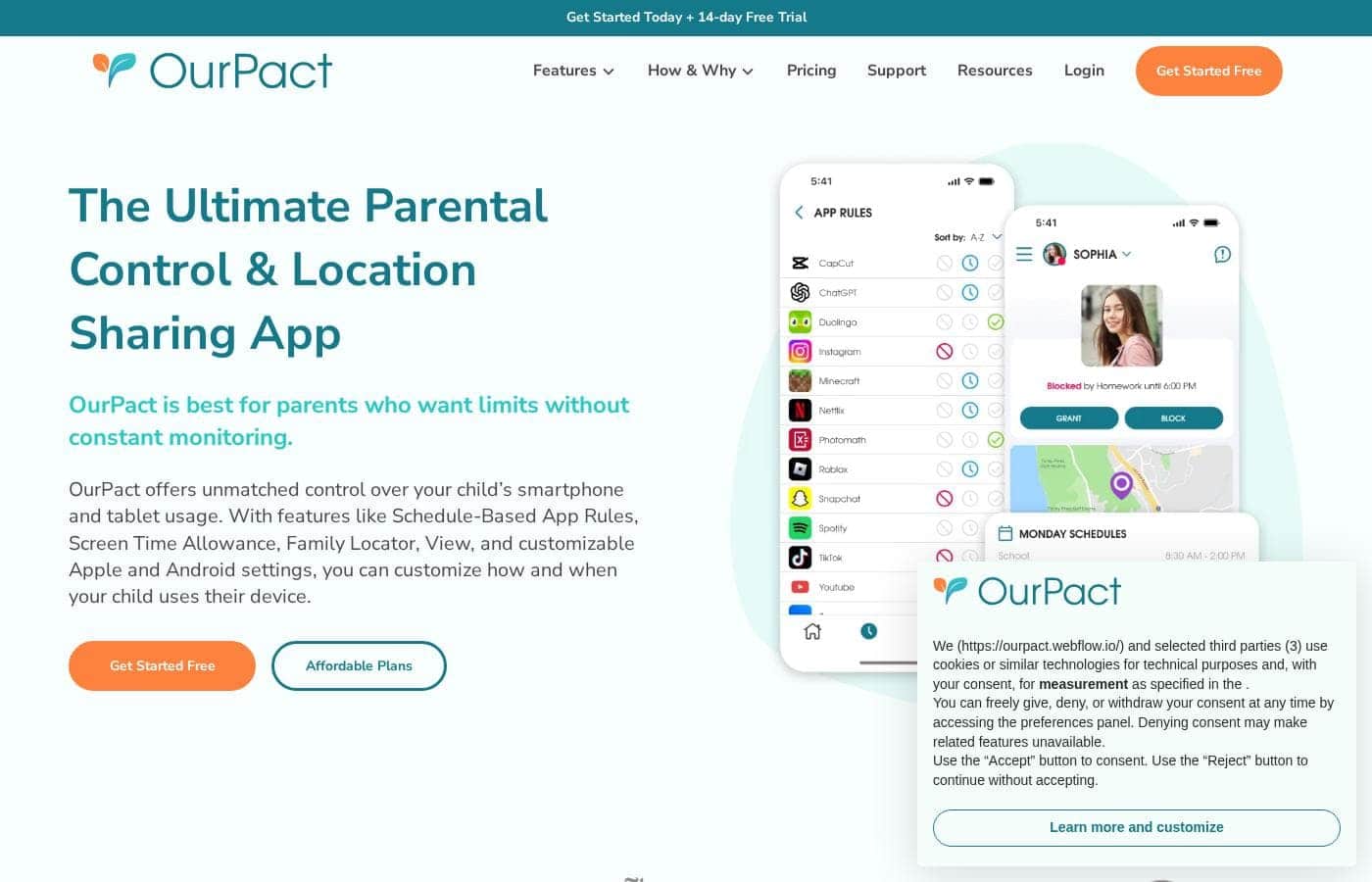
OurPactのホームページスクリーンショット

概要

OurPactの評価、価格概要、主な機能、注目ポイントをすばやく確認できます。
ベンダーページ確認日 2026年10月13日

Ciroappスコア

3.8/ 5

OurPact manages iPhones, iPads, and Android devices from a single dashboard, with one child profile carrying rules across every paired device. Schedule-based routines fit family rhythms, but the useful controls sit behind a paid subscription and setup takes per-device effort. Overall, it's a smart pick for mixed Apple and Android homes, though single-platform families could pay less elsewhere.

長所

  • 長所:Genuine cross-platform coverage — iPhones, iPads, Android phones, and Android tablets are all managed from a single parent dashboard
  • 長所:One child profile pairs with multiple devices, so rules persist across a mix of iOS and Android hardware instead of being set per device
  • 長所:A free plan and free trial let families verify device compatibility before committing money

短所

  • 短所:Setup requires installing the companion app and granting permissions on each child device, and the process differs somewhat between iOS and Android
  • 短所:The free plan is limited; the controls families typically buy parental control software for sit behind a paid subscription
  • 短所:Feature behavior can vary between iOS and Android because the platforms impose different technical constraints, so expectations should be set per device
最適
  • Parents in households that mix Apple and Android devices and want one tool instead of two
  • Families who want schedule-based screen time routines, such as automatic limits during homework, dinner, and bedtime
  • Parents handing a child their first phone or tablet who want limits established from day one
このセクションは概要です。機能、ユースケース、価格、レビューの詳細は下に続きます。

OurPactとは?

OurPact is a parental control application built for the reality of modern families, where a single child may carry an iPad at home, an Android phone at school, and an old iPhone in the car. Instead of forcing parents to juggle separate tools for each platform, OurPact consolidates management into one dashboard. Its stated mission is to help families build balanced digital routines and keep kids safer online.

OurPact is a cross-platform parental control app that lets parents manage iPhones, iPads, Android phones, and Android tablets from a single place. A child profile can be paired with multiple devices, even when those devices mix iOS and Android. From the parent side, you define schedules, limits, and restrictions once, and they apply across every device tied to that child.
OurPactを選ぶべきですか?

プラン比較や公式サイトへ進む前に確認したい購入判断のポイントです。

選ぶべき人

  • Parents in households that mix Apple and Android devices and want one tool instead of two
  • Families who want schedule-based screen time routines, such as automatic limits during homework, dinner, and bedtime
  • Parents handing a child their first phone or tablet who want limits established from day one
  • Families with multiple children who need separate, age-appropriate rules per child managed from one place

避けるべき人

  • Households that are entirely Apple or entirely Android, where a single-platform tool may be simpler and cheaper since OurPact's cross-platform reach is its main premium
  • Buyers who want a permanently free, full-featured solution, since the meaningful controls require a paid subscription
  • Parents unwilling or unable to install a companion app and grant permissions on each child device, which the setup process requires

購入前の次のステップ

  1. 1Create a parent account at ourpact.com, or download the OurPact parent app, and start on the free plan to test the service risk-free
  2. 2Install the OurPact child app on each device you want to manage, following the platform-specific permission steps for iOS and Android
  3. 3Pair each child's devices to their child profile, mixing iPhone, iPad, and Android hardware under one profile as needed
  4. 4Define your first schedule, such as a bedtime cut-off or homework-hour block, and observe how it behaves across all paired devices for a few days
  5. 5If the free plan does not cover the controls you need, use the free trial to evaluate premium features before committing to a monthly or yearly subscription

OurPact 主な機能

✨ Cross-Platform Management from One Dashboard

OurPact's defining feature is unified control across operating systems. Parents manage iPhones, iPads, Android phones, and Android tablets side by side, so rules do not change based on which device a child happens to pick up. This is particularly useful in households that accumulate a mix of hand-me-down and new devices over the years.

✨ Child Profiles That Span Multiple Devices

Rather than configuring each gadget in isolation, OurPact pairs a single child profile with multiple devices. Set bedtime, homework-time, or free-time rules once and they carry across everything that child uses. When a new device enters the household, it gets attached to the existing profile instead of starting from scratch.

✨ Schedule-Based Screen Time Routines

OurPact is oriented around building balanced daily routines rather than pure lock-down. Parents can define when devices are allowed and when they are off-limits, aligning screen time with school hours, meals, homework, and bedtime. The goal, per the company, is a healthier rhythm of use rather than a running battle over every pickup.

✨ Support for a Safer Online Experience

Beyond scheduling, OurPact positions itself as a tool for creating a safer online world for children. Parents retain the ability to restrict access when needed, giving them a practical lever for intervening on problem apps or usage patterns without confiscating hardware.

使用例

💡 Mixed Apple and Android Households

Families with, say, a parent on iPhone and a child on a hand-me-down Android tablet often struggle to find one tool that governs both. OurPact is purpose-built for this situation, managing both ecosystems from the same dashboard so nothing depends on which brand of device is in the child's hands.

💡 School-Night Routines and Homework Time

Parents who want devices to disappear automatically during homework hours, dinner, and bedtime can define those windows as recurring schedules. This turns screen-time enforcement from a nightly confrontation into an established household routine the whole family can predict.

💡 A Child's First Phone or Tablet

Handing a young child their first device is a common trigger for parental control software. OurPact lets parents attach that new device to a child profile with limits already defined, establishing healthy habits from day one rather than trying to claw back screen time later.

💡 Families Managing Multiple Children

Because each child has a dedicated profile that spans their devices, parents with several kids can maintain separate, age-appropriate rules for each one. A teenager's freedom and a second-grader's restrictions coexist under the same parent dashboard without interfering with each other.

OurPactの料金

価格は未確認です — 公式サイトをご確認ください。

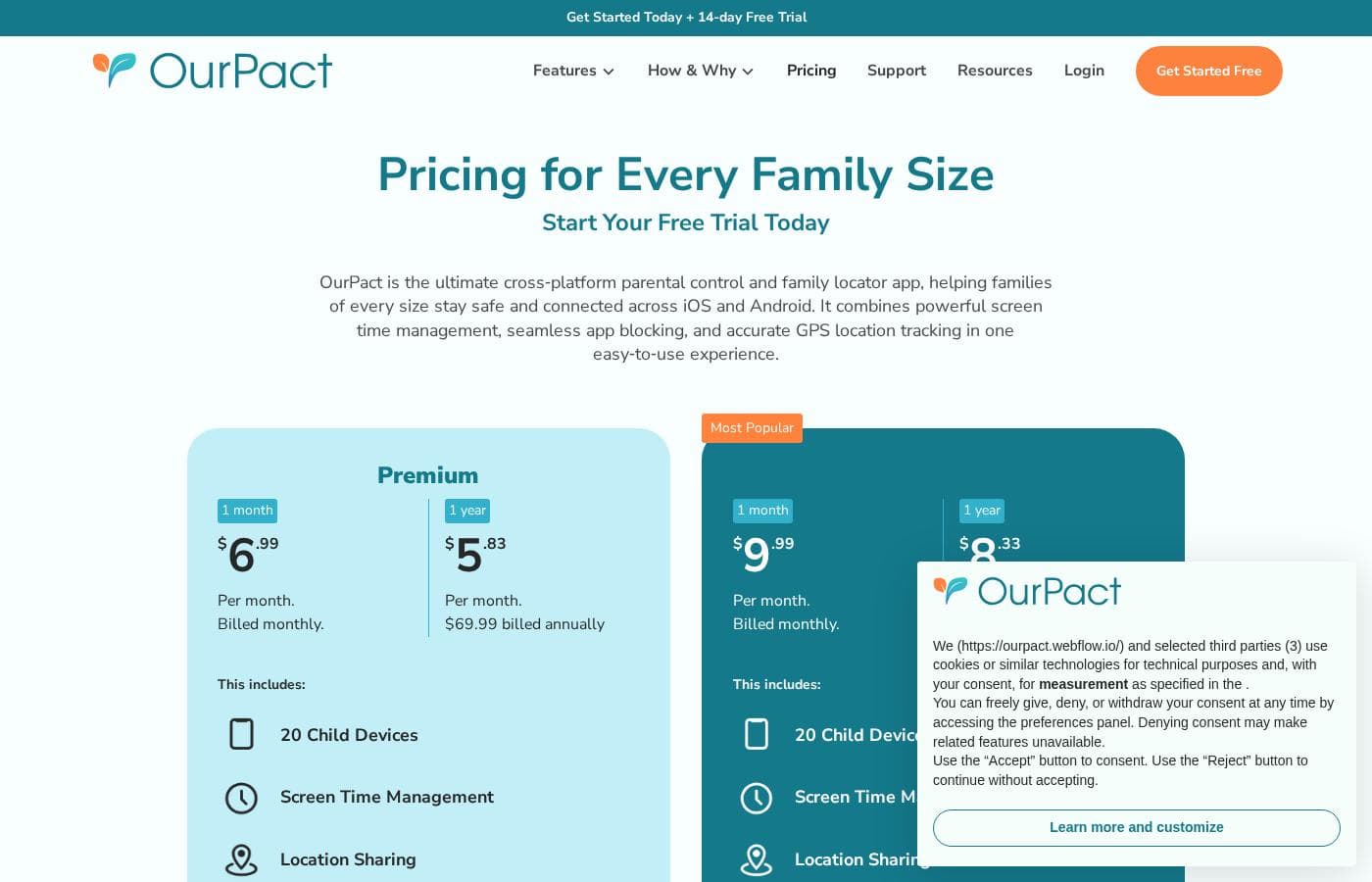
OurPactの料金ページ

OurPactの料金ページのスクリーンショット料金ページのスクリーンショットを見る

価格の推移

2026年10月1日から価格を追跡中。まだ価格変更はありません。

価格タイプ: Free plan, Free trial, Monthly subscription, Yearly subscription

料金に関する補足

OurPact pricing: Plans from $0/month Billing options: Free plan, Free trial, Monthly subscription, Yearly subscription

OurPactの価格が変わったらメールで通知

ベンダーの料金ページで価格の変更を検出したときに1通のメールを送ります。ニュースレターやセール情報はありません。ワンクリックで解除できます。

ユーザーレビュー

まだレビューがありません。

レビューを書く

OurPactのレビューを書く
0/100文字
0/2000文字

OurPactを使う理由は?

Most parental control tools are strong on one platform and weak on the other, which leaves gaps for kids to slip through. OurPact removes that gap by treating all of a child's devices as one managed unit rather than separate problems.

For parents, that means less repeated setup, fewer apps to learn, and rules that follow the child rather than the hardware. For kids, consistent rules across devices are easier to understand and harder to exploit.

OurPact の代替ツール

ペアレンタルコントロールカテゴリの他のツール

ペアレンタルコントロールの全ツールを見る
MMGuardian

MMGuardian

Parental Control4.1/5

デジタル世界で安全に自信を持って子供を育てる

Net Nanny

Net Nanny

Parental Control4/5

有害なページだけをリアルタイムでブロックし、ウェブのほかの部分は壊さないコンテンツフィルタリング。Net Nanny は1996年から、保護者が子どものオンライン安全を見守るお手伝いをしてきました。

FamiSafe

FamiSafe

Parental Control3.9/5

ご家族のためのNo.1デジタル・ペアレンティング・ソリューション

Mobicip

Mobicip

Parental Control3.7/5

お持ちのすべてのデバイスで一貫したペアレンタルコントロールを提供します。

mLite App

mLite App

Parental Control3.6/5

シンプルで同意ベースの位置情報共有で、家族とのつながりを保ちましょう。

1〜25ユーザー向けの最安ペアレンタルコントロールソフトウェア

OurPact よくある質問

Does OurPact work on both Apple and Android devices?

Yes. OurPact manages iPhones, iPads, Android phones, and Android tablets, and it does so from a single parent dashboard. A single child profile can be paired with multiple devices, even when those devices mix iOS and Android, which is the product's main differentiator over single-platform parental control tools.

Is there a free version of OurPact?

OurPact starts at $0 per month, so there is a free plan you can use to get started. A free trial is also available for evaluating paid capabilities. Beyond the free tier, OurPact is offered as a monthly or yearly subscription, and the advanced management controls are what the paid plans unlock.

How do I manage more than one child with OurPact?

Each child gets their own profile, and that profile can be paired with every device the child uses across iOS and Android. Parents with several children maintain separate profiles with age-appropriate rules for each, all controlled from the same parent dashboard, so a teenager's permissions and a younger sibling's restrictions never conflict.

What is involved in setting OurPact up on a child's device?

Setup involves creating a parent account, installing the OurPact child app on each device you want to manage, and pairing those devices to the relevant child profile. Because iOS and Android impose different technical requirements, the exact permission steps differ slightly by platform, so plan to complete setup on each device individually.

OurPactを試してみる準備はできましたか?公式サイトまたは価格をご覧ください。

OurPactの担当者ですか? この掲載を申請する · バッジを入手