Vizard.ai

Vizard.ai

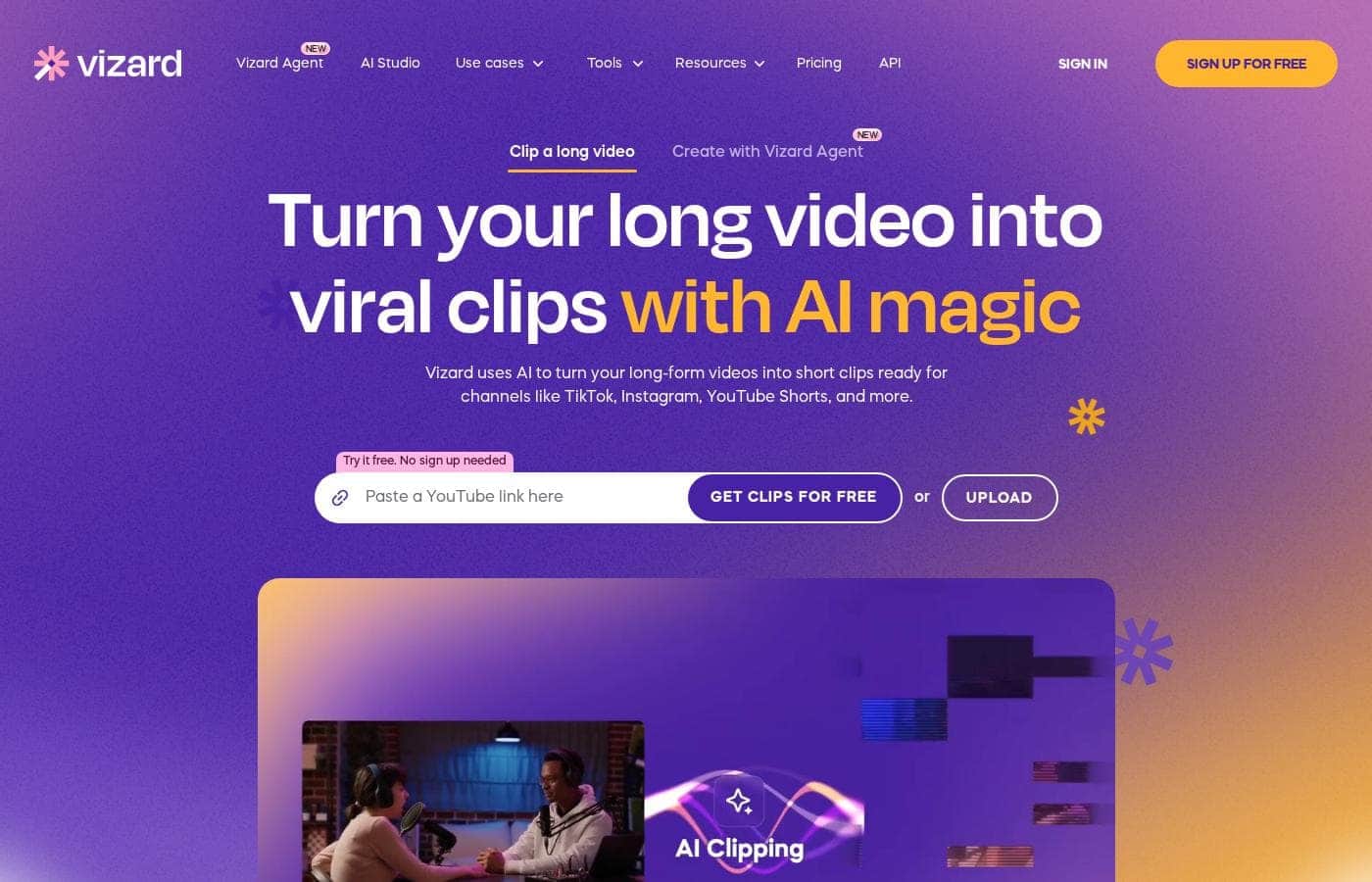
Turn your long video into viral clips with AI magic.

#5 dans Video Repurposing
2 min di lettura · Aggiornato 10/5/2025
Screenshot della homepage di Vizard.ai

At a glance

Quick overview for Vizard.ai: rating, pricing summary, key features, and highlights.

Ciroapp review

3.8
Powerful AI, Proceed With Caution.

We found Vizard.ai offers powerful and efficient AI clipping tools that greatly speed up short-form video production. Overall, while the core technology is impressive, the platform’s reported lack of pricing transparency and significant customer support issues warrant user caution.

Pro

  • Pro:Superior AI clipping technology accurately identifies and extracts video highlights.
  • Pro:Successfully processes content in non-native and multiple languages.
  • Pro:The interface design is simple and facilitates an easy workflow.
  • Pro:The developer offers tiered plans, including a permanent free starting option.

Contro

  • Con:Trustpilot has issued a guideline breach warning for the company.
  • Con:The "free" transcription tier is often misleading, requiring payment for export.
  • Con:Users report dealing with unresponsive, automated customer support.
  • Con:Some individuals experienced technical glitches that block clip creation (e.g., timezone errors).
Gamma: $0/month to not explicitly statedFree plan, Monthly subscription
This section is a summary. Detailed sections about features, use cases, pricing, and reviews follow below.

Recensione di Vizard.ai, prezzi, funzionalità, pro e contro

Turning long videos, like podcasts or webinars, into engaging social clips is often slow and incredibly expensive. You could be spending hundreds of dollars per month on manual editing.

Vizard.ai addresses this core frustration by using AI to instantly transform your raw footage. It generates social-ready clips automatically, drastically increasing your content output with zero effort. ✨

Cos’è Vizard.ai?

Vizard.ai is an intelligent tool that automates video clipping. It turns your long-form video content into short, ready-to-post clips for channels like TikTok, Instagram, and YouTube Shorts.

This platform is built for a wide range of users, including creators, podcasters, successful coaches, marketers, and busy agencies. The process is simple: upload your video, and Vizard handles the transcription, speaker cutout, and processing using its proprietary AI. You just click “Get AI clips,” and the work is done. 💡

Vizard.ai Funzionalità chiave

✨ Instant, Intelligent AI Clipping

Vizard automatically transforms long videos into numerous social-ready clips. The AI identifies the most engaging highlights instantly for you. This means you can create 30 or more clips from just one long video in a single click.

The system is designed specifically for vertical platforms like TikTok, Instagram Reels, and YouTube Shorts. It cuts the moments automatically and centers the key subjects in the vertical format. You never need to worry about manual resizing again. This process is up to 10 times faster than clipping the video manually.

✨ The Intuitive 'Edit by Text' Workflow

The platform gives you total creative control via the powerful Vizard Editor Plus. You can edit your videos as easily as you edit a standard document. This is possible because you modify the corresponding video transcription. Deleting text automatically trims the unwanted video sections.

For minute adjustments, the intuitive timeline editor lets you fine-tune text-based edits. This tool allows precise timing control down to the second level. If you need to fit a different platform, simply change the aspect ratio instantly with one easy click.

✨ Streamlined Proprietary AI Processing

Vizard ensures a smooth transition from your raw footage to final published content. The workflow starts immediately after you upload your source video. First, Vizard automatically transcribes the entire video file. The proprietary AI then processes the footage and accurately cuts out individual speakers.

Once the initial processing is done, you simply click the 'Get AI clips' button. Vizard instantly generates fully designed clips suitable for any platform you choose. You can then download, share via a link, or publish the clips directly from the interface.

✨ Advanced Team Collaboration Hub

The dedicated Team Workspace is explicitly built to centralize complex projects and improve team efficiency. Leaders can easily invite multiple members for seamless, shared collaboration on all projects. This provides better management and collective control over all team video assets.

Members also benefit from real-time viewing capabilities right within the workspace environment. You can effortlessly share work previews with external teams or clients using simple links. This professional hub supports high-volume content demands and efficient workflow integration.

✨ Global Reach and On-Brand Consistency

You can instantly expand your potential audience using Vizard's powerful language features. The platform includes robust caption translation capability for global reach. This feature supports accurate translation into over 100 different languages.

Additionally, maintain visual consistency across all your shared clips. You can leverage the custom templated designs provided by Vizard. Alternatively, you can save your own unique template to keep all your videos consistently on brand.

Casi d’uso

🚀 Scaling Content for Creators and Podcasters

Podcasters and YouTube creators need high-volume content, but manual clipping is slow and incredibly expensive. Vizard solves this by using superior AI Clipping to identify the most engaging moments in your raw footage. The tool automatically cuts and reframes these highlights into vertical clips, perfect for TikTok or Shorts.

Now you can turn a single hour-long episode into 30 or more social clips instantly. This efficiency helps creators 10x their viewership with virtually zero ongoing effort, letting you focus only on recording new content. It’s faster, cheaper, and better than traditional methods. 🚀

💡 Marketing Webinars into a Monthly Content Stream

Marketers often struggle to maximize the value of their long, detailed webinars. Instead of manually producing just a few clips, Vizard allows you to generate robust content output easily. Simply upload your webinar, and the platform handles the transcription and processing.

You can turn just one webinar into an entire month's worth of social media content. Use the Vizard Editor to quickly refine clips by deleting associated text, just like editing a document. This workflow supercharges your marketing team’s production speed and consistency.

📈 Agencies: Increasing Output and Reducing Costs

Agencies need to deliver massive output quickly while managing tight client budgets. Vizard acts as a powerful editing co-pilot, increasing your team’s capacity ten times over. The platform is reportedly 90% cheaper than hiring a human editor, offering significant financial savings.

Simultaneously, the dedicated Team Workspace makes collaboration easy. You can centralize projects, invite contractors, and share previews with clients using a simple link. This integration streamlines professional workflows, allowing agencies to scale efficiently.

🌍 Localizing Content for a Global Audience

Reaching audiences worldwide requires fast, accurate subtitle translation, which can be tedious manually. Vizard makes expanding global reach instantaneous. Once your clips are generated, the built-in feature handles the localization.

One click translates your captions for over 100 different languages. You save hours on translation time and immediately expand the potential audience for your high-vitality clips. This ensures your content resonates globally without extra manual labor.

✍️ Coaches and Business Owners: Building Personal Brands

Successful coaches and business owners use interviews and client calls to establish their expertise. Vizard helps turn these long sessions into powerful personal branding tools easily. You upload your recording, and the AI finds the key soundbites.

Process Flow:

  1. Upload client calls or course footage for transcription.
  2. Click “Get AI clips” to generate social-ready snippets.
  3. Apply your saved Brand template to maintain visual consistency.
  4. Publish the short clips to build your authority and attract new prospects.

Panoramica prezzi di Vizard.ai

Pricing range
$0/month to not explicitly stated
Tipi di prezzo
Free plan, Monthly subscription

Vizard.ai offers a permanent Free plan for users to get started immediately. While tiered pricing is available for growing brands and businesses, the current specific monthly rates for the paid plans are not explicitly stated.

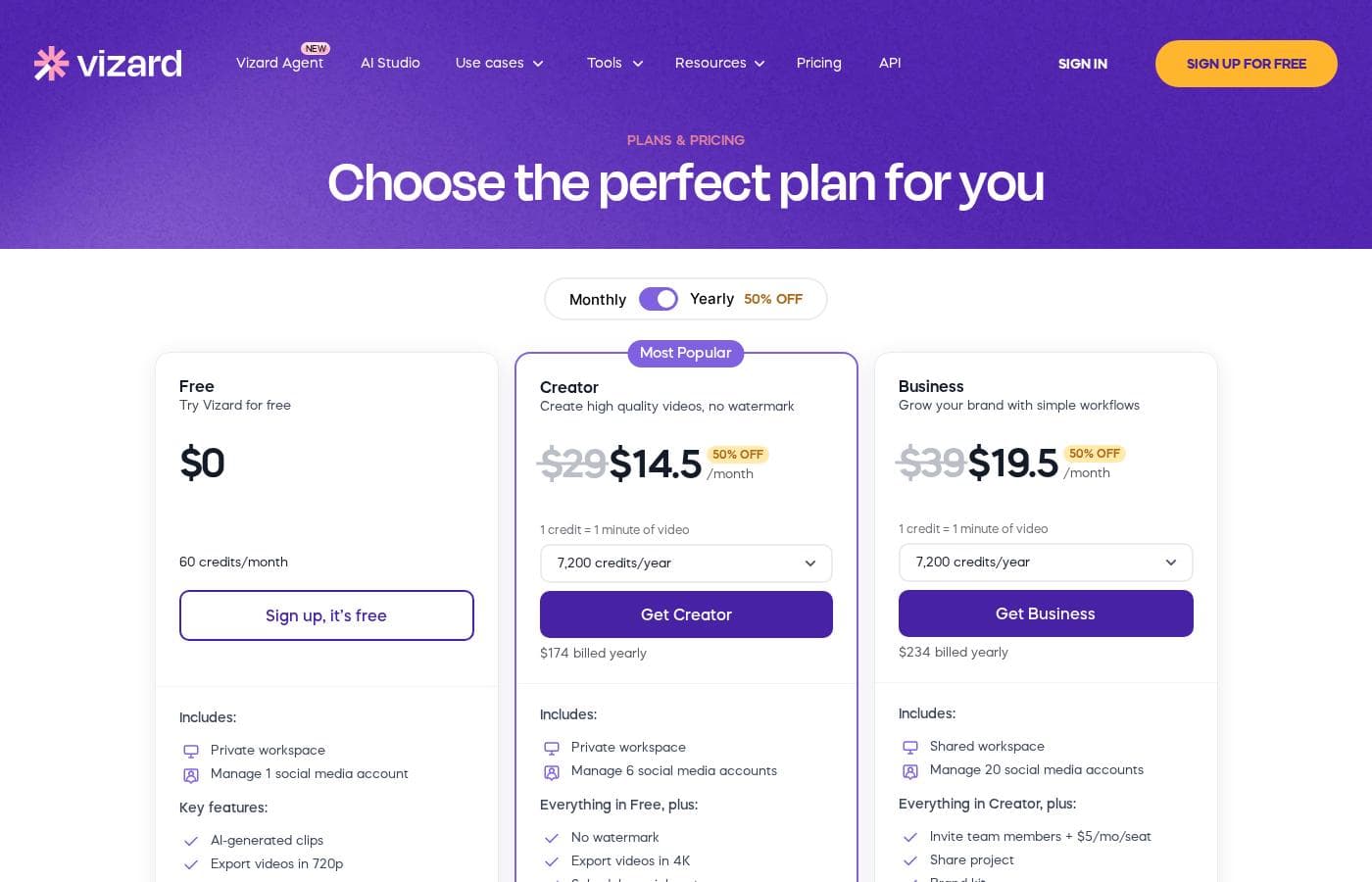
Piani e prezzi

Free

Monthly$0
Try Vizard for free
  • Video creation
  • Auto subtitling
  • AI clipping

Most Popular

Contatta per i prezzi
50% OFF current price
  • Watermark removal
  • Monthly credits
  • Custom templates
  • AI features (clipping, reframe, keywords)

Business

Contatta per i prezzi
50% OFF current price
  • API access
  • Shared workspace
  • Brand kit
  • Custom fonts
  • Live chat support

Vizard.ai offers subscriptions starting at $0 per month with 3 main plans: Free, Most Popular, and Business.

The user interface shows several options to help manage your content creation workflow.

Free

Price: $0/month Websites Supported: Not explicitly stated Best For: New users, testing the platform, light content creation needs. Refund Policy: Not explicitly stated Other Features: Video creation, Auto subtitling, AI clipping, Download transcript.

This plan is perfect if you want to test Vizard's powerful AI features risk-free. You can turn long videos into short clips ready for platforms like TikTok or Shorts. It’s a great way to start leveraging AI magic without spending any money or needing to sign up.

Most Popular

Price: Not explicitly stated (advertised with 50% OFF) Websites Supported: Not explicitly stated Best For: Consistent content creators and quickly growing brands. Refund Policy: Not explicitly stated Other Features: Watermark removal, Monthly credits, Custom templates, AI post suggestions.

This “Most Popular” option is clearly designed for users ready to scale their content efforts. If you need dedicated monthly credits and access to brand management tools, this tier offers more capability. Please check the provider's website directly for the accurate current pricing details associated with the tempting 50% discount.

Business

Price: Not explicitly stated (advertised with 50% OFF) Websites Supported: Not explicitly stated Best For: Agencies, large teams, and organizations requiring full professional integration. Refund Policy: Not explicitly stated Other Features: API access, Shared workspace, Brand kit, Custom fonts, Live chat support.

The Business tier is built specifically for full professional workflows and extensive team collaboration. If you manage a large marketing team or run an agency, you'll benefit significantly from the shared workspace and deeper integrations like API access. This feature-rich plan should support very high-volume content demands efficiently.

Vizard.ai makes it easy to get started right away using the permanent Free plan. You can access all basic features without needing to sign up or enter payment details. Detailed pricing for the paid tiers is not currently visible, but the presence of a substantial 50% off promotion suggests significant savings are currently available for committed users. 🎉

Recensioni utenti

Vizard.ai receives highly mixed feedback from users, which is complicated by an ongoing Trustpilot warning regarding a breach of guidelines. Positive sentiment centers strongly on the core product's superior AI clipping ability, with multiple users praising the high-quality output and noting that it successfully clips foreign language content where other tools failed. Users find the workflow intuitive and the design easy to understand, making content creation manageable. However, major recurring complaints surround transparency regarding the "Free" plan, which many users report requires a paid subscription prompt just to export transcripts or completed clips, leading to frustration and wasted time.

Furthermore, reliability and support are major pain points for paid users. Some encountered bizarre technical failures, like a time zone error preventing clip creation. Others reported poor customer support, described as dealing with an unresponsive "robot" when trying to resolve issues like managing team seats. While the AI features are powerful generators of content, users should exercise caution given the reports of pricing deception and the lack of reliable support 🚧.

Cosa si dice altrove

Alex D.
· Trustpilot
5.0 / 5

I didn't think this service would be this good; it's genuinely much better than I expected. The design is easy to understand and work with, and it fully gets the job done for me at a high level.

Maria W.
· Trustpilot
5.0 / 5

I had to cut up a long format from a different language and was surprised Vizard was still able to handle the job. The results were excellent compared to the different platform I tried previously.

Ancora nessuna recensione.

Scrivi una recensione

Write a Review for Vizard.ai
0/100 characters
0/2000 characters

Perché usare Vizard.ai?

Why should you integrate Vizard.ai into your content strategy? It delivers efficiency and speed that traditional editing cannot match. You get fully designed content that is faster, cheaper, and better than what you often achieve manually.

For high-volume content creators, Vizard is the smart choice for maximizing production and reach:

  • Superior AI Clipping: The tool automatically identifies the most engaging highlights, cuts them instantly, and reframes key subjects in a vertical format, eliminating manual resizing needs.
  • 💰 Massive Cost Savings: Vizard is reportedly 90% cheaper than hiring a human editor, making content creation financially accessible for businesses and individuals.
  • Increased Efficiency: Experience speeds up to 10x faster than manual clipping. You can generate 30 or more clips from one long video in a single click.
  • ✍️ Flexible Editing Control: While the AI excels, the Vizard Editor gives you full control. You can adjust clips by correcting text transcription, fine-tuning timing down to the second, or sharing videos via a simple link.
  • 🤝 Seamless Teamwork: Utilize the dedicated Team Workspace to centralize collaboration. Effortlessly invite members, manage joint projects, and share previews with clients or external teams.
  • 🗺 Global Audience Reach: Instantly expand where your content resonates by using the included caption translation feature for over 100 different languages.

Pronto a trasformare il tuo flusso di lavoro con Vizard.ai?

Domande frequenti

Are the current prices for the paid tiers clearly listed on the website?

No, the exact monthly prices for the paid 'Most Popular' and 'Business' plans are not explicitly stated. They are currently advertised as $0/month while displaying a substantial 50% discount banner.

Can I use the permanent Free plan for full production without paying?

You can use the basic AI clipping features for free without signing up right away. Be aware that many users report needing a paid subscription to export transcripts or completed clips.

What is the primary pricing difference between plans, beyond features?

Paid tiers introduce monthly usage limits in the form of 'Monthly credits.' This suggests that pricing is based primarily on usage volume rather than only seat count.

Does Vizard offer integrations with external tools or platforms?

The Business plan includes API access for deeper, customized technical integration. All plans support link sharing and direct publishing to social media upon completion.

How does team collaboration and user access work on Vizard?

The Business tier provides a Shared Workspace feature designed to centralize collaboration. Leaders can invite team members for real-time viewing and seamless project management.

What type of customer support is included with paid subscriptions?

Only the premium Business plan explicitly includes dedicated 'Live chat support.' Users should know that some external reviews mention difficulty achieving quick or responsive customer service.

Is Vizard suitable for processing multi-language video content?

Yes, Vizard includes a caption translation feature supporting over 100 languages. This helps content creators reach a global audience easily.

Is there a stated money-back guarantee or refund policy for subscriptions?

A specific, publicly stated money-back guarantee or refund policy is not explicitly available on the official site. You should review their current terms before subscribing to a paid tier.

What kind of protection is in place for user video data and security?

Information regarding specific security measures protecting user data, storage limits, or retention policies is not clearly visible on the official site.

Which plan do I need if I want full control over my brand's appearance?

The Business plan is required for full brand control. It includes features like a dedicated 'Brand kit' and the ability to upload and use custom fonts for consistent video styling.

Can I edit the clips created by the AI after processing?

Yes, Vizard includes an internal editor that gives you full creative control. You can adjust timing down to the second and fine-tune text transcription.

Who is the platform best suited for?

Vizard is built for creators, podcasters, marketers, coaches, and agencies. It focuses on turning long-form content into frequent, high-volume short clips for maximum efficiency.

Pronto a provare Vizard.ai? Visita il sito ufficiale o consulta i prezzi.