Traduction complète bientôt — détails produit en anglais, navigation localisée.
WPML

Avis sur WPML

One WordPress site, every language — content, WooCommerce and SEO included.

WPML coûte à partir de 3,25 €/mois · 3 formules · prix vérifiés le 13 oct. 2026

Par Ciroapp Editorial Team · Mis à jour 16 sept. 2026

Commission possible sans coût supplémentaire

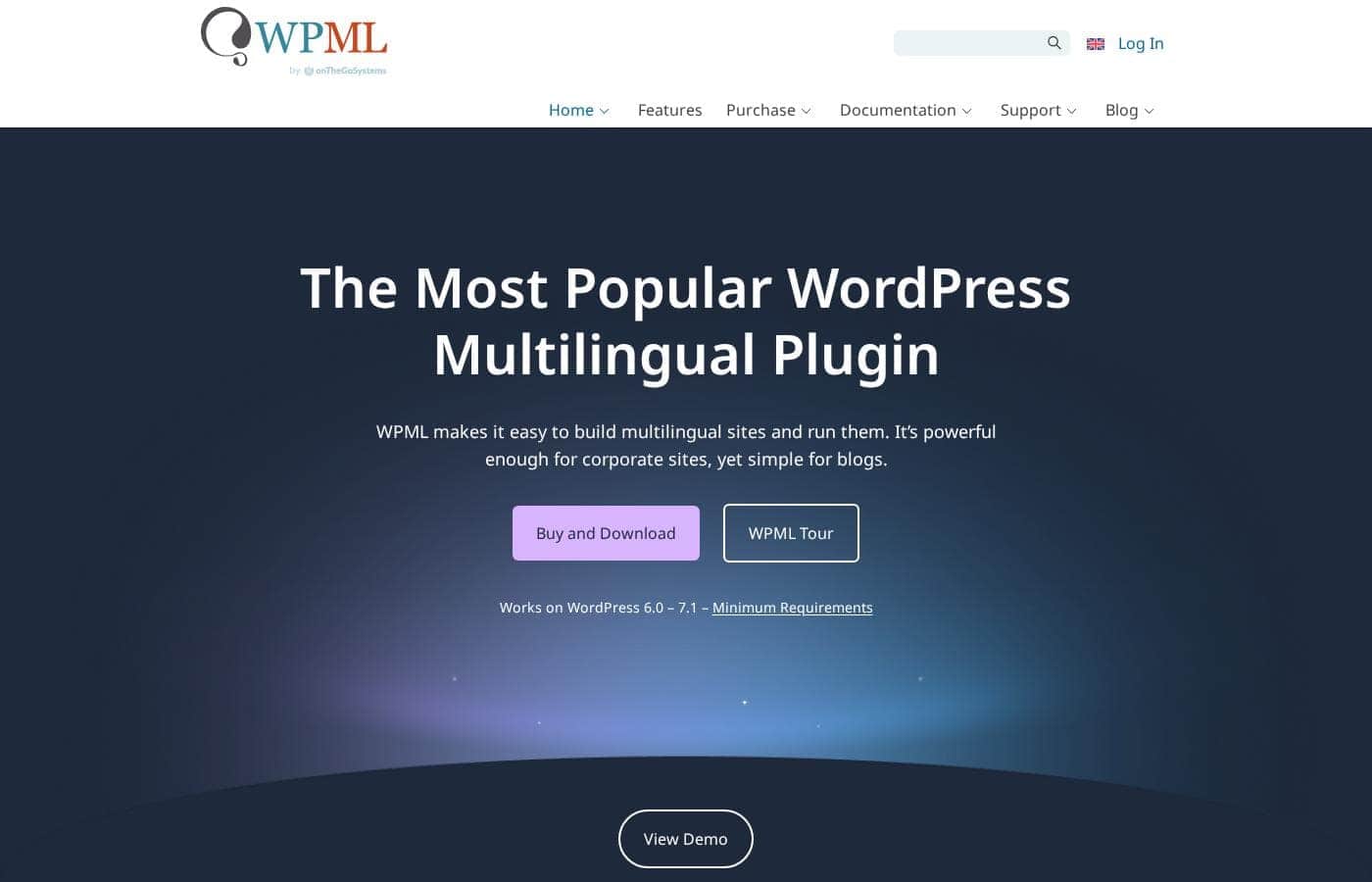
Capture d'écran de la page d'accueil WPML

En bref

Vue rapide de WPML : note, résumé des tarifs, fonctionnalités clés et points forts.
Tarifs vérifiés le 13 oct. 2026

Score Ciroapp

4.0/ 5

WPML covers nearly every layer of a WordPress site — content, menus, theme strings and WooCommerce — with translation management, machine translation and multilingual SEO built in. The tradeoffs are deliberate setup work, a performance footprint on large sites, and the most useful features sitting behind paid annual plans. Overall, it's a complete, recommendable choice for teams committed to running a site in several languages.

Avantages

  • Avantages:Translates every layer of a WordPress site — posts, pages, custom post types, taxonomies, menus, widgets and hardcoded theme/plugin strings — not just the content
  • Avantages:Tested integrations with WooCommerce, Elementor, Divi, Beaver Builder, ACF, Gravity Forms, Yoast SEO and Rank Math cover the stacks most sites actually run
  • Avantages:Built-in translation workflow with translation memory, machine translation from Google, DeepL and Microsoft, and assignable translator roles with per-language permissions

Inconvénients

  • Inconvénients:Configuration is genuinely involved — multiple modules, settings and URL-format decisions can overwhelm non-technical users on first setup
  • Inconvénients:Each language roughly multiplies content, database tables and queries, which can tax performance on large sites without caching and solid hosting
  • Inconvénients:The capabilities most serious teams need — translation management, WooCommerce Multilingual, the advanced editor — sit behind paid annual plans
Idéal pour
  • Companies running a WordPress marketing site that must serve customers in two or more languages from a single install
  • WooCommerce store owners selling internationally who need translated products, checkout, emails and multi-currency support
  • Web agencies and freelancers delivering multilingual WordPress builds and handing translation workflows to client teams
Cette section est un résumé. Les sections détaillées sur les fonctionnalités, les cas d'usage, les tarifs et les avis suivent plus bas.

Qu’est-ce que WPML ?

WPML has been one of the most widely used multilingual plugins for WordPress for well over a decade, and it treats translation as a site-wide job rather than a content-only one. Pages, posts, menus, widgets and even text hardcoded inside themes and plugins can be managed from a single WordPress install. For teams that outgrow quick-and-dirty language switchers, it offers a full workflow: editors, translator roles, machine translation and multilingual SEO plumbing under one roof.

The tradeoff is that it expects you to configure it properly — this review covers what it does well and where it demands effort.

WPML is a premium WordPress plugin that turns a single WordPress site into a multilingual one. It handles translation of posts, pages, custom post types, taxonomies, navigation menus, widgets and strings embedded in themes or plugins, and links each translated page to its equivalents in every other language. It also manages the structural side of multilingual sites — language switchers, per-language URL formats and hreflang markup — and includes a translation editor with translation memory plus optional machine translation from Google, DeepL and Microsoft.

Compatibility extends to WooCommerce through a dedicated component and to major page builders and form plugins.
Faut-il choisir WPML ?

Repères rapides avant de comparer les plans ou de visiter le site.

Choisissez-le si

  • Companies running a WordPress marketing site that must serve customers in two or more languages from a single install
  • WooCommerce store owners selling internationally who need translated products, checkout, emails and multi-currency support
  • Web agencies and freelancers delivering multilingual WordPress builds and handing translation workflows to client teams
  • Publishers and bloggers growing audiences in other language markets who want translations properly linked to the original content

Évitez-le si

  • Single-language sites with no translation plans — the setup and licensing overhead buys you nothing
  • Hobby bloggers who only need basic post translation on a tiny budget and would be served fine by a lightweight free plugin
  • Very large sites with strict performance budgets that lack caching or staging infrastructure to absorb the extra database load
  • Teams expecting a zero-configuration, fully automatic translation experience — WPML requires deliberate setup and content planning

Étapes avant achat

  1. 1Choose a plan on wpml.org — including the free entry option — and download the WPML installer plugin ZIP from your account
  2. 2In WordPress, go to Plugins → Add New → Upload Plugin, install and activate the installer, then let it pull in the language components you need
  3. 3Run the setup wizard: pick your default language, add the languages you want, and choose a URL format (directories, subdomains or separate domains)
  4. 4Add a language switcher to your main menu, a widget area or anywhere via shortcode or block
  5. 5Start translating pages, posts and theme/plugin strings — directly in the editor or through Translation Management with the Advanced Translation Editor

WPML Fonctionnalités clés

✨ Full-Site Content Translation

WPML translates pages, posts, custom post types, taxonomies, categories, navigation menus and widgets from one WordPress install. Translations are linked across languages, so a visitor who switches languages lands on the equivalent page instead of being dumped back at the homepage.

✨ String Translation for Themes and Plugins

Text hardcoded inside themes and plugins — form labels, buttons, slider captions, footer notices — is captured through the String Translation module and made editable. That means nothing visible to visitors stays stuck in a single language, even when it isn't stored as a post.

✨ Translation Management and Editors

Site owners can translate directly, assign translators with specific language pairs and permissions, or order from integrated professional translation services. The Advanced Translation Editor adds translation memory and machine translation from Google, DeepL and Microsoft to speed up first drafts, with human review on top.

✨ Multilingual SEO

WPML outputs hreflang attributes so search engines serve the correct language version, supports translated permalinks and slugs per language, generates language-specific sitemaps and integrates with Yoast SEO and Rank Math so titles and meta descriptions can be optimized independently in each language.

✨ Flexible URL Formats and Language Switchers

Languages can live in directories (such as /fr/), on subdomains or on separate domains, which matters for hosting and regional SEO decisions. Switchers can be placed in menus, widget areas, footers or anywhere via shortcode or block, and configured to show flags, language codes or native language names.

✨ Ecosystem Compatibility

WPML works with any theme or plugin built to standard WordPress APIs and ships tested integrations with WooCommerce (via the WooCommerce Multilingual component), Elementor, Divi, Beaver Builder, ACF, Gravity Forms and other staples, reducing surprises when the rest of your stack updates.

Cas d’usage

💡 International WooCommerce Stores

Product pages, categories, attributes, variations, transactional emails and checkout strings can all be translated through WooCommerce Multilingual, with multi-currency support for adapting to individual markets — the full purchasing flow, not just the catalog, speaks the customer's language.

💡 Company and Marketing Websites

Businesses serving several countries keep one WordPress install with a polished page per language, consistent branding, and language-specific contact forms, lead flows and legal pages — without juggling multiple hosting accounts or sites.

💡 Blogs and Online Publications

Editors can publish each article in several languages with translations cross-linked, so readers who switch language stay on the same story. That makes it a practical fit for niche publications growing audiences beyond their home market.

💡 Agency and Freelancer Client Work

Developers building for clients can configure languages, URL formats and translator roles per project, and can hand the translation workflow to the client's own staff. Agency-oriented plans are designed to cover work across multiple client sites from one account.

💡 Membership, LMS and Community Sites

Courses, lesson content, restricted pages and profile or form fields can be translated so members learn and interact in their own language, with the language switcher respecting logged-in user preferences.

Tarifs WPML

À partir de3,25 €/mois

  • Relevé sur la page tarifs de l'éditeur, vérifié le 13 oct. 2026
  • 3 formules

Prix vérifiés le 13 oct. 2026 sur la page tarifs de WPML

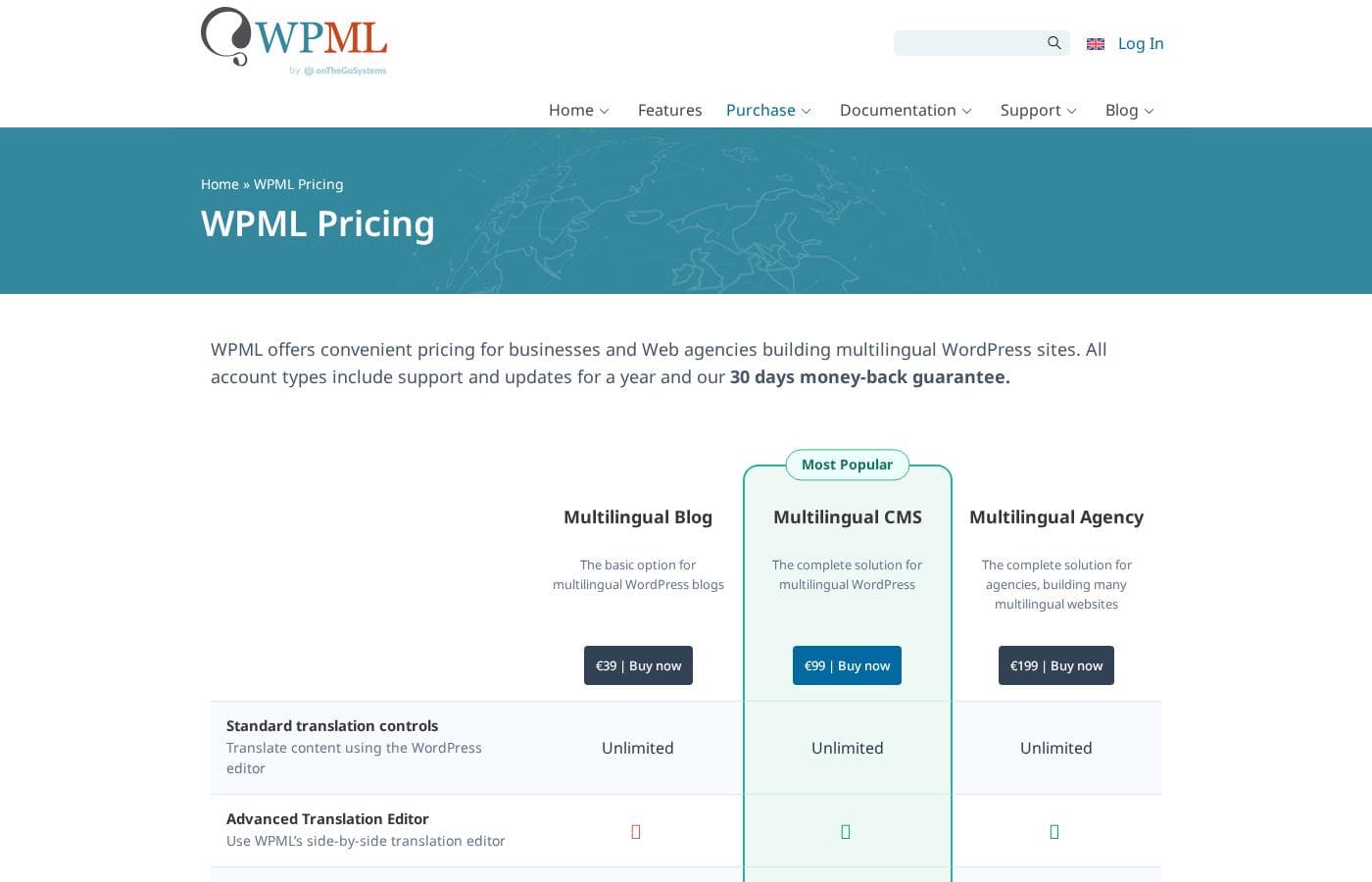
Capture d'écran de la page tarifs de WPMLVoir la capture de la page tarifs
FormulePaiement mensuelPaiement annuelInclus
WPML Multilingual Blog
—
3,25 €/mois
39 € par an
WPML Multilingual CMS
—
8,25 €/mois
99 € par an
WPML Multilingual Agency
—
16,58 €/mois
199 € par an

Historique des prix

Prix suivis depuis le 1 oct. 2026. Aucun changement détecté pour l'instant.

Types de tarification: Free plan, Yearly subscription, Usage-based pricing

Notes sur les tarifs

WPML pricing: Plans from €0 Billing options: Free plan, Yearly subscription, Usage-based pricing

Calculateur de coût

Estimez le coût de WPML pour votre équipe.

Facturation

WPML Multilingual Blog n'a pas de prix publié pour ce cycle de facturation.

WPML Multilingual Blog a un prix forfaitaire : le nombre de postes ne change pas le total. Estimation basée sur les prix publics, hors taxes, options et remises.

M’avertir quand WPML change de prix

Un e-mail quand nous détectons un changement sur la page tarifs de l’éditeur. Pas de newsletter, pas de promos. Désinscription en un clic.

Avis des utilisateurs

Aucun avis pour le moment.

Rédiger un avis

Rédiger un avis pour WPML
0/100 caractères
0/2000 caractères

Pourquoi utiliser WPML ?

Running separate WordPress installs per language becomes unmanageable fast: duplicated maintenance, inconsistent design and no shared workflow. WPML keeps one site, one theme and one admin while serving each visitor their language, and it keeps visitors on the equivalent page when they switch.

Its SEO features — hreflang tags, translated slugs and per-language meta through Yoast or Rank Math — let each language rank on its own merits. And when you don't want to translate everything yourself, the built-in management tools let you delegate to translators or machine-draft and then review.

Alternatives à WPML

Autres outils dans la catégorie Plugins WordPress multilingues

Voir tous les outils Plugins WordPress multilingues
Polylang

Polylang

Multilingual WordPress plugins4/5

La façon la plus simple de créer un site WordPress multilingue

Translatepress

Translatepress

Multilingual WordPress plugins4/5

Le plugin de traduction pour WordPress que tout le monde peut utiliser

WPML : questions fréquentes

Combien coûte WPML ?

La formule payante la moins chère de WPML, WPML Multilingual Blog, coûte 3,25 € par mois. Les formules payantes vont de 3,25 € à 16,58 € par mois. Prix vérifiés le 13 oct. 2026 sur la page tarifs de l’éditeur.

Le prix de WPML a-t-il changé récemment ?

Non. Aucun changement de prix détecté depuis le début du suivi, le 1 oct. 2026.

Does WPML work with any WordPress theme or plugin?

WPML is built to run with any theme or plugin that follows standard WordPress coding APIs. For the most common tools — WooCommerce, Elementor, Divi, Beaver Builder, ACF, Gravity Forms, Yoast SEO and Rank Math among them — there are tested integrations, and the vendor maintains a compatibility list you can check against your specific stack before buying.

Can WPML translate a WooCommerce store?

Yes. The WooCommerce Multilingual component translates products, categories, attributes, variations, emails and checkout strings, and supports multi-currency setups so an international store can sell and communicate in each customer's language across the entire purchase flow.

Does WPML include machine translation?

The Advanced Translation Editor can draft translations automatically using Google Translate, DeepL or Microsoft Translator. Machine output is intended as a first pass — you can edit it yourself or assign a human translator to review before publishing, and machine translation usage above the included allowance costs extra.

How does WPML handle SEO for multiple languages?

WPML adds hreflang attributes so search engines serve the correct language version, supports translated permalinks and slugs per language, and integrates with Yoast SEO and Rank Math so titles and meta descriptions can be optimized independently in each language.

Do I have to translate everything myself?

No. You can translate directly in the WordPress editor yourself, use Translation Management to assign translators with specific language pairs and permissions, or order professional human translation through integrated translation services — or mix all three depending on the content.

Prêt à essayer WPML ? Découvrez le site officiel ou les tarifs.

Vous êtes WPML ? Revendiquer cette fiche · Obtenir le badge