Druva vs ThreatDown
Druva and ThreatDown both aim to secure your data, but they target very different threats. Druva is a cloud-native platform focused on data backup, resilience, and compliance. ThreatDown is an endpoint security service focused on preventing malware and attacks before they happen. Your choice depends on whether you need to protect data in the cloud or stop threats on devices.
Best for: Organizations with critical workloads on AWS and Azure, Teams needing immutable, ransomware-proof backups
Best for: Businesses of any size needing clear, device-based security pricing, IT teams wanting proactive endpoint protection and hardening
Solid cloud-native protection, but pricing is opaque.
We find Druva to be a robust, fully managed SaaS platform for cloud data security. It offers strong zero-trust and immutable backup features that simplify compliance and resilience. Overall, it's a capable solution for organizations focused on protecting AWS and Azure workloads, though the lack of public pricing requires direct engagement.
Ventajas
- Fully managed SaaS platform simplifies operations and eliminates infrastructure overhead.
- Strong security posture with immutable backups and zero-trust architecture.
- Centralized management for multi-cloud environments (AWS, Azure).
- Designed for compliance, eDiscovery, and retention policy management.
Desventajas
- Pricing is not publicly disclosed, requiring contact with sales for quotes.
- Lack of a publicly mentioned free trial or money-back guarantee.
- External review platforms were inaccessible, limiting independent user feedback.
- Information on specific plan features and limits is not explicitly detailed.
Proactive, layered protection with clear pricing.
We found ThreatDown offers a strong, proactive security model focused on prevention and hardening. Its tiered pricing is transparent and scalable, making it a solid choice for organizations wanting managed services or a flexible DIY approach. Overall, it's a reliable platform for building a more resilient digital environment.
Ventajas
- Focuses on proactive hardening and threat prevention before execution.
- Offers clear, transparent tiered pricing that scales with device count.
- Provides flexible options from self-managed tools to fully-managed 24/7 MDR.
- Includes features like instant rollback and ransomware remediation.
Desventajas
- Top-tier custom pricing requires direct sales contact.
- Detailed feature differences between tiers are not fully listed here.
- External user reviews were inaccessible for this assessment.
Acerca deDruva
Druva is a cloud-native data security platform. ✨ It's designed for organizations needing to protect mission-critical applications and digital identities. The service is fully managed, meaning the infrastructure is handled for you. It's ideal for teams that want to secure data across AWS, Azure, and other cloud environments without managing extra tools.
Acerca deThreatDown
ThreatDown is a comprehensive managed security service designed to protect your entire digital environment. 🛡️ It’s built for businesses that want a layered, proactive defense strategy rather than a reactive one. Think of it as a complete security shield, combining managed services with a DIY SOC (Security Operations Center) for flexible, powerful protection.
Aspectos destacados
Comparación de características
Resumen de Funcionalidades
Destacamos las principales diferencias y elegimos un ganador para cada característica.
Core Purpose
Druva protects your data in the cloud. ThreatDown protects your devices from attacks.
Druva is a cloud-native platform built for data security. It focuses on backing up, protecting, and governing data across cloud environments like AWS and Azure. Think of it as your data's fortified vault. ThreatDown is an endpoint security solution. It installs on laptops and servers to block malware, ransomware, and other threats before they execute. It's the guard at the gate for your devices. The key difference is location. Druva is concerned with the security and recoverability of your data itself. ThreatDown is concerned with the security of the devices where your data lives. For a company with heavy cloud infrastructure, Druva is the natural fit. For a company focused on securing employee laptops and on-premise servers, ThreatDown addresses the immediate threat surface.
Security Model
Druva assumes the breach and protects data. ThreatDown tries to prevent the breach entirely.
Druva's security model is built on zero-trust and immutability. It doesn't trust anyone by default and creates backups that cannot be altered or deleted, even by admins. This ensures you can always recover clean data. ThreatDown's model is proactive hardening. It uses DNS filtering, patch management, and advanced analysis to stop threats before they can run code. It aims to make your environment hostile to attackers from the start. The trade-off is philosophy. Druva is your last line of defense, guaranteeing recovery. ThreatDown is your first line of defense, aiming to prevent the incident altogether. If your biggest fear is data loss from a successful attack, Druva's immutable backups are compelling. If your priority is stopping the attack from ever reaching your systems, ThreatDown's prevention layers are key.
Ransomware Defense
ThreatDown stops ransomware before it runs. Druva ensures you can recover if it doesn't.
ThreatDown has specific ransomware detection and a standout rollback feature. If an attack slips through, it can isolate the endpoint and revert any changes, effectively undoing the damage. Druva's defense is immutable, air-gapped backups. Once data is backed up, it's locked. Even if ransomware encrypts your live data, you can restore a clean, untampered copy from Druva. The difference is timing. ThreatDown tries to prevent and then reverse the encryption in real-time. Druva ensures you have a pristine copy to restore from after the fact. Both are valid strategies. ThreatDown offers a 'time machine' for your device state. Druva offers an unbreakable safety net for your data.
Management & Control
Druva is fully managed for you. ThreatDown gives you a choice between managed services and DIY.
Druva is a fully managed SaaS platform. The infrastructure, maintenance, and scaling are all handled by Druva. You get a single dashboard to manage everything, minimizing your operational overhead. ThreatDown offers flexibility. You can choose plans with self-managed tools or fully-managed 24/7 MDR (Managed Detection and Response). It caters to both hands-off and hands-on teams. The key trade-off is control versus convenience. Druva offers maximum simplicity but less underlying control. ThreatDown lets you choose your level of involvement and expertise. For teams that want security without adding to their workload, Druva's managed model is ideal. For teams that want to run their own SOC or need flexible service levels, ThreatDown's options are better.
Pricing Transparency
ThreatDown shows its prices online. Druva requires you to talk to sales.
ThreatDown offers clear, public pricing. You can see costs per device and term length directly on their site, starting at $276/year for 5 devices. This makes budgeting straightforward. Druva does not list prices publicly. Costs are based on your usage and protection needs. You must contact their sales team for a custom quote. This is a major difference for procurement. ThreatDown allows you to evaluate cost before any sales conversation. Druva requires engagement to understand pricing. If you need quick ballpark figures for a budget proposal, ThreatDown's transparency is a big plus. If you prefer a tailored solution priced exactly to your needs, Druva's model works.
Cloud Integration
Druva is built for and integrates deeply with major cloud platforms.
Druva is cloud-native by design. It is built to protect workloads across AWS and Azure, using cloud APIs for seamless operation. It's made for modern, cloud-first organizations. ThreatDown's focus is endpoint protection. While it secures devices that may access cloud data, its core strength is not in cloud infrastructure integration. Its provided details don't highlight deep AWS or Azure integration. The difference is foundational. Druva lives and breathes in the cloud ecosystem. ThreatDown's primary domain is the endpoint device layer. For organizations with a 'cloud-first' strategy needing to secure cloud-native workloads, Druva is purpose-built. For organizations primarily concerned with securing the physical or virtual devices used by employees, ThreatDown is the specialist.
User Reviews & Trust
Both have limited external review data, but ThreatDown has a slightly higher aggregated rating.
Based on the provided data, external reviews for both tools were inaccessible for detailed analysis. This limits direct comparison of user sentiment from platforms like G2 or Capterra. However, we have aggregated ratings. Druva has a 4.2 rating, while ThreatDown has a 4.5 rating. This suggests ThreatDown users report slightly higher satisfaction. Without access to the actual review text, we can't understand the reasons behind these scores. The numbers are a starting point but not the whole story. For a potential buyer, it's worth seeking out recent reviews or asking for references. The limited data we have gives a slight edge to ThreatDown in reported satisfaction.
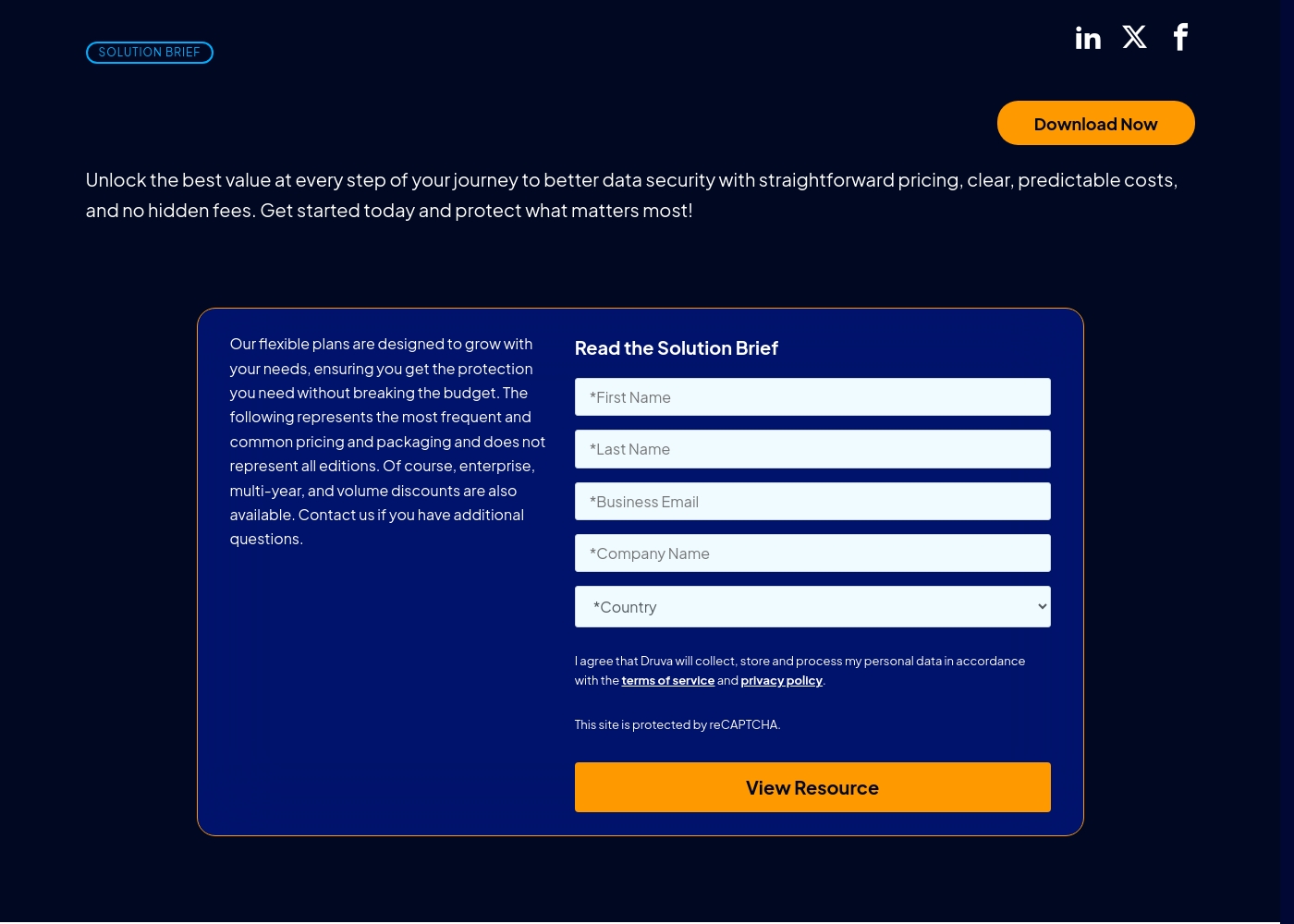
Take a look at how Druva structures their offerings below.
Druva Plans
Best For: Organizations seeking cyber resilience for mission-critical apps and workloads. Other Features: Immutable backups, zero-trust architecture, ransomware protection, centralized management, and microservices architecture.
You should pick Druva if you want a fully managed SaaS platform that simplifies data security. It's a great fit for teams that need to protect data across AWS, Azure, and beyond without the stress of juggling multiple apps.
- Immutable backups
- Zero-trust architecture
- Ransomware protection
- Centralized management menu
- Multi-cloud support (AWS, Azure)
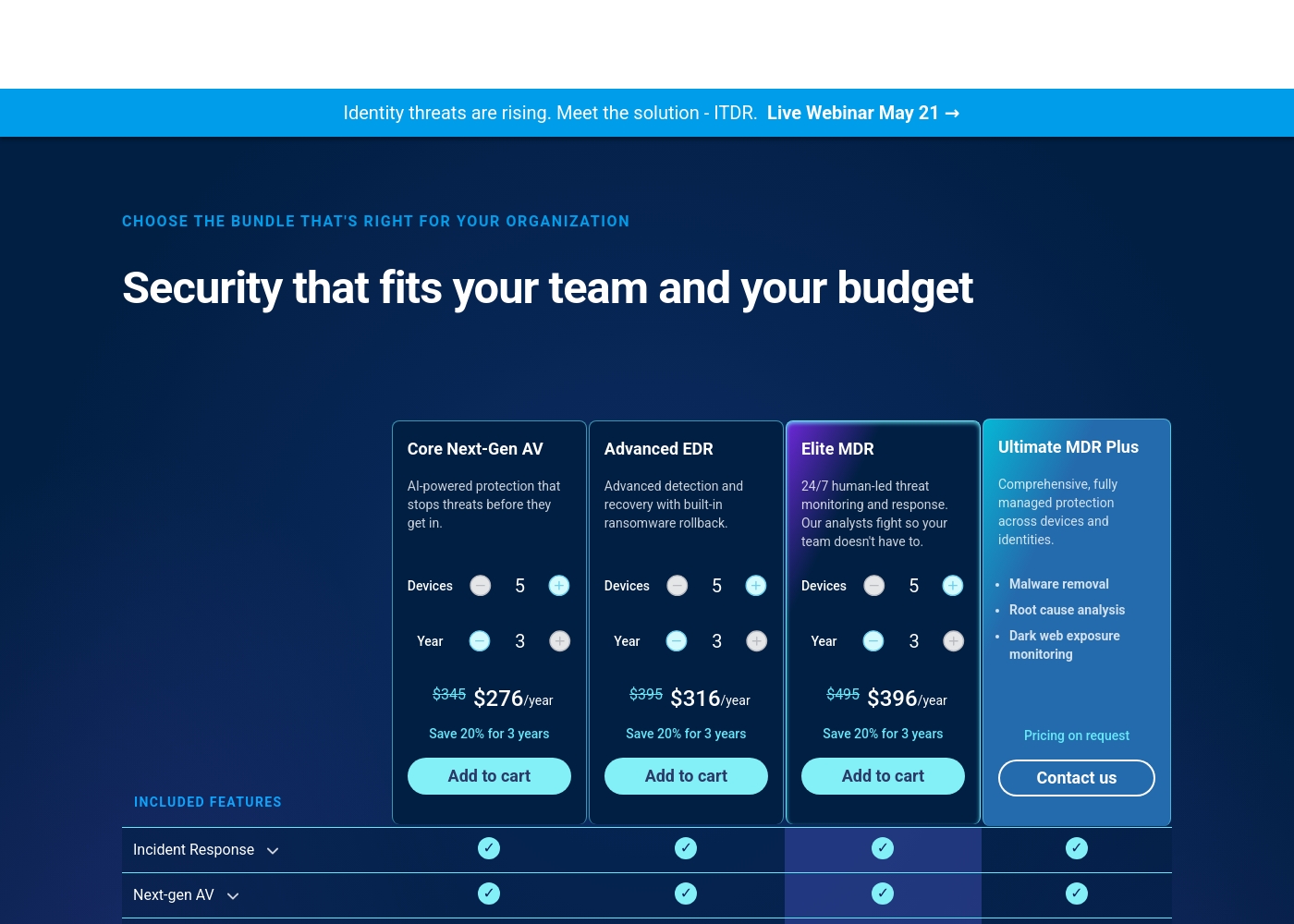
ThreatDown pricing: ThreatDown offers tiered security plans starting at $276/year for 5 devices on a multi-year term. Pricing is based on the number of devices and the length of your subscription commitment (1-3 years).
direct purchase is available for the first three tiers, while the top-tier plan requires a custom quote from the sales team. Each plan includes a core suite of protection tools with options for managed services and 24/7 human-led endpoint detection and response (MDR).
Pricing becomes more cost-effective with longer-term commitments, such as 3-year plans which offer a 20% savings compared to annual rates. Organizations can choose between self-managed AV and fully-managed security operations to fit their technical capacity and specific risk profile.
Pricing Notes
- Druva's pricing is entirely custom; you must contact sales for a quote.
- ThreatDown's pricing is transparent and scales with device count and contract length.
- ThreatDown offers multi-year discounts (e.g., 20% savings on a 3-year plan).
- Druva emphasizes predictable costs with no hidden fees, but details are not public.
- Neither tool explicitly advertises a free trial on their public website.
Pricing Head-to-Head
Reseñas de usuarios
External review sources for Druva are currently inaccessible for direct sentiment analysis. The Trustpilot and Capterra pages both returned security verification or forbidden errors, preventing us from gathering specific user feedback, ratings, or recurring themes. Consequently, our final assessment is based solely on the provided website content and pricing details, without corroborating external user sentiment. This limits our ability to provide a balanced, fact-based review of user experiences regarding accuracy, support, or value.
We could not access external review snippets from Trustpilot or Capterra for ThreatDown due to access restrictions. Therefore, our review is based solely on the provided website information and pricing details. We cannot synthesize user sentiment or provide a summary of external reviews.
Nuestro Veredicto
Druva and ThreatDown solve fundamentally different problems. Druva is your data's safety net. ThreatDown is your devices' bodyguard. For most cloud-heavy organizations, Druva's managed resilience is the strategic choice. Druva's superpower is making data security simple. Its fully managed SaaS platform handles everything, letting you deploy in minutes. With zero-trust and immutable backups, it guarantees you can recover from anything, even ransomware. ThreatDown's superpower is proactive prevention. It hardens your environment with DNS filtering and patch management. If threats get through, it detects and can even roll back ransomware changes instantly on the endpoint. The deciding factor is your primary risk. Is it losing data in the cloud? Or is it having devices compromised on your network? Druva answers the first. ThreatDown answers the second. Choose Druva if your mission-critical apps live in AWS or Azure and you need ironclad, managed recovery. Choose ThreatDown if you need clear pricing to protect every laptop and server with layers of prevention and response. For many modern teams, securing cloud data with Druva is the bigger priority.
Preguntas Frecuentes
Which is better for cloud backup: Druva or ThreatDown?
Druva is specifically designed for cloud data security and backup. ThreatDown focuses on endpoint protection for devices like laptops and servers. For backing up cloud workloads on AWS and Azure, Druva is the dedicated tool.
Does ThreatDown offer immutable backups like Druva?
No, ThreatDown's primary focus is preventing and responding to threats on endpoints. Its standout feature is ransomware rollback, which reverts device changes. Druva provides immutable, unchangeable backups for data recovery.
Is ThreatDown's pricing really that much clearer than Druva's?
Yes. ThreatDown lists exact prices per device and contract term on its website. Druva does not show any public pricing; you must contact their sales team for a custom quote based on your needs.
Can Druva stop a ransomware attack on my laptop?
Druva is not an endpoint protection tool. It protects your data in the cloud. If ransomware encrypts data on a device, Druva allows you to restore that data from an immutable backup. ThreatDown is designed to stop the attack on the laptop itself.
Which tool is easier to set up for a small business?
ThreatDown likely has a simpler entry point. You can purchase and deploy its agent-based software based on public pricing. Druva requires a sales process and may be more geared toward larger cloud environments.
Do I need both Druva and ThreatDown?
They solve different problems, so yes, some organizations use both. Druva protects your data in the cloud for recovery. ThreatDown protects your endpoints from attack. Using both provides defense-in-depth.
¿Listo para elegir?
Ambas herramientas tienen sus fortalezas. Elige según tus necesidades específicas.