mLite App vs Xnspy
Choosing between mLite App and Xnspy can feel difficult for parents. mLite App focuses on quick location and camera features with strong privacy. Xnspy offers deeper tracking across 10+ social media platforms. Here is how you can choose the right tool for your family.
Best for: Parents of young children needing immediate location visibility, Users who prioritize data encryption and a clear privacy statement
Best for: Employers tracking company-owned Android devices, Parents monitoring teenagers using 10+ complex social media apps
Pros
Cons
Effective Monitoring, Comprehensive Customer Support.
We find Xnspy delivers robust remote monitoring capabilities, offering comprehensive tracking of communications and social media for both Android and iPhone devices. While the setup can be tricky, the powerful 24/7 live customer support team earns significant praise for assisting users through installation hurdles. Overall, Xnspy provides strong feature value for its price, but users should be aware of potential data synchronization delays and the limiting partial refund policy.
Pros
- Runs discreetly in the background, minimizing detection.
- Comprehensive social media and communication monitoring features.
- Professional and quick 24/7 live customer support available.
- Effective for parental control and providing peace of mind.
Cons
- Reports of data synchronization delays, particularly on iPhone.
- Setup process is noted as tricky or difficult for average users.
- Strict 10-day partial refund policy is widely criticized.
- Compatibility limitations restrict features (e.g., GPS) on older Android phones.
AboutmLite App
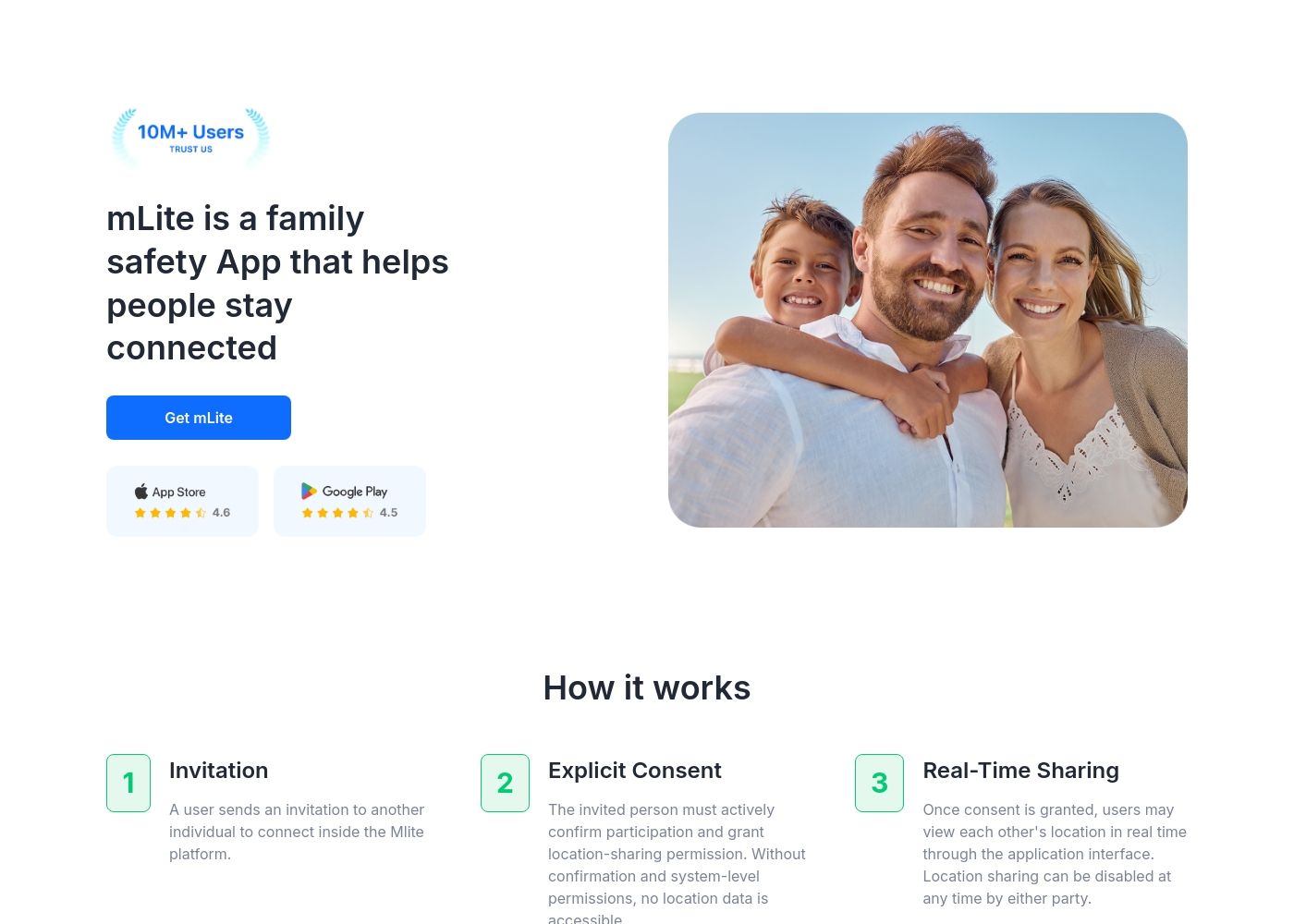
✅ mLite is a family safety app designed to help people stay connected. It’s for families, parents, and anyone who wants a straightforward way to share location with loved ones. The app works on both Android phones and iPhones, making it easy for everyone to join in.
AboutXnspy
XNSPY is designed as an accessible monitoring solution. It helps you stay informed and provides necessary visibility. The platform works specifically with key mobile systems. You can easily explore compatibility for both Android and iPhone devices before committing. Get instant access to the Live Demo to see the system in action. ✅
Highlights
Feature Comparison
Features Overview
We highlight the main differences and pick a winner for each feature.
Trial Access & Test
mLite App provides a 1-day free trial; Xnspy requires immediate payment for access.
You can start with a 1-day free trial on mLite App to thoroughly test all features. This allows you to confirm functionality before committing financially. There is no free trial option available when selecting Xnspy to begin using the service. Xnspy requires immediate purchase and only offers a strict 10-day partial refund guarantee. mLite App lets you test functionality risk-free before ever subscribing. Xnspy makes actual testing expensive because you must pay upfront.
Emergency Features
mLite App offers a fast Panic Button; Xnspy focuses on comprehensive long-term data collection.
mLite App includes a Panic Button that sends an instant location alert with a single tap. This feature supports rapid response for children in a crisis situation. Xnspy does not list specific dedicated emergency response buttons. Xnspy utilizes geo-fencing to alert you if location boundaries are breached. mLite App is clearly optimized for family safety and rapid distress signaling. Xnspy emphasizes investigative collection, not immediate crisis management.
Social Media Depth
Xnspy tracks 10+ social apps; mLite App covers general messenger communication only.
mLite App provides monitoring across general Messengers and installed applications. Details on highly specific or niche app coverage are not formally listed. Xnspy Premium monitors activity across Facebook, Instagram, Snapchat, and many related apps. This provides extensive insight into complex teen interactions and communications. Xnspy offers significantly deeper social media coverage for complex oversight. This distinction is crucial if the goal is monitoring older, savvy kids.
Installation & Setup
The mLite App setup is simple and quick; Xnspy users may face tricky technical installation hurdles.
Setting up mLite App is simple: users install it on both devices and link them quickly. This ease of use is friendly for parents who are not deeply technical. Xnspy's setup is noted as difficult, sometimes needing device rooting or complex iTunes sync protocols. Users often need the 24/7 support team to successfully complete Xnspy installation. If you want instant monitoring without technical hurdles, mLite App is the better choice.
Keystroke Logging
Xnspy features keylogging for Android systems; mLite App does not offer this specific investigative tool.
Monitoring by mLite App is often restricted to installed application and messenger contents. mLite App's feature list does not detail any specialized keystroke logger functionality. Xnspy’s Keylogger captures every keystroke made on the Android device. This reveals searches, drafted messages, and attempted logins. If you must know exactly what is being typed, Xnspy provides a massive investigative advantage over mLite App.
Live Awareness Tools
mLite App offers Live Camera access; Xnspy provides more aggressive remote controls.
mLite App lists key features including Live Camera access for remote viewing. It also offers Surroundings Recording to listen in remotely. Xnspy Premium provides remote wiping and locking of Android devices. It can record surroundings but lacks the Live Camera feature. mLite App focuses on current situational awareness and environment access. Xnspy focuses on administrative control and device security.
mLite App pricing: mLite App requires an active subscription to access its core safety features like location history. While a specific starting price is not explicitly stated on the landing page, users can download the app for free on iOS and Android to view available plans and start connecting with family members via invites and explicit consent.
Any subscription typically includes real-time location sharing and emergency alerts across all supported devices. The app focus is on transparent, consent-based safety for families on the go 🛡️.
Detailed plan pricing is visible within the mobile application during the registration and invitation process. mLite provides an affordable, secure way to keep track of loved ones without the complexity of traditional hardware-based tracking systems.
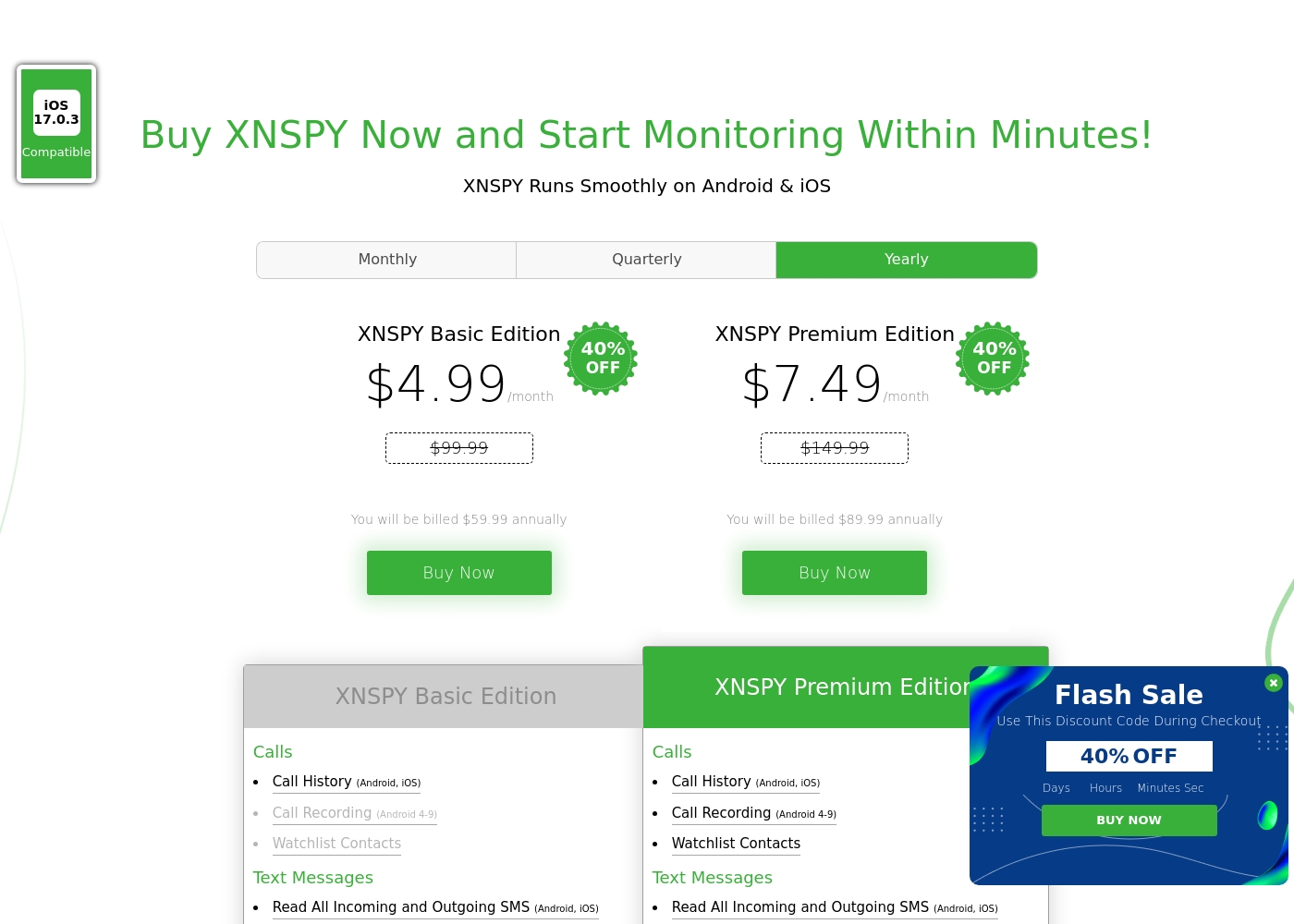
Xnspy costs between $4.99 and $7.49 per month (when billed annually) with 2 plans: XNSPY Basic Edition at $59.99 annually, and XNSPY Premium Edition at $89.99 annually.
These plans offer flexible billing options, including monthly, quarterly, and yearly subscriptions, allowing you to choose the commitment that works best for you.
XNSPY Basic Edition
Price: $59.99 billed annually (equivalent to $4.99/month) Best For: Users who need fundamental call, message, and location monitoring on a budget. Refund Policy: Partial refund within the first 10 days Other Features:
- View full call history and record calls (Android 4-9)
- Read all incoming and outgoing text messages
- Monitor WhatsApp chats and photos
- View internet browsing history and bookmarks
- Monitor keystrokes via Keylogger (Android)
- Call History & Recording (Android 4-9)
- Read All SMS & iMessages
- WhatsApp Chat & Photo Monitoring
- Real-Time Location Lookup
- Keylogger (Android)
- All Basic features included
- Monitor 10+ Social Media Apps (Facebook, Snapchat, Viber, etc.)
- Remotely Record Surroundings (Android)
- Remote Wipe Phone Data & Lock Phone (Android)
- Monitor Gmail App (Android)
Pricing Notes
- mLite App starts very cheap at $0.99 and offers a 1-day free trial, allowing for easy testing.
- Xnspy is cheaper long-term if paying annually, dropping the Basic plan to $4.99 per month equivalent.
- mLite App offers a free plan option that Xnspy does not provide.
- Xnspy requires immediate payment and only offers a strict 10-day partial refund guarantee if unhappy.
Pricing Head-to-Head
User Reviews
The general sentiment for Xnspy is mixed, reflected in its cumulative Trustpilot score of 3.3/5. Users commonly praise its core capabilities, noting that the app runs discreetly and is effective for monitoring calls, texts, location, and social media activity.
Many parents appreciate the peace of mind it offers, finding the system more straightforward than complex rival monitoring software. A major strength cited frequently across reviews is the responsiveness and professionalism of the 24/7 customer support team.
I’m not very tech-savvy, so I reached out to live support for help with the setup. They opened a support ticket and completed everything for me quickly. The team was professional and really helpful.
Our Verdict
Deciding between mLite App and Xnspy primarily depends on the level of monitoring depth you require. Do you need basic family safety or forensic investigation? Xnspy offers powerful depth, but mLite App is ideal for immediate security. mLite App is the champion of instant family reassurance and privacy. The easy setup process gets you monitoring quickly without technical issues. The Panic Button and Live Camera provide immediate crisis visibility. Plus, mLite App lets you try the entire system with a highly valuable 1-day free trial. Xnspy specializes in intensive digital surveillance and communication tracking. It offers powerful Keylogging and remote wiping features on Android devices. Xnspy Premium covers over 10 social media apps like Snapchat and Instagram. This advanced capability is essential for monitoring older, savvy teenagers. The main trade-off is ease-of-use versus feature depth. Choose mLite App if you need simple, reliable location tracking and quick emergency alerts. You must choose Xnspy if you need detailed auditing of social conversations and advanced remote controls. Both are strong choices but serve slightly different security goals. Younger children are better suited to mLite App’s quick safety features. Xnspy is the clear winner for complex monitoring needs requiring deep forensic detail.
Frequently Asked Questions
Which is cheaper to start: mLite App or Xnspy?
mLite App offers a $0.99 starting price and potentially a free plan option. Xnspy’s annual plans drop the Basic cost to $4.99/month equivalent. mLite App is the cheaper initial entry point. Xnspy often offers a better deal for advanced features over a full year.
Which tool is better for advanced social media monitoring?
Xnspy is clearly superior for advanced social media insight gathering. Xnspy Premium monitors over 10 platforms, including chats on Snapchat and Instagram. mLite App lists general messenger monitoring but lacks that specific, deep coverage.
Does mLite App have the Keylogger feature like Xnspy?
No, mLite App does not list a dedicated keystroke logger feature in its core capabilities. Xnspy includes Keylogging functionality for all Android Basic and Premium plans. This allows Xnspy users to accurately capture all typed content and search terms.
Can I test mLite App and Xnspy before paying?
mLite App provides a helpful 1-day free trial to allow full testing of the application. Xnspy requires users to pay upfront immediately before getting access. You can try mLite App risk-free, while Xnspy provides only a limited time partial refund.
Which tool is easier to install on a phone: mLite App or Xnspy?
mLite App is much simpler and is designed for quick, hassle-free installation on both devices. Xnspy's setup is often reported as tricky, sometimes requiring technical steps like device rooting. Installation is definitely easier with mLite App.
Does mLite App offer remote device administrative controls?
No, mLite App focuses on location and awareness tools like Live Camera access. Xnspy Premium, exclusively on Android, allows remote wiping and locking of the monitored device. mLite App lacks that deep administrative control functionality.
Ready to Choose?
Both tools have their strengths. Choose based on your specific needs.