mLite App vs Mobicip
This is a showdown between deep mobile monitoring and wide cross-platform consistency. mLite App focuses heavily on immediate safety and privacy features like live recording. Mobicip is designed for consistent rules across an entire household of mixed devices and operating systems. Deciding means choosing between intense surveillance and broad management.
Best for: Parents prioritizing encrypted, privacy-first monitoring on mobile devices, Needing advanced surveillance features like Surroundings Recording and Live Camera
Best for: Families with 10-20 mixed devices (laptops, phones, tablets), Busy parents needing consistent screen time limits and activity schedules
Pros
Cons
Comprehensive Features, Criticized Reliability.
We found Mobicip offers comprehensive, multi-platform features like robust screen time limits and social media monitoring at a competitive annual price. Overall, we are concerned by multiple reports indicating that controls are easily circumvented by tech-savvy children, which fundamentally undermines the security promise of the product.
Pros
- App blocking and time schedules work effectively for basic enforcement.
- Supports a wide range of platforms (iOS, Android, Windows, Chromebooks).
- Competitive annual pricing tiers based on family device count.
- Email customer support is rated highly and is helpful during initial setup.
Cons
- Controls are easily bypassed by children changing device time or disabling the VPN.
- Settings frequently get corrupted or unblocked following software updates.
- Administrative functions, like account cancellation, are not available in the web portal and require contacting support.
- Technical glitches can cause connectivity problems and significant battery drain.
AboutmLite App
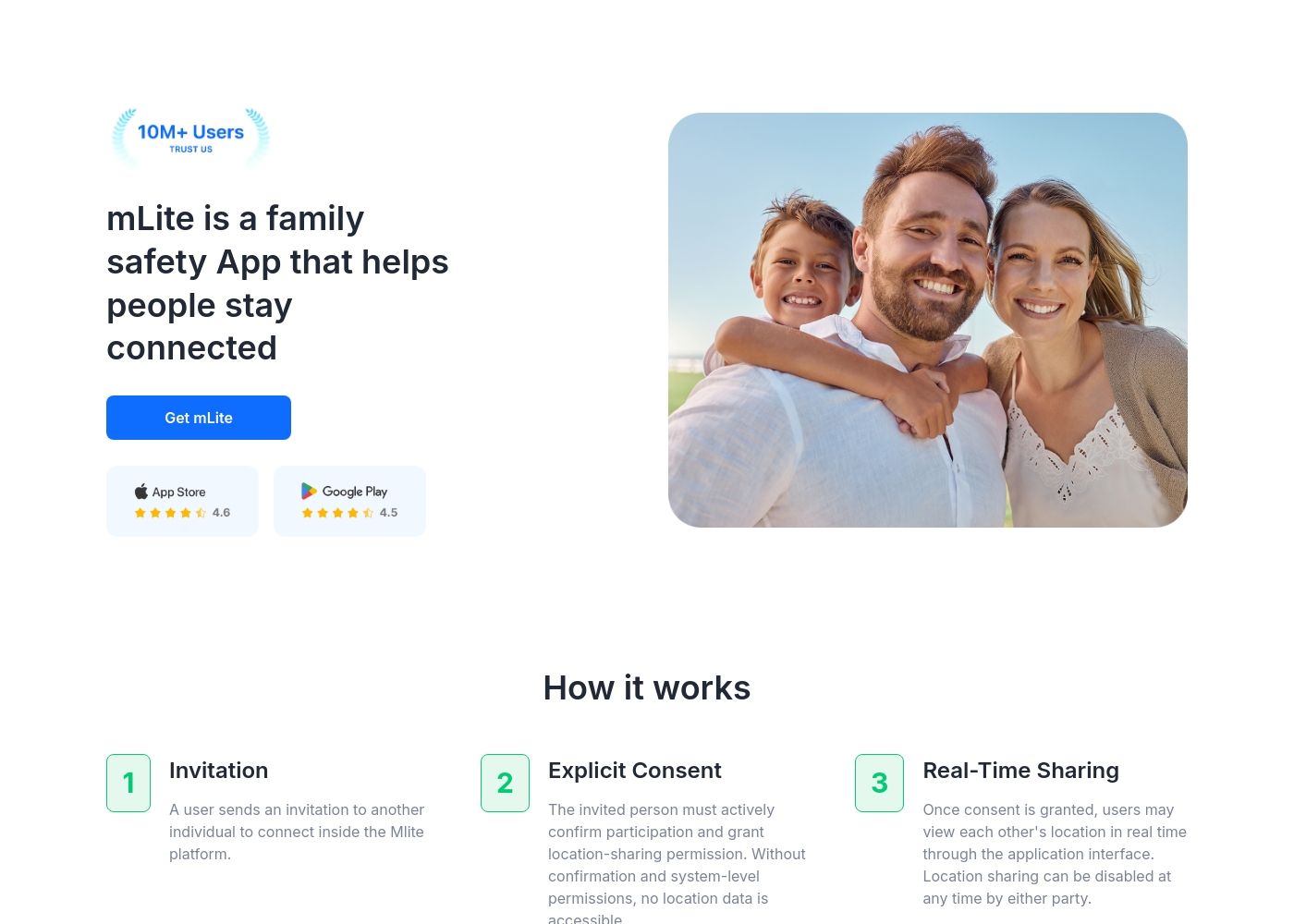
✅ mLite is a family safety app designed to help people stay connected. It’s for families, parents, and anyone who wants a straightforward way to share location with loved ones. The app works on both Android phones and iPhones, making it easy for everyone to join in.
AboutMobicip
Mobicip is a comprehensive Smart Parental Control App built specifically for the needs of busy families. It aims to simplify digital parenting by offering reliable protection across many different platforms. 💡
Unlike tools restricted to a single company, Mobicip bridges the gap by applying consistent settings across nearly any device. It protects your family on iOS, Android, macOS, Windows, Chromebook, and even Kindle. The app is simple to set up and keeps detailed track of everything your child does online.
Highlights
Feature Comparison
Features Overview
We highlight the main differences and pick a winner for each feature.
Device Coverage
Mobicip ensures consistent rules across all devices. mLite App is mostly restricted to mobile phones.
Mobicip offers protection across a huge range of operating systems. This includes iOS, Android, macOS, Windows, Chromebook, and Kindle devices. mLite App is limited solely to Android and iOS mobile devices. For families with mixed devices like laptops and tablets, Mobicip offers far better consistency. mLite App is best for monitoring children using only a smartphone or tablet. Choosing Mobicip simplifies enforcement greatly across a large device network. mLite App is not suitable if you need to monitor computer use or block websites on PCs.
Advanced Surveillance
mLite App provides deep access, including camera and mic. Mobicip focuses only on digital activity.
mLite App is equipped with highly advanced, intrusive tools. These include Surroundings Recording and remote Live Camera access. Mobicip supports traditional parental controls like time limits and app blocking. It does not list live camera or surrounding audio access as features. mLite App gives parents crucial, real-time sensory monitoring capabilities. This can be vital for immediate situational awareness in emergencies. Mobicip focuses on teaching digital citizenship and managing screen time effectively. mLite App focuses strongly on surveillance and location tracking.
Screen Time Management
Mobicip actively manages time with schedules and limits. mLite App focuses on monitoring installed apps only.
Mobicip delivers comprehensive screen time limits and customized activity schedules. Parents can define precise times and durations when apps are accessible. mLite App primarily offers monitoring of installed applications and contacts. Explicit scheduling or strict screen time limits are not listed among its features. Mobicip allows proactive management to enforce homework or bedtime rules. mLite App requires the parent to intervene manually based on the monitoring data. Use Mobicip if you need automated enforcement of digital boundaries. Choose mLite App if you only want to see what apps are present.
Emergency Tools
Both apps include a critical safety button mechanism. mLite App heavily emphasizes the Panic Button feature.
mLite App features a dedicated Panic Button for immediate crisis alerts. A single tap sends the child's live location to the supervising parent. Mobicip also provides an SOS button within its system. This allows children to instantly send a digital call for help to their guardians. Both apps prioritize safety with a key emergency mechanism. The core difference lies in the other monitoring tools offered alongside it. For immediate situational awareness using the microphone or camera, mLite App is superior. For multi-device location tracking and geofencing, Mobicip is better suited.
Web Filtering
Mobicip has AI-powered blocking for web content. mLite App does not actively filter web browsing.
Mobicip features robust, AI-powered web filtering and blockage tools. This system actively prevents access to adult and inappropriate websites across platforms. mLite App features focus on monitoring activities like Messengers and contacts. Active website blocking or content filtering is not listed in its core features. Mobicip is essential if protecting your child from toxic web content is a priority. mLite App relies on the parent checking installed apps or messages afterward. Mobicip acts as a proactive digital shield to prevent exposure to harmful content. mLite App offers monitoring insight, not prevention or scheduled access control.
Pricing Transparency
Mobicip pricing is predictable, based on device count. mLite App pricing is extremely opaque and vague.
Mobicip uses three clear tiers based on the number of monitored devices (5, 10, or 20). The monthly rate is shown, but annual billing is required across all tiers. mLite App starts at an affordable $0.99 but lists a massive price range up to $2023. The actual fee structure is confusing and unclear without subscribing. Mobicip lets you easily budget based on your family's device needs. mLite App's massive price variability makes financial planning impossible. Mobicip wins for transparency and predictability in annual budgeting. Parents know exactly what coverage they get for the set device limit.
Privacy Design
mLite App is marketed as privacy-first with encryption. Mobicip prioritizes cross-platform enforcement.
mLite App is designed to be privacy-first, confirming data is encrypted. The company states clearly that only the purchasing parent can view the data. Mobicip emphasizes consistent rule application and broad platform support. It does not actively market superior data encryption or privacy guarantees. Parents concerned about data security will prefer the explicit protection offered by mLite App. Mobicip’s focus is simplifying multi-platform management, not data handling reassurance. mLite App appeals to users who need strong security assurances for personal family information. Encryption confirms that the monitoring data stays private.
Collaboration Tools
Mobicip supports co-parenting and child self-regulation. mLite App is solely a one-to-one monitoring tool.
Mobicip includes a Guardians feature to share parenting tasks with trusted adults. It also offers a Child Dashboard, encouraging self-regulation skills in teens. mLite App lacks features for collaboration or self-monitoring interfaces for the child. It operates as a direct parental surveillance system. Mobicip fosters a collaborative environment for shared digital parenting efforts. mLite App is purely functional for one parent needing quick visibility. Choose Mobicip if you want the child to participate in managing their screen time. mLite App is for direct, non-collaborative monitoring use cases.
mLite App pricing: mLite App requires an active subscription to access its core safety features like location history. While a specific starting price is not explicitly stated on the landing page, users can download the app for free on iOS and Android to view available plans and start connecting with family members via invites and explicit consent.
Any subscription typically includes real-time location sharing and emergency alerts across all supported devices. The app focus is on transparent, consent-based safety for families on the go 🛡️.
Detailed plan pricing is visible within the mobile application during the registration and invitation process. mLite provides an affordable, secure way to keep track of loved ones without the complexity of traditional hardware-based tracking systems.
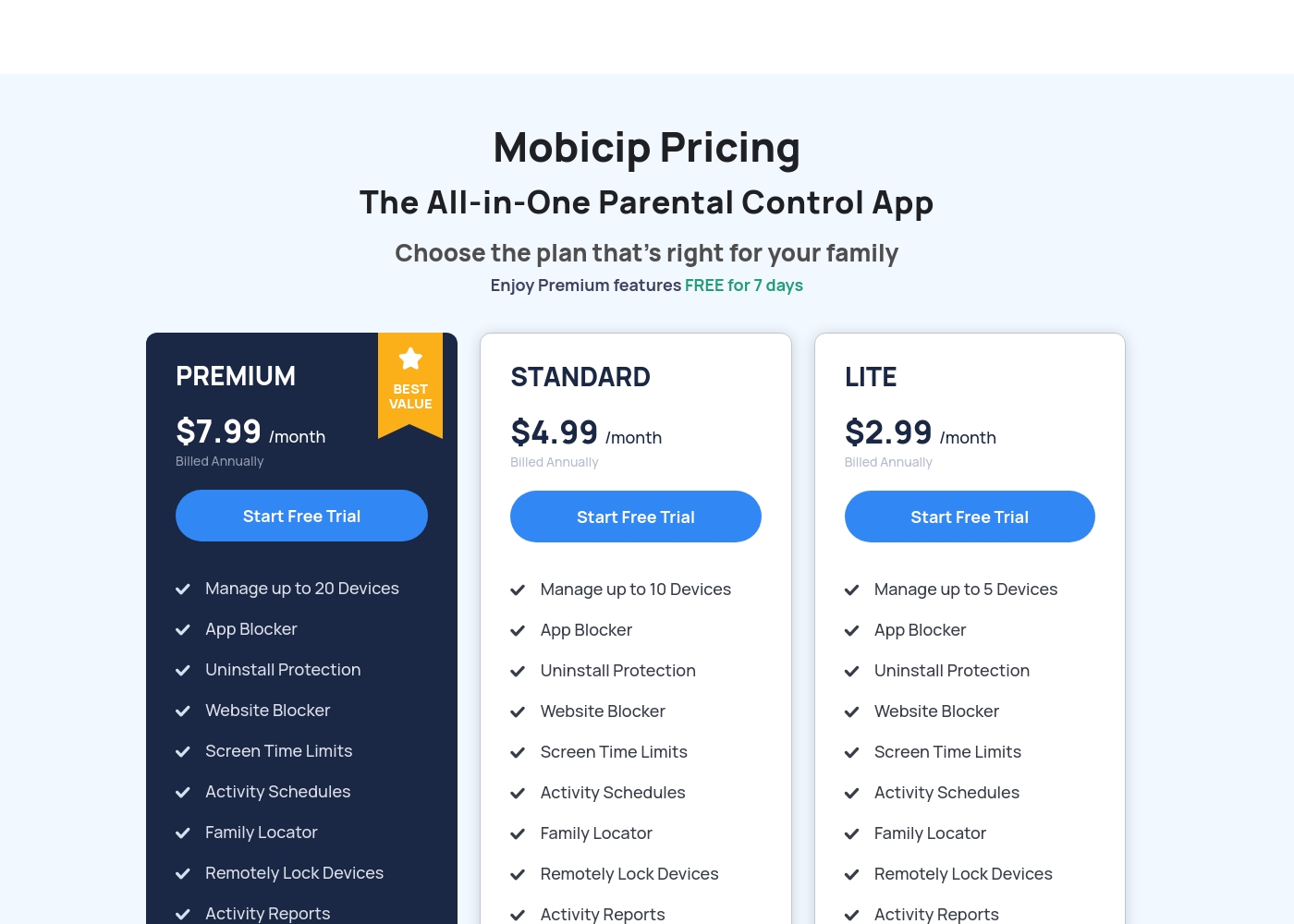
Mobicip costs between $2.99 and $7.99 per month (when billed annually) with three plans: LITE at $2.99/month, STANDARD at $4.99/month, and PREMIUM at $7.99/month.
You can easily choose the right plan for your family's needs below. All options include a 7-day free trial of Premium features.
LITE
Price: $2.99/month (Billed Annually) Best For: Families with 5 or fewer devices Other Features: Uninstall Protection, Website Blocker, Screen Time Limits, Activity Schedules, Activity Reports, Family Locator
- Manage up to 5 Devices
- App Blocker
- Uninstall Protection
- Website Blocker
- Screen Time Limits
- Manage up to 10 Devices
- App Blocker
- Uninstall Protection
- Website Blocker
- Screen Time Limits
- Manage up to 20 Devices
- App Blocker
- Uninstall Protection
- Website Blocker
- Screen Time Limits
Pricing Notes
- mLite App pricing is extremely opaque, ranging wildly from $0.99 up to $2023.
- Mobicip pricing is transparently based on device count (5, 10, or 20 devices).
- Mobicip requires annual billing, even though monthly per-device rates are displayed publicly.
- mLite App gives a short 1-day trial; Mobicip offers an industry-standard 7-day trial period.
- Mobicip provides a much more structured and predictable pricing model for long-term users.
Pricing Head-to-Head
User Reviews
Mobicip holds a "Great" 4.1-star rating on Trustpilot, though this score is based on a very limited number of reviews. Users generally appreciate the core functions like app blocking and setting screen time schedules, which successfully helps keep young children focused, and email customer service has been highly praised as "Excellent" during setup.
However, significant reliability concerns challenge Mobicip's effectiveness as a true parental control tool. Several parents report that the app is easily bypassed—teenagers can circumvent controls by changing phone time, disabling the VPN, or simply deleting the app to regain full access.
App blocking and screen time schedules work well, especially for keeping my children focused during class time. We successfully use it across both iPhones and Windows PCs. It is an effective tool for setting digital boundaries.
Our Verdict
Choosing between mLite App and Mobicip means deciding on monitoring depth versus enforcement breadth. If your priority is deep, immediate insight into phone use, mLite App is the stronger choice. It provides unique, advanced surveillance options like Surroundings Recording and Live Camera access. mLite App is built for acute mobile monitoring by a single parent. Mobicip is designed to manage large, hybrid households with many devices. Its superpower is applying consistent, scheduled rules across iOS, Android, Windows, and Chromebooks. Mobicip provides robust AI filtering and screen time management tools that mLite App lacks. This makes Mobicip far better for teaching responsibility through self-regulation features. The deciding factor is your device ecosystem and desired level of intrusion. If you need highly specific, safety-focused mobile surveillance, choose mLite App. If you need wide, flexible scheduling and blocking for 10 or more mixed devices, Mobicip is the winner. Ultimately, Mobicip offers the more comprehensive parental control toolkit for modern families. Choose Mobicip for broad control across multiple computers and phones. Use mLite App only if those advanced camera and microphone features are non-negotiable for you.
Frequently Asked Questions
Which app covers more types of devices, mLite App or Mobicip?
Mobicip supports iOS, Android, macOS, Windows, Chromebook, and Kindle devices. mLite App is limited to only iOS and Android mobile phones and tablets. Mobicip is the clear winner for families with mixed technology environments.
Which platform offers better proactive screen time scheduling features?
Mobicip is built around time management and offers detailed scheduling and screen time limits. mLite App focuses on monitoring installed apps and contacts. You must choose Mobicip for automated enforcement of time rules.
Is mLite App or Mobicip better for emergency alerts and immediate help?
Both mLite App and Mobicip offer a crucial safety button (Panic Button/SOS Button). mLite App pairs this alert with unique features like Surroundings Recording. Both systems provide immediate location tracking during an emergency.
Does Mobicip offer better value for large families with many devices?
Yes, Mobicip’s clear tiered pricing covers up to 20 devices for a flat rate. mLite App’s pricing is unclear and highly variable up to $2023. Mobicip wins easily for transparent, scalable family coverage.
Which tool allows me to record my child's surroundings?
mLite App provides specialized, intrusive features like Surroundings Recording and Live Camera access. Mobicip does not offer these types of remote audio or video surveillance tools. This deep access is a unique feature of mLite App.
Why is mLite App's pricing listed with such a wide range (up to $2023)?
The pricing structure for mLite App is highly opaque according to current public data. The wide range suggests unclear licensing or premium feature bundles. Mobicip uses a predictable annual fee based solely on device count.
Ready to Choose?
Both tools have their strengths. Choose based on your specific needs.