mLite App vs MMGuardian
mLite App and MMGuardian are both top parenting control apps, but their focus differs significantly. mLite App excels at real-time visibility with features like Live Camera and Surroundings Recording. MMGuardian focuses on deep, tamper-proof control against tech-savvy teens. Choosing between them depends on your need for live awareness versus firm, proactive boundaries.
Best for: Parents prioritizing physical safety and environmental awareness., Families needing quick, on-demand physical access (Live Camera/Mic).
Best for: Families with 2-5 children needing affordable, multi-device monitoring., Parents of tech-savvy teens who constantly attempt to bypass controls.
Pros
Cons
Pros
Cons
AboutmLite App
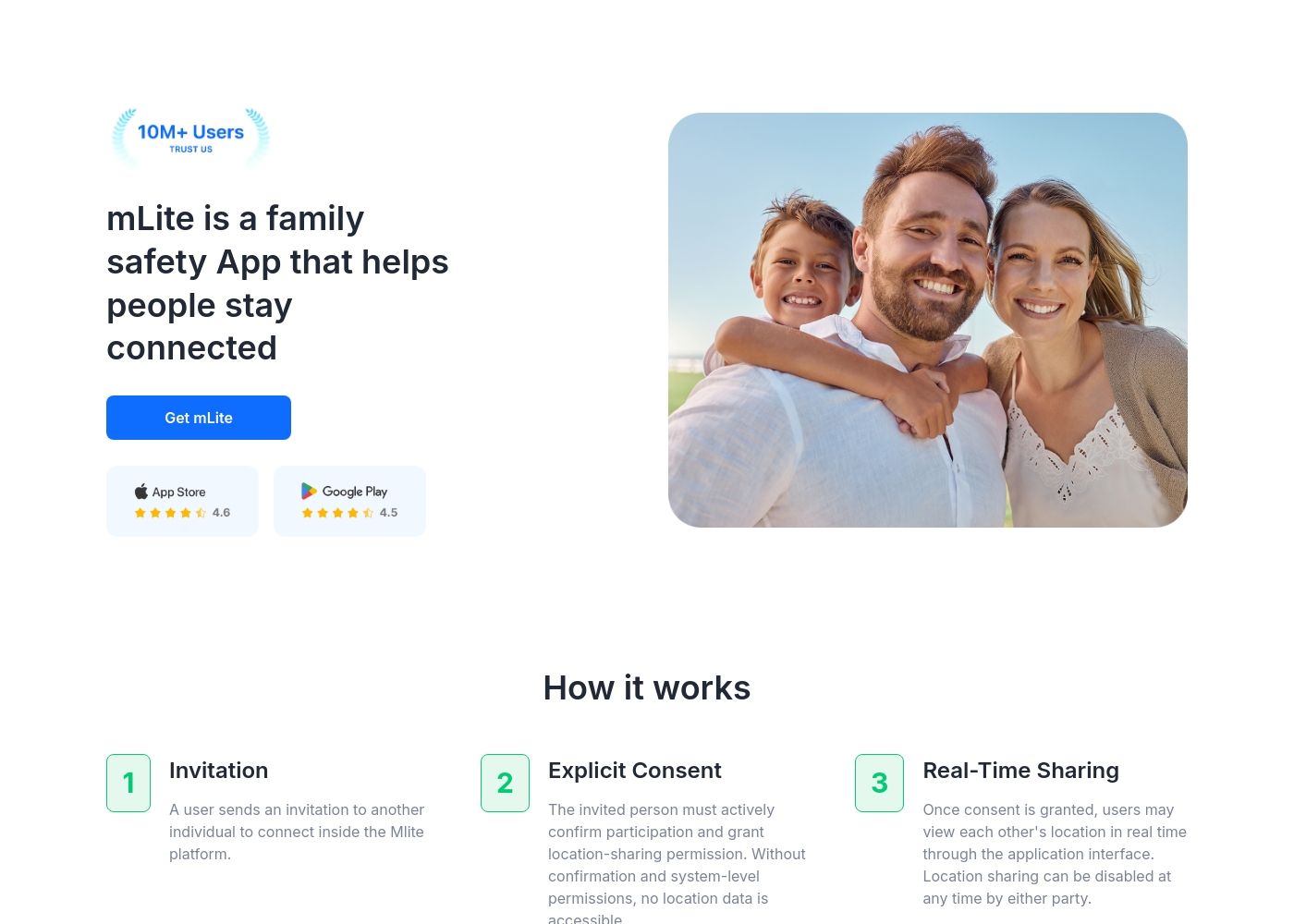
✅ mLite is a family safety app designed to help people stay connected. It’s for families, parents, and anyone who wants a straightforward way to share location with loved ones. The app works on both Android phones and iPhones, making it easy for everyone to join in.
AboutMMGuardian
MMGuardian is a comprehensive parental control solution trusted by families since 2012. It's designed for parents of children ages 7-17 who want to protect their phones and guide their digital lives. You can choose either a monitoring app for their existing Android or iPhone, or a tamper-proof MMGuardian Phone with built-in controls. ✅
Highlights
Feature Comparison
Features Overview
We highlight the main differences and pick a winner for each feature.
Live Camera & Mic
mLite App offers unique remote Live Camera and Surroundings Recording access. MMGuardian focuses only on digital activity and location tracking.
mLite App enables Live Camera access for parents to view the child's environment remotely. It also offers Surroundings Recording to listen in on the child. This suite gives parents deep, real-time awareness of the physical surroundings. MMGuardian maintains a strict focus on digital communication and location security. It does not provide remote access to the child's camera or microphone functions. If knowing the immediate physical environment is necessary, mLite App is the clear leader. MMGuardian prioritizes digital protection instead of physical environmental awareness. Using mLite App lets a parent verify a child's safety visually or audibly during an emerging situation.
Emergency Response
mLite App provides a user-activated Panic Button for instant emergency location. MMGuardian provides automated, priority alerts for serious digital threats.
mLite App includes a Panic Button, letting the child send an alert with their current location. One tap ensures a super quick response from the parent. MMGuardian provides priority alerts triggered by message content analysis. This flags serious issues like suicide threats or cyberbullying instantly. mLite App relies on the user initiating the alert during a physical emergency. MMGuardian automatically flags dangerous digital situations even if the child is unaware. If prompt, user-initiated location sharing is key, mLite App wins.
Tamper-Proof Reliability
MMGuardian prevents tech-savvy teens from disabling tracking or controls. mLite App does not advertise specific anti-tampering mechanisms.
MMGuardian is explicitly built to counter common teen bypass methods effectively. It prevents children from using safe mode or factory resets to circumvent controls. mLite App mentions easy setup and privacy protection measures. It does not formally state its controls are tamper-proof against determined kids. For older kids who actively try to disable monitoring, MMGuardian offers much more consistent reliability. MMGuardian helps ensure constant, accurate oversight without interruption. If reliability against intentional removal is critical, MMGuardian is the guaranteed option.
Communication Control
MMGuardian offers strict control to restrict all communication to approved contacts. mLite App focuses on monitoring contacts and message content for review.
MMGuardian allows parents to easily block all communication from strangers and unwanted numbers quickly. Parents can restrict all phone calls and SMS texts to only approved numbers. mLite App provides monitoring of messenging apps and contacts for parents to review. It is primarily built for observation rather than preventative communication control. MMGuardian gives parents comprehensive, preemptive control over the child's social circle. mLite App lets parents react to suspicious messages or contact changes. Use MMGuardian if your primary concern is limiting who can contact your child safely.
Web and App Limits
MMGuardian offers customized usage limits and proactive web content filtering. mLite App mainly focuses on providing visibility into installed apps.
MMGuardian helps set clear usage limits for specific, high-interest apps like Instagram or Snapchat. It also automatically blocks harmful websites and inappropriate content proactively. mLite App provides a list of installed apps and monitors messenger content for parental review. It does not appear to offer time limits or automatic web filtering. MMGuardian promotes a balanced digital lifestyle through automated digital limits and prevention. mLite App offers retrospective visibility into the activity that occurred. If setting firm screen time boundaries is the priority, MMGuardian is the superior tool.
Pricing Structure
mLite App has simple but vague pricing with a 1-day trial. MMGuardian features clear, scalable device-based monthly and annual tiers.
mLite App starts very cheaply ($0.99) and offers a simple 1-day trial to explore features. The upper range is unclear, spanning up to $2023 for some plans. MMGuardian has clear, tiered pricing (Single Phone or Family Plan for 5 devices). Prices range predictably from $4.99/month up to $99.98 annually. MMGuardian provides more structured, scalable pricing for predictable family budgeting. mLite App is great for easy, quick testing before any commitment.
mLite App pricing: mLite App requires an active subscription to access its core safety features like location history. While a specific starting price is not explicitly stated on the landing page, users can download the app for free on iOS and Android to view available plans and start connecting with family members via invites and explicit consent.
Any subscription typically includes real-time location sharing and emergency alerts across all supported devices. The app focus is on transparent, consent-based safety for families on the go 🛡️.
Detailed plan pricing is visible within the mobile application during the registration and invitation process. mLite provides an affordable, secure way to keep track of loved ones without the complexity of traditional hardware-based tracking systems.
MMGuardian costs between $4.99 per month for the application and $229 for a physical phone with 2 plans: MMGuardian Apps at $4.99 /month and MMGuardian Phone at $229.
Take a look at the options below to find the best fit for your family's needs.
MMGuardian Apps
Price: From $4.99 /month Websites Supported: Not explicitly stated Best For: Parents who already have a phone for their child and want to add monitoring capabilities. Refund Policy: No refunds given (subscriptions are transferable across devices) Other Features: Full message access, App blocking, Web activity monitoring, Real-time location tracking, Smart safety alerts
- Full Message Access
- View all messages
- Strong Tamper-Proof Protection
- Real Time Location
- Block Apps
- Tamper-Proof Technology
- Premium Samsung Hardware
- Works with any Carrier
- Built-In Protection
Pricing Notes
- mLite App offers a 1-day free trial, allowing quick feature exploration before commitment.
- MMGuardian features tiered pricing, with a Family Plan covering up to five devices, offering strong value for multi-child households.
- MMGuardian subscriptions auto-renew annually or monthly, which users should manage proactively.
- Pricing for mLite App seems highly variable and less transparent based on the wide provided range.
- MMGuardian prices shown exclude local sales tax, which might be an added cost.
Pricing Head-to-Head
User Reviews
Our Verdict
Choosing between mLite App and MMGuardian depends entirely on your safety philosophy. Both are robust parental control options, but their core strengths are different. mLite App favors rapid, real-time awareness and flexible observation. MMGuardian offers deep, preventative control over digital access and communications. mLite App’s superpower is its unparalleled physical awareness features for parents. It is the only tool offering remote Live Camera access and Surroundings Recording capabilities. This is perfect for parents who prioritize immediate knowledge of their child's physical location. The 1-day trial makes it easy to test mLite App before committing a subscription cost. MMGuardian shines in establishing firm, unbypassable digital boundaries reliably. Its robust controls are explicitly advertised as tamper-proof, frustrating attempts to disable GPS or security controls. MMGuardian excels at proactively blocking harmful websites and restricting communication to only approved contacts. The deciding factor should be control versus environmental insight. Choose mLite App if the Panic Button or physical monitoring features are necessary for your safety needs. Select MMGuardian if you seek deep web filtering and unbreakable limits for an older, sophisticated digital native. For families with multiple children (up to five), MMGuardian’s Family Plan offers superior budget predictability. If you need live sight and sound in an emergency, stick with mLite App.
Frequently Asked Questions
Which app is better for monitoring high-risk situations like cyberbullying?
MMGuardian is specifically designed for proactive threat response via priority alerts. It analyzes message content for terms related to suicide threats or severe cyberbullying. mLite App monitors messages, but MMGuardian provides deeper, proactive threat analysis.
Can mLite App or MMGuardian stop my child from deleting the app?
MMGuardian explicitly features tamper-proof technology for increased reliability. This prevents the child from using factory resets or safe mode to disable controls. mLite App does not mention similar anti-tampering protection in its feature documentation.
Which tool is better for real-time awareness of the child's physical surroundings?
mLite App is clearly better here due to its unique feature set. It provides both Surroundings Recording and Live Camera remote access. MMGuardian only offers reliable GPS location tracking without audio/visual input.
Are there clear per-device limits for mLite App vs MMGuardian?
MMGuardian has clear limits, offering a Single Phone or an economical Family Plan for up to five devices. mLite App's product data does not explicitly define its device limits for general subscriptions.
Does mLite App offer proactive web content filtering like MMGuardian?
MMGuardian includes automatic web content blocking and filtered browsing capabilities. mLite App focuses on application monitoring and location safety features. It does not appear to offer active web content filtering.
Which offers a free trial: mLite App or MMGuardian?
mLite App offers a short 1-day free trial for users to quickly test the application features. MMGuardian does not explicitly offer a free trial or money-back guarantee in its documented pricing model.
Ready to Choose?
Both tools have their strengths. Choose based on your specific needs.