Keynote vs Visme
Keynote and Visme tackle visual content creation in completely different ways. Keynote is a streamlined presentation tool perfect for the powerful Apple ecosystem. Visme is an expansive all-in-one design platform powered by advanced AI and branding features.
Best for: Professionals giving high-stakes presentations on Mac devices., Teams needing powerful presentation software that can share easily with Windows users.
Best for: Marketing teams creating infographics, videos, reports, and social content (50+ types)., Small businesses needing instant, automated brand consistency across all visuals.
Excellent software, problematic support ecosystem.
We find Keynote to be a powerful and reliable presentation tool, offering seamless cross-platform integration and advanced collaboration features suitable for any modern team. Overall, while the software performs exceptionally well and offers strong features, its overall value is negatively impacted by widespread, documented dissatisfaction with Apple's current customer support framework.
Pros
- Cross-platform use via native apps and web access (Windows/iCloud).
- Strong collaborative functionality for shared presentations.
- Powerful design controls, themes, and effortless setup.
- Dedicated features for virtual presenting (separate presenter notes).
Cons
- Pricing and specific subscription tiers are not transparently disclosed.
- General Apple customer support is rated very poorly by users (1.7 stars).
- Reports show generalized ecosystem billing and subscription issues.
Professional visuals, transparent pricing needed.
We found Visme is an outstanding tool for creating branded, interactive content quickly, offering design power previously reserved for professionals. It is backed by excellent, responsive customer support that users highly depend on. Overall, this is a powerful and efficient visual communication tool, but we strongly recommend Visme improve transparency regarding paid feature requirements and cancellation processes.
Pros
- Highly intuitive and user-friendly interface with effective drag-and-drop tools.
- Extensive library of customizable templates for over 50 content types.
- Creates professional-quality designs even without specialized design skills.
- Customer support team is highly responsive, helpful, and resolves issues quickly.
Cons
- The necessity to pay for downloads/printing is often unclear, frustrating free users.
- Reports of intentionally difficult and confusing subscription cancellation processes.
- The web editor may occasionally be slow or prone to minor technical issues.
- Some users feel the available graphics library is slightly limited compared to competitors.
AboutKeynote
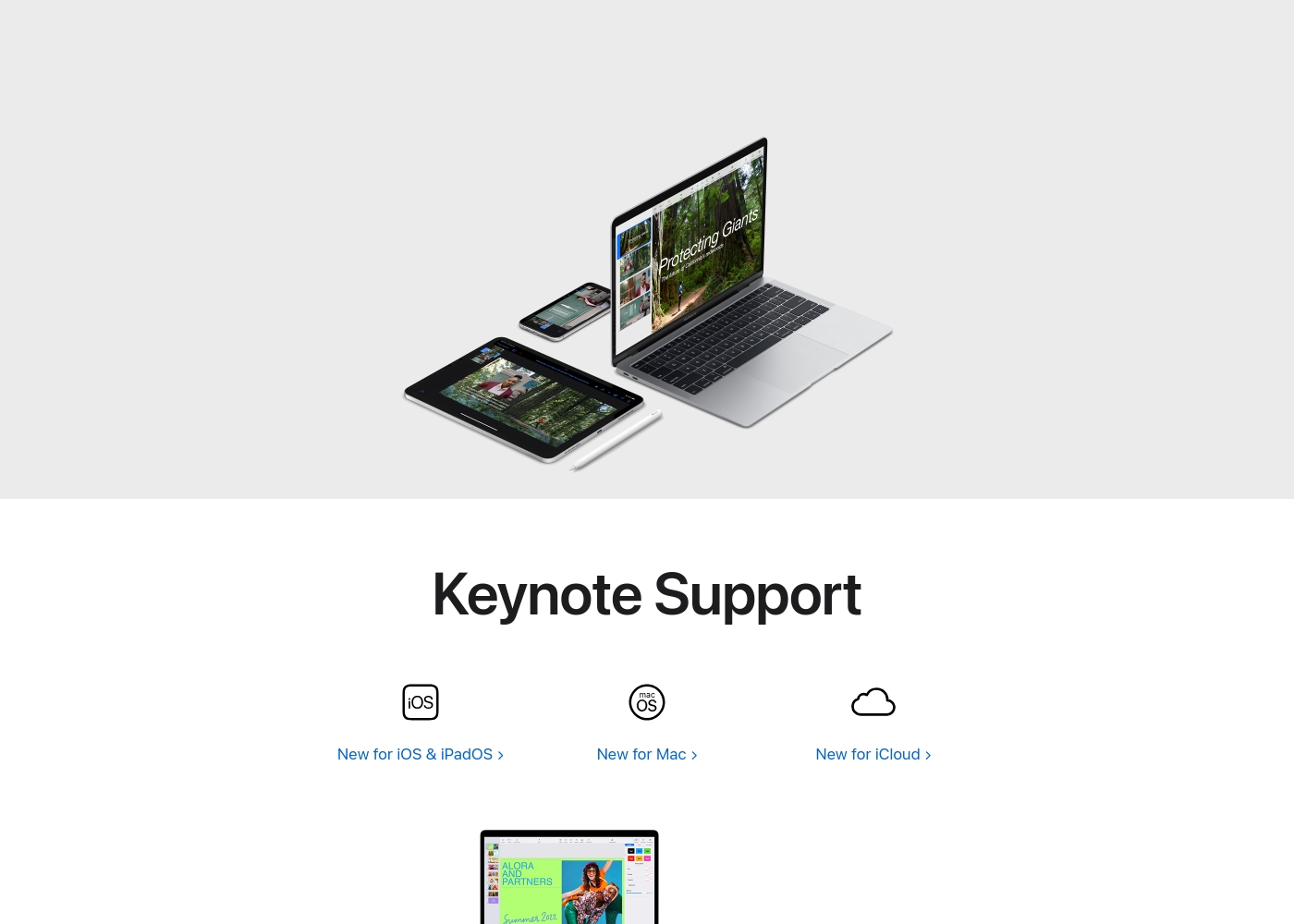
Keynote is a versatile presentation tool designed by Apple. It helps you quickly set up a professional presentation.
You can start by choosing a theme and adding new slides right away. It's built for users across Mac, iPhone, and iPad, giving you flexibility.
Keynote also extends its reach to users on Windows or those preferring a web interface through Keynote for iCloud. It provides essential tools for crafting and sharing visual stories.
AboutVisme
Visme is the interactive design platform that puts the power of visual communication right into your hands. Used by 34.3 million people, it's an all-in-one solution for organizations and individuals globally. No matter your role, Visme makes it easier to create pixel-perfect visuals for your business. You can confidently tackle everything from dynamic pitch decks to detailed data visualizations, thanks to its focus on effortless ease-of-use. 💡
Highlights
Feature Comparison
Features Overview
We highlight the main differences and pick a winner for each feature.
AI Design Capabilities
Visme generates drafts instantly using AI; Keynote relies solely on the user's manual design input.
Keynote focuses on powerful design controls and themes for manual creation. It helps streamline the user's workflow but includes no generative AI tools. Keynote is built for polished, hands-on control over every detail. Visme dramatically cuts production time using its AI Designer (Beta) feature. This tool instantly generates full design drafts from a simple text prompt. Visme gets non-designers started quickly on presentations or documents. The use of AI in Visme gives it a huge advantage in speed and efficiency. Keynote offers classic design power, but Visme offers automation power. If you lack design skills or time, Visme’s AI feature offers immediate tangible value over Keynote.
Brand Consistency
Visme automates branding instantly via a URL; Keynote requires a completely manual brand setup.
Keynote requires you to manually load fonts, colors, and logos into custom themes. It provides robust design control once brand assets are imported. Keynote is perfect for those who want granular control over branding. Visme simplifies brand management using the Brand Wizard feature. Input your website URL, and Visme automatically pulls in your colors, fonts, and logo immediately. This ensures perfect brand consistency across all 50+ content types. Visme is purpose-built for team efficiency and scalable branding from day one. Keynote demands more manual effort during the initial setup phase. For agencies or large teams, Visme’s automation saves hours of tedious manual configuration.
Ecosystem Integration
Keynote offers deep native Apple integration; Visme is a universally accessible web-first platform.
Keynote shines on Apple hardware, providing true continuity across Mac, iPhone, and iPad devices. You start editing on one device and finish confidently on another instantly. Keynote's native optimization provides a smoother user experience. Visme ensures universal access regardless of the operating system used. It is a web-based platform that offers consistent functionality inside any standard browser. Visme requires no specific native app installation, simplifying rollout. Keynote feels like an essential part of its operating system on Apple devices. Visme guarantees the same functionality for every user, across every operating system. If seamless transition between your Apple devices is critical, Keynote is unbeatable.
Customer Support
Visme support is highly praised and professional; Keynote users report severe dissatisfaction with service.
Keynote's software is excellent, but its ecosystem is hindered by chronic support issues. Users report extreme frustration with long holds, disconnections, and unkept promises (1.7-star rating). This poor backup quality affects the overall experience. Visme’s support team is frequently called out in reviews for being professional, quick, and responsive. Users find their customer issues are handled efficiently and kindly. Visme offers high-quality support that users can rely on. The difference in support quality between Visme and Keynote is starkly evident in review sentiment. Visme has built trust through effective service. For any business that needs reliable, fast support to maintain project flow, Visme is the safer choice.
Interactivity & Data
Visme excels at dynamic content and visualization; Keynote focuses on standard, static presentation design.
Keynote is ideal for including high-resolution, static charts and basic animations in presentations. Its primary goal is ensuring polished visual structure for slide delivery. Keynote keeps presentations clean and professional. Visme helps transform complex data using advanced, interactive elements. You can add clickable hotspots, dynamic charts, and hover effects to reports. Visme turns passive reports into engaging stakeholder experiences. Visme offers deep functionality to convert dry statistics into engaging interactive material. Keynote’s strength lies in delivering superb visual fidelity in a traditional format. Marketing teams creating educational, interactive content should prioritize the advanced capabilities of Visme.
Scope & Workflow
Keynote is presentation-only; Visme consolidates your workflow across 50+ different content types.
Keynote focuses exclusively on the craft of creating and delivering professional presentations. Its feature set is narrow but highly optimized for slide-based communication. Keynote is the definition of specialization. Visme is an all-in-one platform handling everything from documents to videos to social graphics. It even features an integrated content calendar for planning and scheduling. Visme aims to replace multiple design tools in your stack. If your sole need is beautiful slides, Keynote works perfectly. If your marketing collateral requires diverse formats, Visme is necessary. Visme lets you publish social media content directly from the same place you designed your pitch deck.
Pricing Transparency
Neither tool is transparent about costs, but Visme offers a clear, usable free entry point.
Keynote’s specific pricing model, costs per tier, and subscription structure are undisclosed in the data. We cannot confirm if Keynote requires a charge or is included with device purchases. Pricing remains a mystery for Keynote. Visme explicitly offers users the ability to 'Sign Up Free' to try out templates and the AI Designer. However, users report being forced to pay or upgrade to export results. Visme's paid costs are also unknown. Since both Keynote and Visme conceal their detailed costs, objective value assessment is difficult. Visme at least allows free creation, unlike Keynote whose cost is undefined. Users should proceed with caution and expect potential payment walls when using either Keynote or Visme for serious work.
The following summary reflects only the facts available in the provided materials.
Since no specific pricing details or structured tiers are made visible in the provided context, we cannot outline individual plan costs or features tied to specific subscriptions.
We searched the documentation thoroughly for distinct tiers such as Basic, Pro, or Enterprise plans, but these structure names were not specified. Keynote's pricing model—whether it's a one-time purchase, a recurring subscription, or bundled with existing software—is not explicitly defined here.
We recognize that you're looking for clear, straightforward pricing. While the exact details of the paid tiers aren't currently visible, we can confirm the availability of a free option to get you started. This lets you explore the core features of the powerful visual communication tool.
Free Plan (Implied)
Price: Free Best For: Individuals, students, or small businesses wanting to test Visme’s core capabilities. Refund Policy: Not applicable Other Features:
- Access to Visme AI Designer (Beta) functionality.
- Tools for designing professional reports, proposals, and white papers.
- Capability to create engaging, interactive pitch decks.
- Access to thousands of customizable templates for various content types.
- Generation of compelling videos and social media graphics.
The Free Plan serves as an excellent entry point for anyone serious about elevating their content design without immediate investment. You get powerful content creation tools, like the AI Designer, right away. This tier is perfect if you want to try out Visme and understand its unique workflow for building beautiful, branded visuals. 🎨
- Access to Visme AI Designer (Beta)
- Create engaging, interactive pitch decks
- Design professional reports and white papers
- Bring data to life with interactive charts and graphs
- Design social media content

Pricing Notes
- Both Keynote and Visme lack transparent, explicit pricing details in the available documentation.
- Visme offers an immediate "Sign Up Free" tier to try core features and the AI Designer (Beta).
- Keynote's costs are completely unknown, potentially bundled with Apple products.
- Visme users report unexpected friction, often being forced into payment plans upon attempting to export final content.
- Due to the lack of clear data, a direct value comparison between Keynote and Visme is impossible.
Pricing Head-to-Head
User Reviews
External feedback is overwhelmingly targeted at general Apple support and customer service, not the Keynote application directly. Across numerous interactions, users report widespread frustration with support responsiveness, citing perpetual disconnections, extremely long hold times, and unfulfilled promises of callbacks.
This has contributed to a very low TrustScore of 1.7 stars for the support channel. Reviewers often mention hidden charges, unsatisfactory staff attitudes, and difficulty resolving issues related to products, subscriptions (like Apple TV), and fraudulent third-party apps (Nebula) bypassing standard payment rules.
The worst customer service. We were forever getting cut off and sold promises that never transpired, with promised call backs that never happened. Everyone keeps promising to take ownership then disappears.
Visme receives mixed, but generally positive feedback from external reviewers regarding its core functionality. Users consistently praise the platform's ease of use and intuitive interface, noting that the drag-and-drop feature and wide assortment of templates make it simple to create visually appealing, professional content without needing advanced design skills.
Many also highlight the exceptional customer service, describing the support team as highly responsive and helpful in resolving technical issues quickly, sometimes replying immediately. However, a major recurring concern involves pricing transparency and subscription practices.
The support team was super supportive when I ran into a technical issue. They went the extra mile to help me out, saving me a ton of work and project time. They also generally reply almost immediately to questions.
Our Verdict
Deciding between Keynote and Visme requires checking your team’s primary content goals. Keynote is the specialized presentation champion for the devoted Apple desktop user. Visme is the versatile, AI-powered design platform built for broader visual content needs. Neither Keynote nor Visme shows clear pricing, so the feature set is your guide. Keynote excels at creating stunning, classic presentations optimized for Mac devices. It offers smooth device continuity across iPhone, iPad, and Mac platforms seamlessly. Keynote for iCloud lets Windows users collaborate easily on shared files. However, Keynote’s excellence is heavily compromised by the famously poor Apple support ecosystem experience. Visme is your all-in-one studio, handling everything from infographics to interactive reports. Its Brand Wizard ensures instant brand consistency across all 50+ content types instantly. Visme saves massive time using its AI Designer to instantly generate draft visuals from text prompts. Visme’s customer support is highly rated, a huge competitive advantage over Keynote. The deciding factor is simple: scope and support services. If you only create polished slide decks and demand deep native Apple integration, Keynote is perfect for you. If you need dynamic data visualizations, AI help, 50+ content types, and responsive support, Visme is the clear winner. Choose Keynote if you live in the Apple ecosystem and mainly need presentations. Go with Visme if your priority is creating diverse, interactive, on-brand content quickly with powerful AI tools. Visme is the stronger, more modern choice for multi-content marketing teams.
Frequently Asked Questions
Which is better for cross-platform teams: Keynote or Visme?
Keynote integrates deeply with Apple devices but allows robust web editing via Keynote for iCloud. Visme is natively web-based and OS-agnostic for universal desktop access. Both handle collaboration well, but Visme centralizes feedback loops better.
Does Keynote have AI features like Visme?
Keynote relies on professional manual design and existing themes for setup. Visme features a powerful AI Designer (Beta) for fast content drafts. Visme helps non-designers start projects instantly and much faster than Keynote.
Which has better customer support: Keynote or Visme?
Visme receives consistently high praise for its professional and quick customer support response times. Keynote is backed by the wide-reaching Apple support ecosystem, which users rate very poorly (1.7 stars). Visme wins this category easily.
Can I create infographics and reports in Keynote?
Keynote is built specifically for slide-based communication and professional presentation decks only. Visme is built for over 50 content types, including infographics and interactive reports. Visme supports a far greater content diversity.
Is Keynote free, or do I have to pay?
The provided data does not explicitly state Keynote's costs or plan tiers for non-Apple users. It may be bundled with hardware or require an undisclosed payment. Visme, conversely, offers a known entry point with a free access tier.
Which tool is better for ensuring instant brand consistency?
Visme offers the Brand Wizard, which automatically applies your logo, fonts, and colors from a URL input. Keynote requires manual setup of all brand assets and theme definitions. Visme is superior for instant, team-wide branding.
Ready to Choose?
Both tools have their strengths. Choose based on your specific needs.