Hoverwatch vs mLite App
Hoverwatch and mLite App pull you in with real-time visibility, but they go different ways. Hoverwatch stays invisible on Android, while mLite App emphasizes privacy and location alerts. Choose Hoverwatch for discreet monitoring; pick mLite App for family safety with a trial.
Best for: Small family with up to 5 devices needing discreet visibility, Remote teams managing multiple devices and wanting central oversight
Best for: Parents seeking privacy-first monitoring with a 1-day trial, Families needing live location history, Panic Button, and quick setup
Pros
Cons
Pros
Cons
AboutHoverwatch
Hoverwatch is a monitoring application for Android devices. 💡 It’s designed for parents who want to ensure their children’s safety, and for employers managing company devices. The software runs quietly in the background, tracking activity without disrupting the user. It works by recording data from the device itself.
AboutmLite App
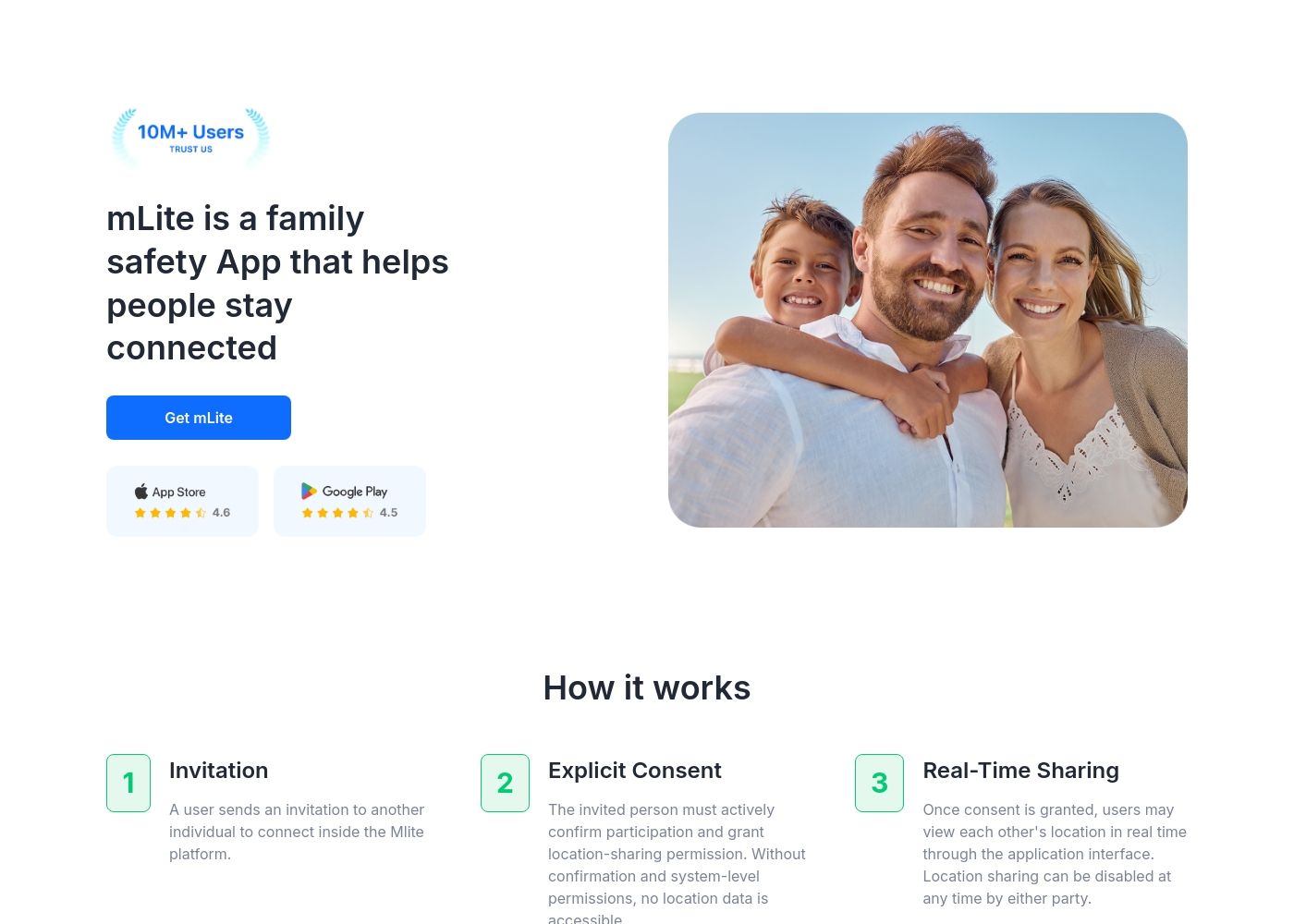
✅ mLite is a family safety app designed to help people stay connected. It’s for families, parents, and anyone who wants a straightforward way to share location with loved ones. The app works on both Android phones and iPhones, making it easy for everyone to join in.
Highlights
Feature Comparison
Features Overview
We highlight the main differences and pick a winner for each feature.
Real-time Location
Both Hoverwatch and mLite App offer live location data. Hoverwatch blends location with discreet monitoring; mLite App emphasizes live visibility plus history.
Hoverwatch provides real-time location tracking via Wi‑Fi, cell towers, and GPS. mLite App also shows live location and stores location history for context. The key trade-off is privacy vs immediacy: Hoverwatch leans stealth, while mLite App leans transparency. Real-world impact: families can confirm where a teen is, or teams can verify asset locations in real time.
Front-camera snapshots
Hoverwatch can grab front-camera photos when the screen is unlocked. mLite App doesn’t list this capability.
Hoverwatch uses front-camera photos to add context to events when the device is unlocked. mLite App focuses on live location, panic alerts, and surroundings recording, not front-camera captures. The trade-off is context vs privacy: Hoverwatch offers more visual context, mLite App prioritizes privacy.
Live Camera
mLite App supports Live Camera; Hoverwatch doesn’t advertise a live video feature.
mLite App’s live camera lets you observe what's happening now on the child’s device. Hoverwatch centers on messages, location, and offline-friendly data access, not streaming video. Real-world impact: for quick situational awareness, mLite App wins here.
Messenger & App Activity
Both platforms monitor messaging and installed apps, but Hoverwatch notes broader app activity.
Hoverwatch reports Messenger activity across apps and tracks installed apps and internet history. mLite App monitors Messengers and Installed Apps plus Contacts. Nuance matters: Hoverwatch may offer broader app activity visibility, while mLite keeps a sharper safety focus.
Location history
Hoverwatch and mLite App both provide location histories for context over time.
Hoverwatch builds a location history alongside real-time data. mLite App emphasizes location history as part of safety and alerts. Trade-off: long-term insights vs immediate alerts.
SIM card change alerts
Hoverwatch notifies you on SIM changes; mLite App lacks this listed feature.
Hoverwatch notifies when the SIM card is changed. mLite App’s data set doesn’t explicitly include this. Real-world impact: SIM-change alerts help you detect tampering quickly.
Panic Button / Emergency
mLite App includes a Panic Button; Hoverwatch doesn’t list a similar feature.
mLite App’s Panic Button sends an alert with location. Hoverwatch focuses on invisibility and data collection rather than emergency signaling. When safety hinges on quick alerts, mLite App wins.
Privacy & Encryption
mLite App emphasizes encryption; Hoverwatch data doesn’t highlight encryption in the data.
mLite App encrypts data in transit and at rest, keeping family data private. Hoverwatch’s data handling isn’t explicitly described in the data. Privacy-conscious users may prefer mLite App’s approach.
Trial & Pricing Clarity
mLite App offers a 1-day free trial; Hoverwatch pricing shows a broader range with no explicit trial.
Hoverwatch starts at 0/month with a range up to 499.95/month. mLite App includes a Free plan and a 1-day trial, with pricing extending higher. The choice depends on how you want to test features before committing.
Offline Access
Hoverwatch provides Mobile Viewer with offline storage access; mLite App lacks this.
Hoverwatch Mobile Viewer stores logs for offline viewing. mLite App emphasizes live location and online features, with no stated offline storage. For remote or spotty connections, Hoverwatch has the edge.
Platform Coverage
Hoverwatch supports Android, Windows, and Mac; mLite App supports Android and iOS.
Hoverwatch runs on Android devices and desktop OSes (Windows/Mac). mLite App targets Android and iOS mobile devices. If you need cross-platform desktop viewing, Hoverwatch wins; otherwise, both cover phones well.
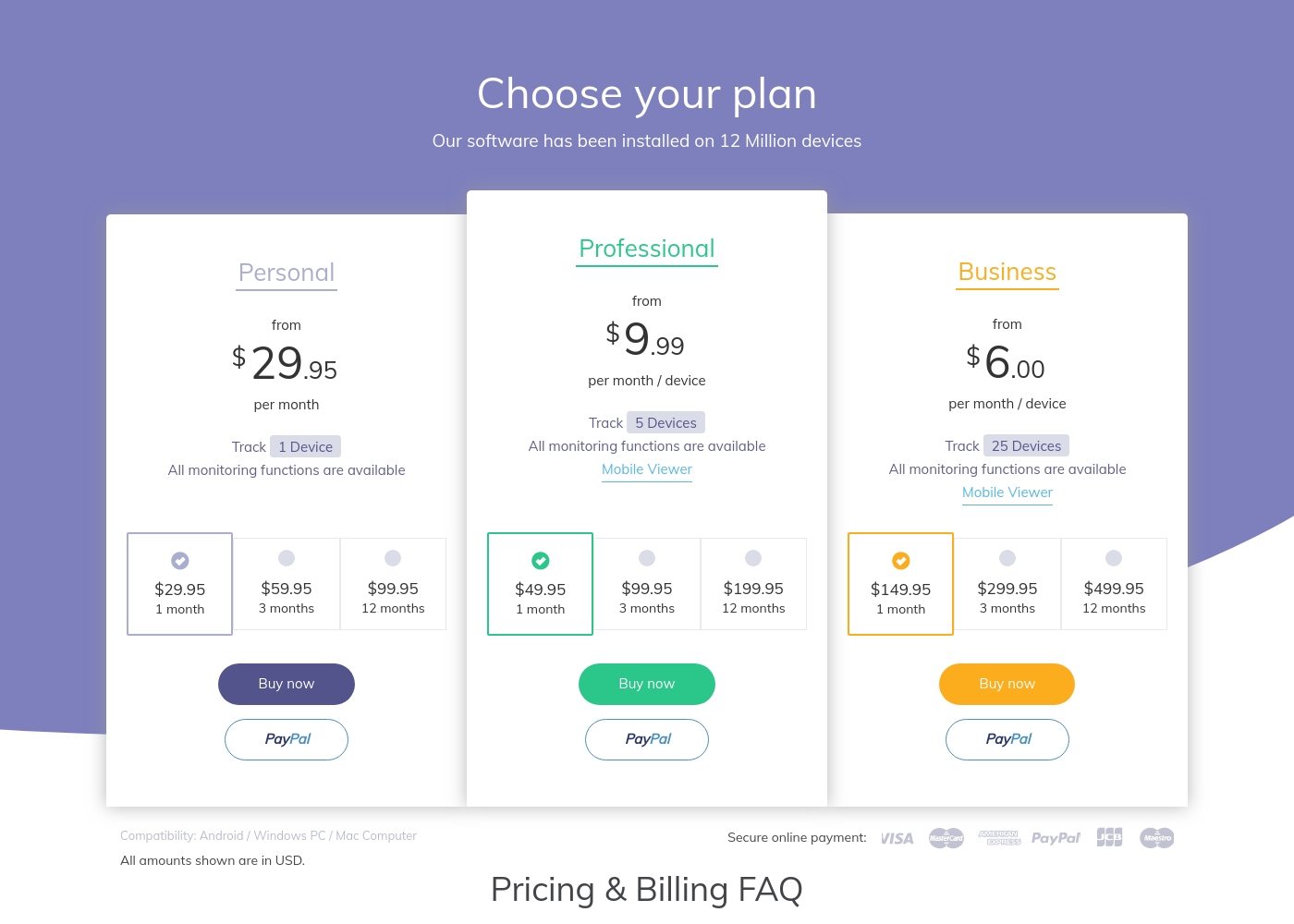
Hoverwatch pricing: Plans from $0/month Plans range: $0–$499.95/month Billing options: Monthly subscription
mLite App pricing: mLite App requires an active subscription to access its core safety features like location history. While a specific starting price is not explicitly stated on the landing page, users can download the app for free on iOS and Android to view available plans and start connecting with family members via invites and explicit consent.
Any subscription typically includes real-time location sharing and emergency alerts across all supported devices. The app focus is on transparent, consent-based safety for families on the go 🛡️.
Detailed plan pricing is visible within the mobile application during the registration and invitation process. mLite provides an affordable, secure way to keep track of loved ones without the complexity of traditional hardware-based tracking systems.
Pricing Notes
- Hoverwatch pricing ranges from 0 to 499.95 per month; no explicit free trial documented.
- mLite App offers a Free plan and a 1-day free trial; pricing can reach up to $2023.
- Hoverwatch lists a monthly subscription model; specific device-based tiers aren’t stated.
- mLite pricing includes a free entry tier; review limits on features per plan.
Pricing Head-to-Head
User Reviews
Our Verdict
Bottom line: it’s a close call. Hoverwatch wins for discreet, multi-device oversight. mLite App shines with real-time visibility, location history, and emergency alerts. If you value stealth and broad device support, Hoverwatch is your pick. If privacy-first safety and quick setup matter, choose mLite App. For many families, it’s a tie until you test features in a trial. Hoverwatch helps you stay unseen while mLite App keeps you in the loop, ready to respond when needed.
Frequently Asked Questions
How many devices can Hoverwatch monitor?
Hoverwatch can monitor up to five devices at once. You view all activity from a single account.
Do all Hoverwatch plans include the same monitoring features?
Yes. All plans include the full set of monitoring functions; the difference is how many devices you can track.
Is there a free trial, and how do I start?
Hoverwatch’s data doesn’t explicitly state a free trial. mLite App offers a 1-day free trial. To start, create accounts and follow setup prompts.
How long are logs stored after ending subscription?
Logs are automatically deleted and monitoring is disabled 7 days after the subscription ends.
Which platforms are supported by Hoverwatch?
Hoverwatch supports Android, Windows PC, and Mac computers.
What happens if the SIM card is changed on the target device?
You’ll receive a notification when the SIM card is changed on Hoverwatch.
Ready to Choose?
Both tools have their strengths. Choose based on your specific needs.