Crossplag vs Writer
Crossplag and Writer both offer AI content detection, but their scope differs wildly. Crossplag is a simple, free detector limited to short texts and individual use. Writer provides detection as part of a massive, professional agentic AI platform for teams. Choosing between them depends on capacity, features, and trust in the accuracy. Writer is the choice for serious, scaled content operations.
Best for: Individual students checking short homework assignments., Users looking for a true zero-cost, no-commitment basic checker.
Best for: Professional content teams up to 20 users needing strong AI governance., Organizations requiring custom AI agents trained on proprietary data.
Accuracy concerns make it unreliable.
We find that while Crossplag offers a free and fast AI detection tool, the reported severe accuracy problems detailed by users cannot be ignored. Overall, we cannot recommend relying on this product until major improvements are made to its core detection algorithm, despite the attractive zero price point.
Pros
- Completely free to use with no hidden fees or subscriptions.
- Fast, almost instant, real-time text analysis.
- Simple interface; easy to use (paste text and check).
- User data is not stored, ensuring high privacy.
Cons
- Reliability is severely inconsistent according to user reports.
- Fails to accurately detect AI-generated text, defeating its purpose.
- Incorrectly flags human-written text as highly AI-generated.
- Character limit for checks is restricted to 3,000 characters.
Powerful agentic AI for modern teams.
We find that Writer offers a powerful, modern platform focused on deep agentic AI capabilities, suitable for both small teams and large enterprises seeking robust governance. The clear Starter plan pricing and comprehensive features make it a strong choice for organizations looking to scale their AI deployment effectively. Overall, this is a sophisticated tool for teams prioritizing custom AI agents.
Pros
- Strong focus on agentic AI technology (Action Agent and custom agents).
- Starter plan is budget-friendly at $29/user/month (annual).
- Features a free 14-day trial without needing credit card details.
- Offers 100+ prebuilt agents across various industries.
Cons
- Conflicting user feedback regarding reliability and basic function.
- Scaling beyond 20 users mandates a custom Enterprise plan.
- Enterprise subscription pricing lacks transparency (contact sales).
AboutCrossplag
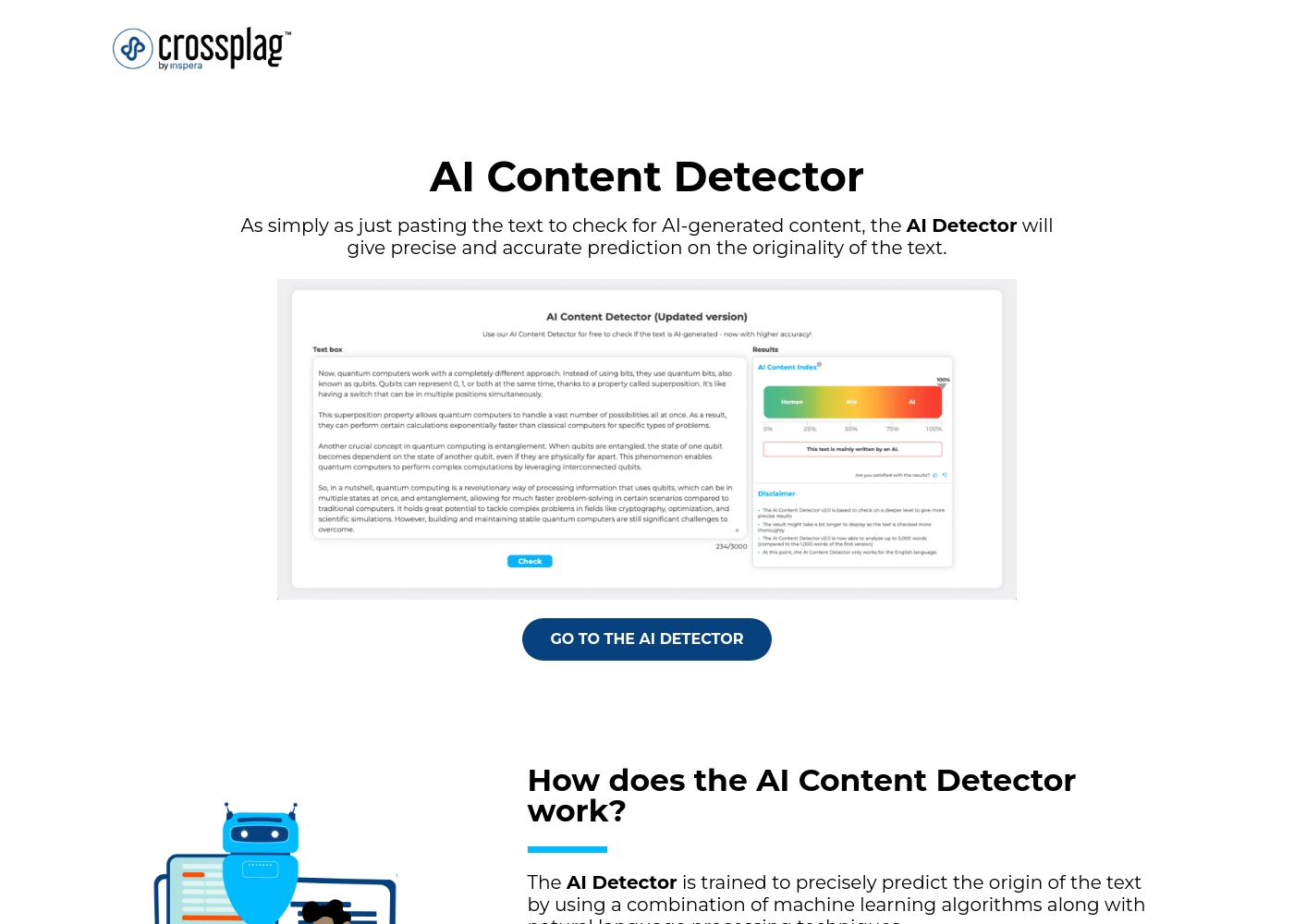
The Crossplag AI Content Detector is a tool designed to determine the origin of your text. It tells you whether content was genuinely human-written or created using an AI chatbot, like platforms generating emails, articles, or product descriptions. This detector uses a blend of sophisticated machine learning algorithms and natural language processing techniques 💡.
It analyzes text patterns based on training data that includes over 1.5 billion parameters for precise results. Since the model is trained with English language datasets, currently, that's the only language that is supported. However, they are planning on adding more languages as the detector develops further.
AboutWriter
The Writer AI Content Detector is a straightforward tool designed for speed and accuracy. It quickly examines your text to determine if it was created by artificial intelligence. This is perfect for writers, editors, and publishers who need simple verification. You can paste your text or even submit a URL for analysis. It gives you the information you need to feel confident before you hit "publish." 💡
Highlights
Feature Comparison
Features Overview
We highlight the main differences and pick a winner for each feature.
Detection Capacity
Writer supports checking large documents; Crossplag handles short snippets only.
Crossplag sharply limits users to checking only 3,000 characters per single submission. This constraint makes verifying full blog posts tedious using Crossplag. Writer is far more generous, allowing professionals to check large drafts up to 5,000 words at once. This capacity enables editors to review substantial pieces of content immediately. If you frequently check long content, Writer provides superior workflow efficiency. Writer is clearly built better for professional content verification scale.
Input Flexibility
Writer accepts URLs or texts; Crossplag only permits manually pasted text.
To use Crossplag, you must manually copy and paste your text into the web interface. Crossplag offers only one, limited method for submitting content checks. Writer offers enhanced flexibility, allowing input via pasted text or direct URL submission. Checking live web pages via URL input is super helpful for publishers and editors. Writer’s dual input method provides a clear, seamless advantage over Crossplag.
Integration & API
Writer offers API access for automation; Crossplag has no integration options.
Crossplag currently provides no integrations or API access for automated text checks. You must always use the Crossplag web interface to manually paste, hindering true automation. Writer includes full AI detection capabilities via API integration, available in its paid plans. This allows large teams using Writer to embed verification directly into their publishing workflow. For high-volume professional operations or automation, Writer is the required choice.
Core Accuracy Trust
User sentiment suggests Crossplag is unreliable; Writer's platform is designed for enterprise trust.
User reports for Crossplag consistently cite severe reliability and accuracy problems with detection. Some users claim Crossplag misflags human text as AI, defeating its core purpose. Writer's reputation is mixed, but it is built on robust enterprise security and governance features. Writer focuses heavily on grounded, reliable AI output for large organizations. For verification tasks where reliability is critical, it is difficult to rely on Crossplag.
Cost & Value Proposition
Crossplag is free but functionally weak; Writer delivers huge paid platform value.
The Crossplag AI Detector is 100% free, ideal for zero-cost, quick, low-stakes checks. Writer’s core platform costs $29 per user monthly (annual), offering custom agents and high security. Writer also provides a dramatically better free detector that handles 5,000 words easily. For any serious work needing accuracy and features, Writer provides much better value. Choosing Crossplag saves money but risks low utility.
Target Audience & Scale
Writer is for scaling teams; Crossplag is only useful for individual users.
Crossplag is a standalone tool with no features for collaboration or managing users. It is designed purely for quick, siloed checks by one individual user. Writer uses a per-seat model, targeting teams and departments up to 20 users on its Starter plan. Enterprise plans with Writer allow scaling to massive organizations with custom pricing. If your team needs shared AI tools and governance, you must choose Writer.
Crossplag's AI Content Detector is available for free with 1 plan: Free AI Content Detector at $0.00.
Here’s a breakdown of the single, accessible option for checking your content's originality.
Free AI Content Detector
Price: $0.00 Best For: Anyone needing fast, accurate verification of text authenticity (e.g., bloggers, educators, recruiters) Refund Policy: Not applicable (Free service) Other Features:
- Fast and almost instant verification
- Accurate prediction using machine learning
- Easy to use: paste text and click "Check"
- Supports the English language
- Submitted text is not stored by the detector
- Fast, almost instant authenticity verification
- Accurate prediction using machine learning
- Easy to use: paste text and click 'Check'
- Real-time analysis
- Submitted data is not stored
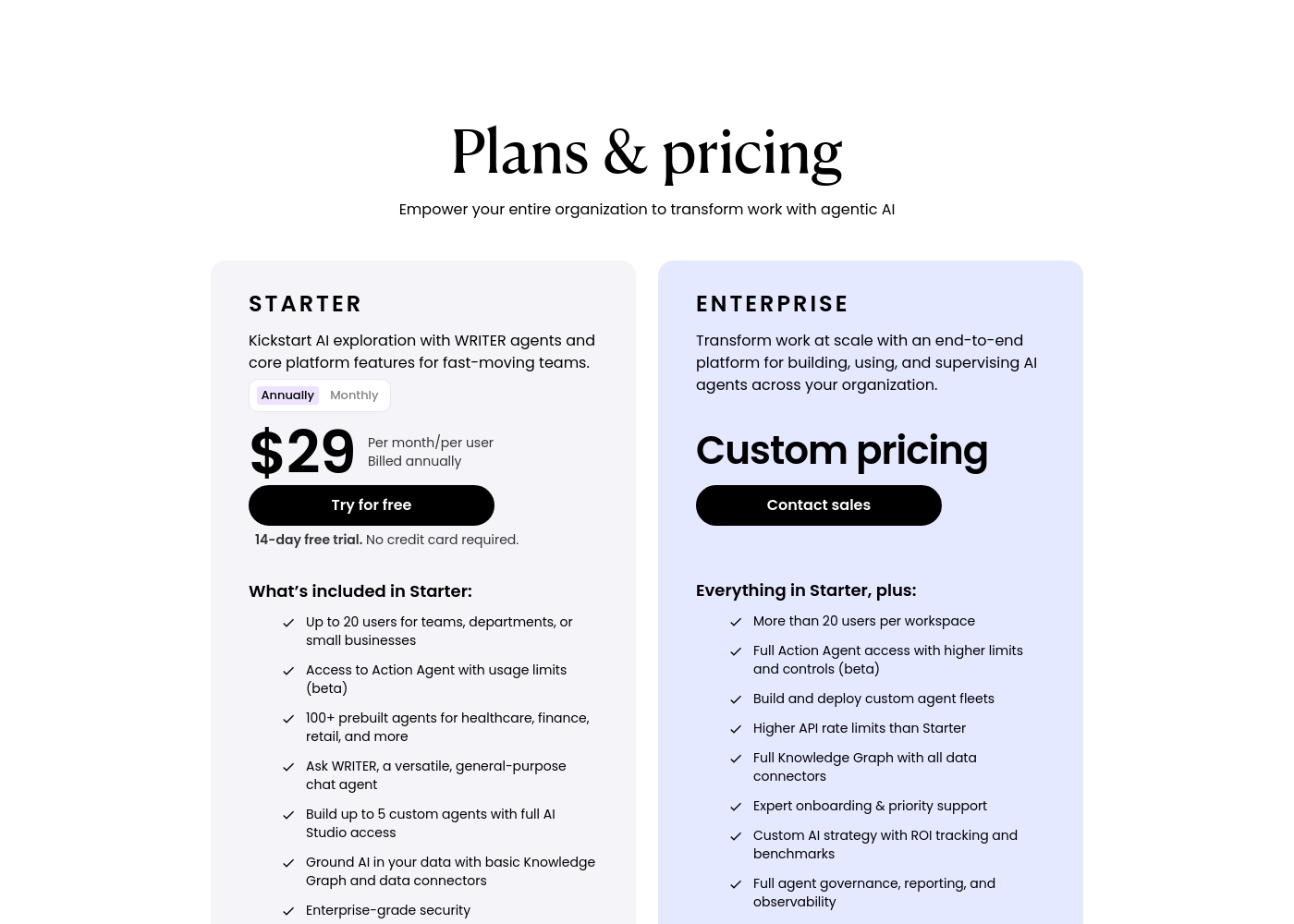
Writer costs between $29 and Custom pricing per month with two plans: Starter at $29/user/month (annually) and Enterprise at Custom pricing.
These options help you find the right fit for your team. You can easily select the option that best supports your current scale, whether you are just starting or scaling large-scale AI operations.
Starter
Price: $29 per month/user (Billed Annually) or $39 per month/user (Billed Monthly) Best For: Teams, departments, or small businesses up to 20 users Other Features:
- Access to Action Agent (beta) with usage limits
- Over 100 prebuilt agents for various industries (healthcare, finance, retail)
- Ask WRITER, a versatile, general-purpose chat agent
- Build up to 5 custom agents using full AI Studio access
- Ground AI in your data with basic Knowledge Graph and data connectors
- Up to 20 users for teams, departments, or small businesses
- Access to Action Agent with usage limits (beta)
- 100+ prebuilt agents for healthcare, finance, retail, and more
- Ask WRITER, a versatile, general-purpose chat agent
- Build up to 5 custom agents with full AI Studio access
- More than 20 users per workspace
- Full Action Agent access with higher limits and controls (beta)
- Build and deploy custom agent fleets
- Higher API rate limits than Starter
- Full Knowledge Graph with all data connectors
Pricing Notes
- The Crossplag AI Detector is entirely free, requiring no credits or paid subscriptions.
- The core Writer platform pricing is per user, starting at $29/user/month (annual billing).
- Writer offers a 14-day free trial on the Starter plan, requiring no credit card upfront.
- Choosing annual billing for Writer yields a significant 25% discount off the monthly rate.
- Scaling Writer past 20 users necessitates the Custom-priced Enterprise plan, which lacks transparent public pricing.
Pricing Head-to-Head
User Reviews
The external feedback for Crossplag is currently very limited and overwhelmingly negative. The most serious concern reported by early users relates to the severe lack of reliability and accuracy in the AI detection service.
While the tool is offered for free and promotes fast processing, user reports indicate fundamental flaws in its core function. Specifically, users report that content written entirely by a human was consistently and incorrectly flagged as 100% AI-generated.
This tool returned very poor results for me. I recently checked content written entirely without AI, and Crossplag flagged it as 100% AI-generated. If the results are not accurate and reliable, I simply cannot use it for professional work.
User feedback for Writer is currently very thin, providing conflicting experiences and making it difficult to establish widespread sentiment regarding reliability, accuracy, or support responsiveness. Based solely on the few available reviews, one user praised the platform, calling it an "Impressive offering," suggesting high satisfaction with its overall capabilities.
However, another experience was severely negative, stating bluntly that the product was "very bad and doesn't work." Since the available volume targets specific recurring themes like ease of use or onboarding are unclear. From a pricing perspective, the structure is transparent for smaller organizations; the Starter plan offers good value at $29 per user per month (annually) for teams up to 20.
This platform is a truly impressive offering that significantly improves our workflow efficiency. We started by exploring the robust agent features during the free trial and quickly realized the value it brings. It's helping us manage content creation at scale.
Our Verdict
This isn't a close fight; Writer is the decisive winner for any serious use case. Both Crossplag and Writer offer free AI detection, but that’s where the similarity ends. If content accuracy matters to your job, avoid Crossplag due to its reported critical failures. Writer provides a vastly superior product, even in its free detector mode. Writer focuses on governance, scale, and deeply integrated agentic AI for modern businesses. Crossplag’s superpower is its price tag: it is completely free, always. However, it is fundamentally limited to 3,000 characters, and user reviews suggest it often provides inaccurate results. You might save money with Crossplag, but you’ll waste precious time. Writer’s superpower is professional utility, verification, and deep customization features. Writer allows checking articles up to 5,000 words instantly, and you can even input a URL. Paid Writer plans facilitate custom AI agents and API integration for automated workflow scaling. The deciding factor is your content volume and team requirements. If you require genuine accuracy and professional features, Writer is worth the investment starting at $29/user/month. If you’re checking a single paragraph of homework just for curiosity, then the free Crossplag might suffice. Final verdict: Choose Writer for quality, capacity, and professional scale. Only choose Crossplag if zero cost is the absolute, non-negotiable priority, anticipating accuracy risks.
Frequently Asked Questions
Is Writer's free detection tool better than Crossplag's?
Yes, Writer offers higher capacity in its free tool, supporting checks up to 5,000 words. Crossplag is limited to only 3,000 characters per check. Writer also allows URL inputs, a key feature Crossplag lacks.
Which is better for publishing long articles: Crossplag or Writer?
Writer is significantly better for long articles because it supports up to 5,000 words per check. Crossplag forces you to break up long documents into tiny 3,000-character segments. Use Writer to save time and maintain text context.
Can I integrate Crossplag with my company's CMS or workflow?
No, Crossplag currently offers no integrations or API access for automation. Writer provides full API capabilities on its paid plans. If you need automated, high-volume checks, choose Writer.
Does Crossplag offer team management like Writer?
No, Crossplag is strictly an individual tool with no collaboration or governance features. Writer is a professional platform built on a per-seat model for teams up to 20 users and beyond.
Who should pay for Writer instead of using the free Crossplag tool?
Teams needing high accuracy, enterprise security, and the ability to build custom AI agents should choose Writer. Serious content operations require the scalability and features that Writer provides.
How reliable is the AI detection in Crossplag compared to Writer?
User reports suggest Crossplag is highly unreliable, frequently misflagging human content as AI-generated. While Writer reviews are conflicted, it is generally considered a more reliable professional tool.
Ready to Choose?
Both tools have their strengths. Choose based on your specific needs.