wpDataTables

wpDataTables

Powerful and intuitive WordPress table plugin for easy, code-free tables and charts.

#3 dans WordPress Table Plugin
1 阅读时间 · 更新时间 10/4/2025
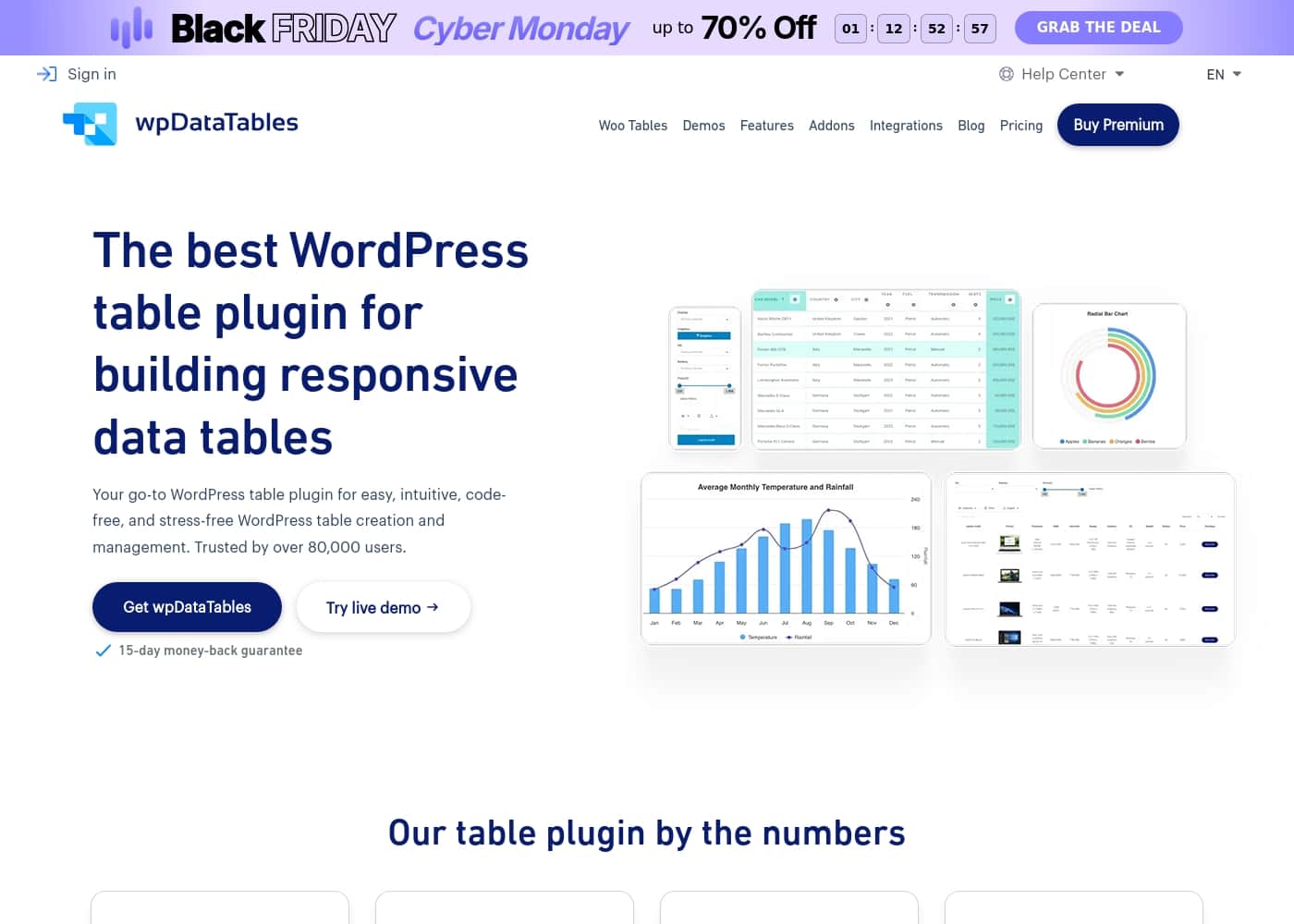
wpDataTables首页截图

At a glance

Quick overview for wpDataTables: rating, pricing summary, key features, and highlights.

Ciroapp 评论

4.2
Powerful, code-free data visuals

We evaluate wpDataTables as a strong fit for WordPress data needs, appreciating its code-free setup, Google Sheets and database connections, and flexible filters. Overall, we conclude it delivers reliable visuals and solid support for teams needing structured tables and charts.

优点

  • Pro:Code-free setup for tables and charts
  • Pro:Live data from Google Sheets and databases updates automatically
  • Pro:Wide chart options (80 types across 5 engines)
  • Pro:Advanced filters (text, date, dropdowns, checkboxes)

缺点

  • Con:Small public review sample on Trustpilot (only 5 reviews shown)
  • Con:No Capterra data available
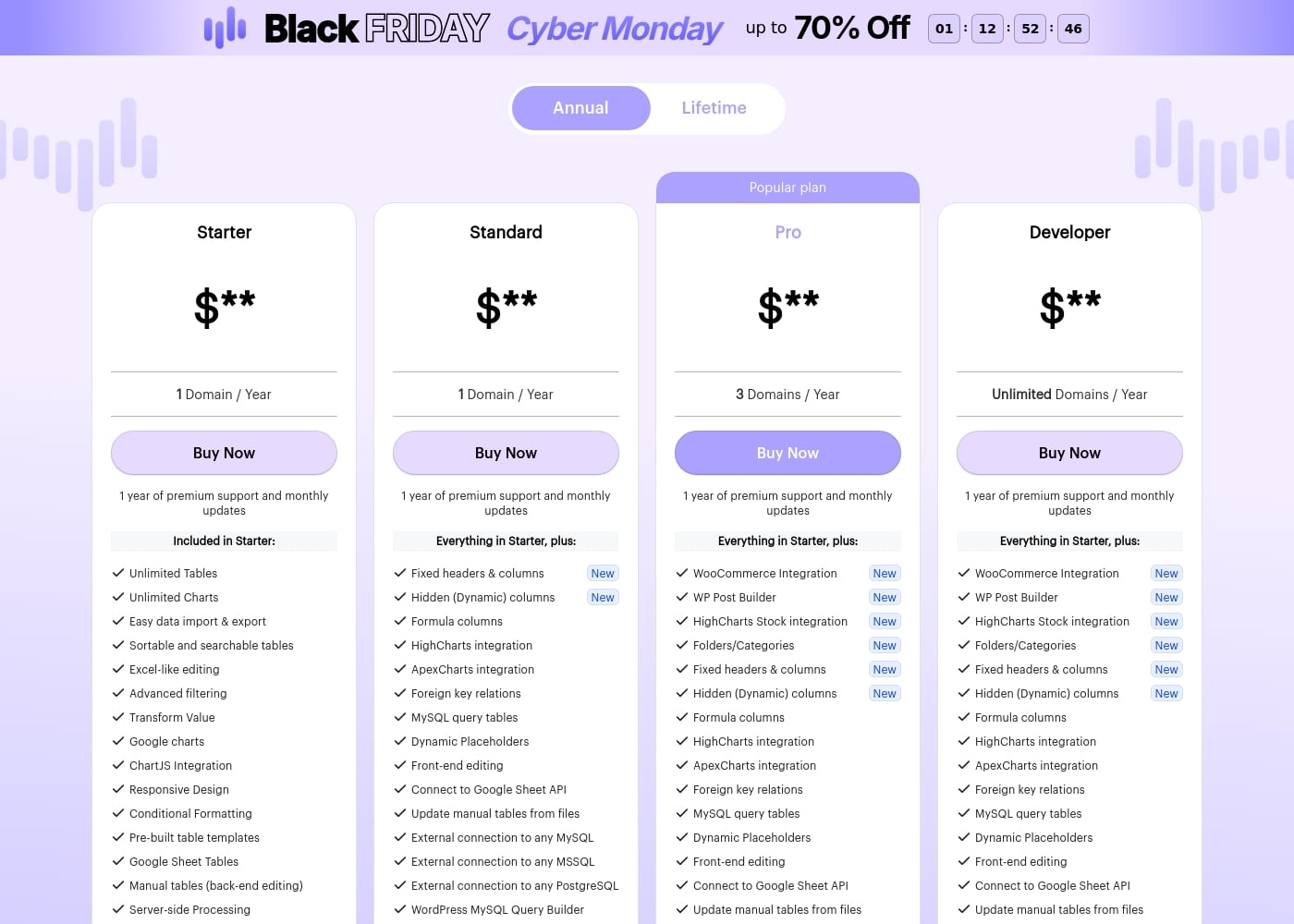
范围: 1–60/yearFree plan, Monthly subscription, Yearly subscription, One-time payment
This section is a summary. Detailed sections about features, use cases, pricing, and reviews follow below.

wpDataTables评论、价格、功能、优缺点

Frustrated with data that’s hard to read in WordPress without coding? wpDataTables offers code-free tables and charts that look polished.\n\nIt brings in data from Google Sheets and databases, adds powerful filters, and lets you build interactive charts—without touching a line of code. ✨

wpDataTables 是什么?

wpDataTables is a powerful WordPress plugin that lets you build responsive tables and charts without code. It's ideal for businesses, educators, and personal projects that need clear data visuals—product catalogs, pricing tables, reports, and more. 📊

wpDataTables 主要功能

✨ Code-free tables and charts that look polished

Start with a code-free workflow to publish tables and charts that look professional.

wpDataTables works with data from Google Sheets and databases, so you can build visuals quickly.

This setup is ideal for businesses, educators, and personal projects that need clear data visuals.

✨ Live data from Google Sheets and external databases

Create tables from Google Sheets and external databases.

Updates in the Google Sheet automatically reflect in the table, keeping your data current and accurate.

These sources support product catalogs, pricing tables, reports, and more.

🔎 Advanced filters and organized navigation

Advanced table filters let visitors search by column values with options like text, date, dropdowns, and checkboxes.

You can organize tables and charts into folders and use seamless search to find what you need.

Key filter types include:

  • Text filters
  • Date filters
  • Dropdowns and checkboxes

✨ Charting options and visual storytelling

Build charts with five engines and 80 chart types to fit your data.

No coding is required to add interactive visuals and explore insights.

You can connect to any API and bring in data from JSON sources to keep visuals fresh.

✨ Organization, publishing, and easy access

Organize tables and charts into folders and subfolders, and use seamless search.

Fixed headers and columns help visitors browse and compare values.

Publish in a post or page to display on your site. It’s quick to get started: install the plugin, create tables, publish, and show them on your website.

使用案例

📦 Product catalog that stays current

A small online shop owner builds a product catalog by connecting wpDataTables to a Google Sheet or database. It is a code-free setup, so no coding is required, and the catalog publishes on a product page with fixed headers for easy scanning.

Shoppers can filter by category or price and search by text, while the source keeps data current as updates flow in. The table can be organized into folders and viewed as a simple product list or a more detailed catalog view.

💳 Pricing table for services

A service company builds a pricing table from a data source and publishes it on their site. With a code-free setup, they show plan names, features, and prices in a clean, responsive table that visitors can read on any device.

Visitors filter by feature or price, compare options side by side, and the table stays up to date as pricing changes in the source.

📊 Marketing dashboard for executives

Problem: Marketing teams pull numbers from Google Sheets, databases, and ad platforms but struggle to see trends in one place.

Approach: They build a dashboard with wpDataTables, linking sources and adding charts from built-in engines. The setup is code-free, and data refreshes automatically.

Outcome: The team and executives can filter by date, region, or campaign to reveal insights at a glance.

Expected outcome: Clearer insights and quicker decisions.

🎓 Education views: rosters and event schedules

Administrative staff create rosters, class schedules, and simple progress views by connecting wpDataTables to a school database or Google Sheet.

Filters help teachers search by class, date, or student name, and data stays current as sources update. The tables can be organized into folders and embedded on pages families view.

🧑‍💼 Agency client catalogs and pricing pages

An agency builds client-ready product lists and pricing pages without writing code.

They pull data from client databases or Sheets, keep it updated, and present clean tables that fit into pages and posts.

🔗 API-driven data visuals

A data team connects wpDataTables to a JSON API and several databases to pull live numbers.

They build charts with five engines and up to eighty chart types, then organize tables and charts into folders for quick access.

wpDataTables 价格概览

价格范围
1–60/year
价格类型
Free plan, Monthly subscription, Yearly subscription, One-time payment

Plans from 1/year

Pricing

wpDataTables pricing: Plans from 1/year Plans range: 1–60/year Billing options: Free plan, Monthly subscription, Yearly subscription, One-time payment

用户评论

Trustpilot users describe wpDataTables as feature-rich and surprisingly reliable, with responsive support and polished data visuals. While the visible Trustpilot rating sits around 4.1 from a small review set, the sentiment centers on a code-free workflow, Google Sheets and database connections, and powerful filters.

Reviewers call it a solid fit for publishers, educators, and teams needing clean tables and interactive dashboards, noting affordability and mobile-friendly charts. Support is a frequent highlight; teams report quick responses and practical workarounds.

Some use it for years and remain pleased with stability and ongoing value; others caution that mastering the more advanced features takes time. Overall, wpDataTables stands out for its data connectivity, breadth of chart types (80 options), and ease of publishing tables across pages.

😊 For buyers, the caveat is the limited public review volume; in context, the plugin delivers a pragmatic, scalable solution for WordPress data presentation. Overall, it’s a strong, code-free option that earns trust when your use case relies on clear visuals and reliable data handling.

其他地方的用户评价

Alex D.
· Trustpilot
5.0 / 5

Feature-rich and fantastic support. It works like a dream, and the support team is outstanding. I've been using wpDataTables for nearly five years.

Jordan P.
· Trustpilot
5.0 / 5

Fantastic plugin and responsive support. We needed an easy-to-use, powerful tabular data presentation with good visuals. wpDataTables and its addons delivered.

还没有评论。

撰写评论

为wpDataTables撰写评论
0/100个字符
0/2000个字符

为什么要使用 wpDataTables?

Ready to turn messy data into clear visuals in minutes? wpDataTables makes it possible with a code-free workflow and powerful data connections.\n\n- Code-free setup lets you publish tables and charts quickly, with no coding required.

✅\n- Tables from Google Sheets and databases stay current as sources update. 🔄\n- Advanced filters let visitors search by text, date, dropdowns, checkboxes, and more.

🔎\n- Built-in charting options span 5 engines and 80 chart types for flexible visuals. 📈\n- Folders and seamless search keep your data organized and easy to browse.

🗂️

准备好使用wpDataTables转变您的工作流程了吗?

wpDataTables 替代工具

WordPress Table Plugin 类别中的其他工具

常见问题

What integrations and data sources does wpDataTables support?

wpDataTables connects to Google Sheets, MySQL, MSSQL, PostgreSQL, and JSON APIs; it can import Excel, CSV, XML, and JSON feeds. It also supports private and public Google Sheets with auto-sync.

Can I pull live data from Google Sheets and have it update automatically?

Yes. Tables built from Google Sheets auto-sync when the source sheet updates.

How are the pricing plans structured in terms of domains?

Starter and Standard cover 1 domain per year; Pro covers 3 domains; Developer covers unlimited domains.

Is there a free trial, and what happens if I’m not satisfied?

There’s no trial version, but new subscriptions come with a 15-day money-back guarantee; a free limited version is available on WordPress.org.

What is included for support and updates by plan?

Starter includes 1 year of premium support and monthly updates; higher tiers offer longer support terms and, in some cases, lifetime premium support and updates.

How easy is it to migrate or import data into wpDataTables?

You can create tables from Google Sheets, Excel/CSV, JSON feeds, and databases, and organize them into folders for easy access.

Are there any usage limits or quotas I should know about?

Starter includes unlimited tables and charts, with no explicit quotas listed for other plans.

Who is wpDataTables best suited for?

The plugin targets businesses, e-commerce, developers/agencies, and marketers needing clear, interactive data visuals.

What about cancellations and refunds after purchase?

You can cancel anytime; refunds are available within 15 days for new subscriptions.

What payment methods does wpDataTables accept?

PayPal, Visa, MasterCard, and American Express are supported.

Where can I find more about security or regional availability?

Not explicitly stated on the official site; check the privacy policy and security notes or contact support for specifics.

Is there a free version I can try?

Yes, a free limited version is available on WordPress.org.

准备尝试wpDataTables了吗?查看官方网站或价格。