Pinnacle Studio

Pinnacle Studio

Edit with stability, speed, and creative control.

#11 dans Video editing
1 阅读时间 · 更新时间 10/4/2025
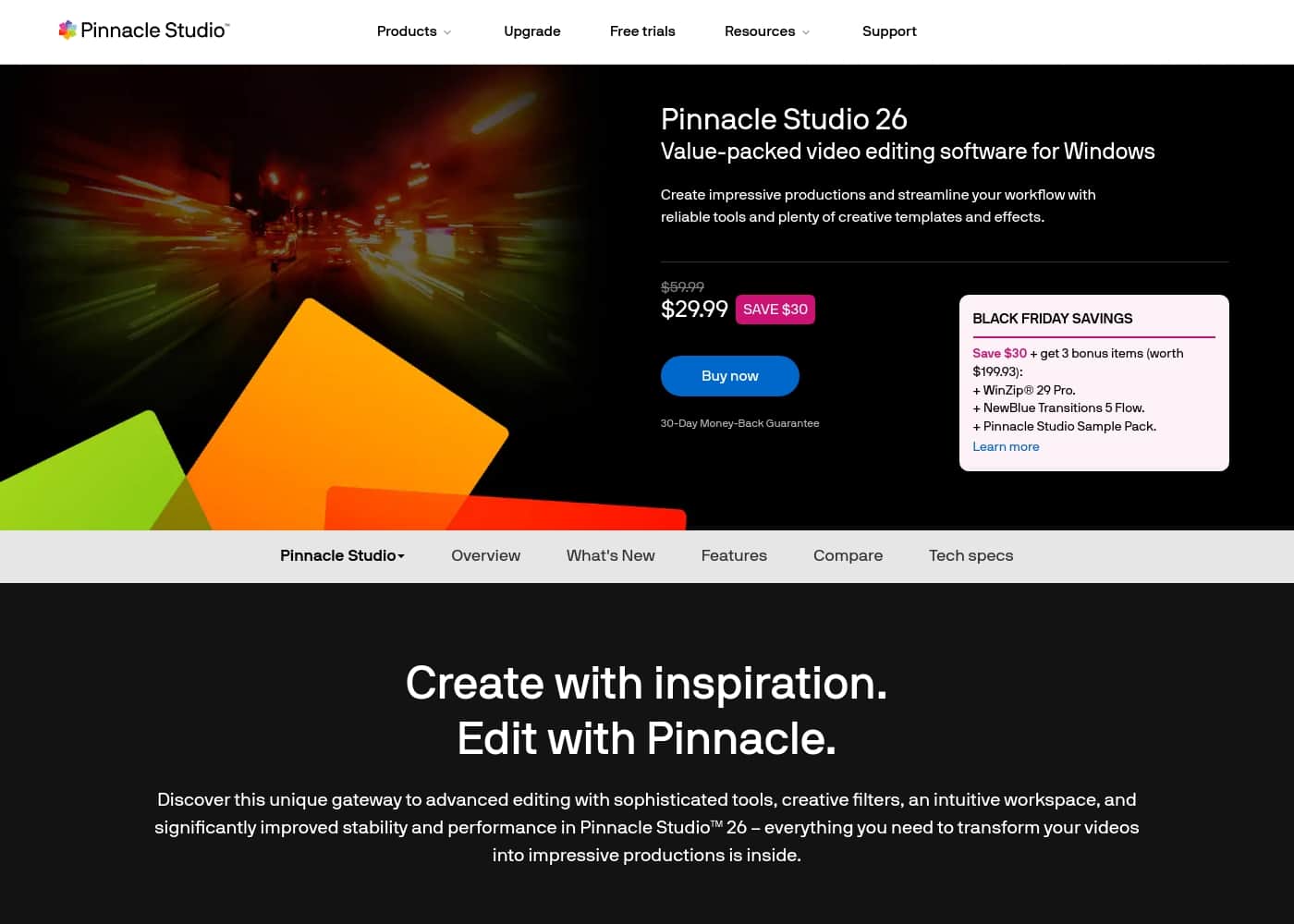
Pinnacle Studio首页截图

At a glance

Quick overview for Pinnacle Studio: rating, pricing summary, key features, and highlights.

Ciroapp 评论

2.5
Feature-rich, reliability concerns

We see Pinnacle Studio as feature-rich and approachable, with a broad toolset that fits many creative workflows, plus solid onboarding through built-in tutorials. Overall, while the interface is user-friendly and powerful, reliability issues and mixed support responsiveness keep the experience from being consistently dependable.

优点

  • Pro:User-friendly interface
  • Pro:Broad toolset including MultiCam, color correction, and audio editing
  • Pro:Built-in tutorials and 10-day StudioBacklot trial
  • Pro:Wide range of effects (green screen, stop motion, lens correction)

缺点

  • Con:Stability issues and crashes
  • Con:Rendering/export reliability concerns
  • Con:Inconsistent or slow tech support
  • Con:Licensing and upgrade frustrations
范围: 26–200
This section is a summary. Detailed sections about features, use cases, pricing, and reviews follow below.

Pinnacle Studio评论、价格、功能、优缺点

Your editing can stall when software feels unstable or slow. Pinnacle Studio 26 counters this with significantly improved stability and performance, an intuitive workspace, and a suite of creative tools to transform your footage. ✨

Pinnacle Studio 是什么?

Pinnacle Studio is a versatile video editing software designed for creators at any level 🎬. It blends editing, screen capture, and audio work in a single workspace, with color correction tools, motion effects, and a green screen option to expand your storytelling. You can import 8K footage for high-quality projects, and new users get a 10-day free StudioBacklot pass with training and royalty-free content.

🎨

Pinnacle Studio 主要功能

✨ Stable, fast editing for a smoother workflow

Pinnacle Studio 26 focuses on stability and speed to keep editing smooth. The release targets core performance with crash fixes across 200+ user-identified scenarios, so the app feels more reliable.

You'll notice faster launches, snappier previews, and quicker imports and exports. Apple ProRes is supported as a smart proxy to improve preview and rendering performance.

✨ A versatile workspace for editing, capture, and audio

Pinnacle Studio blends editing, screen capture, and audio work in a single workspace. It includes color correction tools, motion effects, and a green screen option to expand storytelling.

You can import 8K footage for high-quality projects. New users get a 10-day free StudioBacklot pass with training and royalty-free content.

✨ Creative tools that shape your story

Edit across multiple cameras with MultiCam editing and capture screen and webcam footage for tutorials or games.

Key capabilities include:

  • MultiCam editing for multi-angle scenes
  • Green Screen post-production for compositing
  • Stop Motion Animation for digital storytelling

These tools help you tell your story with precision.

✨ Audio and color mastery

The Audio Editor helps you shape sound with narration tools and access to royalty-free music and sound effects.

Color work includes white balance adjustments, fixes for underexposed shots, and fast, instant corrections to your footage.

✨ Getting started and learning

New to Pinnacle Studio? Built-in tutorials and learning videos help you get started.

First-time users can access a 10-day StudioBacklot free pass with training and royalty-free content, plus guides and help files.

使用案例

🎥 Tutorials with MultiCam, screen capture, and narration

A creator needs to explain a concept while showing steps on screen. They pull in camera footage from multiple angles and capture their screen to walk viewers through the process. Pinnacle Studio makes switching between angles easy with MultiCam editing, and Screen Recording captures desktop activity. The Audio Editor lets them add narration and fine-tune levels. Color correction and motion effects help the visuals feel polished, and title tools highlight key details. New users can start with a 10-day StudioBacklot pass that includes training and royalty-free content.

This setup supports a smooth editing flow from start to finish, with a friendly workspace and stable performance that reduces hiccups as files grow. It also gives access to StudioBacklot's library of royalty-free music and sound effects to enhance the soundtrack. The result is a professional video that clearly explains the topic and keeps viewers engaged.

🟢 Product demos with Green Screen and overlays

A creator shows a product in action by combining screen visuals with presenter footage. Green Screen lets them place the presenter in a custom scene, while overlays and motion effects emphasize features without clutter. Titles help spotlight key specs, and a Split Screen view can compare options side by side. This approach keeps viewers focused and makes complex ideas easier to understand.

Steps cue you toward a polished finish: import footage, set up a digital backdrop with Green Screen, layer overlays and titles, then render a clean final cut ready for sharing.

🎬 Multi-camera interviews and tutorials with smooth edits

When a story needs multiple perspectives, Pinnacle Studio supports frame-accurate switching between cameras. Editors can capture screen and webcam footage for tutorials or game videos, then stitch everything together in a single project. The result is a coherent narrative that feels professional without a steep learning curve.

By organizing shots across angles, editors keep the pace engaging and ensure important moments stay in focus.

🛡️ Stabilizing shaky footage for a cleaner look

Shaky clips can distract viewers and blur your message. Pinnacle Studio's Video Stabilization tool helps you smooth out motion from handheld shoots, rides, or windy conditions. The stabilized footage looks steadier, letting your audience focus on content rather than camera shakes.

Stable video supports clearer storytelling and a more confident final edit.

🖼️ Importing 8K footage for high-detail projects

For projects that demand sharp detail, you can import 8K video into Pinnacle Studio. The software offers color correction tools and a broad set of effects to shape the look while maintaining performance. This makes it possible to deliver cinematic quality without switching tools mid-project.

Working in the same workspace keeps your workflow seamless from import to final render.

🎞️ Stop Motion Animation to bring ideas to life

Stop Motion Animation is supported to help storytellers add a tactile, frame-by-frame feel. This feature lets you animate people and objects inside your productions, expanding how you tell stories beyond live-action footage. It pairs with the editing suite to build complete scenes from motion to finished cut.

The approach encourages creative experimentation within a single, accessible workflow.

🎓 Learning the toolset with StudioBacklot’s 10-day trial

New users can explore Pinnacle Studio with a 10-day StudioBacklot pass that includes training and royalty-free content. Built-in tutorials help you get started, while the library of assets supports practice and experimentation. This hands-on introduction makes it easier to decide which features fit your projects.

The trial emphasizes practical learning, not just theory, so you can start editing confidently.

Pinnacle Studio 价格概览

价格范围
26–200

Plans from 26

Pricing

Pinnacle Studio pricing: Plans from 26 Plans range: 26–200

用户评论

Trustpilot and Capterra reviews present a balanced picture. Many users praise Pinnacle Studio 26 for a user-friendly interface, a broad toolset, and features like MultiCam, color correction, and audio editing.

Onboarding is helped by built-in tutorials and a 10-day StudioBacklot trial. Yet recurring themes surface: reliability and support.

Reviewers report crashes, rendering/export issues, and inconsistent performance even on capable hardware. Some describe slow or unhelpful tech support, licensing frustrations, and difficulty getting timely fixes.

Despite these drawbacks, several users acknowledge the value when the software runs smoothly, especially for those who need a broad toolkit without juggling multiple apps. Overall, sentiment leans toward cautious optimism: solid capability and ease of use are real, but ongoing stability and responsive support are critical for long-term adoption.

For teams weighing cost against productivity, the pricing/value is a point of debate, and onboarding and integrations with existing workflows matter in practice. 😊

其他地方的用户评价

Alex D.
· Trustpilot
4.0 / 5

I've been using Pinnacle Studio for years. It's user-friendly with lots of features, but tech support when problems arise isn't great.

Glen Mortimer
· Trustpilot
1.0 / 5

The software crashes frequently on my system. The support response is slow and unhelpful.

还没有评论。

撰写评论

为Pinnacle Studio撰写评论
0/100个字符
0/2000个字符

为什么要使用 Pinnacle Studio?

  • ✨ Experience a smoother editing flow with significantly improved stability and performance. - Tap into frame-accurate customization, color correction, and a wide range of effects to shape your visuals.

  • Edit across multiple cameras with MultiCam editing and capture screen and webcam footage for tutorials or game videos. - Enhance audio with an Audio Editor, narration tools, and access to royalty-free music and sound effects.

  • Expand storytelling with features like Stop Motion, Green Screen, Lens Correction, and title tools. - Get started quickly with built-in tutorials and a 10-day StudioBacklot trial for first-time users.

准备好使用Pinnacle Studio转变您的工作流程了吗?

准备尝试Pinnacle Studio了吗?查看官方网站或价格。