Parallels

Parallels

Seamlessly Run Windows on Your Mac

#1 dans Remote Desktop
1 阅读时间 · 更新时间 11/17/2025
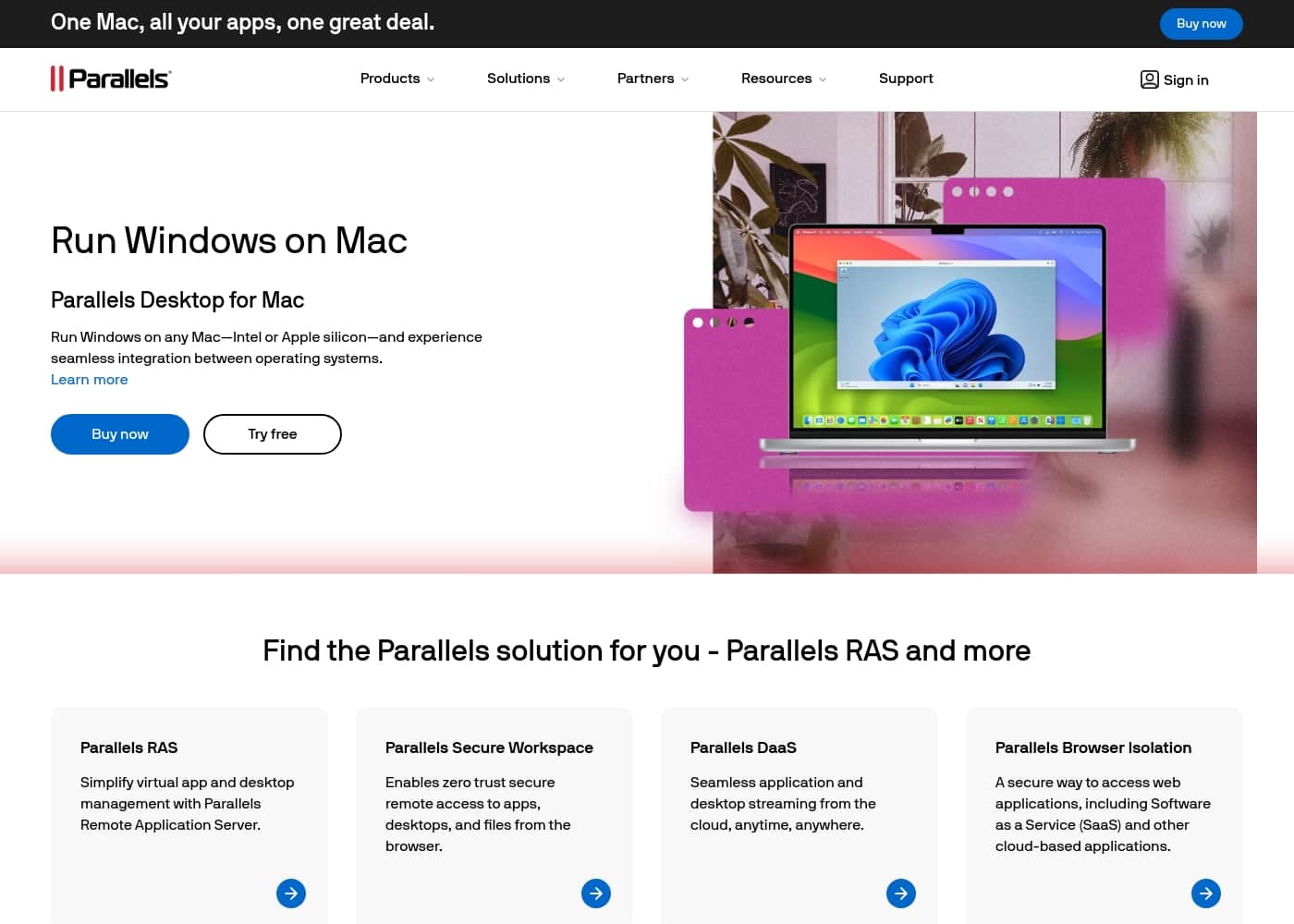
Parallels首页截图

At a glance

Quick overview for Parallels: rating, pricing summary, key features, and highlights.

Ciroapp 评论

2.4
Excellent Virtualization, High Subscription Risk

Parallels Desktop delivers impressive and seamless virtualization, allowing Mac users to efficiently run specialized Windows applications without rebooting. However, we must strongly caution potential customers strongly about the company's widespread reports of predatory auto-renewal practices and unresponsive customer service. Overall, the technical solution is excellent, but the operational and billing issues pose a significant risk to high-volume users.

优点

  • Pro:Excellent performance and seamless integration between Windows and macOS.
  • Pro:Solves the critical problem of needing two separate computers for different OS needs.
  • Pro:High resource allocation available in Pro/Business editions (up to 128 GB vRAM).
  • Pro:Recognized as a top-rated virtualization tool for the macOS environment.

缺点

  • Con:Widespread reports of predatory, non-transparent auto-renewal and billing issues.
  • Con:Customer service is severely lacking, often failing to respond to urgent business concerns.
  • Con:Many refund requests are reportedly denied, even when submitted within the 30-day window.
  • Con:Permanent (one-time) licenses may reportedly stop working, forcing costly upgrades.
免费试用
Yes
退款保证
Yes — 30 天
范围: $49.99–$97.49/yearFree trial, Yearly subscription, One-time payment
This section is a summary. Detailed sections about features, use cases, pricing, and reviews follow below.

Parallels评论、价格、功能、优缺点

Frustrated because crucial applications absolutely require Windows, but you prefer using your Mac? Having to manage two separate computers is often inefficient and inconvenient.

Parallels Desktop solves this big problem. You can run Windows on any Mac—even those with Apple silicon—and enjoy true, seamless integration between operating systems. ✨

Parallels 是什么?

Parallels Desktop for Mac lets you run Windows right on your Intel or Apple silicon machine. It is trusted by over 7 million Mac users worldwide, proving its dependability and solving numerous issues for macOS users. Essentially, this software removes the need to buy or use two separate physical computers.

This means you can access all your required applications, whether they are Mac or Windows exclusive, from one single, powerful workspace. It’s widely recognized as the best choice for running multiple operating systems on your Mac. ✅

Parallels 主要功能

✨ True Seamless Integration on Any Mac

It's frustrating when crucial applications only run on Windows, but you prefer using your Mac. Parallels Desktop solves this by letting you run Windows directly on your computer. You can use this software on any Mac, whether it features Apple silicon or an Intel chip.

This provides a unified workspace, eliminating the inconvenience of managing two separate machines. You only need one powerful desktop to access all your required applications.

🚀 High-Performance for Power Users

Parallels is highly user-friendly, but it also provides remarkably fast performance for demanding tasks. For advanced users like developers and creators, the Pro Edition offers massive resource allocation. You can dedicate extensive power to your virtual machines (VMs) for intensive workloads.

This power boost ensures you successfully run graphics-intensive Windows applications without lag.

✨ Advanced Resource Allocation

The resources you can allocate scale based on your chosen plan. Standard home users receive 8 GB of vRAM and 4 vCPUs for dependable virtualization. However, if you need serious computational muscle, the capacity increases significantly.

Power users on the Pro Edition can allocate up to 128 GB vRAM and 32 vCPUs to each virtual machine. This high resource limit allows you to handle complex tasks and run multiple virtual machines at the same time.

✨ Beyond Windows: Multi-OS Support and Testing

While it's the best choice for running Windows, Parallels lets you host much more. This software enables you to run Linux and even macOS itself within a virtual machine environment. This capability is exceptionally useful for professionals.

For example, you can replicate computer support problems colleagues face in a very fast and simple way for quick troubleshooting.

✨ Development and Enterprise Automation Tools

The higher-tier editions include specialized tools for developers and IT teams. Users needing advanced control gain access to a Command Line Interface (CLI). This allows you to quickly develop, automate, test, and debug simultaneously across multiple operating systems. These features streamline intensive technical workflows.

For businesses, the solution offers strong administrative control. Key team features include:

使用案例

💻 Running Industry-Specific Windows Programs

Many crucial applications absolutely require the Windows OS. This includes specific e-Learning platforms or local government design software, for instance. Parallels Desktop lets you install those exclusive programs directly on your Mac.

You maintain your preferred macOS environment while accessing all required software. This seamless approach means you never have to work on two separate physical computers.

🛠️ Fast-Tracking Technical Support

If you are a professional helping colleagues, Parallels makes troubleshooting simple. You can quickly replicate the computer support problems your colleagues face. By installing their exact operating systems as virtual machines, you immediately understand the issue. This replication process works in a user-friendly and very fast way.

Expected outcome: Rapidly diagnose and solve compatibility or system errors using only your single Mac.

🚀 Advanced Cross-Platform Development

Power users and developers need serious resources for simultaneous testing and creating. The Pro Edition allows massive resource allocation, supporting up to 128 GB vRAM for intensive tasks. This power lets you run multiple virtual machines and graphics-intensive Windows applications at once.

Tip: Use the command line interface (CLI) included in the Pro Edition for greater control and advanced automation.

🏢 Managing Licenses for Large Teams

For businesses, IT efficiency is critical when deploying software to Mac users. The Business Edition ensures centralized administration for license management. It supports volume license management and efficient provisioning using standard Mac Management tools.

This streamlined handling guarantees a consistent and easy experience for everyone on your team. It also allows IT to automate CI/CD workflows.

✅ Eliminating the Two-Computer Problem

It is inconvenient and highly inefficient to manage two separate computers just to run a single Windows application. Parallels solves this inefficiency by giving you seamless integration between operating systems. You only need one machine to access every application required for your workflow.

You save valuable time by working within one powerful, unified workspace.

🌎 Running Diverse Operating Environments

Parallels is not limited to just running Windows on your Mac. It is recognized as the best application for virtual machines on MacOS, supporting various OS instances. You can also run both Linux and macOS within a virtual machine.

This flexibility is essential for testing and creating, allowing you to access various operating systems from a single machine.

Parallels 价格概览

价格范围
$49.99–$97.49/year
价格类型
Free trial, Yearly subscription, One-time payment
退款保证
是 — 30 天

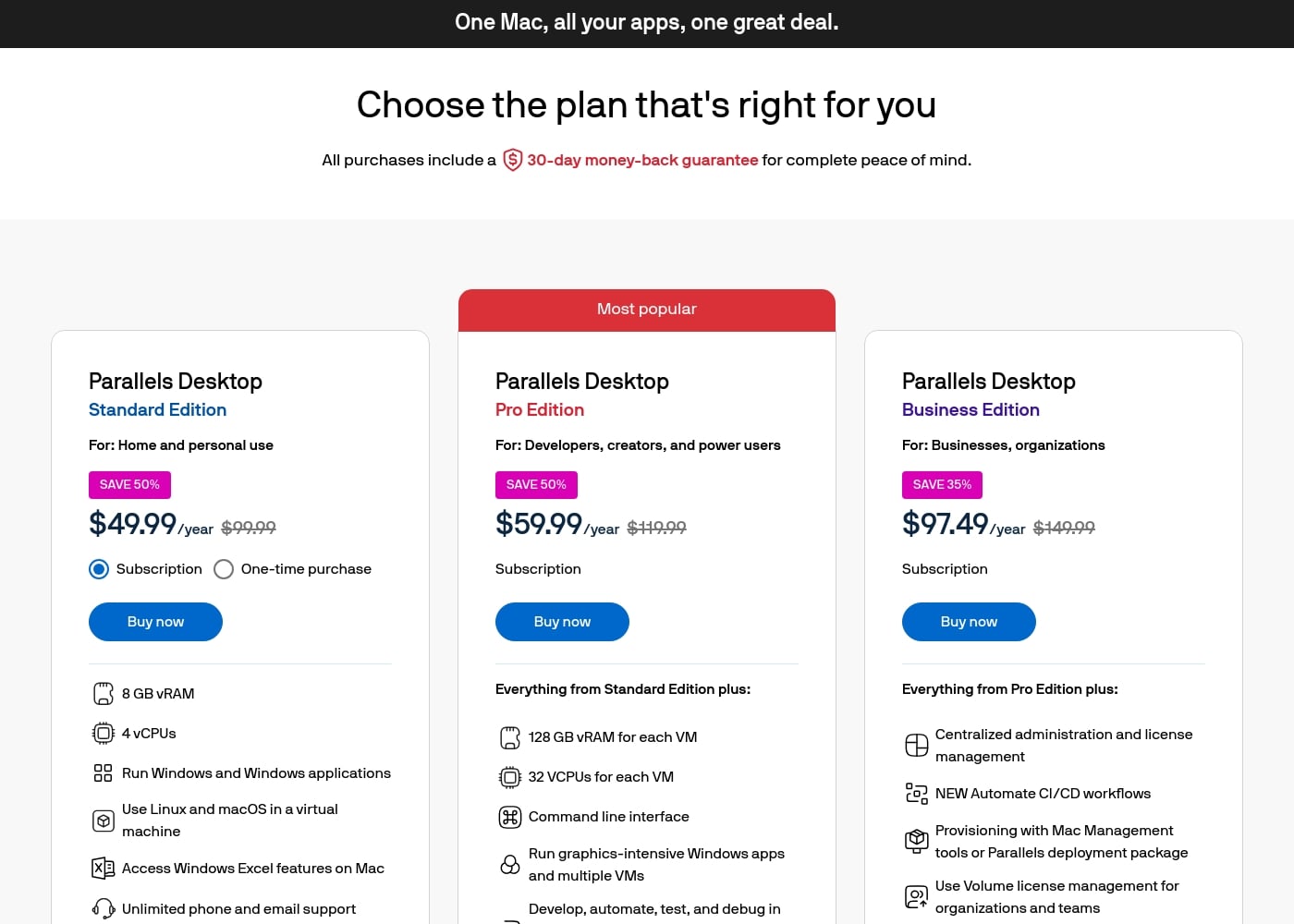
Parallels offers three main annual subscription plans ranging from $49.99 to $97.49 per year, depending on your required performance and features. A one-time purchase option is also available for the Standard package.

计划和定价

Parallels Desktop Standard Edition

月度Not explicitly stated
年度$49.99
Maximum 8 GB vRAM and 4 vCPUs per virtual machine.
  • 8 GB vRAM and 4 vCPUs
  • Run Windows and Windows applications
  • Use Linux and macOS in a virtual machine
  • Access Windows Excel features on Mac
  • Unlimited phone and email support (Subscription only)

Parallels Desktop Pro Edition

月度Not explicitly stated
年度$59.99
Maximum 128 GB vRAM and 32 vCPUs per virtual machine.
  • Everything from Standard Edition plus:
  • 128 GB vRAM and 32 VCPUs for each VM
  • Command line interface
  • Run graphics-intensive Windows apps and multiple VMs
  • Develop, automate, test, and debug in multiple operating systems simultaneously
  • Unlimited phone and email support

Parallels Desktop Business Edition

月度Not explicitly stated
年度$97.49
Maximum 128 GB vRAM and 32 vCPUs per virtual machine. (Volume licensing focus)
  • Everything from Pro Edition plus:
  • Centralized administration and license management
  • Automate CI/CD workflows
  • Provisioning with Mac Management tools
  • Use Volume license management for organizations and teams
  • Business-friendly billing

Parallels costs between $49.99 and $97.49 per year with three annual subscription plans: Standard Edition at $49.99, Pro Edition at $59.99, and Business Edition at $97.49.

Here is a closer look at the available options so you can choose the plan that is right for you.

Parallels Desktop Standard Edition

Price: $49.99 per year (Subscription) or One-time purchase (price Not explicitly stated) Websites Supported: Not explicitly stated Best For: Home and personal use (or light home use) Refund Policy: 30-day money-back guarantee Other Features:

  • 8 GB vRAM and 4 vCPUs
  • Run Windows and Windows applications
  • Use Linux and macOS in a virtual machine
  • Unlimited phone and email support (for subscription users)

This plan is perfect for casual users who need to run essential Windows applications on their Mac. You get basic virtualization capabilities and strong technical support with the subscription. You can choose the annual subscription or opt for the one-time purchase if you prefer a permanent license.

Parallels Desktop Pro Edition

Price: $59.99 per year Websites Supported: Not explicitly stated Best For: Developers, creators, and power users Refund Policy: 30-day money-back guarantee Other Features:

  • 128 GB vRAM and 32 vCPUs for each VM
  • Command line interface enabled (CLI)
  • Run graphics-intensive Windows apps and multiple VMs
  • Develop, automate, test, and debug simultaneously
  • Unlimited phone and email support

This Pro Edition is marked as the most popular choice and is designed for intensive workloads. It offers massive resource allocation, making it suitable for running multiple virtual machines simultaneously. This tier is excellent if you need serious power for development or handling graphics-intensive applications. 🚀

Parallels Desktop Business Edition

Price: $97.49 per year Websites Supported: Not explicitly stated Best For: Businesses, organizations, and teams Refund Policy: 30-day money-back guarantee Other Features:

  • Centralized administration and license management
  • NEW: Automate CI/CD workflows
  • Use Volume license management for organizations
  • Provisioning with Mac Management tools
  • Business-friendly billing

If you manage licenses and deployment for a team, the Business Edition is the strongest fit. It includes all Pro features plus essential tools for streamlined IT management and centralized administration. You should contact Parallels directly for exclusive benefits if you need 10 or more licenses for your organization.

Parallels offers a free trial so you can test the software before committing to a purchase. All new initial purchases, regardless of the plan chosen, include a 30-day money-back guarantee, providing complete peace of mind.
用户评论

User feedback on Parallels Desktop is deeply polarized. While some users report that the product works well—praising its stable performance and seamless operation for running essential Windows apps like MS Excel on Mac—the majority of external reviews express extreme dissatisfaction with the company's business practices.

The most common complaints center on predatory billing, specifically non-transparent and unwanted auto-renewals. Users often report being charged annually without clear notification and state that refund requests are consistently denied, even when submitted within the 30-day window.

Customer support is another catastrophic pain point, described as unresponsive, slow (with ticket delays over 30 hours), or nonexistent, lacking any option to communicate with a person. Users also noted a significant lack of transparency that the separate Windows OS license must be purchased independently from Parallels.

If you need robust virtualization, the product delivers, but be prepared for substantial difficulties involving billing and support. ⚠️

其他地方的用户评价

Alex G.
· Trustpilot
5.0 / 5

After 25 years as a PC user, I switched to MAC but relied on Excel extensively. Since the Mac versions weren't user-friendly, Parallels helped me add Windows Excel to my Mac. Now I truly have the best of both worlds.

Michelle O.
· Trustpilot
5.0 / 5

I love how easy Parallels makes it for me to switch between operating systems quickly. The operation is stable and excellent. For my specific needs, the software just works beautifully.

还没有评论。

撰写评论

为Parallels撰写评论
0/100个字符
0/2000个字符

为什么要使用 Parallels?

Why choose Parallels? It offers speed and user-friendliness while solving critical access problems for professional Mac users.

Here are the top reasons Mac owners choose Parallels Desktop:

  • Avoid needing two separate computers; work efficiently on a single machine with access to both operating systems.
  • Experience highly user-friendly performance that is also remarkably fast.
  • Achieve true seamless integration between the Windows environment and macOS.
  • Access specialized Windows OS applications, such as e-Learning or local government design programs, directly on your Mac.
  • It’s recognized as the best application of virtual machines for macOS, earning a 2024 Top Rated award.
  • It enables users to quickly replicate computer support problems their colleagues face in a fast and simple way.

For Mac users who need Windows applications, choosing Parallels is the best decision you can make. It solves numerous cross-platform issues and saves valuable time. Learn more about how Parallels Desktop can empower your single-computer workspace today. 💡

准备好使用Parallels转变您的工作流程了吗?

常见问题

How long does the free testing period last before I have to purchase a license?

The website states only that Parallels offers a free trial so you can test the software before you buy. The exact duration or number of days included in the free trial is not explicitly stated on the official site.

Is Parallels sold as a permanent license or is it subscription-only?

Parallels offers both options, depending on your chosen plan. You can buy the Standard Edition either as an annual subscription or a one-time purchase. However, the advanced Pro and Business Editions are only available via an annual subscription.

Do I need to buy a separate Windows license to use Parallels Desktop?

Yes, Parallels Desktop provides the virtualization environment, but it does not include the operating system itself. You must purchase the necessary Windows OS license separately to run it within the application.

What enterprise management tools does the Business Edition integrate with?

The Business Edition supports seamless integration with essential IT management tools. It includes compatibility with Jamf and Intune specifically for automated deployment and updates within an organization.

What level of technical support do I receive if I choose a subscription plan?

All subscription users (Standard, Pro, and Business) benefit from unlimited phone and email support. Subscribers also gain access to 24/7 live chat support anytime, anywhere.

What support does a customer receive with a one-time license purchase?

If you choose the one-time purchase for the Standard Edition, your support is limited. This option only includes 30 days of phone and email support following the purchase date.

What is the maximum virtual hardware I can allocate to a machine?

The resource limits depend on your plan. Standard Edition VMs are capped at 8 GB vRAM and 4 vCPUs. The Pro and Business Editions significantly increase this maximum to 128 GB vRAM and 32 vCPUs per virtual machine.

Can I use Parallels to run operating systems other than Windows?

Yes, all editions of Parallels Desktop are designed to run multiple environments. You can easily use Linux and secondary macOS operating systems in a virtual machine, alongside Windows.

Does the 30-day money-back guarantee apply if my subscription auto-renews?

No, the official policy states that the 30-day money back guarantee applies only to the initial purchase of the product. Refund requests submitted for renewal transactions will be excluded.

Who is the Pro Edition best suited for compared to the Standard plan?

The Pro Edition is specifically aimed at developers, creators, and power users. This plan offers significantly more vRAM and vCPUs, ideal for running graphics-intensive applications or managing multiple VMs at once.

How does Parallels ensure the security and compliance of the platform?

Parallels is authorized by Microsoft to run Windows 11 on Apple M-Series Macs, confirming its compatibility. Furthermore, the platform holds SOC 2 certification, indicating adherence to strict organizational security standards.

Are there discounted rates available for students or for customers with older versions?

Yes, current students are eligible to receive a percentage discount on subscriptions. Additionally, customers with a previous version of Parallels Desktop can upgrade to the latest software version at a discounted rate.

Are the costs based on consumption (per-usage) or fixed licenses (per-seat)?

The annual pricing structure is based on fixed per-seat licensing. The Business Edition specifically supports volume license management and centralized administration for teams and organizations.

What happens if I need to upgrade my one-time purchase to the latest version later on?

Customers with a previous or one-time purchased version can upgrade to the latest desktop version at a discounted upgrade rate. Note that this type of license is not guaranteed compatible with future OS versions.

准备尝试Parallels了吗?查看官方网站或价格。