Creately

Creately

From idea to launch, connect ideas, people, and data on one visual platform to ship better products faster.

#2 dans Diagram
1 阅读时间 · 更新时间 10/4/2025
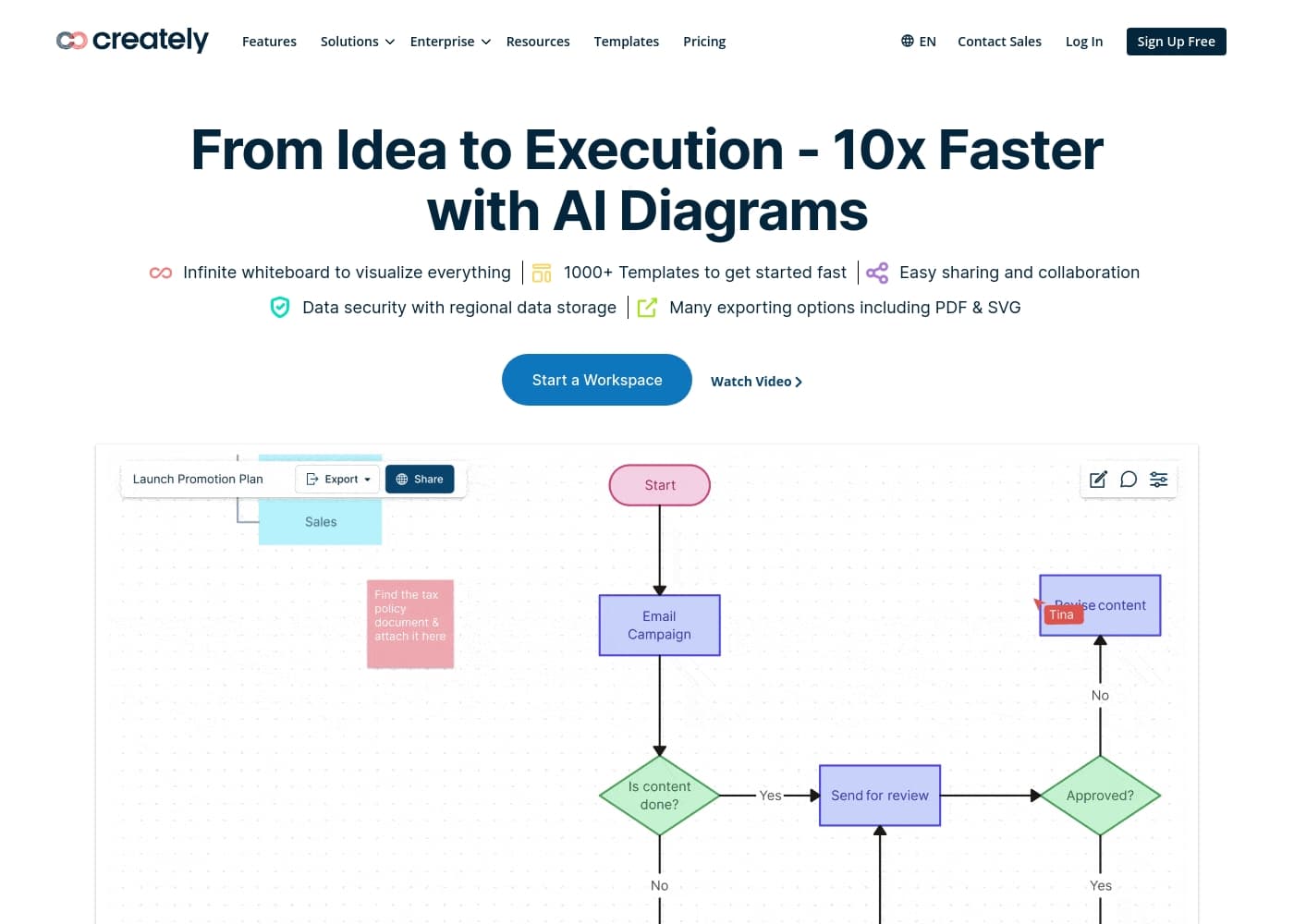
Creately首页截图

At a glance

Quick overview for Creately: rating, pricing summary, key features, and highlights.

Ciroapp 评论

2.5
Mixed reviews, clear caveats

We approach Creately with a balanced view: it's a capable visual platform that shines for quick diagramming and collaboration. We note strengths in usability and toolkits, but recurring issues with performance, exports, and pricing headaches reduce overall reliability. Overall, it's a solid option for some teams, with clear caveats.

优点

  • Pro:Ease of use for diagramming
  • Pro:Supports multiple diagram types through prompts
  • Pro:Good for quick collaboration and visual thinking
  • Pro:Toolkits help structure ideas quickly

缺点

  • Con:Bugs and lag hinder complex diagrams
  • Con:Export can be unreliable or fail
  • Con:Cancellation and pricing friction deter long-term value
  • Con:Gating features behind paywalls reduces perceived value
This section is a summary. Detailed sections about features, use cases, pricing, and reviews follow below.

Creately评论、价格、功能、优缺点

From idea to launch, you need to connect ideas, people, and data in one visual place. Creately helps you ship better products faster with a single visual platform. ✨

Use Product Toolkits and prompts to create many diagram types from just a few words. It also offers multi-perspective visualizations to uncover insights with expert frameworks. 💡

Creately 是什么?

Creately is a visual platform that helps teams turn ideas into diagrams and visual frameworks. It's designed for product teams, designers, project managers, and anyone mapping ideas and plans. The platform supports Product Toolkits, prompts to generate many diagram types from just a few words, and Multi Perspective Visualizations.

Creately 主要功能

✨ One Visual Platform to Connect Ideas, People, and Data

From idea to launch, you need to connect ideas, people, and data on one visual platform to ship better products faster.

Creately provides that single visual platform, helping teams turn ideas into diagrams and visual frameworks.

You can use Product Toolkits and prompts to create many diagram types from just a few words, and you can use Multi Perspective Visualizations to uncover insights with expert frameworks.

✨ Product Toolkits & Prompts for Quick Diagramming

Product Toolkits and prompts let you create many diagram types from just a few words.

These tools speed diagramming and help you capture ideas quickly.

  • Product Toolkits
  • Prompts to generate many diagram types from just a few words
  • Flexible diagram options

💡 Multi-Perspective Visualizations

Multi Perspective Visualizations convert ideas into multiple types of diagrams and visual frameworks.

They help you explore different angles and uncover insights.

✨ Expert Frameworks for Deeper Insights

Let VIZ use expert strategic frameworks to deliver insights.

This helps teams align on next steps and move from ideas to action.

✨ Collaboration That Aligns Teams and Next Steps

Uncover insights together and align on next steps.

Creately’s visual platform supports mapping ideas and plans so teams work toward common goals.

使用案例

⚡️ Idea to Diagram in Minutes

Creately brings ideas, people, and data together in a single visual space. Teams map concepts and plan launches without hopping between tools.

With Product Toolkits and prompts, you can turn a few words into many diagram types. The result is a clear, shareable view your team can discuss and agree on.

🧭 Step-by-Step Diagram Creation

Start with a brief or idea. Use prompts to pick a diagram type that fits your goal. Then invite teammates to contribute.

Steps: 1) Enter a few words about the concept. 2) Choose a diagram type with a prompt. 3) Add collaborators and refine. 4) Save, share, and adapt as ideas evolve.

Tip: Use prompts to explore diagram types early; it helps keep scope tight.

🎯 Problem → Approach → Outcome: Roadmap Alignment

Problem: A product team had many ideas and no clear path.

Approach: They mapped a roadmap using Creately's toolkits and expert frameworks, then aligned on the next steps.

Outcome: The diagram became a shared guide for discussions and decisions.

Expected outcome: A shared understanding and clear next steps.

🔎 Seeing Problems from Multiple Angles

See problems from multiple angles. Creately lets teams build user journeys, architectures, and data flows in related visuals.

With Multi Perspective Visualizations, you compare angles side by side and spot gaps earlier.

This helps teams uncover insights together and move forward with a common view.

🗺️ Flexible Diagrams from Ideas

Idea to diagram is flexible. From workflows to roadmaps, you can convert ideas into several diagram types and visual frameworks.

The platform supports many formats so teams can choose the view that fits the discussion.

Creately 价格概览

Pricing

Creately pricing:

Exact plan prices are not explicitly stated in the available information.

用户评论

Trustpilot paints a mixed picture: many users praise ease of use, collaboration, and the promise of a single visual platform, but a sizable share report bugs, lag, export issues, and painful cancellation/paywall headaches. On Trustpilot, some reviewers note quick, responsive support when problems arise, yet others cite refunds delays and inconsistent reliability.

Capterra sentiment mirrors that mix, acknowledging useful diagram types and toolkits while concerns about onboarding, value, and reliability surface in several reviews. Taken together, Creately appears strong for simple diagrams and team collaboration, but real-world experiences warn that performance and pricing friction can affect adoption and value.

Buyers should probe pricing terms, test critical workflows (export, share, and collaboration), and gauge whether the platform’s strengths line up with their needs. Overall, we see a tool that can be productive when issues are resolved, but it’s not without significant caveats.

😊

其他地方的用户评价

Alex D.
· Trustpilot
5.0 / 5

Creately is easy to use and supports many features for diagramming. It helps our team collaborate, though we’ve run into occasional bugs.

Priya M.
· Trustpilot
2.0 / 5

Premium price for a very bad product. Even drawing simple diagrams is laggy and gated behind paywalls.

还没有评论。

撰写评论

为Creately撰写评论
0/100个字符
0/2000个字符

为什么要使用 Creately?

Here’s why teams choose Creately: - 💡 One visual platform to connect ideas, people, and data for faster decisions. - ✅ Create many diagram types with just a few words.

  • 🔎 Multi Perspective Visualizations let you explore different angles. - ✨ Let VIZ use expert strategic frameworks to deliver insights.

  • 🤝 Uncover insights together and align on next steps. - 📊 Convert ideas into multiple diagram types and visual frameworks.

准备好使用Creately转变您的工作流程了吗?

Creately 替代工具

Diagram 类别中的其他工具

常见问题

What integrations does Creately support with other tools?

Not explicitly stated on the official site. For details on integrations and supported tools, check the product or help docs.

How does Creately handle data security and privacy?

Not explicitly stated on the official site. Look for security and privacy information in the site's policy or security pages.

Are there limits on diagrams, collaborators, or exports?

Not explicitly stated on the official site. Pricing or plan pages may mention limits; review those sections.

What is the billing structure and refund policy?

Not explicitly stated on the official site. Billing terms and refunds are typically described on the Pricing page or Help Center.

Is there a free trial, and what does it include?

Not explicitly stated on the official site. Check the Pricing page for trial details.

Is Creately pricing based on per-seat or per-usage?

Not explicitly stated on the official site. Pricing details are on the Pricing page; look for per-seat or per-usage notes there.

Do you offer onboarding or migration help when you start?

Not explicitly stated on the official site. Onboarding or migration guidance would be found in the Help Center or Customer Success resources.

What is the typical support response time or SLA?

Not explicitly stated on the official site. Support timing is usually listed in the Help Center or Support pages.

Which languages or regions does Creately support?

Not explicitly stated on the official site. Language options or regional availability are typically listed in product docs or regional settings.

How do cancellations work, and what happens to your data?

Not explicitly stated on the official site. Cancellation terms and data handling are usually in the Terms or Help Center.

Who is Creately best suited for?

Not explicitly stated on the official site. Creately describes itself as suitable for product teams, designers, project managers, and anyone mapping ideas.

What export formats are available, and how reliable are exports?

Not explicitly stated on the official site. Export formats and reliability are typically covered in Export or Troubleshooting guides.

准备尝试Creately了吗?查看官方网站或价格。