CopyTrans

CopyTrans

The simple PC solution for total iPhone content management.

#2 dans File management
2 阅读时间 · 更新时间 10/4/2025
CopyTrans首页截图

At a glance

Quick overview for CopyTrans: rating, pricing summary, key features, and highlights.

Ciroapp 评论

4.6
Simple, powerful management for your iPhone.

We find CopyTrans to be an exceptionally valuable tool for Windows users needing control over their iOS data without relying on iTunes. It provides highly reliable solutions for common tasks like photo conversion and media backup at an outstanding one-time price. Overall, CopyTrans offers superb utility and freedom from Apple's ecosystem.

优点

  • Pro:Exceptionally high user satisfaction (4.4 out of 5 Trustpilot rating).
  • Pro:Excellent, seamless HEIC photo conversion and management tools.
  • Pro:Reliable alternative to iTunes for media transfer and backup.
  • Pro:Very affordable one-time licensing model; great value in the 7-pack bundle ($29.99).

缺点

  • Con:Interface appearance is occasionally described by users as dated.
  • Con:Specific data export functions (like Notes) occasionally fail for some users.
免费试用
Yes
退款保证
Yes — 30 天
范围: $14.99–$29.99 (One-time)Free trial, One-time payment, Lifetime deal
This section is a summary. Detailed sections about features, use cases, pricing, and reviews follow below.

CopyTrans评论、价格、功能、优缺点

Trying to move photos or music off your iPhone onto your PC can often feel frustrating and limiting. Standard Apple methods sometimes make simple tasks unnecessarily complex. CopyTrans offers an effective answer, providing you with simple drag-and-drop ease and powerful features.

It’s the efficient way to transfer and secure your content. 💡

CopyTrans 是什么?

CopyTrans is an established software suite that solves common transfer and management issues for iPhone, iPad, and iPod users on a Windows PC. With over ten years of experience, it has become a trusted bridge between iOS devices and Windows systems. It serves as a powerful and free alternative to iTunes for managing your content. ✅

This software helps you handle nearly all data types, including photos, music, contacts, and messages. CopyTrans focuses on making device management simple, fast, and remarkably easy to use, boasting high user ratings and over 250,000 satisfied users.

CopyTrans 主要功能

✨ Effortless Photo and Video Transfer 📸

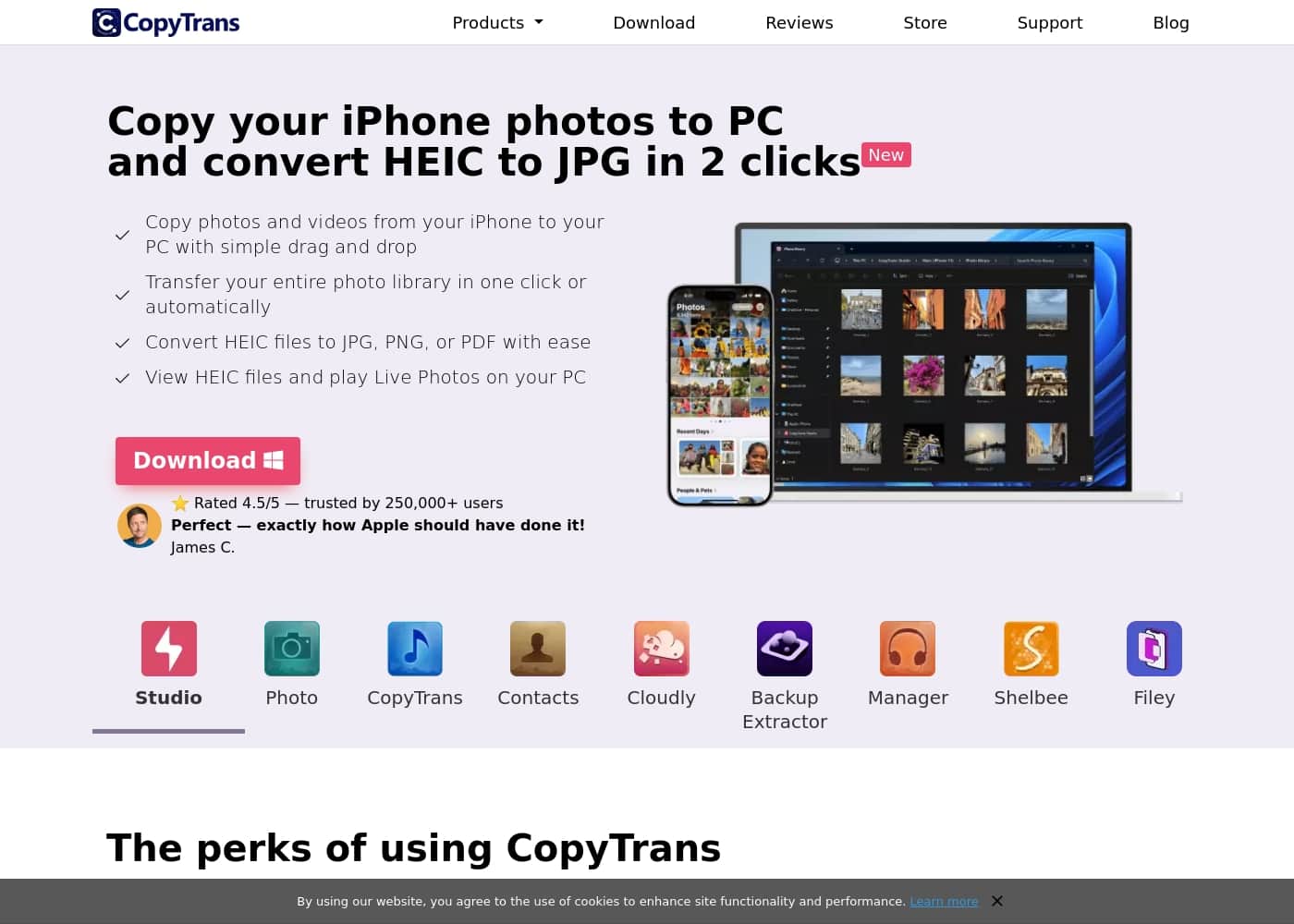
Quickly move visual media between your iPhone and PC using simple drag-and-drop. CopyTrans makes transferring photos and videos straightforward and fast. You can easily move your entire iOS photo library to your Windows PC in just one click if needed. If you prefer to be selective, the software supports simple drag and drop for individual files. This is perfect for securing cherished memories on your desktop or preparing them for editing.

A key feature is the automatic conversion of files. Your iPhone uses the HEIC photo format, which Windows often struggles with. CopyTrans instantly converts these HEIC files into standard, user-friendly formats.

You can convert HEIC files with ease to:

  • JPG format
  • PNG photos
  • PDF documents

Plus, you can view your HEIC files and play your Live Photos directly on your PC screen, ensuring full compatibility.

✨ Complete Music and Media Control

CopyTrans acts as a powerful, free alternative to iTunes for managing your media library. You can easily copy music, videos, and more between your iPhone, iPod, and your PC or iTunes library. This is crucial for users who want to safely back up their purchased media or restore a PC library from an older device.

The software also gives you deep control over how your music is organized. You can create, edit, and manage all your iPod playlists directly from your computer. You're also able to edit crucial song details like ID3 Tags, including the artist name and your personal ratings. You can even search for and add missing album artwork to keep your music collection visually perfect, and easily delete songs or apps you no longer want.

✨ Smart Backup and Custom Restore Options

You no longer need iTunes to completely back up or restore your iPhone data. CopyTrans offers an independent solution that backs up contacts, messages, apps, and settings directly to your PC. For maximum security, you can save these comprehensive backups to any external location, like an external hard disk or USB stick.

When it comes time to restore, the process is completely flexible through custom restore functionality. This means you don't have to restore the entire operating system just to get back a few lost items. You can choose to restore only the data you truly need. For example, you can select only your old messages or just your photos to transfer back to your device, saving you time and effort. The tool also supports working with encrypted backups.

✨ Manage and Export Essential Organizational Data

This tool helps you manage all your important personal data right from your PC interface. You can save and organize your contacts, edit calendars, and manage important iPod Touch notes. This is helpful when preparing to switch devices or simply ensuring sensitive work information is safely stored off your phone.

A major advantage here is the ability to easily export your contacts and other data wherever you need them. You can transfer your iPhone contacts directly into programs like Microsoft Outlook. Furthermore, if you decide to switch ecosystems, you can even transfer contacts readily to an Android device. You can also back up your iPhone messages to your PC and organize web bookmarks.

✨ iCloud and PC Synchronization Without Limits

The software offers a strong alternative to the standard iCloud for Windows application. You can efficiently manage your photos and videos stored in the cloud. Back up your entire iCloud photo and video library directly to your computer with a single click for local safety.

When backing up, the system is designed to save you time and space by avoiding duplicate files. It only downloads the most recently taken photos to your computer, ensuring a clean transfer. You can also manage your iCloud library by uploading multiple photo formats like JPG, PNG, or HEIC. The tool even handles mass deleting photos or helps restore images that were permanently deleted from iCloud.

✨ Use Your iPhone as a Flexible USB Drive

CopyTrans provides utilities that allow you to use your Apple device simply as a flexible USB flash drive. This means you can move all sorts of files instantly between your iPhone and PC, either over Wi-Fi or using a cable. This is incredibly helpful for commuters or professionals who need files readily available.

Transferring files is easy, and you can add movies to your iPhone quickly to watch offline later. You can also securely move work documents like Word, Excel, or PowerPoint files to your device. The interface lets you see a complete view of all files on your iPhone, allowing you to sort them by size or date. You can quickly delete the largest or oldest files to free up valuable space.

使用案例

📸 Migrate Your Entire Photo Library Instantly

You just finished an amazing trip, and your iPhone photo library is full. Don't struggle with complicated sync processes. CopyTrans Photo lets you transfer your massive album onto your Windows PC using simple drag-and-drop actions.

This is ideal for quickly freeing up space on your phone. Plus, if your iPhone saved photos in the HEIC format, the software automatically converts them into standard JPG, PNG, or PDF files. You can view all your pictures instantly without needing an external converter or special viewers.

🎶 Create a Perfect, Organized Music Collection

Need to restore your library onto a new computer or properly organize your playlists? CopyTrans lets you transfer music, videos, playlists, and even album artwork from your iPhone or iPod back to your iTunes library. It is a true alternative to manage media without needing iTunes, offering more control.

CopyTrans Manager makes precise adjustments easy. You can edit ID3 tags—like fixing artist names or ratings—and delete old media directly from your PC to save space.

🗄️ Problem: Trapped Data in Old Backups

Sometimes, important messages or photos are hidden inside old backups you made and forgot about. The challenge is locating those backups and viewing their contents without restoring everything. CopyTrans Backup Extractor solves this by automatically finding all iTunes and iCloud backups stored on your computer.

Approach: The tool allows you to browse the contents first, even supporting password-encrypted backups. Outcome: You easily recover only the specific items—like a critical thread of messages or contacts—without performing a full factory restore.

🤝 Transfer Contacts to Outlook or Android

You need to move all your phone contacts to a professional platform like Outlook, or maybe you are transitioning to an Android phone. Manually typing them is impossible. CopyTrans Contacts helps you manage and save your iPhone contacts, calendars, and notes directly on your PC.

Once on your computer, you can organize the data and export it easily to other programs. This utility ensures a clean, unified contact list is ready for migration, eliminating tedious manual data entry.

🔒 Secure and Custom Backups for Peace of Mind

Standard backups often force an all-or-nothing approach. CopyTrans Shelbee allows you to take control of your security. You can create a full backup and save it to any external drive or USB stick for total flexibility and security.

If you ever need to restore, you don't have to wipe your phone and pull everything back. The custom restore function lets you choose to restore only the data you truly need—just messages, photos, or contacts—avoiding app clutter from previous installs.

Tip: Encrypt your iPhone backups with a password for an extra layer of security.

💾 Using Your iPhone As a Flash Drive

How do you quickly move a large Excel sheet or a movie onto your iPhone without involving iCloud or email attachments? CopyTrans Filey turns your iPhone into a useful, versatile USB flash drive. You can move work documents like Word or Excel, or add movies for offline viewing.

Filey works over Wi-Fi or cable, simplifying the transfer process. You can also view all files stored in your iOS apps, sort them by size, and quickly delete the largest or oldest ones to neatly free up space on your device.

CopyTrans 价格概览

价格范围
$14.99–$29.99 (One-time)
价格类型
Free trial, One-time payment, Lifetime deal
退款保证
是 — 30 天

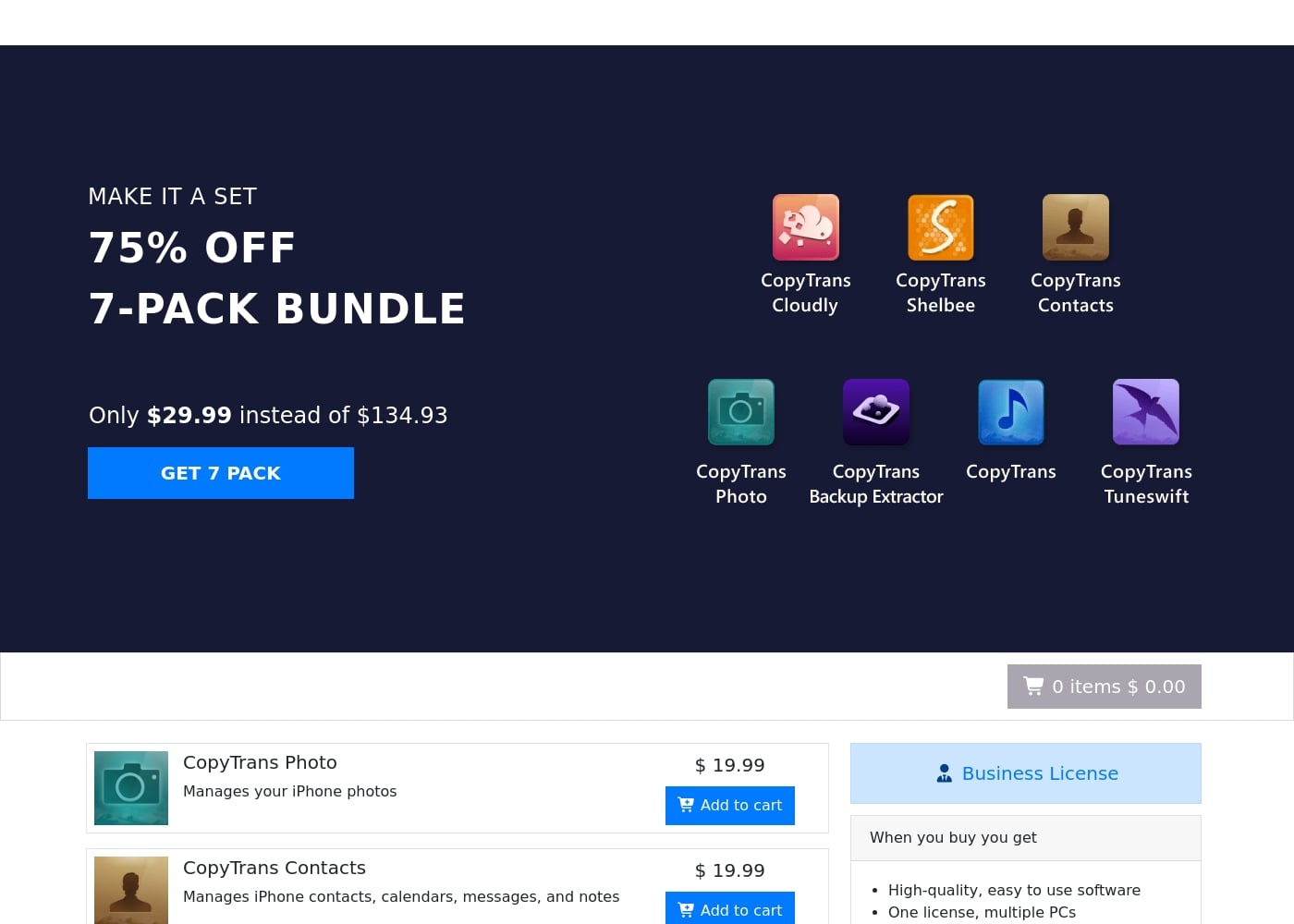
CopyTrans uses a simple one-time purchase model for its suite of iPhone management tools. You can buy individual programs for about $19.99 each, or purchase the complete 7-pack bundle for a deeply discounted price of $29.99.

Pricing

CopyTrans costs between $14.99 and $29.99 as a one-time charge with two main retail options: Single Tools at $14.99–$19.99 and the 7-Pack Bundle at $29.99.

CopyTrans software is sold as individual one-time licenses, not subscriptions. This pricing structure means you pay once and own the software license permanently.

CopyTrans Single Tools (Most)

Price: $19.99 one-time Websites Supported: Not explicitly stated (Implied one PC) Best For: Users needing a highly specific tool (e.g., photo management or contact backup) without buying the entire suite. Refund Policy: 30-day money-back guarantee Other Features:

  • High-quality, easy to use software
  • Instant digital delivery after purchase
  • Payment security (100% safe)

This option is great if you only need help with one specific task, like moving iPhone photos or managing iCloud content. Choose this if you want maximum simplicity and don't require the full bundle of utilities.

CopyTrans TuneSwift

Price: $14.99 one-time Websites Supported: Not explicitly stated (Implied one PC) Best For: Users focused specifically on transferring, backing up, or restoring their iTunes library data. Refund Policy: 30-day money-back guarantee Other Features:

  • Specialized tool for iTunes library management
  • Instant digital delivery
  • Includes 2 years of regular updates

If your main goal is managing your precious iTunes library, this economical plan gives you the dedicated utility you need. It is slightly cheaper than the standard $19.99 price for other single tools.

7-Pack Bundle

Price: $29.99 one-time (75% off the original price of $134.93) Websites Supported: Not explicitly stated (Implied one PC) Best For: Any user who owns an iPhone and wants a complete set of tools for managing contacts, cloud data, backups, and media transfer. Refund Policy: 30-day money-back guarantee Other Features:

  • Includes CopyTrans Photo, Contacts, Cloudly, Transfers, Backup Extractor, Shelbee, and TuneSwift
  • Own all 7 applications permanently
  • This bundle provides seven apps for one low price

The 7-Pack Bundle is easily the best value available, granting you the full collection of utilities for less than the cost of two individual tools. If you use several iOS management functions, you should certainly choose this package. It covers almost every common iPhone management need and ensures you have all the necessary software ready to go.

Business License

Price: Not explicitly stated (Contact CopyTrans for a quote) Websites Supported: Multiple PCs Best For: Companies, repair shops, or technical professionals who need to manage multiple iOS devices across several computers. Refund Policy: Not explicitly stated Other Features:

  • One license covers multiple PCs (unlike consumer licenses)
  • Includes 2 years of regular updates
  • High-quality, professional-grade software

Businesses needing centralized or widespread access to the software should explore this option for multi-PC support and robust licensing. You will need to contact the company directly to get a quote based on your specific organizational needs.

CopyTrans offers a "Try before you buy" option, meaning that you can test the software before committing to a purchase. All retail purchases are backed by a strong 30-day money back guarantee, ensuring you can shop with confidence and certainty.

用户评论

CopyTrans maintains an Excellent 4.4/5 rating on Trustpilot across 300 reviews. Users frequently highlight its seamless functionality, praising its role as a simple, effective alternative to iTunes.

A major recurring theme is the effortless handling of photos, particularly the highly useful HEIC conversion tool, which users describe as a “life saver” and “super easy” to deploy. Many reviewers appreciate finding a solution that “just works” for transferring media quickly.

Regarding value, the licensing cost is generally considered a “trivial amount” for the robust set of utilities provided in the 7-pack bundle. The software handles media backup and restoration with impressive reliability.

While the majority sentiment is overwhelmingly positive, citing speed and efficiency, one minor critique noted the explorer view might look a bit dated—like “Windows 3.1” in appearance. CopyTrans demonstrates excellent support engagement, replying to 100% of negative feedback promptly.

This high level of satisfaction confirms its position as a reliable, user-friendly tool for managing iOS content on a PC. 👍

其他地方的用户评价

N. K.
· Trustpilot
4.0 / 5

This tool is a life saver for managing iPhone media, including photos and music. The licensing cost is trivial compared to the dedicated functionality it provides. I will definitely be renewing my license when the time comes.

A. T.
· Trustpilot
5.0 / 5

Downloading was quick and simple, succeeding even for an amateur user like me. It worked successfully right away, and I was really impressed with the speed of the whole process. Thank you CopyTrans.

还没有评论。

撰写评论

为CopyTrans撰写评论
0/100个字符
0/2000个字符

为什么要使用 CopyTrans?

Stop fighting complicated syncing tools and reclaim true control over your iOS data. CopyTrans simplifies tasks that other tools often overcomplicate. It’s trusted by hundreds of thousands of satisfied users because it provides direct, efficient solutions. Here’s why using CopyTrans makes managing your device much smoother:

  • Freedom from iTunes: You gain a full iTunes alternative that lets you manage devices without restrictions. You can easily copy music, videos, edit song details (ID3 Tags), and manage playlists directly from your PC.
  • Effortless Photo Handling: Move your entire photo library or specific files between your iPhone and PC using simple drag and drop, often in one click. It even converts challenging HEIC files into standard JPG, PNG, or PDF formats quickly. ✨
  • Comprehensive Data Backup: Back up contacts, apps, messages, and settings, and even customize your restore process to pull back only the data you truly need. You can save these backups to any external drive (like an external hard disk or USB stick), offering flexible security.
  • Centralized Organization: Manage and export important organizational data. This includes handling calendars, contacts, notes, and browsing bookmarks from your PC. You can even transfer contacts easily to programs like Outlook or to Android devices.
  • iPhone as a Drive: CopyTrans also offers utilities that turn your iPhone into a useful USB flash drive. You can move work documents (Word, Excel) or quickly add movies to watch offline, managing all your files in one clear interface. Get started today and see how easy managing your Apple devices can be!

准备好使用CopyTrans转变您的工作流程了吗?

CopyTrans 替代工具

File management 类别中的其他工具

常见问题

How many PCs can I install the retail 7-Pack bundle license on?

The standard consumer license, including the 7-Pack bundle, is designed for use on a single personal computer. If you require installation across multiple machines, you would need to purchase a specific Business License.

What is the guaranteed response time if I need technical support?

CopyTrans commits to providing assistance by email within 24 hours of your request. This helps ensure that any installation or usage issues are resolved quickly and efficiently.

Can CopyTrans help me transfer contacts to non-Apple systems like Outlook or Android?

Yes, CopyTrans Contacts provides specific functionality to manage and transfer your iPhone contacts. You can cleanly export contacts to programs like Outlook or prepare them for migration to an Android device.

What are the limitations of the 'Try before you buy' free trial version?

Not explicitly stated on the official site. However, the company offers a free option so you can fully test the software’s functionality before committing to the one-time purchase.

Are my iPhone backups encrypted when I use CopyTrans software?

Yes, CopyTrans supports existing encrypted backups. Furthermore, when creating new local backups, you have the option to encrypt them with a password for added security.

Where does CopyTrans store the backups it creates of my iOS device?

You manage the destination of your backups entirely. You can save them to your local PC hard drive or direct them securely to any external drive, such as a USB stick or external hard disk.

What happens after the two years of included free software updates expire?

Not explicitly stated on the official site. Your license is permanent, so your current software will still work indefinitely. However, you will stop receiving regular new feature updates or compatibility improvements after that period.

How does the pricing structure handle multiple users or business environments?

For environments requiring installation across multiple PCs, CopyTrans offers a Business License. You must contact their sales team directly to receive a quote based on your specific organizational needs.

Can I restore only specific data, like just messages, from a full device backup?

Yes, CopyTrans Shelbee offers a custom restore feature. This allows you to select specific data types—like only messages, contacts, or photos—without restoring the entire device.

If I am unhappy with the purchase, is the 30-day money-back guarantee truly unconditional?

Yes. CopyTrans proudly offers a 30-day money-back guarantee. They refer to this as a 100% success guarantee, ensuring you can purchase with confidence and certainty.

Why is CopyTrans TuneSwift priced lower than the other individual utilities?

TuneSwift costs $14.99, which is slightly less than the standard $19.99 for other tools. This utility is highly specialized, focusing only on managing, transferring, and backing up your iTunes library data.

Who benefits the most from switching to the CopyTrans suite?

The suite is best for Windows users who frequently manage iOS content but want freedom from iTunes restrictions. It is especially useful for anyone needing easy photo transfer or HEIC file conversion.

准备尝试CopyTrans了吗?查看官方网站或价格。